
ແນະນຳ
Thank you for choosing the Denon PerL True Wireless Earbuds. This manual provides essential information for setting up, operating, and maintaining your earbuds to ensure optimal performance and a personalized listening experience. Please read these instructions carefully before use.
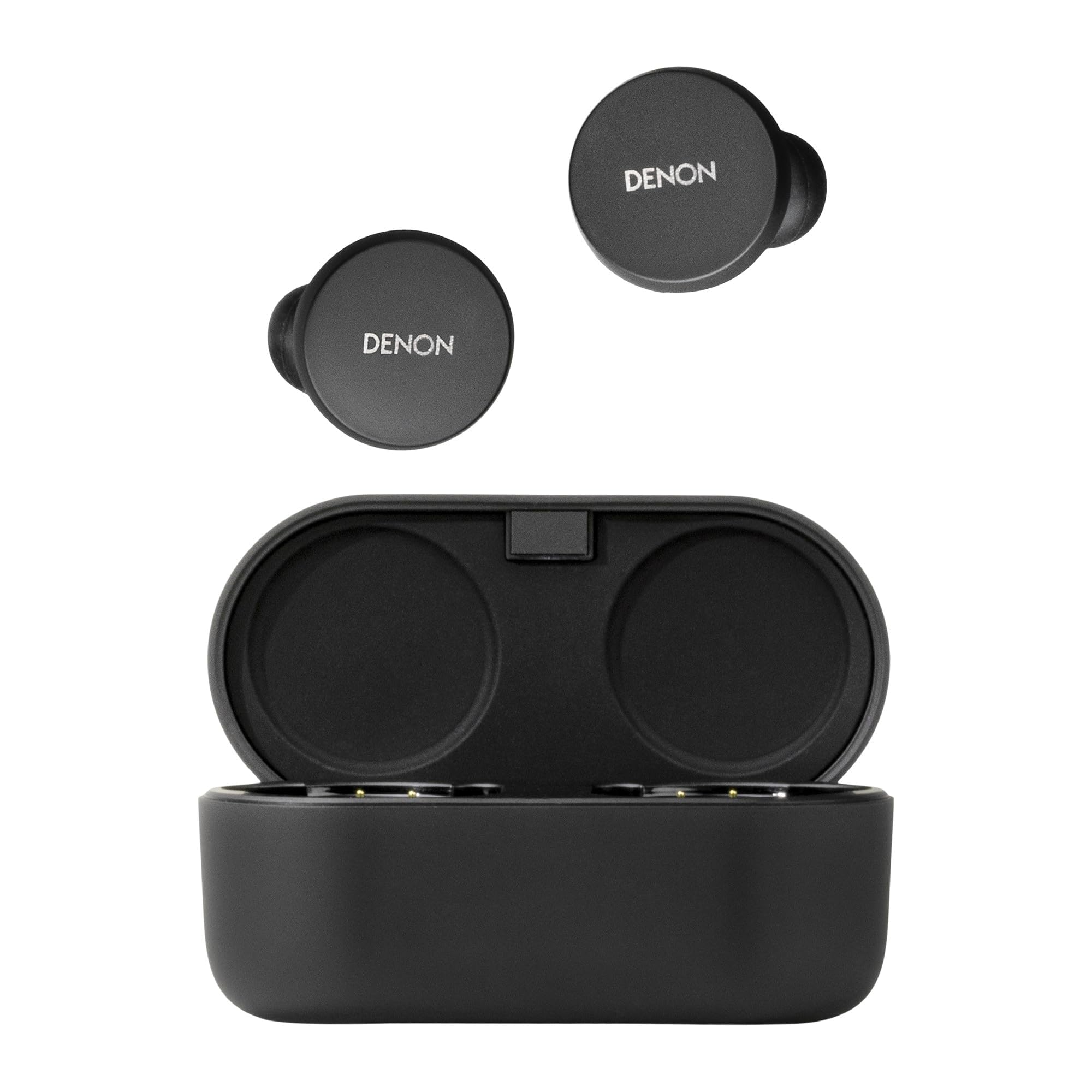
Image: Denon PerL True Wireless Earbuds and their charging case.
ແມ່ນຫຍັງຢູ່ໃນກ່ອງ
ກວດສອບວ່າລາຍການທັງຫມົດແມ່ນມີຢູ່ໃນການຫຸ້ມຫໍ່:
- Denon PerL True Wireless Earbuds
- ກ່ອງສາກໄວ
- ສາຍສາກ USB-A ຫາ USB-C
- Five Tip Options (XS, S, M, L, Foam)
- Two Wing Attachment Options

Image: Denon PerL Earbuds, charging case, and the included selection of ear tips and wing attachments for a customized fit.
ຕັ້ງຄ່າ
1. ການສາກຫູຟັງ ແລະ ເຄສ
Before first use, fully charge the earbuds and charging case. Connect the USB-C cable to the charging case and a power source. The indicator lights on the case will show the charging status.
2. ການຈັບຄູ່ກັບອຸປະກອນ
- ເປີດກ່ອງສາກໄຟ. ຫູຟັງເອຍບັດຈະເຂົ້າສູ່ໂໝດຈັບຄູ່ໂດຍອັດຕະໂນມັດ.
- ໃນອຸປະກອນຂອງທ່ານ (ໂທລະສັບສະຫຼາດ, ແທັບເລັດ, ແລະອື່ນໆ), ໄປທີ່ການຕັ້ງຄ່າ Bluetooth.
- Select "Denon PerL" from the list of available devices.
- ເມື່ອເຊື່ອມຕໍ່ແລ້ວ, ການເຕືອນດ້ວຍສຽງຈະຢືນຢັນການຈັບຄູ່ສຳເລັດ.
3. Denon Headphones App
Download the Denon Headphones app from your device's app store. The app is essential for unlocking the full potential of your earbuds, including personalized sound, custom touch controls, and mode adjustments.
Image: A smartphone screen showing the Denon Headphones app, with Denon PerL earbuds and a laptop in the background.
4. Personalized Sound with Masimo Adaptive Acoustic Technology (AAT)
The Denon PerL earbuds utilize Masimo AAT to create a unique sound profile tailored to your hearing. This process involves the earbuds playing a range of tones and listening to the tiny sounds (otoacoustic emissions or OAEs) generated by your cochlea. The app then creates an EQ setting perfectly tuned to how you hear.
Video: An animation demonstrating how Masimo Adaptive Acoustic Technology (AAT) works by measuring otoacoustic emissions to create a personalized sound profile.
5. Comfortable and Secure Fit
Achieving a proper fit is crucial for sound quality and noise cancellation. Experiment with the five included ear tip options (XS, S, M, L, Foam) and two wing attachment options to find the most comfortable and secure fit for your ears. The Denon Headphones app also offers a fit test to help you ensure an optimal seal.

Image: A person wearing a Denon PerL earbud, illustrating the secure and comfortable fit.
ປະຕິບັດການຫູຟັງ
1. ແຕະການຄວບຄຸມ
Each earbud features four fully customizable touch inputs. These can be configured via the Denon Headphones app to control functions such as:
- ຫຼິ້ນ/ຢຸດດົນຕີ
- ຂ້າມແທຣັກ (ຕໍ່ໄປ/ກ່ອນໜ້ານີ້)
- ປັບລະດັບສຽງ
- ເປີດໃຊ້ຜູ້ຊ່ວຍສຽງ
- Switch between Noise Cancelling and Social Mode
- ການຕອບ / ໂທສຸດທ້າຍ
2. Noise Cancellation and Social Mode
The earbuds feature Adaptive Active Noise Cancellation (ANC) to block out ambient distractions. For situations where you need to be aware of your surroundings, activate Social Mode to allow external sounds to pass through. These modes can be toggled using the customizable touch controls or through the Denon Headphones app.
3. ໂທອອກ
The Denon PerL earbuds are equipped with eight microphones and Qualcomm aptX Voice technology for clear voice calls. Multipoint connectivity allows you to connect to two devices simultaneously, making it easy to switch between music on one device and calls on another.
ການສາກໄຟ ແລະ ອາຍຸແບັດເຕີຣີ
The earbuds provide up to 8 hours of playback in Normal Mode on a single charge. The charging case extends the total listening time to up to 24 hours in Low Power Mode, offering multiple recharges. The case supports both USB-C and Qi wireless charging.
ຕົວຊີ້ວັດຫມໍ້ໄຟ:
- Check battery status via the Denon Headphones app.
- LED indicators on the charging case show the case's battery level.
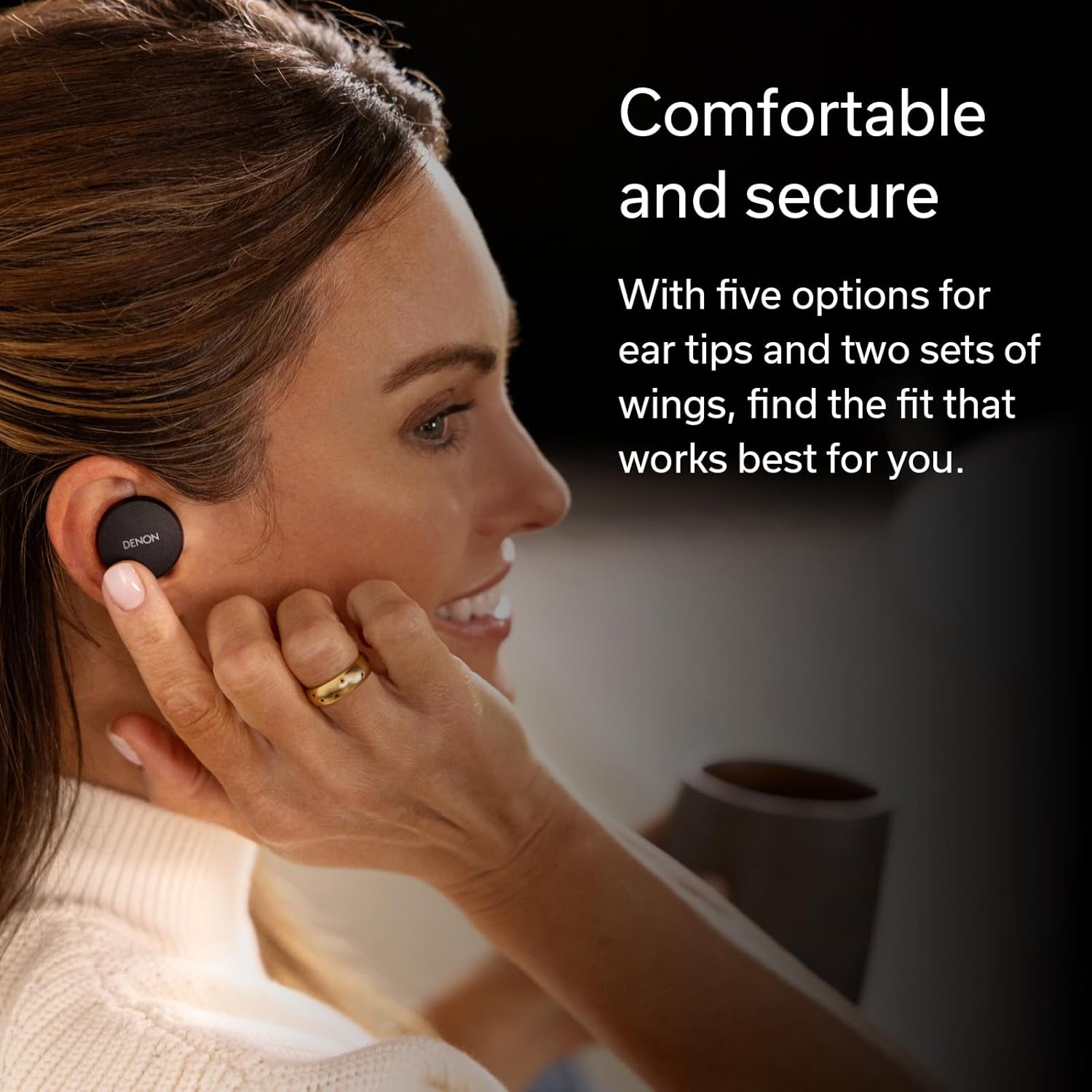
Image: Hands placing the Denon PerL earbuds into their charging case.
ບໍາລຸງຮັກສາ
1. ທໍາຄວາມສະອາດ
Regularly clean your earbuds and charging case to maintain performance. Use a soft, dry, lint-free cloth. Do not use abrasive cleaners or solvents. Remove ear tips and clean them separately with mild soap and water, ensuring they are completely dry before reattaching.
2. Water Resistance
The Denon PerL earbuds are IPX4-rated for sweat and water resistance. This means they are protected against splashing water from any direction. They are not waterproof and should not be submerged in water. Ensure earbuds are dry before placing them back in the charging case.
ການແກ້ໄຂບັນຫາ
- ບໍ່ມີສຽງ: Ensure earbuds are charged, properly paired, and volume is adjusted. Check audio output settings on your device.
- ບັນຫາການຈັບຄູ່: Place earbuds back in the case, close, then reopen to re-enter pairing mode. Forget the device in your Bluetooth settings and try pairing again.
- ຄຸນນະພາບສຽງ/ຄວາມພໍດີບໍ່ດີ: Experiment with different ear tips and wing attachments. Perform the fit test in the Denon Headphones app. Ensure the personalized sound profile ມີການເຄື່ອນໄຫວ.
- ການລະບາຍຫມໍ້ໄຟຢ່າງໄວວາ: Ensure earbuds are properly seated in the charging case. Close the case lid to ensure charging begins.
- ບັນຫາຄຸນນະພາບການໂທ: Ensure microphones are not obstructed. Try moving to an environment with less background noise.
ຂໍ້ມູນຈໍາເພາະ
| ຍີ່ຫໍ້ | Denon |
| ໝາຍເລກຕົວແບບ | AHC10PLBK |
| ການຈັດວາງຫູ | ໃນຫູ |
| ການຄວບຄຸມສິ່ງລົບກວນ | Active Noise Cancellation |
| ເຕັກໂນໂລຊີການເຊື່ອມຕໍ່ | ໄຮ້ສາຍ (Bluetooth 5.0) |
| ຊ່ວງ Bluetooth | 10 ແມັດ |
| ອາຍຸແບັດເຕີຣີ Earbud | ສູງສຸດ 8 ຊົ່ວໂມງ (ໂໝດປົກກະຕິ) |
| ອາຍຸແບັດເຕີຣີທັງໝົດ (ພ້ອມກ່ອງ) | Up to 24 hours (Low Power Mode) |
| ລະດັບຄວາມຕ້ານທານນ້ໍາ | IPX4 (ກັນນໍ້າ) |
| ນ້ໍາຫນັກລາຍການ | 1.6 ອອນ |
| ນ້ຳໜັກກະເປົ໋າ | 1.68 ອອນ |
| ປະເພດໄດເວີສຽງ | ໄດນາມິກໄດເວີ |
| ຊ່ວງຄວາມຖີ່ | 20 Hz - 20,000 Hz |
ວິດີໂອ: ຜະລິດຕະພັນຫຼາຍກວ່າview of the Denon PerL True Wireless Earbuds, highlighting key features and design.
ການຮັບປະກັນແລະການສະຫນັບສະຫນູນ
ຂໍ້ມູນການຮັບປະກັນ
The Denon PerL True Wireless Earbuds come with a 1-year manufacturer's warranty. Please retain your proof of purchase for warranty claims.
ການຊ່ວຍເຫຼືອລູກຄ້າ
For further assistance, technical support, or warranty inquiries, please visit the official Denon webເວັບໄຊ ຫຼືຕິດຕໍ່ພະແນກບໍລິການລູກຄ້າຂອງເຂົາເຈົ້າ. ອ້າງອີງໃສ່ການຫຸ້ມຫໍ່ຜະລິດຕະພັນສໍາລັບລາຍລະອຽດການຕິດຕໍ່ສະເພາະ.