
1. ບົດແນະນຳ
This manual provides detailed instructions for the proper use and maintenance of your HOCO BS45 Deep Sound Sports Wireless Speaker. Please read this manual thoroughly before operating the device to ensure optimal performance and longevity. The HOCO BS45 is a portable wireless speaker featuring Bluetooth V5.0 connectivity, FM radio, and TF card support, designed for versatile audio playback.
2. ເນື້ອໃນຊຸດ
- ລຳໂພງໄຮ້ສາຍ HOCO BS45
- ສາຍສາກ USB
- ຄູ່ມືຜູ້ໃຊ້
3. ຜະລິດຕະພັນເກີນview
The HOCO BS45 speaker features a compact, spherical design with a durable mesh fabric finish. It incorporates a single speaker unit and intuitive controls for various functions.
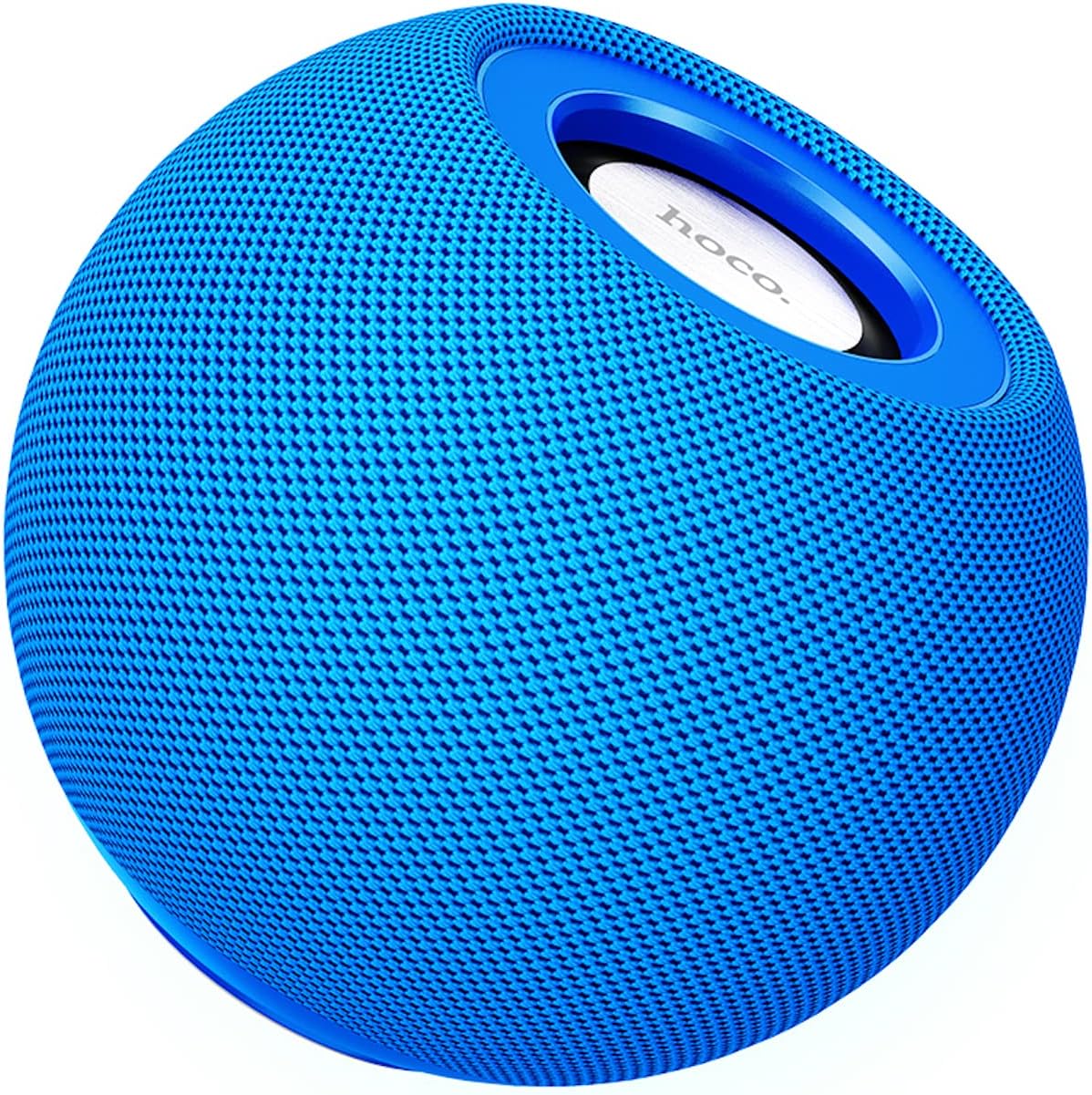
ຮູບທີ 3.1: ດ້ານໜ້າ view of the HOCO BS45 speaker, showcasing its blue mesh exterior and top-mounted control area with the HOCO logo.
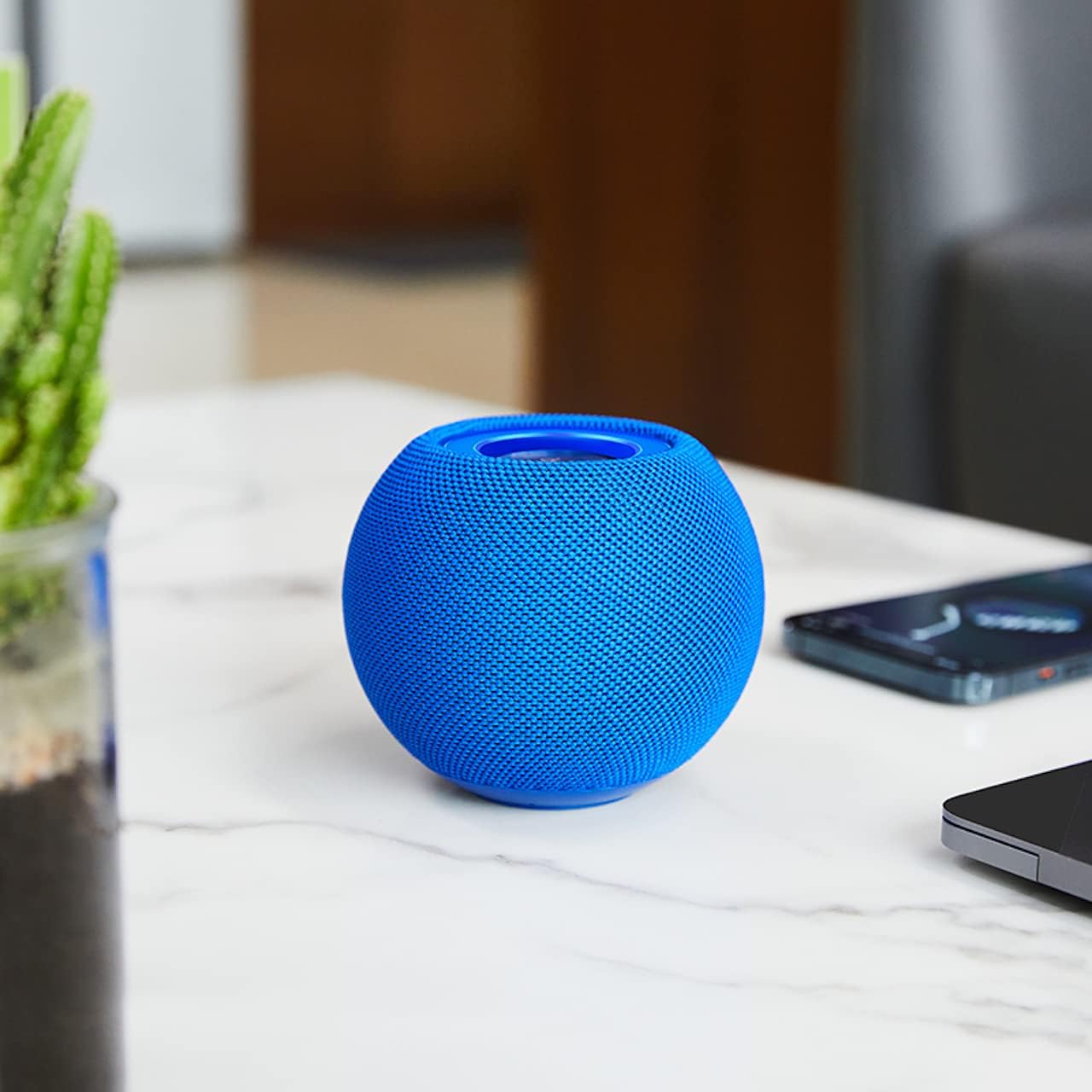
ຮູບທີ 3.2: The HOCO BS45 speaker positioned on a tabletop, illustrating its compact size relative to a smartphone and a small plant, suitable for various indoor settings.
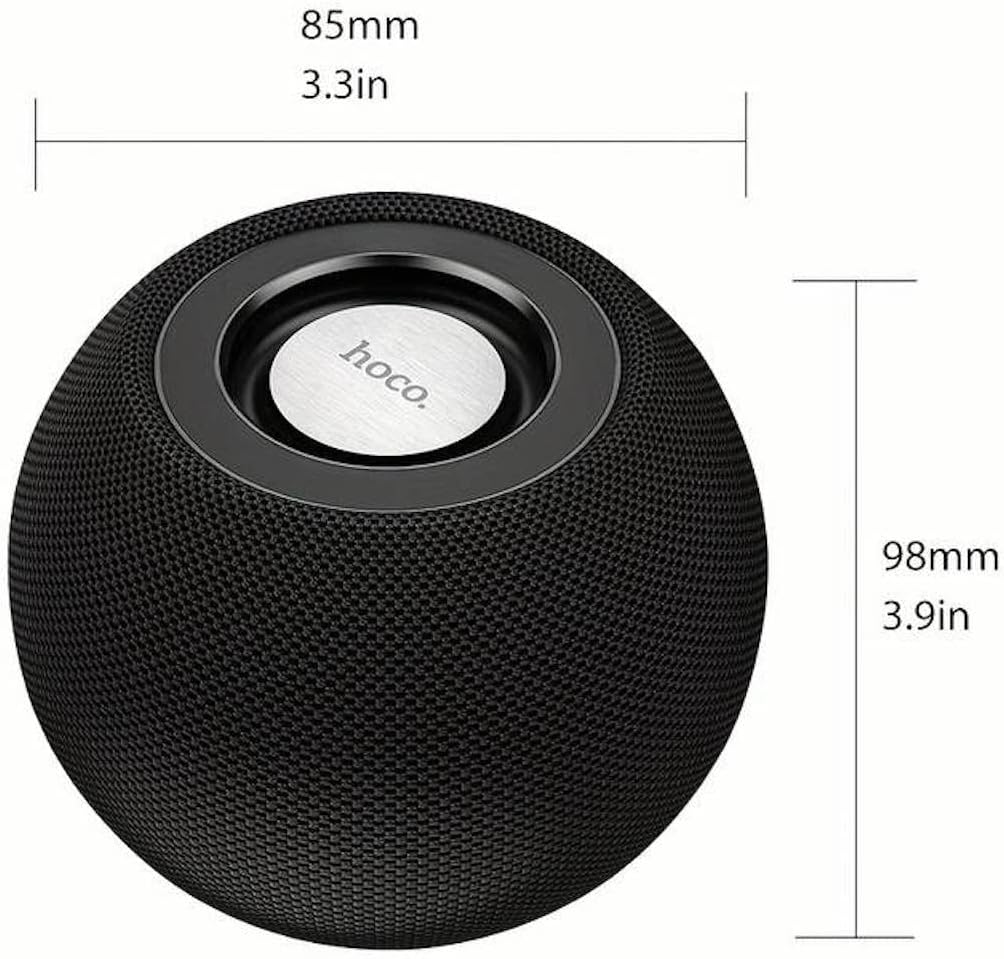
ຮູບທີ 3.3: Technical diagram indicating the dimensions of the HOCO BS45 speaker: 85mm (3.3 inches) in width and 98mm (3.9 inches) in height.
4. ຕັ້ງຄ່າ
4.1 ກຳລັງສາກລຳໂພງ
- ເຊື່ອມຕໍ່ສາຍສາກ USB ທີ່ໃຫ້ມາກັບຊ່ອງສາກໄຟຢູ່ລຳໂພງ.
- ເຊື່ອມຕໍ່ອີກສົ້ນຂອງສາຍ USB ກັບອະແດັບເຕີໄຟ USB ທີ່ເຂົ້າກັນໄດ້ (ບໍ່ລວມ) ຫຼືພອດ USB ຂອງຄອມພິວເຕີ.
- ໄຟສະແດງການສາກໄຟຈະສະຫວ່າງໃນລະຫວ່າງການສາກໄຟ.
- ການສາກໄຟເຕັມໃຊ້ເວລາປະມານ 1.5 ຊົ່ວໂມງ. ໄຟສັນຍານຈະປ່ຽນ ຫຼື ມອດເມື່ອສາກໄຟສຳເລັດແລ້ວ.
The speaker has a built-in 500mAh battery, providing approximately 2 hours of talk or music playback time on a full charge.
4.2 ເປີດ/ປິດ
- To power on, press and hold the Power button (location not specified, typically a multi-function button) for a few seconds until you hear an audible prompt or see an indicator light.
- To power off, press and hold the Power button again for a few seconds until you hear an audible prompt or the indicator light turns off.
4.3 ການຈັບຄູ່ Bluetooth
- Ensure the speaker is powered on and in Bluetooth pairing mode (indicated by a flashing LED light, if present).
- ໃນອຸປະກອນມືຖືຂອງທ່ານ (ໂທລະສັບສະຫຼາດ, ແທັບເລັດ, ແລັບທັອບ), ເປີດໃຊ້ Bluetooth.
- ຊອກຫາ available Bluetooth devices. The speaker will appear as "HOCO BS45" or similar.
- Select "HOCO BS45" from the list to connect.
- Once successfully paired, you will hear a confirmation sound, and the LED indicator will typically stop flashing and remain solid.
The HOCO BS45 uses Bluetooth 5.0 technology for a stable and reliable connection.
4.4 TWS (True Wireless Stereo) ການຈັບຄູ່
To achieve a stereo sound experience, you can pair two HOCO BS45 speakers together.
- Ensure both HOCO BS45 speakers are powered on and not connected to any other Bluetooth device.
- On one of the speakers (this will be the primary speaker), press and hold the TWS pairing button (if available, or a multi-function button) until you hear a pairing prompt.
- The two speakers will automatically search for and connect to each other. A confirmation sound will indicate successful TWS pairing.
- Once TWS paired, connect your mobile device to the primary speaker via Bluetooth as described in Section 4.3.
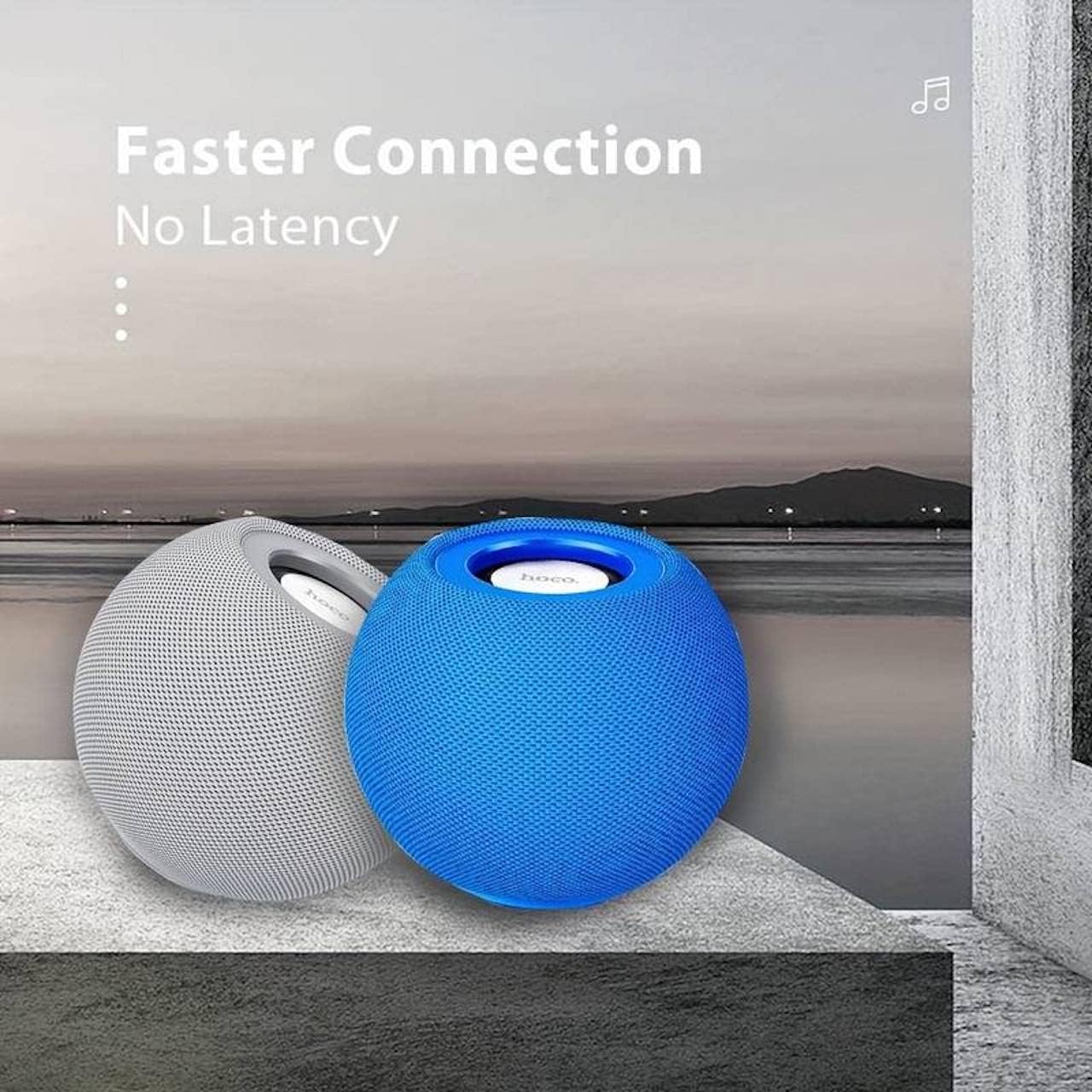
ຮູບທີ 4.1: Two HOCO BS45 speakers, one grey and one blue, shown together to illustrate the True Wireless Stereo (TWS) pairing capability for enhanced audio.
5. ຮູບແບບການເຮັດວຽກ
5.1 ແບບບູທູດ
After successful Bluetooth pairing (Section 4.3), you can play audio from your connected device. Use your device's media player to control playback (play, pause, skip tracks) and volume. Some speaker models may also support these controls directly via integrated buttons.
ໂໝດວິທະຍຸ 5.2 FM
- ກົດປຸ່ມໂໝດ (ຖ້າມີ) ເພື່ອສະຫຼັບໄປໃຊ້ໂໝດວິທະຍຸ FM.
- Press the Play/Pause button to initiate an automatic scan for FM stations. The speaker will save available stations.
- ໃຊ້ປຸ່ມຕິດຕາມຕໍ່ໄປ/ກ່ອນໜ້າເພື່ອນຳທາງລະຫວ່າງສະຖານີ FM ທີ່ບັນທຶກໄວ້.
ໂໝດບັດ 5.3 TF
- ໃສ່ບັດ TF (microSD) ທີ່ມີສຽງ files into the designated TF card slot on the speaker.
- The speaker should automatically switch to TF Card mode and begin playing music. If not, press the Mode button to select TF Card mode.
- Use the speaker's control buttons (e.g., Play/Pause, Next/Previous) to manage playback.
6. ການຄວບຄຸມ
The HOCO BS45 speaker features integrated controls for easy operation. While specific button layouts may vary, common functions include:
- ປຸ່ມເປີດປິດ: ກົດຄ້າງໄວ້ເພື່ອເປີດ/ປິດ.
- ປຸ່ມຫຼິ້ນ/ຢຸດຊົ່ວຄາວ: Press to play or pause audio. In FM mode, press to auto-scan.
- ເພີ່ມລະດັບສຽງຂຶ້ນ/ເພງຕໍ່ໄປ: ກົດສັ້ນເພື່ອປະລິມານຂຶ້ນ, ກົດຄ້າງໄວ້ສຳລັບເພງຕໍ່ໄປ.
- ຫຼຸດສຽງລົງ/ເພງກ່ອນ ໜ້າ: ກົດສັ້ນເພື່ອປະລິມານລົງ, ກົດຄ້າງໄວ້ສຳລັບເພງກ່ອນໜ້າ.
- ປຸ່ມໂໝດ: Press to switch between Bluetooth, FM Radio, and TF Card modes.
- Call Siri / Voice Assistant: Some models support touch operation to activate voice assistants.

ຮູບທີ 6.1: A black HOCO BS45 speaker, illustrating its high power capacity and support for various controls including song switching and voice assistant activation via touch operation.
7. ບໍາລຸງຮັກສາ
- ຮັກສາລຳໂພງໃຫ້ແຫ້ງ. ຢ່າປ່ອຍໃຫ້ມັນເຂົ້າໄປໃນນ້ໍາຫຼືຄວາມຊຸ່ມຊື່ນຫຼາຍເກີນໄປ.
- ເຮັດຄວາມສະອາດລໍາໂພງດ້ວຍຜ້າອ່ອນໆ, ແຫ້ງ. ຢ່າໃຊ້ເຄື່ອງເຮັດຄວາມສະອາດຂັດຫຼືສານລະລາຍ.
- Avoid extreme temperatures. Store the speaker in a cool, dry place.
- ຢ່າພະຍາຍາມຖອດປະກອບ ຫຼື ສ້ອມແປງລຳໂພງດ້ວຍຕົນເອງ. ນີ້ຈະເຮັດໃຫ້ການຮັບປະກັນເປັນໂມຄະ.
8. ການແກ້ໄຂບັນຫາ
| ບັນຫາ | ສາເຫດທີ່ເປັນໄປໄດ້ | ການແກ້ໄຂ |
|---|---|---|
| ລຳໂພງບໍ່ເປີດ. | ແບັດເຕີຣີຕໍ່າ. | ສາກລຳໂພງຢ່າງໜ້ອຍ 1.5 ຊົ່ວໂມງ. |
| ບໍ່ສາມາດຈັບຄູ່ຜ່ານ Bluetooth ໄດ້. | ລຳໂພງບໍ່ໄດ້ຢູ່ໃນໂໝດຈັບຄູ່; Bluetooth ຂອງອຸປະກອນປິດຢູ່; ຢູ່ໄກຈາກອຸປະກອນເກີນໄປ. | Ensure speaker is in pairing mode. Enable Bluetooth on your device. Move speaker closer to device (within 10 meters). |
| ບໍ່ມີສຽງ. | ລະດັບສຽງຕໍ່າເກີນໄປ; ບໍ່ໄດ້ເຊື່ອມຕໍ່ລຳໂພງ; ໂໝດບໍ່ຖືກຕ້ອງ. | Increase volume on both speaker and connected device. Re-pair Bluetooth. Ensure correct operating mode (Bluetooth, FM, TF card). |
| ການຮັບວິທະຍຸ FM ແມ່ນບໍ່ດີ. | ສັນຍານອ່ອນ; ການແຊກແຊງສິ່ງແວດລ້ອມ. | Move the speaker to a location with better signal. Avoid obstructions. |
9. ຂໍ້ມູນຈໍາເພາະ
- ຕົວແບບ: BS45
- ລຸ້ນ Bluetooth: 5.0 (ຊິບ: JL AC6965)
- ຄວາມອາດສາມາດຫມໍ້ໄຟ: 500mAh
- ເວລາສາກໄຟ: ປະມານ 1.5 ຊົ່ວໂມງ
- ເວລາສົນທະນາ/ດົນຕີ: ປະມານ 2 ຊົ່ວໂມງ
- ໜ່ວຍລຳໂພງ: 57mm*1
- ລຳໂພງສຽງອອກ: ຂະ ໜາດ 5W * 1
- ເຕັກໂນໂລຍີການເຊື່ອມຕໍ່: Bluetooth, FM, TF card, TWS
- ໂModeດອອກສຽງ: ອ້ອມຮອບ
- ປະເພດການຕິດຕັ້ງ: ໂຕະ
- ປະເພດລຳໂພງ: ກາງແຈ້ງ
- ຂະໜາດຜະລິດຕະພັນ: 9.8 x 8.5 x 8.5 ຊມ (3.9 x 3.3 x 3.3 ນິ້ວ)
- ນ້ຳໜັກສິນຄ້າ: 242 g
- ອຸປະກອນທີ່ເຂົ້າກັນໄດ້: ຄອມພິວເຕີຕັ້ງໂຕະ, ຄອມພິວເຕີໂນດບຸກ, ເຄື່ອງຫຼິ້ນ MP3, ໂທລະສັບສະຫຼາດ, ແທັບເລັດ
ຮູບທີ 9.1: A display of four HOCO BS45 speakers in various colors (black, blue, red, grey), emphasizing core specifications such as Bluetooth 5.0, 2 hours of music playback, and a 500mAh battery capacity.
10. ຂໍ້ມູນຄວາມປອດໄພ
- ຢ່າໃຫ້ລຳໂພງຖືກອຸນຫະພູມສູງ, ແສງແດດໂດຍກົງ ຫຼື ແປວໄຟ.
- ຫຼີກລ່ຽງການລຸດລົງ ຫຼື ວາງລຳໂພງຕໍ່ກັບຜົນກະທົບທີ່ຮຸນແຮງ.
- ຮັກສາລໍາໂພງຢູ່ຫ່າງຈາກເດັກນ້ອຍ ແລະສັດລ້ຽງ.
- Use only the provided or a certified charging cable.
- Do not operate the speaker in wet environments or near water.
- ກໍາຈັດຜະລິດຕະພັນຢ່າງມີຄວາມຮັບຜິດຊອບຕາມລະບຽບການທ້ອງຖິ່ນ.
11. ການຮັບປະກັນແລະການສະຫນັບສະຫນູນ
Specific warranty details for the HOCO BS45 speaker may vary by region and retailer. Please refer to your purchase documentation or contact your point of sale for warranty information. For technical support or inquiries, please visit the official HOCO webເວັບໄຊ ຫຼືຕິດຕໍ່ບໍລິການລູກຄ້າຂອງເຂົາເຈົ້າ.