
1. ບົດແນະນຳ
This manual provides comprehensive instructions for the LENVII D7800 Desktop Automatic 2D Barcode Scanner. Please read this manual carefully before using the product to ensure proper operation and to maximize its performance and lifespan. Keep this manual for future reference.
2. ຂໍ້ມູນຄວາມປອດໄພ
- ຢ່າໃຫ້ເຄື່ອງສະແກນຖືກນໍ້າ ຫຼື ຄວາມຊຸ່ມຊື່ນຫຼາຍເກີນໄປ.
- Avoid dropping the scanner from heights exceeding 1.2 meters to prevent damage, despite its anti-shock design.
- ຢ່າພະຍາຍາມຖອດປະກອບ ຫຼື ສ້ອມແປງເຄື່ອງສະແກນດ້ວຍຕົວທ່ານເອງ. ໃຫ້ປຶກສາພະນັກງານບໍລິການທີ່ມີຄຸນວຸດທິ.
- Keep the scanning window clean to ensure optimal performance.
- Avoid direct eye exposure to the scanner's light source.
3. ເນື້ອໃນຊຸດ
ກວດສອບວ່າລາຍການທັງຫມົດແມ່ນມີຢູ່ໃນຊຸດ:
- LENVII D7800 Desktop Automatic 2D Barcode Scanner
- ສາຍ USB (ປະສົມປະສານ)
- ຄູ່ມືຜູ້ໃຊ້ (ເອກະສານນີ້)

ຮູບທີ 3.1: Package contents including the scanner, USB cable, and user manual.
4. ຜະລິດຕະພັນເກີນview
4.1 ລັກສະນະທີ່ສໍາຄັນ
- ການອອກແບບ Hands-free: Omnidirectional scanning for 1D, 2D, and QR codes.
- CCD Scanning Technology: Capable of reading barcodes from mobile phone and computer screens, as well as damaged, blurred, distorted, colorful, or reflective barcodes.
- ສຽບ ແລະ ຫຼິ້ນ: No driver installation required.
- ຄວາມເຂົ້າກັນໄດ້ຢ່າງກວ້າງຂວາງ: Works with Windows XP/7/8/10, Mac OS, and Linux operating systems.
- ຫົວປັບໄດ້: Features a 15° adjustable head for flexible scanning angles.
- Anti-shock Design: ອອກແບບມາໃຫ້ທົນທານຕໍ່ການຕົກຈາກຄວາມສູງເຖິງ 1.2 ແມັດ.
4.2 ຂະໜາດ
The scanner has compact dimensions suitable for desktop use.

ຮູບທີ 4.1: ດ້ານໜ້າ ແລະ ຂ້າງ view of the LENVII D7800 scanner with dimensions indicated.
4.3 Anti-shock Design
The LENVII D7800 is designed for durability, capable of withstanding accidental drops from a height of 1.2 meters without affecting its functionality.

ຮູບທີ 4.2: Illustration of the scanner's anti-shock capability.
5. ຕັ້ງຄ່າ
5.1 ການເຊື່ອມຕໍ່ເຄື່ອງສະແກນ
- Place the LENVII D7800 scanner on a stable, flat surface.
- Connect the integrated USB cable from the scanner to an available USB port on your computer (desktop or laptop).
- The scanner will power on automatically and initiate the "Plug and Play" process.

ຮູບທີ 5.1: The scanner connected to various devices, demonstrating its plug-and-play functionality.
5.2 ການຕິດຕັ້ງໄດເວີ
The LENVII D7800 is a plug-and-play device. No additional drivers or software installation is required for basic operation. Your operating system (Windows, Mac OS, Linux) will automatically recognize the device.
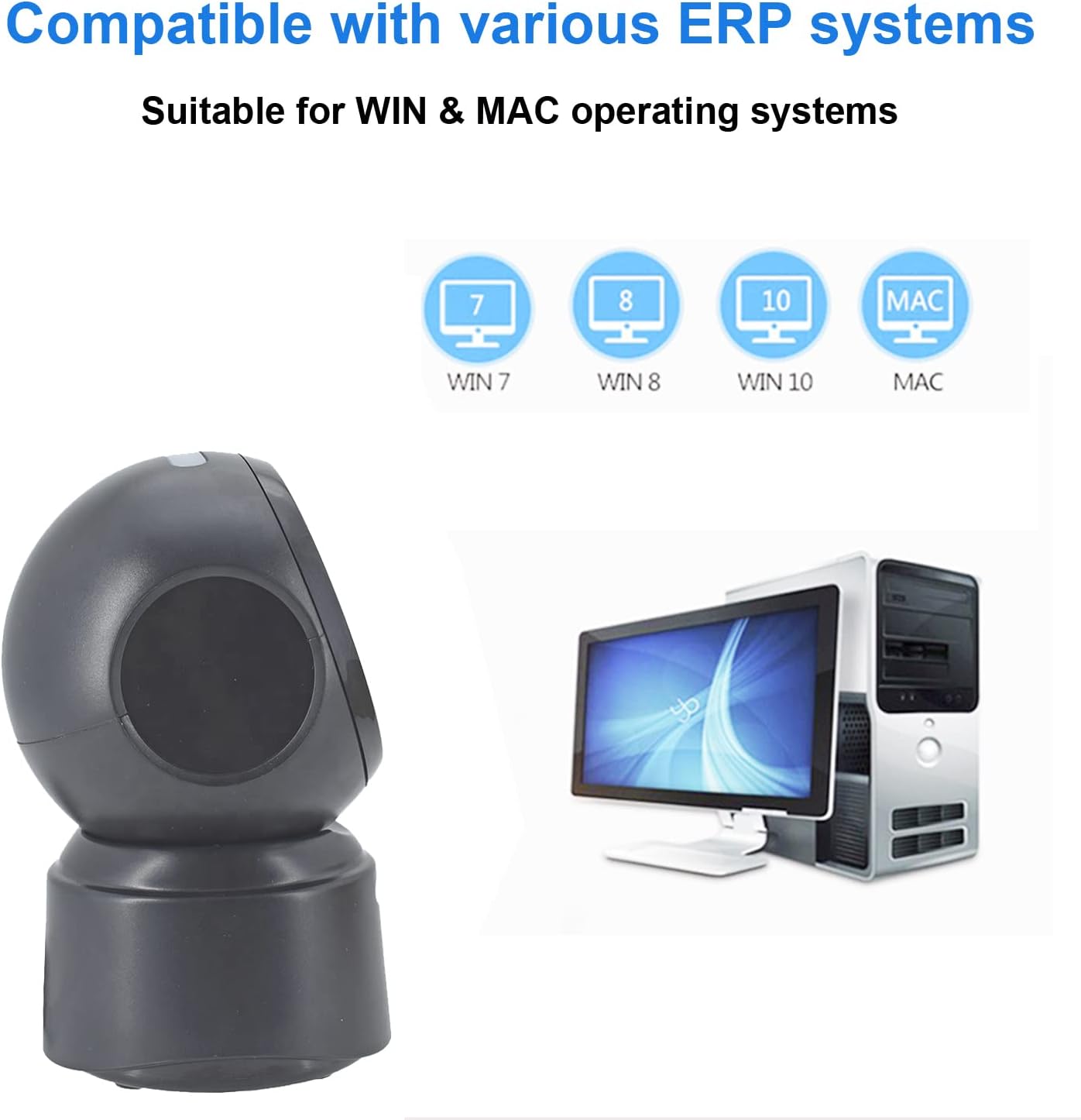
ຮູບທີ 5.2: Compatibility with various operating systems.
6. ຄໍາແນະນໍາການດໍາເນີນງານ
6.1 ຂັ້ນຕອນການສະແກນພື້ນຖານ
The D7800 scanner operates in an automatic, hands-free mode. Once connected, it is ready to scan.
- Ensure the scanner is connected to your computer and powered on.
- Present the barcode to the scanning window. The scanner will automatically detect and read the barcode.
- A successful scan is typically indicated by an audible beep and/or a visual confirmation (e.g., LED indicator).
- The scanned data will be transmitted to your computer as keyboard input.
6.2 Scanning Barcode Types
The scanner supports a wide range of 1D, 2D, and QR codes, including those that are less than perfect.
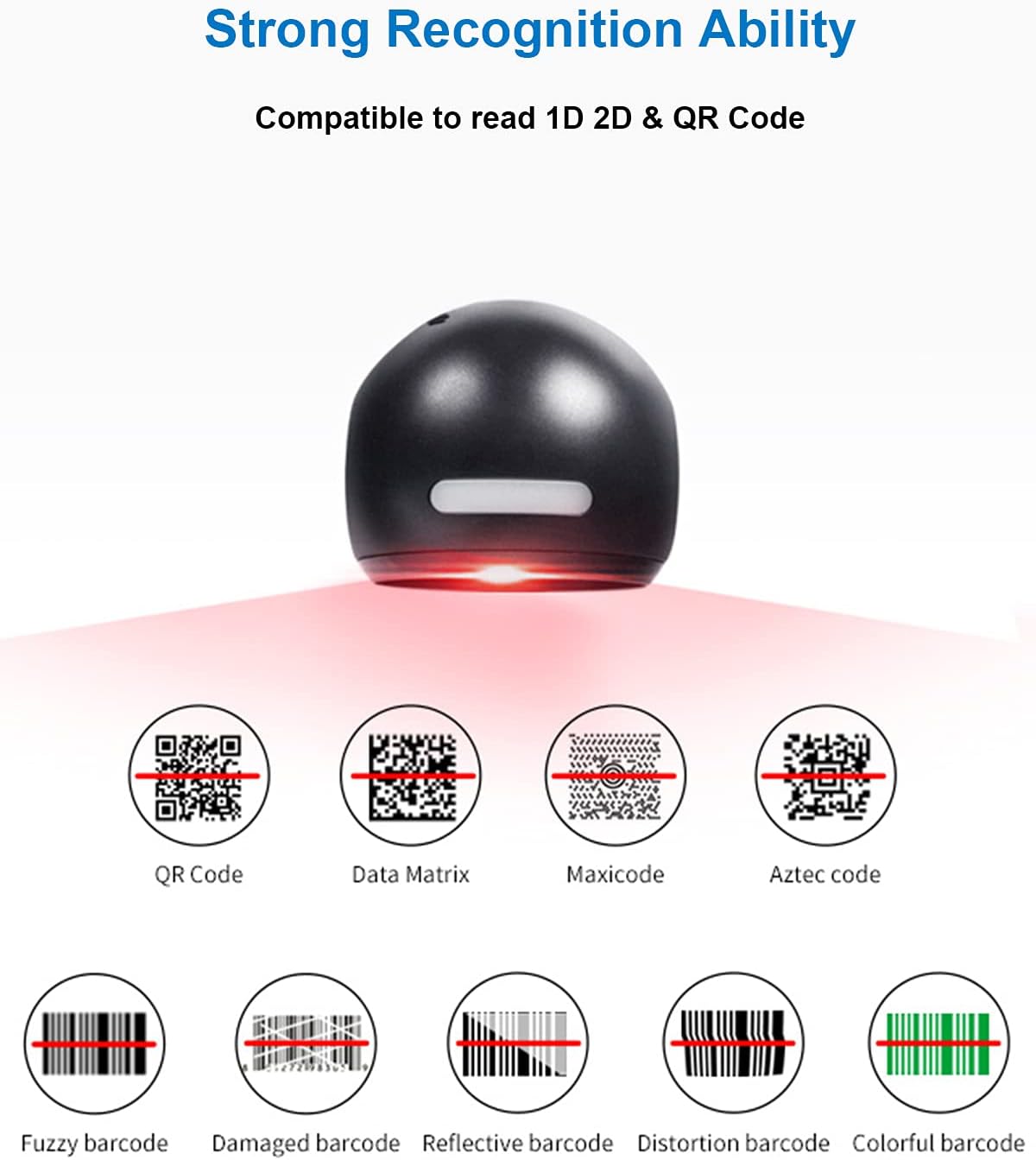
ຮູບທີ 6.1: Examples of various barcode types and conditions the scanner can recognize.
6.3 On-Screen Barcode Scanning
The D7800 is capable of scanning barcodes directly from digital displays, such as smartphones, tablets, and computer monitors.

ຮູບທີ 6.2: The scanner reading a barcode from a digital screen. Exampບາໂຄດ: 1234567890
6.4 ສະຖານະການນຳໃຊ້
The LENVII D7800 is suitable for various environments requiring efficient barcode scanning.
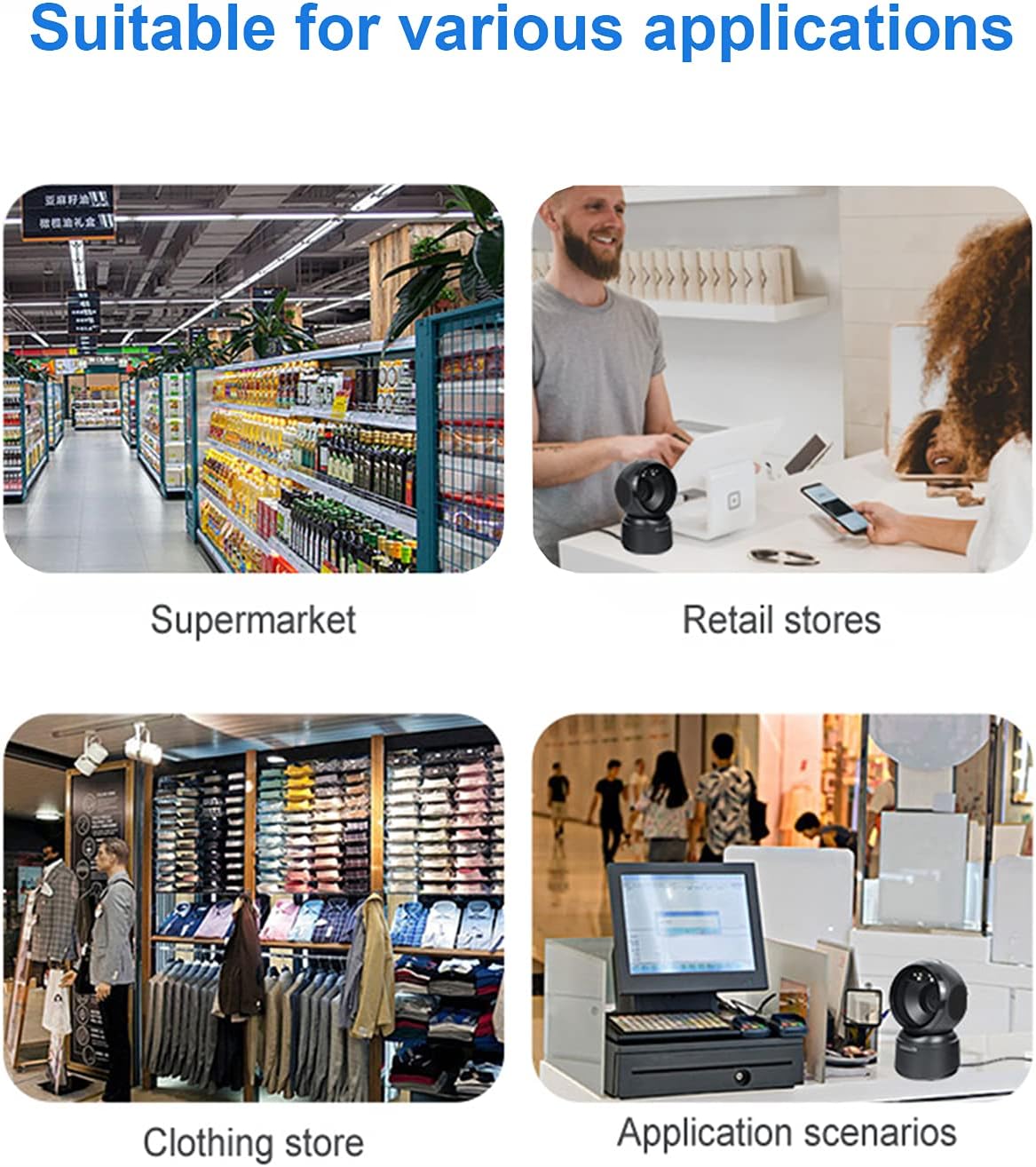
ຮູບທີ 6.3: Common application environments for the scanner.
7. ບໍາລຸງຮັກສາ
7.1 ການທໍາຄວາມສະອາດເຄື່ອງສະແກນ
- Ensure the scanner is disconnected from the power source before cleaning.
- ໃຊ້ຜ້າອ່ອນ, ແຫ້ງ, ແລະ ບໍ່ມີຂົນເພື່ອເຊັດດ້ານນອກຂອງເຄື່ອງສະແກນ.
- ສຳລັບໜ້າຕ່າງການສະແກນ, ໃຫ້ໃຊ້ຜ້າເຊັດເລນ ຫຼື ຜ້າອ່ອນໆເຊັດເບົາໆ.ampened with a mild, non-abrasive cleaning solution. Avoid spraying cleaners directly onto the scanner.
- Do not use harsh chemicals, solvents, or abrasive materials, as these can damage the scanner's surface or scanning window.
7.2 ການເກັບຮັກສາ
When not in use, store the scanner in a cool, dry place, away from direct sunlight and extreme temperatures. The maximum storage temperature is 60°C (140°F).
8. ການແກ້ໄຂບັນຫາ
| ບັນຫາ | ສາເຫດທີ່ເປັນໄປໄດ້ | ການແກ້ໄຂ |
|---|---|---|
| ເຄື່ອງສະແກນບໍ່ເປີດ. | ສາຍ USB ບໍ່ໄດ້ເຊື່ອມຕໍ່ຢ່າງຖືກຕ້ອງ ຫຼື ພອດ USB ມີຂໍ້ບົກຜ່ອງ. | Ensure the USB cable is securely connected. Try a different USB port on your computer. |
| ເຄື່ອງສະແກນບໍ່ໄດ້ອ່ານບາໂຄດ. |
|
|
| ຂໍ້ມູນທີ່ສະແກນບໍ່ຖືກຕ້ອງຫຼືບໍ່ຄົບຖ້ວນ. |
|
|
ຖ້າບັນຫາຍັງຄົງຢູ່ຫຼັງຈາກພະຍາຍາມແກ້ໄຂເຫຼົ່ານີ້, ກະລຸນາຕິດຕໍ່ຝ່າຍຊ່ວຍເຫຼືອລູກຄ້າ.
9. ຂໍ້ມູນຈໍາເພາະ
| ຄຸນສົມບັດ | ລາຍລະອຽດ |
|---|---|
| ຕົວແບບ | D7800 |
| ປະເພດ | 2D CMOS Wired Barcode Scanner |
| ວິທີການເຊື່ອມຕໍ່ | USB |
| ຂະໜາດ (ກວ້າງ x ສູງ x ຍາວ) | 84mm x 140.2mm x 90.1mm (ປະມານ 3.31 x 5.52 x 3.55 ນິ້ວ) |
| ນ້ຳໜັກ | 230g (ປະມານ 0.51 lbs) |
| ວັດສະດຸ | ABS |
| ສີ | ດຳ |
| ແຫຼ່ງແສງ | 617nm LED (aimer); 6500K LEDs (illumination) |
| ເຊັນເຊີຮູບພາບ | 640 * 480 CMOS |
| ໂຮງງານຜະລິດ | ARM 32-ບິດ |
| ຄວາມໄວສະແກນ | 200 ຄັ້ງ / ນ |
| ພະລັງງານ | DC 5V |
| ປະຈຸບັນ | 400mA ± 5% |
| OS ທີ່ເຂົ້າກັນໄດ້ | ວິນໂດວ XP/7/8/10, ແມັກໂອເອສ, ລິນຸກຊ໌ |
| 1D Code Support | EAN-8, EAN-13, Codabar, CODE 39, CODE 93, CODE 128, China Post, GS1-128, UPC-A, UPC-E, ISBN/ISSN, ISBT, Interleaved 2 of 5, Standard 2 of 5, Matrix 2 of 5, Industrial 2 of 5, MSI, RSS, ITF14, Telepen, etc. |
| 2D/QR Code Support | Micro QR Code, Data Matrix, PDF417, Micro PDF417, Maxicode, Aztec, Hanxin, etc. |
| ອຸນຫະພູມການເກັບຮັກສາສູງສຸດ | 60°C (140°F) |
10. ການຮັບປະກັນແລະການສະຫນັບສະຫນູນ
10.1 ຂໍ້ມູນການຮັບປະກັນ
LENVII products are covered by a limited warranty against defects in materials and workmanship. Please refer to the warranty card included with your product or contact LENVII customer support for specific warranty terms and conditions.
10.2 ສະຫນັບສະຫນູນລູກຄ້າ
For technical assistance, troubleshooting, or product inquiries, please contact LENVII customer support. Contact information can typically be found on the product packaging or the official LENVII webເວັບໄຊ.