
ແນະນຳ
This manual provides detailed instructions for the safe and effective use of your Lanaform Pureskin LA131312 Facial Care Device. This device is designed to offer a comprehensive anti-aging and skin care experience through multiple advanced technologies.
ຄຳເຕືອນຄວາມປອດໄພ
ກະລຸນາອ່ານຄຳແນະນຳຄວາມປອດໄພທັງໝົດຢ່າງລະມັດລະວັງກ່ອນທີ່ຈະໃຊ້ອຸປະກອນ.
- Adhere to all general European safety guidelines.
- ຢ່າໃຊ້ອຸປະກອນກັບຜິວໜັງທີ່ມີບາດແຜ, ລະຄາຍເຄືອງ ຫຼື ຕິດເຊື້ອ.
- Consult a physician before use if you have any pre-existing medical conditions, especially skin conditions, or if you are pregnant or breastfeeding.
- ຮັກສາໃຫ້ໄກຈາກເດັກນ້ອຍ.
- ຢ່າແຊ່ອຸປະກອນໃນນ້ໍາ.
- ນຳ ໃຊ້ຕາມທີ່ໄດ້ ກຳ ນົດໄວ້ໃນຄູ່ມືນີ້.
ສິນຄ້າເກີນview
The Lanaform Pureskin LA131312 is an advanced facial care device incorporating multiple technologies for comprehensive skin treatment.
ຄຸນນະສົມບັດທີ່ສໍາຄັນ:
- Anti-aging facial care device
- 6 care modes
- Multiple technologies (including Sonic Vibration, Positive Ions, Microcurrent, Hot Compress, Electroporation, Blue and Red LED Light)
- Red and blue LED lights for various skin benefits
- Designed for deep cleansing and skin nourishment
ອົງປະກອບຂອງອຸປະກອນ:

The device typically includes a main unit with a treatment head, control buttons (power, mode), and an indicator display for selected settings. Refer to the packaging for a complete list of included accessories.
ຕັ້ງຄ່າ
- ການຫຸ້ມຫໍ່: Carefully remove the device and all accessories from the packaging. Retain the packaging for future storage or transport.
- ຄ່າ ທຳ ນຽມ: Before first use, fully charge the device. Connect the charging cable to the device and a suitable power source. The charging indicator will show the charging status.
- ທໍາຄວາມສະອາດຜິວຫນັງ: Ensure your face is clean and free of makeup before each use.
ຄໍາແນະນໍາການດໍາເນີນງານ
The Lanaform Pureskin LA131312 offers various modes and technologies for a customized facial treatment.
Understanding the Technologies:

- (Ultra-) Sonic Vibration: Helps to deeply cleanse the skin and improve circulation.
- Emission of Positive Ions: Aids in drawing out impurities from the skin.
- Microcurrent Massage (EMS): Stimulates facial muscles for toning and lifting effects.
- Hot Compress Massage: Opens pores and promotes absorption of skincare products.
- Electroporation: Enhances the penetration of active ingredients from skincare products into the skin.
- Blue and Red LED Light:
- ໄຟແດງ: Supports collagen production, reduces fine lines, and improves skin elasticity.
- ໄຟ LED ສີຟ້າ: Targets bacteria, helps with acne, and controls sebum production.
ການນໍາໃຊ້ອຸປະກອນ:
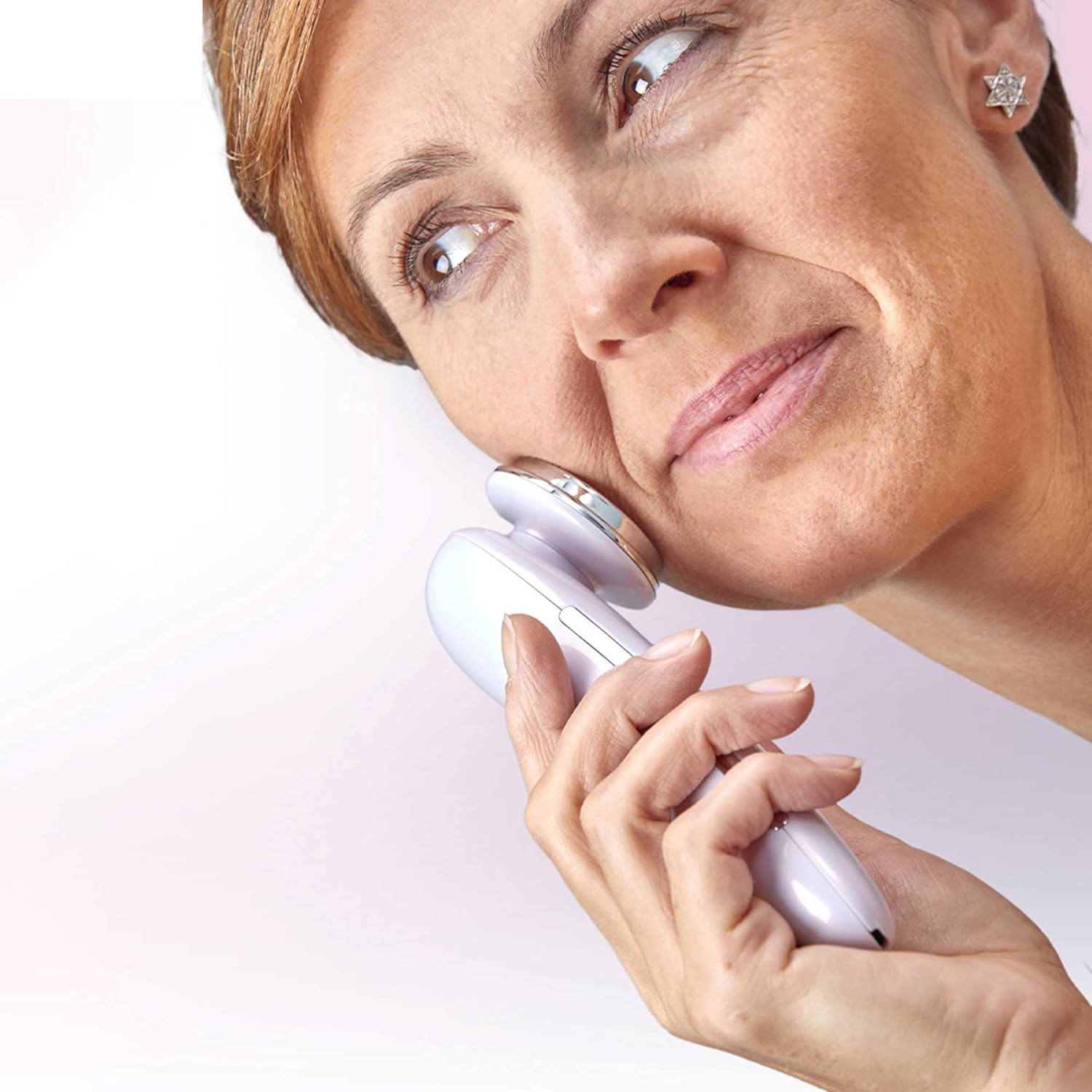
- ເປີດ: ກົດປຸ່ມເປີດປິດຄ້າງໄວ້ເພື່ອເປີດອຸປະກອນ.
- ເລືອກໂໝດ: Press the Mode button to cycle through the available care modes. Each mode combines different technologies for specific skin concerns. Refer to the device's display or accompanying quick start guide for mode descriptions.
- ນຳໃຊ້ກັບຜິວໜັງ: Gently place the treatment head onto your skin. Move the device slowly and smoothly across your face, following the contours. Avoid sensitive areas like the eyes.
- ໄລຍະເວລາການປິ່ນປົວ: Follow the recommended treatment duration for each mode, typically indicated by the device or in the full user manual.
- ປິດພະລັງງານ: ຫຼັງຈາກໃຊ້ງານແລ້ວ, ໃຫ້ກົດປຸ່ມເປີດ/ປິດຄ້າງໄວ້ເພື່ອປິດອຸປະກອນ.

ບໍາລຸງຮັກສາ
- ທໍາຄວາມສະອາດ: After each use, wipe the treatment head with a soft, damp ຜ້າ. ຫ້າມໃຊ້ເຄື່ອງເຮັດຄວາມສະອາດຂັດຫຼືຈຸ່ມອຸປະກອນໃນນ້ໍາ.
- ການເກັບຮັກສາ: ເກັບຮັກສາອຸປະກອນໄວ້ໃນບ່ອນທີ່ເຢັນ, ແຫ້ງ, ຫ່າງຈາກແສງແດດໂດຍກົງ ແລະ ອຸນຫະພູມສູງສຸດ. ເກັບຮັກສາໄວ້ໃນກ່ອງບັນຈຸເດີມ ຫຼື ກ່ອງປ້ອງກັນເມື່ອບໍ່ໄດ້ໃຊ້ງານ.
- ການສາກໄຟ: Recharge the device when the battery indicator shows low power. Avoid overcharging.
ການແກ້ໄຂບັນຫາ
| ບັນຫາ | ສາເຫດທີ່ເປັນໄປໄດ້ | ການແກ້ໄຂ |
|---|---|---|
| ອຸປະກອນບໍ່ເປີດ. | ແບັດເຕີຣີໝົດ. | ສາກອຸປະກອນໃຫ້ເຕັມ. |
| ອຸປະກອນບໍ່ໄດ້ສາກໄຟ. | Charging cable or adapter faulty; improper connection. | Ensure cable is securely connected. Try a different power outlet or adapter. |
| No sensation or weak sensation during use. | Insufficient contact with skin; low battery; incorrect mode. | Ensure full contact with skin. Recharge device. Select appropriate mode. |
| ຜິວຫນັງລະຄາຍເຄືອງຫຼັງຈາກໃຊ້. | Overuse; sensitive skin; improper product application. | Reduce treatment duration or frequency. Ensure skin is clean. Discontinue use if irritation persists and consult a dermatologist. |
ຂໍ້ມູນຈໍາເພາະ
- ໝາຍເລກຕົວແບບ: LA131312
- ຍີ່ຫໍ້: Lanaform
- ອົງປະກອບ: Glossy Plastic
- ຂະໜາດສິນຄ້າ (L x W x H): 19.6 x 13.6 x 7 cm
- ນ້ຳໜັກ: 160 ກຣາມ
- ASIN: B0C255B7L1
- ວັນທີທໍາອິດທີ່ມີ: ວັນທີ 11 ເມສາ 2023
ການຮັບປະກັນແລະການສະຫນັບສະຫນູນ
For warranty information, product support, or service inquiries, please refer to the official Lanaform webເວັບໄຊ ຫຼືຕິດຕໍ່ພະແນກບໍລິການລູກຄ້າຂອງເຂົາເຈົ້າ. ຮັກສາຫຼັກຖານການຊື້ຂອງທ່ານສໍາລັບການຮ້ອງຂໍການຮັບປະກັນ.
Lanaform Official Webເວັບໄຊ: www.lanaform.com