
ແນະນຳ
Thank you for choosing the LC-dolida Bluetooth Headband Headphones. This manual provides detailed instructions on how to set up, operate, and maintain your device. Please read this manual thoroughly before use to ensure optimal performance and longevity of your product.
ເນື້ອໃນຊຸດ
ກະລຸນາກວດເບິ່ງຊຸດສຳລັບລາຍການຕໍ່ໄປນີ້:
- LC-dolida Bluetooth Headband Headphones (Model LC001)
- ສາຍສາກ USB
- ຄູ່ມືຜູ້ໃຊ້
ຖ້າລາຍການໃດຂາດຫາຍໄປຫຼືເສຍຫາຍ, ກະລຸນາຕິດຕໍ່ຝ່າຍຊ່ວຍເຫຼືອລູກຄ້າ.
ສິນຄ້າເກີນview
The LC-dolida Bluetooth Headband Headphones (Model LC001) are designed for versatile use, combining a comfortable headband with integrated audio technology. They are suitable for various activities including sleep, sports, and general audio listening.

ຮູບພາບ: ທາງຫນ້າ view of the LC-dolida Bluetooth Headband Headphones, highlighting the control panel.
ຄຸນນະສົມບັດທີ່ສໍາຄັນ:
- ການອອກແບບ 3-in-1: Functions as a sports headband, sleep mask, and Bluetooth headphones.
- ວັດສະດຸທີ່ສະດວກສະບາຍ: Made from highly elastic, breathable, and sweat-wicking fabric.
- Ultra-Thin Speakers: Designed for comfort, especially for side sleepers, with adjustable positioning.
- ການເຊື່ອມຕໍ່ Bluetooth 5.2: Provides stable connections and clear audio.
- ໄມໂຄຣໂຟນໃນຕົວ: ເປີດໃຊ້ການໂທແບບແຮນຟຣີ.

Image: Visual representation of the headband's material properties: soft, sweat-absorbing, elastic, and breathable.

Image: Depiction of the headband's comfort for side sleepers, highlighting the super thin speakers and zero pressure design.
ຕັ້ງຄ່າ
1. ການສາກໄຟເບື້ອງຕົ້ນ
- Connect the provided USB charging cable to the charging port on the headband.
- ເຊື່ອມຕໍ່ອີກສົ້ນຂອງສາຍ USB ກັບອະແດັບເຕີໄຟ USB (ບໍ່ລວມ) ຫຼືພອດ USB ຂອງຄອມພິວເຕີ.
- The LED indicator light will illuminate during charging.
- ການສາກໄຟເຕັມໂດຍປົກກະຕິໃຊ້ເວລາ 1-2 ຊົ່ວໂມງ. ໄຟ LED ຈະປ່ຽນ ຫຼື ດັບລົງເມື່ອການສາກໄຟສຳເລັດ.

Image: Visual guide for charging time (2 hours) and approximate playtime (14 hours).
2. ການຈັບຄູ່ Bluetooth
- Ensure the headband is fully charged.
- Press and hold the Power button on the control panel until the LED indicator light flashes blue and red, indicating pairing mode.
- ໃນອຸປະກອນຂອງທ່ານ (ໂທລະສັບສະຫຼາດ, ແທັບເລັດ, ແລະອື່ນໆ), ເປີດໃຊ້ Bluetooth ແລະຊອກຫາອຸປະກອນທີ່ມີຢູ່.
- Select "LC-dolida" from the list of devices.
- ເມື່ອເຊື່ອມຕໍ່ແລ້ວ, ໄຟສະແດງ LED ໂດຍປົກກະຕິແລ້ວຈະສະແດງໄຟສີຟ້າທີ່ສະຫວ່າງຢູ່ຕະຫຼອດເວລາ ຫຼື ກະພິບສີຟ້າຊ້າໆ.
- ເຊື່ອມຕໍ່ຄືນໃໝ່ອັດຕະໂນມັດ: After the initial pairing, the headband will automatically attempt to connect to the last paired device when powered on, provided the device's Bluetooth is active and within range.
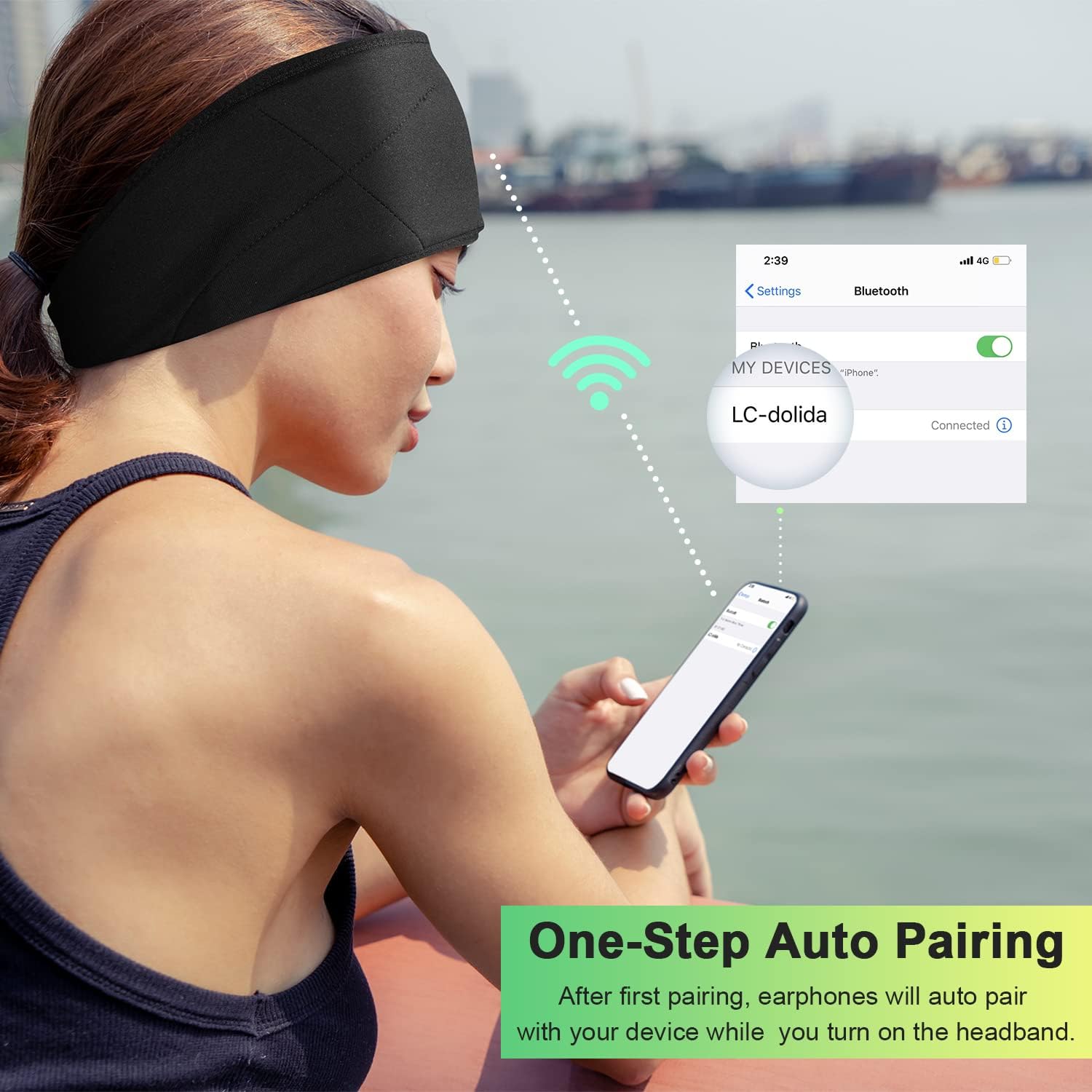
Image: Illustration of the one-step auto pairing process with a smartphone.

Image: Visual confirmation of strong compatibility with various Bluetooth-enabled devices (Android, iOS, Windows).
ຄໍາແນະນໍາການດໍາເນີນງານ
ຟັງຊັນແຜງຄວບຄຸມ
The control panel on the headband allows you to manage power, music playback, and calls.
- ເປີດ/ປິດ: Press and hold the Power button (center button) for approximately 3 seconds.
- ຫຼິ້ນ/ຢຸດດົນຕີ: ກົດປຸ່ມເປີດປິດຄັ້ງດຽວ.
- ປະລິມານຂຶ້ນ: ກົດປຸ່ມ "+".
- ປະລິມານລົງ: ກົດປຸ່ມ "-".
- ເພງຕໍ່ໄປ: ກົດປຸ່ມ "+" ຄ້າງໄວ້ 2 ວິນາທີ.
- ຕິດຕາມກ່ອນ ໜ້າ ນີ້: ກົດປຸ່ມ "-" ຄ້າງໄວ້ 2 ວິນາທີ.
- ຮັບ/ສາຍໂທ: ກົດປຸ່ມເປີດປິດຄັ້ງດຽວ.
- ປະຕິເສດການໂທ: ກົດປຸ່ມເປີດປິດຄ້າງໄວ້ 2 ວິນາທີ.
- ໂທຫາເບີສຸດທ້າຍ: ກົດປຸ່ມເປີດປິດສອງເທື່ອ.

Image: Visual highlighting of the HIFI music and HD stereo sound capabilities.
ການປັບລຳໂພງ
The ultra-thin speakers inside the headband can be gently moved to align with your ears for optimal sound and comfort. Simply slide them within the fabric casing to find your preferred position.
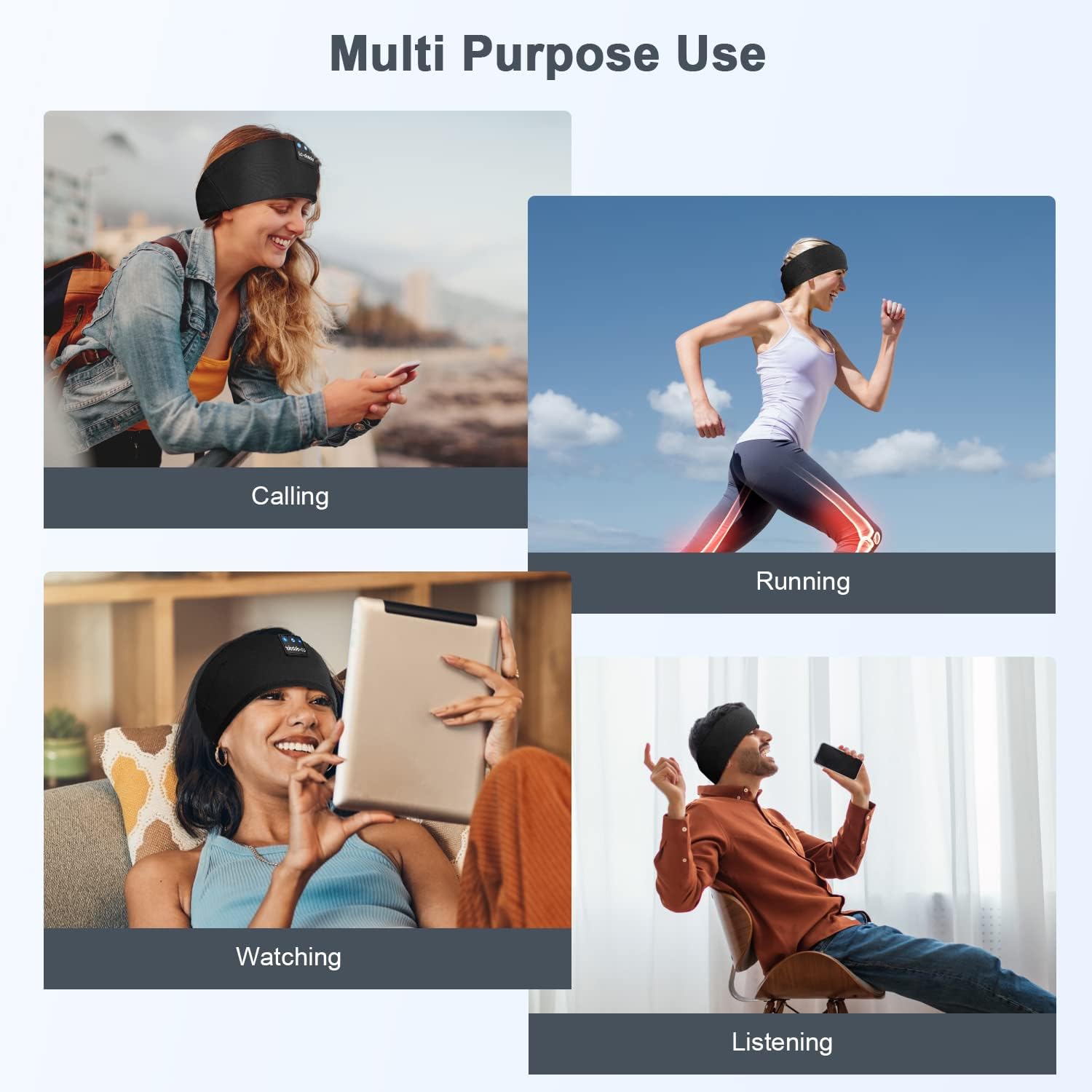
ຮູບພາບ: Examples of multi-purpose use, including hands-free calling, running, watching media, and general listening.
ບໍາລຸງຮັກສາ
Cleaning the Headband
- Before cleaning, ensure the headband is powered off and disconnected from any charging source.
- Gently remove the electronic module (control panel and speakers) from the fabric headband.
- The fabric headband can be hand-washed with mild soap and cold water. Do not machine wash or tumble dry.
- Allow the fabric headband to air dry completely before reinserting the electronic module.
- Wipe the electronic module with a dry, soft cloth. Do not immerse it in water.
ການເກັບຮັກສາ
- Store the headband in a cool, dry place away from direct sunlight and extreme temperatures.
- Avoid placing heavy objects on the headband to prevent damage to the speakers or internal components.
ການແກ້ໄຂບັນຫາ
| ບັນຫາ | ສາເຫດທີ່ເປັນໄປໄດ້ | ການແກ້ໄຂ |
|---|---|---|
| Headband does not power on. | ແບັດເຕີຣີຕໍ່າ. | Charge the headband for 1-2 hours. |
| ບໍ່ສາມາດຈັບຄູ່ກັບອຸປະກອນໄດ້. | Bluetooth is off on your device; headband is not in pairing mode; device is too far. | Ensure Bluetooth is enabled on your device. Put the headband into pairing mode (flashing blue/red LED). Move device closer to the headband. |
| ບໍ່ມີສຽງ ຫຼືສຽງຕໍ່າ. | Volume too low on headband or device; speakers misaligned; connection issue. | Increase volume on both the headband and your device. Adjust speaker position within the headband. Re-pair the device. |
| ການເຊື່ອມຕໍ່ແບບບໍ່ຢຸດຢັ້ງ. | ອຸປະກອນໄກເກີນໄປ; ການແຊກແຊງ; ແບັດເຕີຣີຕໍ່າ. | Move closer to your device. Avoid strong electromagnetic interference. Charge the headband. |
| ໄມໂຄຣໂຟນບໍ່ເຮັດວຽກ. | ໄມໂຄຣໂຟນຖືກບລັອກ; ການຕັ້ງຄ່າອຸປະກອນ. | Ensure the microphone area is clear. Check your device's audio input settings. |
ຖ້າທ່ານພົບບັນຫາທີ່ບໍ່ໄດ້ລະບຸໄວ້ຢູ່ທີ່ນີ້, ກະລຸນາເບິ່ງພາກສ່ວນການຮັບປະກັນ ແລະການຊ່ວຍເຫຼືອເພື່ອຂໍຄວາມຊ່ວຍເຫຼືອ.
ຂໍ້ມູນຈໍາເພາະ
| ຊື່ຕົວແບບ | LC001 |
| ເຕັກໂນໂລຊີການເຊື່ອມຕໍ່ | ໄຮ້ສາຍ (Bluetooth) |
| ລຸ້ນ Bluetooth | 5.2 |
| ຊ່ວງ Bluetooth | 45 ຟຸດ |
| ປະເພດໄດເວີສຽງ | ໄດນາມິກໄດເວີ |
| ຊ່ວງຄວາມຖີ່ | 20Hz - 20,000Hz |
| ຊີວິດຫມໍ້ໄຟ | Up to 13 Hours (Playback) |
| ເວລາສາກໄຟ | 1-2 ຊົ່ວໂມງ |
| ປະເພດການຄວບຄຸມ | Media Control (Buttons) |
| ລະດັບຄວາມຕ້ານທານນ້ໍາ | ບໍ່ທົນທານຕໍ່ນ້ໍາ |
| ນ້ໍາຫນັກລາຍການ | 2.89 ອອນ |
| ຂະໜາດແພັກເກັດ | 7.95 x 3.98 x 0.94 ນິ້ວ |
ໝາຍ ເຫດ: ຂໍ້ມູນສະເພາະແມ່ນມີການປ່ຽນແປງໂດຍບໍ່ຕ້ອງແຈ້ງ.
ການຮັບປະກັນແລະການສະຫນັບສະຫນູນ
ການຮັບປະກັນຂອງຜູ້ຜະລິດ
This LC-dolida product comes with a one-year manufacturer's warranty from the date of purchase, covering defects in materials and workmanship under normal use.
Additionally, a 30-day satisfaction guarantee allows for a refund within 30 days of purchase if you are not satisfied with the product.
ການຊ່ວຍເຫຼືອລູກຄ້າ
For any questions, technical assistance, or warranty claims, please contact our after-sales team via email. We aim to provide a satisfactory solution within 6 hours.
Please visit the official LC-dolida website or your purchase platform for specific contact details.