
1. ບົດແນະນຳ
Thank you for choosing the TECKNET Wireless Doorbell. This manual provides detailed instructions for the installation, operation, and maintenance of your new doorbell system. Please read this manual thoroughly before use to ensure proper function and longevity of the product.
2. ເນື້ອໃນຊຸດ
Please check the package contents carefully. If any items are missing or damaged, please contact TECKNET customer support.
- 1 x Wireless Doorbell Receiver
- 1 x Wireless Doorbell Transmitter (Push Button)
- Mounting Hardware (Screws, Wall Anchors, Adhesive Tape)
- 1 x ຄູ່ມືຜູ້ໃຊ້ (ເອກະສານນີ້)
3. ຄຸນລັກສະນະຂອງຜະລິດຕະພັນ
The TECKNET Wireless Doorbell offers a range of features designed for convenience and reliability:
- 60 Selectable Melodies: Choose from a wide variety of chimes.
- 5 ລະດັບສຽງທີ່ສາມາດປັບໄດ້: Ranging from 0dB (silent with LED flash) to 90dB.
- IP65 Waterproof Transmitter: ອອກແບບມາເພື່ອທົນທານຕໍ່ສະພາບອາກາດພາຍນອກຕ່າງໆ.
- 400M (1300ft) Operating Range: Ensures reliable signal transmission across large homes or properties.
- ຕົວຊີ້ວັດ LED Flash: Visual alert for visitors, especially useful in noisy environments or for hearing-impaired individuals.

Image: Features of the TECKNET Wireless Doorbell receiver, highlighting melody and volume options.
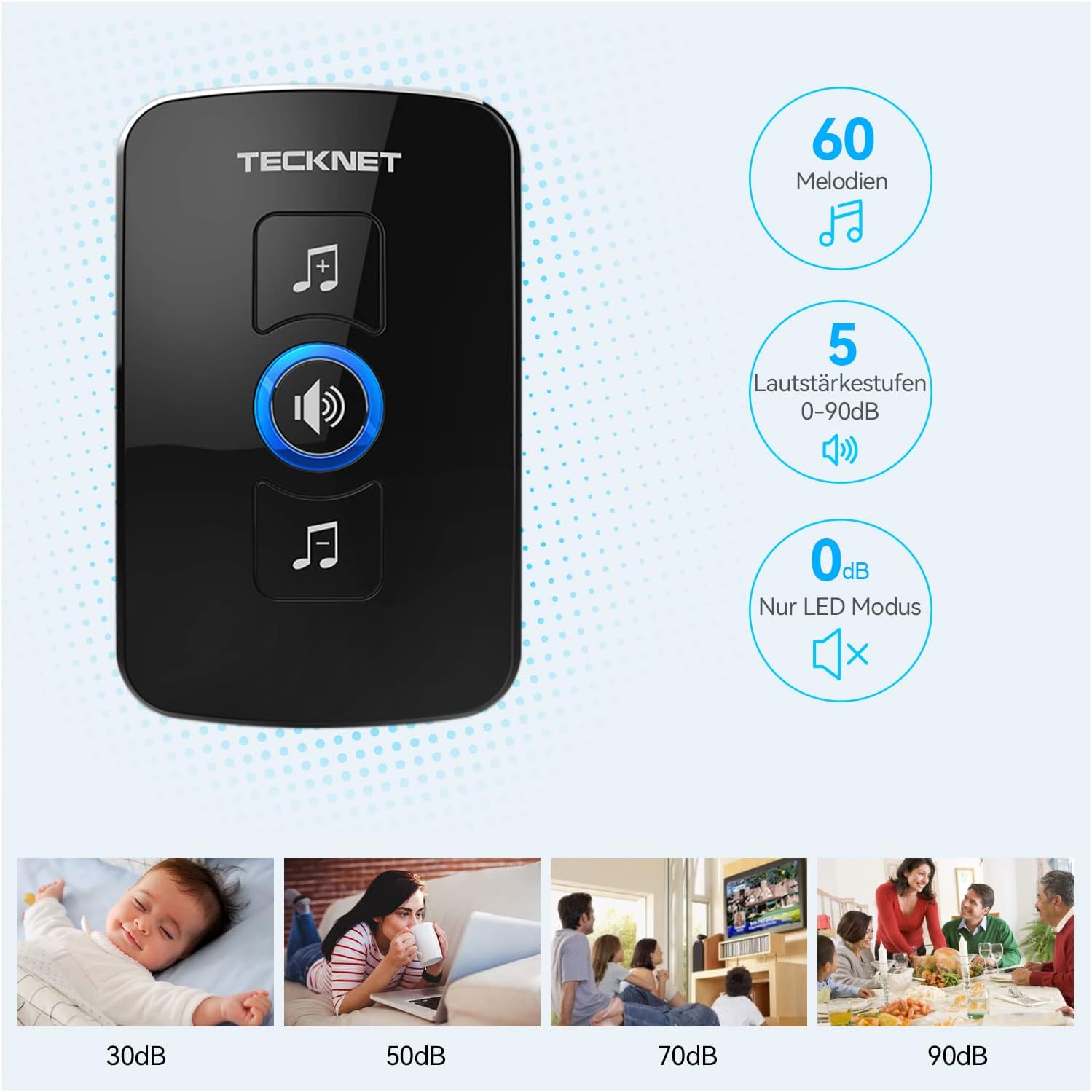
Image: The doorbell transmitter's IP65 waterproof rating and wide operating temperature range.
4. ການຕິດຕັ້ງແລະການຕິດຕັ້ງ
Follow these steps to set up your TECKNET Wireless Doorbell system.
4.1 ການຕິດຕັ້ງແບັດເຕີລີ Transmitter
- Locate the small notch on the side or bottom of the transmitter.
- Use a small flat-head screwdriver to gently pry open the back cover of the transmitter.
- Insert the CR2032 lithium coin cell battery (included or purchased separately) into the battery compartment, ensuring the positive (+) side faces up.
- ປິດຝາຫຼັງຢ່າງປອດໄພ.
ໝາຍເຫດ: The transmitter typically uses a CR2032 battery. Please refer to the packaging for specific battery requirements.
4.2 Receiver Placement
Plug the receiver into a standard electrical outlet in a central location within your home. Ensure it is within the operating range of the transmitter and not obstructed by large metal objects or thick walls, which can reduce signal strength.
4.3 ການຕິດຕັ້ງເຄື່ອງສົ່ງສັນຍານ
There are two primary methods for mounting the transmitter:

Image: Steps for battery installation and two mounting methods for the transmitter.
ວິທີທີ່ 1: ການຕິດຕັ້ງດ້ວຍສະກູ
- Mark the desired mounting location on your wall or door frame.
- Drill two small holes at the marked spots.
- Insert the wall anchors (if necessary for your surface).
- Align the transmitter's back plate with the holes and secure it with the provided screws.
- Attach the transmitter unit to the back plate.
Method 2: Adhesive Mounting
- ເຮັດຄວາມສະອາດພື້ນຜິວຕິດຕັ້ງຢ່າງລະອຽດເພື່ອຮັບປະກັນວ່າມັນແຫ້ງ ແລະ ບໍ່ມີຝຸ່ນ ຫຼື ນໍ້າມັນ.
- Peel off one side of the protective film from the adhesive tape.
- Attach the adhesive tape to the back of the transmitter.
- Peel off the other side of the protective film.
- Firmly press the transmitter onto the desired mounting surface for at least 30 seconds.
ຄຳແນະນຳ: For best results and long-term stability, screw mounting is recommended, especially for outdoor use.
5. ຄໍາແນະນໍາການດໍາເນີນງານ
5.1 Changing Melodies
To change the melody on your receiver:
- Press the "Melody Selection" button (often indicated by a music note icon) on the receiver.
- Each press will cycle through the available 60 melodies.
- Stop pressing when you hear your desired melody. The receiver will automatically save the selection.
5.2 ການປັບລະດັບສຽງ
ເພື່ອປັບລະດັບສຽງ:
- Press the "Volume Control" button (often indicated by a speaker icon) on the receiver.
- Each press will cycle through the 5 available volume levels (including silent mode).
- Select the volume level that suits your preference.
5.3 Pairing (If Needed)
Your doorbell system usually comes pre-paired. If the transmitter and receiver lose connection or if you add additional transmitters/receivers, follow these steps to pair them:
- ສຽບເຄື່ອງຮັບ.
- Press and hold the "Volume Control" button on the receiver for approximately 5 seconds until you hear a "ding" sound or the LED indicator flashes rapidly. This indicates pairing mode.
- Immediately press the transmitter (push button) once.
- You should hear the selected melody, confirming successful pairing.
- If pairing fails, unplug the receiver and repeat the process.
6. ບໍາລຸງຮັກສາ
- ທໍາຄວາມສະອາດ: Wipe the doorbell units with a soft, dry cloth. Do not use abrasive cleaners or solvents.
- ການປ່ຽນແບັດເຕີຣີ: When the transmitter's LED indicator no longer lights up or the range decreases significantly, it's time to replace the CR2032 battery. Follow the battery installation steps in Section 4.1.
- ເງື່ອນໄຂສິ່ງແວດລ້ອມ: While the transmitter is IP65 waterproof, extreme temperatures or prolonged direct exposure to harsh weather conditions may affect its lifespan.
7. ການແກ້ໄຂບັນຫາ
| ບັນຫາ | ສາເຫດທີ່ເປັນໄປໄດ້ | ການແກ້ໄຂ |
|---|---|---|
| ກະດິ່ງປະຕູບໍ່ດັງ. |
|
|
| ໄລຍະປະຕິບັດງານສັ້ນ. |
|
|
| Receiver LED flashes but no sound. | Volume is set to 0dB (silent mode). | Increase the volume using the "Volume Control" button (see Section 5.2). |
8. ຂໍ້ມູນຈໍາເພາະ
| ຄຸນສົມບັດ | ລາຍລະອຽດ |
|---|---|
| ຍີ່ຫໍ້ | TECNET |
| ໝາຍເລກຕົວແບບ | B0BZVDJHCS |
| ຜູ້ຜະລິດ | TECNET |
| ນ້ໍາຫນັກລາຍການ | 3.87 ອອນສ໌ (ປະມານ 110 ກຣາມ) |
| ຂະໜາດສິນຄ້າ | 2.36 x 2.32 x 3.62 inches (Receiver) |
| ແຫຼ່ງພະລັງງານ (ຜູ້ຮັບ) | ໄຟຟ້າສາຍ |
| ແຫຼ່ງພະລັງງານ (ຕົວສົ່ງ) | Battery (CR2032, typically not included as per specifications, but required for operation) |
| Waterproof Rating (Transmitter) | IP65 |
| ຊ່ວງການດໍາເນີນງານ | ສູງເຖິງ 400 ແມັດ (1300 ຟຸດ) ໃນອາກາດເປີດ |
| ເນື້ອເພງ | 60 ເລືອກໄດ້ |
| ລະດັບສຽງ | 5 (0dB to 90dB) |
| ອົງປະກອບລວມ | Manual (and doorbell units, mounting hardware) |
| ວັນທີທໍາອິດທີ່ມີ | ວັນທີ 18 ພຶດສະພາ 2024 |
9. ການຮັບປະກັນແລະການສະຫນັບສະຫນູນ
TECKNET products come with a standard warranty. For specific warranty details, please refer to the warranty card included with your product or visit the official TECKNET website. If you encounter any issues or have questions regarding your doorbell, please contact TECKNET customer support:
- Webເວັບໄຊ: www.tecknet.co.uk (ຫຼືພາກພື້ນທີ່ກ່ຽວຂ້ອງ webສະຖານທີ່)
- ອີເມວ: ອ້າງເຖິງການຫຸ້ມຫໍ່ຜະລິດຕະພັນຂອງທ່ານຫຼື webເວັບໄຊທ໌ສໍາລັບອີເມລ໌ຕິດຕໍ່.
Please have your model number (B0BZVDJHCS) and purchase date ready when contacting support.