
1. ບົດແນະນຳ
This manual provides detailed instructions for the safe and efficient operation of your Zebronics Zeb-Buddy 100 Portable Bluetooth Speaker. Please read this manual thoroughly before using the device and retain it for future reference.
2. ຜະລິດຕະພັນເກີນview ແລະຄຸນສົມບັດ
The Zebronics Zeb-Buddy 100 is a portable Bluetooth v5.0 speaker designed for versatile audio playback. It features a compact design with an integrated handle for easy transport and a mobile holder for hands-free use. Key features include:
- Bluetooth v5.0 Connectivity: ສຳລັບການຖ່າຍທອດສຽງແບບໄຮ້ສາຍ.
- ຟັງຊັນ TWS: Allows pairing of two Zeb-Buddy 100 speakers for stereo audio.
- ໄມໂຄຣໂຟນມີສາຍ: Includes a 6.3mm wired microphone for karaoke.
- ຕົວເລືອກການຫຼິ້ນຫຼາຍອັນ: Supports AUX, micro SD card, and USB input.
- ວິທະຍຸ FM ໃນຕົວ: For listening to radio stations.
- ການຄວບຄຸມສື່: Integrated buttons for easy control of playback.
- ແບັດເຕີຣີທີ່ສາມາດສາກໄດ້: Provides up to 5 hours of playback time.
- ໂໝດແສງ RGB: Multiple light modes for enhanced ambiance.
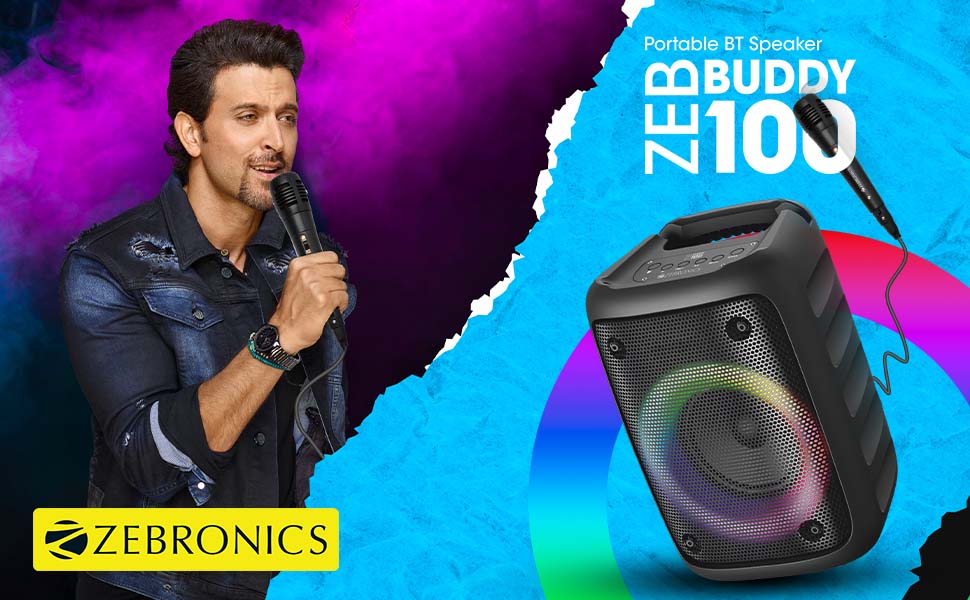
Image: The Zeb-Buddy 100 speaker shown with its included wired microphone, highlighting its portable design and control panel.
ຮູບພາບ: ເປັນມຸມ view of the Zeb-Buddy 100 speaker, showcasing its compact form factor and side details.
3. ຕັ້ງຄ່າ
3.1 ກຳລັງສາກລຳໂພງ
- ເຊື່ອມຕໍ່ສາຍສາກໄຟເຂົ້າກັບພອດສາກໄຟຂອງລຳໂພງ.
- ເຊື່ອມຕໍ່ອີກສົ້ນຂອງສາຍກັບອະແດັບເຕີໄຟ USB ທີ່ເໝາະສົມ (ບໍ່ລວມ).
- ໄຟສະແດງການສາກຈະສະຫວ່າງຂຶ້ນ. ການສາກໄຟເຕັມໃຊ້ເວລາປະມານ 4 ຊົ່ວໂມງ.
3.2 ການຈັບຄູ່ Bluetooth
- ເປີດໃຊ້ລຳໂພງໂດຍການກົດປຸ່ມເປີດປິດຄ້າງໄວ້.
- The speaker will enter Bluetooth pairing mode, indicated by a flashing LED.
- ໃນອຸປະກອນມືຖືຂອງທ່ານ, ເປີດໃຊ້ Bluetooth ແລະຊອກຫາອຸປະກອນທີ່ມີຢູ່.
- Select "Zeb-Buddy 100" from the list to pair.
- Once paired, the speaker will confirm the connection, and the LED will stop flashing.
3.3 TWS (True Wireless Stereo) ການຈັບຄູ່
To experience stereo audio, you can pair two Zeb-Buddy 100 speakers together:
- Ensure both Zeb-Buddy 100 speakers are powered on and not connected to any Bluetooth device.
- On one speaker (this will be the primary speaker), press and hold the TWS button.
- ຜູ້ເວົ້າຫຼັກຈະຄົ້ນຫາຜູ້ເວົ້າສຳຮອງ.
- Once connected, both speakers will indicate a successful TWS pairing.
- ຕອນນີ້, ເຊື່ອມຕໍ່ອຸປະກອນມືຖືຂອງທ່ານກັບລຳໂພງຫຼັກຜ່ານ Bluetooth ຕາມທີ່ໄດ້ອະທິບາຍໄວ້ໃນພາກ 3.2. ສຽງຈະຫຼິ້ນເປັນສະເຕີລິໂອຜ່ານລຳໂພງທັງສອງ.

Image: Three Zeb-Buddy 100 speakers demonstrating their multiple RGB light modes, illustrating the TWS capability.
4. ຄໍາແນະນໍາການດໍາເນີນງານ
4.1 ການເລືອກໂໝດ
Press the 'M' (Mode) button on the speaker to switch between Bluetooth, AUX, Micro SD, USB, and FM Radio modes.
4.2 ການຫຼິ້ນສຽງ
- ຫຼິ້ນ/ຢຸດ: ກົດປຸ່ມຫຼິ້ນ/ຢຸດຊົ່ວຄາວ.
- ເພງຕໍ່ໄປ: Press the 'Next' button.
- ຕິດຕາມກ່ອນ ໜ້າ ນີ້: Press the 'Previous' button.
- ປະລິມານຂຶ້ນ: Press and hold the 'Next' button.
- ປະລິມານລົງ: Press and hold the 'Previous' button.
4.3 ຟັງຊັນຄາຣາໂອເກະ
- Connect the wired microphone to the 6.3mm microphone input port on the speaker.
- Adjust the microphone volume using the dedicated knob on the speaker (if available) or through the main volume controls.
- Ensure music is playing from your chosen source (Bluetooth, AUX, etc.) for background audio.
4.4 ການດໍາເນີນງານວິທະຍຸ FM
- ສະລັບໄປໃຊ້ໂໝດວິທະຍຸ FM ໂດຍໃຊ້ປຸ່ມ 'M'.
- Press the Play/Pause button once to auto-scan and save available FM channels.
- Use the 'Next' and 'Previous' buttons to navigate between saved channels.
5. ບໍາລຸງຮັກສາ
To ensure the longevity and optimal performance of your Zeb-Buddy 100 speaker:
- Keep the speaker away from water, moisture, and direct sunlight.
- ເຊັດລຳໂພງດ້ວຍຜ້າອ່ອນໆແຫ້ງ. ຢ່າໃຊ້ສານເຄມີທີ່ຮຸນແຮງ ຫຼື ນໍ້າຢາທຳຄວາມສະອາດທີ່ມີສານຂັດ.
- ຫຼີກລ່ຽງການລຸດລົງ ຫຼື ວາງລຳໂພງຕໍ່ກັບຜົນກະທົບທີ່ຮຸນແຮງ.
- ເກັບຮັກສາໄວ້ໃນບ່ອນທີ່ເຢັນ, ແຫ້ງເມື່ອບໍ່ໄດ້ໃຊ້ເປັນເວລາດົນນານ.
6. ການແກ້ໄຂບັນຫາ
| ບັນຫາ | ສາເຫດທີ່ເປັນໄປໄດ້ | ການແກ້ໄຂ |
|---|---|---|
| ລຳໂພງບໍ່ເປີດ. | ແບັດເຕີຣີເຫຼືອໜ້ອຍ ຫຼື ບໍ່ມີສາກ. | ສາກລຳໂພງໃຫ້ເຕັມ. |
| ບໍ່ສາມາດຈັບຄູ່ຜ່ານ Bluetooth ໄດ້. | ລຳໂພງບໍ່ຢູ່ໃນໂໝດຈັບຄູ່; ອຸປະກອນ Bluetooth ປິດ; ໄກຈາກລໍາໂພງເກີນໄປ. | Ensure speaker is in pairing mode. Turn Bluetooth on/off on your device. Move device closer to speaker. |
| ບໍ່ມີສຽງ. | Volume too low; incorrect mode selected; faulty cable (AUX/USB). | Increase volume. Select correct input mode. Check/replace cables. |
| ການຈັບຄູ່ TWS ລົ້ມເຫລວ. | Speakers already connected to another device; too far apart. | Disconnect speakers from other devices. Ensure speakers are close to each other. |
| ໄມໂຄຣໂຟນບໍ່ເຮັດວຽກ. | Microphone not fully plugged in; volume too low. | Ensure microphone is securely connected. Adjust microphone volume. |
7. ຂໍ້ມູນຈໍາເພາະ
- ຍີ່ຫໍ້: ZEBRONICS
- ຊື່ຕົວແບບ: Zeb-Buddy 100
- ເຕັກໂນໂລຍີການເຊື່ອມຕໍ່: ອຸປະກອນຊ່ວຍ, Bluetooth, USB, ໄຮ້ສາຍ
- ລຸ້ນ Bluetooth: v5.0
- ລຳໂພງກຳລັງຜົນຜະລິດສູງສຸດ: 15 ວັດ
- ການຕອບສະໜອງຄວາມຖີ່: 100Hz - 20kHz
- ໂModeດອອກສຽງ: ສະເຕຣິໂອ (ກັບ TWS)
- ຂະໜາດລຳໂພງ: 52 Millimetres (Driver)
- ແຫຼ່ງພະລັງງານ: ພະລັງງານຫມໍ້ໄຟ
- ເວລາສາກແບັດເຕີຣີ: 4 ຊົ່ວໂມງ
- ເວລາຫຼິ້ນ: 5 ຊົ່ວໂມງ
- ວິທີການຄວບຄຸມ: ແຕະການຄວບຄຸມ
- ອຸປະກອນທີ່ເຂົ້າກັນໄດ້: ໂທລະສັບສະຫຼາດ, ແທັບເລັດ
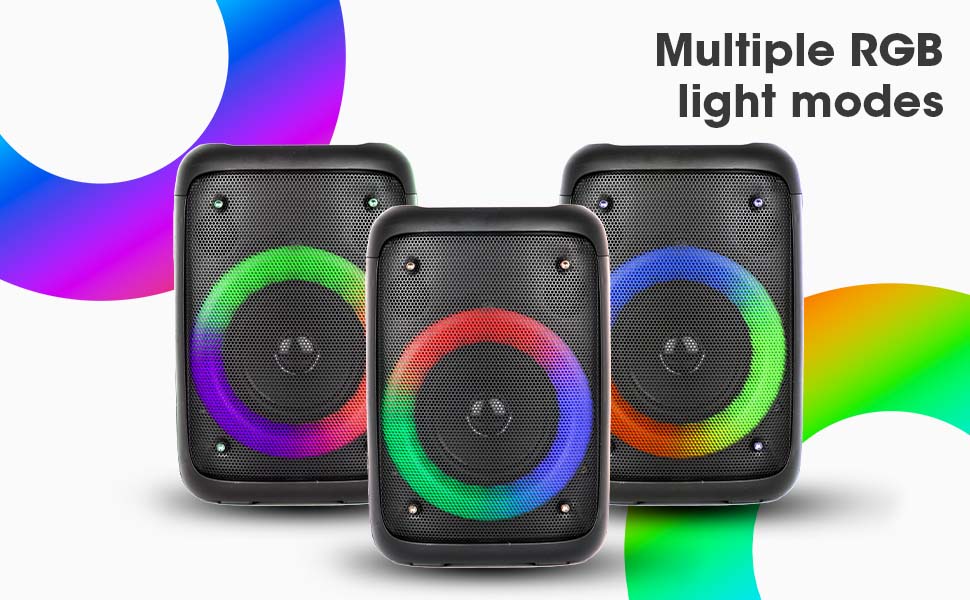
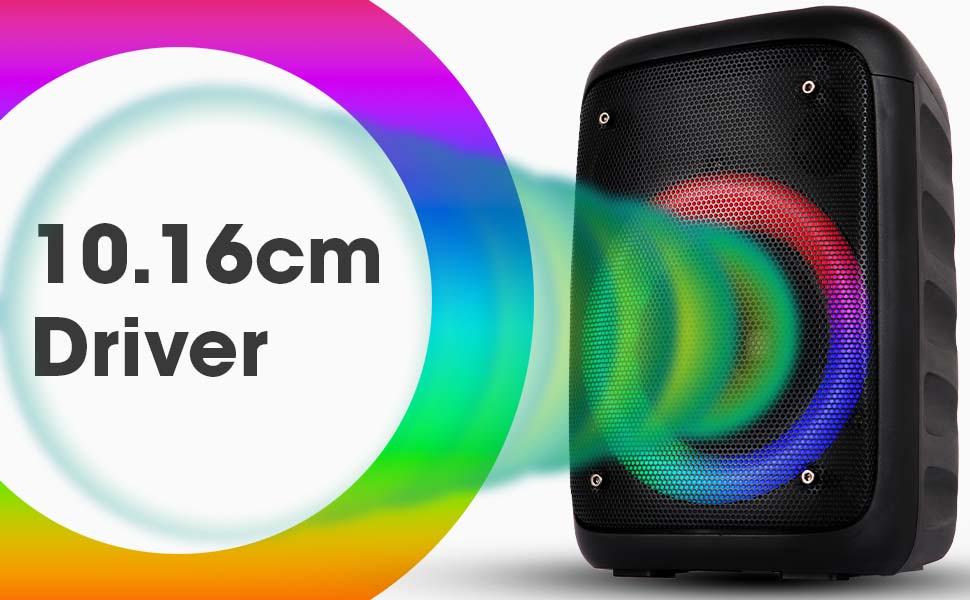
Image: The Zeb-Buddy 100 speaker with an overlay indicating its 10.16cm (4-inch) driver size.
8. ການຮັບປະກັນແລະການສະຫນັບສະຫນູນ
The Zebronics Zeb-Buddy 100 comes with a 1-year carry-in warranty to the service center. For any support, service, or warranty claims, please contact Zebronics customer support or visit their official website for service center locations and contact information.
ກະລຸນາເກັບໃບຮັບເງິນຊື້ຂອງທ່ານໄວ້ເພື່ອການກວດສອບການຮັບປະກັນ.