
1. ບົດແນະນຳ
Thank you for choosing the LFF DAB/FM Digital Radio YT81107. This manual provides essential information for the safe and efficient use of your new radio. Please read these instructions carefully before operating the device and retain them for future reference.
ຂໍ້ມູນຄວາມປອດໄພ
- ຫ້າມບໍ່ໃຫ້ອຸປະກອນຖືກຝົນ ຫຼື ຄວາມຊຸ່ມຊື້ນເພື່ອປ້ອງກັນໄຟ ຫຼື ໄຟຟ້າຊັອດ.
- ຫ້າມເປີດຄasing. ອ້າງອີງການບໍລິການທັງໝົດໃຫ້ກັບບຸກຄະລາກອນທີ່ມີຄຸນວຸດທິ.
- ໃຊ້ພຽງແຕ່ອະແດບເຕີພະລັງງານຫຼືຫມໍ້ໄຟທີ່ລະບຸ.
- ຫຼີກລ່ຽງອຸນຫະພູມທີ່ຮຸນແຮງ, ແສງແດດໂດຍກົງ, ແລະ ສະພາບແວດລ້ອມທີ່ມີຝຸ່ນ.
2. ຜະລິດຕະພັນເກີນview
The LFF DAB/FM Digital Radio YT81107 offers versatile listening options with DAB+ and FM radio, Bluetooth connectivity, and convenient features like a dual alarm and sleep timer. Its compact design and dual power options make it suitable for various environments.
ຄຸນນະສົມບັດທີ່ສໍາຄັນ
- DAB+ and FM Digital Radio Tuner
- Bluetooth Connectivity for Audio Streaming
- ຈໍ LCD ເຕັມສີ
- 60 Preset Stations (30 DAB+, 30 FM)
- ຟັງຊັນໂມງປຸກຄູ່
- ໂມງຈັບເວລານອນທີ່ສາມາດປັບໄດ້
- ຊ່ອງສຽບຫູຟັງ 3.5 ມມ
- AC Power Adapter or Battery Operated (4x AA batteries, not included)

ຮູບ 2.1: ດ້ານຫນ້າ view of the LFF DAB/FM Digital Radio highlighting its main features.
ການຄວບຄຸມແລະອົງປະກອບ
Familiarize yourself with the buttons and ports on your radio:

ຮູບ 2.2: ດ້ານຫນ້າແລະດ້ານເທິງ view of the radio with labeled controls.
- ປຸ່ມ Power / Mode: Turns the radio on/off and switches between modes (DAB, FM, Bluetooth).
- ປຸ່ມເມນູ/ຂໍ້ມູນ: Accesses menu settings or displays station information.
- ປຸ່ມປຸກ: ຕັ້ງຄ່າ ແລະ ຈັດການສັນຍານເຕືອນ.
- ປຸ່ມທີ່ຕັ້ງໄວ້ລ່ວງໜ້າ (1-5): ເຂົ້າເຖິງສະຖານີທີ່ມັກທີ່ບັນທຶກໄວ້ໄດ້ຢ່າງວ່ອງໄວ.
- Volume Knob/Select: Rotates to adjust volume or navigate menus; press to confirm selection.
- Tuning/Scroll Buttons: ນຳທາງຜ່ານສະຖານີ ຫຼືຕົວເລືອກເມນູ.
- ຈໍສະແດງຜົນ: Full-color LCD screen.
- ລໍາໂພງ: ຜົນຜະລິດສຽງປະສົມປະສານ.
- ເສົາອາກາດ: ເສົາອາກາດແບບຍືດຫົດໄດ້ສຳລັບການຮັບວິທະຍຸ.
- DC ຢູ່ໃນຜອດ: ສໍາລັບການເຊື່ອມຕໍ່ອະແດບເຕີໄຟຟ້າ AC.
- ຫູຟັງ Jack: ຜົນຜະລິດ 3.5mm ສໍາລັບການຟັງສ່ວນຕົວ.
- ຊ່ອງໃສ່ຫມໍ້ໄຟ: Located on the back for 4x AA batteries.
3. ຕັ້ງຄ່າ
ການເປີດວິທະຍຸ
Your radio can be powered by the included AC adapter or by batteries for portable use.
- ໄຟຟ້າ AC: Connect the supplied AC adapter to the DC IN port on the back of the radio and plug it into a standard wall outlet.
- ພະລັງງານຫມໍ້ໄຟ: Open the battery compartment on the back and insert 4x 1.5V AA (LR6) batteries (not included), ensuring correct polarity. Close the compartment securely.

Figure 3.1: Power options and physical dimensions of the radio.
ການປັບເສົາອາກາດ
ສໍາລັບການຮັບວິທະຍຸທີ່ດີທີ່ສຸດ, ຂະຫຍາຍເສົາອາກາດ telescopic ຢ່າງເຕັມສ່ວນ. ປັບຕໍາແຫນ່ງຂອງມັນສໍາລັບຄຸນນະພາບສັນຍານທີ່ດີທີ່ສຸດ.
4. ຄໍາແນະນໍາການດໍາເນີນງານ
ການເປີດ/ປິດ ແລະ ການເລືອກໂໝດ
- ກົດ ພະລັງງານ/ໂໝດ ປຸ່ມເພື່ອເປີດຫຼືປິດວິທະຍຸ.
- While on, press the ພະລັງງານ/ໂໝດ button repeatedly to cycle through available modes: DAB, FM, and Bluetooth.
ການດໍາເນີນງານວິທະຍຸ DAB/FM
ໃຫ້ແນ່ໃຈວ່າເສົາອາກາດຖືກຂະຫຍາຍອອກຢ່າງເຕັມທີ່ສໍາລັບການຮັບທີ່ດີທີ່ສຸດ.

Figure 4.1: Radio reception ranges and preset capacity.
- ສະແກນອັດຕະໂນມັດ: ໃນໂໝດ DAB ຫຼື FM, ໃຫ້ກົດຄ້າງໄວ້ ເມນູ/ຂໍ້ມູນ button to initiate an automatic scan for available stations. The radio will store them automatically.
- ຄູ່ມືການປບັຄູ່ມື: ໃຊ້ Tuning/Scroll ປຸ່ມເພື່ອປັບຄວາມຖີ່ດ້ວຍຕົນເອງ.
- ເລືອກສະຖານີ: ໝຸນ Volume Knob/Select to browse through available stations. Press the knob to select a station.
- ບັນທຶກການຕັ້ງຄ່າໄວ້ລ່ວງໜ້າ: To save a station, tune to the desired station, then press and hold one of the ປຸ່ມທີ່ຕັ້ງໄວ້ລ່ວງໜ້າ (1-5) until the display confirms it's saved. You can save up to 30 DAB+ and 30 FM stations.
- Presets ທີ່ລະລຶກ: ຫຍໍ້ໆກົດອັນໜຶ່ງຂອງ ປຸ່ມທີ່ຕັ້ງໄວ້ລ່ວງໜ້າ (1-5) ເພື່ອເອີ້ນຄືນສະຖານີທີ່ບັນທຶກໄວ້.
ແບບ Bluetooth
ເຊື່ອມຕໍ່ໂທລະສັບສະຫຼາດ, ແທັບເລັດ ຫຼື ອຸປະກອນອື່ນໆທີ່ເປີດໃຊ້ Bluetooth ຂອງທ່ານເພື່ອຖ່າຍທອດສຽງແບບໄຮ້ສາຍ.
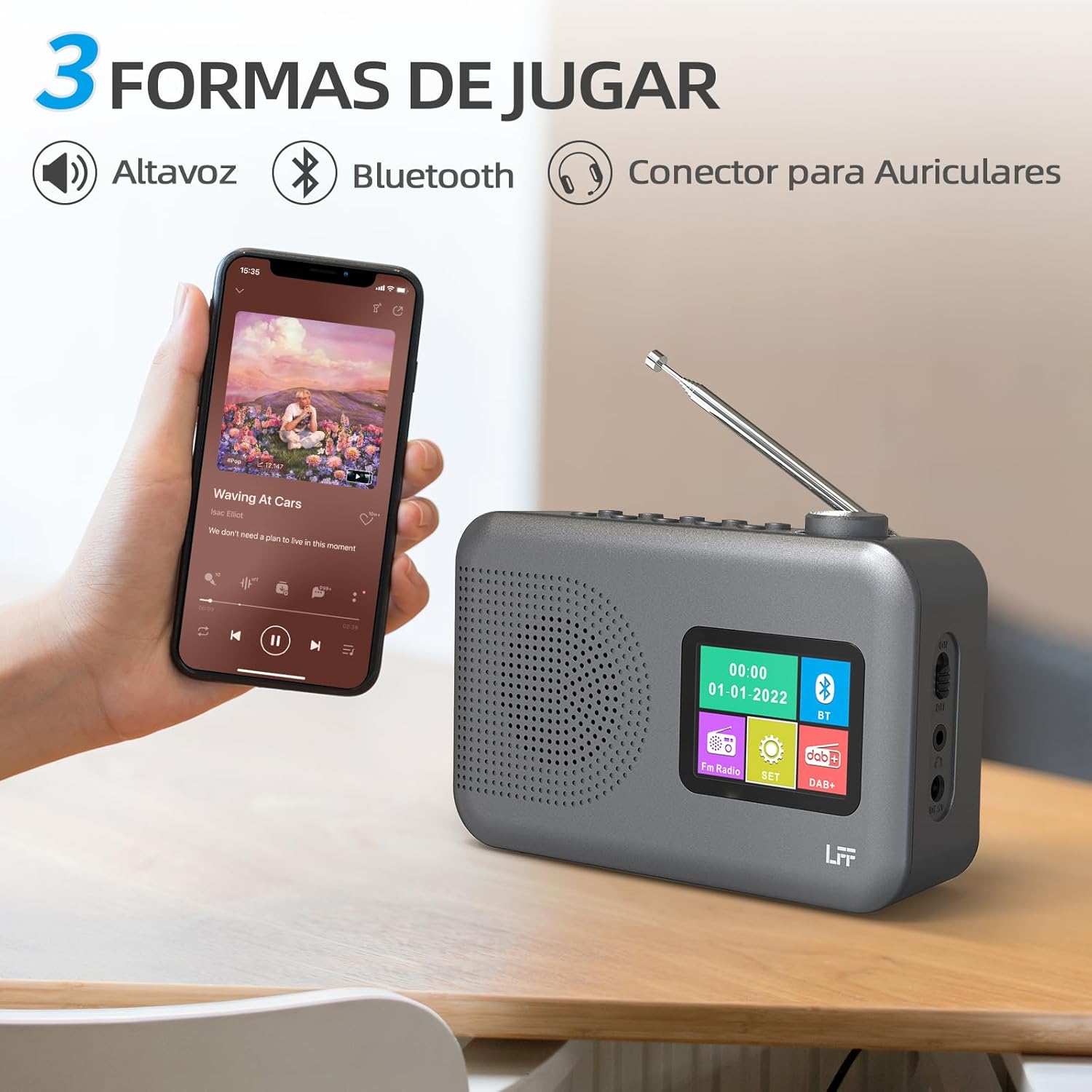
Figure 4.2: Bluetooth connectivity and audio playback options.
- ສະຫຼັບວິທະຍຸເປັນໂໝດ Bluetooth ໂດຍໃຊ້ປຸ່ມ ພະລັງງານ/ໂໝດ button. The display will show "Bluetooth Pairing" or similar.
- On your device, enable Bluetooth and search for "LFF YT81107" (or similar).
- Select the radio to pair. Once connected, you can play audio from your device through the radio's speaker.
- ປັບລະດັບສຽງໂດຍໃຊ້ວິທະຍຸ ປະລິມານດັງ or your connected device.
ຟັງຊັນໂມງປຸກ
ຕັ້ງຄ່າໂມງປຸກເອກະລາດໄດ້ສູງສຸດສອງອັນ.
- ກົດ ປຸກ button to enter alarm settings.
- ໃຊ້ Tuning/Scroll ປຸ່ມແລະ Volume Knob/Select to set the alarm time, source (DAB, FM, or buzzer), and frequency (daily, weekdays, weekends, once).
- ກົດ ປຸກ button again to confirm and activate the alarm.
- When an alarm sounds, press any button (except Power) to snooze, or press the ພະລັງງານ/ໂໝດ ປຸ່ມເພື່ອປິດມັນ.
ຈັບເວລານອນ
ໂມງຈັບເວລາປິດເຄື່ອງຊ່ວຍໃຫ້ວິທະຍຸປິດໂດຍອັດຕະໂນມັດຫຼັງຈາກໄລຍະເວລາທີ່ກຳນົດໄວ້.

Figure 4.3: Sleep timer function in use.
- ກົດ ເມນູ/ຂໍ້ມູນ ປຸ່ມເພື່ອເຂົ້າເຖິງເມນູຫຼັກ.
- Navigate to the "Sleep Timer" option using the Tuning/Scroll ປຸ່ມແລະກົດ Volume Knob/Select.
- Select your desired duration (15, 30, 45, 60, 90, or 120 minutes) and confirm. The radio will automatically turn off after the selected time.
ການໃຊ້ຫູຟັງ
For private listening, connect standard 3.5mm headphones to the headphone jack on the side of the radio. The internal speaker will be muted automatically.
Note: This radio does not support Bluetooth headphones. The 3.5mm headphone jack is for wired headphones only.
5. ບໍາລຸງຮັກສາ
- ທໍາຄວາມສະອາດ: ເຊັດວິທະຍຸດ້ວຍຜ້າອ່ອນ, ແຫ້ງ. ຢ່າໃຊ້ເຄື່ອງເຮັດຄວາມສະອາດຂັດຫຼືສານລະລາຍ.
- ການປ່ຽນແບັດເຕີຣີ: If using batteries, replace all four AA batteries when the low battery indicator appears on the display or when performance degrades. Ensure proper disposal of old batteries.
- ການເກັບຮັກສາ: ຖ້າເກັບຮັກສາວິທະຍຸເປັນເວລາດົນ, ໃຫ້ຖອດແບດເຕີລີ່ອອກເພື່ອປ້ອງກັນການຮົ່ວໄຫຼ.
6. ການແກ້ໄຂບັນຫາ
| ບັນຫາ | ສາເຫດທີ່ເປັນໄປໄດ້ | ການແກ້ໄຂ |
|---|---|---|
| ບໍ່ມີພະລັງງານ | AC adapter not connected or faulty; batteries depleted or incorrectly inserted. | Check AC adapter connection and power outlet. Replace batteries or ensure correct polarity. |
| ການຮັບວິທະຍຸທີ່ບໍ່ດີ | ເສົາອາກາດບໍ່ໄດ້ຂະຫຍາຍ; ພື້ນທີ່ສັນຍານອ່ອນ; ແຊກແຊງ. | ຂະຫຍາຍ ແລະ ປັບເສົາອາກາດ telescopic ຢ່າງສົມບູນ. ລອງຍ້າຍວິທະຍຸໄປບ່ອນອື່ນ. |
| Bluetooth ບໍ່ເຊື່ອມຕໍ່ | Radio not in Bluetooth mode; device not in pairing mode; radio already connected to another device. | Ensure radio is in Bluetooth mode. Put your device in pairing mode. Disconnect from other Bluetooth devices. |
| ປຸກບໍ່ດັງ | Alarm not activated; volume too low; incorrect alarm settings. | Check alarm settings and ensure it is enabled. Increase volume. Verify alarm time and source. |
7. ຂໍ້ມູນຈໍາເພາະ
| ຄຸນສົມບັດ | ລາຍລະອຽດ |
|---|---|
| ໝາຍເລກຕົວແບບ | YT81107 |
| ຍີ່ຫໍ້ | ການຂະຫຍາຍ LFF |
| ເທັກໂນໂລຍີ Tuning | DAB+, FM |
| ແຖບວິທະຍຸສະຫນັບສະຫນູນ | DAB+ (174.928 - 239.2 MHz), FM (87.5 - 108 MHz) |
| ການເຊື່ອມຕໍ່ | Bluetooth, 3.5mm Headphone Jack |
| ແຫຼ່ງພະລັງງານ | AC Adapter (included), 4x 1.5V AA (LR6) Batteries (not included) |
| ຂະໜາດ (L x W x H) | 16.1ຊມ x 5.9ຊມ x 10.9ຊມ |
| ສີ | ສີເທົາ |
| ຄຸນນະສົມບັດພິເສດ | DAB Radio, DAB Plus Radio, DAB+ Radio, FM Radio, Color Display, Bluetooth, Dual Alarm, Sleep Timer |
| ອຸປະກອນທີ່ເຂົ້າກັນໄດ້ | Headphones, MP3 Player, Smartphone, Laptop, Speaker, Tablet |
8. ການຮັບປະກັນແລະການສະຫນັບສະຫນູນ
LFF is committed to providing high-quality products. If you encounter any quality issues with your LFF DAB/FM Digital Radio YT81107, please contact us directly. Our customer support team is available to assist you and resolve any problems you may experience.
ກະລຸນາເບິ່ງເອກະສານການຊື້ຂອງທ່ານສໍາລັບເງື່ອນໄຂການຮັບປະກັນສະເພາະແລະຂໍ້ມູນການຕິດຕໍ່.