
1. ຜະລິດຕະພັນເກີນview
The WALI FTM-2 Full Motion TV Wall Mount is designed to securely hold most flat and curved screen televisions ranging from 32 to 70 inches. This mount offers extensive adjustability, including tilt, swivel, and extension, allowing for optimal viewing angles from various positions in a room. Constructed from reinforced cold-rolled steel, it ensures durability and stability for your television.
2. ຂໍ້ມູນຄວາມປອດໄພທີ່ສໍາຄັນ
ຄຳເຕືອນ: Read all instructions carefully before installation. If you do not understand these instructions or have doubts about the safety of the installation, consult a qualified installer. Improper installation may cause serious injury or damage.
- ຄວາມອາດສາມາດນ້ໍາຫນັກ: ບໍ່ໃຫ້ເກີນຄວາມອາດສາມາດນ້ໍາຫນັກສູງສຸດຂອງ 88 lbs (40 kg). mount ນີ້ມີຈຸດປະສົງເພື່ອນໍາໃຊ້ກັບນ້ໍາຫນັກສູງສຸດທີ່ລະບຸໄວ້. ການນໍາໃຊ້ຜະລິດຕະພັນທີ່ຫນັກກ່ວານ້ໍາສູງສຸດທີ່ລະບຸໄວ້ອາດຈະເຮັດໃຫ້ເກີດຄວາມບໍ່ຫມັ້ນຄົງທີ່ເຮັດໃຫ້ເກີດການບາດເຈັບໄດ້.
- ປະເພດຝາ: This mount is designed for installation on vertical wood studs, solid concrete walls, or brick walls. ຢ່າຕິດຕັ້ງໃສ່ drywall ຢ່າງດຽວ. ໃຫ້ແນ່ໃຈວ່າພື້ນຜິວຍຶດສາມາດຮອງຮັບນ້ໍາຫນັກລວມຂອງອຸປະກອນແລະຮາດແວທີ່ຕິດຄັດມາທັງຫມົດຢ່າງປອດໄພ.
- ຄວາມເຂົ້າກັນໄດ້ກັບ VESA: ໃຫ້ແນ່ໃຈວ່າຮູບແບບການຕິດຕັ້ງ VESA ຂອງໂທລະພາບຂອງທ່ານຢູ່ພາຍໃນຂອບເຂດທີ່ຮອງຮັບ (100x100 ມມ ຫາ 400x400 ມມ).
- ເຄື່ອງມື: Use appropriate tools for installation. Always wear safety gear, including eye protection.
- ເດັກນ້ອຍ: ໃຫ້ເດັກນ້ອຍຢູ່ຫ່າງຈາກພື້ນທີ່ຕິດຕັ້ງ. ຊິ້ນສ່ວນນ້ອຍໆອາດເປັນອັນຕະລາຍຕໍ່ການສຳຜັດ.
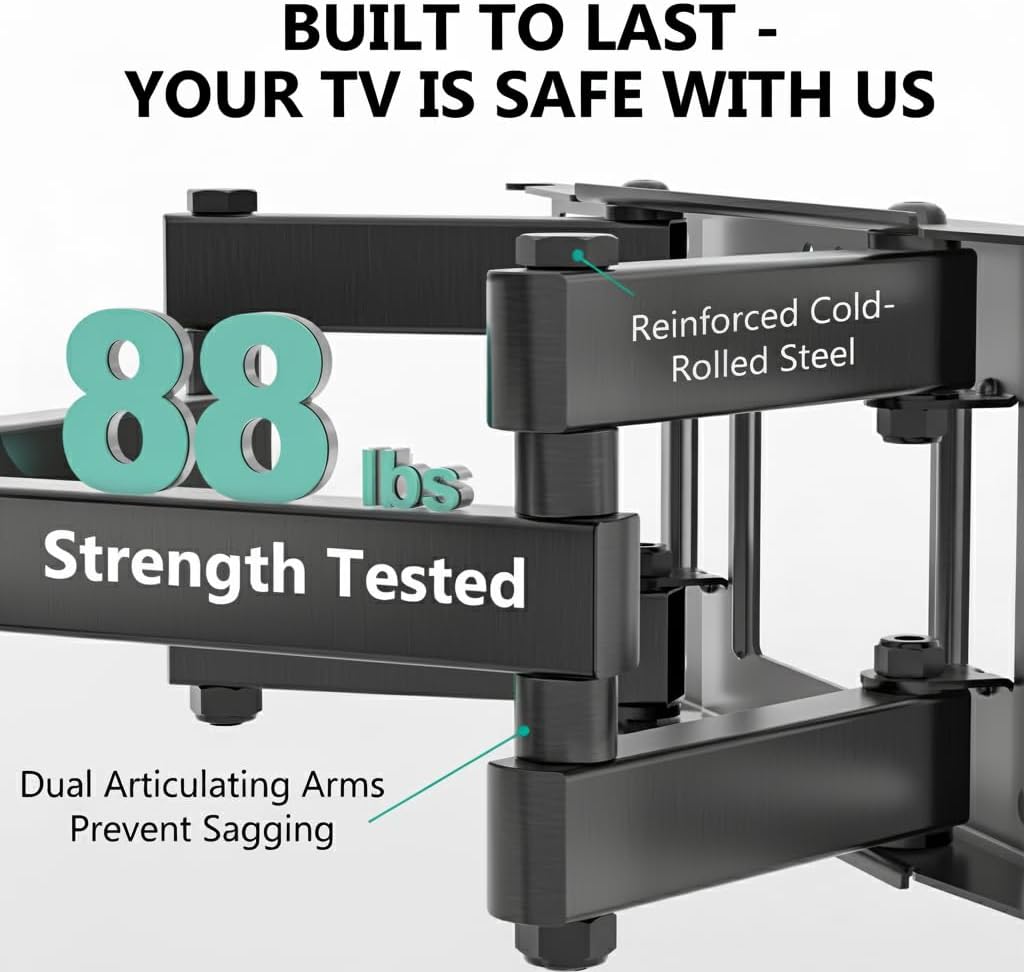
Image: The mount is constructed from reinforced cold-rolled steel, tested to support up to 88 lbs, ensuring structural integrity and safety for your television.
3. ເນື້ອໃນຊຸດ
Verify that all components are present and undamaged before beginning installation. If any parts are missing or defective, contact WALI customer support.
- WALI FTM-2 TV Wall Mount (1 unit)
- ຊຸດອຸປະກອນຕິດຕັ້ງ (ສະກູຕ່າງໆ, ເຄື່ອງຊັກຜ້າ, ຊ່ອງສຽບ, ສະມໍ)
- ຄູ່ມືຜູ້ໃຊ້ (ເອກະສານນີ້)

Image: All necessary hardware for installation is included, such as various bolts, washers, spacers, and wall anchors. A spirit level is also provided to assist with accurate mounting.
4. ການກວດສອບຄວາມເຂົ້າກັນໄດ້
Before installation, confirm your television and wall meet the following requirements:
- ຂະໜາດໂທລະພາບ: Compatible with most 32 to 70 inch flat or curved screen TVs.
- ນ້ຳໜັກໂທລະທັດ: Your TV must weigh no more than 88 lbs (40 kg).
- ຮູບແບບ VESA: The mounting holes on the back of your TV must match VESA patterns from 100x100mm to 400x400mm.
- ປະເພດຝາ: Suitable for 12" or 16" wood studs, concrete walls, and brick walls. Not for drywall-only installation.
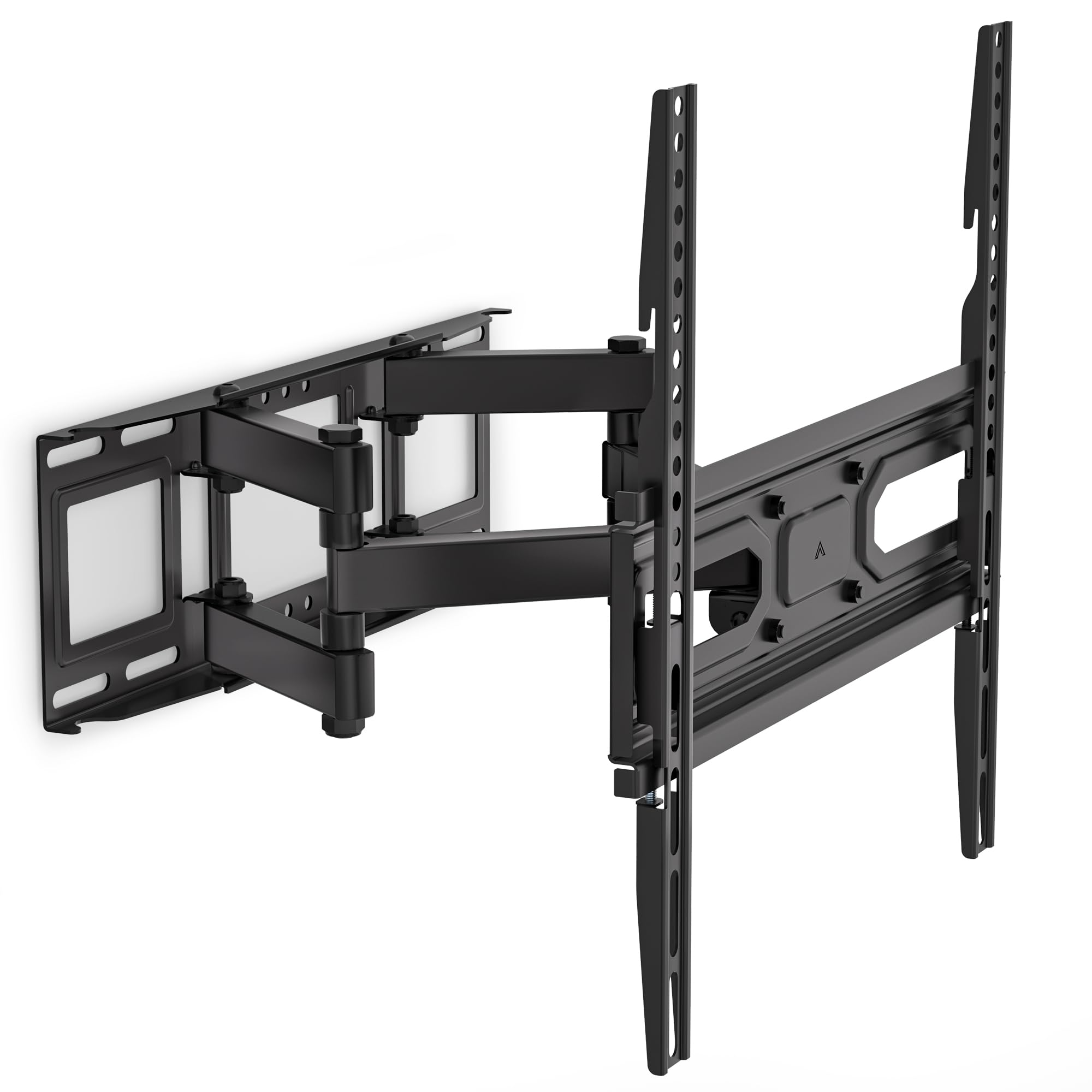
Image: This diagram outlines the four key compatibility checks: TV weight (up to 88 lbs), VESA pattern (100x100mm to 400x400mm), TV size (32-70 inches), and suitable wall types (wood studs, concrete, brick). Installation on drywall alone is not supported.
5. ຄໍາແນະນໍາການຕິດຕັ້ງ
ປະຕິບັດຕາມຂັ້ນຕອນເຫຼົ່ານີ້ຢ່າງລະມັດລະວັງສໍາລັບການຕິດຕັ້ງທີ່ປອດໄພ. ມັນແນະນໍາໃຫ້ມີສອງຄົນສໍາລັບການຕິດຕັ້ງ.
ຂັ້ນຕອນທີ 1: ຄັດຕິດວົງເລັບໃສ່ຝາ
- Locate the desired mounting position on your wall. Use a stud finder to locate wood studs if applicable.
- Mark the drill holes for the wall plate. Ensure the marks are level using a spirit level.
- Drill pilot holes at the marked locations. For wood studs, use a 5/32 inch (4mm) drill bit. For concrete/brick walls, use a 3/8 inch (10mm) drill bit and insert wall anchors.
- Attach the wall plate to the wall using the appropriate lag bolts and washers. Tighten securely.
Step 2: Attach Plate to TV
- ວາງໂທລະທັດຂອງທ່ານຫງາຍໜ້າລົງເທິງພື້ນຜິວທີ່ອ່ອນແລະສະອາດເພື່ອປ້ອງກັນຮອຍຂີດຂ່ວນ.
- ລະບຸຮູສຽບ VESA ຢູ່ດ້ານຫຼັງຂອງໂທລະພາບຂອງທ່ານ.
- ເລືອກສະກູ, ແຜ່ນຮອງ ແລະ ຕົວກັ້ນທີ່ຖືກຕ້ອງຈາກຊຸດຮາດແວທີ່ພໍດີກັບຮູຕິດຕັ້ງຂອງໂທລະພາບຂອງທ່ານ.
- Attach the TV brackets to the back of your TV. Ensure they are securely fastened but do not overtighten.
Step 3: Hang TV on Bracket
- With assistance, carefully lift the TV and hook the TV brackets onto the wall plate.
- ໃຫ້ແນ່ໃຈວ່າໂທລະພາບຢູ່ກາງ ແລະ ລະດັບ.
- ຍຶດໂທລະພາບໃຫ້ແໜ້ນກັບແຜ່ນຕິດຝາໂດຍໃຊ້ສະກູຄວາມປອດໄພ ຫຼື ກົນໄກລັອກທີ່ມີໃຫ້.
6. Adjustments (Operating)
The WALI FTM-2 mount offers flexible adjustments to achieve your desired viewມຸມ ing.
- ອຽງ: The TV can be tilted +3° upwards and -15° downwards. Loosen the tilt adjustment knobs on the TV brackets, adjust to the desired angle, and then re-tighten the knobs.
- ໝູນ: The mount allows for a ±60° swivel (left and right) depending on TV size and wall distance. Gently push or pull the TV to the desired swivel angle.
- ການປັບລະດັບ: After installation, if the TV is slightly unlevel, you can adjust it by ±3°. Loosen the leveling screws, adjust the TV, and re-tighten.
- ສ່ວນຂະຫຍາຍ/ການຖອນຄືນ: The mount extends from 2.6 inches (6.6 cm) to 14 inches (35.6 cm) from the wall. Gently pull the TV forward or push it back to adjust the distance.

Image: This diagram shows the full range of motion: 15 degrees of tilt, 60 degrees of swivel, extension up to 14 inches from the wall, and 4 degrees of leveling adjustment for a perfect viewປະສົບການ.
7. ບໍາລຸງຮັກສາ
ການບໍາລຸງຮັກສາເປັນປົກກະຕິຮັບປະກັນອາຍຸຍືນແລະການດໍາເນີນງານທີ່ປອດໄພຂອງເຄື່ອງຕິດຝາໂທລະພາບຂອງທ່ານ.
- ກວດສອບເປັນໄລຍະ: Periodically check that all screws and connections are tight and secure. Re-tighten if necessary.
- ທໍາຄວາມສະອາດ: ທຳຄວາມສະອາດຕົວຍຶດດ້ວຍຜ້າອ່ອນໆແລະແຫ້ງ. ຫຼີກລ່ຽງນໍ້າຢາທຳຄວາມສະອາດທີ່ມີສີຂັດ ຫຼື ຕົວລະລາຍທີ່ອາດຈະທຳລາຍຊັ້ນເຄືອບໄດ້.
- ຊິ້ນສ່ວນເຄື່ອນທີ່: The articulating arms are designed for smooth movement. No lubrication is typically required. If movement becomes stiff, check for obstructions or loose components.
8. ການແກ້ໄຂບັນຫາ
ຖ້າຫາກທ່ານພົບບັນຫາໃນລະຫວ່າງຫຼືຫຼັງຈາກການຕິດຕັ້ງ, ເບິ່ງບັນຫາທົ່ວໄປດັ່ງຕໍ່ໄປນີ້ແລະການແກ້ໄຂ:
- ໂທລະພາບບໍ່ແມ່ນລະດັບ: Use the leveling adjustment feature (refer to Section 6) to correct the angle. Ensure the wall plate was installed level initially.
- Mount ຮູ້ສຶກບໍ່ຫມັ້ນຄົງ: Double-check all wall and TV attachment screws to ensure they are securely tightened. Verify that the wall type is appropriate and that the TV weight does not exceed the mount's capacity.
- ໂທລະທັດບໍ່ເຫມາະກັບ mount: Re-check your TV's VESA pattern against the mount's specifications (refer to Section 4). Ensure you are using the correct screws and spacers for your TV model.
- Difficulty moving the arms: Ensure no cables are snagged or obstructing movement. Check for any overtightened bolts that might restrict articulation.
If problems persist, contact WALI customer support for assistance.
9. ຂໍ້ມູນຈໍາເພາະ
| ໝາຍເລກຕົວແບບ | FTM-2 |
| ຄວາມເຂົ້າກັນໄດ້ຂອງຂະ ໜາດ ໂທລະທັດ | 32 - 70 ນິ້ວ |
| ຄວາມອາດສາມາດນ້ໍາຫນັກ | 88 lbs (40 ກິໂລ) |
| ຄວາມເຂົ້າກັນໄດ້ຂອງ VESA | 100x100mm ຫາ 400x400mm |
| ມຸມອຽງ | +3° / -15° |
| ມຸມຫມຸນ | ±60° |
| ການປັບລະດັບ | ±3° |
| ສ່ວນຂະຫຍາຍຈາກ Wall | 2.6 ນິ້ວ (6.6 ຊຕມ) ຫາ 14 ນິ້ວ (35.6 ຊຕມ) |
| ວັດສະດຸ | Reinforced Cold-Rolled Steel |
| ສີ | ດຳ |
10. ການຮັບປະກັນແລະການສະຫນັບສະຫນູນລູກຄ້າ
WALI products are designed for quality and reliability. For warranty information or technical assistance, please contact WALI customer support.
WALI is committed to providing dedicated product support and aims to respond to inquiries within 12 hours.
- ຕິດຕໍ່: Refer to the WALI official webສະຖານທີ່ຫຼືການຫຸ້ມຫໍ່ຜະລິດຕະພັນສໍາລັບຂໍ້ມູນຕິດຕໍ່ໃນປະຈຸບັນຫຼາຍທີ່ສຸດ.
- ຫຼັກຖານການຊື້: ກະລຸນາຮັກສາຫຼັກຖານການຊື້ຂອງທ່ານສໍາລັບການຮຽກຮ້ອງການຮັບປະກັນ.