
1. ບົດແນະນຳ
Thank you for choosing the Gevi 12 Cup Programmable Drip Coffee Maker. This manual provides essential information for the safe operation, maintenance, and troubleshooting of your new coffee maker. Please read it thoroughly before first use and retain it for future reference.

Image: The Gevi 12 Cup Programmable Drip Coffee Maker, showcasing its sleek design and digital display, ready to brew coffee.
2. ສ່ວນປະກອບ
Your Gevi coffee maker includes the following components:
- ເຄື່ອງຊົງກາເຟຫຼັກ
- Glass Coffee Pot (Carafe)
- ບ່ວງກາເຟ
- ການກັ່ນຕອງຖາວອນ
- ຄູ່ມືຜູ້ໃຊ້ (ເອກະສານນີ້)

Image: An illustration showing the individual components of the Gevi Drip Coffee Maker, including the filter, filter basket, glass carafe, and coffee scoop, alongside the main unit.
3. ຕັ້ງຄ່າ
- ການຫຸ້ມຫໍ່: ເອົາວັດສະດຸຫຸ້ມຫໍ່ທັງໝົດອອກຈາກເຄື່ອງຊົງກາເຟຢ່າງລະມັດລະວັງ.
- ຮູບເງົາປ້ອງກັນ: Remove the protective film from the control panel before use.
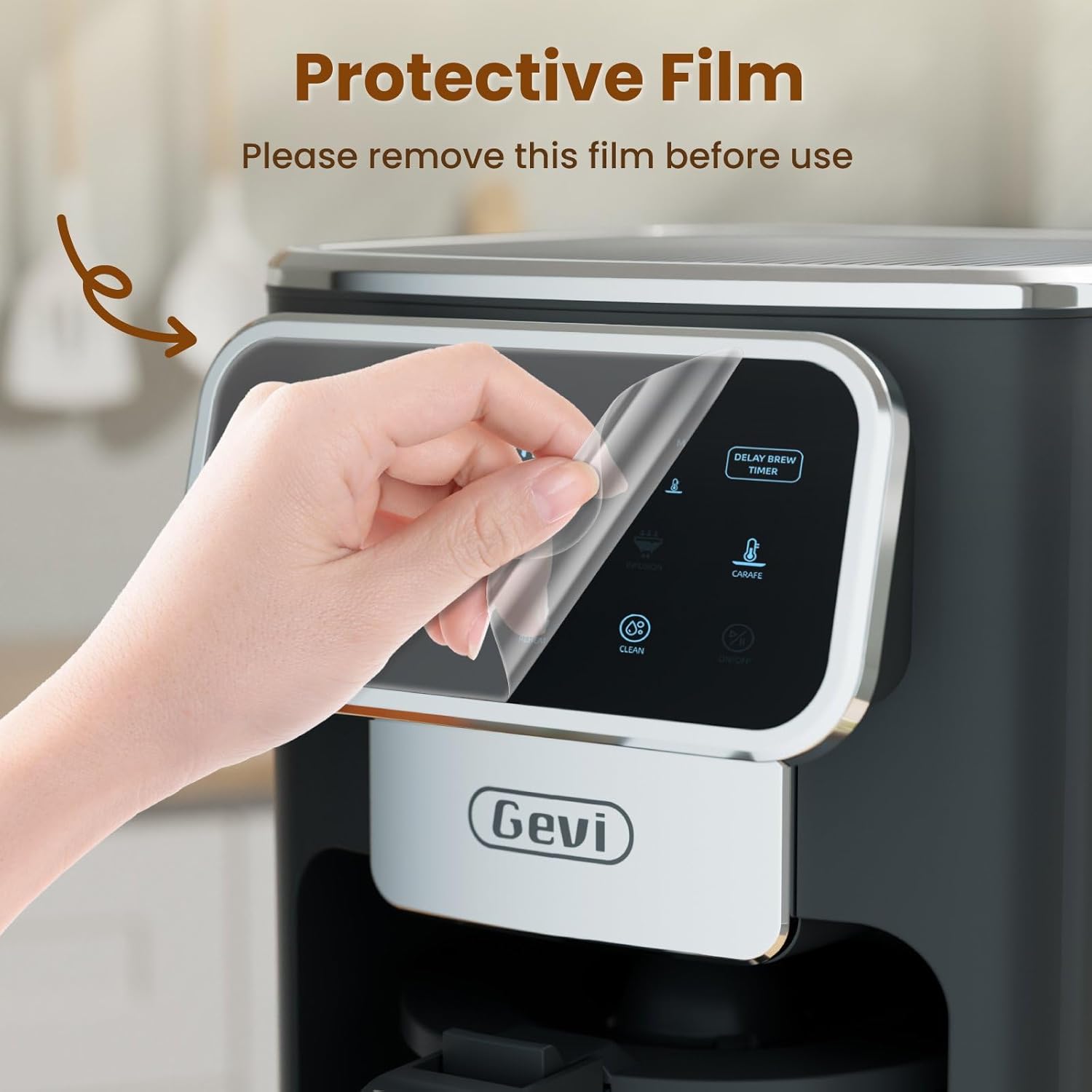
Image: A hand gently peeling off the protective film from the touchscreen control panel of the coffee maker.
- ທໍາຄວາມສະອາດເບື້ອງຕົ້ນ: Before first use, wash the permanent filter, glass carafe, and coffee scoop with warm, soapy water. Rinse thoroughly.
- ຮອບທໍາອິດ Brew (ທໍາຄວາມສະອາດ): Fill the water reservoir to the maximum level with clean water. Do not add coffee grounds. Run a full brew cycle to clean the internal components. Discard the water.
4. ຄໍາແນະນໍາການດໍາເນີນງານ
4.1 ການຕັ້ງໂມງ
- Press the "ON/OFF" button to turn on the coffee maker.
- When the timer display blinks, press the "Hour" and "Minute" buttons to adjust the time.
- Press the "ON/OFF" button again to confirm the clock time.
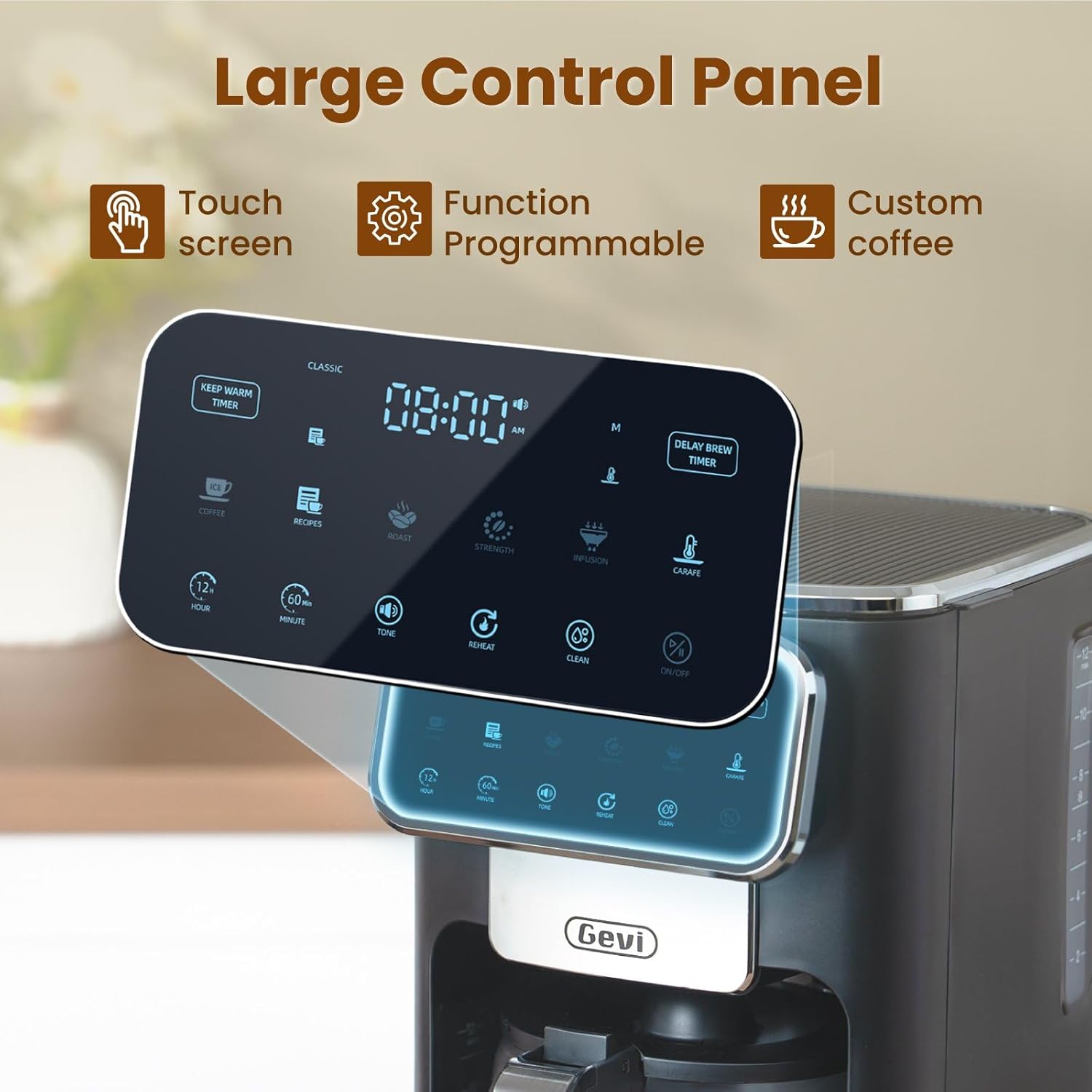
ຮູບພາບ: A ລາຍລະອຽດ view of the coffee maker's large touch control panel, showing various settings and the digital clock display.
4.2 Setting the Delay Brew Timer
- After setting the current clock time, press the "Delay Brew Timer" button.
- When the timer display blinks, use the "Hour" and "Minute" buttons to set your desired delay brewing time.
- Press the "Delay Brew Timer" button again to confirm the delay brewing time.
- ໝາຍເຫດ: Pressing the "ON/OFF" button after setting the delay brew timer will cancel the delay brew setting.
- The machine will automatically begin brewing at the preset time.
4.3 ການຕົ້ມກາເຟ
- Fill Water Reservoir: Open the top lid and pour fresh, cold water into the water reservoir. Use the water level markings on the side of the coffee maker as a guide.

Image: A hand pouring water into the transparent water tank of the coffee maker, showing the water level indicators.
- ເພີ່ມພື້ນທີ່ກາເຟ: Place the permanent filter (or a paper filter) into the filter basket. Add your desired amount of ground coffee using the provided scoop. Close the top lid.

Image: A hand scooping coffee grounds into the reusable filter basket, which is placed inside the coffee maker.
- Select Brew Strength: Use the touch screen to select your preferred coffee strength: ຄລາສິກ, ສຸມ, ຫຼື ອຸດົມສົມບູນ.

Image: Four different coffee preparations: Classic, Intense, Rich, and Iced, demonstrating the various brewing strengths and options.
- ເລີ່ມເບຍ: Press the "ON/OFF" button to begin the brewing process. The coffee maker features a pre-infusion system for optimal flavor extraction.

Image: A cutaway diagram showing the pre-infusion process, where water is evenly distributed over coffee grounds for deep extraction.
- ຮັກສາຄວາມອົບອຸ່ນ: The coffee maker includes an adjustable keep-warm timer, typically ranging from 5 minutes to 3 hours and 59 minutes, to maintain coffee temperature after brewing.

Image: The coffee maker's warming plate, glowing red, indicating the keep-warm function is active, with a cup of hot coffee nearby.
4.4 Iced Coffee Function
To brew iced coffee, select the "Ice" option on the touch screen. This function is designed to provide a concentrated brew suitable for pouring over ice, ensuring a flavorful iced coffee experience.
4.5 ຄູ່ມືວິດີໂອ
For a visual demonstration of the coffee maker's features and operation, please watch the official product video below:
Video: An official product video demonstrating the Gevi 12 Cup Programmable Drip Coffee Maker's features and brewing process.
5. ການບໍາລຸງຮັກສາແລະການທໍາຄວາມສະອາດ
ການທໍາຄວາມສະອາດເປັນປົກກະຕິຮັບປະກັນປະສິດທິພາບທີ່ດີທີ່ສຸດແລະຍືດອາຍຸຂອງເຄື່ອງເຮັດກາເຟຂອງທ່ານ.
- Filter and Carafe: The permanent filter and glass carafe can be easily cleaned with warm water and mild soap. Rinse thoroughly after washing.
- ພາຍນອກ: ເຊັດດ້ານນອກຂອງເຄື່ອງເຮັດກາເຟດ້ວຍການໂຄສະນາamp ຜ້າ. ຢ່າເອົາຫົວຫນ່ວຍຫຼັກຢູ່ໃນນ້ໍາ.
- ການປັບຂະ ໜາດ: Periodically descale your coffee maker to remove mineral buildup. Refer to a general coffee maker descaling guide or contact customer support for specific instructions.
6. ການແກ້ໄຂບັນຫາ
| ບັນຫາ | ສາເຫດທີ່ເປັນໄປໄດ້ | ການແກ້ໄຂ |
|---|---|---|
| ເຄື່ອງເຮັດກາເຟບໍ່ເປີດ. | ບໍ່ສຽບ; ພະລັງງານ outage. | ກວດໃຫ້ແນ່ໃຈວ່າໄດ້ສຽບສາຍໄຟເຂົ້າກັບປ່ຽງທີ່ເຮັດວຽກຢ່າງປອດໄພ. ກວດເບິ່ງເຄື່ອງຕັດວົງຈອນຂອງເຮືອນຂອງທ່ານ. |
| Clock loses time or runs fast. | Internal clock mechanism variation. | Reset the clock periodically as needed. If the issue persists significantly, contact customer support. |
| Brewing less than expected amount of coffee. | Water reservoir not filled sufficiently; clogged filter/drip system; carafe not properly seated. | Ensure water reservoir is filled to the desired level. Clean the filter and drip system. Verify the carafe is correctly positioned on the warming plate. |
| ກາເຟມີລົດຊາດອ່ອນ ຫຼືແຮງເກີນໄປ. | Incorrect coffee-to-water ratio; wrong grind size; incorrect strength setting. | Adjust the amount of coffee grounds. Use a medium grind for drip coffee. Select a different brew strength setting (Classic, Intense, Rich). |
7. ຂໍ້ມູນຈໍາເພາະ
| ຄຸນສົມບັດ | ລາຍລະອຽດ |
|---|---|
| ຍີ່ຫໍ້ | ເກວີ |
| ຊື່ຕົວແບບ | DCMA0-BK0A1 |
| ຄວາມອາດສາມາດ | 12 Cups (60 oz / 1.8 L) |
| ສີ | ດຳ |
| ຂະໜາດສິນຄ້າ (ກວ້າງ x ຍາວ x ສູງ) | 12.1" x 8" x 13.8" |
| ນ້ຳໜັກ | 7.48 ປອນ |
| ຄຸນນະສົມບັດພິເສດ | Iced Coffee, Keep Warm Timer, Permanent Filter, Programmable, Touchscreen |
| ປະເພດເຄື່ອງເຮັດກາເຟ | Drip ເຄື່ອງກາເຟ |
| ຮູບແບບການເຮັດວຽກ | ອັດຕະໂນມັດຢ່າງເຕັມສ່ວນ |
| ວັດtage | 1100 ວັດ |
| ສະບັບtage | 120 ໂວນ |
| ການໂຕ້ຕອບຂອງມະນຸດ | ໜ້າຈໍສຳຜັດ |
| ປະເພດປ້ອນກາເຟ | ກາເຟດິນ |
| ແຫຼ່ງພະລັງງານ | ອະແດບເຕີ AC |
| ເຄື່ອງລ້າງຈານປອດໄພ | ບໍ່ (ສຳລັບໜ່ວຍຫຼັກ) |

Image: The Gevi coffee maker with its physical dimensions (depth, width, height) clearly indicated.
8. ການຮັບປະກັນແລະການສະຫນັບສະຫນູນ
Gevi values your satisfaction. Every Gevi product purchased via official or authorized channels includes a 12-month warranty and lifetime technical support.
If you encounter any issues with your Gevi coffee maker, please refer to the operation videos on the official Gevi store or contact customer service directly for assistance.
ສຳລັບການຊ່ວຍເຫຼືອເພີ່ມເຕີມ, ເຂົ້າເບິ່ງທີ່ Gevi Store on Amazon.