
1. ຜະລິດຕະພັນເກີນview
The Amazon Echo Show 8 (3rd Generation) is a smart display designed to enhance your daily life with immersive entertainment, smart home control, and seamless communication. Featuring an 8-inch HD touchscreen and spatial audio, it offers a rich visual and auditory experience. The device integrates a built-in smart home hub for simplified control of compatible devices and a 13 MP camera for clear video calls.
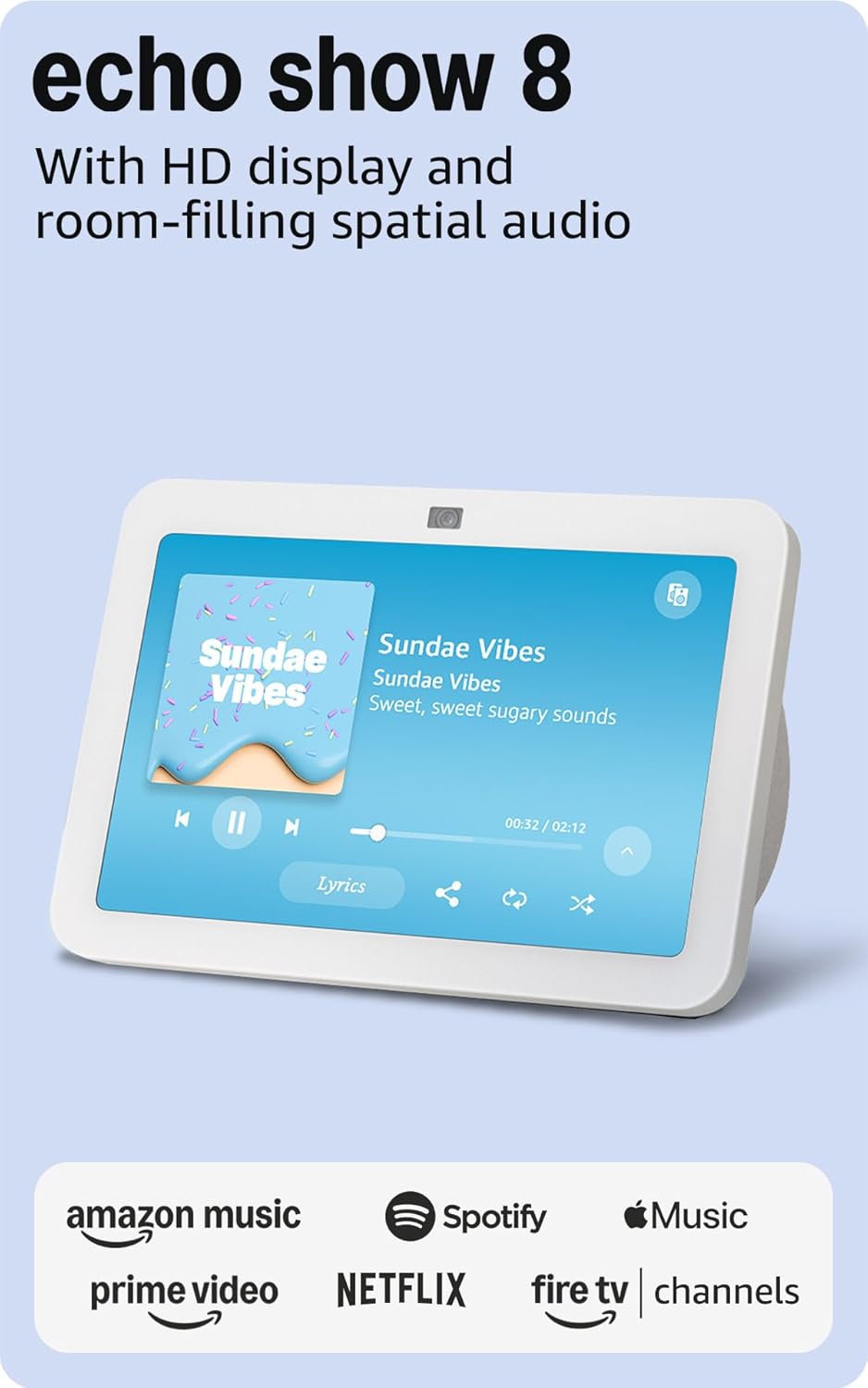
ຮູບພາບ: ທາງຫນ້າ view of the Amazon Echo Show 8 (3rd Gen) in Glacier White, displaying a music interface.
2. ສິ່ງທີ່ຢູ່ໃນກ່ອງ
- Echo Show 8 (3rd Gen) ອຸປະກອນ
- Glacier White power adapter (30W) with 4.9 ft. cable
- ຄູ່ມືເລີ່ມຕົ້ນໄວ
3. ຄູ່ມືການຕິດຕັ້ງ
3.1 ການເປີດເຄື່ອງເບື້ອງຕົ້ນ
- ເຊື່ອມຕໍ່ອະແດບເຕີໄຟກັບ Echo Show 8 ແລະສຽບມັນໃສ່ປລັກສຽບໄຟ.
- The device will power on automatically and display the Amazon logo.
3.2 ການເຊື່ອມຕໍ່ເຄືອຂ່າຍ
- Follow the on-screen instructions to select your language and connect to your Wi-Fi network. The Echo Show 8 supports dual-band Wi-Fi (802.11a/b/g/n/ac).
- For simplified setup, Amazon Wi-Fi simple setup allows compatible devices to connect to your Wi-Fi network in a few easy steps.
3.3 Amazon Account Login
- Sign in with your Amazon account credentials. An Amazon account is required for full functionality.
- If you do not have an Amazon account, you can create one at amazon.com.
3.4 ການປັບແຕ່ງສ່ວນຕົວ
Follow the prompts to personalize your device, including setting up Visual ID for personalized greetings and content display based on who is near the device. Alexa processes images on the device to recognize you.
4. ຄໍາແນະນໍາການດໍາເນີນງານ
4.1 ຄຳສັ່ງສຽງກັບ Alexa
The Echo Show 8 is primarily voice-controlled. Simply say "Alexa" followed by your command or question. Examples ປະກອບມີ:
- "Alexa, ຫຼິ້ນດົນຕີ."
- "Alexa, ອາກາດເປັນແນວໃດ?"
- "Alexa, ຕັ້ງໂມງຈັບເວລາ 10 ນາທີ."
- "Alexa, ສະແດງກ້ອງຖ່າຍຮູບປະຕູໜ້າໃຫ້ຂ້ອຍເບິ່ງ."
4.2 ການນຳທາງໜ້າຈໍສຳຜັດ
The 8-inch HD touchscreen allows for intuitive navigation and control:
- Swipe down from the top: Access quick settings like Home, Settings, Do Not Disturb, Brightness, Notifications, Alarms, Photo Frame, Communicate, Music, Smart Home, Video, and Routines.
- Swipe left from the right edge: View adaptive content such as calendar, reminders, news, and suggested activities.
- Tap icons: Interact with on-screen elements, select options, or open applications.

Image: Amazon Echo Show 8 (3rd Gen) on a kitchen counter, displaying weather information.
4.3 ທ່າທາງ
The Echo Show 8 supports gestures for quick actions:
- Hold your palm towards the camera: Dismiss timers and alarms.
5. ຄຸນນະສົມບັດທີ່ສໍາຄັນ
5.1 Spatial Audio and HD Display
Experience immersive entertainment with room-filling spatial audio and an 8-inch HD touchscreen. The device features 2 x 2" full range neodymium drivers with a passive bass radiator for rich sound. Room adaptation technology automatically analyzes acoustics for optimal sound.
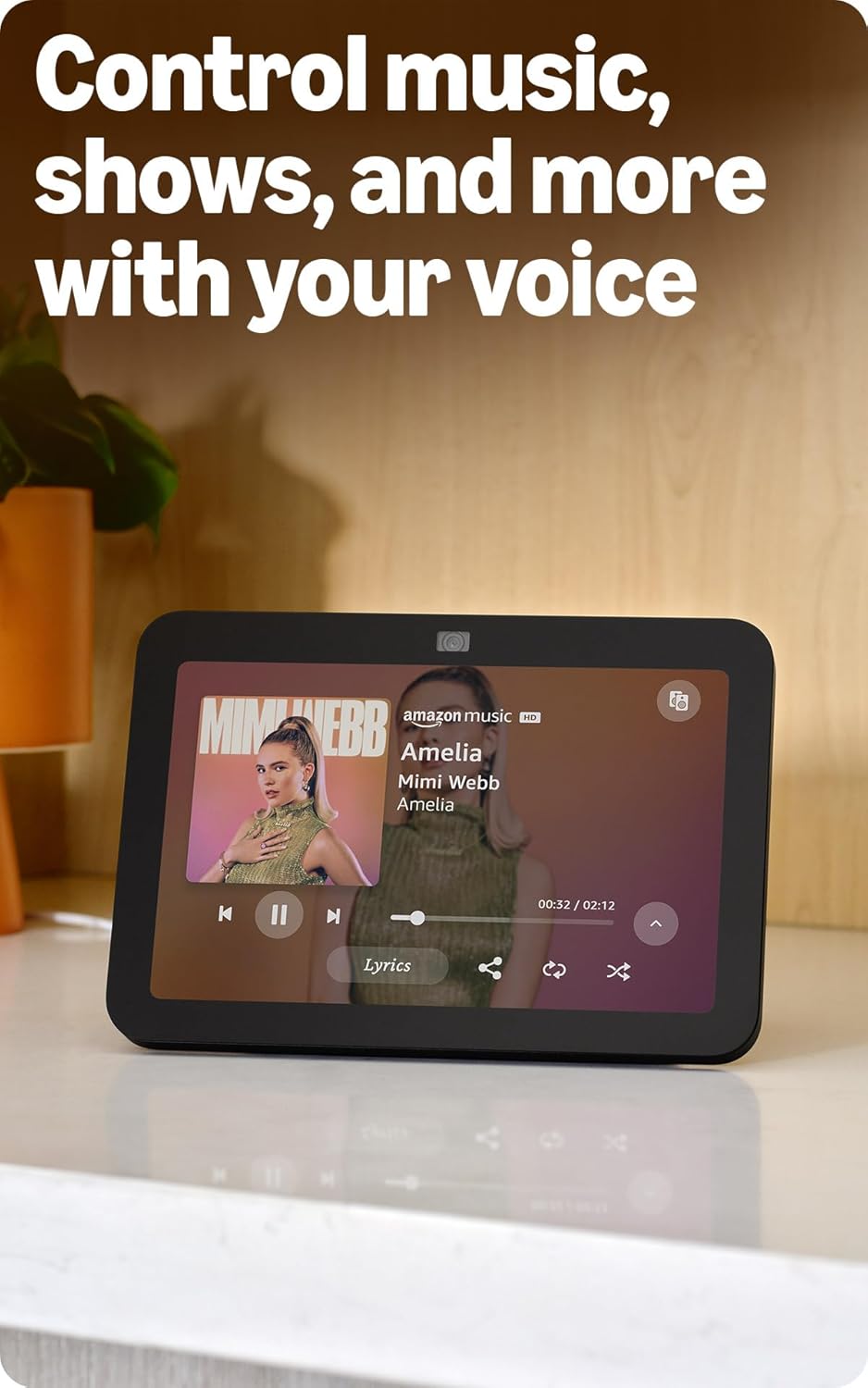
Image: Amazon Echo Show 8 (3rd Gen) showing music playback with lyrics on screen.
5.2 Enhanced Camera for Video Calls
The 13 MP centered camera with auto-framing and noise reduction technology ensures crisper video calls. The camera can keep you centered in the frame as you move. A built-in camera shutter provides privacy when needed.
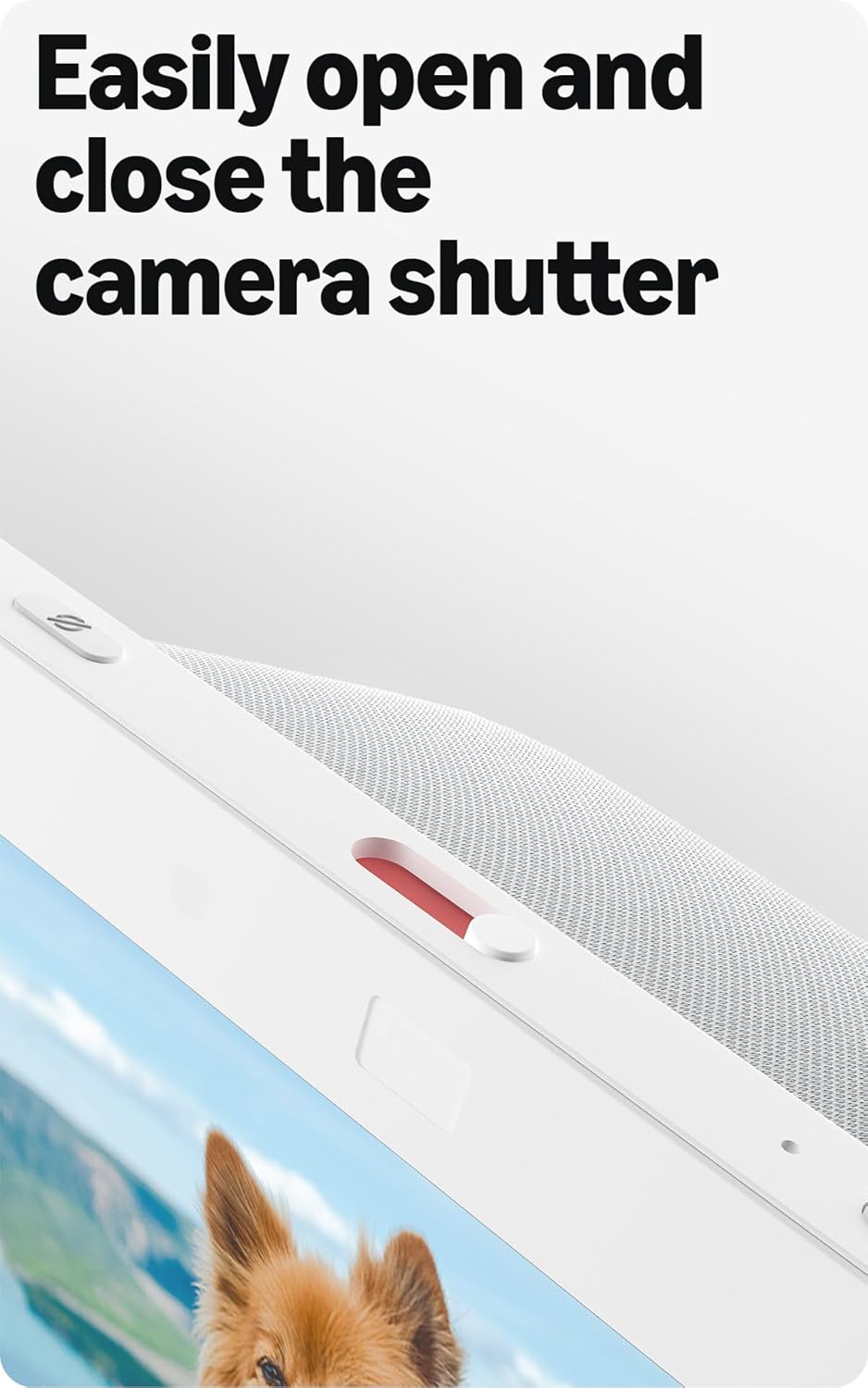
Image: Close-up of the top of the Echo Show 8 (3rd Gen) showing the physical camera shutter control.
5.3 Built-in Smart Home Hub
The Echo Show 8 includes a built-in smart home hub compatible with Zigbee, Matter, and Thread Border Router protocols. This allows you to pair and control a wide range of smart devices directly from your Echo Show 8 without needing a separate hub. Manage cameras, lights, and more using the display or your voice.
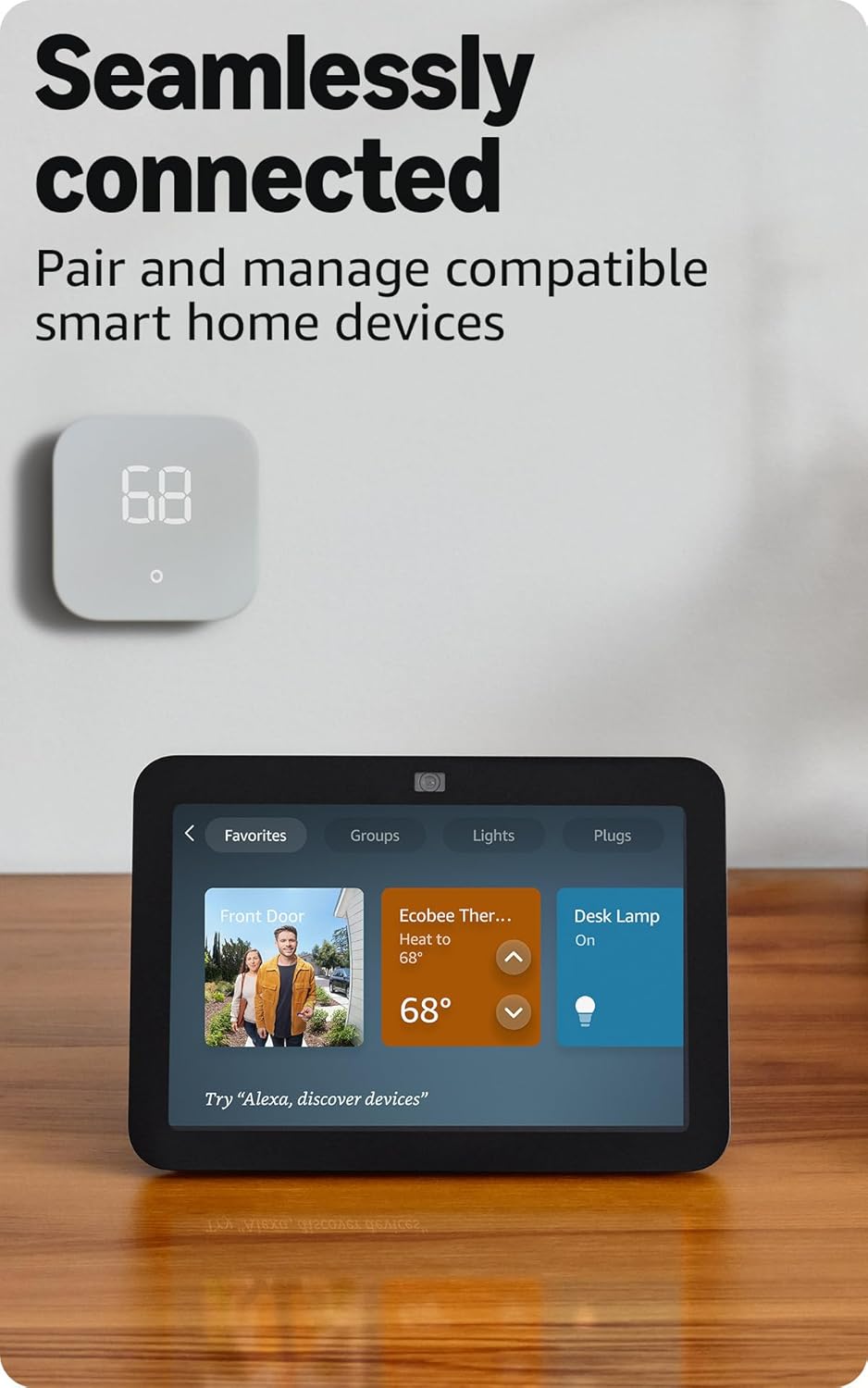
Image: Amazon Echo Show 8 (3rd Gen) screen showing smart home device controls for lights and thermostats.
5.4 Adaptive Content
Adaptive Content adjusts the information displayed on the screen based on your proximity. Glance at your calendar or reminders from afar, or see more detailed content when you're nearby. Shortcut icons on the home screen provide easy access to frequently used widgets.
6. ລັກສະນະຄວາມເປັນສ່ວນຕົວ
Amazon Echo Show 8 is designed with multiple layers of privacy controls:
- ເຕັກໂນໂລຊີ Wake Word: The device only begins listening after detecting the wake word ("Alexa").
- ຕົວຊີ້ບອກການຖ່າຍທອດ: Visual indicators confirm when audio or video is being streamed to the cloud.
- ປຸ່ມປິດໄມໂຄຣໂຟນ/ກ້ອງ: ປຸ່ມທາງກາຍະພາບອະນຸຍາດໃຫ້ທ່ານຕັດການເຊື່ອມຕໍ່ໄມໂຄຣໂຟນ ແລະກ້ອງຖ່າຍຮູບທາງອີເລັກໂທຣນິກ.
- Shutter ກ້ອງຖ່າຍຮູບໃນຕົວ: A physical slider covers the camera lens for complete visual privacy.
- ການບັນທຶກສຽງ: ທ່ານມີຄວາມສາມາດ view ແລະລຶບການບັນທຶກສຽງຂອງທ່ານ.
7. ຂໍ້ມູນຈໍາເພາະ
| ຄຸນສົມບັດ | ລາຍລະອຽດ |
|---|---|
| ຂະໜາດ | 7.9" x 5.5" x 4.2" (200ມມ x 139ມມ x 106ມມ) |
| ນ້ຳໜັກ | 36.6 ອໍ (1034 ກຣາມ) |
| ຈໍສະແດງຜົນ | ໜ້າຈໍສຳຜັດຄວາມລະອຽດສູງ 8.0 ນິ້ວ |
| ກ້ອງຖ່າຍຮູບ | ກ້ອງຖ່າຍຮູບ 13 MP ຄວາມລະອຽດກາງ ພ້ອມຊັດເຕີໃນຕົວ |
| ການເຊື່ອມຕໍ່ Wi-Fi | Dual-band Wi-Fi (802.11a/b/g/n/ac) |
| ສູນບໍລິການ Smart Home | Zigbee + Matter + Thread Border Router |
| ການເຊື່ອມຕໍ່ Bluetooth | ຮອງຮັບ A2DP, AVRCP |
| ສຽງ | ໄດເວີ neodymium ຂະໜາດເຕັມ 2 x 2” ພ້ອມດ້ວຍໝໍ້ນ້ຳສຽງເບສແບບ passive |
| ໂຮງງານຜະລິດ | ຊິບເຊັດ Octa-Core ພ້ອມດ້ວຍເຄື່ອງຈັກເຄືອຂ່າຍປະສາດ Amazon AZ2 |
| ລຸ້ນ | Echo Show 8 (3rd Gen) - ປ່ອຍ 2023 |
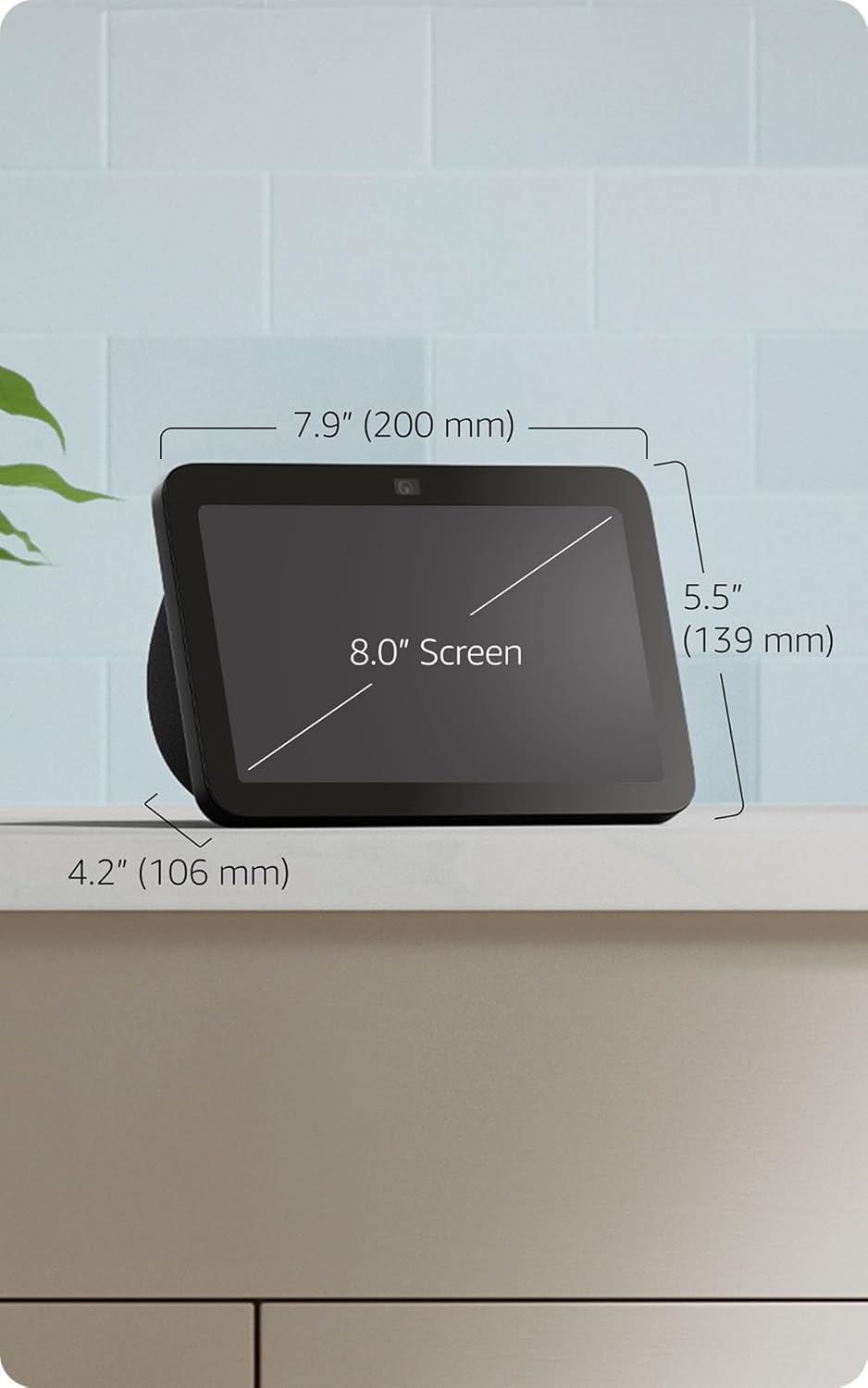
Image: Amazon Echo Show 8 (3rd Gen) with key dimensions labeled.
8. ການແກ້ໄຂບັນຫາ
8.1 ອຸປະກອນບໍ່ຕອບສະໜອງ
- ກວດໃຫ້ແນ່ໃຈວ່າໄດ້ສຽບປລັກອຸປະກອນ ແລະອະແດັບເຕີໄຟເຊື່ອມຕໍ່ຢ່າງປອດໄພ.
- ກວດເບິ່ງການເຊື່ອມຕໍ່ອິນເຕີເນັດຂອງທ່ານ.
- Verify that the microphone is not muted (red light on top indicates mute).
- ຣີສະຕາດອຸປະກອນໂດຍການຖອດມັນອອກເປັນເວລາ 30 ວິນາທີ ແລ້ວສຽບໃສ່ຄືນ.
8.2 ບັນຫາການເຊື່ອມຕໍ່ Wi-Fi
- ຢືນຢັນລະຫັດຜ່ານ Wi-Fi ຂອງທ່ານຖືກຕ້ອງ.
- ຍ້າຍ Echo Show 8 ເຂົ້າໄປໃກ້ເຣົາເຕີ Wi-Fi ຂອງທ່ານ.
- ຣີສະຕາດເລົາເຕີ Wi-Fi ແລະໂມເດັມຂອງທ່ານ.
8.3 ກ້ອງຖ່າຍຮູບບໍ່ເຮັດວຽກ
- Ensure the camera shutter is open.
- Check that the camera is not disabled in the device settings or Alexa app.
9. ບໍາລຸງຮັກສາ
- ທໍາຄວາມສະອາດ: Use a soft, lint-free cloth to clean the screen and device exterior. Avoid abrasive cleaners or sprays.
- ອັບເດດຊອບແວ: The device automatically receives software security updates. Ensure it is connected to Wi-Fi for updates.
- ການຈັດວາງ: Place the device on a stable surface, away from heat sources, direct sunlight, and liquids.
10. ຄຸນສົມບັດການເຂົ້າເຖິງ
Echo Show 8 ປະກອບມີຄຸນສົມບັດການຊ່ວຍເຂົ້າເຖິງຕ່າງໆ:
- ແຕະໃສ່ Alexa: ເຂົ້າເຖິງ Alexa ດ້ວຍການສຳຜັດຜ່ານແຜ່ນເທິງໜ້າຈໍ ຫຼືແປ້ນພິມ.
- ການຟັງແບບປັບຕົວ: ໃຫ້ເວລາຫຼາຍກວ່າທີ່ຈະເວົ້າໃຫ້ຈົບກ່ອນທີ່ Alexa ຈະຕອບ.
- ອັດຕາການເວົ້າທີ່ຕ້ອງການ: ຄວບຄຸມວ່າ Alexa ເວົ້າໄວ ຫຼືຊ້າປານໃດ.
- ຄຳບັນຍາຍ Alexa, ຄຳບັນຍາຍການໂທ, ຄຳບັນຍາຍປິດ: ໃຫ້ຄຳບັນຍາຍຂໍ້ຄວາມສຳລັບເນື້ອຫາທີ່ຮອງຮັບ.
- ສະແດງ ແລະບອກ: Helps blind or visually impaired users identify products by saying "Alexa, what am I holding."
- ສຽງView ຕົວອ່ານໜ້າຈໍ: Enables access for blind or visually impaired users.
- ຕົວຂະຫຍາຍໜ້າຈໍ: ຊູມເຂົ້າ/ອອກ ແລະເລື່ອນຮອບໜ້າຈໍ.
- ແຈ້ງເຕືອນເມື່ອຢູ່ໃກ້: ຫຼິ້ນສຽງການແຈ້ງເຕືອນເມື່ອກວດພົບຢູ່ໃກ້ກັບອຸປະກອນ.
- Kindle ອ່ານດັງໆ: Alexa ອ່ານປຶ້ມ Kindle ດັງໆ.
- ຂໍ້ຄວາມເວລາຈິງ: ພິມຂໍ້ຄວາມສົດໃນການໂທວິດີໂອ.
- ການຕັ້ງຄ່າເພີ່ມເຕີມສຳລັບການປີ້ນສີ, ການແກ້ໄຂສີ, ສຽງຮ້ອງຂໍ ແລະ ອື່ນໆ.
To enable these features, go to ການຕັ້ງຄ່າ → ການເຂົ້າໃຊ້ງານ ໃນອຸປະກອນຂອງທ່ານ.
11. ການຮັບປະກັນແລະການສະຫນັບສະຫນູນ
The Amazon Echo Show 8 (3rd Gen) includes a 1-year limited warranty and service. Optional 1-year, 2-year, and 3-year extended warranties are available for U.S. customers and sold separately. Use of Echo Show 8 is subject to these terms.
ສໍາລັບການຊ່ວຍເຫຼືອເພີ່ມເຕີມ, ໄປຢ້ຽມຢາມສະຫນັບສະຫນູນ Amazon webເວັບໄຊ ຫຼືຕິດຕໍ່ບໍລິການລູກຄ້າ.