
ແນະນຳ
The AGPTEK T06S is a versatile WiFi MP3 player designed for music, video, and app usage. Featuring a 4-inch touch screen, Bluetooth connectivity, and a 5MP camera, it offers a comprehensive portable entertainment experience. This manual provides instructions for setting up, operating, maintaining, and troubleshooting your device.

ຮູບພາບ: ທາງຫນ້າ view of the AGPTEK T06S WiFi MP3 Player.
ເນື້ອໃນຊຸດ
ໃຫ້ແນ່ໃຈວ່າທຸກລາຍການຢູ່ໃນຊຸດ:
- AGPTEK T06S MP3 Player
- ສາຍ USB-C
- ຫູຟັງ
- ຄູ່ມືຜູ້ໃຊ້
- ກໍລະນີຊິລິໂຄນ
- ຮູບເງົາປ້ອງກັນຫນ້າຈໍ

Image: The AGPTEK T06S MP3 Player and its included accessories: USB-C cable, earphones, manual, silicone case, and screen protector film.
ຕັ້ງຄ່າ
1. ການສາກອຸປະກອນ
Before first use, fully charge the AGPTEK T06S. Connect the provided USB-C cable to the device and a power source (e.g., computer USB port or USB wall adapter). A full charge typically takes approximately 2 hours.
2. ເປີດ / ປິດພະລັງງານ
- ເພື່ອເປີດເຄື່ອງ: ກົດປຸ່ມເປີດ/ປິດຄ້າງໄວ້ຈົນກວ່າໜ້າຈໍຈະສະຫວ່າງຂຶ້ນ.
- To power off: Press and hold the Power button, then select "Power off" on the screen.
3. ການເຊື່ອມຕໍ່ Wi-Fi ເບື້ອງຕົ້ນ
To access online features and apps, connect to a Wi-Fi network:
- ໄປທີ່ ການຕັ້ງຄ່າ.
- ເລືອກ ເຄືອຂ່າຍ ແລະອິນເຕີເນັດ, ແລ້ວ Wi-Fi.
- ເປີດ Wi-Fi On.
- ເລືອກເຄືອຂ່າຍທີ່ທ່ານຕ້ອງການຈາກບັນຊີລາຍຊື່ແລະໃສ່ລະຫັດຜ່ານຖ້າຫາກວ່າ prompted.
- ສຳຄັນ: Ensure the device's date and time are correctly set before attempting to connect to Wi-Fi, as incorrect settings can prevent successful connection.

Image: The AGPTEK T06S display showing the Google Play Store interface with various app icons, indicating its Wi-Fi capabilities.
4. ການຈັບຄູ່ Bluetooth
To connect Bluetooth headphones or speakers:
- ໄປທີ່ ການຕັ້ງຄ່າ.
- ເລືອກ ອຸປະກອນທີ່ເຊື່ອມຕໍ່, ແລ້ວ Bluetooth.
- ເປີດ Bluetooth On.
- ກວດໃຫ້ແນ່ໃຈວ່າອຸປະກອນເສີມ Bluetooth ຂອງທ່ານຢູ່ໃນໂໝດຈັບຄູ່.
- ເລືອກອຸປະກອນເສີມຂອງທ່ານຈາກລາຍການອຸປະກອນທີ່ມີໃຫ້ຈັບຄູ່.
- ໝາຍເຫດ: Avoid using Bluetooth near 2.4 GHz signal source devices (e.g., routers) to prevent signal interference.

Image: The AGPTEK T06S MP3 Player displaying music playback, with icons for Bluetooth earphones and speakers, illustrating its Bluetooth connectivity.
5. ກຳລັງຂະຫຍາຍບ່ອນເກັບມ້ຽນ
The device has 16GB of internal storage and supports Micro SD cards up to 128GB for additional storage. Insert a Micro SD card into the designated slot to expand your music and media library.
ຄໍາແນະນໍາການດໍາເນີນງານ
1. ການນຳທາງ ແລະ ການໂຕ້ຕອບ
The AGPTEK T06S features a 4-inch HD full touch screen (480x800 resolution) for easy navigation. Swipe, tap, and pinch gestures are used to interact with the Android 8.1 operating system.
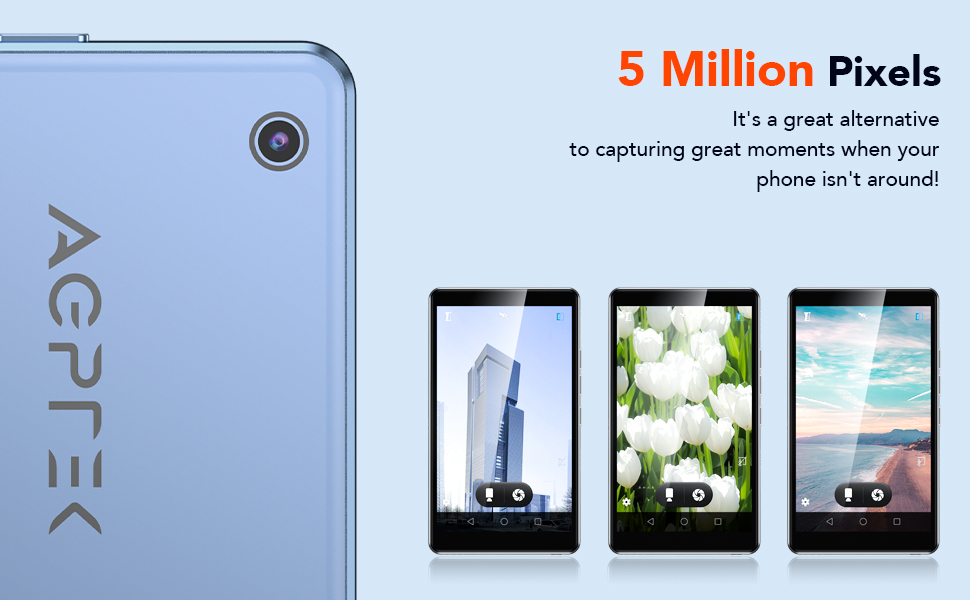
Image: The AGPTEK T06S MP3 Player displaying a video on its 4-inch full touch screen, highlighting its smooth operation and HD display.
2. ການຫຼິ້ນເພງ
The device supports various audio formats including MP3, OGG, AAC, FLAC, APE, and MAV, offering HiFi lossless sound quality. You can listen to stored music or stream online via Wi-Fi.
- To add music: Connect the device to a computer using the USB-C cable and transfer audio files.
- To play music: Open the Music app and select your desired tracks or playlists.
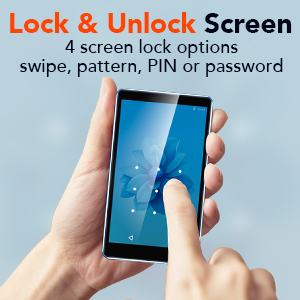
Image: A person using the AGPTEK T06S MP3 Player with wired earphones, demonstrating its music playback capabilities both online and offline.
3. ການຫຼິ້ນວິດີໂອ
The T06S supports 1080p HD video playback without conversion for formats like RM, AVI, RMVB, 3GP, FLV, MP4, DAT, MKV, MPG, and MOV. Videos can be watched on the 4-inch screen or through the built-in speaker.
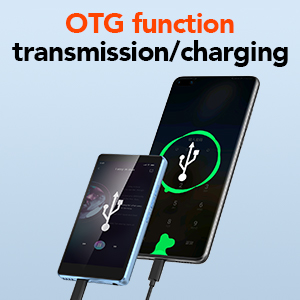
Image: The AGPTEK T06S MP3 Player playing a video, with sound waves emanating from the device, indicating the built-in speaker feature.
4. ໜ້າທີ່ຂອງກ້ອງຖ່າຍຮູບ
The device includes a 5MP camera for capturing photos and videos. Open the Camera app to access its functions.

Image: Hands holding the AGPTEK T06S MP3 Player, using its 5-megapixel camera to capture a moment.
5. ການຕິດຕັ້ງແອັບ
Running on a customized Android 8.1 OS, the T06S supports downloading various applications from the Android market, such as Spotify, TikTok, and Facebook.
6. ລັກສະນະອື່ນໆ
- ວິທະຍຸ FM: Access the FM Radio app for auto-searching stations between 87.5-108MHz.
- ເຄື່ອງບັນທຶກສຽງ: Use the built-in voice recorder for audio notes.
- E-books: Read e-books on the 4-inch HD screen.
- ຟັງຊັນ OTG: Supports On-The-Go (OTG) for data transmission and charging with compatible devices.
- ລັອກ ໜ້າ ຈໍ: Configure screen lock options including swipe, pattern, PIN, or password for security.
- ການແກ້ໄຂຮູບພາບ: Basic image editing and printing functions are supported.

Image: The AGPTEK T06S displaying its lock screen feature, offering swipe, pattern, PIN, or password options.

Image: The AGPTEK T06S connected via OTG for data transfer or charging.

Image: The AGPTEK T06S displaying the FM radio interface with auto-search functionality.
ບໍາລຸງຮັກສາ
1. ຊີວິດຫມໍ້ໄຟ
The device has a built-in 1200 mAh battery. Actual battery life varies based on usage conditions (e.g., screen brightness, volume, Wi-Fi/Bluetooth usage, file type). Refer to the table below for estimated usage times:
| ສະພາບແວດລ້ອມການທົດສອບ | APP | ໂໝດການໃຊ້ງານ | ເວລານຳໃຊ້ |
|---|---|---|---|
| Offline playback (WiFi and Bluetooth off) | Music (Screen off status) | ຫູຟັງສາຍໄຟ | 28 ຊົ່ວໂມງ |
| Music (Screen off status) | ລໍາໂພງ | 14 ຊົ່ວໂມງ | |
| ວິດີໂອ | ຫູຟັງສາຍໄຟ | 4 ຊົ່ວໂມງ | |
| Online play (WiFi and Bluetooth on) | FM Radio (Screen off status) | ຫູຟັງສາຍໄຟ | 29 ຊົ່ວໂມງ |
| FM Radio (Screen off status) | ລໍາໂພງ | 10 ຊົ່ວໂມງ | |
| Music (Screen off status) | ລໍາໂພງ | 6 ຊົ່ວໂມງ | |
| Music (Screen off status) | ຊຸດຫູຟັງ Bluetooth | 15 ຊົ່ວໂມງ | |
| ວິດີໂອ | ຫູຟັງສາຍໄຟ | 3 ຊົ່ວໂມງ | |
| ວິດີໂອ | ລໍາໂພງ | 2.5 ຊົ່ວໂມງ |
For optimal battery performance, avoid extreme temperatures and use the provided USB-C cable for charging.
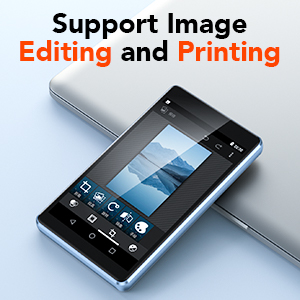
Image: The AGPTEK T06S MP3 Player connected for charging, with an 80% battery level displayed on the screen.
2. ການປັບປຸງຊອບແວ
Periodically check for system updates in the device settings to ensure optimal performance and access to the latest features. Updates can improve compatibility with apps and overall system stability.
3. ການດູແລທົ່ວໄປ
- ຮັກສາອຸປະກອນໃຫ້ແຫ້ງ ແລະຢູ່ຫ່າງຈາກອຸນຫະພູມສູງສຸດ.
- ເຮັດຄວາມສະອາດ ໜ້າ ຈໍດ້ວຍຜ້າທີ່ບໍ່ອ່ອນແລະອ່ອນ.
- ຫຼີກລ້ຽງການວາງອຸປະກອນລົງ ຫຼືຖືກຜົນກະທົບທີ່ຮຸນແຮງ.
ການແກ້ໄຂບັນຫາ
1. ບັນຫາການເຊື່ອມຕໍ່ Wi-Fi
If you experience difficulty connecting to Wi-Fi, ensure the device's date and time are set correctly. Incorrect date/time settings can prevent successful network authentication.
2. SD Card Not Detected After Update
If an SD card is not detected after a system update:
- Close any related notifications.
- ເອົາ SD card ອອກ.
- ປິດອຸປະກອນ.
- ໃສ່ SD card ຄືນໃ່.
- ເປີດໃຊ້ອຸປະກອນ.
- Allow the firmware to update completely without the device going to sleep. You may need to disable sleep mode temporarily or keep the screen active.
3. Bluetooth Interference
If Bluetooth connectivity is unstable or experiences interference, avoid using the device near 2.4 GHz signal sources such as Wi-Fi routers or base stations.
ຂໍ້ມູນຈໍາເພາະ
| ຄຸນສົມບັດ | ລາຍລະອຽດ |
|---|---|
| ຍີ່ຫໍ້ | AGPTEK |
| ຊື່ຕົວແບບ | T06S |
| ເຕັກໂນໂລຊີການເຊື່ອມຕໍ່ | Bluetooth, USB, Wi-Fi |
| ຄວາມອາດສາມາດເກັບຮັກສາຫນ່ວຍຄວາມຈໍາ | 16 GB (expandable up to 128 GB via Micro SD) |
| ຂະໜາດໜ້າຈໍ | 4 ນິ້ວ |
| ເຕັກໂນໂລຊີການສະແດງ | TFT |
| ຮູບແບບສຽງທີ່ຮອງຮັບ | AAC, APE, FLAC, MP3, OGG, MAV |
| ຮູບແບບວິດີໂອສະຫນັບສະຫນູນ | RM, AVI, RMVB, 3GP, FLV, MP4, DAT, MKV, MPG, MOV, TS (1080p HD without conversion) |
| ກ້ອງຖ່າຍຮູບ | 5 MP |
| ໂຮງງານຜະລິດ | 8-core |
| RAM | 2 GB |
| ROM | 16 GB |
| ລະບົບປະຕິບັດການ | Customized Android 8.1 |
| ຄວາມອາດສາມາດຫມໍ້ໄຟ | 1200 mAh |
| ພອດສາກໄຟ | USB-C |

Image: A visual representation of the MTK 8-core processor, highlighting the device's internal hardware capabilities.
ການຮັບປະກັນແລະການສະຫນັບສະຫນູນ
AGPTEK provides comprehensive support for your T06S MP3 Player:
- ການຮັບປະກັນ 1 ປີ: Your device is covered by a one-year warranty from the date of purchase.
- ສະຫນັບສະຫນູນດ້ານວິຊາການຕະຫຼອດຊີວິດ: Access technical assistance for the lifespan of your product.
- 7x24 Online Service: Customer service is available 24 hours a day, 7 days a week.
For support, please refer to the contact information provided in your warranty card or visit the official AGPTEK webເວັບໄຊ.

Image: Icons representing AGPTEK's service commitments: 1-Year Warranty, Lifetime Technical Support, and 7x24 Online Service.