
FTOYIN FT-FL-2
FTOYIN Small Powerful EDC Flashlight
ຄູ່ມືຜູ້ໃຊ້
Model: FT-FL-2
ແນະນຳ
The FTOYIN Mini EDC Flashlight is a compact, high-performance lighting tool designed for everyday carry, outdoor activities, and emergency situations. With an ultra-high output of 900 lumens, it provides powerful illumination in various environments. Its durable, waterproof design and versatile lighting modes make it an essential companion for camping, hiking, fishing, and general utility.
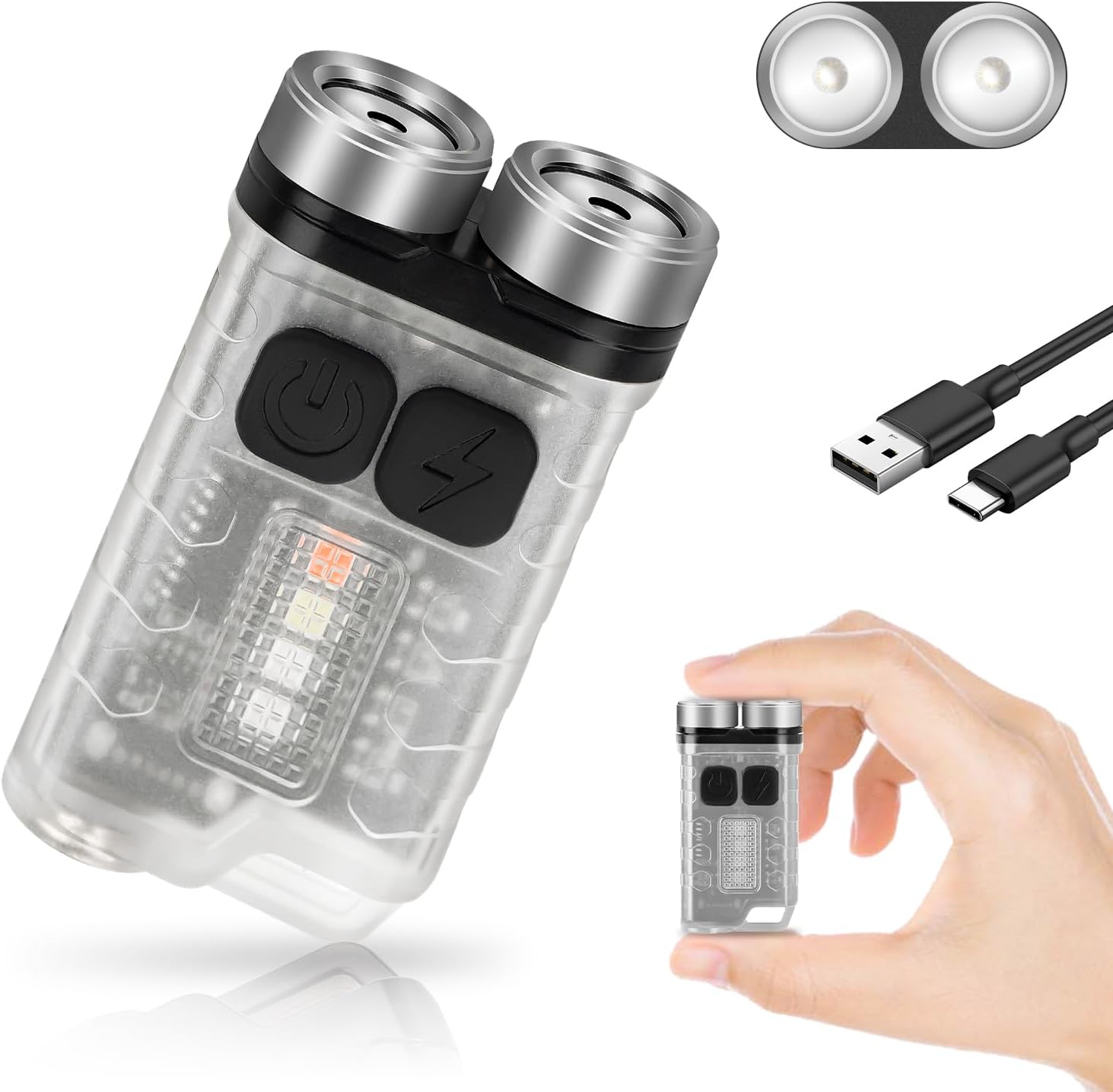
Image: The FTOYIN EDC Flashlight, showcasing its compact size, dual light sources, and included USB-C charging cable. A hand is shown holding the flashlight to illustrate its small form factor.

Image: Visual representation of the FTOYIN EDC Flashlight's dimensions (2.2 inches by 1.2 inches) and examples of its portability, including being carried in a backpack, a jeans pocket, and attached to a keychain.
ຕັ້ງຄ່າ
ກຳລັງສາກໄຟສາຍ
The FTOYIN EDC Flashlight is equipped with a built-in rechargeable polymer lithium battery. Before first use, or when the battery is low, charge the device using the provided Type-C USB cable.
- ຊອກຫາພອດສາກໄຟ Type-C ຢູ່ເທິງໄຟສາຍ.
- Connect one end of the Type-C USB cable to the flashlight's charging port.
- Connect the other end of the USB cable to a compatible USB power source (e.g., power bank, laptop, PC, or USB wall adapter).
- ໄຟສັນຍານສາກຈະສະແດງສະຖານະການສາກ. ການສາກໄຟໃຫ້ເຕັມໂດຍປົກກະຕິແລ້ວໃຊ້ເວລາປະມານ 2.5 ຊົ່ວໂມງ.
Once fully charged, the flashlight can provide up to 76 hours of battery life depending on the mode of use.
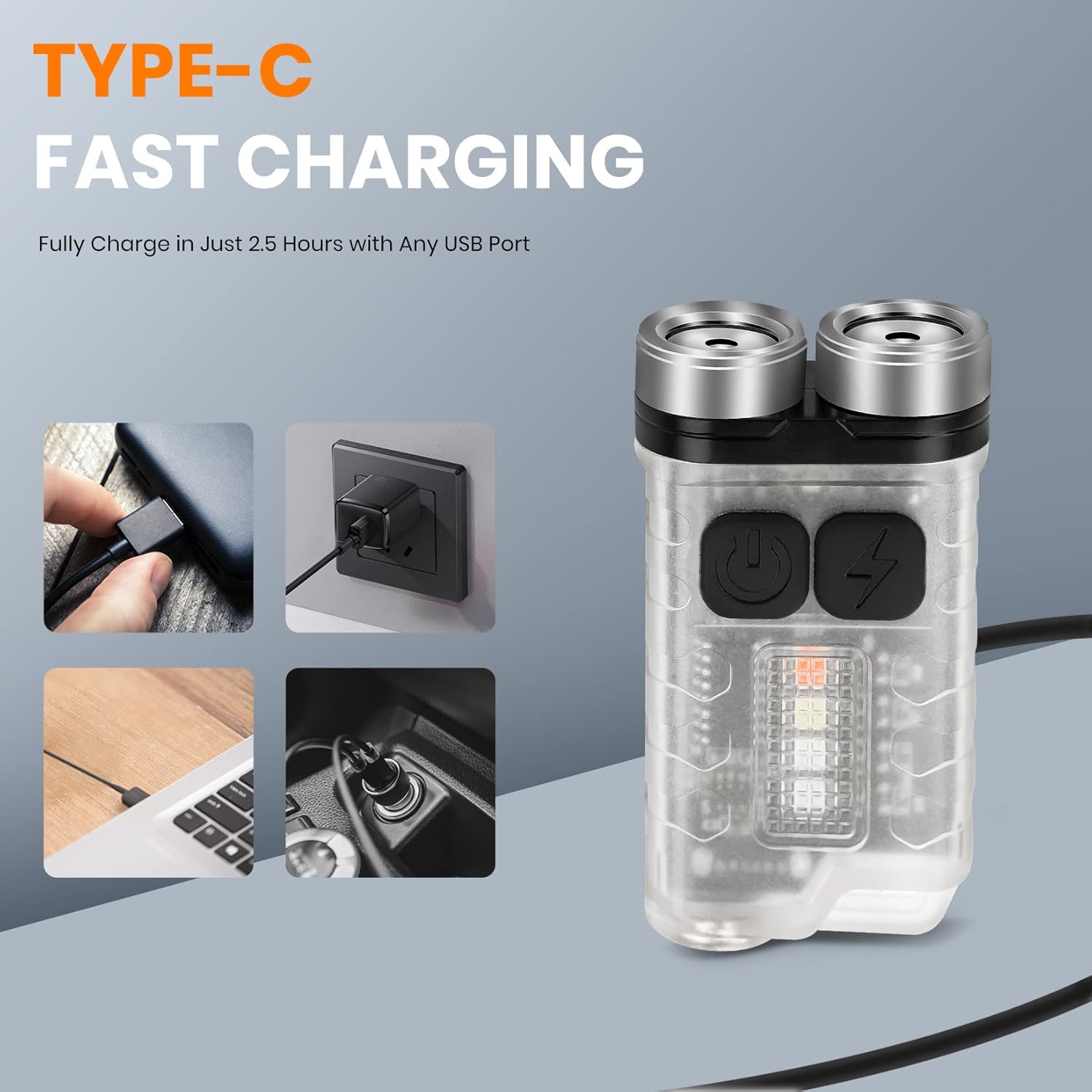
Image: The FTOYIN EDC Flashlight connected via its Type-C port, illustrating various charging methods including a wall adapter, laptop, and car charger, highlighting its fast charging capability in 2.5 hours.
ຄໍາແນະນໍາການດໍາເນີນງານ
The FTOYIN EDC Flashlight features 10 distinct lighting modes, divided into main light and auxiliary light functions.
Main Light Modes (5 Modes)
- ສົດໃສທີ່ສຸດ: Provides maximum illumination (900 lumens).
- ສູງ: Bright illumination for general use.
- ປານກາງ: Balanced brightness for extended use.
- ຕ່ຳ: Dim illumination for close-range tasks or preserving night vision.
- ການປະຫຍັດພະລັງງານ: Lowest brightness for maximum battery life.
To activate Extremely Bright mode: Long press the switch of the main light.
To activate other Main Light modes: Double click the main light switch to turn on, then click to cycle through High, Medium, Low, and Energy Saving modes. Long press to turn off.
Auxiliary Light Modes (5 Modes)
- ແສງສີຂາວ: General white light from the side.
- UV (365nm): Ultraviolet light for banknote verification or detecting fluorescent materials.
- ໄຟແດງ: For preserving night vision or signaling.
- ກະພິບສີແດງ: Warning or emergency signal.
- Red and Blue Flashing: Enhanced warning or emergency signal.
To activate Auxiliary Light modes: Double click the auxiliary light switch to turn on, then click to cycle through White, UV, Red, Red Flashing, and Red and Blue Flashing modes. Long press to turn off.
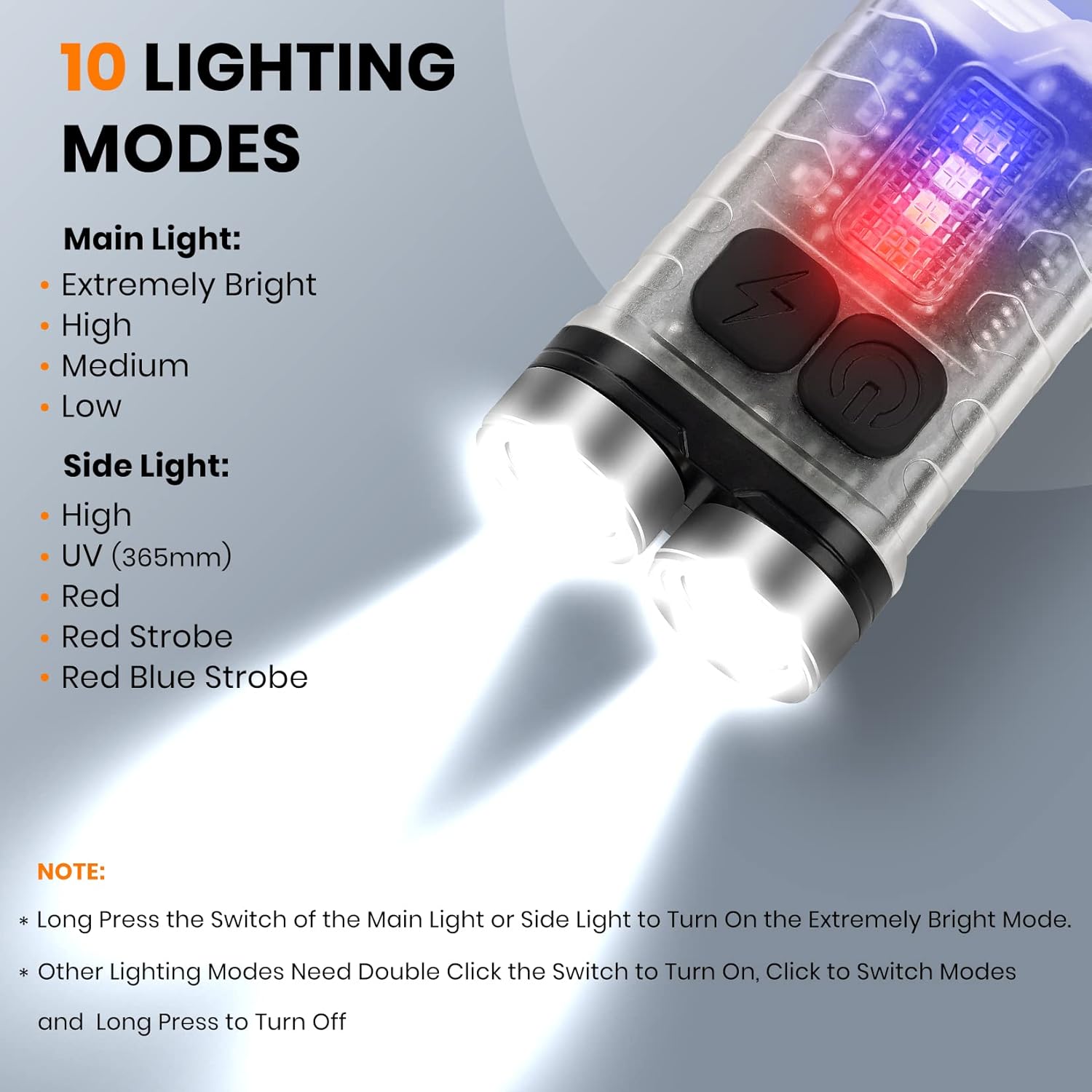
Image: A detailed diagram illustrating the 10 lighting modes of the FTOYIN EDC Flashlight, including five main light modes (Extremely Bright, High, Medium, Low, Energy Saving) and five side light modes (High, UV, Red, Red Strobe, Red Blue Strobe), along with instructions for activation.
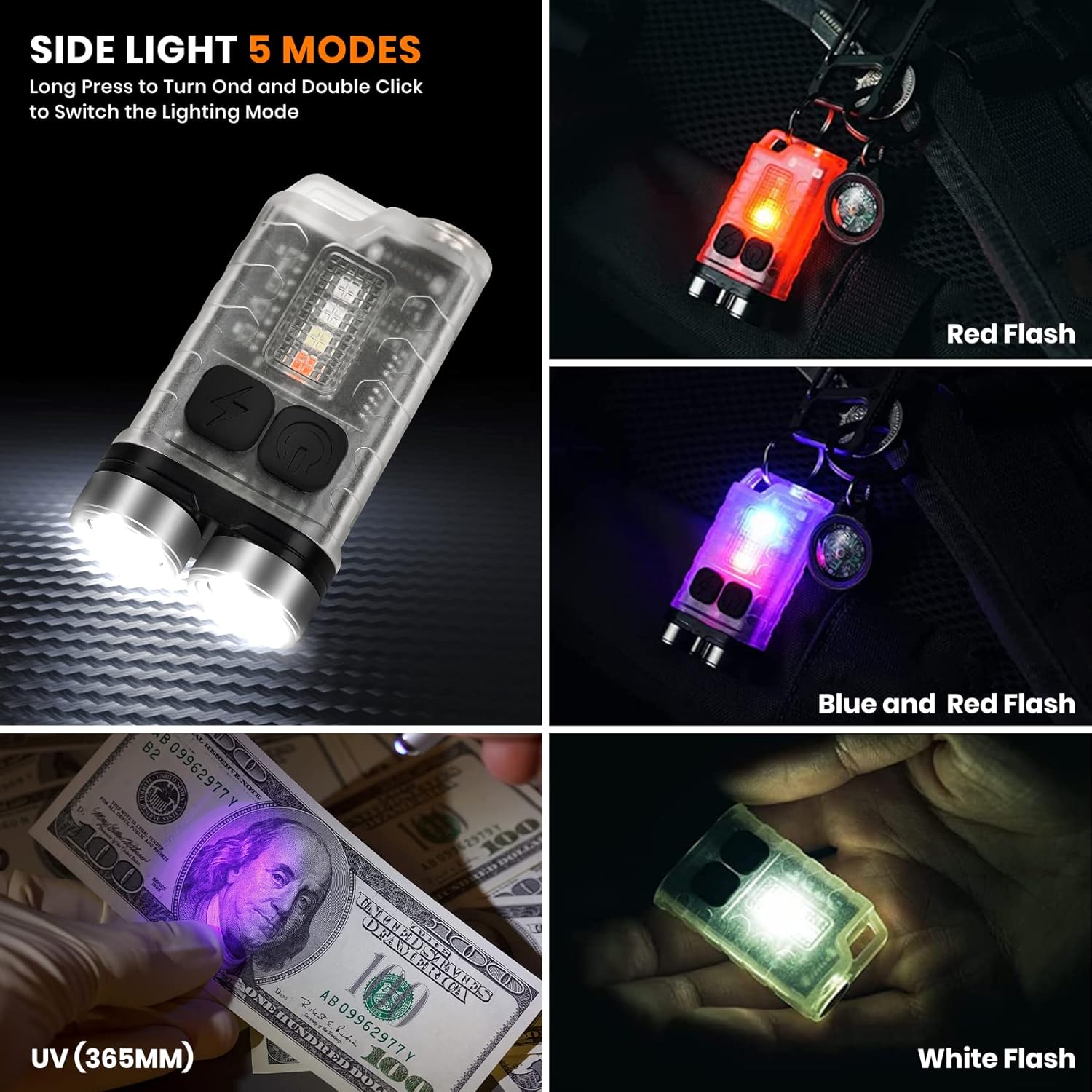
Image: Demonstrations of the FTOYIN EDC Flashlight's side light modes, including Red Flash, Blue and Red Flash, UV (365nm) for banknote verification, and White Flash, showing the versatility of the auxiliary lighting.
Magnetic Base Functionality
The flashlight features a strong magnet on its back, allowing it to be securely attached to metal surfaces. This hands-free capability is ideal for tasks requiring both hands, such as vehicle repairs, working in confined spaces, or illuminating a workspace.

Image: Various applications of the FTOYIN EDC Flashlight, demonstrating its magnetic base for hands-free use (e.g., attached to an oven, under a sink) and the UV light function for detecting stains or verifying currency.
ບໍາລຸງຮັກສາ
ທໍາຄວາມສະອາດ
To maintain optimal performance and appearance, clean the flashlight regularly. Use a soft, damp cloth to wipe the exterior. Avoid using abrasive cleaners or solvents, as these can damage the PC and stainless steel materials.
ການເກັບຮັກສາ
When not in use for extended periods, store the flashlight in a cool, dry place away from direct sunlight and extreme temperatures. It is recommended to charge the battery every 3-6 months to maintain its health, even if not in use.
ການຕໍ່ຕ້ານນ້ໍາ
The FTOYIN EDC Flashlight is designed with an IP65 waterproof rating, meaning it is protected from dust ingress and low-pressure water jets from any direction. While it can withstand splashes and light rain, it is not intended for submersion in water. Ensure the charging port cover is securely closed to maintain water resistance.
ການແກ້ໄຂບັນຫາ
| ບັນຫາ | ສາເຫດທີ່ເປັນໄປໄດ້ | ການແກ້ໄຂ |
|---|---|---|
| ໄຟສາຍບໍ່ເປີດ. | ແບັດເຕີຣີໝົດ. | Charge the flashlight using the Type-C USB cable. |
| ໄຟສາຍບໍ່ເປີດ. | Incorrect operation (e.g., not long-pressing for extremely bright, or not double-clicking for other modes). | Refer to the "Operating Instructions" section for correct button presses for each mode. |
| ແສງສະຫວ່າງອ່ອນໆຫຼື flickers. | ແບັດເຕີຣີຕໍ່າ. | ເຕີມໄຟສາຍ. |
| ໄຟສາຍບໍ່ໄດ້ສາກໄຟ. | ບັນຫາສາຍສາກ ຫຼືອະແດັບເຕີ. | Try a different Type-C USB cable or a different USB power source. Ensure connections are secure. |
| ນ້ຳເຂົ້າຫຼັງຈາກການສຳຜັດ. | Charging port cover not securely closed. | Always ensure the Type-C charging port cover is firmly sealed when not charging, especially in wet conditions. |
ຂໍ້ມູນຈໍາເພາະ
- ຕົວແບບ: FT-FL-2
- ຍີ່ຫໍ້: FTOYIN
- ແສງອອກ: Up to 900 Lumens (Main Light)
- ໂໝດແສງ: 10 (5 Main Light, 5 Auxiliary Light)
- ແບັດເຕີຣີ: ແບດເຕີຣີ້ Polymer Lithium ໃນຕົວ
- ຊ່ອງສາກໄຟ: ປະເພດ -C USB
- ເວລາສາກໄຟ: ປະມານ 2.5 ຊົ່ວໂມງ
- ອາຍຸແບັດເຕີຣີສູງສຸດ: Up to 76 hours (Energy Saving Mode)
- ວັດສະດຸ: PC + Stainless Steel
- ການປະເມີນກັນນ້ໍາ: IP65
- ຂະໜາດ: 7.62 x 7.62 x 33.02 ຊມ (3 x 3 x 13 ນິ້ວ)
- ນ້ຳໜັກ: 31 ກຣາມ (1.1 oz)
- ຄຸນນະສົມບັດພິເສດ: Magnetic Base, Keychain Attachment
ການຮັບປະກັນແລະການສະຫນັບສະຫນູນ
Information regarding product warranty and customer support is not available in the provided product data. Please refer to the product packaging or the manufacturer's official webເຂົ້າເບິ່ງເວັບໄຊທ໌ນີ້ສຳລັບລາຍລະອຽດກ່ຽວກັບການຄຸ້ມຄອງການຮັບປະກັນ ແລະ ວິທີການຕິດຕໍ່ຝ່າຍສະໜັບສະໜູນລູກຄ້າເພື່ອຂໍຄວາມຊ່ວຍເຫຼືອ.
Ask a question about this manual
Ask about setup, troubleshooting, compatibility, parts, safety, or missing instructions. Manuals+ will review the question and use this page’s manual context to help answer it.