
1. ຜະລິດຕະພັນເກີນview
The Inateck KU8212 is a high-performance USB PCIe expansion card designed to provide additional USB connectivity and charging capabilities to your computer. It features 8 USB ports, including 2 USB-C ports with Power Delivery (PD) and 6 USB-A ports with BC 1.2 charging protocol. This card offers a total bandwidth of 16 Gbps, with individual ports capable of up to 10 Gbps data transfer when used solely.
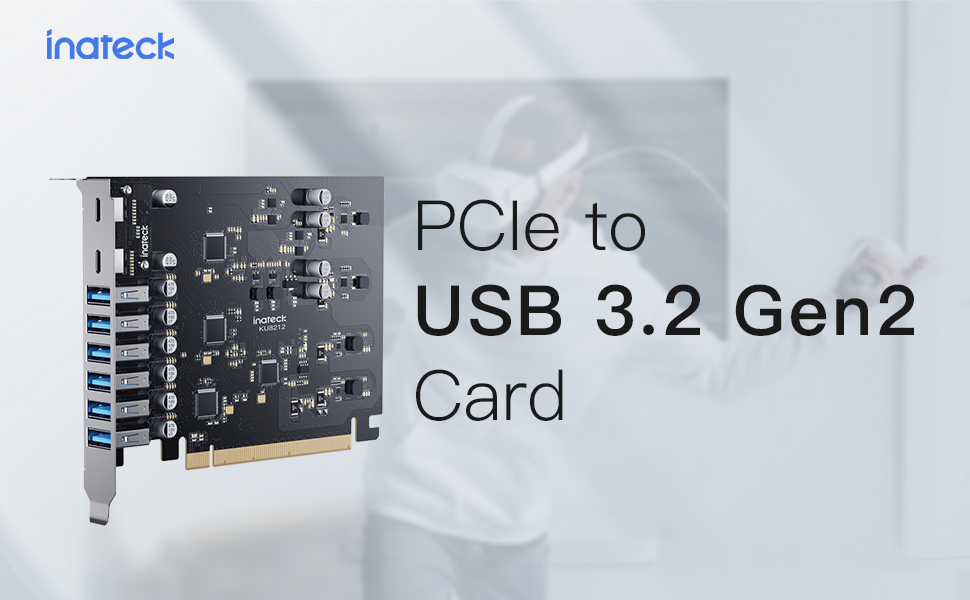
Image 1: Inateck KU8212 USB PCIe Card, showcasing its design and multiple ports.
The card is powered directly by the PCIe interface, eliminating the need for an external power supply. It incorporates overcurrent and ESD protection for enhanced device safety.
2. ເນື້ອໃນຊຸດ
ກະລຸນາກວດສອບວ່າລາຍການທັງໝົດມີຢູ່ໃນຊຸດ:
- Inateck KU8212 USB PCIe Card
- ຄູ່ມືການສອນ
- Mounting Screws (typically included for PCIe card installation)
ວິດີໂອ 1: ຫຼາຍກວ່າview of the Inateck Power Supply USB PCIe Card KU8212, demonstrating its features and components.
3. ຄວາມຕ້ອງການລະບົບ
Ensure your system meets the following requirements for proper functionality:
- ອຸປະກອນທີ່ເຂົ້າກັນໄດ້: Personal Computers, Laptops, Servers with an available PCIe slot.
- ລະບົບປະຕິບັດການ: Windows 7/8/10/11, Linux, Mac OS 10.8.2 and later.
- PCIe Slot: Compatible with PCIe 2.0, 3.0, and 4.0 slots.
- ພະລັງງານ: The card is powered by the PCIe slot. For optimal performance, especially when utilizing the full 100W charging power (if applicable to your specific setup), ensure your chassis power supply can handle the additional power consumption.
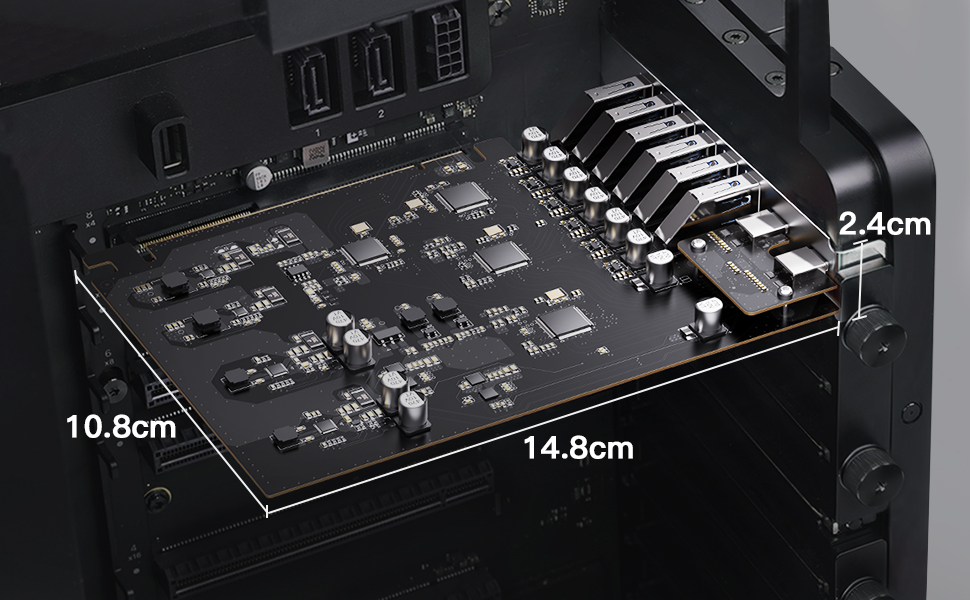
Image 2: Illustration of compatible operating systems: Windows 7/8/10/11, Mac OS 10.8.2 and later, and Linux.
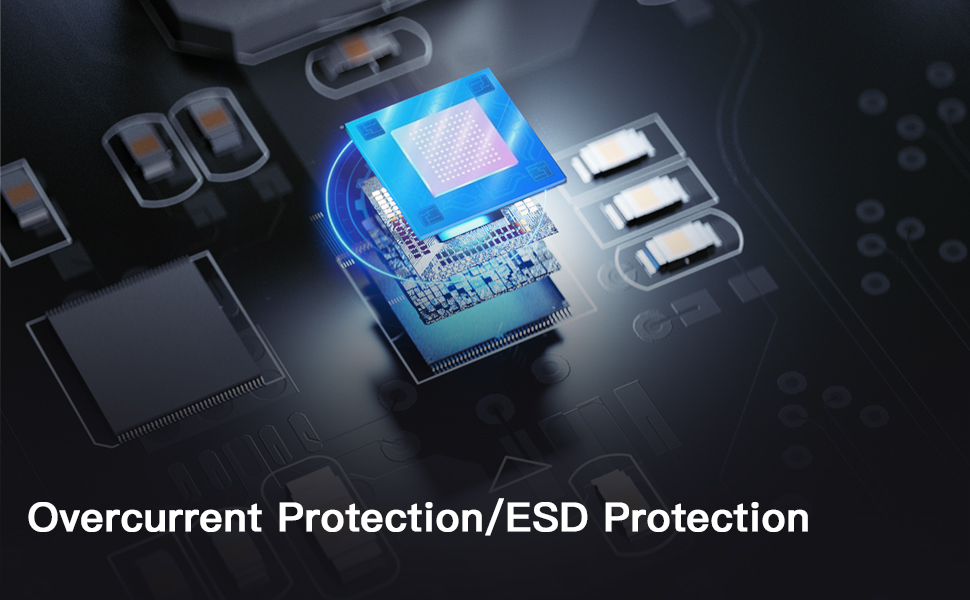
Image 3: Details on PCIe compatibility (2.0, 3.0, 4.0) and important notes regarding bandwidth allocation and power supply considerations.
4. ຄູ່ມືການຕິດຕັ້ງ
4.1 ຂໍ້ຄວນລະວັງຄວາມປອດໄພ
- Always power off your computer and unplug it from the power source before opening the case or installing any internal components.
- Discharge any static electricity by touching a grounded metal object (e.g., the computer chassis) before handling the card.
- Handle the PCIe card by its edges to avoid touching the gold connectors or components.
4.2 ຂັ້ນຕອນການຕິດຕັ້ງ
- ກະກຽມຄອມພິວເຕີຂອງທ່ານ: ປິດຄອມພິວເຕີຂອງທ່ານໃຫ້ສະນິດ ແລະ ຖອດສາຍໄຟທັງໝົດອອກ. ເປີດເຄສຄອມພິວເຕີ.
- ຊອກຫາຊ່ອງ PCIe ທີ່ມີຢູ່: Identify an empty PCIe x16, x8, or x4 slot on your motherboard. The card is designed to fit various slot sizes.
- ເອົາຝາປິດສະລັອດຕິງອອກ: Remove the metal slot cover corresponding to the chosen PCIe slot on the back of your computer case.
- Insert the PCIe Card: Carefully align the gold connectors of the Inateck KU8212 card with the chosen PCIe slot. Apply even, firm pressure to push the card straight down into the slot until it is fully seated. Ensure the retention clip (if present on your motherboard) locks the card in place.
- ຮັບປະກັນບັດ: Use a screw to secure the metal bracket of the PCIe card to the computer case.
- ປິດກໍລະນີ ແລະເຊື່ອມຕໍ່ຄືນໃໝ່: Close your computer case, reconnect all cables, and power on your computer.
- ການຕິດຕັ້ງໄດເວີ (ຖ້າຈໍາເປັນ): For most modern operating systems (Windows 10/11, recent Linux distributions, Mac OS), drivers should install automatically. If the card is not recognized, check the Inateck website for specific driver downloads for your operating system.

Image 4: The Inateck KU8212 PCIe card correctly installed within a computer's PCIe slot.

Image 5: Detail showing the elevated design of the USB-C ports, preventing obstruction by chassis baffles.
5. ການດໍາເນີນງານ
5.1 ການໂອນຂໍ້ມູນ
The Inateck KU8212 card supports USB 3.2 Gen 2 standard, offering high-speed data transfer. Each port can achieve up to 10 Gbps transfer rate when used individually. The 8 USB ports share a total bandwidth of 16 Gbps. For optimal performance, avoid simultaneously transferring large files on all ports if maximum speed is required for a specific device.
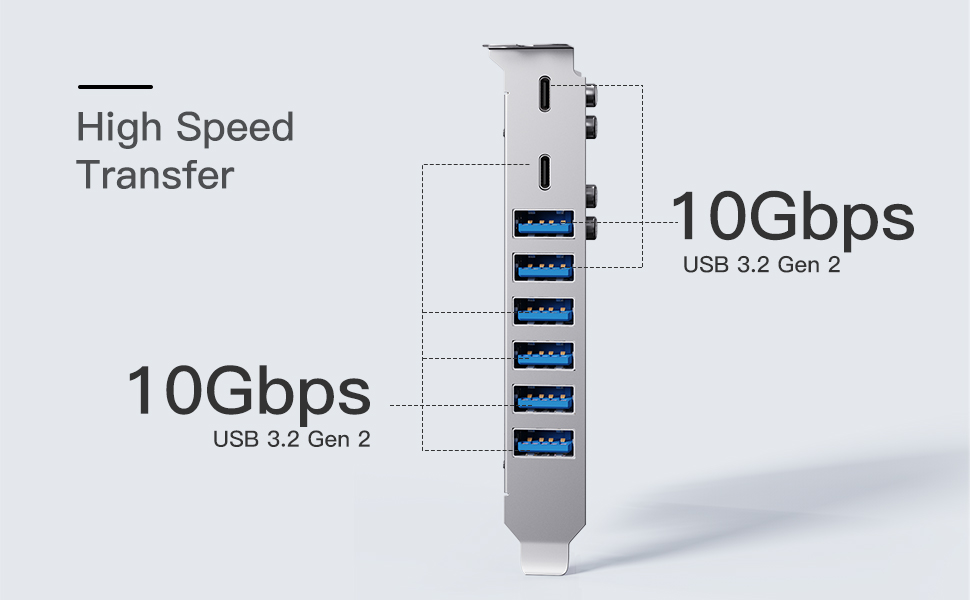
Image 6: Diagram illustrating the 10 Gbps data transfer rate per port and shared 16 Gbps bandwidth for USB 3.2 Gen 2.
5.2 ຄວາມສາມາດໃນການສາກໄຟ
The card provides robust charging capabilities:
- ພອດ USB-C (x2): Support Power Delivery (PD) protocol, providing up to 30W charging power per port. Suitable for recharging phones, tablets, and even some laptops.
- ພອດ USB-A (x6): Support BC 1.2 protocol, providing up to 7.5W charging power per port. Ideal for charging smartphones and other standard USB devices.
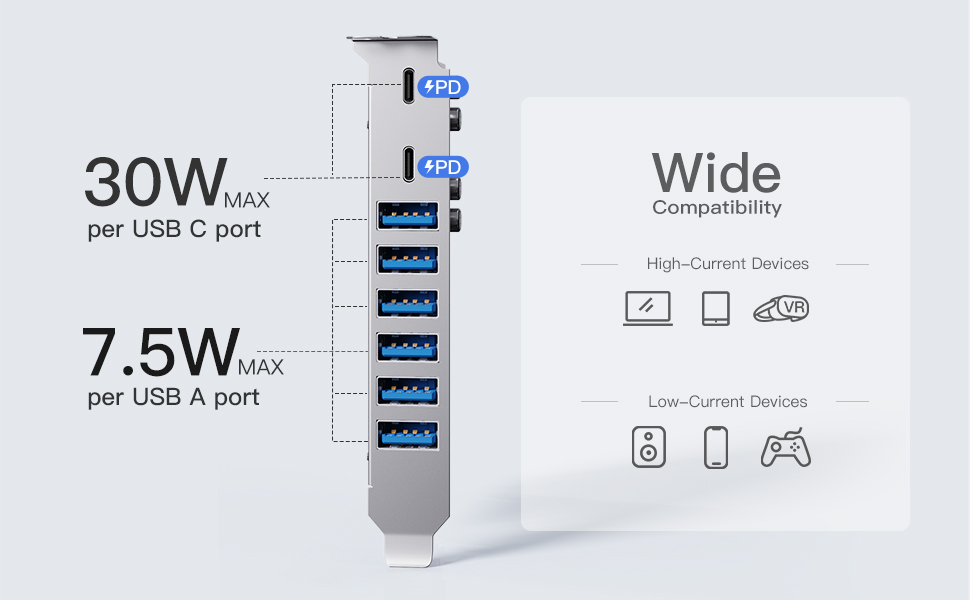
Image 7: Visual representation of charging capabilities: 30W Max per USB-C port and 7.5W Max per USB-A port.

Image 8: Demonstrates wide compatibility with both high-current devices (laptops, tablets, VR headsets) and low-current devices (speakers, phones, game controllers).
6. ບໍາລຸງຮັກສາ
To ensure the longevity and optimal performance of your Inateck KU8212 PCIe card, follow these maintenance guidelines:
- ຮັກສາຄວາມສະອາດ: Periodically open your computer case and gently clean any dust accumulation on the card using compressed air. Ensure the computer is powered off and unplugged before cleaning.
- ຫຼີກລ້ຽງການທໍາລາຍທາງດ້ານຮ່າງກາຍ: Handle the card with care. Avoid bending or dropping it.
- ເງື່ອນໄຂສິ່ງແວດລ້ອມ: Operate the card within standard computer operating temperatures and humidity levels.
7. ການແກ້ໄຂບັນຫາ
7.1 ບັນຫາທົ່ວໄປ ແລະການແກ້ໄຂ
- ບໍ່ພົບບັດ:
- ໃຫ້ແນ່ໃຈວ່າບັດຖືກໃສ່ໄວ້ໃນຊ່ອງ PCIe ຢ່າງຄົບຖ້ວນແລ້ວ.
- Try a different PCIe slot if available.
- Verify that your operating system is compatible (Windows 7/8/10/11, Linux, Mac OS 10.8.2+).
- Check if drivers are installed. For older OS versions, manual driver installation might be required from the Inateck webເວັບໄຊ.
- ຄວາມໄວການໂອນຂໍ້ມູນຊ້າ:
- Confirm that the connected device also supports USB 3.2 Gen 2 (10 Gbps).
- Ensure the PCIe slot used is compatible with PCIe 3.0 or 4.0 for optimal bandwidth. If the motherboard's allocated bandwidth/lane number for the PCIe interface is insufficient (e.g., PCIe 2.0 with 2X lanes instead of 4X for USB 3.2 Gen 2), speeds may be affected.
- Avoid simultaneous heavy data transfers on multiple ports if a single device requires maximum bandwidth.
- Refer to your motherboard's manual for information on PCIe lane allocation.
- ບັນຫາການສາກໄຟ:
- Ensure the device being charged supports the respective USB-C PD or USB-A BC 1.2 protocols.
- Check the charging cable for damage and ensure it supports the required power delivery.
- For high-power charging, ensure your computer's power supply unit (PSU) has sufficient wattage to support the card and connected devices.
7.2 Overcurrent and ESD Protection
The Inateck KU8212 PCIe card is equipped with advanced circuit design and an overcurrent-protection chip to prevent damage from sudden power fluctuations or overloads. It has also passed the IEC61000-4-2 Ed.2 ESD test, providing protection against electrostatic discharge, safeguarding both the card and connected devices.

Image 9: Illustration of the dual protection features, including overcurrent and ESD protection, integrated into the card's design.
8. ຂໍ້ມູນຈໍາເພາະ
| ຄຸນສົມບັດ | ລາຍລະອຽດ |
|---|---|
| ຍີ່ຫໍ້ | Inateck |
| ໝາຍເລກຕົວແບບ | KU8212 |
| ການໂຕ້ຕອບຮາດແວ | PCI-Express x16 |
| ພອດ USB | 8 (2x USB-C, 6x USB-A) |
| ມາດຕະຖານ USB | USB 3.2 Gen 2 |
| ອັດຕາການໂອນຂໍ້ມູນສູງສຸດ | 10 Gbps (per port, when used solely); 16 Gbps (total shared bandwidth) |
| ກຳ ລັງສາກ USB-C | Up to 30W per port (Power Delivery) |
| ສາກ USB-A | Up to 7.5W per port (BC 1.2) |
| ຂະໜາດສິນຄ້າ | 5.83"L x 4.25"W x 0.94"H |
| ນ້ໍາຫນັກລາຍການ | 0.26 ປອນ |
| ລະບົບປະຕິບັດການທີ່ເຂົ້າກັນໄດ້ | Windows 7/8/10/11, Linux, Mac OS 10.8.2 and later |
| ຄຸນສົມບັດການປົກປ້ອງ | Overcurrent Protection, ESD Protection (IEC61000-4-2 Ed.2) |
9. ການຮັບປະກັນແລະການສະຫນັບສະຫນູນ
Inateck products are designed for reliability and performance. For warranty information or technical support, please refer to the official Inateck webເວັບໄຊ ຫຼືຕິດຕໍ່ບໍລິການລູກຄ້າຂອງເຂົາເຈົ້າໂດຍກົງ. ຮັກສາໃບຮັບເງິນການຊື້ຂອງທ່ານສໍາລັບການຮ້ອງຂໍການຮັບປະກັນ.
ຂໍ້ມູນຕິດຕໍ່: ກະລຸນາໄປຢ້ຽມຢາມ www.inateck.com for the latest support resources and contact details.