
Matrix Keyboards SYM
Matrix 65% Mechanical Keyboard User Manual
Model: SYM
ແນະນຳ
Thank you for choosing the Matrix 65% Mechanical Keyboard. This compact, high-performance keyboard is designed for gaming and esports, featuring fast switches, extensive RGB lighting options, and hot-swappable capabilities. Its durable doubleshot PBT keycaps ensure longevity and a premium typing experience. This manual provides essential information for setup, operation, maintenance, and troubleshooting to help you get the most out of your new keyboard.

ຮູບພາບ: ເທິງລົງລຸ່ມ view of the Matrix 65% Mechanical Keyboard, featuring a compact 61-key layout with vibrant blue and white doubleshot PBT keycaps. The keyboard is designed for gaming and esports.
ເນື້ອໃນຊຸດ
- Matrix 65% Mechanical Keyboard
- ສາຍ USB
- ຕົວດຶງກະແຈ
ຕັ້ງຄ່າ
- ເຊື່ອມຕໍ່ແປ້ນພິມ: Insert the USB cable into the USB-C port on the keyboard and the other end into an available USB port on your computer. The keyboard is plug-and-play and does not require additional drivers for basic functionality.
- ການເປີດເຄື່ອງເບື້ອງຕົ້ນ: ໄຟ RGB ຂອງແປ້ນພິມຈະສະຫວ່າງຂຶ້ນເມື່ອເຊື່ອມຕໍ່ສຳເລັດ.
- ການຕິດຕັ້ງຊອບແວ (ທາງເລືອກ): For advanced customization of RGB lighting and key remapping, download the official Matrix Keyboards software from the manufacturer's webເວັບໄຊ.
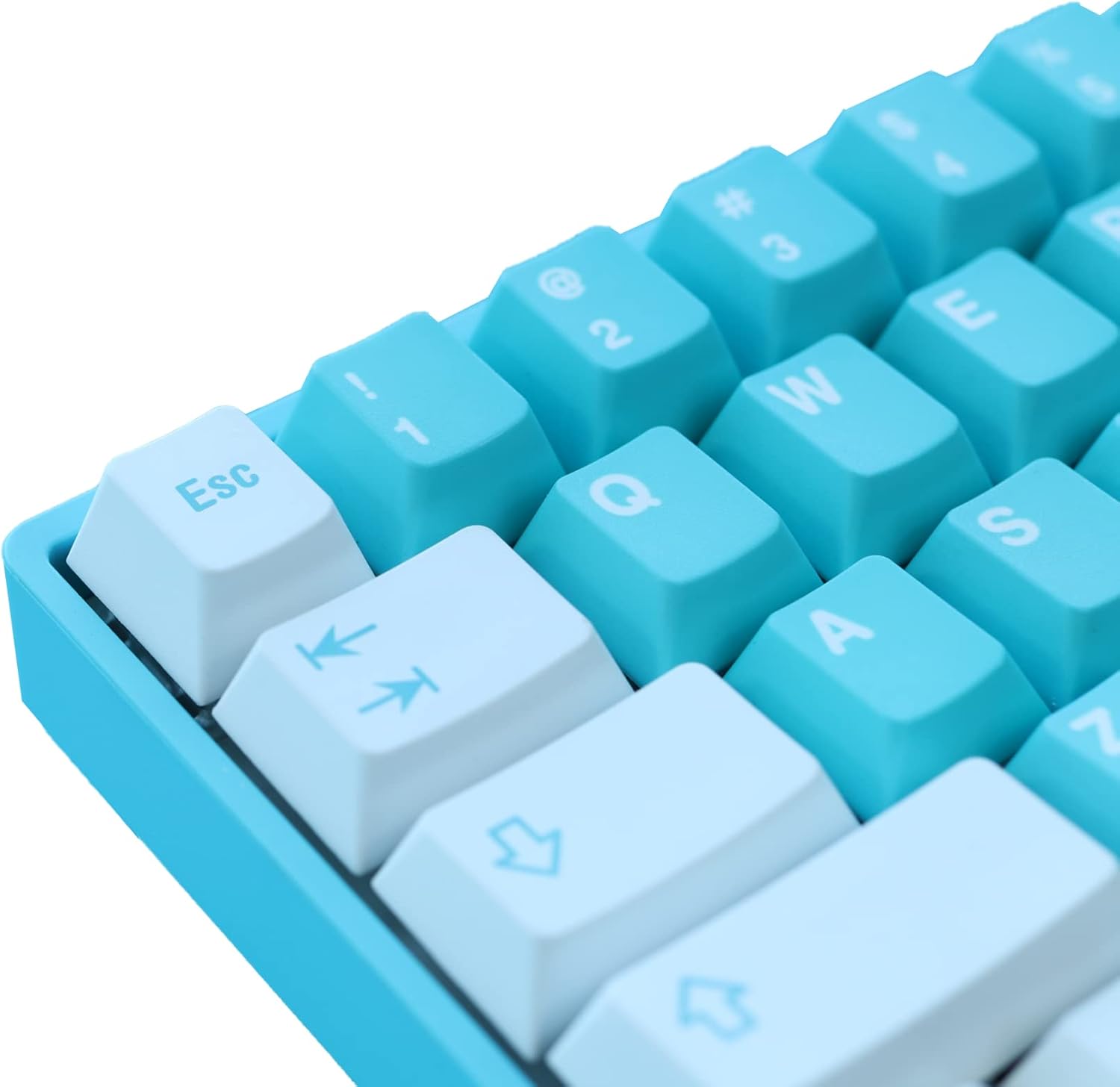
ຮູບພາບ: A close-up view of the Matrix 65% Mechanical Keyboard's keycaps, highlighting the doubleshot PBT material and the clear legends. The 'Esc' key and arrow keys are visible.
ຄໍາແນະນໍາການດໍາເນີນງານ
Function Key Combinations (Fn)
The 65% layout utilizes the Fn (Function) key to access secondary functions of certain keys. Refer to the keycap legends for specific combinations.
- Fn + [ຄີ]: Activates the secondary function printed on the keycap (e.g., media controls, volume, lighting effects).
ການປັບແຕ່ງແສງ RGB
The Matrix 65% Mechanical Keyboard features extensive RGB lighting options. You can cycle through various effects and adjust brightness directly on the keyboard or through the dedicated software.
- Fn + \: ໝຸນວຽນຜ່ານໂໝດໄຟ RGB ທີ່ແຕກຕ່າງກັນ.
- Fn + ↑/↓: ປັບລະດັບຄວາມສະຫວ່າງ.
- Fn + ←/→: Adjust lighting effect speed or direction.
ສະວິດທີ່ສາມາດແລກປ່ຽນໄດ້ດ້ວຍຄວາມຮ້ອນ
This keyboard supports hot-swappable switches, allowing you to change mechanical switches without soldering. This feature enables customization of typing feel and sound.
- To remove a switch, use a switch puller (not included) to gently pry it out.
- To install a new switch, align the pins with the sockets on the PCB and press firmly until it clicks into place. Ensure pins are straight to avoid bending.
ບໍາລຸງຮັກສາ
ການເຮັດຄວາມສະອາດແປ້ນພິມ
- ຕັດການເຊື່ອມຕໍ່ແປ້ນພິມຈາກຄອມພິວເຕີຂອງທ່ານກ່ອນທີ່ຈະທໍາຄວາມສະອາດ.
- ໃຊ້ແປງອ່ອນໆ ຫຼື ອາກາດອັດເພື່ອກຳຈັດຝຸ່ນ ແລະ ສິ່ງເສດເຫຼືອອອກຈາກລະຫວ່າງຝາປິດແປ້ນພິມ.
- For stubborn dirt, gently wipe the keycaps with a damp cloth and mild soap solution. Ensure no liquid enters the keyboard.
- The doubleshot PBT keycaps are durable and resistant to shine, but regular cleaning helps maintain their appearance.
Keycap and Switch Care
- Use the provided keycap puller to remove keycaps. Pull straight up to avoid damaging the switch stem.
- When reattaching keycaps, align them carefully and press down gently.
- When handling switches for hot-swapping, ensure the pins are not bent. Bent pins can prevent proper connection and damage the PCB socket.
ການແກ້ໄຂບັນຫາ
| ບັນຫາ | ສາເຫດທີ່ເປັນໄປໄດ້ | ການແກ້ໄຂ |
|---|---|---|
| ແປ້ນພິມບໍ່ຕອບສະໜອງ | ການເຊື່ອມຕໍ່ USB ວ່າງ, ພອດ USB ຜິດພາດ, ບັນຫາໄດເວີ. | ໃຫ້ແນ່ໃຈວ່າສາຍ USB ເຊື່ອມຕໍ່ຢ່າງປອດໄພ. ລອງໃຊ້ພອດ USB ອື່ນ. ປິດເປີດຄອມພິວເຕີຂອງທ່ານຄືນໃໝ່. |
| ແສງ RGB ບໍ່ເຮັດວຽກຫຼືຕິດ | Software conflict, incorrect settings, temporary glitch. | Try cycling through RGB modes using Fn combinations. Restart the keyboard by unplugging and replugging. Check software settings if installed. |
| Specific key not working | ຝຸ່ນ/ເສດເຫຼືອຢູ່ໃຕ້ຝາປິດແປ້ນພິມ, ສະວິດມີບັນຫາ, ຂາສະວິດງໍ. | Remove keycap and clean. If hot-swappable, remove and re-insert the switch, checking for bent pins. Try swapping with a known working switch. |
ຂໍ້ມູນຈໍາເພາະ
| ຄຸນສົມບັດ | ລາຍລະອຽດ |
|---|---|
| ຂະໜາດສິນຄ້າ | 4 x 11.5 x 1.2 ນິ້ວ |
| ໝາຍເລກຕົວແບບ | SYM |
| ຍີ່ຫໍ້ | Matrix Keyboards |
| ເຕັກໂນໂລຊີການເຊື່ອມຕໍ່ | USB |
| ຄຳອະທິບາຍແປ້ນພິມ | ເກມ |
| ການນໍາໃຊ້ທີ່ແນະນໍາ | ຫ້ອງການ, ເກມ |
| ຄຸນນະສົມບັດພິເສດ | Backlit, Water Resistant (Note: Water resistance typically refers to spill resistance, not full submersion) |
| ແສງຫຼັງແປ້ນພິມ | RGB |
| ແບບ | ທັນສະໄຫມ |
| ຮູບແບບແປ້ນພິມ | QWERTY (65% layout, 61 keys) |
| Keycap ວັດສະດຸ | PBT ສອງເທົ່າ |
| ສະວິດ | Speed Silver (Hot-Swappable) |
ການຮັບປະກັນແລະການສະຫນັບສະຫນູນ
Matrix Keyboards products are manufactured to high quality standards. For specific warranty information, please refer to the warranty card included with your product or visit the official Matrix Keyboards webສະຖານທີ່. ເງື່ອນໄຂການຮັບປະກັນອາດແຕກຕ່າງກັນໄປຕາມພາກພື້ນ ແລະ ຜະລິດຕະພັນ.
For technical support, troubleshooting assistance, or inquiries about your product, please contact Matrix Keyboards customer service through their official webເວັບໄຊ ຫຼືຂໍ້ມູນການຕິດຕໍ່ທີ່ສະໜອງໃຫ້ກັບການຊື້ຂອງທ່ານ.

Image: The official logo for Matrix Keyboards, featuring stylized white text on a black background.