
ແນະນຳ
Thank you for choosing the NOKLEAD Digital Indoor Thermometer Hygrometer. This device provides accurate and real-time monitoring of indoor temperature and humidity, along with a clock display. Designed for ease of use, it helps you maintain a comfortable and healthy living environment. Please read this manual carefully before use to ensure proper operation and longevity of your device.
ຄຸນນະສົມບັດທີ່ສໍາຄັນ
- Fast Refresh & High Accuracy: Updates readings every 10 seconds with temperature accuracy of ±1°C (0-40°C) / ±2°C (40-60°C) and humidity accuracy of ±3%RH.
- ຕົວຊີ້ວັດຄວາມສະດວກສະບາຍທາງອາກາດ: Displays DRY, COMFORT, or WET conditions at a glance.
- ຈໍ LCD ຂະໜາດ 3.34 ນິ້ວ: Clear, bold numbers for easy readability from various angles.
- ທາງເລືອກການຕິດຕັ້ງຫຼາຍ: Includes desktop stand, magnetic attachment, and adhesive pad for wall mounting.
- ຊີວິດຫມໍ້ໄຟຍາວ: Powered by 2 x CR2032 button cell batteries, lasting 8-12 months.
- ການສະແດງເວລາ ແລະວັນທີ: Integrated clock function with 12h/24h selection.
- Upgraded Calibration Function: Allows for manual adjustment of temperature and humidity readings for optimal accuracy.
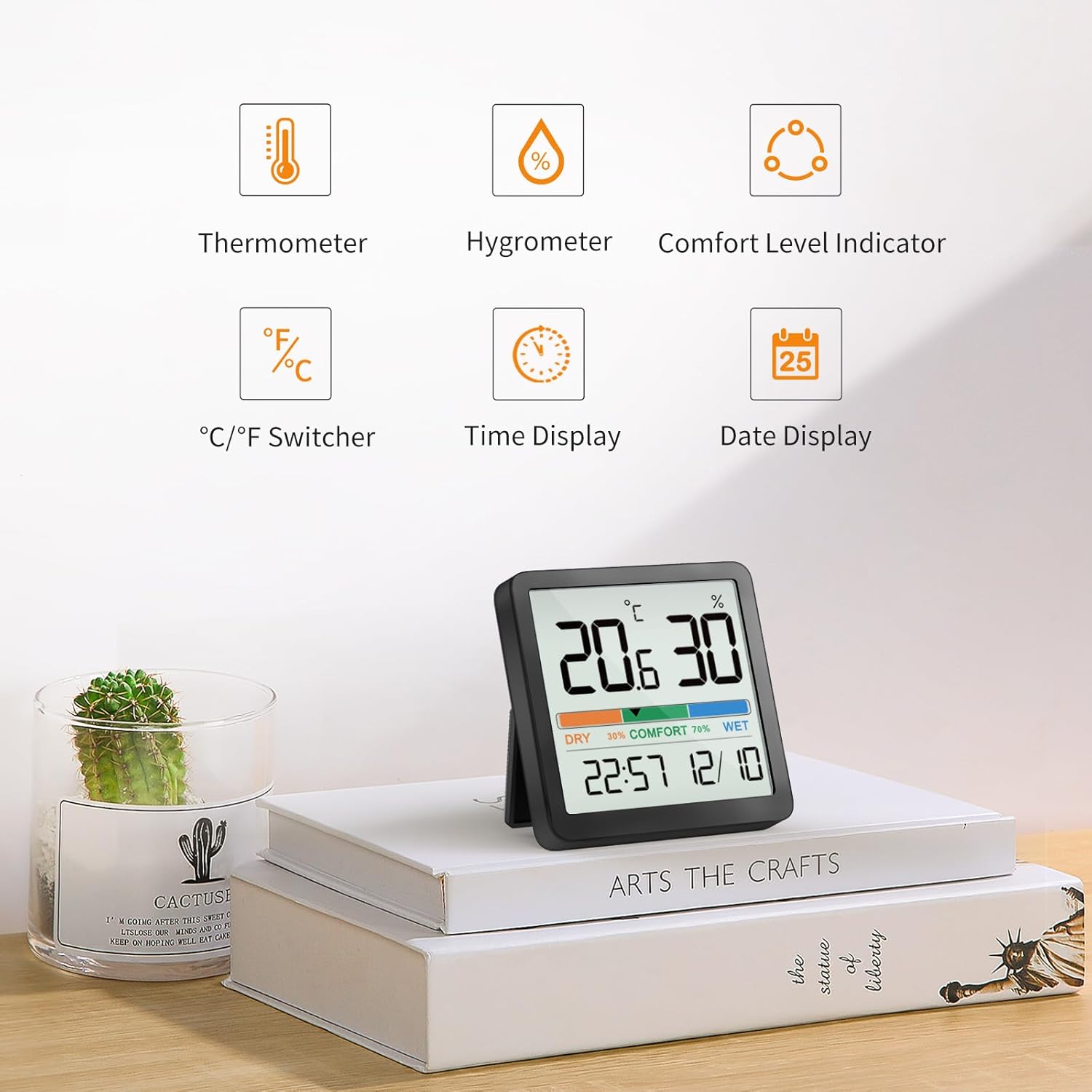
ຮູບ 1: ເກີນview of device features.
ແມ່ນຫຍັງຢູ່ໃນກ່ອງ
- NOKLEAD Digital Indoor Thermometer Hygrometer x 1
- CR2032 Button Cell Batteries x 2 (one installed, one spare)
- Adhesive Metal Pad x 1
- ຄູ່ມືຜູ້ໃຊ້ x 1
ສິນຄ້າເກີນview

Figure 2: Front display of the device.
The device features a large LCD screen displaying temperature (in °C or °F), relative humidity (%), a comfort level indicator (DRY, COMFORT, WET), current time, and date. On the back, you will find the battery compartment and control buttons for settings.
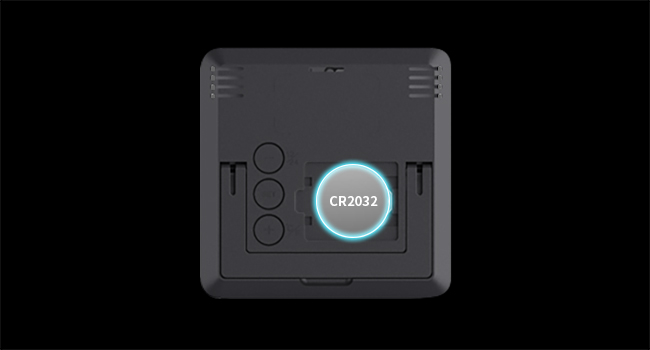
ຮູບ 3: ດ້ານຫລັງ view ມີຊ່ອງໃສ່ຫມໍ້ໄຟແລະປຸ່ມ.
ຕັ້ງຄ່າ
ການຕິດຕັ້ງຫມໍ້ໄຟ
- ຊອກຫາຝາປິດຊ່ອງໃສ່ຫມໍ້ໄຟຢູ່ດ້ານຫຼັງຂອງອຸປະກອນ.
- ເອົາຝາປິດອອກ.
- Insert two CR2032 button cell batteries, ensuring correct polarity (+/-). One battery is typically pre-installed.
- Replace the battery compartment cover. The device will power on automatically.
ຕົວເລືອກບັນຈຸເຂົ້າຮຽນ
The NOKLEAD 5253T offers versatile placement options:
- ໂຕະຕັ້ງໂຕະ: Utilize the integrated foldable stand on the back to place the device on any flat surface, such as a desk, shelf, or counter.
- ໄຟລ໌ແນບແມ່ເຫຼັກ: The device has a built-in magnet, allowing it to be securely attached to metallic surfaces like refrigerators.
- ຕິດຝາ: Use the provided adhesive metal pad to stick the device to a non-metallic wall surface.

ຮູບທີ 4: ຕົວຢ່າງamples of device placement in different environments.
ການດໍາເນີນງານ
ເປີດ/ປິດ
The device automatically powers on once batteries are installed. There is no manual power on/off button.
ການເລືອກຫົວໜ່ວຍອຸນຫະພູມ (°C/°F)
To switch between Celsius (°C) and Fahrenheit (°F), press the '+' button located on the back of the device.
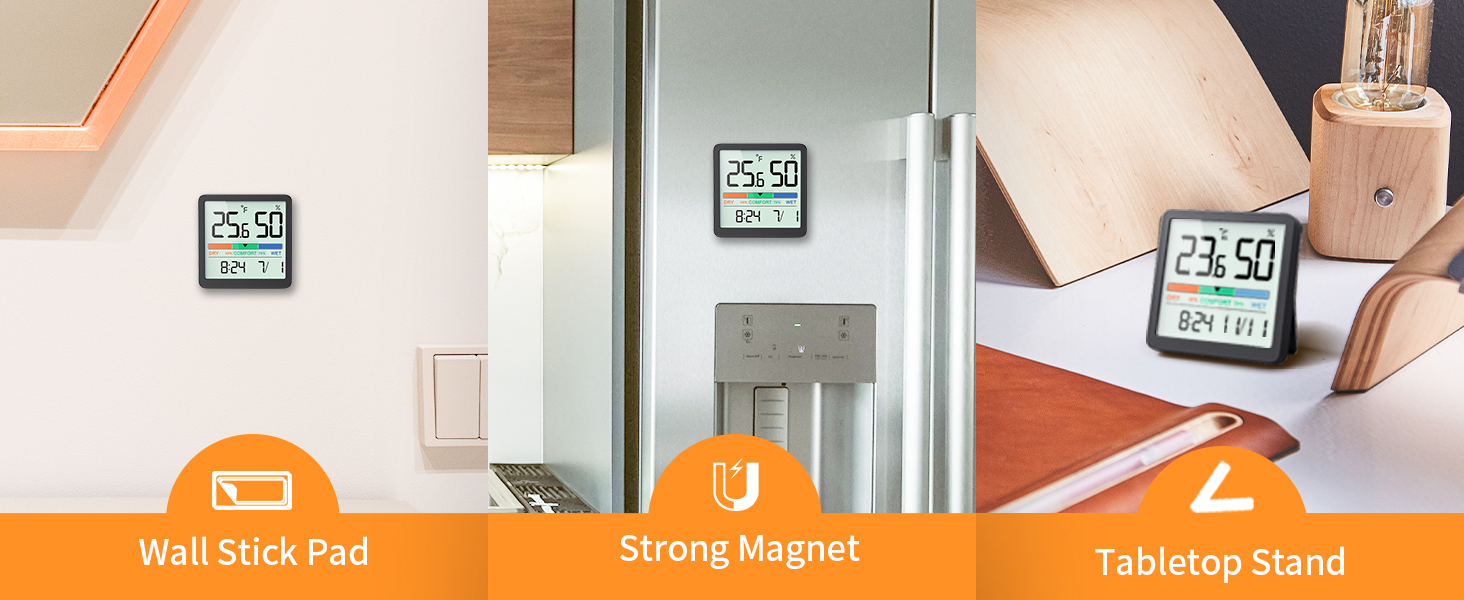
Figure 5: Switching between °C and °F.
Time Format Selection (12h/24h)
To switch between 12-hour and 24-hour time formats, press the '-' button located on the back of the device.
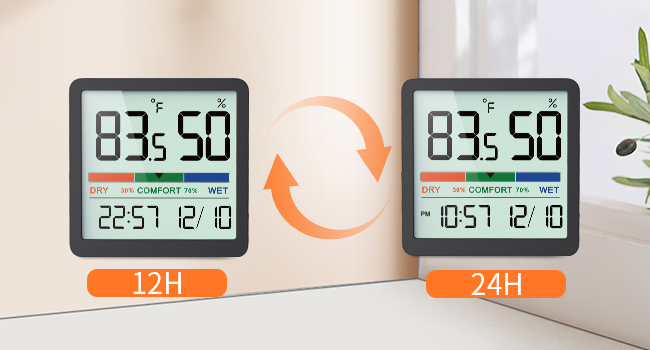
Figure 6: Switching between 12h and 24h time formats.
ຕົວຊີ້ວັດຄວາມສະດວກສະບາຍທາງອາກາດ
The device features a visual comfort indicator bar that quickly displays the current air conditions:
- ແຫ້ງ: ຄວາມຊຸ່ມຊື່ນຕໍ່າກວ່າ 30%
- ຄວາມສະດວກສະບາຍ: ຄວາມຊຸ່ມຊື່ນລະຫວ່າງ 30% ຫາ 69%
- ຊຸ່ມ: ຄວາມຊຸ່ມຊື່ນ 70% ຫຼືສູງກວ່າ
This indicator helps you determine if a humidifier or dehumidifier is needed to maintain optimal indoor air quality.

Figure 7: Air Comfort Indicator ranges.
ຟັງຊັນ Calibration
If you suspect the readings are inaccurate due to placement or environmental factors, you can calibrate the sensor. The calibration allows for adjustments of up to ±5°C/±41°F for temperature and ±10%RH for humidity. Refer to the detailed instructions provided in the full user manual for the specific calibration procedure.
ບໍາລຸງຮັກສາ
ທໍາຄວາມສະອາດ
ເຊັດອຸປະກອນດ້ວຍຜ້າອ່ອນໆ, ແຫ້ງ. ຫ້າມໃຊ້ເຄື່ອງເຮັດຄວາມສະອາດຂັດຫຼືຈຸ່ມອຸປະກອນໃນນ້ໍາ.
ການປ່ຽນແບັດ
When the display becomes dim or the device stops functioning, replace the CR2032 batteries. Follow the battery installation steps outlined in the Setup section.
ການແກ້ໄຂບັນຫາ
- ບໍ່ມີການສະແດງຜົນ: Ensure batteries are correctly installed with proper polarity. Replace batteries if they are depleted.
- ການອ່ານທີ່ບໍ່ຖືກຕ້ອງ: Allow the device to stabilize for at least 30 minutes after initial setup or relocation. If discrepancies persist, utilize the calibration function as described in the Operation section.
- ຈໍສະແດງຜົນບໍ່ປ່ຽນແປງ: The device refreshes every 10 seconds. Ensure there are actual changes in temperature or humidity for the display to update.
ຂໍ້ມູນຈໍາເພາະ
| ຄຸນສົມບັດ | ຂໍ້ມູນຈໍາເພາະ |
|---|---|
| ໝາຍເລກຕົວແບບ | 5253 ທ |
| ຊ່ວງອຸນຫະພູມ | 14.2°F - 140°F (-9.9°C - 60°C) |
| ຄວາມຖືກຕ້ອງຂອງອຸນຫະພູມ | ± 2 ° F (1 ° C) |
| ຊ່ວງຄວາມຊຸ່ມຊື່ນ | 10% - 95% ຄວາມຊຸ່ມຊື່ນ |
| ຄວາມຖືກຕ້ອງຂອງຄວາມຊຸ່ມຊື່ນ | ±3% RH |
| ອັດຕາການໂຫຼດຂໍ້ມູນຄືນໃໝ່ | ທຸກໆ 10 ວິນາທີ |
| ຂະຫນາດຈໍສະແດງຜົນ | 3.34 ນິ້ວ |
| ແຫຼ່ງພະລັງງານ | 2 x CR2032 Button Cell Batteries |
| ຂະໜາດສິນຄ້າ | 2.76 x 2.76 x 0.55 ນິ້ວ (70mm x 70mm x 14mm) |
| ນ້ໍາຫນັກລາຍການ | 2.12 ອອນສ໌ (60 ກຣາມ) |
ການຮັບປະກັນແລະການສະຫນັບສະຫນູນ
NOKLEAD products are designed for reliability and performance. If you encounter any issues or have questions regarding your NOKLEAD Digital Indoor Thermometer Hygrometer, please contact our customer support team. We are committed to providing the best possible solution for you.
For support, please refer to the contact information provided with your purchase or visit the official NOKLEAD webເວັບໄຊ.