
bonoch BBM05
bonoch Baby Monitor BBM05 User Manual
ຮູບແບບ: BBM05
1. ບົດແນະນຳ
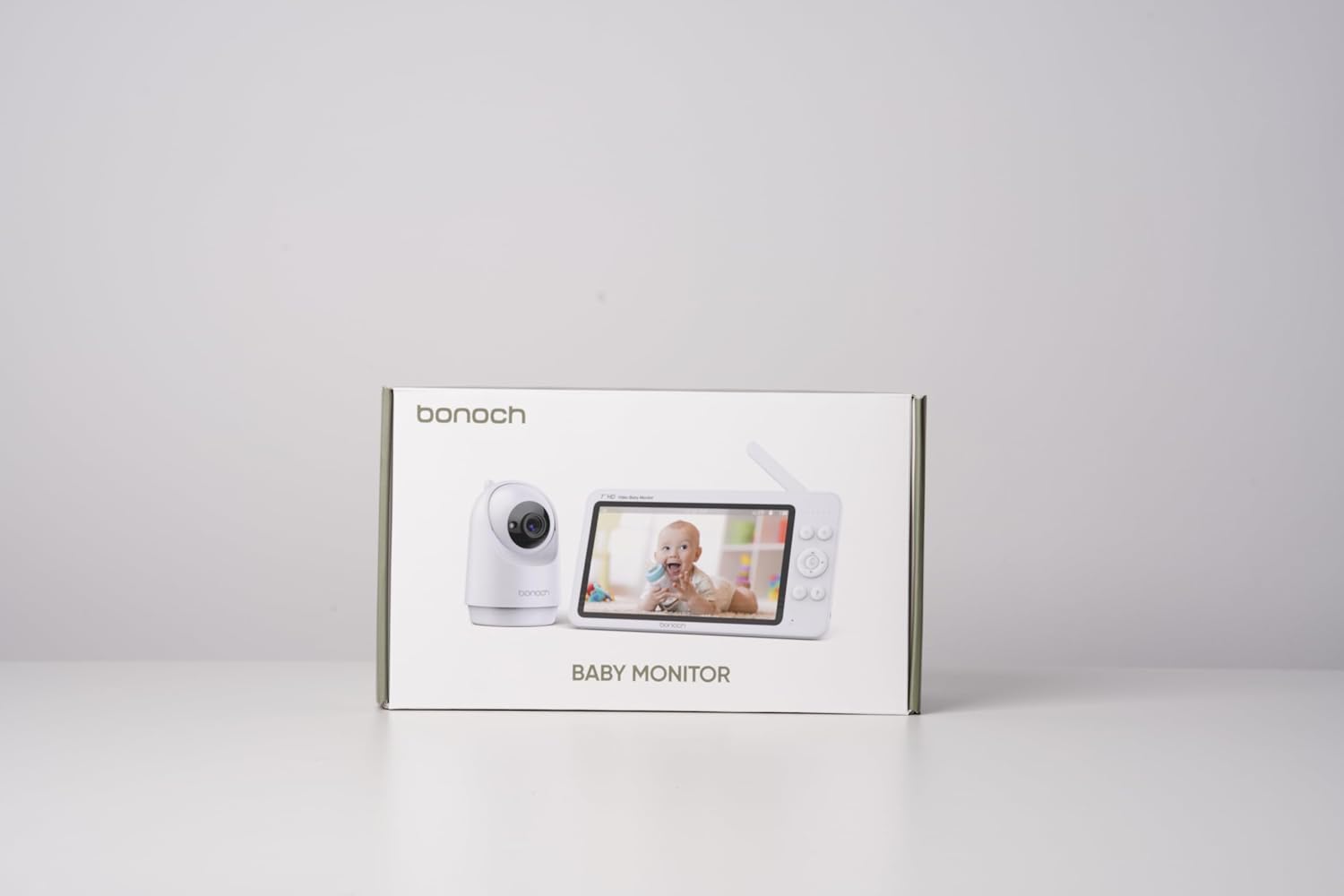
This manual provides detailed instructions for the safe and effective use of your bonoch Baby Monitor with two cameras. This system is designed to provide secure, high-definition video and audio monitoring of your baby without requiring a Wi-Fi connection, ensuring privacy and reliability.

ກະລຸນາອ່ານຄູ່ມືນີ້ຢ່າງລະອຽດກ່ອນທີ່ຈະປະຕິບັດອຸປະກອນແລະເກັບຮັກສາມັນສໍາລັບການອ້າງອີງໃນອະນາຄົດ.
2. ເນື້ອໃນຊຸດ
ພາຍຫຼັງການຫຸ້ມຫໍ່, ກະລຸນາຮັບປະກັນວ່າລາຍການທັງໝົດທີ່ລະບຸໄວ້ຂ້າງລຸ່ມນີ້ແມ່ນຢູ່ ແລະຢູ່ໃນສະພາບດີ:
- 1 x 7-inch HD Baby Monitor (Parent Unit)
- 2 x Baby Cameras (Baby Units)
- 3 x Power Adapters (for Monitor and Cameras)
- 1 x ຄູ່ມືຜູ້ໃຊ້
- Wall Mounting Kits (screws and anchors)
3. ຂໍ້ມູນຄວາມປອດໄພທີ່ສໍາຄັນ
ກະລຸນາສັງເກດການລະມັດລະວັງດ້ານຄວາມປອດໄພດັ່ງຕໍ່ໄປນີ້ເພື່ອປ້ອງກັນການບາດເຈັບຫຼືຄວາມເສຍຫາຍຂອງຜະລິດຕະພັນ:
- ອັນຕະລາຍ Strangulation: Keep all power cords out of reach of children (at least 3 feet / 1 meter away). Never place cameras or cords within a crib or playpen.
- ອັນຕະລາຍຕໍ່ເນື່ອງ This product contains small parts. Keep away from children.
- ນ້ໍາແລະຄວາມຊຸ່ມ: Do not expose the product to rain or moisture. Do not use near water (e.g., bathtub, sink).
- ແຫຼ່ງຄວາມຮ້ອນ: Do not place the product near heat sources such as radiators, heat registers, stoves, or other heat-producing appliances.
- ການລະບາຍອາກາດ: ຮັບປະກັນການລະບາຍອາກາດທີ່ເຫມາະສົມ. ຫ້າມປິດຊ່ອງລະບາຍອາກາດໃດໆ.
- ຕົວແປງໄຟ: ໃຊ້ພຽງແຕ່ອະແດັບເຕີໄຟທີ່ໃຫ້ມາ. ການໃຊ້ອະແດບເຕີທີ່ບໍ່ໄດ້ຮັບອະນຸຍາດອາດເຮັດໃຫ້ຜະລິດຕະພັນເສຍຫາຍ ແລະ ຍົກເລີກການຮັບປະກັນ.
- ການຕິດຕັ້ງ: Ensure cameras are securely mounted if using wall or ceiling mounts.

4. ຜະລິດຕະພັນເກີນview
The bonoch Baby Monitor system consists of a Parent Unit (monitor) and Baby Units (cameras). Familiarize yourself with the components:
4.1 ໜ່ວຍແມ່ (ຈໍພາບ)
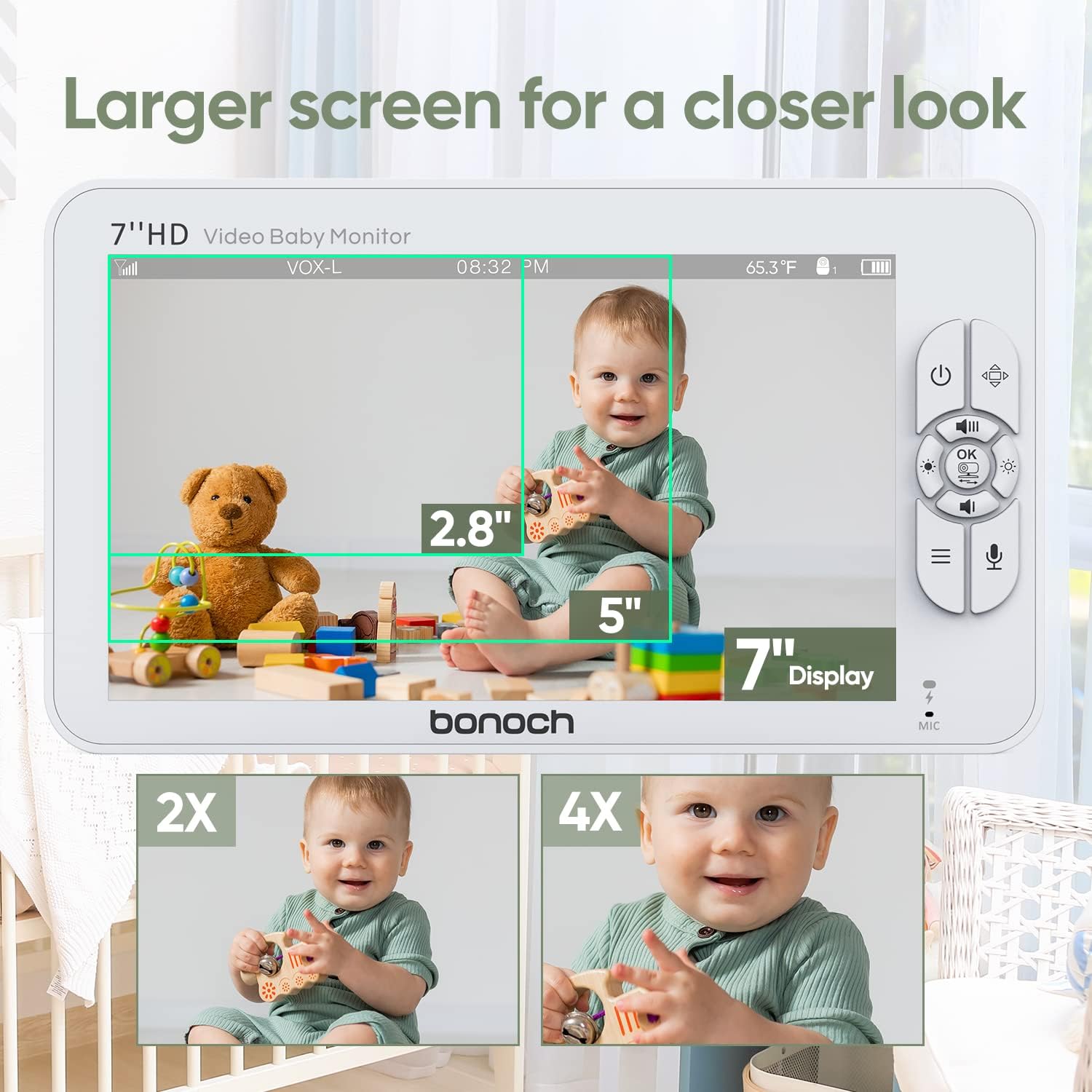
- 7-inch 720P HD Display
- Control Buttons (Power, Menu, OK, Navigation, Talk, Zoom)
- ໄມໂຄຣໂຟນ ແລະ ລຳໂພງ
- ເສົາອາກາດ
- ພອດສາກໄຟ
- ຕົວຊີ້ວັດຫມໍ້ໄຟ
4.2 ໜ່ວຍເດັກ (ກ້ອງ)
- ເລນກ້ອງ HD
- ໄຟ LED ອິນຟາເຣດສໍາລັບການເບິ່ງເຫັນກາງຄືນ
- ໄມໂຄຣໂຟນ ແລະ ລຳໂພງ
- ເຊັນເຊີອຸນຫະພູມ
- ປຸ່ມຈັບຄູ່
- ພອດພະລັງງານ
- Mounting Holes

5. ຄູ່ມືການຕິດຕັ້ງ
5.1 ການສາກໄຟເຄື່ອງແມ່
- Connect the provided power adapter to the Parent Unit's charging port.
- Plug the adapter into a power outlet. The battery indicator will show charging status.
- Charge the Parent Unit for at least 4 hours before first use to ensure optimal battery life. The 4000mAh battery provides up to 22 hours in VOX mode or 8 hours in regular monitoring mode.
5.2 Powering the Baby Units
- Connect the provided power adapters to each Baby Unit's power port.
- Plug the adapters into power outlets. The Baby Units will power on automatically.
5.3 Positioning the Baby Units
Place the Baby Units in a location that provides a clear view of your baby. Ensure the camera is at least 3 feet (1 meter) away from the crib or playpen to prevent strangulation hazards from the power cord.
- Surface Mount: Place the camera on a flat, stable surface such as a dresser or shelf.
- ຕິດຝາ/ເພດານ: Use the included mounting kit to securely attach the camera to a wall or ceiling. Ensure the camera is positioned to capture the desired viewພື້ນທີ່.
5.4 Secure Connection (No Wi-Fi Required)
The bonoch Baby Monitor uses a 2.4GHz FHSS (Frequency Hopping Spread Spectrum) wireless connection, which provides a secure and private live stream without the need for Wi-Fi or smartphone applications. This technology prevents unauthorized access to your video feed.

5.5 Pairing Additional Cameras (if applicable)
Your bonoch Baby Monitor comes pre-paired with the included cameras. If you purchase additional cameras or need to re-pair a camera:
- Turn on both the Parent Unit and the Baby Unit you wish to pair.
- On the Parent Unit, navigate to the 'Camera Settings' menu.
- ເລືອກ 'ເພີ່ມກ້ອງຖ່າຍຮູບ' ແລະປະຕິບັດຕາມຄຳແນະນຳໃນໜ້າຈໍ.
- Press the 'Pair' button on the back of the Baby Unit within the specified time frame.
- Once paired, the camera's video feed will appear on the Parent Unit.
6. ຄໍາແນະນໍາການດໍາເນີນງານ
6.1 ເປີດ/ປິດ
- ເພື່ອເປີດເຄື່ອງ: ກົດປຸ່ມເປີດປິດຄ້າງໄວ້ (U) on the Parent Unit until the screen illuminates. Baby Units power on automatically when connected to power.
- ປິດເຄື່ອງ: ກົດປຸ່ມເປີດປິດຄ້າງໄວ້ (U) on the Parent Unit until the screen turns off. Unplug Baby Units from power to turn them off.
6.2 ຄຸນສົມບັດການສະແດງ
The 7-inch 720P HD display provides a clear view of your baby. The system supports up to four cameras simultaneously.
- ກ້ອງຖ່າຍຮູບດຽວ View: Displays the feed from one camera at a time. Use navigation buttons to switch between paired cameras.
- ແຍກໜ້າຈໍ View: Allows simultaneous viewing of two cameras side-by-side on the screen. This feature is ideal for monitoring multiple children or different areas of a room.

6.3 Camera Control (Pan, Tilt, Zoom)
The Baby Units offer extensive coverage of the nursery:
- ເຂົ້າຈີ່: Use the navigation buttons on the Parent Unit to pan the camera horizontally up to 355°.
- ອຽງ: Use the navigation buttons to tilt the camera vertically up to 120°.
- ຊູມດິຈິຕອນ: Press the Zoom button on the Parent Unit to digitally zoom in up to 4 times (4x).

6.4 ຄຸນສົມບັດສຽງ
- Real-time Sound: Hear your baby clearly through the Parent Unit's speaker. Adjust volume using the dedicated buttons.
- ສົນທະນາສອງທາງ: Press and hold the Talk button on the Parent Unit to speak to your baby through the Baby Unit's speaker. Release the button to hear your baby again.
- Lullabies: The monitor includes 8 pre-programmed lullabies. Access this feature through the menu to play soothing melodies for your baby.
6.5 ໂໝດ VOX (ການແລກປ່ຽນສຽງ)
VOX mode conserves battery life by turning off the Parent Unit's screen and audio transmission when no sound is detected from the baby's room. The monitor will automatically reactivate when sound is detected.
- ກຳລັງເປີດໃຊ້ VOX: Enable VOX mode through the Parent Unit's menu. You can adjust the sensitivity level to detect different sound thresholds.
- ປະຢັດແບັດເຕີຣີ: In VOX mode, the 4000mAh battery can last up to 22 hours.
6.6 ວິໄສທັດໃນຕອນກາງຄືນອັດຕະໂນມັດ
The Baby Units are equipped with infrared LEDs that automatically activate in low-light conditions, providing clear black-and-white video of your baby even in complete darkness. This feature operates without emitting visible red lights that could disturb your baby.
6.7 ການຕິດຕາມອຸນຫະພູມ
Each Baby Unit has a built-in temperature sensor that monitors the room temperature. The temperature reading is displayed on the Parent Unit's screen, allowing you to ensure your baby's comfort.
6.8 ອາຍຸແບັດເຕີຣີ
The Parent Unit is powered by a 4000mAh Lithium Polymer battery, offering:
- Up to 22 hours of monitoring in VOX mode.
- Up to 8 hours of continuous monitoring in regular mode.

6.9 ຄຸນສົມບັດເພີ່ມເຕີມ
The monitor also includes a timer function, accessible via the menu, which can be used for various purposes such as feeding schedules or nap times.

7. ບໍາລຸງຮັກສາ
7.1 ການທໍາຄວາມສະອາດ
- Ensure both the Parent Unit and Baby Units are powered off and unplugged before cleaning.
- Use a soft, dry, lint-free cloth to wipe the surfaces of the monitor and cameras.
- ສໍາລັບຮອຍແຂງ, ເບົາບາງ dampen the cloth with water. Avoid using abrasive cleaners, solvents, or chemical wipes, as these can damage the plastic and electronic components.
- Gently clean the camera lens with a lens cleaning cloth to maintain clear image quality.
7.2 ການເກັບຮັກສາ
If storing the monitor for an extended period, ensure it is fully charged, then power it off. Store in a cool, dry place away from direct sunlight and extreme temperatures.
8. ການແກ້ໄຂບັນຫາ
| ບັນຫາ | ສາເຫດທີ່ເປັນໄປໄດ້ | ການແກ້ໄຂ |
|---|---|---|
| ບໍ່ມີຮູບພາບ/ສຽງໃນໜ່ວຍພໍ່ແມ່ | Parent Unit or Baby Unit is off; Out of range; Low battery; Camera not paired. | Ensure all units are powered on and charged. Move Parent Unit closer to Baby Unit. Re-pair camera if necessary. |
| ຄຸນນະພາບຮູບພາບບໍ່ດີ | Camera lens is dirty; Insufficient lighting; Out of range. | Clean camera lens. Ensure adequate lighting or check night vision activation. Move units closer. |
| ສະຖິດ ຫຼື ການແຊກແຊງ | Other electronic devices interfering; Out of range. | Move Parent Unit or Baby Unit away from other electronics (e.g., Wi-Fi routers, microwaves). Move units closer. |
| VOX mode not activating/deactivating correctly | VOX sensitivity setting is too high/low. | Adjust VOX sensitivity in the Parent Unit's menu. |
| ແບດເຕີຣີບໍ່ຖືສາກ | Battery degradation; Faulty adapter. | Ensure using the correct adapter. If issue persists, contact customer support for battery replacement or warranty claim. |
If you encounter issues not listed here or if the problem persists after attempting the solutions, please contact bonoch customer support.
9. ຂໍ້ມູນຈໍາເພາະ
| ຄຸນສົມບັດ | ລາຍລະອຽດ |
|---|---|
| ຊື່ຕົວແບບ | BBM05 |
| ຂະຫນາດຈໍສະແດງຜົນ | 7 ນິ້ວ |
| ຄວາມລະອຽດວິດີໂອ | 720P HD (1280 x 720 pixels) |
| ເຕັກໂນໂລຊີການເຊື່ອມຕໍ່ | 2.4 GHz FHSS Wireless (No Wi-Fi) |
| ຈຳນວນກ້ອງທີ່ຮອງຮັບ | ເຖິງ 4 |
| ມຸມກ້ອງ | 355 ອົງສາ |
| ມຸມອຽງກ້ອງຖ່າຍຮູບ | 120 ອົງສາ |
| ຊູມດິຈິຕອລ | 4x |
| ໝໍ້ໄຟໜ່ວຍໃຫຍ່ | 4000 mAh Lithium Polymer |
| Battery Life (VOX Mode) | ສູງສຸດ 22 ຊົ່ວໂມງ |
| Battery Life (Regular Mode) | ສູງສຸດ 8 ຊົ່ວໂມງ |
| ຄຸນນະສົມບັດພິເສດ | Split Screen, Two-Way Talk, VOX Mode, Auto Night Vision, Temperature Sensor, Lullabies |
| ຕົວເລືອກການຕິດຕັ້ງ | Surface, Wall, Ceiling |
| ຂະໜາດຜະລິດຕະພັນ (ຈໍພາບ) | 7.87 x 4.53 x 0.79 ນິ້ວ |
| ນ້ໍາຫນັກລາຍການ | 2.57 ປອນ (ລວມຊຸດ) |
| ວັດສະດຸ | ພາດສະຕິກ |
| ການຈັດອັນດັບການປົກປ້ອງສາກົນ | IP54 |
10. ການຮັບປະກັນແລະການສະຫນັບສະຫນູນລູກຄ້າ
bonoch provides a ຮັບປະກັນ 1 ປີ for this product, covering manufacturing defects and malfunctions under normal use. Additionally, customers receive ສະຫນັບສະຫນູນດ້ານວິຊາການຕະຫຼອດຊີວິດ.
For technical assistance, warranty claims, or any questions regarding your bonoch Baby Monitor, please contact our customer service team:
- ອີເມລ: support@bonoch.com
- ໂທລະສັບ (ສະຫະລັດ): 1-877-643-2797
- Online Support Hours: Tuesday - Saturday, 8:00 AM - 5:00 PM (PST)

Please have your model number (BBM05) and purchase information ready when contacting support.
Ask a question about this manual
Ask about setup, troubleshooting, compatibility, parts, safety, or missing instructions. Manuals+ will review the question and use this page’s manual context to help answer it.