
ແນະນຳ
This manual provides essential information for the proper setup, operation, and maintenance of your ZEBRONICS K24 Wired USB Keyboard. Please read this manual thoroughly before using the product to ensure optimal performance and longevity.
ເນື້ອໃນຊຸດ
- 1 x ZEBRONICS K24 Wired USB Keyboard
ຄໍາແນະນໍາການຕິດຕັ້ງ
- ຖອດແປ້ນພິມ: ເອົາແປ້ນພິມອອກຈາກເຄື່ອງຫຸ້ມຫໍ່ຂອງມັນຢ່າງລະມັດລະວັງ.

Image: ZEBRONICS K24 Wired USB Keyboard, showing the keyboard and its USB cable.
- Connect to your Device: Locate an available USB port on your computer or laptop. Insert the USB connector of the keyboard cable into the USB port.
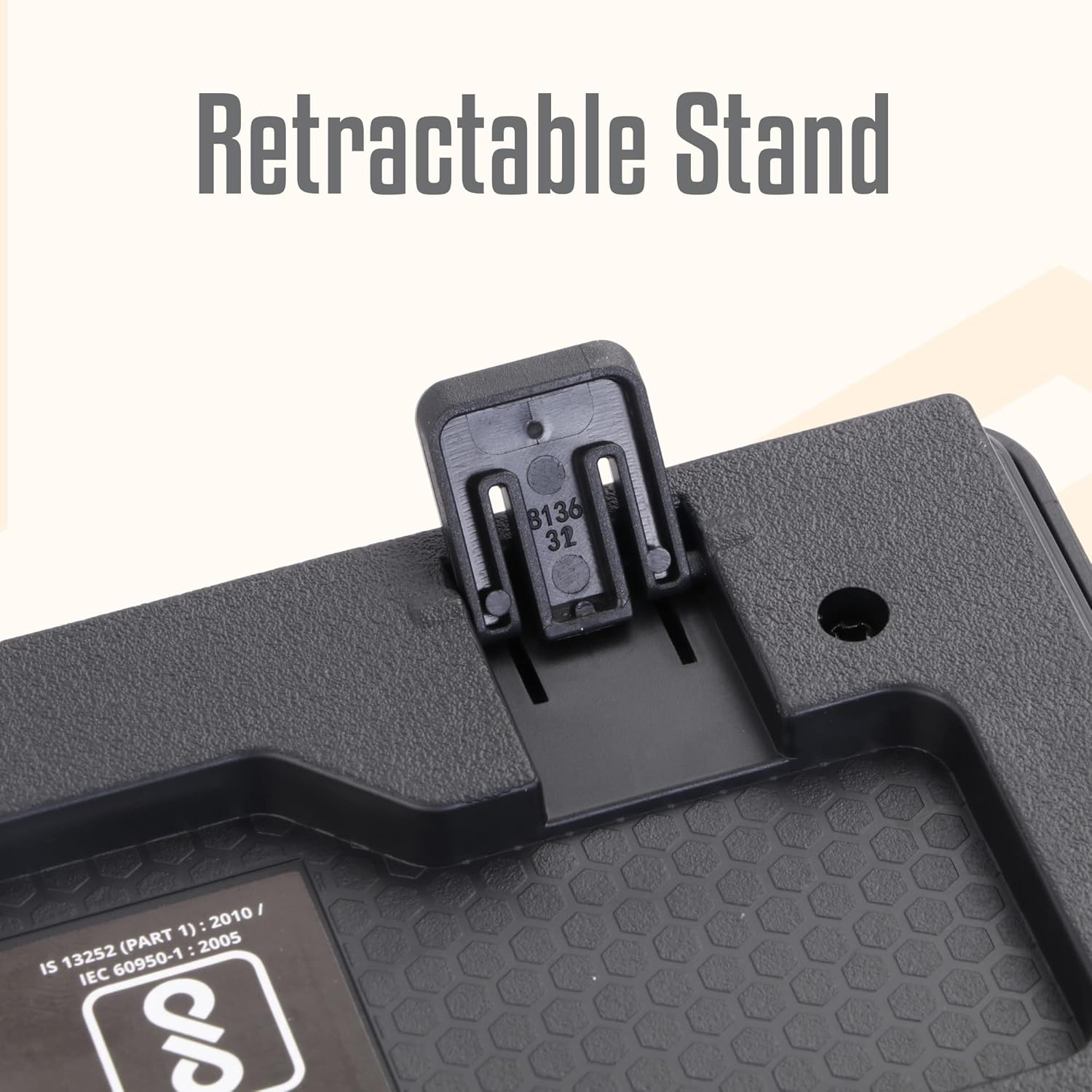
Image: A hand connecting the USB cable of the keyboard to a laptop's USB port.
- ການຕິດຕັ້ງໄດເວີ: The keyboard is plug-and-play. Your operating system (Windows, macOS, Linux) will automatically detect and install the necessary drivers. No manual driver installation is required.
- Adjust the Stand (Optional): For an ergonomic typing angle, extend the retractable stands located on the underside of the keyboard.

Image: Close-up of the retractable stand on the back of the keyboard, extended for ergonomic use.
ຄໍາແນະນໍາການດໍາເນີນງານ
The ZEBRONICS K24 keyboard operates like any standard 104-key keyboard. Simply connect it to your device, and it will be ready for use.
- ພິມ: Use the keys for text input, data entry, and command execution.
- ປຸ່ມມັນຕິມີເດຍ: The keyboard may feature integrated multimedia functions accessible via the 'Fn' key combined with function keys (F1-F12). Refer to your operating system's settings for specific key assignments if needed.
- Rupee Key: The keyboard includes a dedicated Rupee key for convenient currency input.

Image: Close-up of the keyboard highlighting the Rupee symbol on a key.
ຄຸນສົມບັດ
- Standard Layout with 104 Keys: ແປ້ນພິມຂະໜາດເຕັມສຳລັບການເຮັດວຽກທີ່ສົມບູນແບບ.
- UV Coated Keycaps: Ensures durability and prevents legend fading over time.
- Long Life 8 Million Keystrokes: Designed for extended usage and reliability.
- Silent and Comfortable Use: Provides a quiet typing experience suitable for various environments.
- ການອອກແບບກະທັດຮັດ: ປະຢັດພື້ນທີ່ ແລະ ສວຍງາມasing for any desk setup.
- ຂາຕັ້ງສາມາດຖອດໄດ້: Offers adjustable ergonomic typing angles.
- 1.5 Meter Textured Cable: ສະຫນອງ ample length and durability for flexible placement.
- ການເຊື່ອມຕໍ່ USB: Ensures broad compatibility with PCs and laptops.

Image: Close-up of the keyboard keys, showing their round, chiclet style and UV coating.

Image: The keyboard with its 1.5-meter textured USB cable coiled next to it.
ບໍາລຸງຮັກສາ
- ທໍາຄວາມສະອາດ: Use a soft, dry cloth to wipe the keyboard surface. For deeper cleaning, use a can of compressed air to remove dust and debris from between the keys. Avoid using harsh chemicals or abrasive materials.
- ການເກັບຮັກສາ: ເມື່ອບໍ່ໄດ້ໃຊ້ງານ, ໃຫ້ເກັບຮັກສາແປ້ນພິມໄວ້ໃນບ່ອນທີ່ສະອາດ, ແຫ້ງ ແລະ ຫ່າງຈາກແສງແດດໂດຍກົງ ແລະ ອຸນຫະພູມທີ່ຮຸນແຮງ.
- ການດູແລສາຍໄຟ: ຫຼີກເວັ້ນການງໍຫຼືບິດສາຍ USB ຫຼາຍເກີນໄປເພື່ອປ້ອງກັນຄວາມເສຍຫາຍ.
ການແກ້ໄຂບັນຫາ
| ບັນຫາ | ສາເຫດທີ່ເປັນໄປໄດ້ | ການແກ້ໄຂ |
|---|---|---|
| ແປ້ນພິມບໍ່ຕອບສະໜອງ | ການເຊື່ອມຕໍ່ USB ວ່າງ, ພອດ USB ຜິດພາດ, ບັນຫາໄດເວີ. | ກວດໃຫ້ແນ່ໃຈວ່າໄດ້ສຽບສາຍ USB ໄວ້ຢ່າງປອດໄພ. ລອງໃຊ້ພອດ USB ອື່ນ. ປິດເປີດຄອມພິວເຕີຂອງທ່ານຄືນໃໝ່. |
| ກະແຈບໍ່ເຮັດວຽກ | Debris under keys, software conflict. | Clean the keys with compressed air. Check for any software conflicts or update keyboard drivers. |
| Incorrect characters appearing | Incorrect keyboard layout setting. | Check your operating system's keyboard language and layout settings. |
If you encounter issues not listed here, please contact ZEBRONICS customer support.
ຂໍ້ມູນຈໍາເພາະ
| ຄຸນສົມບັດ | ລາຍລະອຽດ |
|---|---|
| ຍີ່ຫໍ້ | ZEBRONICS |
| ໝາຍເລກຕົວແບບ | Zeb-k24 |
| ເຕັກໂນໂລຊີການເຊື່ອມຕໍ່ | ສາຍ (USB) |
| ຈໍານວນກະແຈ | 104 |
| ປະເພດປຸ່ມກົດ | UV Coated Chiclet Keys |
| ຊີວິດການກົດດັນ | 8 ລ້ານ |
| ຄວາມຍາວສາຍ | 1.5 ແມັດ |
| ອຸປະກອນທີ່ເຂົ້າກັນໄດ້ | ແລັບທັອບ, PC |
| ຮູບແບບແປ້ນພິມ | QWERTY, includes Rupee key |
| ການອອກແບບ | Slim, Ergonomic with Retractable Stand |
| ສີ | ດຳ |
| ວັດສະດຸ | ພາດສະຕິກ |
| ຂະໜາດລາຍການ L x W x H | ປະມານ. 435mm x 133mm x 20mm |
| ນ້ໍາຫນັກລາຍການ | 510 ກຣາມ |
Note: Keyboard dimensions are approximate.
ການຮັບປະກັນແລະການສະຫນັບສະຫນູນ
ການຮັບປະກັນ: The ZEBRONICS K24 Wired USB Keyboard comes with a 1-year carry-in warranty to the service center from the date of purchase.
ການຊ່ວຍເຫຼືອລູກຄ້າ: For any product-related queries, technical assistance, or warranty claims, please contact ZEBRONICS customer support. Refer to the official ZEBRONICS webເວັບໄຊສຳລັບຂໍ້ມູນການຕິດຕໍ່ຫຼ້າສຸດ.