
1. ບົດແນະນຳ
The NEBO Luxtreme SL25 is a high-performance rechargeable spotlight designed for various applications, offering exceptional brightness and a long-range beam. This manual provides essential information for safe and effective use of your device. Please read it thoroughly before operation.
2. ຂໍ້ມູນຄວາມປອດໄພ
ປະຕິບັດຕາມຄວາມລະມັດລະວັງດ້ານຄວາມປອດໄພຕໍ່ໄປນີ້ເພື່ອປ້ອງກັນການບາດເຈັບ ຫຼືຄວາມເສຍຫາຍຕໍ່ອຸປະກອນ:
- ຢ່າເບິ່ງໂດຍກົງເຂົ້າໄປໃນ beam ແສງສະຫວ່າງ. The intense light can cause temporary vision impairment or eye damage.
- ຮັກສາອຸປະກອນໃຫ້ໄກຈາກເດັກນ້ອຍ.
- Do not disassemble, modify, or attempt to repair the unit. Contact qualified service personnel for repairs.
- Use only the provided USB-C charging cable and a compatible power adapter.
- ຫຼີກເວັ້ນການເປີດເຜີຍອຸປະກອນກັບອຸນຫະພູມທີ່ຮຸນແຮງຫຼືແສງແດດໂດຍກົງເປັນເວລາດົນ.
- ໃຫ້ແນ່ໃຈວ່າຝາປິດພອດສາກໄຟຖືກປິດຢ່າງແໜ້ນໜາເມື່ອບໍ່ໄດ້ສາກໄຟເພື່ອຮັກສາຄວາມກັນນ້ຳ.
3. ເນື້ອໃນຊຸດ
ກວດສອບວ່າລາຍການທັງຫມົດແມ່ນມີຢູ່ໃນຊຸດຂອງທ່ານ:
- NEBO Luxtreme SL25 Spotlight
- ສາຍສາກ USB-C
- ເຄື່ອງສາກລົດ
- ສາຍສາກ
- Clip ສາຍແອວຖອດອອກໄດ້
- Allen Key (for belt clip installation)
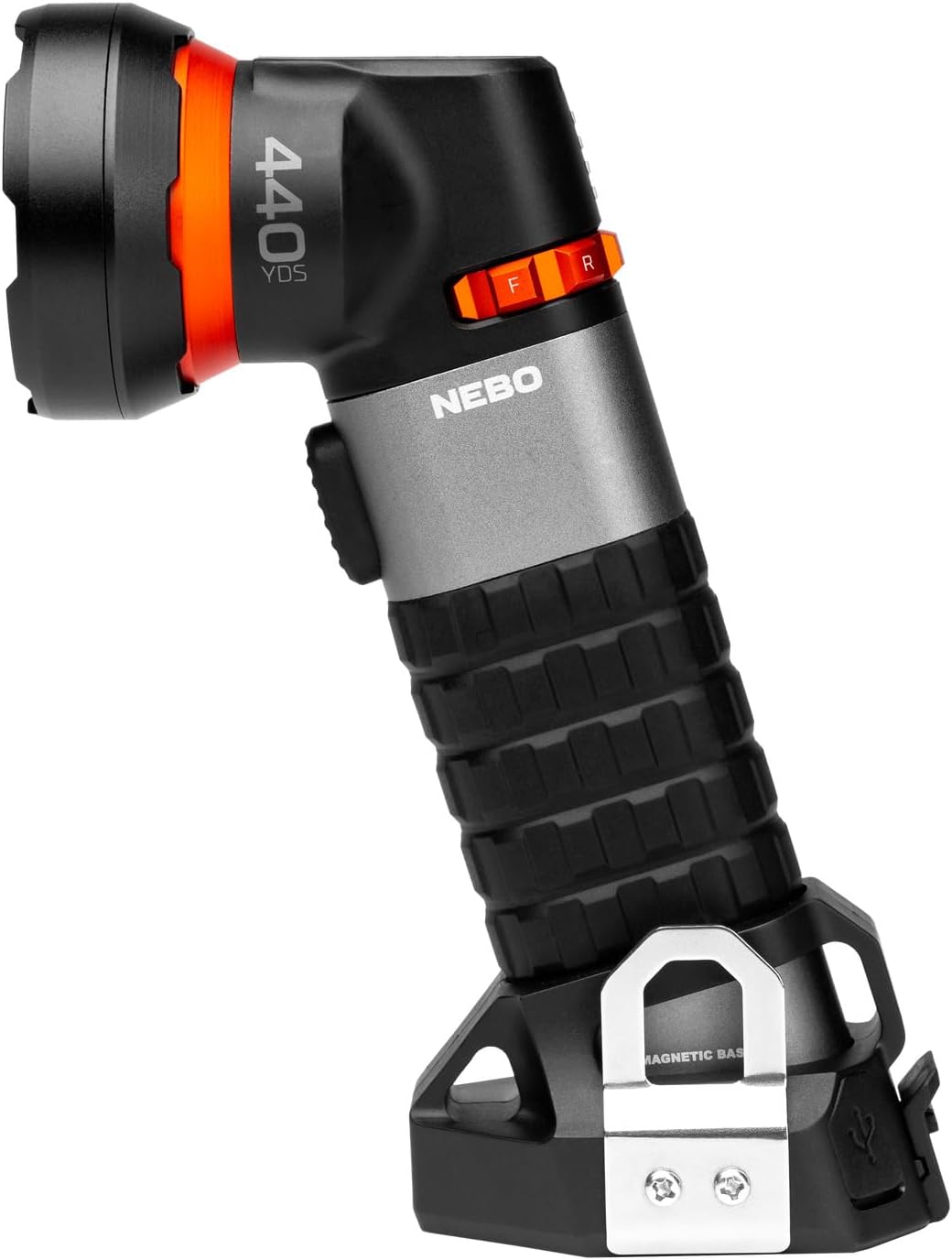
Image: The NEBO Luxtreme SL25 Spotlight, showcasing ການອອກແບບແລະຄຸນສົມບັດຂອງມັນ.
4. ຄຸນລັກສະນະຂອງຜະລິດຕະພັນ
The NEBO Luxtreme SL25 Spotlight offers a range of advanced features:
- ລຳແສງໄລຍະໄກ: ສ່ອງສະຫວ່າງໄດ້ໄກເຖິງ 400 ແມັດ.
- ໂໝດແສງອະເນກປະສົງ: Includes COB spot, white, and red light modes for various needs.
- ການກໍ່ສ້າງທົນທານ: Made from aircraft-grade aluminum with an IP67 waterproof rating.
- USB-C ສາມາດສາກໄຟໄດ້: ການສາກໄຟສະດວກ ແລະໄວ.
- ການດໍາເນີນງານ intuitive: Features a front button and a mode select dial for easy control.
- ຖານແມ່ເຫຼັກ: Strong integrated magnetic base for hands-free use.
- Tripod Mountable: Allows for stable, secure lighting (tripod not included).
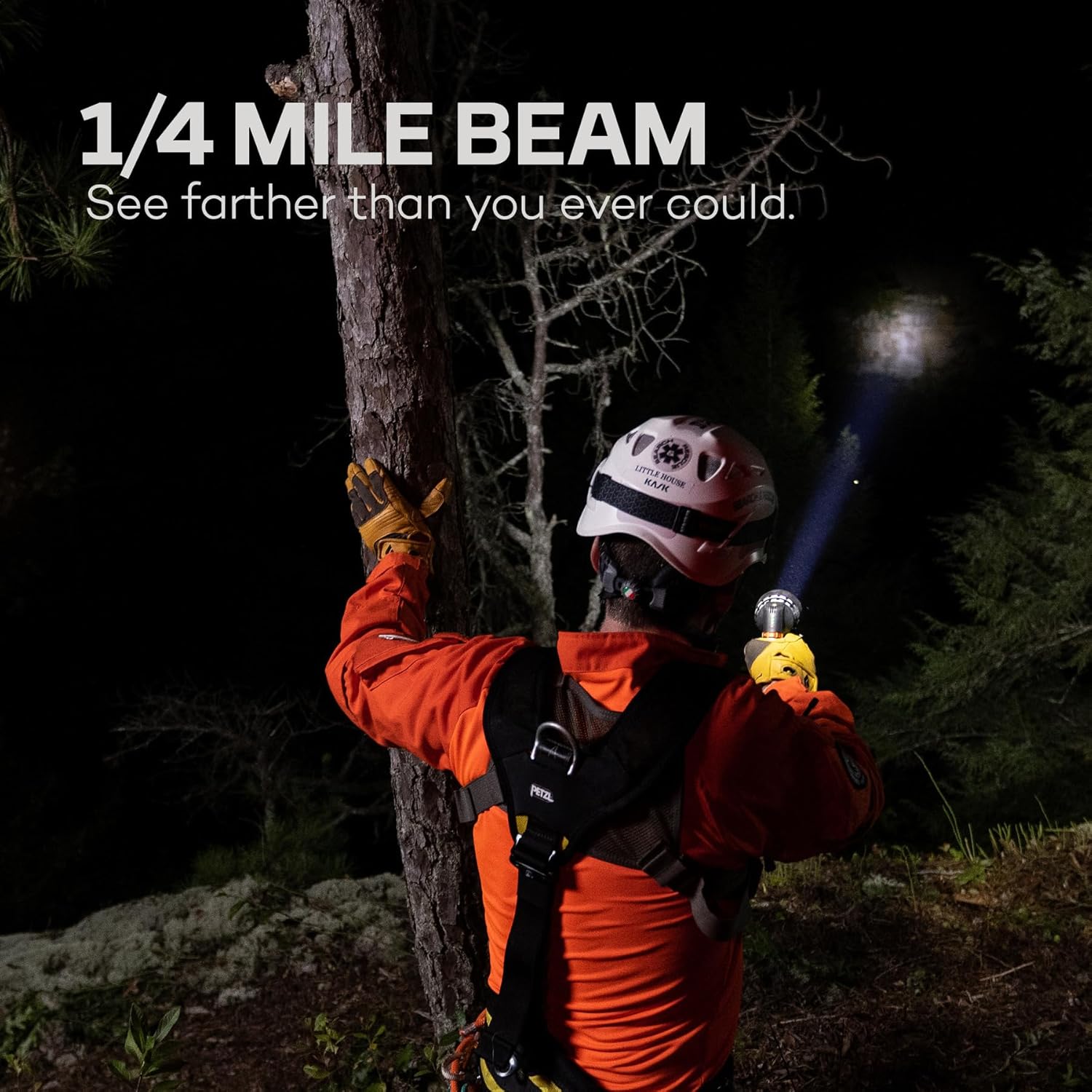
Image: A person using the NEBO Luxtreme SL25 Spotlight, demonstrating its powerful 1/4 mile beam in a dark outdoor setting.

Image: Close-up of the USB-C charging port on the NEBO Luxtreme SL25, highlighting its rechargeable capability.
5. ຕັ້ງຄ່າ
5.1 ການສາກໄຟເບື້ອງຕົ້ນ
Before first use, fully charge the NEBO Luxtreme SL25 Spotlight.
- Locate the USB-C charging port, typically covered by a protective cap.
- ເປີດຝາປ້ອງກັນ.
- Connect the provided USB-C charging cable to the spotlight and to a compatible USB power source (e.g., wall adapter, car charger, computer USB port).
- The charging indicator lights will show the charging status. Allow the device to charge until all indicators show a full charge.
- Once charging is complete, disconnect the cable and securely close the protective cap to maintain water resistance.
5.2 ການຕິດຂັດເຂັມຂັດ
The removable belt clip can be attached for convenient carrying.
- Identify the mounting points on the side of the spotlight.
- Align the belt clip with the mounting points.
- Use the provided Allen key and screws to securely fasten the belt clip.

Image: The removable belt clip and Allen key, used for attaching the clip to the NEBO Luxtreme SL25.
6. ຄໍາແນະນໍາການດໍາເນີນງານ
6.1 ເປີດ/ປິດ
To turn the spotlight on or off, press the main power button located on the front of the device.
6.2 ການເລືອກໂໝດ
The NEBO Luxtreme SL25 features a mode select dial for easy switching between light modes.
- Rotate the mode select dial to choose between the available lighting options: COB spot, white light, and red light.
- The intelligent power control allows for smooth transitions between modes.

Image: Close-up of the mode select dial on the NEBO Luxtreme SL25, showing the intuitive control for light modes.

Image: The NEBO Luxtreme SL25 operating in red light mode, useful for maintaining night vision.
6.3 ການໃຊ້ຖານແມ່ເຫຼັກ
The integrated magnetic base allows for hands-free operation.
- Attach the magnetic base to any ferrous metal surface for stable positioning.

Image: The NEBO Luxtreme SL25 attached to a metal surface, demonstrating the utility of its magnetic base.
6.4 ການຕິດຕັ້ງຂາຕັ້ງກ້ອງ
For extended stationary use, the spotlight can be mounted on a tripod.
- Locate the tripod mount screw hole on the device.
- Securely attach the spotlight to a compatible tripod (not included).

Image: The NEBO Luxtreme SL25 mounted on a tripod, illustrating its stable lighting capability.
7. ບໍາລຸງຮັກສາ
7.1 ການທໍາຄວາມສະອາດ
- Wipe the exterior of the spotlight with a soft, damp ຜ້າ.
- ຫ້າມໃຊ້ເຄື່ອງຊັກຜ້າ ຫຼືສານລະລາຍທີ່ຂັດ, ເພາະວ່າພວກມັນອາດຈະທຳລາຍການສໍາເລັດຮູບ.
- Ensure the charging port cover is closed before cleaning to prevent water ingress.
7.2 ການດູແລຫມໍ້ໄຟ
- To prolong battery life, charge the device regularly and avoid complete discharge.
- ຖ້າເກັບຮັກສາໄວ້ເປັນເວລາດົນ, ໃຫ້ສາກແບັດເຕີຣີໃຫ້ປະມານ 50% ທຸກໆ 3-6 ເດືອນ.
7.3 ການເກັບຮັກສາ
- Store the spotlight in a cool, dry place away from direct sunlight and extreme temperatures.
8. ການແກ້ໄຂບັນຫາ
| ບັນຫາ | ສາເຫດທີ່ເປັນໄປໄດ້ | ການແກ້ໄຂ |
|---|---|---|
| ແສງບໍ່ເປີດ | ແບັດເຕີຣີໝົດ. | Recharge the battery using the provided USB-C cable. |
| ແສງສະຫວ່າງອ່ອນໆຫຼື flickers | ສາກແບັດເຕີຣີເຫຼືອ ໜ້ອຍ. | ສາກແບັດເຕີຣີຄືນໃໝ່. |
| ອຸປະກອນບໍ່ໄດ້ສາກໄຟ | Charging cable not properly connected or faulty. Power source issue. | Ensure the USB-C cable is securely connected to both the spotlight and the power source. Try a different USB port or power adapter. |
| Water ingress (despite IP67 rating) | Charging port cover not securely closed. Damage to the housing. | Ensure all covers are tightly sealed before exposure to water. If damage is suspected, discontinue use and contact support. |
9. ຂໍ້ມູນຈໍາເພາະ
| ຄຸນສົມບັດ | ລາຍລະອຽດ |
|---|---|
| ໝາຍເລກຕົວແບບ | NEB-SPT-1001-G |
| ຄຸນນະສົມບັດພິເສດ | ທົນທານ |
| ສີ | ສີດຳ ແລະເງິນ |
| ແຫຼ່ງພະລັງງານ | ພະລັງງານຫມໍ້ໄຟ |
| ປະເພດແຫຼ່ງແສງ | LED |
| ວັດສະດຸ | Rubber, Aluminum |
| ລະດັບຄວາມຕ້ານທານນ້ໍາ | ກັນນ້ຳ (IP67) |
| ຄວາມສະຫວ່າງສີຂາວ | 500 Lumens |
| ສະບັບtage | 3.7 ໂວນ |
| ປະເພດຫມໍ້ໄຟ | ລິດທຽມ-ໄອອອນ |
| ຈໍານວນຫມໍ້ໄຟ | 1 lithium-ion (ຕ້ອງການ) |
| ເວລາແລ່ນ | 2 ຊົ່ວໂມງ |
| ປະເພດການຕິດຕັ້ງ | ຕິດສະນະແມ່ເຫຼັກ |
| ຂະໜາດ (DxWxH) | 9.3P x 6lx 18H ຊມ |
| ການນໍາໃຊ້ທີ່ແນະນໍາ | Outdoor and industrial use, camping, hiking, hunting, extreme weather conditions |
10. ການຮັບປະກັນແລະການສະຫນັບສະຫນູນ
For detailed warranty information, product registration, or technical support, please visit the official NEBO webຫຼື ຕິດຕໍ່ຮ້ານຄ້າປີກທີ່ໄດ້ຮັບອະນຸຍາດຂອງທ່ານ. ເກັບຫຼັກຖານການຊື້ຂອງທ່ານໄວ້ເພື່ອການຮຽກຮ້ອງການຮັບປະກັນ.