
ແນະນຳ
The VTech RM7764HD Smart Wi-Fi Video Baby Monitor allows you to monitor your child from home or remotely using your smart device. View your child in real-time on the 7-inch parent unit in High Definition, or through the MyVTech Baby app. The camera offers 360-degree pan, 80-degree tilt, and up to 10x zoom. It includes soothing sounds, lullabies, automatic infrared night vision, and a built-in temperature sensor with alerts.
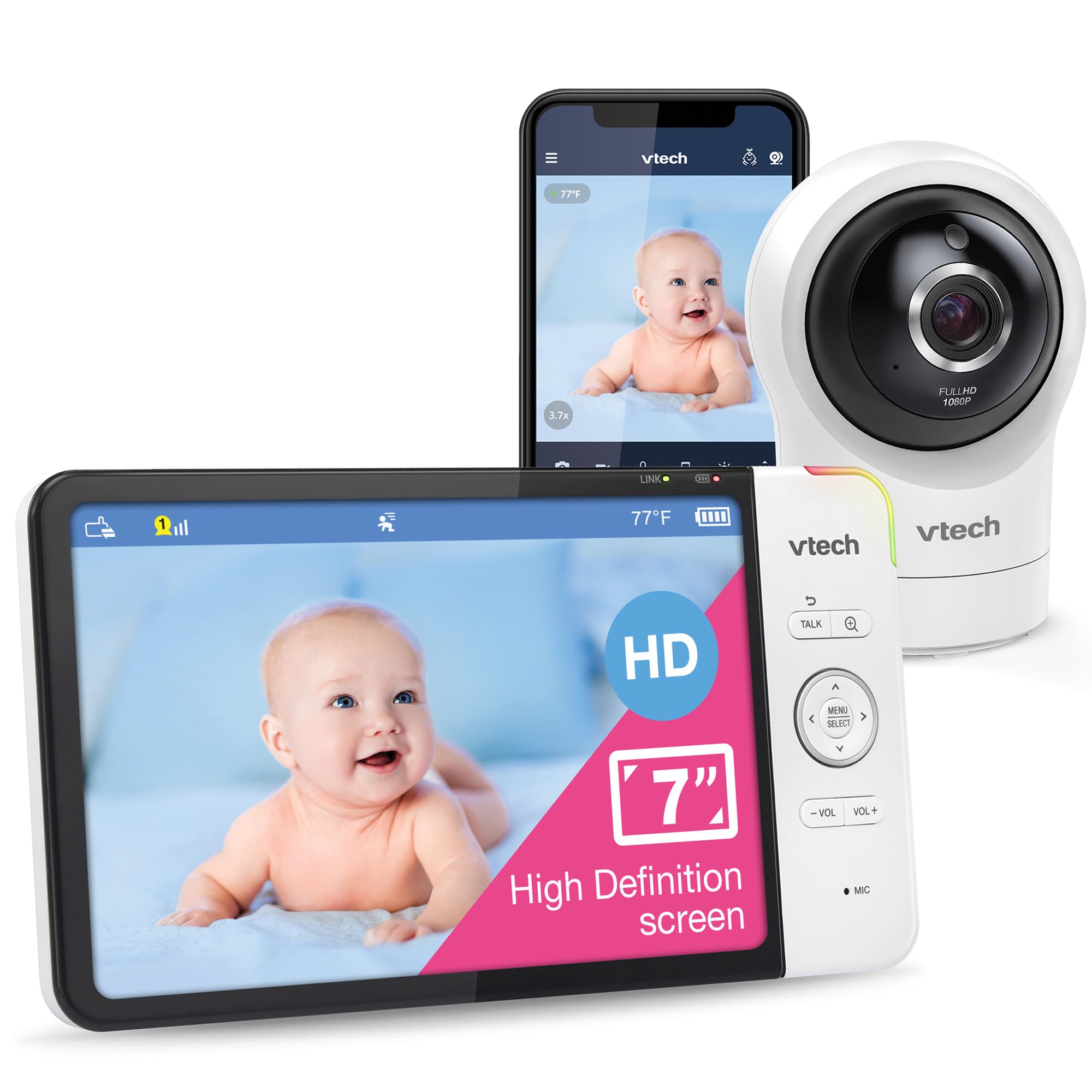
Image: The VTech RM7764HD parent unit and camera unit.
ແມ່ນຫຍັງຢູ່ໃນກ່ອງ
The VTech RM7764HD package typically includes:
- One 7-inch color (720p) LCD parent unit
- One 1080p HD camera unit
- ຕົວແປງໄຟສໍາລັບທັງສອງຫນ່ວຍ
- Wall-mount bracket for the camera

Image: All components included in the VTech RM7764HD package.
ຄຸນສົມບັດ
- 1080p FHD Remote & 720p HD Local Viewໃນ: The camera transmits 1080p high-definition video for remote viewing via the MyVTech Baby Pro app and 720p HD video on the 7-inch parent unit.
- Plug & Play Direct Mode & Remote Monitoring: The system is ready for local monitoring out of the box. Remote viewing is available via the MyVTech Baby Pro app on iOS or Android devices without subscription fees.
- 360-Degree Pan & Tilt with 10X Zoom & 110-Degree Wide-Angle Lens: The camera offers 360-degree horizontal pan and 80-degree vertical tilt. Zoom up to 10 times via the mobile app or 4 times from the parent unit. The 110-degree wide-angle lens provides broad coverage.
- HD Night Vision Camera: Automatic infrared night vision ensures clear visibility of your baby even in low light conditions.
- Motion Detection & Triggered Recording: The camera unit features video-based motion detection, providing alerts when movement is detected. It can record and save up to 30 video clips, accessible and shareable through the MyVTech Baby Pro app.

Image: Camera's 360-degree pan and tilt capabilities.
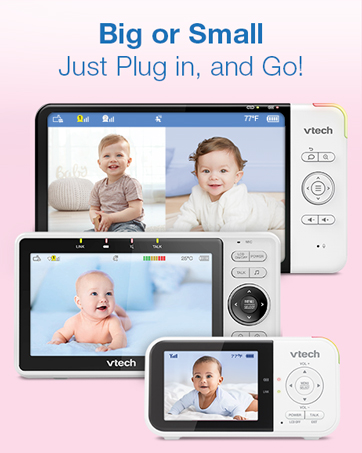
Image: Enhanced night vision and motion detection.
ຕັ້ງຄ່າ
- ການເຊື່ອມຕໍ່ພະລັງງານ: Connect the camera unit and parent unit to power outlets using the provided adapters.
- ການບັນຈຸກ້ອງຖ່າຍຮູບ: Position the camera in the nursery to ensure a clear view of your baby. The camera can be placed on a flat surface or mounted to a wall using the included bracket.
- Parent Unit Activation: Turn on the parent unit. It should automatically connect to the camera.
- Mobile App Setup (Optional): Download the MyVTech Baby Pro app from your device's app store. Follow the in-app instructions to connect your camera for remote viewing and advanced features.
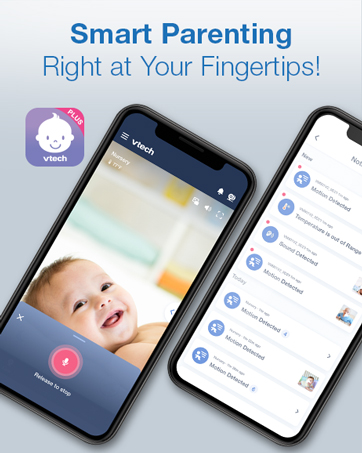
Image: The MyVTech Baby Pro app interface on a smartphone.
ຄໍາແນະນໍາການດໍາເນີນງານ
- Viewໃນຮູບແບບການ: Use the parent unit controls to select a specific camera if you have multiple units. If using multiple cameras, the parent unit may offer split-screen viewing or a patrol mode that cycles through camera feeds.
- Pan, Tilt, and Zoom: Use the directional controls on the parent unit or the mobile app to adjust the camera's viewing angle and zoom level.
- ສົນທະນາສອງທາງ: Press and hold the "Talk" button on the parent unit to speak to your baby through the camera's speaker.
- ສຽງສະໜຸກສະໜານ ແລະ ຂັບລຳ: Access the menu on the parent unit or app to select and play built-in lullabies or soothing sounds.
- ການຕິດຕາມອຸນຫະພູມ: The parent unit displays the room temperature. Configure alerts for temperature outside a set range.
- ການແຈ້ງເຕືອນການເຄື່ອນໄຫວ: Enable motion detection alerts via the parent unit or app to be notified of movement in the nursery. Review recorded clips through the mobile app.

Image: Two-way talk feature on the parent unit.

Image: Soothing sounds and lullabies feature.
ບໍາລຸງຮັກສາ
- ທໍາຄວາມສະອາດ: Gently wipe the camera lens and parent unit screen with a soft, dry cloth. Avoid abrasive cleaners or solvents.
- ການດູແລຫມໍ້ໄຟ: For optimal battery life, fully charge the parent unit before initial use. Avoid extreme temperatures.
- ອັບເດດຊອບແວ: Check for and install software updates via the mobile app or parent unit settings to ensure optimal performance and security.
ການແກ້ໄຂບັນຫາ
- No Link/Connection Issues: Ensure both the camera and parent unit are powered on and within range. Check Wi-Fi connection if using the mobile app. Try resetting both units by unplugging and replugging them.
- ຄຸນນະພາບວິດີໂອ/ສຽງບໍ່ດີ: Ensure there are no obstructions between the camera and parent unit. Reduce interference from other electronic devices. Check your internet speed if using the mobile app.
- ການລະບາຍຫມໍ້ໄຟຢ່າງໄວວາ: Reduce screen brightness on the parent unit. Ensure the unit is fully charged. Battery performance may degrade over time.
- ການແຈ້ງເຕືອນບໍ່ເຮັດວຽກ: Verify alert settings (motion, temperature, sound) are correctly configured in the menu. Check volume levels on the parent unit.
ຂໍ້ມູນຈໍາເພາະ
| ຄຸນສົມບັດ | ລາຍລະອຽດ |
|---|---|
| ການນຳໃຊ້ພາຍໃນ/ນອກ | ພາຍໃນ |
| ອຸປະກອນທີ່ເຂົ້າກັນໄດ້ | ໂທລະສັບສະຫຼາດ, ແທັບເລັດ |
| ແຫຼ່ງພະລັງງານ | AC/DC |
| ອະນຸສັນຍາການເຊື່ອມຕໍ່ | Wi-Fi |
| ປະເພດການຕິດຕັ້ງ | Table/Wall Mount |
| ຄວາມລະອຽດການຖ່າຍວິດີໂອ | 1080p |
| ອົງປະກອບລວມ | 7-inch color (720p) LCD screen |
| ຈໍານວນຊ່ອງ | 2 |
| Viewໃນມຸມ | 110 ອົງສາ |
| ວັດສະດຸ | ພາດສະຕິກ |
| ຂະໜາດລາຍການ L x W x H | 7.87 x 0.76 x 4.28 ນິ້ວ |
| ຕ້ອງໃຊ້ແບັດເຕີຣີ? | Yes (1 Lithium Polymer included) |
| ເຕັກໂນໂລຊີແສງສະຫວ່າງຕ່ໍາ | Night Color (Infrared) |
| ປະເພດ Alert | ການເຄື່ອນໄຫວເທົ່ານັ້ນ |
| ຂະໜາດໜ້າຈໍ | 7 ນິ້ວ |
| ໝາຍເລກຕົວແບບ | ລາຄາ 7764HD |
ຮັບປະກັນ
This product comes with a standard manufacturer's warranty. Please refer to the warranty card included in your product packaging or visit the VTech webສະຖານທີ່ສໍາລັບຂໍ້ມູນການຮັບປະກັນລາຍລະອຽດແລະຂໍ້ກໍານົດ.
ສະຫນັບສະຫນູນ
For product support, technical assistance, or warranty inquiries, please visit the official VTech Baby Care webສະຖານທີ່ຢູ່ www.vtechbabycare.com ຫຼືຕິດຕໍ່ສະຫນັບສະຫນູນລູກຄ້າຜ່ານທາງອີເມລ໌ທີ່ support@vtechbabycare.com.
ວິດີໂອ: ຜະລິດຕະພັນຢ່າງເປັນທາງການຫຼາຍກວ່າview demonstrating the key features and functionality of the VTech RM7764HD Smart Wi-Fi Baby Monitor.