
1. ບົດແນະນຳ
Thank you for choosing the Severin HV 7152 Cordless 2-in-1 Stick Vacuum Cleaner. This manual provides important information regarding the safe and efficient use, maintenance, and troubleshooting of your appliance. Please read it thoroughly before first use and keep it for future reference.
The Severin HV 7152 is a versatile 2-in-1 cordless vacuum cleaner designed for general floor cleaning, quick clean-ups, car interior cleaning, and above-floor tasks like furniture and ceiling cobweb removal. It features a high-speed rotating brush with LED lighting and offers up to 40 minutes of runtime.
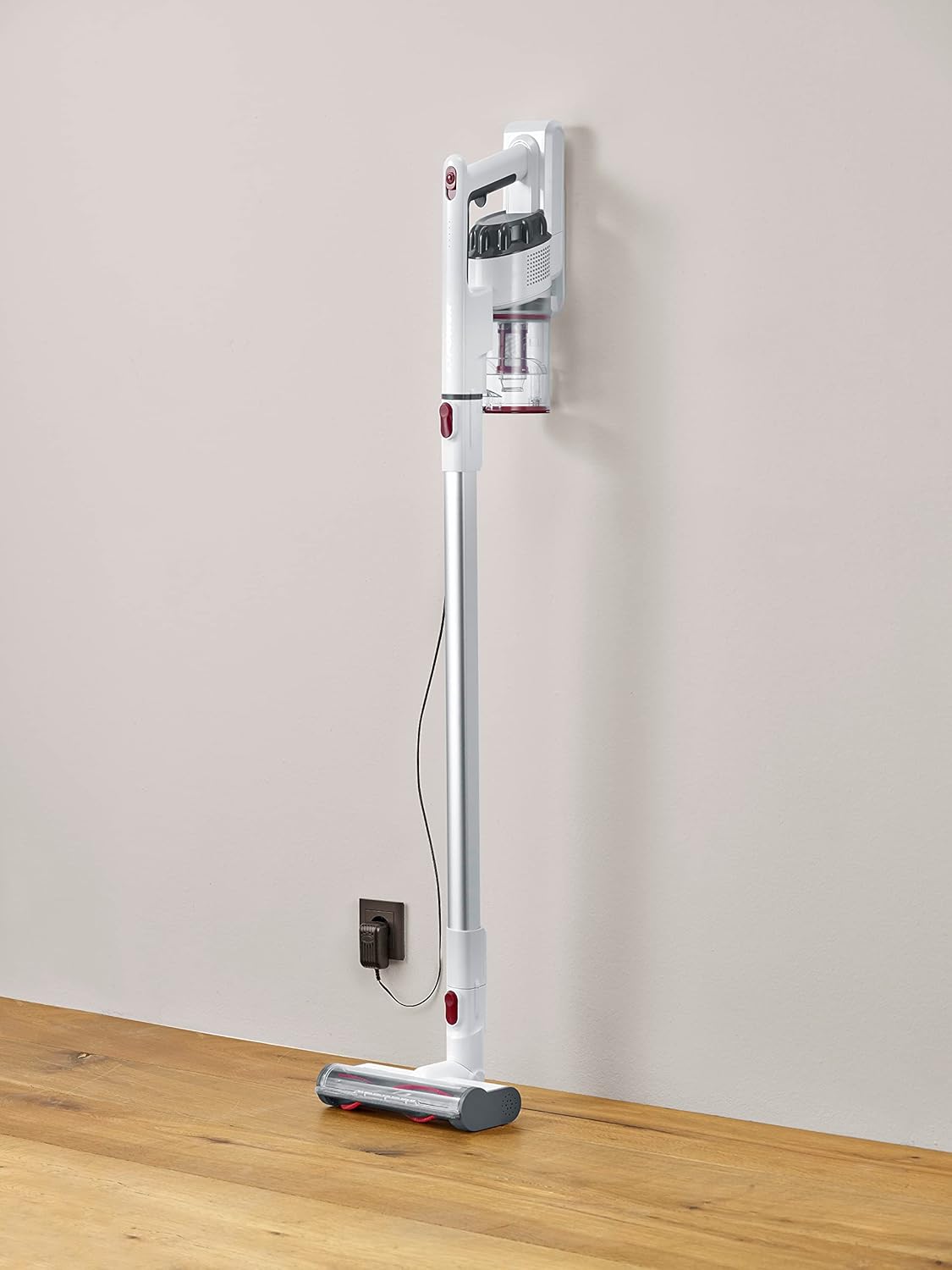
Image 1.1: The Severin HV 7152 Cordless 2-in-1 Stick Vacuum Cleaner in its upright position, charging.
2. ຂໍ້ມູນຄວາມປອດໄພ
- ອ່ານຄໍາແນະນໍາທັງຫມົດກ່ອນທີ່ຈະໃຊ້ເຄື່ອງໃຊ້.
- ຢ່າໃຊ້ເຄື່ອງດູດຝຸ່ນກາງແຈ້ງ ຫຼືເທິງພື້ນຜິວທີ່ປຽກ.
- Do not allow children to operate the appliance. Close supervision is necessary when used near children.
- ຫ້າມເອົາຂອງແຫຼວທີ່ຕິດໄຟໄດ້ຫຼືໄຟໄໝ້ໄດ້, ເຊັ່ນນ້ຳມັນເຊື້ອໄຟ, ຫຼືໃຊ້ໃນບ່ອນທີ່ມີຢູ່.
- ຫ້າມເອົາສິ່ງຂອງທີ່ເປັນໄຟໄໝ້ ຫຼືສູບຢາເຊັ່ນຢາສູບ, ໄມ້ຂີດໄຟ, ຫຼືຂີ້ເຖົ່າຮ້ອນ.
- ຢ່າໃຊ້ໂດຍບໍ່ມີຖ້ວຍຂີ້andຸ່ນແລະ/ຫຼືເຄື່ອງກອງຢູ່ໃນບ່ອນ.
- Turn off the appliance before connecting or disconnecting the battery charger.
- ໃຊ້ພຽງແຕ່ເຄື່ອງສາກທີ່ສະໜອງໃຫ້ໂດຍຜູ້ຜະລິດ.
- ເກັບຮັກສາເຄື່ອງໃຊ້ໃນເຮືອນໃນບ່ອນທີ່ເຢັນ, ແຫ້ງ.
3. ການຕິດຕັ້ງແລະການປະກອບ
The Severin HV 7152 is designed for easy assembly. Follow these steps to prepare your vacuum cleaner for first use:
3.1 ການແກະກ່ອງ ແລະ ການລະບຸອົງປະກອບ
ເອົາສ່ວນປະກອບທັງຫມົດອອກຈາກການຫຸ້ມຫໍ່ຢ່າງລະມັດລະວັງ. ໃຫ້ແນ່ໃຈວ່າທຸກພາກສ່ວນດັ່ງລຸ່ມນີ້ແມ່ນມີ:
- Main unit (motor and dust container)
- ທໍ່ສົ່ງເສີມ
- ແປງພື້ນເຄື່ອງຈັກທີ່ມີໄຟ LED
- ເຄື່ອງມື Crevice
- Upholstery brush / 2-in-1 brush
- Wall mount (if included)
- ອະແດັບເຕີສາກໄຟ

Image 3.1: Included accessories: crevice tool and upholstery brush.
3.2 ການສາກໄຟເບື້ອງຕົ້ນ
Before first use, fully charge the battery. Connect the charging adapter to the main unit and plug it into a power outlet. The battery indicator lights will show the charging status. A full charge takes approximately 5 hours.
3.3 ການປະກອບເຄື່ອງດູດຝຸ່ນແບບຕິດ
- Attach the extension tube to the main unit until it clicks into place.
- Attach the motorized floor brush to the other end of the extension tube until it clicks into place.
Your stick vacuum is now assembled. For handheld use, detach the extension tube and attach desired accessories directly to the main unit.
ວິດີໂອທີ 3.2: ຈົບແລ້ວview of the cordless vacuum cleaner, demonstrating its features and assembly.
4. ຄໍາແນະນໍາການດໍາເນີນງານ
The Severin HV 7152 offers flexible cleaning options with its 2-in-1 design and multiple power levels.
4.1 Power On/Off and Suction Levels
Press the power button on the main unit to turn the vacuum cleaner on. The appliance has 3 power levels. Press the power button repeatedly to cycle through the suction levels (low, medium, high). The battery level indicators will show the remaining charge.
4.2 ການນໍາໃຊ້ເປັນ Stick Vacuum
For floor cleaning, use the assembled stick vacuum with the motorized floor brush. The brush features 3 LED lights to illuminate dark areas, making dirt more visible.

Image 4.1: The motorized floor brush with LED lights in action.
4.3 ການນໍາໃຊ້ເປັນເຄື່ອງດູດຝຸ່ນດ້ວຍມື
To convert to a handheld vacuum, press the release button to detach the extension tube from the main unit. Attach the desired accessory (crevice tool or upholstery brush) directly to the main unit.

Image 4.2: Using the handheld vacuum with the crevice tool for hard-to-reach areas.
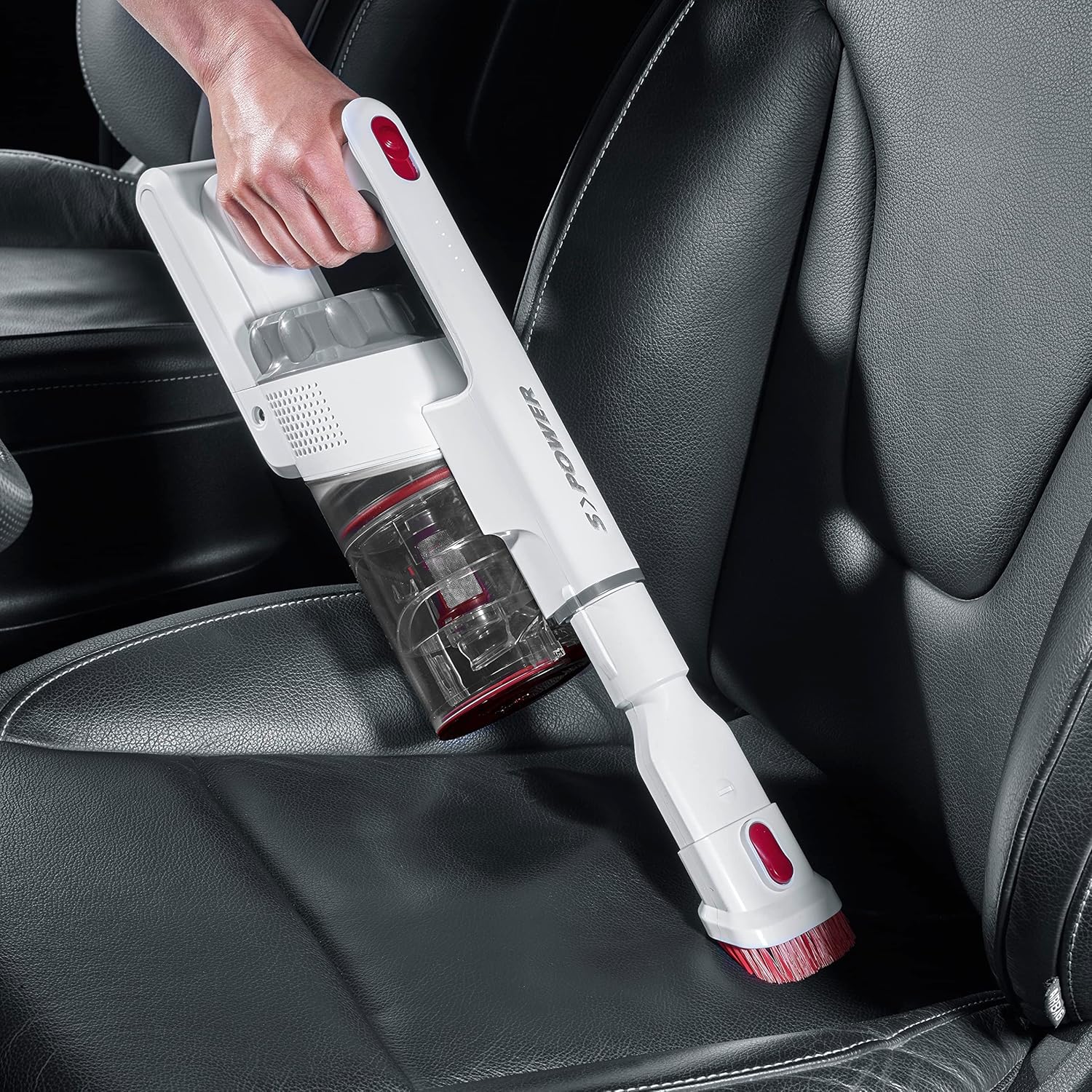
Image 4.3: Cleaning a car interior with the handheld vacuum and upholstery brush.
Video 4.4: Practical product illustration showing various uses and features of the vacuum cleaner.
5. ບໍາລຸງຮັກສາ
Regular maintenance ensures optimal performance and extends the lifespan of your Severin HV 7152.
5.1 ການລ້າງຖັງຂີ້ຝຸ່ນ
ຖັງເກັບຝຸ່ນມີຄວາມຈຸ 500 ມລ. ໃຫ້ຖອກຝຸ່ນອອກເປັນປະຈຳເພື່ອຮັກສາພະລັງການດູດ.
- ກວດໃຫ້ແນ່ໃຈວ່າປິດເຄື່ອງດູດຝຸ່ນແລ້ວ.
- Press the release button on the dust container to open the bottom flap and empty contents into a waste bin.

Image 5.1: Emptying the dust container.
5.2 ການທໍາຄວາມສະອາດຕົວກອງ
The vacuum cleaner uses a cartridge filter. Clean the filters regularly to prevent clogging and maintain suction.
- ກວດໃຫ້ແນ່ໃຈວ່າປິດເຄື່ອງດູດຝຸ່ນແລ້ວ.
- ເອົາຖັງຂີ້ຝຸ່ນອອກຈາກຫົວຫນ່ວຍຕົ້ນຕໍ.
- Twist and pull out the filter assembly from the dust container.
- ແຍກອົງປະກອບການກັ່ນຕອງສ່ວນບຸກຄົນ.
- Tap the filters to remove loose dust. If heavily soiled, rinse them under running water. Ensure they are completely dry before reassembling and placing back into the vacuum cleaner.

Image 5.2: Removing the filter from the dust container.
5.3 Cleaning the Rotating Brush
ກວດສອບແປງພື້ນດ້ວຍມໍເຕີເປັນໄລຍະເພື່ອເບິ່ງວ່າມີຜົມ ຫຼື ເສດເຫຼືອທີ່ພັນກັນຢູ່ຫຼືບໍ່.
- Ensure the vacuum cleaner is turned off and disconnected from the extension tube.
- Locate the release mechanism on the side of the brush head.
- ເອົາມ້ວນແປງ.
- ໃຊ້ມີດຕັດ ຫຼື ແປງເພື່ອກຳຈັດຜົມ ຫຼື ເສັ້ນໃຍທີ່ພັນກັນອອກ.
- ໃສ່ລູກກິ້ງແປງເຂົ້າໄປອີກຈົນກວ່າມັນຈະຄລິກເຂົ້າທີ່.

Image 5.3: Underside of the motorized floor brush, showing the brush roller.
ວິດີໂອ 5.4: ລາຍລະອຽດ view of product features, including maintenance aspects like filter cleaning.
6. ການແກ້ໄຂບັນຫາ
If you encounter issues with your Severin HV 7152, refer to the following table for common problems and solutions.
| ບັນຫາ | ສາເຫດທີ່ເປັນໄປໄດ້ | ການແກ້ໄຂ |
|---|---|---|
| ເຄື່ອງດູດຝຸ່ນບໍ່ເປີດ. | ແບັດເຕີຣີໝົດແລ້ວ. | ໄລ່ແບັດເຕີຣີໃຫ້ເຕັມ. |
| ພະລັງງານດູດຕ່ໍາ. | ຖັງຂີ້ຝຸ່ນເຕັມແລ້ວ. | ລ້າງຖັງຂີ້ຝຸ່ນ. |
| ພະລັງງານດູດຕ່ໍາ. | ການກັ່ນຕອງຖືກອຸດຕັນ. | ເຮັດຄວາມສະອາດຫຼືປ່ຽນຕົວກອງ. |
| ພະລັງງານດູດຕ່ໍາ. | Brush roller is tangled. | ເຮັດຄວາມສະອາດມ້ວນແປງ. |
| Motorized brush does not rotate. | Brush roller is jammed or tangled. | Clean the brush roller and check for obstructions. |
| ແບັດເຕີຣີບໍ່ໄດ້ສາກ. | ເຄື່ອງສາກບໍ່ໄດ້ເຊື່ອມຕໍ່ຢ່າງຖືກຕ້ອງ. | Ensure charger is securely connected to both the vacuum and the power outlet. |
| ແບັດເຕີຣີບໍ່ໄດ້ສາກ. | ເຄື່ອງສາກໄຟ ຫຼື ແບັດເຕີຣີມີບັນຫາ. | ຕິດຕໍ່ຝ່າຍຊ່ວຍເຫຼືອລູກຄ້າເພື່ອຂໍຄວາມຊ່ວຍເຫຼືອ. |
7. ຂໍ້ມູນຈໍາເພາະ
| ຄຸນສົມບັດ | ລາຍລະອຽດ |
|---|---|
| ຍີ່ຫໍ້ | ເຊີເວີລິນ |
| ຊື່ຕົວແບບ | HV7152 |
| ໝາຍເລກຕົວແບບ | ຮ. ຮ 7152 |
| ຄຸນນະສົມບັດພິເສດ | ບໍ່ມີຖົງ |
| ປະເພດການກັ່ນຕອງ | ໄສ້ຕອງ |
| ຫນ້າດິນທີ່ແນະນໍາ | Upholstery, General floor cleaning, Quick cleaning, Car interiors, Above-floor cleaning (furniture, cobwebs) |
| ແຫຼ່ງພະລັງງານ | ພະລັງງານຫມໍ້ໄຟ |
| ຄວາມອາດສາມາດ | 500 ມິນລີລິດ |
| ສີ | ສີຂາວ |
| ລະດັບສຽງ | 75 Decibels |
| ຈຳນວນຄວາມໄວ/ລະດັບພະລັງງານ | 3 |
| ແບບພົກພາ | ແມ່ນແລ້ວ |
| ໃຊ້ພາຍໃນ/ນອກ | ພາຍໃນ |
| ປະເພດສໍາເລັດຮູບ | ເຫຼື້ອມເປັນເງົາ |
| ບໍ່ມີສາຍ | ແມ່ນແລ້ວ |
| ນ້ໍາຫນັກລາຍການ | 1.42 ກິໂລກຣາມ |
| ຂະໜາດລາຍການ (L x W x H) | 28L x 15W x 68ຊມ |
| ປະເພດການຄວບຄຸມ | Manual Control, Touch |
| ປັດໄຈແບບຟອມ | ເຄື່ອງດູດຝຸ່ນຕິດ |
| ອົງປະກອບລວມ | nozzle Crevice |
| ສະບັບtage | 22.2 ໂວນ |
| ວັດtage | 120 ວັດ |
| ເວລາສາກແບັດເຕີຣີ | 5 ຊົ່ວໂມງ |
| ອາຍຸແບັດເຕີຣີ/ເວລາແລ່ນ | ສູງສຸດ 40 ນາທີ |
| ເຕັກໂນໂລຊີການເຊື່ອມຕໍ່ | USB |
8. ການຮັບປະກັນແລະການສະຫນັບສະຫນູນ
8.1 ຂໍ້ມູນການຮັບປະກັນ
This Severin appliance comes with a standard manufacturer's warranty. Please refer to the warranty card included in your product packaging for specific terms, conditions, and duration. Keep your proof of purchase for any warranty claims.
8.2 ສະຫນັບສະຫນູນລູກຄ້າ
For technical assistance, spare parts, or any questions regarding your Severin HV 7152, please contact Severin customer support. Contact details can typically be found on the official Severin webສະຖານທີ່ຫຼືຢູ່ໃນການຫຸ້ມຫໍ່ຜະລິດຕະພັນ.