
ແນະນຳ
Thank you for choosing the DAREU EK815 Wireless Mechanical Gaming Keyboard. This manual provides detailed instructions for setting up, operating, and maintaining your keyboard to ensure optimal performance and longevity. Please read this manual thoroughly before using the product.

Image: The DAREU EK815 keyboard integrated into a typical gaming workstation, showcasing its design and backlighting.
ເນື້ອໃນຊຸດ
ໃຫ້ແນ່ໃຈວ່າທຸກລາຍການຢູ່ໃນຊຸດ:
- DAREU EK815 Wireless Mechanical Gaming Keyboard
- ຕົວດຶງກະແຈ
- ບັດຮັບປະກັນ
- ສາຍ USB (ສໍາລັບການເຊື່ອມຕໍ່ສາຍແລະການສາກໄຟ)
ຄຸນສົມບັດຜະລິດຕະພັນ
- ປັບແສງ RGB: Customize your gaming atmosphere with various rainbow light effects and modes.
- ການກໍ່ສ້າງທົນທານ: Features double-shot keycaps for enhanced durability and an aluminum alloy metal panel for resistance against rust, falls, sweat, and corrosion.
- ສະວິດກົນຈັກ: Available with Brown, Red, or Blue mechanical switches, tested for over 50 million keystrokes for long-lasting performance.
- Anti-Ghosting: Advanced anti-ghosting technology ensures simultaneous key presses are registered accurately without conflict, enhancing gaming precision.
- ກະແຈທີ່ຕັ້ງໂປຣແກຣມໄດ້: Utilize a dedicated driver to customize key functions and lighting effects to suit your preferences.
- Multimedia Function Buttons: Quick access to essential operations, saving time during use.
Mechanical Switch Types
The DAREU EK815 keyboard is available with different mechanical switch types, each offering a distinct typing and gaming experience.
Brown Switches

ຮູບພາບ: ລາຍລະອຽດ view of a brown mechanical switch, highlighting its tactile bump and specifications like 4mm key stroke travel, 50±4G key elastic force, and 65 million keystroke life.
Brown switches offer a tactile bump without an audible click, providing feedback for typing and gaming without being overly loud.
ສະຫຼັບສີຟ້າ

ຮູບພາບ: ລາຍລະອຽດ view of a blue mechanical switch, illustrating its clicky feedback mechanism and specifications.
Blue switches are known for their distinct tactile bump and audible click, providing clear feedback with each keypress.
ສະຫຼັບສີແດງ

ຮູບພາບ: ລາຍລະອຽດ view of a red mechanical switch, showing its linear actuation and specifications.
Red switches are linear, meaning they have a smooth, consistent keystroke without a tactile bump or audible click, ideal for fast-paced gaming.
ຕັ້ງຄ່າ
- ຖອດແປ້ນພິມ: ເອົາແປ້ນພິມ ແລະອຸປະກອນເສີມທັງໝົດອອກຈາກເຄື່ອງຫຸ້ມຫໍ່ຢ່າງລະມັດລະວັງ.
- ເຊື່ອມຕໍ່ຜ່ານ USB: Plug the USB cable into the keyboard's port and connect the other end to an available USB port on your computer. The keyboard will automatically install necessary drivers.
- ຕຳແໜ່ງ: Place the keyboard on a stable, flat surface. Adjust the integrated foot pads for your preferred typing angle.
- ການຄຸ້ມຄອງສາຍໄຟ: Utilize the three cable routing outlets on the underside of the keyboard to manage the USB cable neatly.
ຄໍາແນະນໍາການດໍາເນີນງານ
ການນໍາໃຊ້ແປ້ນພິມພື້ນຖານ
The DAREU EK815 functions as a standard mechanical keyboard. Simply connect it to your computer, and it will be ready for use. The anti-ghosting technology ensures that multiple key presses are registered accurately, which is beneficial for gaming.
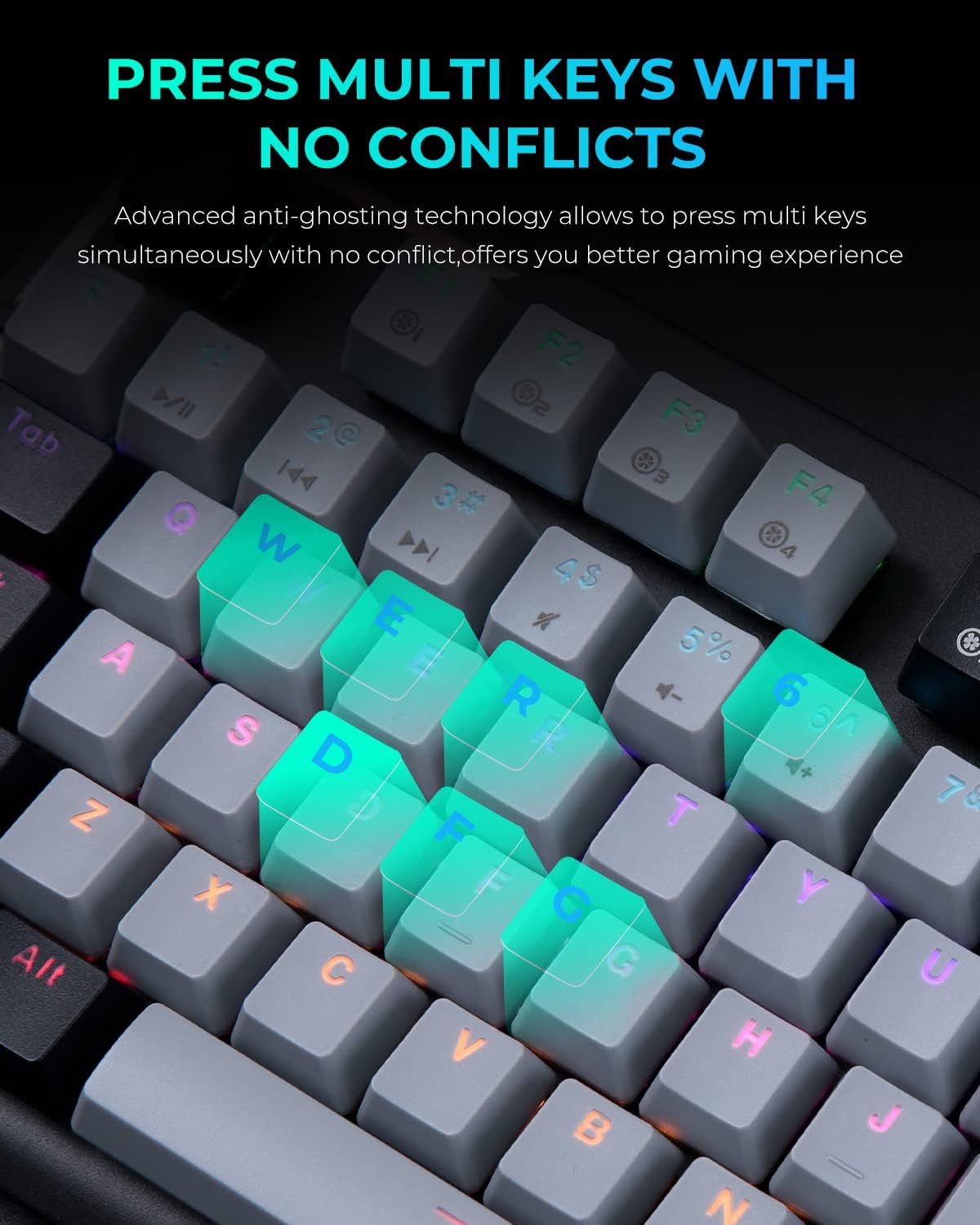
Image: A close-up of the keyboard with several keys (Q, W, E, R, D, F, G) illuminated, illustrating the anti-ghosting feature that allows simultaneous key presses without conflict.
ການປັບແສງ RGB
The keyboard features multiple RGB lighting modes. Use the following shortcut keys to adjust the lighting effects:
- FN + F11: Cycle through various light modes.
- FN + PgUp / PgDn: ປັບຄວາມໄວຂອງແສງ.
- FN + = / -: ປັບລະດັບຄວາມສະຫວ່າງ.
- FN + Ins / Del: Adjust sidelight speed.
- FN + ຫນ້າທໍາອິດ: Toggle sidelight mode.

Image: The DAREU EK815 keyboard displaying its vibrant RGB flank rainbow backlighting, illustrating the customizable lighting effects.
Using Shortcut Keys and Programmable Functions
The keyboard features dedicated shortcut keys and programmable functions to enhance efficiency. Use the FN key in combination with other keys for quick access to multimedia controls and lighting adjustments.

Image: A visual guide detailing the shortcut key combinations (FN + F-keys, FN + PgUp/PgDn, etc.) for controlling lighting effects and other functions on the DAREU EK815 keyboard.
For advanced customization, download the official DAREU driver from the manufacturer's website. This software allows you to remap keys and create custom lighting profiles.
ບໍາລຸງຮັກສາ
- ທໍາຄວາມສະອາດ: Use a soft, dry cloth to wipe the keyboard surface. For deeper cleaning, use the provided keycap puller to remove keycaps and clean underneath with compressed air or a small brush.
- ການປ້ອງກັນການຮົ່ວໄຫຼ: While the keyboard features an aluminum alloy panel for durability, avoid exposing it to excessive liquids. In case of a spill, disconnect the keyboard immediately and allow it to dry completely before reconnecting.
- ການເກັບຮັກສາ: ເກັບຮັກສາແປ້ນພິມໄວ້ໃນບ່ອນທີ່ເຢັນ, ແຫ້ງ, ຫ່າງຈາກແສງແດດໂດຍກົງ ແລະອຸນຫະພູມທີ່ຮຸນແຮງເມື່ອບໍ່ໄດ້ໃຊ້ເປັນເວລາດົນ.
ການແກ້ໄຂບັນຫາ
- ແປ້ນພິມບໍ່ຕອບສະໜອງ:
- ໃຫ້ແນ່ໃຈວ່າສາຍ USB ໄດ້ເຊື່ອມຕໍ່ຢ່າງປອດໄພກັບທັງແປ້ນພິມ ແລະຄອມພິວເຕີ.
- ລອງເຊື່ອມຕໍ່ແປ້ນພິມກັບພອດ USB ອື່ນ.
- ປິດເປີດຄອມພິວເຕີຂອງທ່ານຄືນໃໝ່.
- ໄຟສ່ອງສະຫວ່າງບໍ່ເຮັດວຽກ/ບໍ່ຖືກຕ້ອງ:
- Check if the lighting is turned off or set to a very low brightness using the FN + = / - shortcuts.
- Cycle through different lighting modes using FN + F11.
- Ensure the keyboard's software (if installed) is up to date and correctly configured.
- ກະແຈບໍ່ໄດ້ລົງທະບຽນ:
- Clean the affected keycap and switch area for any debris.
- If using custom key bindings, reset them to default via the keyboard software.
ຂໍ້ມູນຈໍາເພາະ
| ຂະໜາດສິນຄ້າ | 17.72 x 5.51 x 1.57 ນິ້ວ |
| ນ້ໍາຫນັກລາຍການ | 2.29 ປອນ |
| ໝາຍເລກຕົວແບບ | EK815 |
| ເຕັກໂນໂລຊີການເຊື່ອມຕໍ່ | USB |
| ຄຳອະທິບາຍແປ້ນພິມ | ກົນຈັກ |
| ການນໍາໃຊ້ທີ່ແນະນໍາ | ເກມ, ຫ້ອງການ |
| ຄຸນນະສົມບັດພິເສດ | Backlit, Customizable Display Keys, Ergonomic, RGB, Water Resistant |
| ຮອງຮັບສີ Backlighting Keyboard | RGB |
| ວັດສະດຸ | ອາລູມີນຽມ |
ການຮັບປະກັນແລະການສະຫນັບສະຫນູນ
The DAREU EK815 Mechanical Gaming Keyboard comes with a ຮັບປະກັນ 1 ປີ ນັບຈາກວັນທີ່ຊື້. ການຮັບປະກັນນີ້ກວມເອົາຂໍ້ບົກພ່ອງຈາກການຜະລິດ ແລະ ຮັບປະກັນວ່າຜະລິດຕະພັນຕອບສະໜອງມາດຕະຖານຄຸນນະພາບ.
If you encounter any quality issues or require technical assistance within the warranty period, please contact DAREU customer support. Refer to the warranty card included in your package for specific contact details and warranty terms.
For the latest drivers and support information, please visit the official DAREU webເວັບໄຊ.