
ແນະນຳ
The XOSS Vortex Cadence and Speed Sensor is a versatile device designed to provide accurate cycling data. It supports dual modes (speed and cadence) and connects wirelessly via ANT+ and Bluetooth 4.0, making it compatible with various cycling computers and applications. This manual provides instructions for setup, operation, maintenance, and troubleshooting to ensure optimal performance of your sensor.

Image: XOSS Vortex Cadence and Speed Sensor, highlighting its compact design.
ແມ່ນຫຍັງຢູ່ໃນກ່ອງ
Your XOSS Vortex package includes:
- XOSS Vortex Sensor(s)
- Mounting accessories (rubber bands, silicone pads)
- CR2032 Coin Cell Battery (pre-installed or included)
ຄຸນສົມບັດ
- ການດໍາເນີນງານຮູບແບບຄູ່: Functions as either a speed sensor or a cadence sensor.
- ການເຊື່ອມຕໍ່ແບບໄຮ້ສາຍ: Supports ANT+ and Bluetooth 4.0 for broad compatibility.
- ກັນນ້ ຳ IPX7: Designed to withstand water immersion up to 1 meter for 30 minutes.
- ຊີວິດຫມໍ້ໄຟຍາວ: Up to 300 hours of continuous operation with a single CR2032 battery.
- XOSS App Support: Connects to the XOSS app for mode switching, data tracking, and analysis.
- ການອອກແບບທາງອາກາດ: Spiral trapezoid shape for optimal fit and reduced air resistance.

Image: XOSS Vortex sensor showing compatibility with Bluetooth and ANT+ devices, including XOSS, Zwift, G+ Bike Garmin, and sports watches.
ຕັ້ງຄ່າ
1. ການຕິດຕັ້ງຫມໍ້ໄຟ
The sensor uses a CR2032 coin cell battery. If not pre-installed, open the battery compartment by twisting the back cover counter-clockwise, insert the battery with the positive (+) side facing up, and close the cover by twisting clockwise until secure.
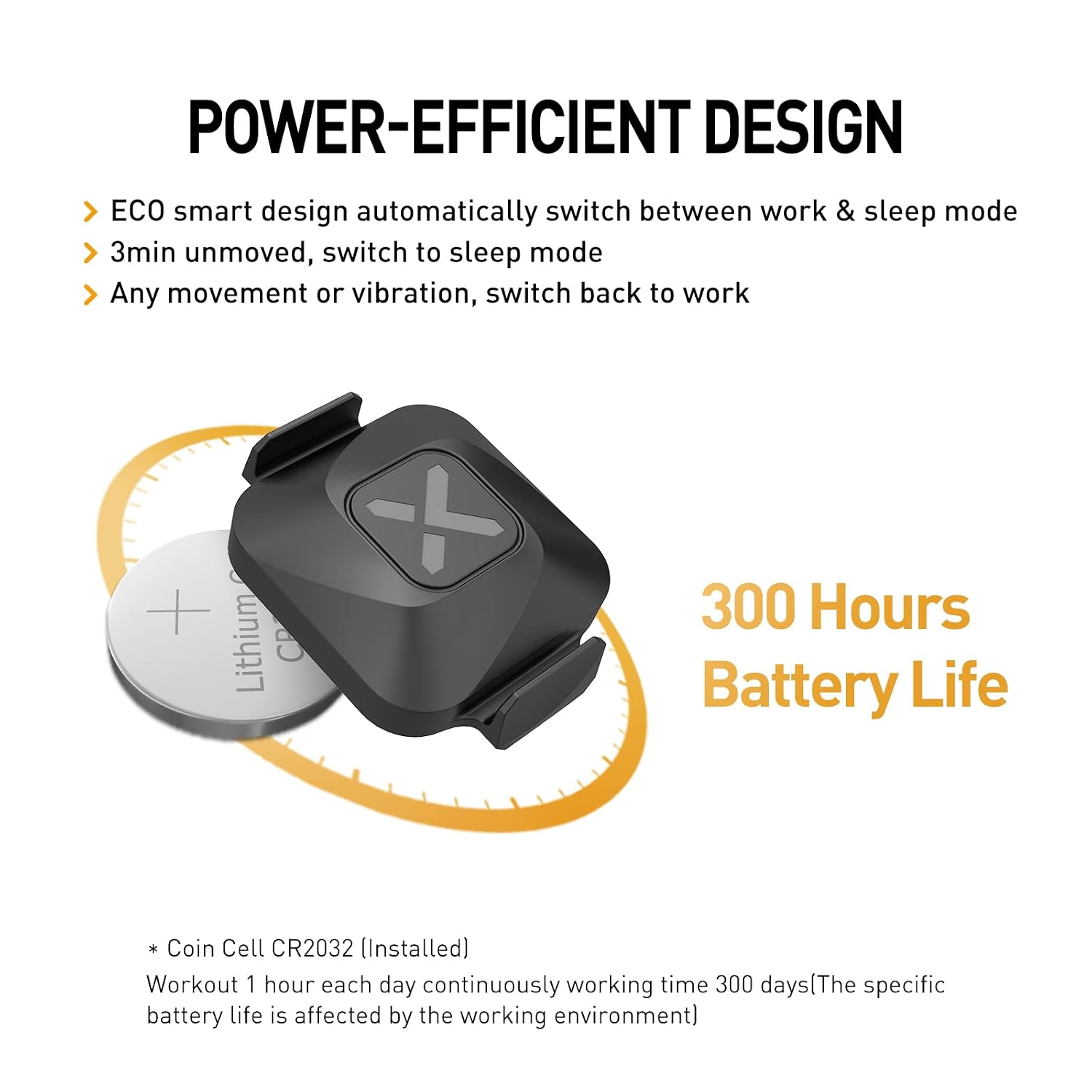
Image: XOSS Vortex sensor with an exposed CR2032 coin cell battery, illustrating its power-efficient design.
2. Mode Selection (Speed or Cadence)
The XOSS Vortex sensor operates in one mode at a time: Speed or Cadence. To switch modes, you must use the XOSS APP. Ensure the sensor is connected to the app, then select the desired mode. If you require both speed and cadence data simultaneously, two separate sensors are needed.

Image: Diagram showing the XOSS Vortex sensor in Speed Mode and Cadence Mode, emphasizing that only one mode is active at a time.
3. ການຕິດຕັ້ງເຊັນເຊີ
- For Speed Mode: Attach the sensor to the hub of either the front or rear wheel using the provided rubber bands. Ensure it is securely fastened and does not interfere with spokes or other moving parts.
- For Cadence Mode: Attach the sensor to the crank arm of your bicycle using the provided rubber bands. Ensure it is securely fastened and does not interfere with pedaling.
Note: The spiral trapezoid design is intended to fit snugly on cranks and hubs.
4. ການຈັບຄູ່ກັບອຸປະກອນ
Activate the sensor by moving your bike wheel or crank arm. The sensor will automatically enter pairing mode. On your cycling computer, sports watch, or smartphone app (e.g., XOSS App, Zwift, Garmin Connect), search for new ANT+ or Bluetooth sensors and select the XOSS Vortex.
ຄໍາແນະນໍາການດໍາເນີນງານ
Using with XOSS App
The XOSS App allows you to manage your sensor and track your cycling data. Download the app from the App Store or Google Play. Once connected, you can:
- Switch between Speed and Cadence modes.
- Monitor real-time cadence and speed data.
- Record and analyze your workouts, including distance, average speed, elevation gain, and more.
- Sync data with other platforms like Strava.

Image: Screenshot of the XOSS App interface displaying cycling data summary, charts, and analysis, with download icons for App Store and Google Play.

Image: XOSS App interface showing how to switch between Speed and Cadence modes for the Vortex sensor.
ການຄຸ້ມຄອງພະລັງງານ
The sensor features an ECO smart design that automatically switches between work and sleep modes. After 3 minutes of no movement or vibration, it enters sleep mode to conserve battery. Any movement will reactivate it.
To further extend battery life, it is recommended to disconnect or "forget" the sensor from your app or cycling computer after each use, especially if you experience rapid battery drain.
ບໍາລຸງຮັກສາ
- ທໍາຄວາມສະອາດ: ເຊັດເຊັນເຊີດ້ວຍການໂຄສະນາamp cloth after use, especially after riding in wet or muddy conditions. Avoid using harsh chemicals.
- ການປ່ຽນແບັດເຕີຣີ: Replace the CR2032 battery when the sensor's performance degrades or the app indicates low battery. Ensure the battery compartment is sealed tightly after replacement to maintain IPX7 waterproofing.
- ການເກັບຮັກສາ: Store the sensor in a cool, dry place when not in use. If storing for extended periods, consider removing the battery.

Image: XOSS Vortex sensor mounted on a bicycle wheel hub, demonstrating its IPX7 waterproof capability in a wet environment.
ການແກ້ໄຂບັນຫາ
- ເຊັນເຊີບໍ່ໄດ້ເຊື່ອມຕໍ່:
- Ensure the sensor is active (move the wheel/crank).
- ກວດເບິ່ງລະດັບຫມໍ້ໄຟແລະປ່ຽນແທນຖ້າຈໍາເປັນ.
- Verify Bluetooth/ANT+ is enabled on your receiving device.
- Try restarting your receiving device and the XOSS App.
- ໃຫ້ແນ່ໃຈວ່າບໍ່ມີອຸປະກອນອື່ນເຊື່ອມຕໍ່ຢ່າງຫ້າວຫັນກັບເຊັນເຊີ.
- ການອ່ານທີ່ບໍ່ຖືກຕ້ອງ:
- Confirm the sensor is securely mounted and not shifting during rides.
- Ensure the correct mode (speed or cadence) is selected in the XOSS App.
- For speed, ensure your wheel circumference is correctly set in your cycling computer/app.
- ການລະບາຍຫມໍ້ໄຟຢ່າງໄວວາ:
- Ensure the sensor is disconnected or "forgotten" from your app/device after each use.
- Verify the battery compartment is sealed correctly.
- Replace with a fresh, high-quality CR2032 battery.
- Water Ingress (despite IPX7):
- While IPX7 rated, extreme conditions or improper sealing after battery changes can lead to issues. Ensure the battery cover is tightly secured.
- If water ingress occurs, dry the sensor thoroughly and replace the battery. If issues persist, contact support.
- XOSS App Limitations:
- The XOSS App currently does not support recording indoor cycling activities.
ຂໍ້ມູນຈໍາເພາະ
| ຍີ່ຫໍ້ | XOSS |
| ໝາຍເລກຕົວແບບ | 377ce872-27fb-40ba-86ec-e8eba72f58aa |
| ວັດສະດຸ | ພາດສະຕິກ, ຢາງ, ໂລຫະ |
| ການເຊື່ອມຕໍ່ | ANT+, ບູທູດ 4.0 |
| ຄວາມຖືກຕ້ອງຂອງການວັດແທກ | ±3% |
| ປະເພດການຕິດຕັ້ງ | Hub or Crank Arm Mount (using rubber bands) |
| ປະເພດຜົນຜະລິດ | ດິຈິຕອລ |
| ໄລຍະການຮັບຮູ້ | 3 ແມັດ |
| ການປະເມີນກັນນ້ໍາ | IPX7 |
| ປະເພດຫມໍ້ໄຟ | ເຊນບ້ານ CR2032 |
| ຊີວິດຫມໍ້ໄຟ | ສູງສຸດ 300 ຊົ່ວໂມງ |
| ການນໍາໃຊ້ສະເພາະ | ຂີ່ລົດຖີບກາງແຈ້ງ |
| ອົງປະກອບລວມ | Sensor, Mounting Accessories, Battery |
ການຮັບປະກັນແລະການສະຫນັບສະຫນູນ
The XOSS Vortex Cadence and Speed Sensor typically comes with a manufacturer's warranty. For specific warranty terms and conditions, please refer to the documentation provided with your purchase or contact the manufacturer directly.
- ຜູ້ຜະລິດ: XOSS HONG KONG CO.,LIMITED
- ການຮັບປະກັນຂະຫຍາຍ: An optional 1-Year Extended Warranty by Onsitego may be available for purchase.
- ສະຫນັບສະຫນູນດ້ານວິຊາການ: For technical assistance, troubleshooting beyond this manual, or warranty claims, please contact XOSS customer support. Refer to the official XOSS webເວັບໄຊສໍາລັບຂໍ້ມູນຕິດຕໍ່.