
1. ຂໍ້ມູນຄວາມປອດໄພທີ່ສໍາຄັນ
Please read all safety and operating instructions carefully before using this television. Keep this manual for future reference. Always follow basic safety precautions to reduce the risk of fire, electric shock, and injury.
- ຢ່າເຮັດໃຫ້ເຄື່ອງໃຊ້ນີ້ຖືກຝົນ ຫຼືຄວາມຊຸ່ມຊື່ນ.
- ຫ້າມປິດຊ່ອງລະບາຍອາກາດໃດໆ. ຕິດຕັ້ງຕາມຄໍາແນະນໍາຂອງຜູ້ຜະລິດ.
- ຫ້າມຕິດຕັ້ງໃກ້ກັບແຫຼ່ງຄວາມຮ້ອນເຊັ່ນລັງສີ, ເຄື່ອງບັນທຶກຄວາມຮ້ອນ, ເຕົາຫຼືອຸປະກອນອື່ນໆ (ລວມທັງ. amplifiers) ທີ່ຜະລິດຄວາມຮ້ອນ.
- ປົກປ້ອງສາຍໄຟຈາກການຍ່າງຫຼືປອກເຂົ້າ, ໂດຍສະເພາະຢູ່ທີ່ສຽບ, ເຄື່ອງຮັບທີ່ສະດວກແລະຈຸດທີ່ພວກມັນອອກຈາກເຄື່ອງໃຊ້.
- ໃຊ້ໄຟລ໌ແນບ/ອຸປະກອນເສີມທີ່ຜູ້ຜະລິດລະບຸໄວ້ເທົ່ານັ້ນ.
- ອ້າງເຖິງການບໍລິການທັງtoົດໃຫ້ກັບພະນັກງານບໍລິການທີ່ມີຄຸນວຸດທິ. ຕ້ອງການການບໍລິການເມື່ອອຸປະກອນໄດ້ຮັບຄວາມເສຍຫາຍໃນທາງໃດທາງ ໜຶ່ງ.
2. ສິ່ງທີ່ຢູ່ໃນກ່ອງ
Carefully unpack your new Sansui TV and ensure all items listed below are present.
- 1 x Sansui 4K Ultra HD Android LED TV (JSW50ASUHD)
- 2 x Table Stand Base
- 1 x Wall Mounting Set
- 4 x Screws for stand/mount
- 1 x ຄູ່ມືຜູ້ໃຊ້
- 1 x ບັດຮັບປະກັນ
- 1 x ການຄວບຄຸມໄລຍະໄກ
- 2 x ຫມໍ້ໄຟ AAA (ສໍາລັບໄລຍະໄກ)
- ສາຍໄຟຟ້າ 1 x
- 1 x ສາຍ Mini AV
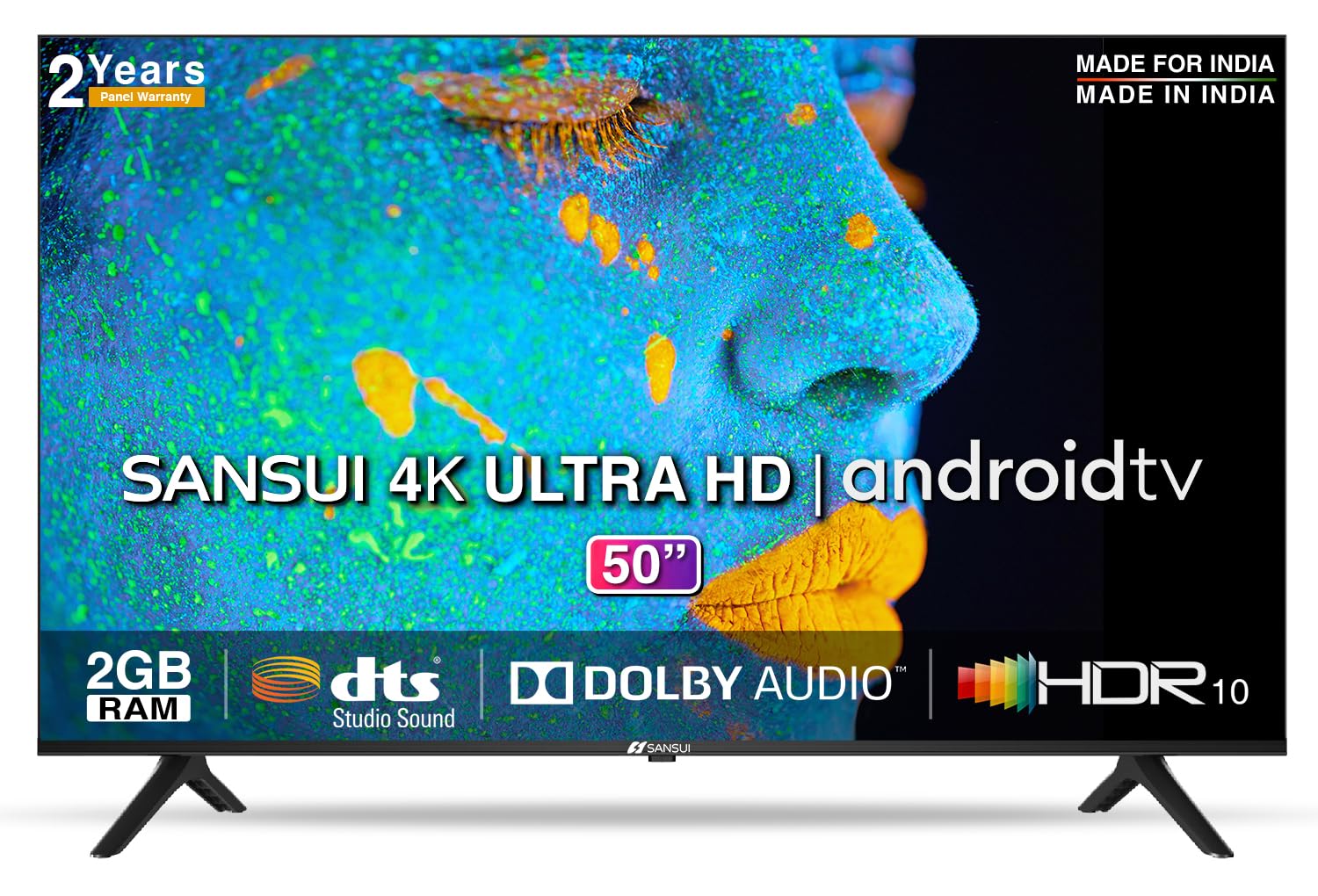
Image: Sansui 50-inch 4K Ultra HD Android LED TV with its table stand.
3. ຜະລິດຕະພັນເກີນview
3.1. ຄຸນນະສົມບັດທີ່ສໍາຄັນ
- ຈໍສະແດງຜົນ: 4K Ultra HD (3840x2160) resolution, 60Hz refresh rate, Wide Viewing Angle, A+ Grade Panel, Wide Colour Gamut, HDR 10, Crystal Clear Display, High Brightness, Bezel-less Design.
- ສຽງ: Dolby Audio, DTS Studio Sound, 20 Watts Audio Output.
- ຄຸນນະສົມບັດ Smart TV: Android 10.0 (Certified by Google), Google Assistant, Alexa Enabled Support, Built-in Chromecast, CA53 Quad Core Processor, 2GB RAM, 8GB ROM.
- ແອັບທີ່ຮອງຮັບ: Prime Video, Netflix, Disney + Hotstar, YouTube, Google Play.
- ການເຊື່ອມຕໍ່: 3 HDMI ports, 2 USB ports, 3.5mm audio jack, Bluetooth, Wi-Fi, RJ45 (Ethernet), Antenna.

Image: Visual representation of the TV's main features and capabilities.
3.2. ຂະ ໜາດ
The TV features a 50-inch screen (127 cm diagonal) with a bezel-less design for an immersive viewປະສົບການ.

Image: Detailed dimensions of the Sansui 50-inch TV, including width, height, and depth with and without the stand.
4. ຕັ້ງຄ່າ
4.1. Installing the Table Stand
- ວາງໜ້າຈໍໂທລະທັດລົງເທິງພື້ນຜິວທີ່ຮາບພຽງເພື່ອປ້ອງກັນຄວາມເສຍຫາຍ.
- ຈັດວາງຖານຕັ້ງໂຕະກັບຊ່ອງທີ່ສອດຄ້ອງກັນຢູ່ດ້ານລຸ່ມຂອງໂທລະພາບ.
- Secure the bases using the provided screws. Ensure they are tightened firmly.
4.2. ການຕິດຝາ (ທາງເລືອກ)
If you choose to wall mount your TV, please use the provided wall mounting set and screws. The VESA mount standard is 800 x 400 mm. It is recommended to seek professional assistance for wall mounting to ensure proper and safe installation.
4.3. ອຸປະກອນເຊື່ອມຕໍ່
The TV offers various connectivity options for your external devices.
- ພະລັງງານ: ເຊື່ອມຕໍ່ສາຍໄຟກັບອິນພຸດໄຟຂອງໂທລະທັດ ແລະຈາກນັ້ນໄປຫາປລັກສຽບໄຟ.
- HDMI: Use HDMI cables to connect devices like set-top boxes, gaming consoles, or Blu-ray players to the 3 HDMI ports.
- USB: Connect USB drives or other USB devices to the 2 USB ports for media playback.
- ອອກສຽງ: Use the 3.5mm jack to connect headphones or external audio systems.
- ອີເທີເນັດ (RJ45): For a stable internet connection, connect an Ethernet cable from your router to the RJ45 port.
- ເສົາອາກາດ: Connect your antenna cable to the RF input for terrestrial broadcasting.
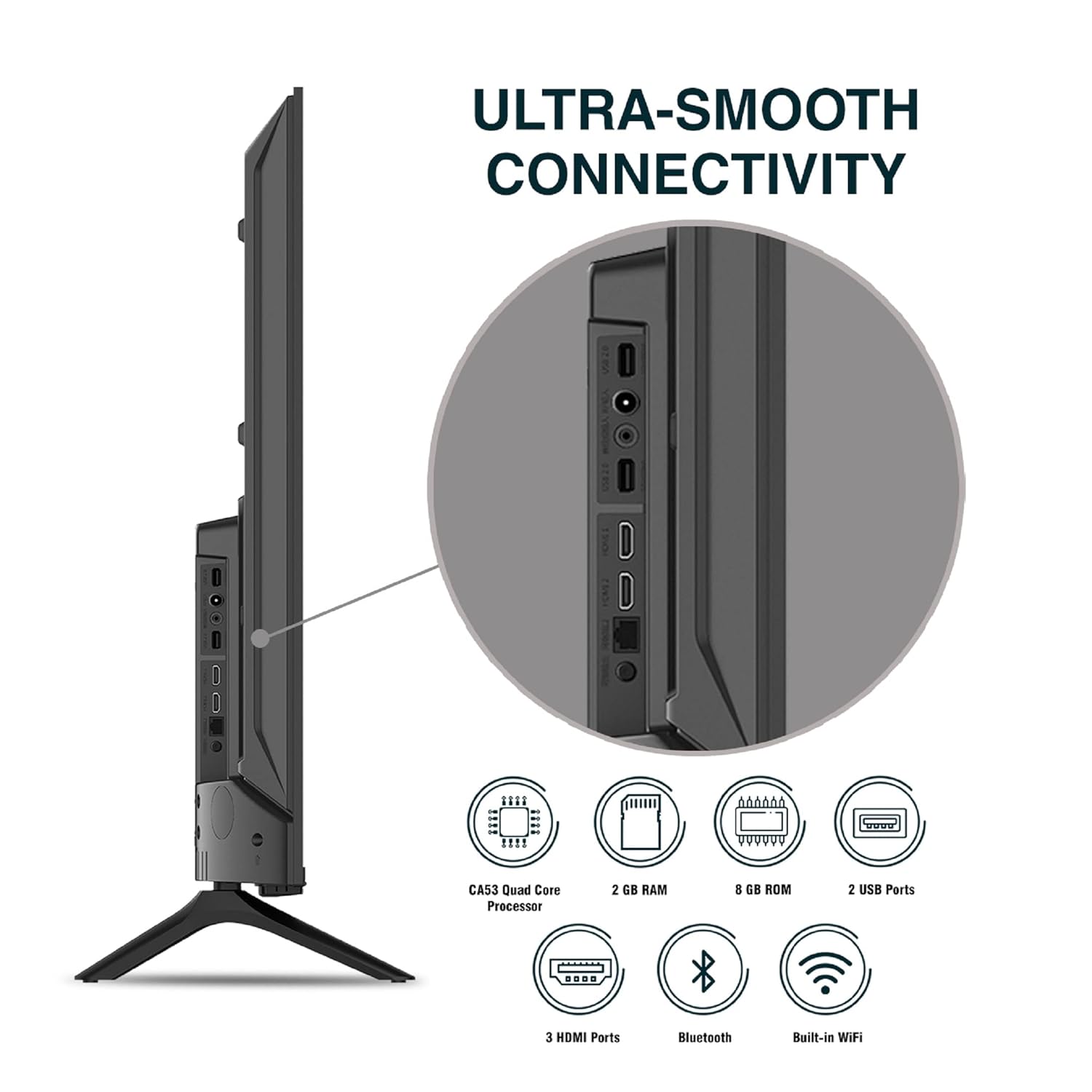
ຮູບພາບ: ລາຍລະອຽດ view ຂອງຜອດເຊື່ອມຕໍ່ຂອງໂທລະພາບ.
5. ຄໍາແນະນໍາການດໍາເນີນງານ
5.1. ການດໍາເນີນງານພື້ນຖານ
- ເປີດ/ປິດ: Press the power button on the remote control or on the TV to turn it on or off.
- ການຕັ້ງຄ່າເບື້ອງຕົ້ນ: Upon first power-on, follow the on-screen instructions to set up language, network connection, and Google account.
- ແຫຼ່ງປ້ອນຂໍ້ມູນ: Press the 'Input' button on the remote to select between HDMI, AV, TV, or other connected sources.
- ການຄວບຄຸມລະດັບສຽງ: ໃຊ້ປຸ່ມລະດັບສຽງຂຶ້ນ/ລົງເທິງຣີໂໝດ.
5.2. ການໃຊ້ຣີໂໝດອັດສະລິຍະ
The included remote control features voice control and dedicated hotkeys for quick access to popular streaming services.
- ການຄວບຄຸມດ້ວຍສຽງ: Press the Google Assistant button (microphone icon) and speak your commands to search for content, control smart home devices, or ask questions.
- Hotkeys: Directly launch Netflix, Prime Video, YouTube, and Google Play with a single press.
- ການນໍາທາງ: Use the directional pad and 'OK' button to navigate the Android TV interface.

Image: Sansui Smart Remote Control with voice control and app hotkeys.
5.3. Android TV Interface and Smart Features
Your Sansui TV runs on Android 10.0, providing access to a wide range of apps and smart functionalities.
- ໜ້າຈໍຫຼັກ: The home screen displays your favorite apps, recommended content, and input sources.
- Google Play Store: Download and install additional apps, games, and content from the Google Play Store.
- Chromecast ໃນຕົວ: Cast content (videos, photos, music) from your smartphone, tablet, or computer directly to the TV.
- ຜູ້ຊ່ວຍ Google/Alexa: Use voice commands via the remote or a compatible Alexa device to control your TV and other smart home devices.

Image: Android TV home screen showing available applications.
6. ບໍາລຸງຮັກສາ
ການດູແລແລະການບໍາລຸງຮັກສາທີ່ເຫມາະສົມຈະຍືດອາຍຸໂທລະພາບຂອງທ່ານ.
- ທໍາຄວາມສະອາດຫນ້າຈໍ: ເຊັດໜ້າຈໍຢ່າງອ່ອນໂຍນດ້ວຍຜ້າອ່ອນໆ, ບໍ່ມີເຈັ້ຍ. ສໍາລັບຮອຍທີ່ແຂງກະດ້າງ, ໃຫ້ໃຊ້ເຄື່ອງເຮັດຄວາມສະອາດຫນ້າຈໍທີ່ຖືກອອກແບບມາສະເພາະສໍາລັບໂທລະພາບ, ໃຊ້ກັບຜ້າ, ບໍ່ແມ່ນໂດຍກົງກັບຫນ້າຈໍ.
- ທໍາຄວາມສະອາດຕູ້: ໃຊ້ຜ້າອ່ອນໆເຊັດຕູ້ໂທລະທັດ. ຢ່າໃຊ້ເຄື່ອງເຮັດຄວາມສະອາດຂັດຫຼືສານລະລາຍ.
- ການລະບາຍອາກາດ: ໃຫ້ແນ່ໃຈວ່າຊ່ອງລະບາຍອາກາດມີຂີ້ຝຸ່ນແລະສິ່ງເສດເຫຼືອເພື່ອປ້ອງກັນຄວາມຮ້ອນເກີນ.
- ສາຍໄຟ: Regularly check the power cord for any damage. If damaged, replace it with an authorized part.
7. ການແກ້ໄຂບັນຫາ
ຖ້າຫາກທ່ານພົບບັນຫາໃດຫນຶ່ງ, ເບິ່ງບັນຫາທົ່ວໄປດັ່ງຕໍ່ໄປນີ້ແລະການແກ້ໄຂ.
| ບັນຫາ | ສາເຫດທີ່ເປັນໄປໄດ້ | ການແກ້ໄຂ |
|---|---|---|
| ບໍ່ມີພະລັງງານ | ສາຍໄຟຖືກຕັດ; ບັນຫາປລັກສຽບໄຟ | ກວດເບິ່ງການເຊື່ອມຕໍ່ສາຍໄຟ; ທົດສອບຊ່ອງສຽບກັບອຸປະກອນອື່ນ. |
| ບໍ່ມີຮູບ, ສຽງເທົ່ານັ້ນ | ແຫຼ່ງປ້ອນຂໍ້ມູນບໍ່ຖືກຕ້ອງ; ບັນຫາອຸປະກອນພາຍນອກ | Select correct input source; Check external device connection and power. |
| ບໍ່ມີສຽງ, ຮູບພາບເທົ່ານັ້ນ | Volume muted/low; External audio system issue | Unmute or increase volume; Check external audio system connections. |
| ການຄວບຄຸມໄລຍະໄກບໍ່ເຮັດວຽກ | ແບັດເຕີຣີໝົດ; ການຂັດຂວາງລະຫວ່າງທາງໄກແລະໂທລະພາບ | ປ່ຽນແບັດ; ເອົາສິ່ງກີດຂວາງຕ່າງໆອອກ. |
| ບັນຫາການເຊື່ອມຕໍ່ Wi-Fi | ລະຫັດຜ່ານບໍ່ຖືກຕ້ອງ; ບັນຫາເຣົາເຕີ; ການລົບກວນສັນຍານ | Re-enter password; Restart router; Move TV closer to router or use Ethernet. |
ຖ້າບັນຫາຍັງຄົງຢູ່ຫຼັງຈາກພະຍາຍາມແກ້ໄຂເຫຼົ່ານີ້, ກະລຸນາຕິດຕໍ່ຝ່າຍຊ່ວຍເຫຼືອລູກຄ້າ.
8. ຂໍ້ມູນຈໍາເພາະ
Detailed technical specifications for the Sansui JSW50ASUHD TV.
| ຄຸນສົມບັດ | ລາຍລະອຽດ |
|---|---|
| ຊື່ຕົວແບບ | SANSUI LED - JSW50ASUHD |
| ຂະໜາດໜ້າຈໍ | 50 ນິ້ວ (127 ຊມ) |
| ເຕັກໂນໂລຊີການສະແດງ | LED |
| ຄວາມລະອຽດ | 4K Ultra HD (3840x2160) |
| ອັດຕາການໂຫຼດຂໍ້ມູນຄືນໃໝ່ | 60 Hz |
| ລະບົບປະຕິບັດການ | Android 10.0 (Certified by Google) |
| ໂຮງງານຜະລິດ | CA53 Quad Core |
| RAM | 2 GB |
| ROM (ບ່ອນເກັບຂໍ້ມູນ) | 8 GB |
| ສຽງອອກ | 20 ວັດ |
| ເຕັກໂນໂລຊີສຽງ | ສຽງ Dolby, ສຽງສະຕູດິໂອ DTS |
| ພອດ HDMI | 3 |
| ພອດ USB | 2 |
| ການເຊື່ອມຕໍ່ໄຮ້ສາຍ | Wi-Fi, Bluetooth |
| ການເຊື່ອມຕໍ່ອື່ນໆ | Ethernet (RJ45), 3.5mm Audio Jack, Antenna |
| ຮອງຮັບ HDR | HDR10 |
| ປະເພດການຕິດຕັ້ງ | Wall Mount & Table Mount |
| VESA Mount Standard | 800 x 400 ມມ |
| ການບໍລິໂພກພະລັງງານ | 120 ວັດ |
| ນ້ໍາຫນັກລາຍການ | 9650 ກຣາມ |
| ສີ | Mystique Black |
9. ການຮັບປະກັນແລະການສະຫນັບສະຫນູນ
Your Sansui TV comes with a comprehensive warranty and dedicated customer support.
- ການຮັບປະກັນ: 1 year comprehensive warranty and 1 year additional on panel from the date of purchase.
- ສະຫນັບສະຫນູນການຮັບປະກັນ: For warranty-related queries, please contact Sansui Toll Free No.: 1800-419-3777.
- ຜູ້ຕິດຕໍ່ຜູ້ນຳເຂົ້າ: Jaina India Pvt Ltd., D170, Okhla Industrial Area, Phase-1, New Delhi-110020 INDIA | Email: sansuicare@jainaindia.com.
ກະລຸນາເກັບຮັກສາໃບຮັບການຊື້ຂອງທ່ານສໍາລັບການຮຽກຮ້ອງການຮັບປະກັນ.