
bmanl T16
bmanl Wireless Earbuds User Manual
ຮູບແບບ: T16
1. ຜະລິດຕະພັນເກີນview
The bmanl T16 Wireless Earbuds are designed for an immersive audio experience with the convenience of wireless connectivity. Featuring a dual LED display charging case, these earbuds offer extended playtime and a secure fit, making them suitable for various activities, including sports and workouts. The intuitive one-button control allows for easy management of music and calls.
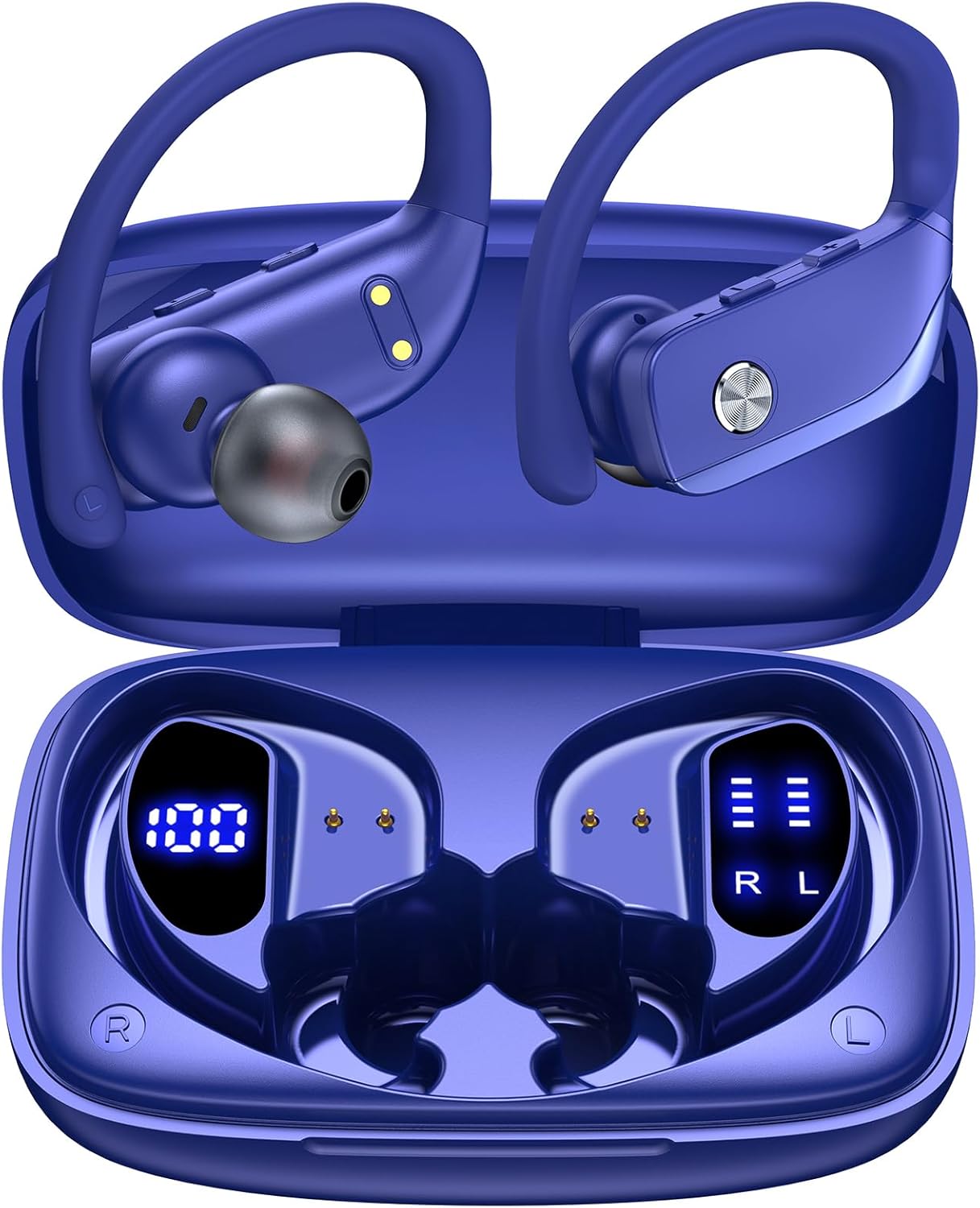
Image: bmanl T16 Wireless Earbuds in their open charging case, showcasing the blue color and earhook design.
2. ເນື້ອໃນຊຸດ
ກະລຸນາກວດເບິ່ງຊຸດສຳລັບລາຍການຕໍ່ໄປນີ້:
- bmanl T16 Wireless Earbuds (Left and Right)
- ກ່ອງສາກໄຟພ້ອມຈໍສະແດງຜົນ LED
- ສາຍສາກ USB
- ມີຫຼາຍຂະໜາດຂອງ Eartips (S, M, L)
- ຄູ່ມືຜູ້ໃຊ້

Image: Contents of the bmanl T16 earbud package, including the earbuds, charging case, USB cable, and ear tips.
3. ຄຸນລັກສະນະຂອງຜະລິດຕະພັນ
- Dual LED Displays Charging Case: The charging case features two LED displays, one showing the remaining battery percentage of the case and the other indicating the charging status of each earbud. Each grid represents 25% of the earbud's power.
- ຂະຫຍາຍເວລາຫຼິ້ນ: Enjoy up to 8 hours of playtime on a single charge for the earbuds, with the charging case providing an additional 40 hours, totaling 48 hours of playback. A quick 15-minute charge can provide up to 1 hour of playtime.
- Bluetooth Connectivity and Stereo Sound: Equipped with advanced Bluetooth technology, these earbuds ensure a stable and clear connection for both music listening and calls, providing crystal clear stereo sound.
- One-Button Control and Auto Pairing: Simplified button controls allow for easy management of various functions without needing to remember complex gestures. The earbuds automatically connect to the last paired device when removed from the case and power off/recharge when returned.
- ອອກແບບສໍາລັບກິລາ: The secure over-ear hook design and multiple ear tip sizes ensure a comfortable and stable fit, preventing the earbuds from falling out during intense workouts, running, or other physical activities.

Image: Close-up of the charging case displaying the battery levels for the case and individual earbuds via LED screens.

Image: Infographic illustrating the 48-hour total playtime with the charging case and individual earbud battery life.

Image: Diagram showing the various functions controlled by the single button on the earbuds, including power, play/pause, volume, and call management.
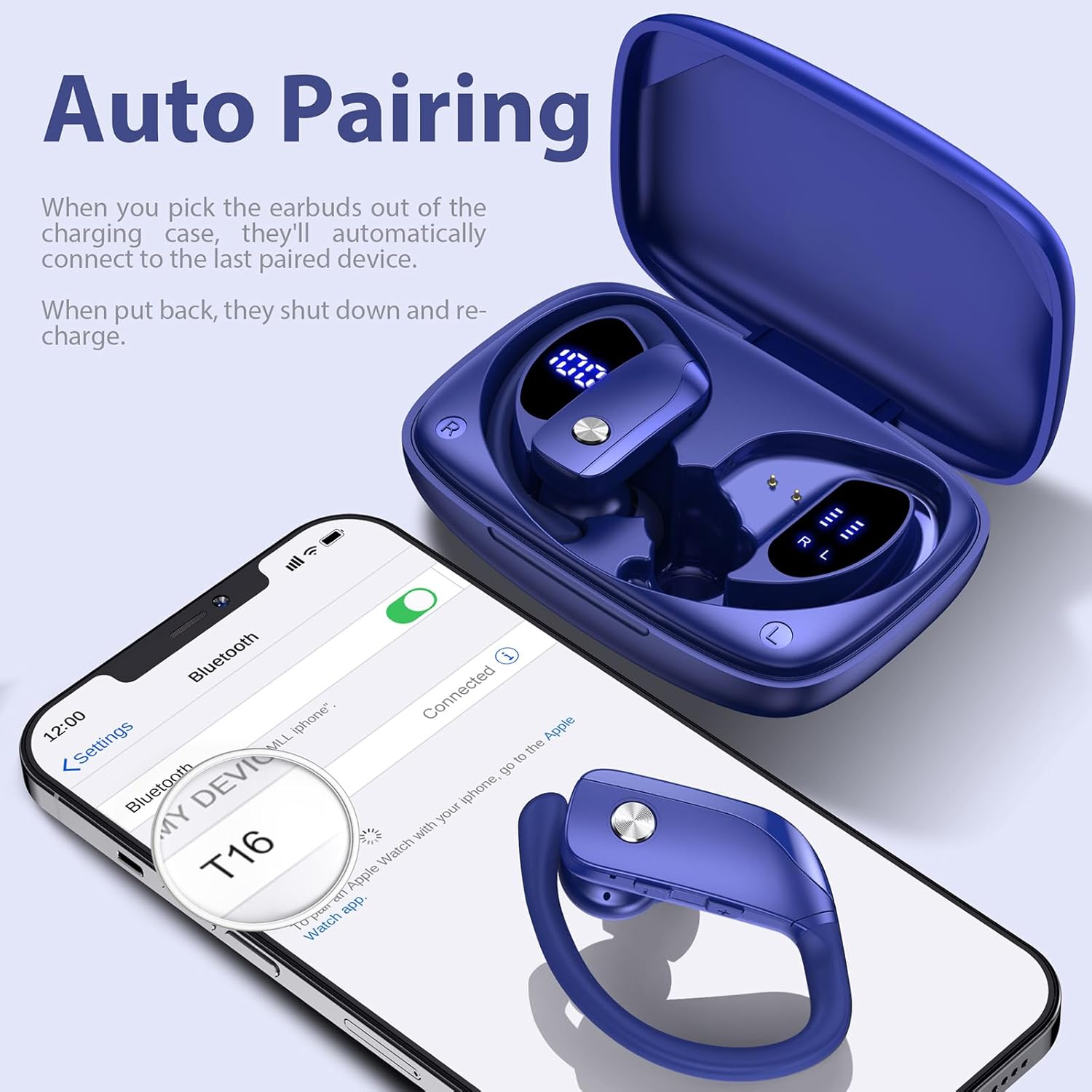
Image: A person wearing the earbuds during a workout, highlighting the secure fit and suitability for sports.
4. ຄູ່ມືການຕິດຕັ້ງ
4.1 ການສາກໄຟເບື້ອງຕົ້ນ
Before first use, fully charge the charging case and earbuds. Place the earbuds into the charging case, ensuring they are properly seated. Connect the USB charging cable to the charging case and a compatible USB power source. The LED display on the case will indicate the charging progress.
4.2 ການໃສ່ຫູຟັງໃຫ້ພໍດີ
For optimal sound quality and comfort, select the ear tips that best fit your ears. The package includes small (S), medium (M), and large (L) ear tips. Once the correct ear tips are attached, follow these steps:
- Insert the earbud downwards into your ear.
- Twist the earbud backwards to lock the earhook securely in place around your ear.
- Adjust for comfort and a snug fit.

Image: Step-by-step guide on how to properly insert and secure the earbuds with the flexible earhooks.
5. ຄໍາແນະນໍາການດໍາເນີນງານ
5.1 ເປີດ/ປິດ
- ເປີດ: The earbuds will automatically power on when removed from the charging case. Alternatively, press and hold the multi-function button on each earbud for approximately 3 seconds.
- ປິດພະລັງງານ: Place the earbuds back into the charging case to automatically power them off and begin recharging. Alternatively, press and hold the multi-function button on each earbud for approximately 5 seconds.
5.2 ການຈັບຄູ່ Bluetooth
ສໍາລັບການຈັບຄູ່ຄັ້ງທໍາອິດ:
- ກວດໃຫ້ແນ່ໃຈວ່າໄດ້ສາກຫູຟັງເຕັມແລ້ວ.
- Remove both earbuds from the charging case. They will automatically enter pairing mode, indicated by a flashing LED light.
- ໃນອຸປະກອນຂອງທ່ານ (ໂທລະສັບສະຫຼາດ, ແທັບເລັດ, ແລະອື່ນໆ), ເປີດໃຊ້ Bluetooth ແລະຊອກຫາອຸປະກອນທີ່ມີຢູ່.
- Select "T16" from the list of found devices to connect. Once connected, a voice prompt will confirm, and the LED light on the earbuds will stop flashing.
The earbuds will automatically reconnect to the last paired device when removed from the case, provided Bluetooth is enabled on your device and it is within range (up to 33ft/10m).

Image: A smartphone screen showing the earbuds (T16) connected via Bluetooth, with the earbuds in their charging case.
5.3 ການຄວບຄຸມ
The earbuds feature a multi-function button for easy control:
| ການປະຕິບັດ | ຟັງຊັນ |
|---|---|
| ກົດຄັ້ງດຽວ | ຫຼິ້ນ/ຢຸດເພງ, ຮັບສາຍ/ວາງສາຍ |
| Quick Double-click (R earbud) | ເພງຕໍ່ໄປ |
| Quick Double-click (L earbud) | ເພງກ່ອນໜ້າ |
| ຄລິກສາມເທື່ອໄວ | ເປີດໃຊ້ຜູ້ຊ່ວຍສຽງ |
| ກົດປຸ່ມ "+" | ປະລິມານຂຶ້ນ |
| ກົດປຸ່ມ "-" | ປະລິມານລົງ |
| Hold (during call) | ປະຕິເສດການໂທ |
6. ການບໍາລຸງຮັກສາແລະການດູແລ
ເພື່ອຮັບປະກັນອາຍຸການໃຊ້ງານທີ່ຍາວນານ ແລະ ປະສິດທິພາບທີ່ດີທີ່ສຸດຂອງຫູຟັງຂອງທ່ານ, ໃຫ້ປະຕິບັດຕາມຄຳແນະນຳກ່ຽວກັບການບຳລຸງຮັກສາເຫຼົ່ານີ້:
- ທໍາຄວາມສະອາດ: Regularly clean the ear tips and the charging contacts on both the earbuds and the charging case with a soft, dry cloth. Avoid using harsh chemicals or abrasive materials.
- ການເກັບຮັກສາ: ເກັບຮັກສາຫູຟັງເອຍບັດໄວ້ໃນກະເປົ໋າສາກໄຟທຸກຄັ້ງເມື່ອບໍ່ໄດ້ໃຊ້ເພື່ອປົກປ້ອງພວກມັນຈາກຂີ້ຝຸ່ນ, ຄວາມເສຍຫາຍ, ແລະເພື່ອຮັກສາສາຍສາກ.
- ຄວາມຕ້ານທານນ້ໍາ: The earbuds are IPX7 waterproof, meaning they are protected against the effects of temporary immersion in water (up to 1 meter for 30 minutes). This makes them resistant to sweat and raindrops. However, they are not suitable for swimming or showering. Ensure the earbuds are dry before placing them back into the charging case to prevent damage.

Image: Visual representation of the earbuds' IPX7 waterproof rating, showing them in a water environment.
7. ການແກ້ໄຂບັນຫາ
If you encounter issues with your bmanl T16 Wireless Earbuds, please refer to the following common solutions:
- ຫູຟັງຫູຟັງບໍ່ໄດ້ຈັບຄູ່ກັບອຸປະກອນ:
- ກວດໃຫ້ແນ່ໃຈວ່າ Bluetooth ເປີດຢູ່ໃນອຸປະກອນຂອງທ່ານ ແລະຫູຟັງຫູຟັງຢູ່ໃນຂອບເຂດ.
- ກວດໃຫ້ແນ່ໃຈວ່າໄດ້ສາກຫູຟັງຫູຟັງແລ້ວ.
- Forget/delete "T16" from your device's Bluetooth list and attempt to pair again.
- ຣີສະຕາດອຸປະກອນຂອງທ່ານ ແລະຫູຟັງຫູຟັງ.
- ຫູຟັງຫູຟັງອັນດຽວທີ່ເຮັດວຽກ:
- Place both earbuds back into the charging case, close the lid, wait a few seconds, then remove them simultaneously.
- ກວດໃຫ້ແນ່ໃຈວ່າໄດ້ສາກຫູຟັງທັງສອງອັນແລ້ວ.
- Perform a factory reset (refer to the full user manual for specific reset instructions if needed).
- ຫູຟັງບໍ່ສາກ:
- ໃຫ້ແນ່ໃຈວ່າສາຍສາກໄດ້ເຊື່ອມຕໍ່ຢ່າງປອດໄພກັບທັງກໍລະນີ ແລະແຫຼ່ງພະລັງງານ.
- ກວດເບິ່ງວ່າບ່ອນຕິດຕໍ່ການສາກໄຟຢູ່ໃນຫູຟັງເອຍບັດ ແລະພາຍໃນເຄສນັ້ນສະອາດ ແລະ ບໍ່ມີສິ່ງເສດເຫຼືອໃດໆ.
- ລອງໃຊ້ສາຍ USB ຫຼືອະແດັບເຕີໄຟອື່ນ.
- ຄຸນນະພາບສຽງບໍ່ດີ ຫຼືການຕັດການເຊື່ອມຕໍ່:
- ກວດໃຫ້ແນ່ໃຈວ່າບໍ່ມີສິ່ງກີດຂວາງລະຫວ່າງຫູຟັງເອຍບັດ ແລະອຸປະກອນຂອງທ່ານ.
- ຍ້າຍໄປໃກ້ອຸປະກອນຂອງທ່ານເພື່ອຫຼຸດຜ່ອນການລົບກວນ.
- Check for any firmware updates for your device.
8. ຂໍ້ມູນຈໍາເພາະ
| ຄຸນສົມບັດ | ລາຍລະອຽດ |
|---|---|
| ຊື່ຕົວແບບ | T16 |
| ເຕັກໂນໂລຊີການເຊື່ອມຕໍ່ | Bluetooth 5.0 |
| ຊ່ວງ Bluetooth | ສູງເຖິງ 10.06 ແມັດ (33 ຟຸດ) |
| ອາຍຸແບັດເຕີຣີ Earbud | ສູງສຸດ 8 ຊົ່ວໂມງ (ສາກດຽວ) |
| ເວລາຫຼິ້ນທັງໝົດ (ພ້ອມກໍລະນີ) | ສູງສຸດ 48 ຊົ່ວໂມງ |
| ອາຍຸການສາກແບັດ | 48 Hours (average life) |
| ລະດັບຄວາມຕ້ານທານນ້ໍາ | IPX7 (ກັນນໍ້າ) |
| ວິທີການຄວບຄຸມ | ການຄວບຄຸມປຸ່ມ |
| ການຈັດວາງຫູ | ເກີນຫູ |
| ຂະໜາດໄດເວີສຽງ | 10 ມິນລິແມັດ |
| ຊ່ວງຄວາມຖີ່ | 20Hz - 20,000Hz |
| ນ້ໍາຫນັກລາຍການ | 1.41 Ounces (earbuds) |
| ຂະໜາດສິນຄ້າ | 0.79 x 3.54 x 2.36 ນິ້ວ |
| ອຸປະກອນທີ່ເຂົ້າກັນໄດ້ | ໂທລະສັບມືຖື, ແທັບເລັດ, ແລັບທັອບ, ຄອມພິວເຕີ, ປຶ້ມສຽງ, ໂທລະພາບ ແລະ ອຸປະກອນທັງໝົດທີ່ໃຊ້ Bluetooth 5.0 ໄດ້ທັງໝົດ |
9. ການຮັບປະກັນແລະການສະຫນັບສະຫນູນ
For warranty information and customer support, please refer to the documentation included with your product or contact the seller directly through the platform where you purchased the earbuds. You can also find a digital version of the user manual at: https://manuals.plus/m/7713cca8bca7900bc267999b43d24ceed5469a646dd833d598205325dee1000e
ກະລຸນາຮັກສາຫຼັກຖານການຊື້ຂອງທ່ານສໍາລັບການຮຽກຮ້ອງການຮັບປະກັນໃດໆ.
Ask a question about this manual
Ask about setup, troubleshooting, compatibility, parts, safety, or missing instructions. Manuals+ will review the question and use this page’s manual context to help answer it.