
ແນະນຳ
The havit GK58B is a USB plug-and-play gaming microphone designed for clear voice communication. It features omnidirectional sound pickup, a flexible gooseneck, a stable base, and unique RGB lighting effects. This manual provides instructions for setup, operation, maintenance, and troubleshooting to ensure optimal performance.
ຄຸນສົມບັດ
- ພລັກອິນ USB: Simple connection without driver installation.
- ໄປຮັບໄດ້ຕະຫຼອດ: Captures sound from all directions for clear communication.
- Gooseneck ແບບຍືດຫຍຸ່ນ: Adjustable microphone position for optimal voice capture.
- ພື້ນຖານທີ່ໝັ້ນຄົງ: Ensures the microphone remains securely in place.
- ແສງ RGB: Integrated lighting for an enhanced aesthetic.
ເນື້ອໃນຊຸດ
The havit GK58B package includes:
- 1 x havit GK58B USB Gaming Microphone
- 1 x ຄູ່ມືຜູ້ໃຊ້ (ເອກະສານນີ້)

ຮູບພາບ: ທາງຫນ້າ view of the havit GK58B USB Gaming Microphone retail packaging.

ຮູບພາບ: ກັບຄືນໄປບ່ອນ view of the havit GK58B USB Gaming Microphone retail packaging, showing product specifications.
ຕັ້ງຄ່າ
- ຖອດໄມໂຄຣໂຟນ: Carefully remove the havit GK58B microphone from its packaging.
- ວາງຕຳແໜ່ງໄມໂຄຣໂຟນ: Place the microphone on a stable, flat surface. Adjust the flexible gooseneck to position the microphone head optimally for your voice, typically 15-30 cm (6-12 inches) from your mouth.
- ເຊື່ອມຕໍ່ກັບຄອມພິວເຕີ: Plug the USB connector of the microphone cable into an available USB port on your computer.
- ການຕິດຕັ້ງໄດເວີ: The microphone is plug-and-play and does not require additional driver installation. Your operating system should automatically detect and configure the device.
- ເລືອກເປັນອຸປະກອນເລີ່ມຕົ້ນ:
- Windows: ໄປທີ່ ການຕັ້ງຄ່າສຽງ > ແຜງຄວບຄຸມສຽງ > ການບັນທຶກ tab. Select "havit GK58B" or similar as your default recording device.
- macOS: ໄປທີ່ ການຕັ້ງຄ່າລະບົບ > ສຽງ > ປ້ອນຂໍ້ມູນ tab. Select "havit GK58B" or similar as your input device.
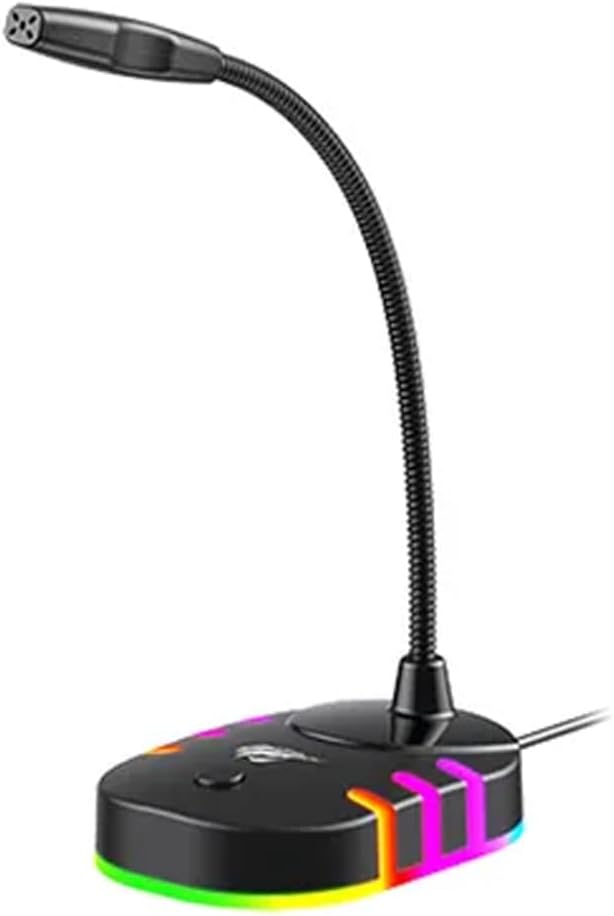
ຮູບພາບ: ດ້ານຫນ້າ view of the havit GK58B USB Gaming Microphone, showing the gooseneck and base with RGB lighting.
ຄໍາແນະນໍາການດໍາເນີນງານ
- Microphone Activation: Once connected and selected as the default input device, the microphone is ready for use. The RGB lighting on the base will illuminate, indicating it is powered on.
- ປັບລະດັບສຽງ: Microphone input volume can be adjusted through your computer's sound settings or within the specific application you are using (e.g., game chat, communication software).
- ໄປຮັບໄດ້ຕະຫຼອດ: The GK58B features an omnidirectional polar pattern, meaning it picks up sound equally from all directions. This is suitable for capturing ambient sound or multiple speakers around the microphone. For best voice clarity, speak directly towards the microphone head.
- ການຄວບຄຸມແສງ RGB: The microphone base features RGB lighting. While specific controls are not detailed, typically these lights cycle automatically or can be toggled via a button on the base if present. Refer to the product's physical buttons for any lighting control options.
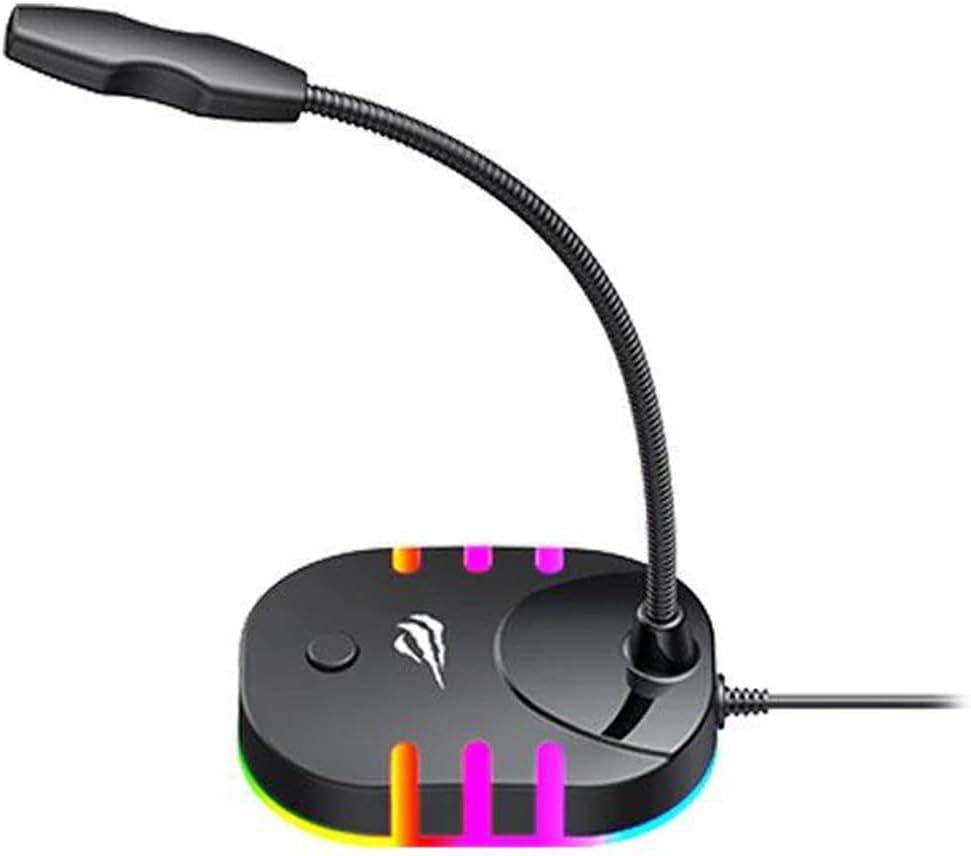
Image: Back-side view of the havit GK58B USB Gaming Microphone, showing the USB cable connection point and the base with RGB lighting.
ບໍາລຸງຮັກສາ
- ທໍາຄວາມສະອາດ: Use a soft, dry cloth to wipe the microphone and its base. Avoid using liquid cleaners or abrasive materials, as these can damage the device.
- ການເກັບຮັກສາ: When not in use, store the microphone in a clean, dry environment away from direct sunlight and extreme temperatures.
- ການດູແລສາຍໄຟ: ຢ່າງໍ ຫຼື ບີບສາຍ USB ຫຼາຍເກີນໄປ. ຈັບປລັກສະເໝີ, ບໍ່ແມ່ນສາຍ, ເມື່ອຖອດສາຍອອກ.
ການແກ້ໄຂບັນຫາ
| ບັນຫາ | ສາເຫດທີ່ເປັນໄປໄດ້ | ການແກ້ໄຂ |
|---|---|---|
| Microphone not detected / No sound input |
|
|
| ປະລິມານໄມໂຄຣໂຟນຕໍ່າ |
|
|
| ແສງ RGB ບໍ່ເຮັດວຽກ |
|
|
ຂໍ້ມູນຈໍາເພາະ
| ຊື່ຕົວແບບ | GK58B |
| ເຕັກໂນໂລຊີການເຊື່ອມຕໍ່ | USB |
| ປະເພດຕົວເຊື່ອມຕໍ່ | USB Type-A |
| ຮູບແບບຂົ້ວໂລກ | ອ້ອມຮອບ |
| ຄວາມອ່ອນໄຫວ | -36 ± 3dB |
| impedance | 2.2kΩ |
| ການຕອບສະໜອງຄວາມຖີ່ | 30Hz – 16kHz |
| ຄວາມຍາວສາຍ | 1.5ມ |
| ການດໍາເນີນງານ Voltage | 5.0V |
| ປະຈຸບັນປະຕິບັດງານ | 90mA |
| ຂະ ໜາດ ໄມໂຄຣໂຟນ | φ6*5ມມ |
| ຂະໜາດສິນຄ້າ | 7.5 x 13 x 11 cm |
| ນ້ໍາຫນັກລາຍການ | 2 g |
| ອຸປະກອນທີ່ເຂົ້າກັນໄດ້ | ແລັບທັອບ, ຄອມພິວເຕີສ່ວນຕົວ |
| ຄຸນນະສົມບັດພິເສດ | Stand, RGB Lighting |
ການຮັບປະກັນແລະການສະຫນັບສະຫນູນ
ສຳລັບຂໍ້ມູນການຮັບປະກັນ ແລະ ການຊ່ວຍເຫຼືອດ້ານເຕັກນິກ, ກະລຸນາອ້າງອີງເຖິງ havit ຢ່າງເປັນທາງການ webຫຼື ຕິດຕໍ່ຮ້ານຄ້າປີກໃນທ້ອງຖິ່ນຂອງທ່ານ. ເກັບໃບຮັບເງິນການຊື້ຂອງທ່ານໄວ້ສຳລັບການຮຽກຮ້ອງການຮັບປະກັນ.
ຜູ້ຜະລິດ: ຮາວິດ