
ແນະນຳ
The NETUM S6 is a versatile 1D wireless barcode scanner designed for efficient data capture. It offers both 2.4GHz wireless and USB cable connectivity, ensuring flexible operation. Featuring advanced 32-bit duplex ARM+DSP digital signal processing technology, the S6 provides fast and reliable barcode reading for various applications on Windows PCs.
ຕັ້ງຄ່າ
ເນື້ອໃນຊຸດ
- NETUM S6 Wireless Barcode Scanner
- Mini USB Receiver (2.4G dongle)
- ສາຍສາກ/ສາຍຂໍ້ມູນ USB
ການເຊື່ອມຕໍ່ເຄື່ອງສະແກນ
- ການເຊື່ອມຕໍ່ໄຮ້ສາຍ (2.4GHz): Insert the Mini USB Receiver into an available USB port on your Windows PC. The scanner will automatically pair with the receiver.
- Wired Connection (USB Cable): Connect the USB cable to the scanner and then to a USB port on your PC. The scanner will function as a wired device and also charge simultaneously.
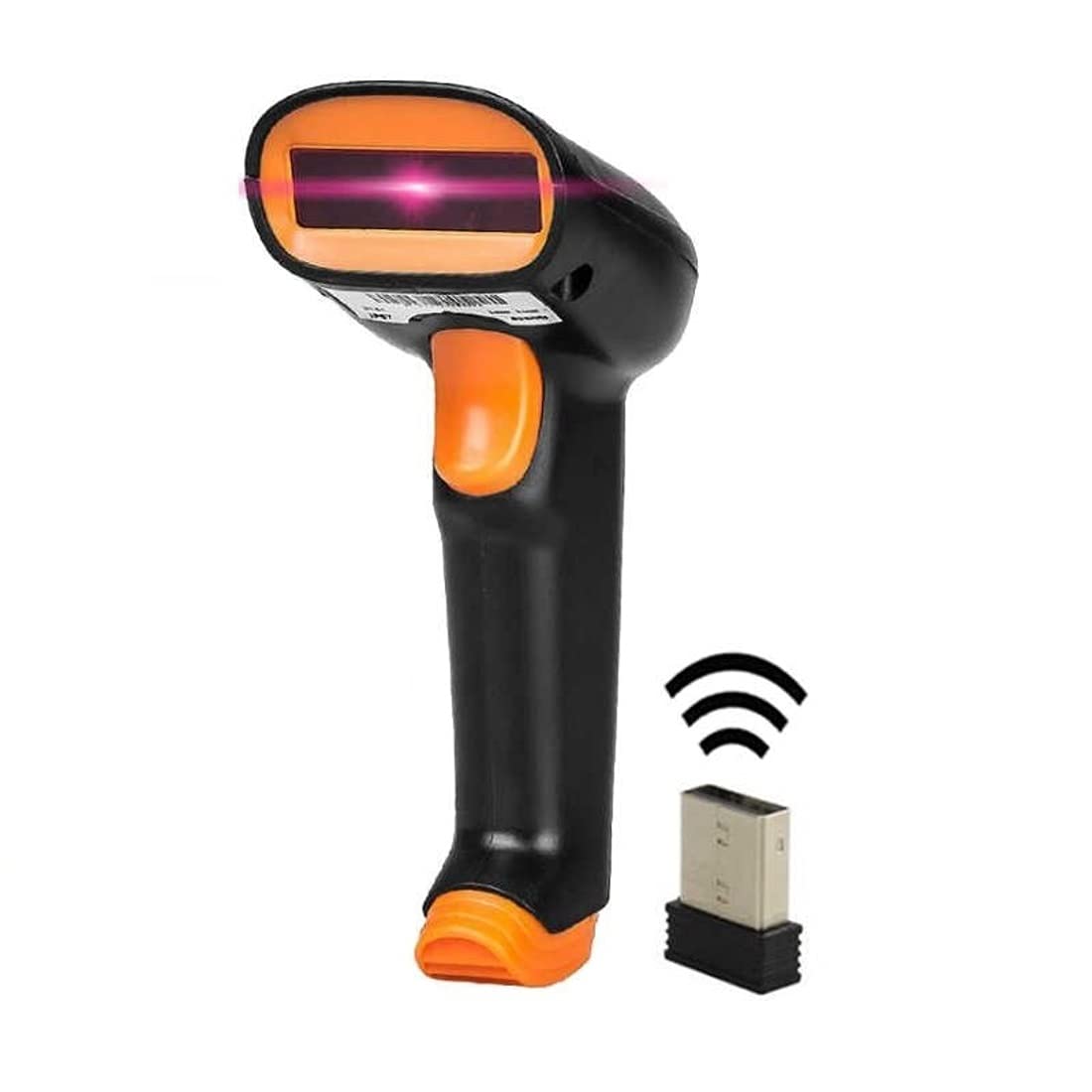
Image: The NETUM S6 barcode scanner shown with its accompanying USB receiver, illustrating the wireless connectivity components.
ການສາກໄຟເບື້ອງຕົ້ນ
Before first use, ensure the scanner is fully charged. Connect the scanner to a USB power source using the provided USB cable. The LED indicator will show charging status.
ຄໍາແນະນໍາການດໍາເນີນງານ
ສະແກນບາໂຄດ
- Ensure the scanner is powered on and connected to your PC (either wirelessly or via USB cable).
- ຊີ້ລັງສີເລເຊີຂອງເຄື່ອງສະແກນໄປທີ່ບາໂຄດທີ່ທ່ານຕ້ອງການສະແກນ.
- Press the trigger button. A successful scan will be indicated by an audible beep and/or an LED flash.
- The scanned data will appear in the active application on your computer.

Image: The NETUM S6 scanner demonstrating its capability to quickly and accurately read various 1D barcodes, including high-density and damaged ones.
Data Storage (Offline Mode)
The scanner features an internal memory of 256 KB, capable of storing over 2600 data strings. This allows for scanning barcodes even when not connected to a host device. To upload stored data, connect the scanner to your PC and follow the instructions in the advanced user guide (if applicable) or scan the appropriate function barcode for data upload.
ພາສາທີ່ຮອງຮັບ
The scanner supports various keyboard layouts, including English, French, German, Spanish, and Italian. Configuration may require scanning specific setup barcodes.
ບໍາລຸງຮັກສາ
ການຄຸ້ມຄອງຫມໍ້ໄຟ
The NETUM S6 is equipped with an integrated 2000mAh Li-Ion battery. A full charge takes approximately 4-5 hours and provides continuous scanning for over one week, with a standby time of more than half a year. Charge the device using any standard USB 2.0 port.

Image: The NETUM S6 barcode scanner depicted in a low-power state, highlighting its extended 48-hour continuous use and long standby capabilities due to its efficient battery management.
ຄວາມທົນທານແລະການດູແລ
The scanner is designed to withstand drops from a height of 5ft (1.5m). To maintain optimal performance, keep the scanning window clean and free from dust or debris. Use a soft, dry cloth for cleaning. Avoid exposing the device to extreme temperatures or harsh chemicals.
ຕົວຊີ້ວັດ
The device provides sound and LED indications for power status, successful scans, and operating conditions. Refer to the full user manual for a detailed explanation of indicator patterns.
ການແກ້ໄຂບັນຫາ
- ເຄື່ອງສະແກນບໍ່ໄດ້ເຊື່ອມຕໍ່: Ensure the USB receiver is properly inserted or the USB cable is securely connected. Check if the scanner is powered on. Try restarting your PC.
- ບໍ່ມີຂໍ້ມູນສົ່ງອອກຫຼັງຈາກການສະແກນ: Verify that the scanner is successfully paired/connected. Check if the cursor is in an active text field on your computer. Ensure the barcode is not damaged or poorly printed.
- ເຄື່ອງສະແກນບໍ່ສາກໄຟ: Confirm the USB cable is connected to a working USB port or power adapter. Check the cable for damage.
- Slow scanning or misreads: Clean the scanning window with a soft, dry cloth. Ensure adequate lighting for the barcode.
ຂໍ້ມູນຈໍາເພາະ
| ຄຸນສົມບັດ | ຂໍ້ມູນຈໍາເພາະ |
|---|---|
| ໝາຍເລກຕົວແບບ | NETUM S6 |
| ເຕັກໂນໂລຊີການເຊື່ອມຕໍ່ | 2.4GHz Wireless, USB Wired |
| ອັດຕາການສະແກນ | 200 scans ຕໍ່ວິນາທີ |
| ອຸປະກອນທີ່ເຂົ້າກັນໄດ້ | Desktop, Laptop (Windows PC) |
| ແຫຼ່ງພະລັງງານ | Battery Powered (2000mAh Li-Ion) |
| ຫນ່ວຍຄວາມຈໍາພາຍໃນ | 256 KB (stores >2600 data strings) |
| ຄວາມທົນທານ | Designed to survive 5ft (1.5m) drops |
| ຜູ້ຜະລິດ | Gaungzhou Netum Electronic Technology Co., Ltd |
ການຮັບປະກັນແລະການສະຫນັບສະຫນູນ
ຂໍ້ມູນການຮັບປະກັນ
This NETUM S6 Wireless Barcode Scanner comes with a ຮັບປະກັນ 3 ເດືອນ ຈາກວັນທີ່ຊື້. ການຮັບປະກັນນີ້ກວມເອົາຄວາມບົກຜ່ອງດ້ານການຜະລິດພາຍໃຕ້ການນໍາໃຊ້ປົກກະຕິ. ກະລຸນາຮັກສາຫຼັກຖານການຊື້ຂອງທ່ານສໍາລັບການຮຽກຮ້ອງການຮັບປະກັນ.
ການຊ່ວຍເຫຼືອລູກຄ້າ
For technical assistance, troubleshooting, or warranty inquiries, please contact NETUM customer support through the retailer's platform or the official NETUM webເວັບໄຊ. ກະລຸນາມີໝາຍເລກຕົວແບບຂອງທ່ານ (S6) ແລະລາຍລະອຽດການຊື້ພ້ອມເມື່ອຕິດຕໍ່ກັບຝ່າຍຊ່ວຍເຫຼືອ.