
1. ບົດແນະນຳ
The Ring Spotlight Cam Pro Plug-In is an advanced security camera designed to provide comprehensive surveillance for your home or business. It features 2K HDR video, color night vision, two-way talk with Audio+, and advanced 3D Motion Detection. This manual provides instructions for setting up, operating, and maintaining your device.
2. ສິ່ງທີ່ຢູ່ໃນກ່ອງ
ກວດສອບວ່າອົງປະກອບທັງຫມົດແມ່ນມີຢູ່ກ່ອນທີ່ຈະເລີ່ມຕົ້ນການຕິດຕັ້ງ:
- Spotlight Cam Pro
- ວົງເລັບຕິດຕັ້ງ
- ເຄື່ອງມືການຕິດຕັ້ງແລະ screws
- USB-C Power Adapter (19.7 feet long)
- ຄູ່ມືຜູ້ໃຊ້ (ເອກະສານນີ້)
- ສະຕິກເກີ້ຄວາມປອດໄພ
3. ການຕິດຕັ້ງແລະການຕິດຕັ້ງ
The average installation time for the Spotlight Cam Pro is 5-10 minutes. A vertical or horizontal surface is required for mounting.
- ດາວໂຫຼດແອັບ Ring: Download the Ring app from your device's app store. Create an account or log in if you already have one.
- ເພີ່ມອຸປະກອນ: In the Ring app, tap 'Set Up a Device' and follow the on-screen instructions to add your Spotlight Cam Pro.
- ການຕິດຕັ້ງ: Secure the mounting bracket to your desired location using the provided tools and screws. Ensure the location provides a clear view and access to a standard power outlet.
- ຕິດກ້ອງ: Attach the Spotlight Cam Pro to the mounting bracket.
- ເຊື່ອມຕໍ່ພະລັງງານ: Plug the USB-C Power Adapter into the camera and then into a standard power outlet.
- ປັບ View: Adjust the camera's angle to cover your desired area.

Figure 3.1: Easy DIY Installation of the Ring Spotlight Cam Pro.
4. ຄໍາແນະນໍາການດໍາເນີນງານ
The Ring Spotlight Cam Pro offers several features to enhance your security.
4.1 ການຕິດຕາມວິດີໂອ
The camera provides 2K HDR video with a 140° horizontal and 80° vertical field of view. It also features Color Night Vision, allowing you to see clear, full-color video even in low-light conditions.

Figure 4.1: Retinal 2K Video with Color Night Vision displayed on a mobile device.
4.2 ການກວດຈັບການເຄື່ອນໄຫວ
Utilize 3D Motion Detection with Bird's Eye Zones and Bird's Eye View for precise motion alerts. You can customize motion zones within the Ring app to focus on specific areas and reduce unwanted notifications.

Figure 4.2: Visual representation of 3D Motion Detection.

Figure 4.3: Customizing Motion Zones in the Ring App.
4.3 Two-Way Talk with Audio+
Communicate with visitors or deter intruders using the built-in microphone and speaker. Audio+ provides advanced noise cancellation for clearer communication.
4.4 Integrated Spotlights and Siren
The camera features two 3000° Kelvin spotlights that can be activated manually or automatically upon motion detection. A remote-activated security siren is also included to alert others and deter unwanted activity.
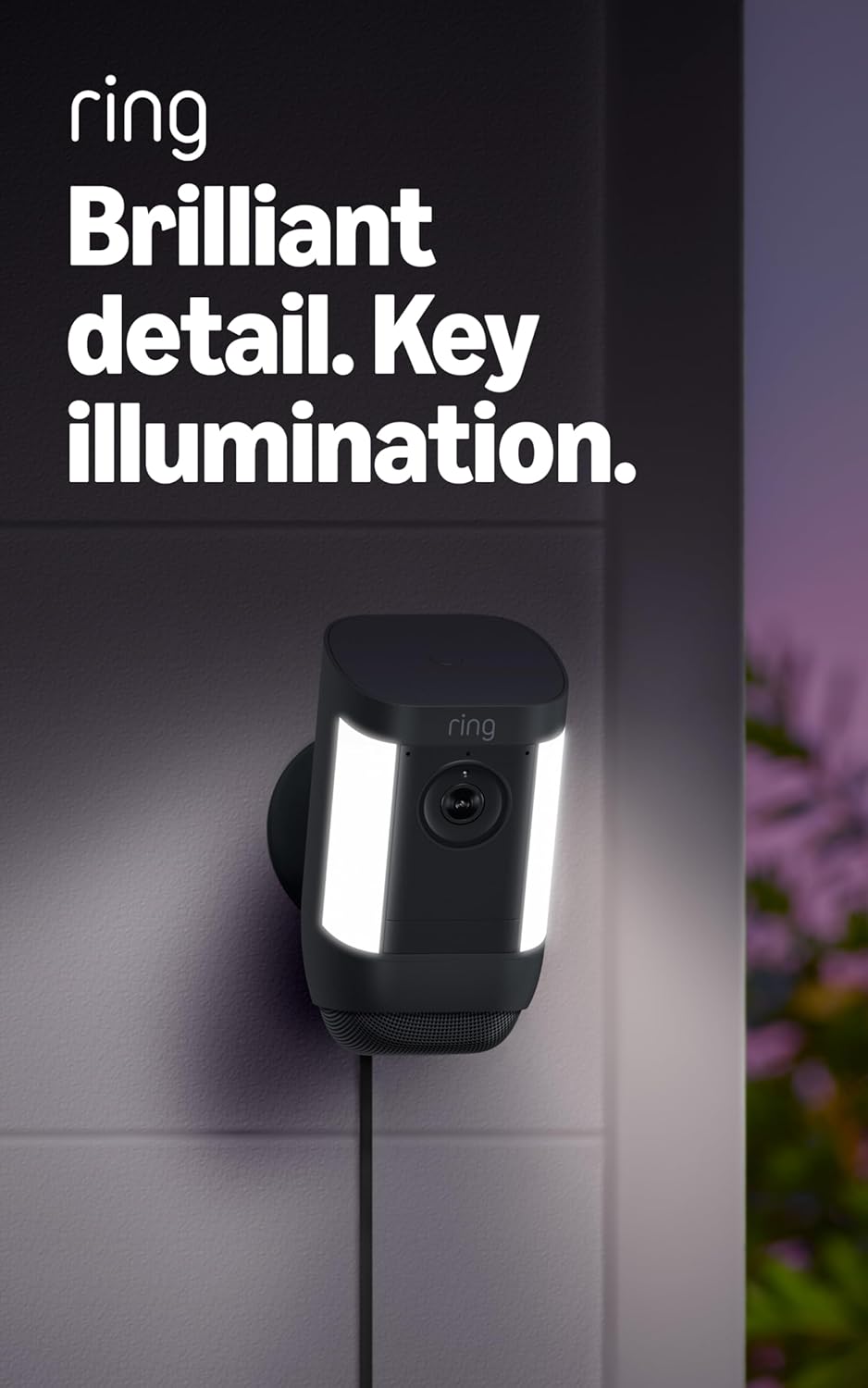
Figure 4.4: Spotlight Cam Pro with activated illumination.
4.5 ການເຊື່ອມໂຍງ Alexa
The Spotlight Cam Pro works with Alexa. You can receive announcements on Echo devices when motion is detected and use select Echo and Fire TV devices to see, hear, and speak to people on camera.
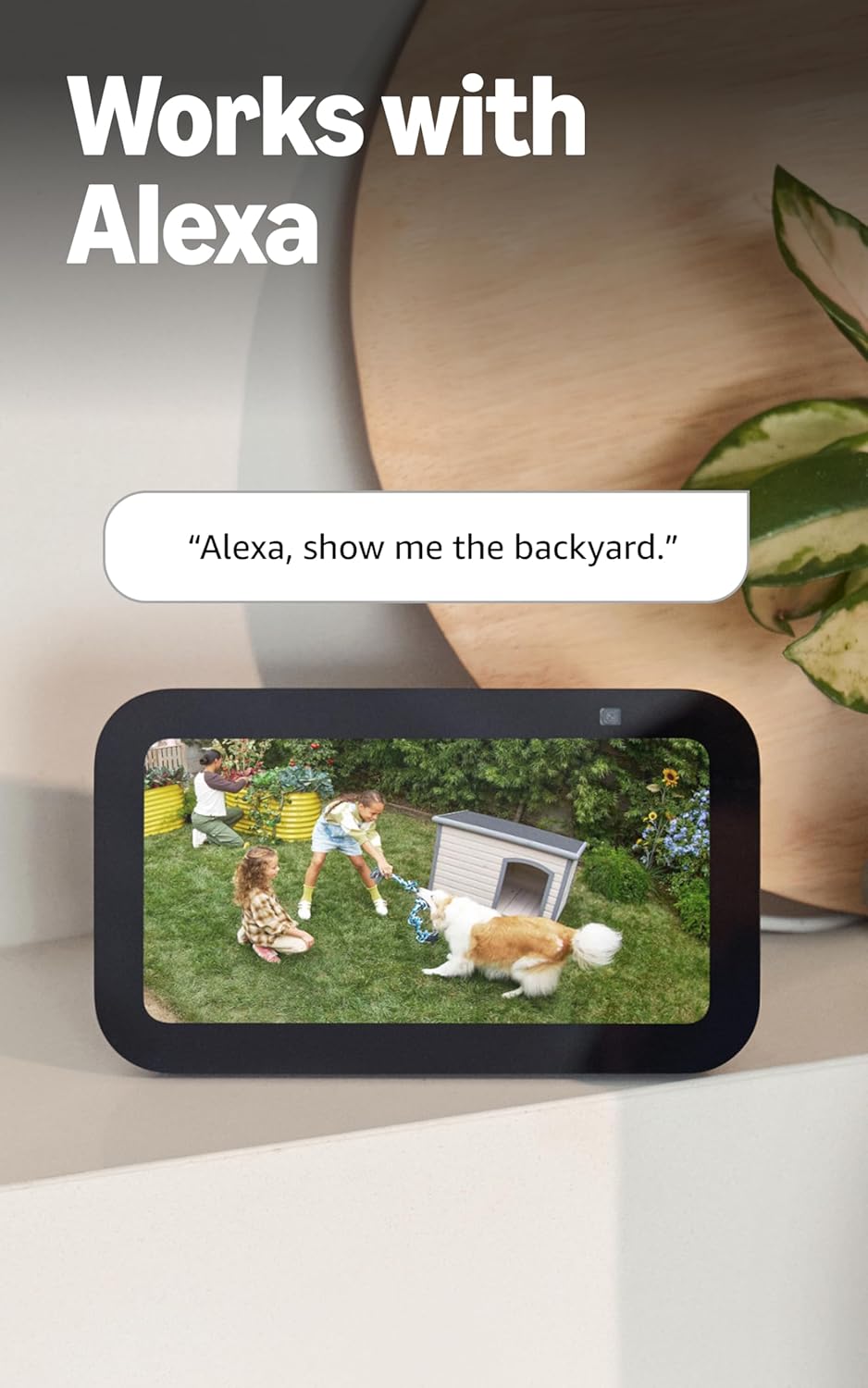
Figure 4.5: Ring Spotlight Cam Pro integration with Alexa.
5. ບໍາລຸງຮັກສາ
To ensure optimal performance and longevity of your Ring Spotlight Cam Pro, follow these maintenance guidelines:
- ທໍາຄວາມສະອາດ: ເຊັດເລນກ້ອງຖ່າຍຮູບ ແລະ ທີ່ຢູ່ອາໄສເປັນໄລຍະໆດ້ວຍເຄື່ອງອ່ອນ, ງamp ຜ້າເພື່ອເອົາຝຸ່ນແລະຝຸ່ນ. ຫຼີກເວັ້ນການນໍາໃຊ້ສານເຄມີທີ່ຮຸນແຮງຫຼືວັດສະດຸຂັດ.
- ການອັບເດດເຟີມແວ: Ensure your device's firmware is always up to date through the Ring app to benefit from the latest features and security enhancements.
- ການເຊື່ອມຕໍ່ພະລັງງານ: Regularly check the USB-C power adapter and cable for any signs of damage.
6. ການແກ້ໄຂບັນຫາ
If you encounter issues with your Ring Spotlight Cam Pro, consider the following common solutions:
- ບໍ່ມີພະລັງງານ: Ensure the USB-C power adapter is securely plugged into both the camera and a working power outlet.
- ຄຸນນະພາບວິດີໂອບໍ່ດີ: Check your internet connection. A recommended minimum upload speed of 4.5 Mbps is required for optimal performance. Video resolution may vary with bandwidth.
- ບັນຫາການກວດຈັບການເຄື່ອນໄຫວ: Verify that motion zones are correctly configured in the Ring app. Ensure there are no obstructions blocking the camera's view.
- ບັນຫາການເຊື່ອມຕໍ່: Confirm your Wi-Fi network is operational. The camera supports 802.11 b/g/n/ac Wi-Fi @2.4GHz and 5.0GHz. Try restarting your router.
- ແອັບບໍ່ຕອບສະໜອງ: Close and reopen the Ring app. If the issue persists, try reinstalling the app.
For further assistance, refer to the support section or contact Ring customer service.
7. ຂໍ້ມູນຈໍາເພາະ
| ເວລາຕິດຕັ້ງສະເລ່ຍ | 5-10 ນາທີ |
| ວິດີໂອ | 2K, HDR, Live View, ວິໄສທັດກາງຄືນສີ |
| ພາກສະຫນາມຂອງ View | ລວງນອນ 140 °, ລວງຕັ້ງ 80 ° |
| ກວດຈັບການເຄື່ອນໄຫວ | 3D Motion Detection with Bird's Eye Zones and Bird's Eye View |
| ສຽງ | Two-Way Talk with Audio+ and advanced noise cancellation |
| ໄຊເຣນ | ສັນຍານຄວາມປອດໄພທີ່ເປີດໃຊ້ຈາກໄລຍະໄກ |
| ແສງໄຟ | Two 3000° Kelvin spotlights |
| ເຮັດວຽກກັບ Alexa | Illuminates and sends announcements to Echo devices whenever motion is detected, and lets you see, hear and speak to people on camera with select Echo and Fire TV devices. |
| ພະລັງງານ | Plug-In USB-C Power Adapter (19.7 feet long) |
| ໂໝດພະລັງງານສອງເທົ່າ | Dynamic switching between plug-in and battery power modes (requires purchase of Quick Release Battery Pack) |
| ຄວາມຕ້ອງການອິນເຕີເນັດ | Recommended minimum upload speed of 4.5 Mbps for optimal performance. Video resolution may vary depending on internet bandwidth. |
| ການເຊື່ອມຕໍ່ | 802.11 b/g/n/ac Wi-Fi connection @2.4GHz and 5.0GHz |
| ເງື່ອນໄຂການດໍາເນີນງານ | -4°F ຫາ 120°F (-20°C ຫາ 48.5°C), ທົນທານຕໍ່ສະພາບອາກາດ |
| ສີທີ່ມີຢູ່ | ຂາວ,ດຳ |
| ການຕັ້ງຄ່າຄວາມຕ້ອງການ | Vertical or horizontal surface for mounting. |
| ຂະໜາດ | 3.1 in. x 3.2 in. x 5.7 in. (77.8 ມມ x 81.5 ມມ x 144.63 ມມ) |
8. ການຮັບປະກັນແລະການສະຫນັບສະຫນູນ
Your Ring Spotlight Cam Pro comes with a one-year limited warranty. Purchase and use of the product are subject to terms and conditions.
For additional information, troubleshooting guides, and customer service, please visit the official Ring support page. You can also find information regarding software security updates in the Ring Control Center.
Important Disclaimers:
- ຈຳກັດໃຫ້ 10 ອຸປະກອນຢູ່ບ່ອນດຽວ. ບໍ່ເຂົ້າກັນໄດ້ກັບຄຸນສົມບັດທີ່ເລືອກ.
- ການບັນທຶກຈະຖືກເກັບໄວ້ຊົ່ວຄາວໃນຄລາວ, ສູງສຸດ 14 ມື້. ຄຸນນະສົມບັດນີ້ແມ່ນຂຶ້ນກັບການເຊື່ອມຕໍ່ເຄືອຂ່າຍແລະປັດໃຈອື່ນໆ.
- ວິດີໂອ Ring ຂອງທ່ານຢູ່ໃນຟັງໄດ້ຖືກເກັບຮັກສາໄວ້ຊົ່ວຄາວ, ເຖິງ 180 ວັນຂອງປະຫວັດສາດເຫດການວິດີໂອ. ການປ່ຽນແປງທີ່ໃຊ້ເວລາການເກັບຮັກສາວິດີໂອຂອງທ່ານຈະມີຜົນກະທົບພຽງແຕ່ວິດີໂອທີ່ບັນທຶກໄວ້ຫຼັງຈາກທີ່ທ່ານປັບຕັ້ງຄ່າທີ່ໃຊ້ເວລາເກັບຮັກສາຂອງທ່ານ. ກວດເບິ່ງແຜນການຈອງ Ring ສໍາລັບຂໍ້ມູນເພີ່ມເຕີມ.
- Ring Home Premium subscription required, sold separately. For customers in Illinois & Texas: Ring Smart Video Search is not available on Ring devices due to specific state legislation. Feature only available in English.