
1. ບົດແນະນຳ
This manual provides comprehensive instructions for the installation, configuration, and operation of your PGST Wireless Smart Home Alarm System. Please read this manual thoroughly before using the product to ensure proper functionality and safety. This system is designed to enhance the security of your home or office with advanced features including Wi-Fi/GSM connectivity, app control, and various detection sensors.
2. ເນື້ອໃນຊຸດ
ກວດສອບວ່າລາຍການທັງຫມົດທີ່ລະບຸໄວ້ຂ້າງລຸ່ມນີ້ແມ່ນລວມຢູ່ໃນຊຸດຂອງທ່ານ. ຖ້າລາຍການໃດຂາດຫາຍໄປຫຼືເສຍຫາຍ, ກະລຸນາຕິດຕໍ່ຝ່າຍຊ່ວຍເຫຼືອລູກຄ້າ.
- Alarm Host (Control Panel)
- Wireless Infrared Motion Detector
- Wireless Door/Window Opening Detectors (5 units)
- Remote Controls (2 units)
- RFID Tags (ຫນ່ວຍງານ 2)
- ໄຊເຣນ
- ປຸ່ມ SOS
- Power Adapter
- ຄູ່ມືຜູ້ໃຊ້

ຮູບພາບ 2.1: ຫຼາຍກວ່າview of the PGST Wireless Smart Home Alarm System kit components.
3. ຜະລິດຕະພັນເກີນview
The PGST Smart Home Alarm System is a comprehensive security solution featuring a 4.3-inch IPS color touchscreen control panel, multiple wireless sensors, and smart connectivity options.
3.1. Alarm Host (Control Panel)
The central unit of the alarm system, featuring a 4.3-inch IPS color display for real-time operation and status monitoring. It supports Wi-Fi, 4G, GSM, and GPRS networks for reliable communication.

Image 3.1: The PGST Alarm Host with its 4.3-inch IPS color display.
3.2. Wireless Sensors and Accessories
- ເຄື່ອງກວດຈັບການເຄື່ອນໄຫວ: Detects movement within its range, triggering an alarm.
- ເຊັນເຊີປະຕູ/ປ່ອງຢ້ຽມ: Triggers an alarm when a protected door or window is opened.
- ການຄວບຄຸມໄລຍະໄກ: Used for arming, disarming, and triggering the SOS function remotely.
- RFID Tag: Allows for quick arming/disarming by swiping the tag near the control panel.
- ປຸ່ມ SOS: ປຸ່ມສະເພາະສຳລັບການແຈ້ງເຕືອນສຸກເສີນ.

Image 3.2: A wireless motion detector.
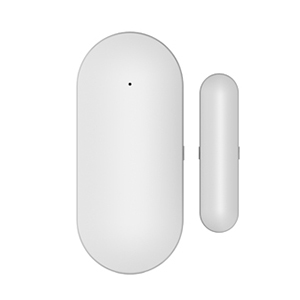
Image 3.3: A wireless door/window sensor.

Image 3.4: A remote control for the alarm system.

Image 3.5: An RFID tag ສໍາລັບການເຂົ້າເຖິງສະດວກ.

Image 3.6: A dedicated SOS button.
4. ການຕິດຕັ້ງແລະການຕິດຕັ້ງ
4.1. ການເປີດພະລັງງານເບື້ອງຕົ້ນ
- ເຊື່ອມຕໍ່ອະແດບເຕີໄຟຟ້າກັບໂຮດເຕືອນໄພ ແລະ ສຽບມັນເຂົ້າກັບປລັກໄຟ.
- The system will power on and display the main interface on the 4.3-inch screen.
4.2. Connecting to the Tuya App and Wi-Fi
To control your alarm system remotely and receive notifications, connect it to the Tuya Smart app via Wi-Fi.
- ດາວໂຫຼດແອັບ 'Tuya Smart' ຫຼື 'Smart Life' ຈາກຮ້ານແອັບໃນໂທລະສັບສະຫຼາດຂອງທ່ານ.
- ລົງທະບຽນຫລືເຂົ້າບັນຊີຂອງທ່ານ.
- On the alarm host, navigate to the Wi-Fi settings.
- In the app, select 'Add Device' and choose the alarm system category.
- Follow the on-screen prompts in the app to connect the alarm host to your 2.4GHz Wi-Fi network. Ensure your Wi-Fi password is correct.
Video 4.1: Instructions for connecting the alarm host to the Tuya Smart app via Wi-Fi.
4.3. Pairing Wireless Accessories
Follow these steps to pair your remote controls, RFID tags, door/window sensors, and motion detectors with the alarm host.
- On the alarm host, navigate to the 'Parts' or 'Accessories' menu.
- Select the option to add a new remote control, RFID tag, or detector.
- For remote controls, press any button on the remote when prompted.
- ສໍາລັບ RFID tags, swipe ໄດ້ tag near the RFID reader on the alarm host.
- For door/window sensors, separate the two parts of the sensor when prompted.
- For motion detectors, trigger the detector by moving in front of it when prompted.
- The alarm host will confirm successful pairing. Repeat for all accessories.
Video 4.2: Demonstration of pairing remote controls, RFID tags, door sensors, and motion detectors with the alarm host.
4.4. ການຕັ້ງຄ່າກ້ອງຖ່າຍຮູບ IP (ທາງເລືອກ)
If your kit includes an IP camera, you can integrate it with the Tuya app for enhanced monitoring and motion-triggered recording.
- ເປີດກ້ອງຖ່າຍຮູບ IP.
- Press and hold the reset button on the camera for 5 seconds until you hear a prompt.
- In the Tuya app, select 'Add Device' and choose the camera category.
- Follow the app's instructions to connect the camera to your Wi-Fi network, typically by scanning a QR code displayed on your phone with the camera.
- Once connected, you can set up motion detection alarms within the camera settings in the app.
Video 4.3: Guide for connecting the IP camera to the Tuya app and configuring motion detection.

Image 4.4: Illustration of the Tuya IP Camera linking with the alarm system for motion detection.
5. ຄໍາແນະນໍາການດໍາເນີນງານ
5.1. ການເປີດ ແລະ ປິດລະບົບອາວຸດ
The system can be armed or disarmed using the control panel, remote controls, RFID tags, or the Tuya app.
- ແຂນ (ໂໝດບໍ່ຢູ່ເຮືອນ): ເປີດໃຊ້ເຊັນເຊີທັງໝົດ. ເຊັນເຊີທີ່ກະຕຸ້ນຈະເລີ່ມປຸກ.
- ແຂນຢືດ (ໂໝດຢູ່ເຮືອນ): Activates perimeter sensors (e.g., door/window sensors) while allowing free movement within the property.
- ປົດອາວຸດ: ປິດລະບົບເຕືອນໄພ.
5.2. ຟັງຊັນ SOS
In an emergency, press the SOS button on the control panel or remote control to trigger an immediate alarm and notify pre-set emergency contacts.

Image 5.1: Illustration of the SOS function providing immediate assistance.
5.3. Two-Way Voice Intercom
The alarm host supports two-way voice communication, allowing you to make and receive calls or voice messages through the system.
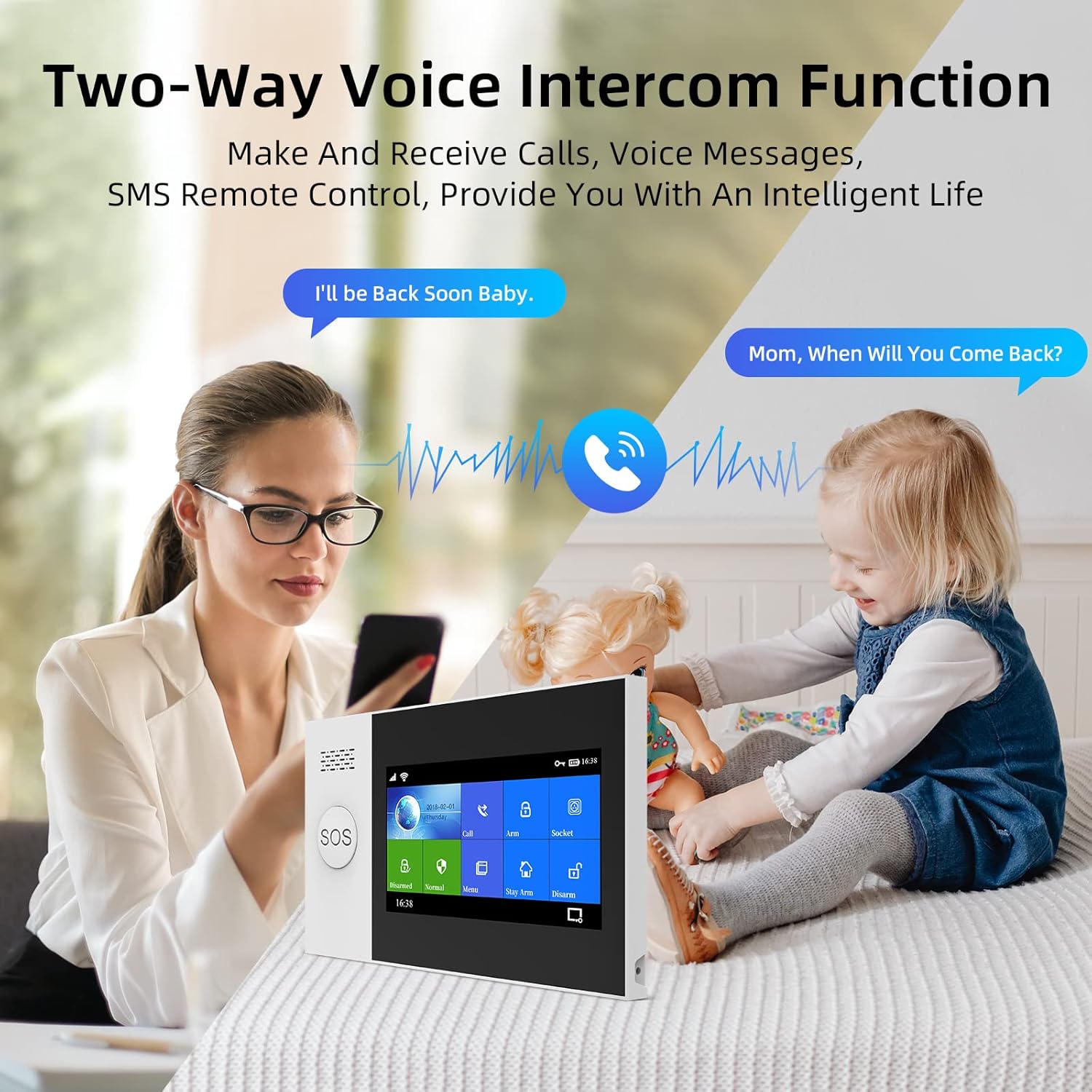
Image 5.2: The two-way voice intercom function in use.
5.4. ການປະສົມປະສານການຄວບຄຸມດ້ວຍສຽງ
The system is compatible with voice assistants like Amazon Alexa and Google Assistant, enabling convenient voice commands for arming and disarming.

Image 5.3: The alarm system's compatibility with Alexa voice control.
5.5. Zone Settings
The system supports multiple defense zone settings, allowing customization for different areas of your property:
- ເຂດການເຂົ້າເຖິງ: ໂດຍປົກກະຕິສໍາລັບຈຸດເຂົ້າ / ອອກທີ່ມີການຊັກຊ້າ.
- Interior Zone: For indoor motion sensors, active in Away mode.
- ເຂດອ້ອມຮອບ: For door/window sensors, active in Stay Arm mode.
- ເຂດ 24 ຊົ່ວໂມງ: Always active, such as for smoke detectors or emergency buttons.
- ເຂດກະດິ່ງປະຕູ: Functions as a doorbell.
You can customize the names of these zones (e.g., main door, living room, bedroom window) for clear identification.
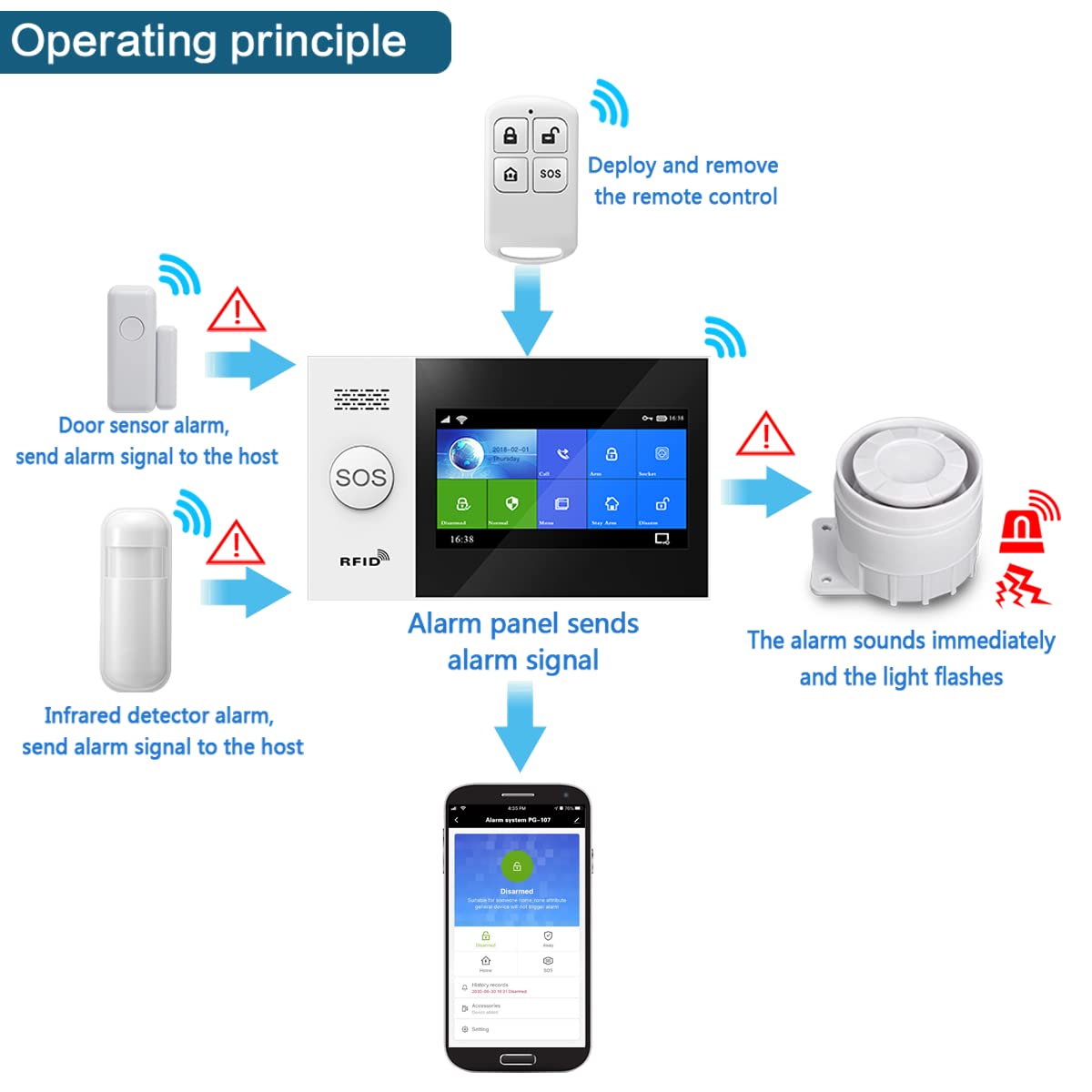
Image 5.4: Diagram illustrating the operating principle of the alarm system with various sensors.
6. ບໍາລຸງຮັກສາ
- ການປ່ຽນແບັດເຕີຣີ: The system will provide a low battery warning for sensors. Replace batteries promptly to ensure continuous protection. The main host uses a Lithium-ion battery.
- ທໍາຄວາມສະອາດ: Use a soft, dry cloth to clean the control panel and sensors. Avoid using abrasive cleaners or solvents.
- ການອັບເດດເຟີມແວ: Periodically check the Tuya app for available firmware updates for the alarm host and camera to ensure optimal performance and security.
7. ການແກ້ໄຂບັນຫາ
If you encounter issues with your PGST alarm system, refer to the following common problems and solutions:
- ລະບົບບໍ່ໄດ້ເຊື່ອມຕໍ່ກັບ Wi-Fi: Ensure your Wi-Fi network is 2.4GHz. Verify the Wi-Fi password. Restart the alarm host and your router.
- ເຊັນເຊີບໍ່ກະຕຸ້ນສັນຍານເຕືອນ: Check sensor battery levels. Ensure sensors are properly paired with the alarm host. Verify sensor placement and alignment (e.g., door/window sensors).
- ການຄວບຄຸມໄລຍະໄກບໍ່ເຮັດວຽກ: Check the remote control battery. Re-pair the remote control with the alarm host.
- ສັນຍານເຕືອນທີ່ບໍ່ຖືກຕ້ອງ: Adjust sensitivity settings for motion detectors if available. Ensure sensors are not placed in areas prone to drafts or direct sunlight.
- ບໍ່ມີການແຈ້ງເຕືອນແອັບ: Check app notification settings on your smartphone. Ensure the alarm host has a stable internet connection.
For further assistance, please contact PGST customer support.
8. ຂໍ້ມູນຈໍາເພາະ
| ຄຸນສົມບັດ | ຂໍ້ມູນຈໍາເພາະ |
|---|---|
| ໝາຍເລກຕົວແບບ | PG107-4G/T53A |
| ຍີ່ຫໍ້ | PGST |
| ເຕັກໂນໂລຊີການເຊື່ອມຕໍ່ | Wi-Fi, GSM |
| ແຫຼ່ງພະລັງງານ | WiFi/GSM (Main unit), 1 Lithium-ion battery (Main unit), other batteries for sensors |
| ວິທີການຄວບຄຸມ | Touch (Control Panel) |
| ອຸປະກອນທີ່ເຂົ້າກັນໄດ້ | ໂທລະສັບສະຫຼາດ, ແທັບເລັດ |
| ປະເພດການຕິດຕັ້ງ | Self-adhesive (for sensors) |
| ປະເພດ Alert | Audio only, Motion only |
| ຂະໜາດສິນຄ້າ (L x W x H) | 30.9 x 16.1 x 10.2 cm |
| ນ້ໍາຫນັກລາຍການ | 1.04 ກິໂລກຣາມ |
9. ການຮັບປະກັນແລະການສະຫນັບສະຫນູນ
For warranty information, technical support, or service inquiries, please refer to the contact details provided with your purchase or visit the official PGST webເວັບໄຊ. ຮັກສາໃບຮັບເງິນການຊື້ຂອງທ່ານໄວ້ເປັນຫຼັກຖານການຊື້ສໍາລັບການຮ້ອງຂໍການຮັບປະກັນ.