
ແນະນຳ
The Philips S7505 Wireless Bluetooth Speaker is designed to deliver powerful, portable audio with a range of convenient features. This manual provides essential information for setting up, operating, maintaining, and troubleshooting your speaker to ensure optimal performance and longevity. Key features include a built-in power bank, IPX7 waterproof rating, and up to 20 hours of playtime.

Image: The Philips S7505 Wireless Bluetooth Speaker, showcasinການອອກແບບທີ່ທັນສະໄໝ ແລະ ຜ້າທີ່ສຳເລັດຮູບຂອງມັນ.
ແມ່ນຫຍັງຢູ່ໃນກ່ອງ
ກວດສອບວ່າລາຍການທັງຫມົດແມ່ນມີຢູ່ໃນການຫຸ້ມຫໍ່:
- ສາຍສາກ USB
- ຄູ່ມືການຕິດຕັ້ງດ່ວນ
- ໃບຮັບປະກັນທົ່ວໂລກ
- ບັດຮັບປະກັນ
ສິນຄ້າເກີນview
Familiarize yourself with the speaker's controls and indicators.

Image: Close-up of the speaker's top panel, highlighting the embossed control buttons for power, Bluetooth, playback, and volume.
The top panel features embossed buttons for easy control:
- ປຸ່ມເປີດປິດ: ເປີດ ຫຼືປິດລຳໂພງ.
- ປຸ່ມ Bluetooth: ເລີ່ມໂໝດການຈັບຄູ່ Bluetooth.
- ປຸ່ມຫຼິ້ນ/ຢຸດຊົ່ວຄາວ: ຄວບຄຸມການຫຼິ້ນສຽງ.
- ປຸ່ມປຸ່ມ Volume Up / Down: ປັບລະດັບສຽງຂອງລຳໂພງ.
- ໄຟຕົວຊີ້ວັດຫມໍ້ໄຟ: ສະແດງລະດັບແບັດເຕີຣີປັດຈຸບັນ.
ຕັ້ງຄ່າ
1. ການສາກໄຟ ລຳ ໂພງ
Before first use, fully charge your Philips S7505 speaker. Use the included USB-C cable to connect the speaker to a power source. A full charge takes approximately 4.5 hours.

Image: The USB-C charging port on the side of the speaker with a cable inserted, indicating the charging process.
2. ການຈັບຄູ່ Bluetooth
- ເປີດລຳໂພງໂດຍການກົດປຸ່ມເປີດປິດ.
- The Bluetooth indicator will flash, indicating it is in pairing mode. If not, press and hold the Bluetooth button until it flashes.
- ໃນອຸປະກອນມືຖືຂອງທ່ານ (ໂທລະສັບສະຫຼາດ, ແທັບເລັດ, ແລັບທັອບ), ເປີດ Bluetooth ແລະຊອກຫາອຸປະກອນທີ່ມີຢູ່.
- Select "Philips S7505" from the list of devices.
- Once connected, the Bluetooth indicator will glow solid, and you will hear a confirmation tone.
ລຳໂພງຈະເຊື່ອມຕໍ່ຄືນໃໝ່ໂດຍອັດຕະໂນມັດກັບອຸປະກອນທີ່ຈັບຄູ່ສຸດທ້າຍເມື່ອເປີດ, ຖ້າອຸປະກອນຢູ່ໃນຂອບເຂດ ແລະ Bluetooth ຖືກເປີດໃຊ້.

Image: A person holding a smartphone, displaying a low battery icon, connected via cable to the Philips S7505 speaker, which is placed on a picnic blanket.
ຄໍາແນະນໍາການດໍາເນີນງານ
1. ການຄວບຄຸມການຫຼິ້ນພື້ນຖານ
- ຫຼິ້ນ/ຢຸດ: ກົດປຸ່ມຫຼິ້ນ/ຢຸດຊົ່ວຄາວໜຶ່ງຄັ້ງ.
- ປະລິມານຂຶ້ນ: ກົດປຸ່ມ '+'.
- ປະລິມານລົງ: ກົດປຸ່ມ '-'.
- ເພງຕໍ່ໄປ: ກົດປຸ່ມ '+' ຄ້າງໄວ້.
- ຕິດຕາມກ່ອນ ໜ້າ ນີ້: ກົດປຸ່ມ '-' ຄ້າງໄວ້.
2. ຟັງຊັນ Power Bank
The Philips S7505 features a built-in power bank, allowing you to charge your mobile devices. Connect your device to the USB-A port on the speaker using a compatible charging cable.

Image: A smartphone connected to the Philips S7505 speaker via a USB cable, demonstrating the power bank functionality.
3. Stereo Pairing (Twin Mode)
For an enhanced audio experience, you can pair two identical Philips S7505 speakers together to create a stereo sound system.
- ກວດໃຫ້ແນ່ໃຈວ່າລຳໂພງທັງສອງເປີດຢູ່ ແລະບໍ່ໄດ້ເຊື່ອມຕໍ່ກັບອຸປະກອນ Bluetooth ໃດ.
- On one speaker (this will be the primary speaker), press and hold the Bluetooth button until you hear a prompt or see an indicator for stereo pairing mode.
- ຜູ້ເວົ້າຫຼັກຈະຄົ້ນຫາຜູ້ເວົ້າສຳຮອງ.
- ເມື່ອເຊື່ອມຕໍ່ແລ້ວ, ລຳໂພງທັງສອງຈະຫຼິ້ນສຽງໃນສະເຕຣິໂອ.

Image: Two Philips S7505 speakers positioned side-by-side, illustrating the stereo pairing capability.
4. ໂທຟຣີ
The built-in microphone allows you to handle hands-free calls when your speaker is connected to a smartphone. When a call comes in, press the Play/Pause button to answer or end the call.
ບໍາລຸງຮັກສາ
1. ກັນນ້ຳ (IPX7)
The Philips S7505 speaker is IPX7 waterproof, meaning it can be immersed in water up to 1 meter for up to 30 minutes. This makes it suitable for use in wet environments like showers or by the pool. Ensure all port covers are securely closed before exposing the speaker to water.
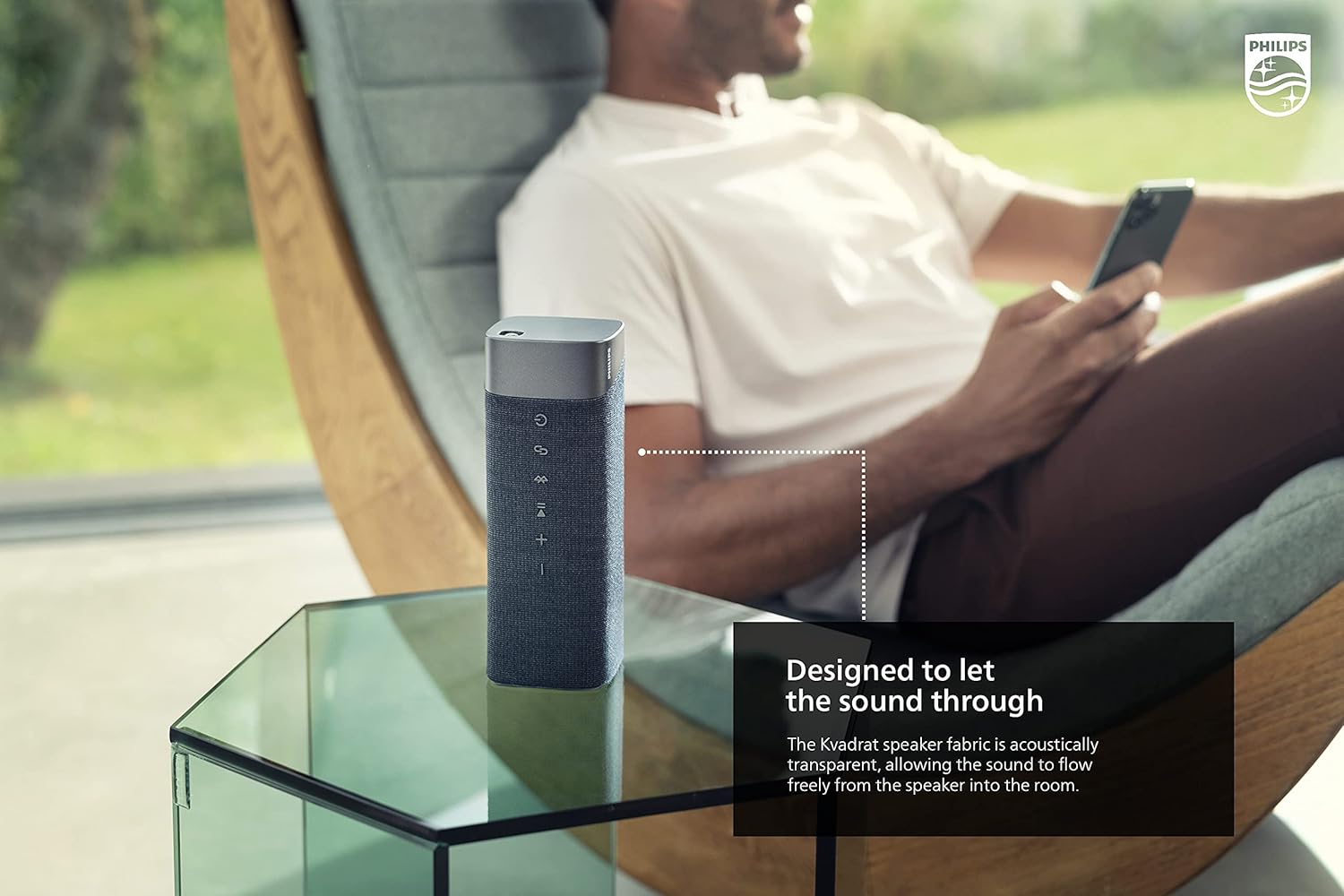
Image: The Philips S7505 speaker placed on a picnic blanket outdoors, highlighting its suitability for various environments due to its waterproof design.
2. ການດູແລຜ້າ
The speaker features a premium Kvadrat fabric. To clean, gently wipe with a soft, damp cloth. Avoid using harsh chemicals or abrasive materials, as these may damage the fabric or speaker components.
ການແກ້ໄຂບັນຫາ
If you encounter issues with your Philips S7505 speaker, refer to the following common problems and solutions:
- ລຳໂພງບໍ່ເປີດ: Ensure the battery is charged. Connect the speaker to a power source using the USB-C cable and allow it to charge for a few minutes before attempting to power on again.
- ບໍ່ມີສຽງ ຫຼືສຽງບິດເບືອນ:
- ກວດເບິ່ງລະດັບສຽງໃນທັງລຳໂພງ ແລະອຸປະກອນທີ່ເຊື່ອມຕໍ່ຂອງທ່ານ.
- Ensure the speaker is properly paired via Bluetooth. Disconnect and re-pair if necessary.
- ຍ້າຍລຳໂພງເຂົ້າໃກ້ອຸປະກອນຂອງທ່ານເພື່ອຫຼີກເວັ້ນການລົບກວນ.
- ການຈັບຄູ່ Bluetooth ລົ້ມເຫລວ:
- Ensure the speaker is in pairing mode (Bluetooth indicator flashing).
- ປິດ Bluetooth ໃນອຸປະກອນທີ່ຢູ່ໃກ້ຄຽງອື່ນໆທີ່ອາດຈະພະຍາຍາມເຊື່ອມຕໍ່.
- ຣີສະຕາດທັງລຳໂພງ ແລະອຸປະກອນຂອງທ່ານ.
- ລຳໂພງປິດອັດຕະໂນມັດ: The speaker is designed to power off after a period of inactivity to conserve battery. This feature cannot be disabled. To prevent this, ensure audio playback is active.
ຂໍ້ມູນຈໍາເພາະ
Detailed technical specifications for the Philips S7505 Wireless Bluetooth Speaker:

Image: The Philips S7505 speaker with overlaid measurements, indicating its dimensions of 9.1 inches (width), 3.3 inches (depth), and 3.4 inches (height).
| ໝາຍເລກຕົວແບບ | S7505 |
| ຍີ່ຫໍ້ | Philips ສຽງ |
| ເຕັກໂນໂລຊີການເຊື່ອມຕໍ່ | Bluetooth, USB |
| ເຕັກໂນໂລຊີການສື່ສານໄຮ້ສາຍ | Bluetooth |
| ລຳໂພງກຳລັງຜົນຜະລິດສູງສຸດ | 30 ວັດ |
| ຂະຫນາດລໍາໂພງ | 4 ນິ້ວ |
| impedance | 3 ໂອມ |
| ຮູບແບບການອອກສຽງ | Mono (can be paired for Stereo) |
| ແຫຼ່ງພະລັງງານ | ແບດເຕີຣີ້ໃຊ້ພະລັງງານ (ມີຫມໍ້ໄຟ Lithium Ion 1 ໜ່ວຍ) |
| ເວລາຫຼິ້ນ | ສູງສຸດ 20 ຊົ່ວໂມງ |
| ເວລາສາກໄຟ | 4.5 ຊົ່ວໂມງ |
| ລະດັບຄວາມຕ້ານທານນ້ໍາ | ກັນນໍ້າ IPX7 |
| ຂະໜາດສິນຄ້າ (ກວ້າງ x ຍາວ x ສູງ) | 3.3"D x 9.1"W x 3.4"H |
| ນ້ໍາຫນັກລາຍການ | 2.2 ປອນ (1 ກິໂລກຣາມ) |
| ວິທີການຄວບຄຸມ | ແຕະ |
ການຮັບປະກັນແລະການສະຫນັບສະຫນູນ
Your Philips S7505 Wireless Bluetooth Speaker comes with a full warranty. Please refer to the included Warranty Card and World Wide Warranty Leaflet for detailed terms and conditions.
For further assistance, technical support, or warranty claims, please visit the official Philips Audio support website or contact their customer service. Contact information can typically be found on the Philips Audio webສະຖານທີ່ຫຼືຢູ່ໃນເອກະສານການຮັບປະກັນ.