
ແນະນຳ
The Samsung Galaxy S21 FE 5G is a factory unlocked Android smartphone designed to enhance your daily mobile experience. It features a 120Hz display, a powerful processor, a pro-grade camera system, and an all-day intelligent battery. This manual provides essential information for setting up, operating, maintaining, and troubleshooting your device.

ຮູບ 1: ດ້ານຫນ້າ view of the Samsung Galaxy S21 FE 5G smartphone.
ຕັ້ງຄ່າ
ການຕິດຕັ້ງເບື້ອງຕົ້ນ
Upon first powering on your device, follow the on-screen prompts to select your language, connect to a Wi-Fi network, and sign in with your Google account. This process will guide you through essential configurations to get your phone ready for use.
ການຕິດຕັ້ງຊິມກາດ
The Galaxy S21 FE 5G supports Dual SIM functionality using Nano SIM cards. To install your SIM card(s):
- ຊອກຫາຖາດຊິມກາດຢູ່ດ້ານຂ້າງຂອງອຸປະກອນ.
- ໃສ່ເຄື່ອງມືຖອດຊິມກາດເຂົ້າໄປໃນຮູນ້ອຍໆທີ່ຢູ່ຂ້າງຖາດ ແລະ ຄ່ອຍໆຍູ້ຈົນກວ່າຖາດຈະດຶງອອກມາ.
- Place your Nano SIM card(s) into the tray with the gold contacts facing down. Ensure they are correctly seated.
- ໃສ່ຖາດໃສ່ອຸປະກອນຄືນໃໝ່ຢ່າງລະມັດລະວັງ.
ເປີດ/ປິດ
- ເພື່ອເປີດເຄື່ອງ: ກົດປຸ່ມເປີດ/ປິດຄ້າງໄວ້ຈົນກວ່າໂລໂກ້ Samsung ຈະປາກົດ.
- ປິດເຄື່ອງ: Press and hold the Power/Side key and the Volume Down button simultaneously, then tap 'Power off' on the screen. Alternatively, swipe down from the top of the screen to open the Quick Panel, tap the Power icon, and select 'Power off'.
ປະຕິບັດການອຸປະກອນ
ການສະແດງແລະການນໍາທາງ
Experience smooth scrolling and vibrant visuals on the 6.4-inch Dynamic AMOLED 2X display with a 120Hz refresh rate and 2560 x 1440 resolution. The display offers a fast touch response for seamless interaction, even in bright sunlight.

Figure 2: The Dynamic AMOLED 2X display of the Galaxy S21 FE 5G.
ຄຸນນະສົມບັດກ້ອງຖ່າຍຮູບ
The Galaxy S21 FE 5G is equipped with a powerful pro-grade camera system:
- ກ້ອງຫຼັງ: 12MP Ultra Wide, 12MP Wide-angle, and 8MP Telephoto.
- ກ້ອງໜ້າ: ກ້ອງໜ້າເຊວຟີ 32MP.
- ຂະຫຍາຍພື້ນທີ່ 30x: Combines 3x Hybrid Optic Zoom and 30x digital zoom for high-resolution close-ups, with EngageZoom Lock to reduce shakiness.
- ໂໝດກາງຄືນ: Capture crisp images in vivid color, even in low-light conditions.

Figure 3: Portrait mode capabilities of the Galaxy S21 FE 5G camera.

Figure 4: Night mode feature for enhanced low-light photography.
ການຄຸ້ມຄອງຫມໍ້ໄຟ
The device features a 4500mAh intelligent battery designed to last all day, even with 5G usage. Super Fast Charging can charge 50% of the battery in approximately 30 minutes. Average battery life for talk time is 37 hours.

Figure 5: All-day intelligent battery of the Galaxy S21 FE 5G.
ການປະຕິບັດ
Powered by an efficient Snapdragon processor with 6GB RAM, the Galaxy S21 FE 5G delivers reliable performance for graphic-heavy gaming and multitasking.
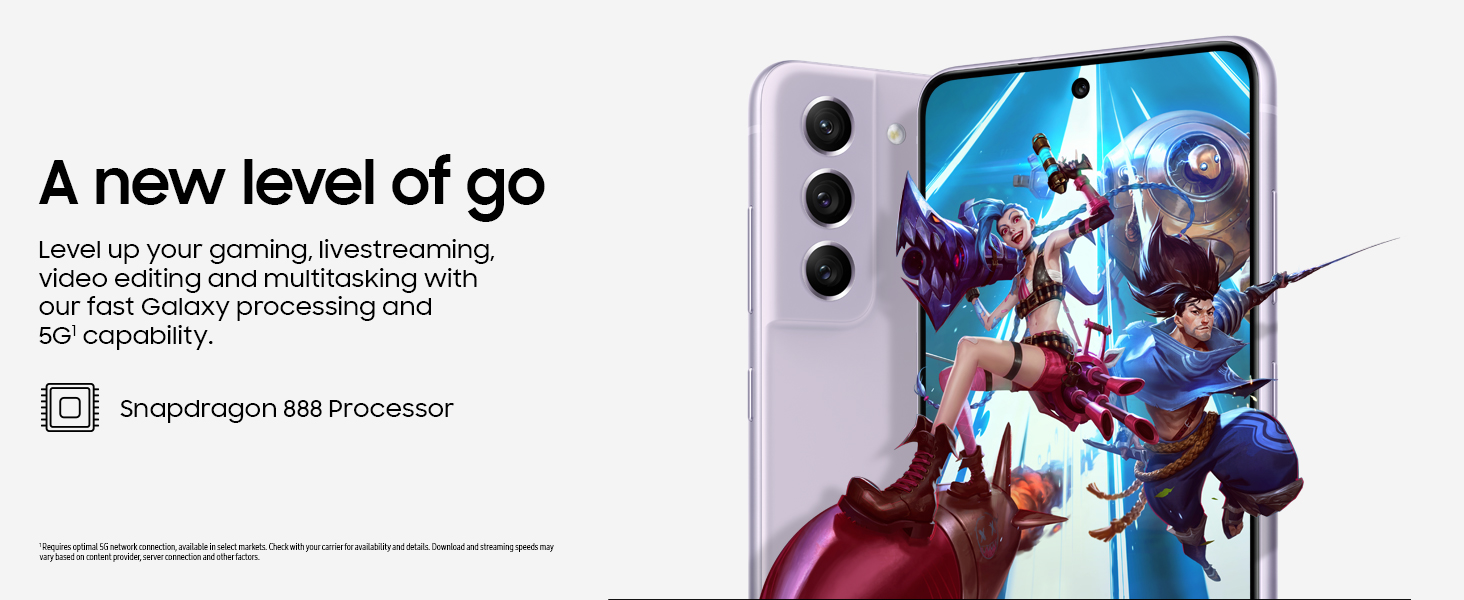
Figure 6: High-performance processor for gaming and multitasking.
ການເຊື່ອມຕໍ່
The device supports 5G cellular technology, Wi-Fi, Bluetooth, and NFC for versatile connectivity options. It is an unlocked device, allowing flexibility with wireless carriers.
ບໍາລຸງຮັກສາ
ທໍາຄວາມສະອາດ
To clean your device, gently wipe the screen and body with a soft, lint-free cloth. Avoid using harsh chemicals or abrasive materials that could damage the screen or finish.
ອັບເດດຊອບແວ
Regularly check for and install software updates to ensure your device has the latest features, security patches, and performance improvements. You can usually find this option in the device's Settings menu under 'Software update'.
ຣີເຊັດເປັນຄ່າໂຮງງານ
A factory reset will erase all data from your phone and restore it to its original factory settings. This can be useful for troubleshooting persistent issues or preparing the device for transfer to a new owner. Before performing a factory reset, ensure all important data is backed up to an external storage device or cloud service.
Video 1: Instructions on how to perform a factory reset on an Android phone. This process will erase all data and restore the device to its default settings.
ການແກ້ໄຂບັນຫາ
ຖ້າຫາກທ່ານພົບບັນຫາອຸປະກອນຂອງທ່ານ, ພະຍາຍາມຂັ້ນຕອນການແກ້ໄຂບັນຫາດັ່ງຕໍ່ໄປນີ້:
- ປິດເປີດອຸປະກອນຄືນໃໝ່: ການຣີສະຕາດແບບງ່າຍດາຍມັກຈະສາມາດແກ້ໄຂຂໍ້ຜິດພາດຂອງຊອບແວເລັກນ້ອຍໄດ້.
- ກວດສອບການອັບເດດຊອບແວ: ໃຫ້ແນ່ໃຈວ່າອຸປະກອນຂອງທ່ານກຳລັງໃຊ້ຊອບແວເວີຊັ່ນລ່າສຸດ.
- ລຶບລ້າງແຄສ/ຂໍ້ມູນແອັບ: ຖ້າແອັບສະເພາະໃດນຶ່ງເຮັດໃຫ້ເກີດບັນຫາ, ໃຫ້ລອງລຶບລ້າງແຄສ ຫຼືຂໍ້ມູນຂອງມັນຢູ່ໃນການຕັ້ງຄ່າ > ແອັບ.
- Check network connection: For connectivity issues, verify Wi-Fi or cellular data is enabled and working correctly.
- ປຶກສາຫາລືຄູ່ມືຜູ້ໃຊ້: For more detailed solutions, refer to the comprehensive user manual available through the device settings.
ຂໍ້ມູນຈໍາເພາະ
| ຄຸນສົມບັດ | ຂໍ້ມູນຈໍາເພາະ |
|---|---|
| ຍີ່ຫໍ້ | Samsung |
| ຊື່ຕົວແບບ | Galaxy S21 FE 5G |
| ລະບົບປະຕິບັດການ | Android 12.0 |
| ຕົວແບບ CPU | Snapdragon |
| RAM ຂະຫນາດທີ່ຕິດຕັ້ງ | 6 GB |
| ຄວາມອາດສາມາດເກັບຮັກສາຫນ່ວຍຄວາມຈໍາ | 256 GB |
| ຂະໜາດໜ້າຈໍ | 6.4 ນິ້ວ |
| ຄວາມລະອຽດ | 2560 x 1440 |
| ອັດຕາການໂຫຼດຂໍ້ມູນຄືນໃໝ່ | 120 Hz |
| ເຕັກໂນໂລຊີໂທລະສັບມືຖື | 5G |
| ເທັກໂນໂລຢີເຄືອຂ່າຍໄຮ້ສາຍ | Wi-Fi |
| ເຕັກໂນໂລຊີການເຊື່ອມຕໍ່ | Bluetooth, NFC, USB, Wi-Fi |
| Rear Facing Camera Photo Sensor Resolution | 12 MP |
| Front Photo Sensor Resolution | 32 MP |
| ຄວາມອາດສາມາດຫມໍ້ໄຟ | 4500 ລ້ານamp ຊົ່ວໂມງ |
| ລະດັບຄວາມຕ້ານທານນ້ໍາ | ກັນນ້ຳ |
| ນ້ໍາຫນັກລາຍການ | 190 ກຣາມ |
ການຮັບປະກັນແລະການສະຫນັບສະຫນູນ
The Samsung Galaxy S21 FE 5G comes with a 1-Year Manufacturer Warranty. For warranty claims or technical support, please contact Samsung customer service or visit their official support website. You can also find additional support resources and user manuals in the device's settings under 'User manual'.