
ແນະນຳ
Thank you for choosing the Bytech BYMSWR104BK 3 Button Gaming Mouse. This manual provides essential information for setting up, operating, and maintaining your new gaming mouse. Please read this manual thoroughly before use to ensure optimal performance and longevity of your device.
ຄຸນສົມບັດ
- ເມົາສ໌ຄວາມແມ່ນຍໍາ: Designed for accurate tracking and responsive control.
- DPI ທີ່ສາມາດປັບໄດ້: Customize sensitivity for various gaming and productivity needs.
- Three Responsive Buttons: Includes left-click, right-click, and scroll wheel/middle-click for efficient operation.
- Backlight ສີ: Features multi-color LED lighting with 7 distinct color modes for an enhanced aesthetic experience.
- ການອອກແບບ Ergonomic: Shaped to fit comfortably in your palm, reducing fatigue during extended use.
ຂໍ້ມູນຈໍາເພາະ
| ຍີ່ຫໍ້ | Bytech |
| ໝາຍເລກຕົວແບບ | BYMSWR104BK |
| ຈໍານວນປຸ່ມ | 3 |
| ການແກ້ໄຂການເຄື່ອນໄຫວ | 1,000 DPI |
| ໂໝດສີ | 7 Colors (Multi-color Backlight) |
| ຄວາມຍາວສາຍ | 5 ຟຸດ |
| ການປ່ຽນຄະແນນ | 1 ລ້ານຄລິກ |
| ນ້ໍາຫນັກລາຍການ | 4.9 ອອນ |
| ຂະໜາດແພັກເກັດ | 7.17 x 4.06 x 2.68 ນິ້ວ |
| ສີ | ດຳ |
| ແຫຼ່ງພະລັງງານ | ໄຟຟ້າມີສາຍ (USB) |
| ເວທີຮາດແວ | PC |
ເນື້ອໃນຊຸດ
- 1 x Bytech BYMSWR104BK Wired Gaming Mouse
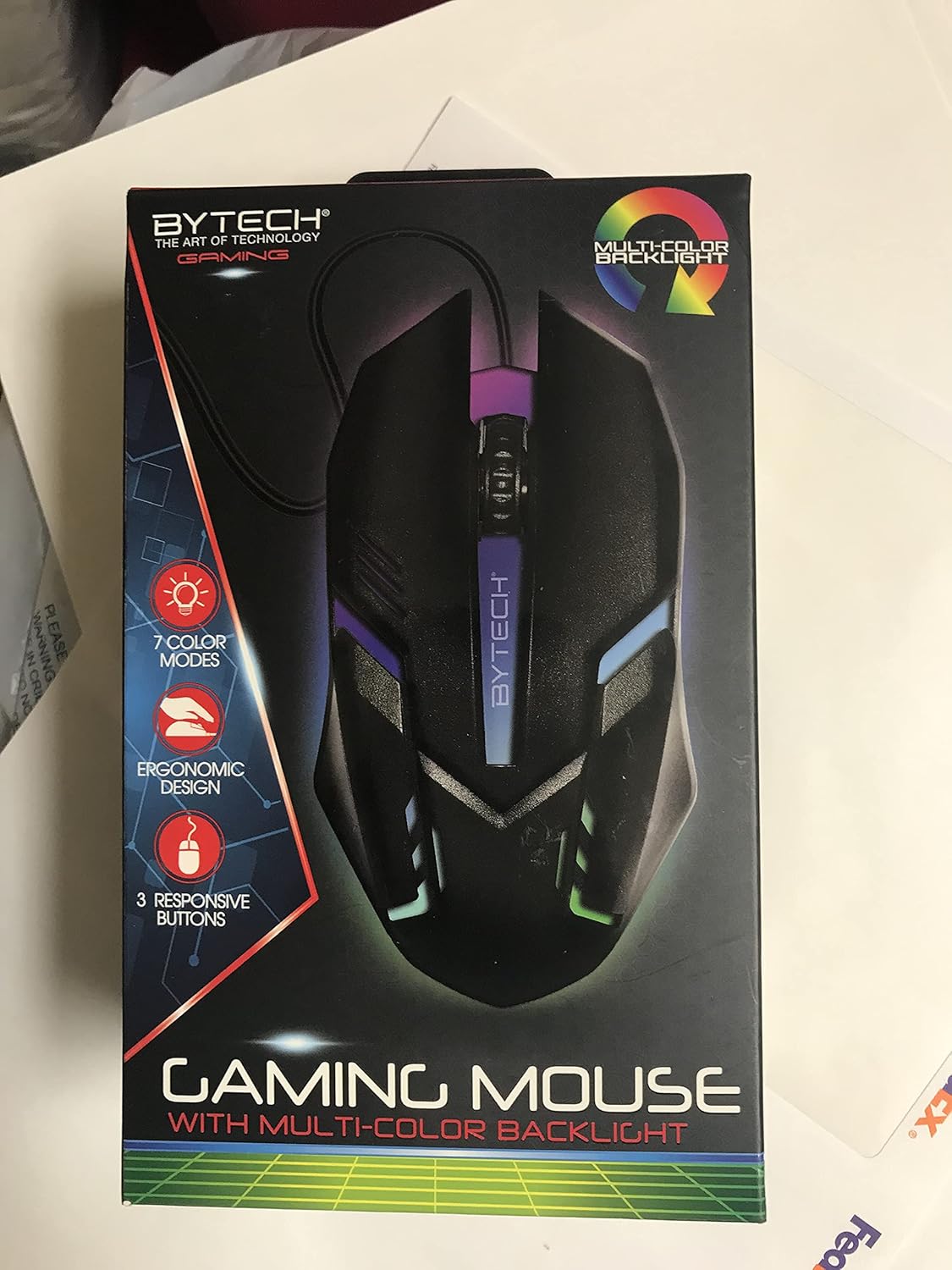
ຮູບພາບ: ທາງຫນ້າ view of the Bytech BYMSWR104BK Gaming Mouse in its retail packaging, highlighting its multi-color backlight and ergonomic design.
ຕັ້ງຄ່າ
- ແກະກ່ອງ: Carefully remove the gaming mouse from its packaging.
- ເຊື່ອມຕໍ່: Locate an available USB port on your computer (PC, laptop, etc.). Insert the USB connector of the Bytech BYMSWR104BK Gaming Mouse firmly into the USB port.
- ການຕິດຕັ້ງໄດເວີ: The mouse is plug-and-play. Your operating system should automatically detect and install the necessary drivers. This process may take a few moments.
- ພ້ອມນຳໃຊ້: Once the drivers are installed, the mouse will be ready for immediate use. The multi-color backlight will illuminate.

ຮູບພາບ: ດ້ານຫລັງ view of the Bytech BYMSWR104BK Gaming Mouse retail packaging, detailing features, specifications, and universal compatibility.
ຄໍາແນະນໍາການດໍາເນີນງານ
ການດໍາເນີນງານພື້ນຖານ
- ປຸ່ມຊ້າຍ: Primary click function, typically used for selecting items, opening files, or interacting with software.
- ປຸ່ມຂວາ: Secondary click function, usually opens context menus or provides additional options.
- ລໍ້ເລື່ອນ (ປຸ່ມກາງ): ເລື່ອນຂຶ້ນ ຫຼື ລົງເພື່ອນຳທາງເອກະສານ ແລະ web pages. Pressing the scroll wheel acts as a middle-click button, often used for opening links in new tabs or auto-scrolling.
ການປັບ DPI
The Bytech BYMSWR104BK Gaming Mouse features adjustable DPI settings. While specific buttons for DPI adjustment are not explicitly listed on the packaging, many gaming mice allow DPI changes through a dedicated button (often located near the scroll wheel) or through software. Refer to your computer's mouse settings or Bytech's official website for advanced customization options if available.
ໄຟສາຍໄຟ LED
The mouse features a dynamic multi-color LED backlight with 7 different color modes. These lights will automatically cycle through the modes once the mouse is connected and powered on. There is no manual control for changing modes on the mouse itself.
ບໍາລຸງຮັກສາ
- ທໍາຄວາມສະອາດ: ໃຊ້ຜ້າແຫ້ງທີ່ອ່ອນໆເຊັດພື້ນຜິວຂອງຫນູ. ສໍາລັບຝຸ່ນ stubborn, ເລັກນ້ອຍ dampen ຜ້າດ້ວຍນ້ໍາຫຼືການແກ້ໄຂການທໍາຄວາມສະອາດອ່ອນໆ. ຫຼີກເວັ້ນການນໍາໃຊ້ສານເຄມີທີ່ຮຸນແຮງຫຼືວັດສະດຸຂັດ.
- ການດູແລເຊັນເຊີ: ຮັກສາເຊັນເຊີ optical ຢູ່ດ້ານລຸ່ມຂອງຫນູສະອາດແລະບໍ່ມີຝຸ່ນຫຼືສິ່ງເສດເຫຼືອເພື່ອຮັບປະກັນການຕິດຕາມທີ່ຖືກຕ້ອງ.
- ການຄຸ້ມຄອງສາຍໄຟ: ຫຼີກເວັ້ນການງໍແຫຼມຫຼືດຶງຫຼາຍເກີນໄປກ່ຽວກັບສາຍ USB ເພື່ອປ້ອງກັນຄວາມເສຍຫາຍ.
- ການເກັບຮັກສາ: ເມື່ອບໍ່ໄດ້ໃຊ້, ໃຫ້ເກັບຮັກສາຫນູໃນສະພາບແວດລ້ອມທີ່ສະອາດ, ແຫ້ງຫ່າງຈາກອຸນຫະພູມທີ່ຮຸນແຮງ.

ຮູບພາບ: ຂ້າງ view of the Bytech BYMSWR104BK Gaming Mouse retail packaging, showcasing the multi-color backlight effect.
ການແກ້ໄຂບັນຫາ
| ບັນຫາ | ການແກ້ໄຂທີ່ເປັນໄປໄດ້ |
|---|---|
| ເມົ້າບໍ່ຕອບສະໜອງ |
|
| ຕົວກະພິບຜິດພາດ ຫຼື ເຄື່ອນໄຫວບໍ່ສະດວກ |
|
| ໄຟ LED backlight ບໍ່ເຮັດວຽກ |
|
ການຮັບປະກັນແລະການສະຫນັບສະຫນູນ
ການຮັບປະກັນ: This Bytech product comes with a 12-month warranty from the date of purchase. Please retain your proof of purchase for warranty claims.
ຂໍ້ມູນຕິດຕໍ່:
- ທີ່ຢູ່: 2585 West 13th Street, Brooklyn, NY 11223, USA
- Webເວັບໄຊ: www.bytechintl.com
⚠ ຄຳເຕືອນ: ຜະລິດຕະພັນນີ້ສາມາດເຮັດໃຫ້ທ່ານມີສານເຄມີ, ລວມທັງ DEHP, ເຊິ່ງເປັນທີ່ຮູ້ຈັກໃນລັດຄາລິຟໍເນຍເພື່ອເຮັດໃຫ້ເກີດມະເຮັງ, ຄວາມຜິດປົກກະຕິໃນການເກີດລູກຫຼືອັນຕະລາຍຕໍ່ການຈະເລີນພັນອື່ນໆ. ສໍາລັບຂໍ້ມູນເພີ່ມເຕີມໄປທີ່ www.P65 ຂໍ້ຄວນລະວັງ.

ຮູບພາບ: ລຸ່ມ view of the Bytech BYMSWR104BK Gaming Mouse retail packaging, showing contact information, warranty details, and California Proposition 65 warning.