
1. ການແນະນໍາ ແລະຫຼາຍກວ່າview
The Hbada W203 Gaming Chair is designed to provide ergonomic support and comfort for extended periods of sitting, whether for gaming or office work. It features a robust construction, adjustable components, and a design focused on user well-being.
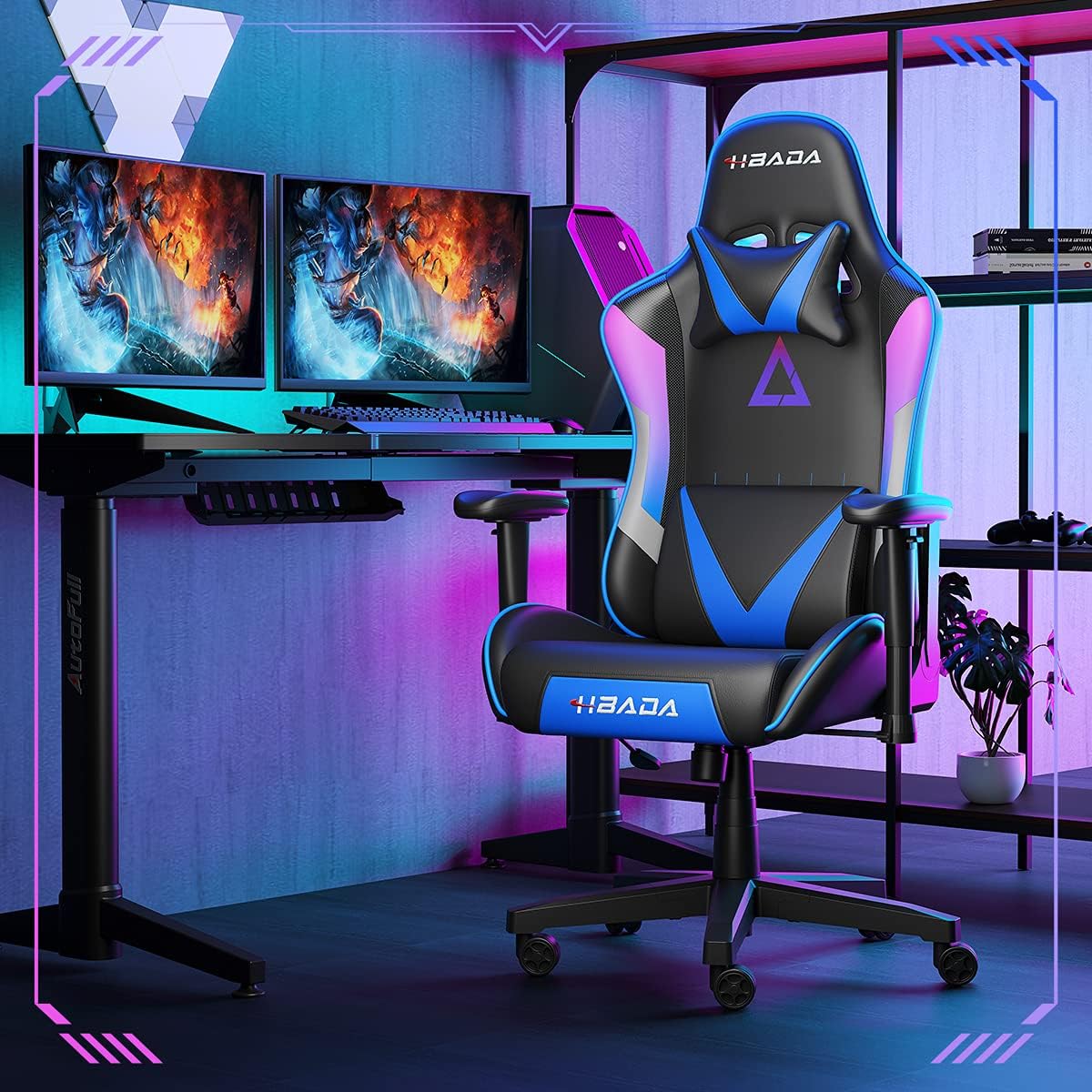
Image 1.1: The Hbada W203 Gaming Chair in a typical gaming environment, showcasing its design and presence.
2. ຂໍ້ມູນຄວາມປອດໄພ
- ບໍ່ເກີນຄວາມອາດສາມາດນ້ໍາຫນັກສູງສຸດຂອງ 150 ກິໂລ (330.7 lbs).
- ໃຫ້ແນ່ໃຈວ່າສະລັອດແລະສະກູທັງຫມົດຖືກແຫນ້ນຢ່າງປອດໄພກ່ອນທີ່ຈະນໍາໃຊ້ແລະກວດເບິ່ງເປັນໄລຍະສໍາລັບການວ່າງ.
- ຫຼີກເວັ້ນການຢືນຢູ່ເທິງເກົ້າອີ້ຫຼືໃຊ້ມັນເປັນອາຈົມ.
- ຮັກສາມື ແລະນິ້ວມືໃຫ້ຊັດເຈນຂອງພາກສ່ວນທີ່ເຄື່ອນຍ້າຍໃນລະຫວ່າງການປັບ.
- ໃຊ້ເກົ້າອີ້ຢູ່ເທິງພື້ນຜິວທີ່ຮາບພຽງ, ເພື່ອປ້ອງກັນການບິດ.
3. ເນື້ອໃນຊຸດ
ກວດສອບໃຫ້ແນ່ໃຈວ່າມີອົງປະກອບທັງໝົດຢູ່ກ່ອນເລີ່ມປະກອບ. ຖ້າມີຊິ້ນສ່ວນໃດຂາດຫາຍໄປ ຫຼື ເສຍຫາຍ, ໃຫ້ຕິດຕໍ່ບໍລິການລູກຄ້າ.
- ຫລັງ
- ເບາະນັ່ງ
- ທີ່ວາງແຂນ (2)
- ພື້ນຖານ Star
- ລູກລໍ້ (5)
- ຖັງຍົກແກັດ
- ການປົກຫຸ້ມຂອງອາຍແກັສຍົກ
- ແຜ່ນກົນໄກ
- ໝອນຮອງຫົວ
- ໝອນຮອງແອວ
- ຊຸດຮາດແວ ( screws , washers , Allen wrench )
- ຄູ່ມືການສອນ
4. ຄໍາແນະນໍາຂອງສະພາແຫ່ງ
Assembly typically requires two people due to the weight of some components. Follow these steps carefully.
- ຄັດຕິດ Casters ກັບຖານ: Insert each of the five casters into the holes at the end of each leg of the star base until they click into place.
- ໃສ່ Gas Lift: ວາງກະບອກຍົກອາຍແກັສເຂົ້າໄປໃນຂຸມກາງຂອງຖານດາວ. ກວມເອົາມັນດ້ວຍຝາຍົກກ໊າຊ.
- ຕິດແຜ່ນກົນໄກໃສ່ບ່ອນນັ່ງ: Align the mechanism plate with the screw holes on the underside of the seat cushion. Secure it with the provided screws and Allen wrench. Ensure the front of the mechanism faces the front of the seat.
- ຕິດທີ່ວາງແຂນໃສ່ບ່ອນນັ່ງ: Secure the armrests to the sides of the seat cushion using the designated screws. Do not overtighten initially to allow for minor adjustments.
- ຄັດຕິດພື້ງຫຼັງໃສ່ບ່ອນນັ່ງ: Align the backrest with the mounting brackets on the seat cushion. Secure it with screws.
- ເຊື່ອມຕໍ່ບ່ອນນັ່ງກັບຖານ: Carefully place the assembled seat onto the gas lift cylinder, ensuring it is centered. Apply downward pressure to secure it.
- Attach Headrest and Lumbar Support: Position the headrest pillow and lumbar support pillow as desired. They are typically secured with straps.
- ການເຄັ່ງຄັດສຸດທ້າຍ: Once fully assembled, go back and tighten all screws firmly.

ຮູບພາບ 4.1: ຫຼາຍກວ່າview of chair features, including lift function, height-adjustable armrests, 155-degree recline, silent casters, 360-degree rotation, and durable base.
5. ຄໍາແນະນໍາການດໍາເນີນງານ
5.1. ການປັບຄວາມສູງຂອງເກົ້າອີ້
To adjust the chair height, locate the lever on the right side, beneath the seat. While seated, pull the lever up to lower the chair. To raise the chair, stand up slightly and pull the lever up. Release the lever at the desired height.
5.2. ຟັງຊັນນອນ
The chair offers a recline angle of up to 155 degrees with a 17-degree locking feature. To recline, pull the recline lever (typically on the left side) upwards and lean back. Release the lever to lock the backrest in position. To return to an upright position, pull the lever and lean forward.

Image 5.1: The chair's backrest can recline up to 155 degrees, allowing for various comfortable positions.
5.3. ການປັບທີ່ວາງແຂນ
The armrests can be lifted to adjust their height. Locate the button or lever on the side of each armrest. Press or lift it and move the armrest up or down to your preferred height. Release the button/lever to lock it.
5.4. Lumbar Support and Headrest
The chair includes removable and adjustable headrest and lumbar support pillows. Adjust their position by sliding them along the backrest straps to provide optimal support for your head, neck, and lower back.
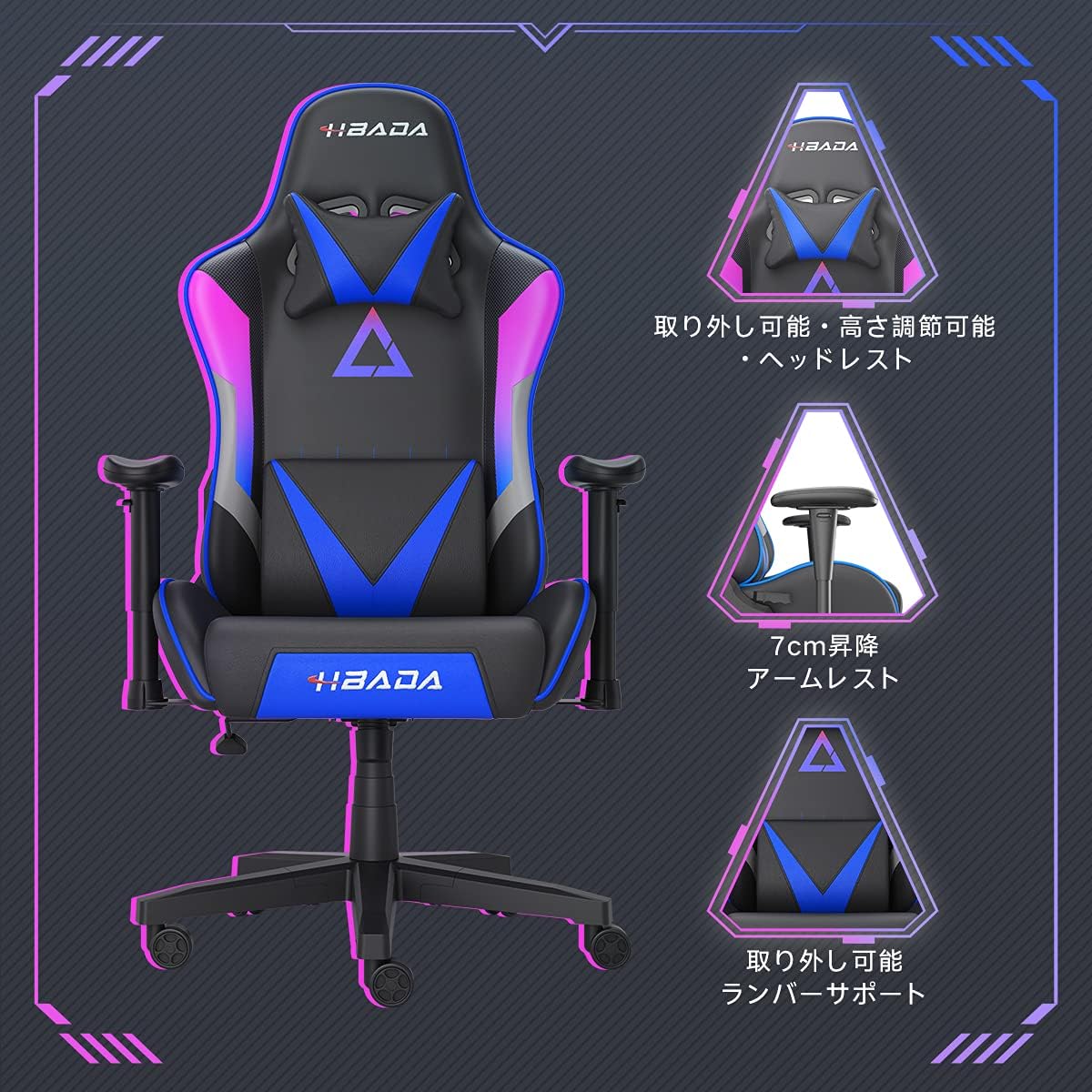
ຮູບພາບ 5.2: ລາຍລະອຽດ view of the adjustable headrest, lifting armrests, and removable lumbar support.
5.5. ຟັງຊັນ Swivel
The chair features a 360-degree swivel function, allowing for easy rotation without moving the base.
6. ບໍາລຸງຮັກສາ
- ທໍາຄວາມສະອາດ: The chair's synthetic leather (PU) material can be wiped clean with a damp ຜ້າ. ຫຼີກເວັ້ນການສານເຄມີທີ່ຮຸນແຮງຫຼືເຄື່ອງເຮັດຄວາມສະອາດຂັດ.
- fasteners: ກວດສອບສະກູ ແລະ ສະກູທັງໝົດເປັນໄລຍະເພື່ອຮັບປະກັນວ່າພວກມັນຍັງແໜ້ນຢູ່. ຂັນໃຫ້ແໜ້ນຄືນຕາມຄວາມຈຳເປັນເພື່ອຮັກສາຄວາມໝັ້ນຄົງ ແລະ ປ້ອງກັນສຽງດັງ.
- ນັກສະແດງ: ຮັກສາລໍ້ໃຫ້ບໍ່ມີຜົມ ແລະ ສິ່ງເສດເຫຼືອເພື່ອຮັບປະກັນການເຄື່ອນໄຫວທີ່ລຽບງ່າຍ.
7. ການແກ້ໄຂບັນຫາ
- Chair Squeaks: Check and tighten all assembly screws. Applying a small amount of lubricant to moving metal parts (like the mechanism plate) may help.
- ການປັບຄວາມສູງບໍ່ເຮັດວຽກ: Ensure the gas lift lever is fully engaged. If the issue persists, the gas lift cylinder may need replacement. Contact customer service.
- ເກົ້າອີ້ຮູ້ສຶກບໍ່ສະຖຽນລະພາບ: Verify that the star base is correctly assembled and all casters are fully inserted. Ensure all screws are tightened.
- Casters ບໍ່ Rolling Smoothly: Clean any debris (hair, dust) from the caster wheels.
For issues not listed here or persistent problems, please contact Hbada customer service.
8. ຂໍ້ມູນຈໍາເພາະ

Image 8.1: Key dimensions of the Hbada W203 Gaming Chair.
| ຄຸນສົມບັດ | ລາຍລະອຽດ |
|---|---|
| ຊື່ຕົວແບບ | Hbada W203 |
| ຂະໜາດສິນຄ້າ (ກວ້າງ x ຍາວ x ສູງ) | 70 x 70 x 128 ຊມ (27.6 x 27.6 x 50.4 ນິ້ວ) |
| ຄວາມສູງຂອງບ່ອນນັ່ງປັບໄດ້ | 40 - 48 ຊມ (15.7 - 18.9 ນິ້ວ) |
| ນ້ໍາຫນັກລາຍການ | 22.5 ກິໂລ (49.6 ປອນ) |
| ຄວາມສາມາດໃນການໂຫຼດສູງສຸດ | 150 ກິໂລ (330.7 ປອນ) |
| ວັດສະດຸ | Synthetic leather (PU upholstery), Metal (frame), Reinforced Nylon Resin (base), High-density Urethane Foam (cushion), Silent PU Nylon Casters |
| ມຸມນອນ | Up to 155 degrees with 17-degree locking |
| ການປັບແຂນ | Lifting (approx. 7 cm range) |
| ຄຸນນະສົມບັດພິເສດ | Adjustable Lumbar Support, Ergonomic Design |

Image 8.2: Internal construction details, showing high-density foam and a robust metal frame.
9. ການຮັບປະກັນແລະການສະຫນັບສະຫນູນ
The Hbada W203 Gaming Chair comes with a ບໍລິການຮັບປະກັນ 1 ປີ. This warranty covers initial defects and manufacturing faults.
If you encounter any initial defects, malfunctions, or have any concerns regarding your product, please contact our customer service center. Our support team aims to respond within 24 hours and will assist with free exchanges or repairs as applicable.
For customer service inquiries, please refer to the contact information provided on your purchase receipt or the official Hbada webເວັບໄຊ.