
ແນະນຳ
Thank you for choosing the Soul S-GEAR Wireless Bluetooth Earbuds. These earbuds are designed to provide a high-quality audio experience with the convenience of wireless connectivity, active noise cancellation, and a comfortable in-ear fit. Featuring Bluetooth 5.0, IPX4 water resistance, and a long-lasting battery with fast charging, the S-GEAR earbuds are perfect for daily use.
Please read this manual carefully before using your earbuds to ensure proper operation and to maximize their lifespan.
ເນື້ອໃນຊຸດ
- Soul S-GEAR Wireless Earbuds (Left and Right)
- ກ່ອງສາກ
- ສາຍສາກ USB-C
- ເຄັດລັບຫູຫຼາຍຂະໜາດ
- ຄູ່ມືຜູ້ໃຊ້
ສິນຄ້າເກີນview
Familiarize yourself with the components of your Soul S-GEAR earbuds and charging case.
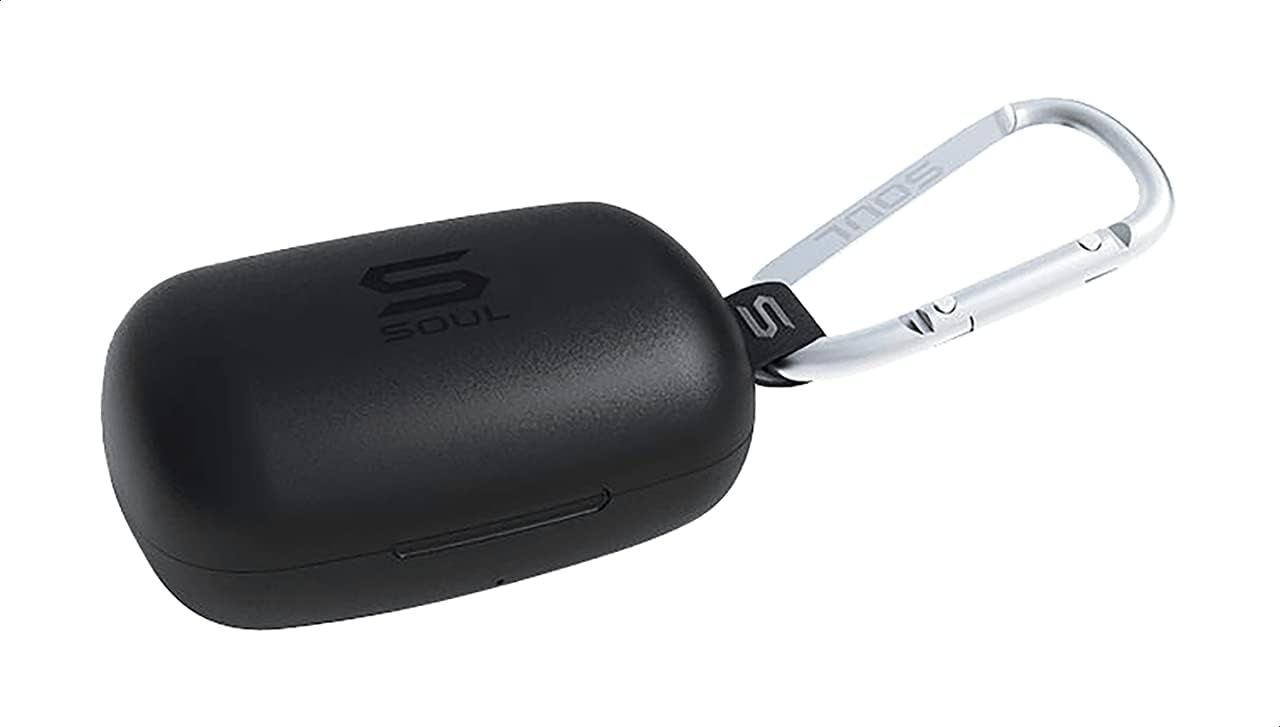
ຮູບທີ 1: The Soul S-GEAR charging case in black, with the Soul logo visible. A carabiner clip is attached for portability.
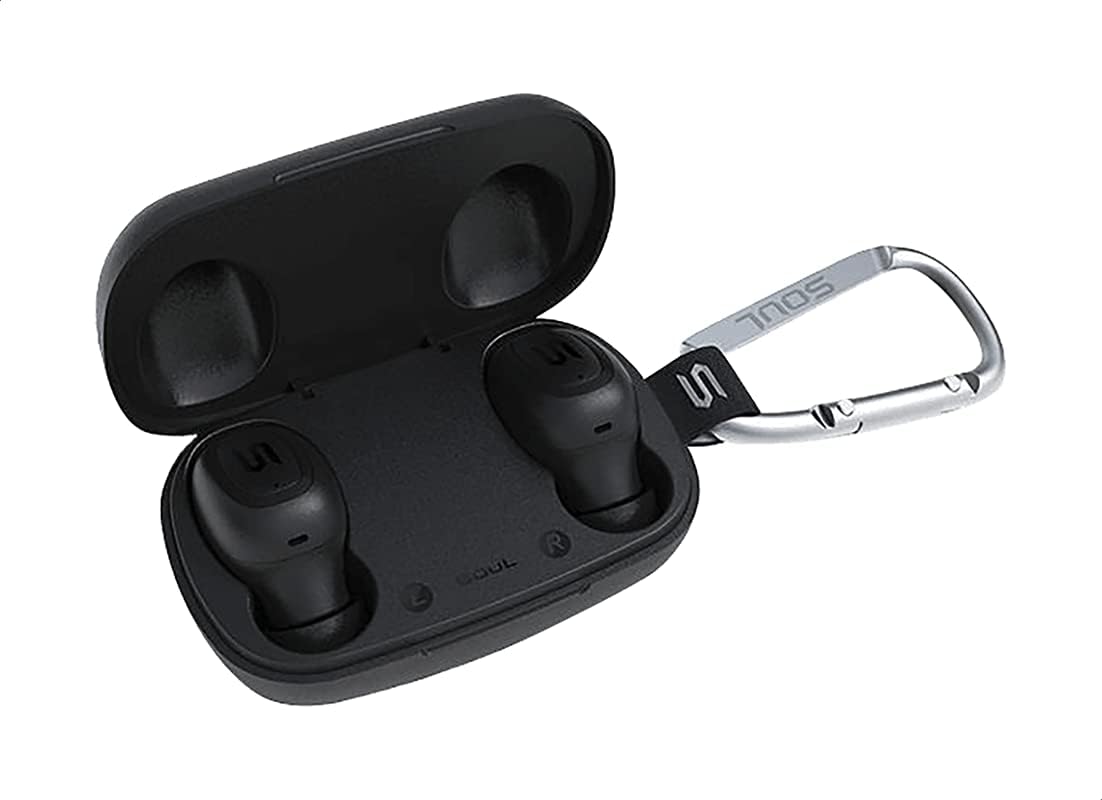
ຮູບທີ 2: The Soul S-GEAR charging case opened, revealing the two black earbuds securely placed inside their charging slots. The carabiner clip is also visible.
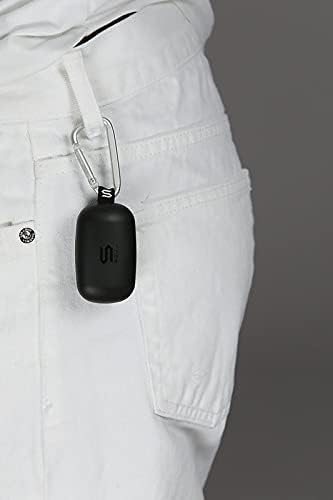
ຮູບທີ 3: The Soul S-GEAR charging case, with its carabiner clip, attached to the belt loop of white pants, demonstrating its portability.
ຕັ້ງຄ່າ
1. ການສາກຫູຟັງ ແລະ ເຄສ
- Place the earbuds into the charging case. Ensure they are correctly seated in their respective L/R slots.
- Connect the USB-C charging cable to the charging port on the case and plug the other end into a USB power source (e.g., wall adapter, computer USB port).
- The indicator lights on the case will show the charging status. Allow approximately 1-2 hours for a full charge.
- ເມື່ອສາກເຕັມແລ້ວ, ໃຫ້ຖອດສາຍສາກອອກ.
2. ການຈັບຄູ່ເບື້ອງຕົ້ນກັບອຸປະກອນ
- ເປີດກ່ອງສາກໄຟ. ຫູຟັງຈະເປີດໂດຍອັດຕະໂນມັດ ແລະ ເຂົ້າສູ່ໂໝດຈັບຄູ່. ໄຟສັນຍານຢູ່ເທິງຫູຟັງຈະກະພິບ, ຊີ້ບອກວ່າພວກມັນພ້ອມທີ່ຈະຈັບຄູ່ແລ້ວ.
- ໃນອຸປະກອນຂອງທ່ານ (ໂທລະສັບສະຫຼາດ, ແທັບເລັດ, ແລະອື່ນໆ), ເປີດໃຊ້ Bluetooth ແລະຊອກຫາອຸປະກອນທີ່ມີຢູ່.
- Select "Soul S-GEAR" from the list of found devices.
- Once connected, you will hear an audible confirmation, and the earbud indicator lights will stop flashing.
- The earbuds feature automatic pairing. After the initial setup, they will automatically connect to the last paired device when removed from the case.
ຄໍາແນະນໍາການດໍາເນີນງານ
The Soul S-GEAR earbuds feature touch controls for easy management of audio and calls.
ເປີດ/ປິດ
- ເປີດ: Open the charging case, or press and hold the touch sensor on both earbuds for 3 seconds.
- ປິດພະລັງງານ: Place the earbuds back into the charging case and close the lid, or press and hold the touch sensor on both earbuds for 5 seconds.
ເພັງ Playback
- ຫຼິ້ນ/ຢຸດ: ແຕະເຊັນເຊີສຳຜັດໃສ່ຫູຟັງຂ້າງໃດຂ້າງໜຶ່ງຄັ້ງ.
- ເພງຕໍ່ໄປ: ແຕະສອງເທື່ອໃສ່ເຊັນເຊີສຳຜັດຢູ່ຫູຟັງຂ້າງຂວາ.
- ຕິດຕາມກ່ອນ ໜ້າ ນີ້: ແຕະສອງເທື່ອໃສ່ເຊັນເຊີສຳຜັດຢູ່ຫູຟັງເບື້ອງຊ້າຍ.
ການຄຸ້ມຄອງການໂທ
- ຮັບ/ສາຍໂທ: ແຕະເຊັນເຊີສຳຜັດໃສ່ຫູຟັງຂ້າງໃດຂ້າງໜຶ່ງຄັ້ງ.
- ປະຕິເສດການໂທ: ກົດເຊັນເຊີສຳຜັດຢູ່ຫູຟັງຂ້າງໃດຂ້າງໜຶ່ງຄ້າງໄວ້ 2 ວິນາທີ.
ການຍົກເລີກສິ່ງລົບກວນທີ່ໃຊ້ວຽກ (ANC)
- ເປີດໃຊ້/ປິດນຳໃຊ້ ANC: Triple-tap the touch sensor on the left earbud to cycle through ANC On, Ambient Mode, and ANC Off.
ຜູ້ຊ່ວຍສຽງ
- ກະຕຸ້ນຜູ້ຊ່ວຍສຽງ: Triple-tap the touch sensor on the right earbud.
ກຳລັງສາກໄຟ
The Soul S-GEAR earbuds and charging case provide up to 24 hours of total playtime. The case supports USB-C fast charging.
- ການສາກຫູຟັງ: Place earbuds into the charging case. They will charge automatically.
- ຄ່າບໍລິການຄະດີ: Connect the USB-C cable to the case and a power source. The LED indicator on the case will show charging status.
- A full charge for the case typically takes 1.5-2 hours.
ບໍາລຸງຮັກສາ
- ທໍາຄວາມສະອາດ: ອະນາໄມຫູຟັງຫູຟັງ ແລະກະເປົ໋າສາກໄຟເປັນປະຈຳດ້ວຍຜ້າແພທີ່ອ່ອນ, ແຫ້ງ, ບໍ່ມີສານຂັດ. ຢ່າໃຊ້ສານເຄມີທີ່ຮຸນແຮງຫຼືວັດສະດຸຂັດ.
- ເຄັດລັບຫູ: ເອົາປາຍຫູອອກ ແລະເຮັດຄວາມສະອາດດ້ວຍນໍ້າ ແລະສະບູອ່ອນໆ ຖ້າຈຳເປັນ. ໃຫ້ແນ່ໃຈວ່າພວກມັນແຫ້ງຫມົດກ່ອນທີ່ຈະຕິດໃຫມ່.
- ຄວາມຕ້ານທານນ້ໍາ: The earbuds are IPX4 rated, meaning they are resistant to splashing water from any direction. They are not designed for submersion in water. Do not expose them to heavy rain or immerse them. Ensure earbuds are dry before placing them back in the charging case.
- ການເກັບຮັກສາ: ເກັບຮັກສາຫູຟັງເອຍບັດໃສ່ໃນກະເປົ໋າສາກໄຟຂອງເຂົາເຈົ້າເມື່ອບໍ່ໄດ້ໃຊ້ເພື່ອປົກປ້ອງພວກມັນ ແລະ ສືບຕໍ່ສາກໄຟ. ຫຼີກເວັ້ນອຸນຫະພູມທີ່ຮຸນແຮງ.
ການແກ້ໄຂບັນຫາ
| ສະບັບ | ການແກ້ໄຂ |
|---|---|
| ຫູຟັງບໍ່ຈັບຄູ່ |
|
| ບໍ່ມີສຽງຈາກຫູຟັງອັນໜຶ່ງ |
|
| ກ່ອງສາກບໍ່ສາກ |
|
| Active Noise Cancellation not working |
|
ຂໍ້ມູນຈໍາເພາະ
| ຄຸນສົມບັດ | ລາຍລະອຽດ |
|---|---|
| ຍີ່ຫໍ້ | ຈິດວິນຍານ |
| ຊື່ຕົວແບບ | S-GEAR (Soul S Gemar) |
| ໝາຍເລກຕົວແບບ | SS56BK |
| ເຕັກໂນໂລຊີການເຊື່ອມຕໍ່ | ໄຮ້ສາຍ (Bluetooth 5.0) |
| ປັດໄຈແບບຟອມຫູຟັງ | ໃນຫູ |
| ການຄວບຄຸມສິ່ງລົບກວນ | Active Noise Cancellation |
| ໄມໂຄຣໂຟນ | ປະສົມປະສານ |
| ວິທີການຄວບຄຸມ | ແຕະ |
| ຄວາມຕ້ານທານນ້ໍາ & ຝຸ່ນ | IPX4 |
| ເວລາຫຼິ້ນ | ສູງສຸດເຖິງ 24 ຊົ່ວໂມງ (ພ້ອມກ່ອງໃສ່ສາກ) |
| ພອດສາກໄຟ | USB-C (ສາກໄວ) |
| ອຸປະກອນທີ່ເຂົ້າກັນໄດ້ | Multiple Bluetooth-enabled devices |
| ວັດສະດຸ | ພາດສະຕິກ |
| ສີ | ດຳ |
| ຂະໜາດແພັກເກັດ | 11.8 x 9.8 x 4.2 cm |
| ນ້ໍາຫນັກລາຍການ | 152 ກຣາມ |
ຂໍ້ມູນຄວາມປອດໄພ
- ຫ້າມຖອດປະກອບ, ສ້ອມແປງ, ຫຼືດັດແປງຜະລິດຕະພັນ.
- ຢ່າເຮັດໃຫ້ຜະລິດຕະພັນຖືກໄຟໄຫມ້ຫຼືອຸນຫະພູມສູງ.
- Avoid using the earbuds at excessively high volumes for prolonged periods to prevent hearing damage.
- ເກັບຮັກສາຜະລິດຕະພັນຢູ່ຫ່າງຈາກເດັກນ້ອຍແລະສັດລ້ຽງ.
- ໃຊ້ພຽງແຕ່ສາຍສາກ ແລະອະແດັບເຕີທີ່ສະໜອງໃຫ້ ຫຼືໄດ້ຮັບການຮັບຮອງເທົ່ານັ້ນ.
- ກໍາຈັດຜະລິດຕະພັນຢ່າງມີຄວາມຮັບຜິດຊອບຕາມລະບຽບການທ້ອງຖິ່ນ.
ການຮັບປະກັນແລະການສະຫນັບສະຫນູນ
The Soul S-GEAR Wireless Bluetooth Earbuds come with a standard manufacturer's warranty. For detailed warranty terms and conditions, please refer to the warranty card included in your package or visit the official Soul webເວັບໄຊ.
For technical support, troubleshooting assistance, or any inquiries regarding your product, please contact Soul customer service through their official webເວັບໄຊ ຫຼືຂໍ້ມູນການຕິດຕໍ່ທີ່ສະໜອງໃຫ້ຢູ່ໃນການຫຸ້ມຫໍ່ຜະລິດຕະພັນຂອງທ່ານ.