
ໂຮໂຄ BS37
ຄູ່ມືການໃຊ້ລຳໂພງໄຮ້ສາຍກາງແຈ້ງ HOCO BS37 Dancer
ຮູບແບບ: BS37
1. ບົດແນະນຳ
Thank you for choosing the HOCO BS37 Dancer Outdoor Wireless Speaker. This manual provides detailed instructions for the safe and efficient operation of your device. Please read this manual thoroughly before use and retain it for future reference.
The HOCO BS37 is a versatile outdoor wireless speaker featuring Bluetooth V5.0 connectivity, TWS (True Wireless Stereo) support, FM radio, USB playback, and AUX input. It includes a wired microphone for karaoke functions and independent colored lights to enhance your audio experience.
2. ເນື້ອໃນຊຸດ
ກະລຸນາກວດເບິ່ງຊຸດສຳລັບລາຍການຕໍ່ໄປນີ້:
- HOCO BS37 Dancer Outdoor Wireless Speaker
- ໄມໂຄຣໂຟນທີ່ມີສາຍ
- ສາຍສາກ (USB)
- ຄູ່ມືຜູ້ໃຊ້
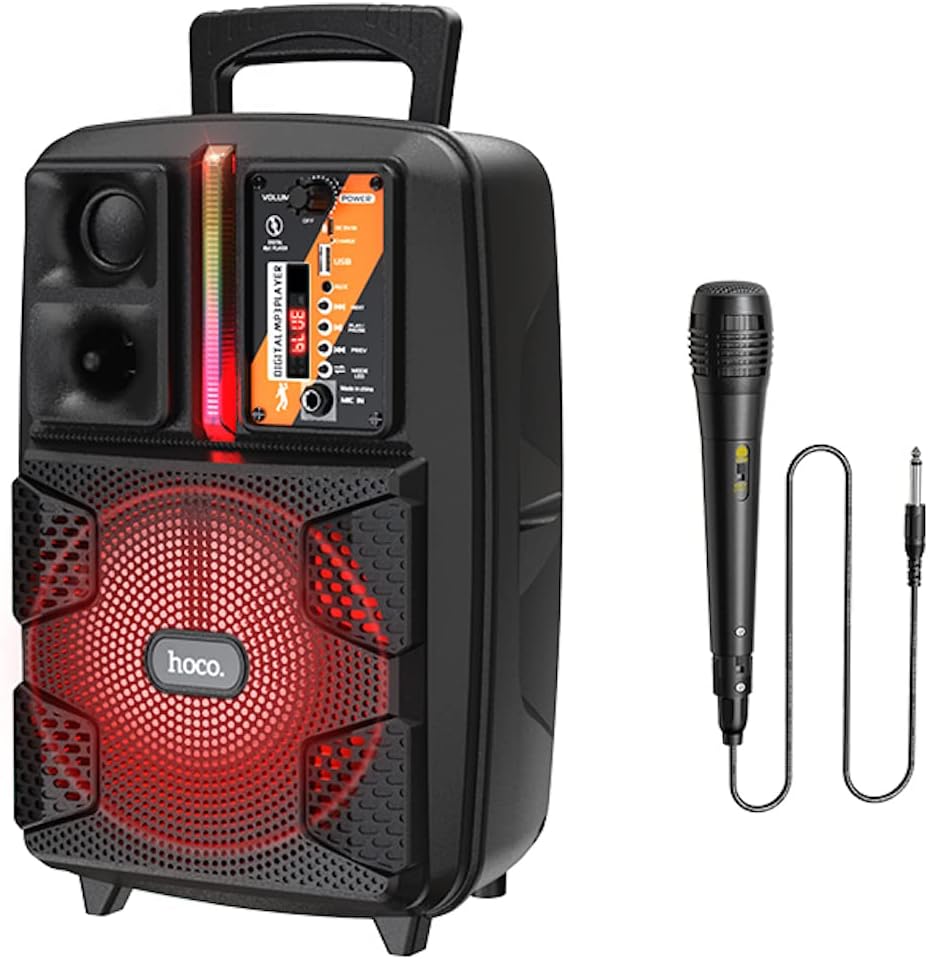
Image: The HOCO BS37 speaker shown with its included wired microphone.
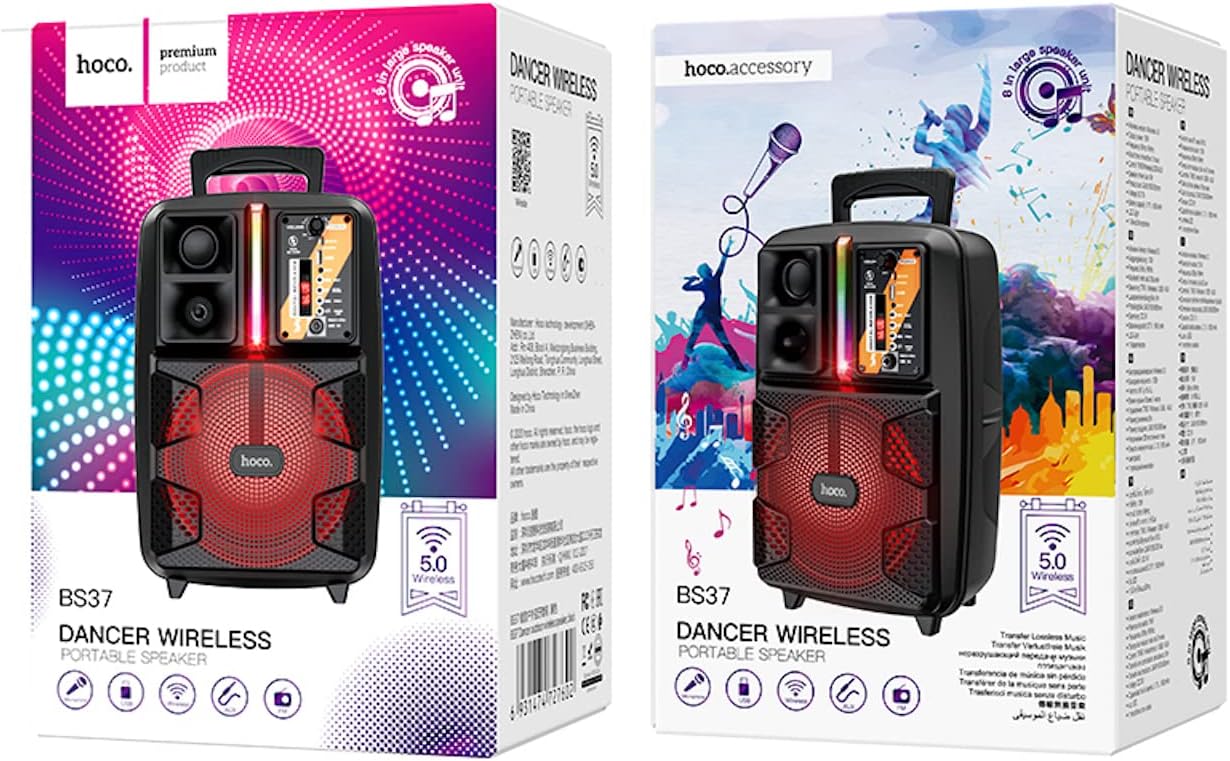
Image: The retail packaging for the HOCO BS37 Dancer Outdoor Wireless Speaker.
3. ຜະລິດຕະພັນເກີນview
The HOCO BS37 speaker features an 8-inch speaker unit and a control panel for various functions. Familiarize yourself with the layout of the speaker's controls and ports.

ຮູບພາບ: A ລາຍລະອຽດ view of the HOCO BS37 speaker's control panel, showing volume knob, power switch, USB port, AUX input, microphone input, and mode selection buttons.
ຄຸນນະສົມບັດກະດານຄວບຄຸມ:
- ປຸ່ມລະດັບສຽງ: Adjusts the overall speaker volume.
- ສະຫວິດໄຟຟ້າ: ເປີດ ຫຼືປິດລຳໂພງ.
- DC 5V ໃນ: Charging port for the speaker.
- ພອດ USB: ສໍາລັບການຫຼິ້ນ USB flash drive.
- AUX ໃນ: ການປ້ອນຂໍ້ມູນສຽງ 3.5mm ສໍາລັບອຸປະກອນພາຍນອກ.
- MIC ໃນ: 6.35mm input for the wired microphone.
- ປຸ່ມ MODE: Switches between Bluetooth, FM, USB, and AUX modes.
- ປຸ່ມ PLAY/PAUSE: ຫຼິ້ນ ຫຼືຢຸດການຫຼິ້ນສຽງຊົ່ວຄາວ.
- ປຸ່ມກ່ອນ/ໜ້າ: ຂ້າມໄປຫາເພງ/ສະຖານີກ່ອນໜ້າ ຫຼື ຕໍ່ໄປ.
- ສະວິດໄຟ: Controls the independent colored lights.
4. ຕັ້ງຄ່າ
4.1 ການສາກໄຟເບື້ອງຕົ້ນ
Before first use, fully charge the speaker. Connect the provided charging cable to the DC 5V IN port on the speaker and the other end to a suitable USB power adapter (not included). The charging time is approximately 2.5 hours.
4.2 ການເປີດ/ປິດ
To power on the speaker, slide the ພະລັງງານ switch to the "ON" position. To power off, slide it to the "OFF" position.
5. ຄໍາແນະນໍາການດໍາເນີນງານ
5.1 ການຈັບຄູ່ Bluetooth
- Turn on the speaker. It will automatically enter Bluetooth pairing mode, indicated by an audible prompt or flashing indicator light.
- ເປີດໃຊ້ Bluetooth ໃນອຸປະກອນມືຖືຂອງທ່ານ (ໂທລະສັບສະຫຼາດ, ແທັບເລັດ, ແລະອື່ນໆ).
- ຊອກຫາ "HOCO BS37" in the list of available Bluetooth devices.
- Select "HOCO BS37" to connect. Once connected, you will hear a confirmation sound.
The speaker supports Bluetooth V5.0 for stable and efficient wireless connection.
ການເຊື່ອມຕໍ່ 5.2 TWS (ສະເຕີລິໂອໄຮ້ສາຍແທ້)
To connect two HOCO BS37 speakers for a stereo sound experience:
- Ensure both HOCO BS37 speakers are powered on and not connected to any Bluetooth device.
- ໃນລຳໂພງໜຶ່ງ (ອັນນີ້ຈະເປັນລຳໂພງຫຼັກ), ກົດປຸ່ມຄ້າງໄວ້ ໂໝດ button or a dedicated TWS button (if available, refer to specific button labels on your device) until you hear a pairing prompt.
- The two speakers will attempt to connect to each other. Once successfully paired, you will hear a confirmation sound.
- ຕອນນີ້, ເຊື່ອມຕໍ່ອຸປະກອນມືຖືຂອງທ່ານກັບລຳໂພງຫຼັກຜ່ານ Bluetooth ຕາມທີ່ໄດ້ອະທິບາຍໄວ້ໃນພາກ 5.1. ສຽງຈະຫຼິ້ນເປັນສະເຕີລິໂອຜ່ານລຳໂພງທັງສອງ.
ໂໝດວິທະຍຸ 5.3 FM
- ກົດ ໂໝດ button repeatedly until you enter FM radio mode.
- ກົດ ຫຼິ້ນ/ຢຸດຊົ່ວຄາວ button once to automatically scan and save available FM stations.
- ໃຊ້ PREV ແລະ ຕໍ່ໄປ ປຸ່ມເພື່ອນຳທາງລະຫວ່າງສະຖານີທີ່ບັນທຶກໄວ້.
5.4 ການຫຼິ້ນ USB
- ໃສ່ USB flash drive ທີ່ບັນຈຸສຽງ MP3 files ເຂົ້າໄປໃນ ພອດ USB.
- The speaker will automatically switch to USB mode and begin playing audio. If not, press the ໂໝດ ປຸ່ມເພື່ອເລືອກໂຫມດ USB.
- ໃຊ້ ຫຼິ້ນ/ຢຸດຊົ່ວຄາວ, PREV, ແລະ ຕໍ່ໄປ ປຸ່ມເພື່ອຄວບຄຸມການຫຼິ້ນ.
5.5 ໂຫມດ AUX
- ເຊື່ອມຕໍ່ອຸປະກອນສຽງພາຍນອກ (ເຊັ່ນ: ເຄື່ອງຫຼິ້ນ MP3, ແລັບທັອບ) ເຂົ້າກັບ AUX ໃນ ພອດໂດຍໃຊ້ສາຍສຽງ 3.5 ມມ (ບໍ່ລວມ).
- ກົດ ໂໝດ ປຸ່ມເພື່ອເລືອກໂໝດ AUX.
- ຄວບຄຸມການຫຼິ້ນຈາກອຸປະກອນພາຍນອກທີ່ເຊື່ອມຕໍ່ຂອງທ່ານ.

Image: The HOCO BS37 speaker highlighting its multiple playback options: Bluetooth, USB, and AUX.
5.6 ການໃຊ້ໄມໂຄຣໂຟນ (ຄາຣາໂອເກະ)
- ເຊື່ອມຕໍ່ໄມໂຄຣໂຟນແບບມີສາຍເຂົ້າກັບ MIC ໃນ ພອດຢູ່ເທິງລຳໂພງ.
- Ensure the microphone's ON/OFF switch is in the "ON" position.
- Adjust the main ປະລິມານ knob on the speaker to control the microphone's output level.
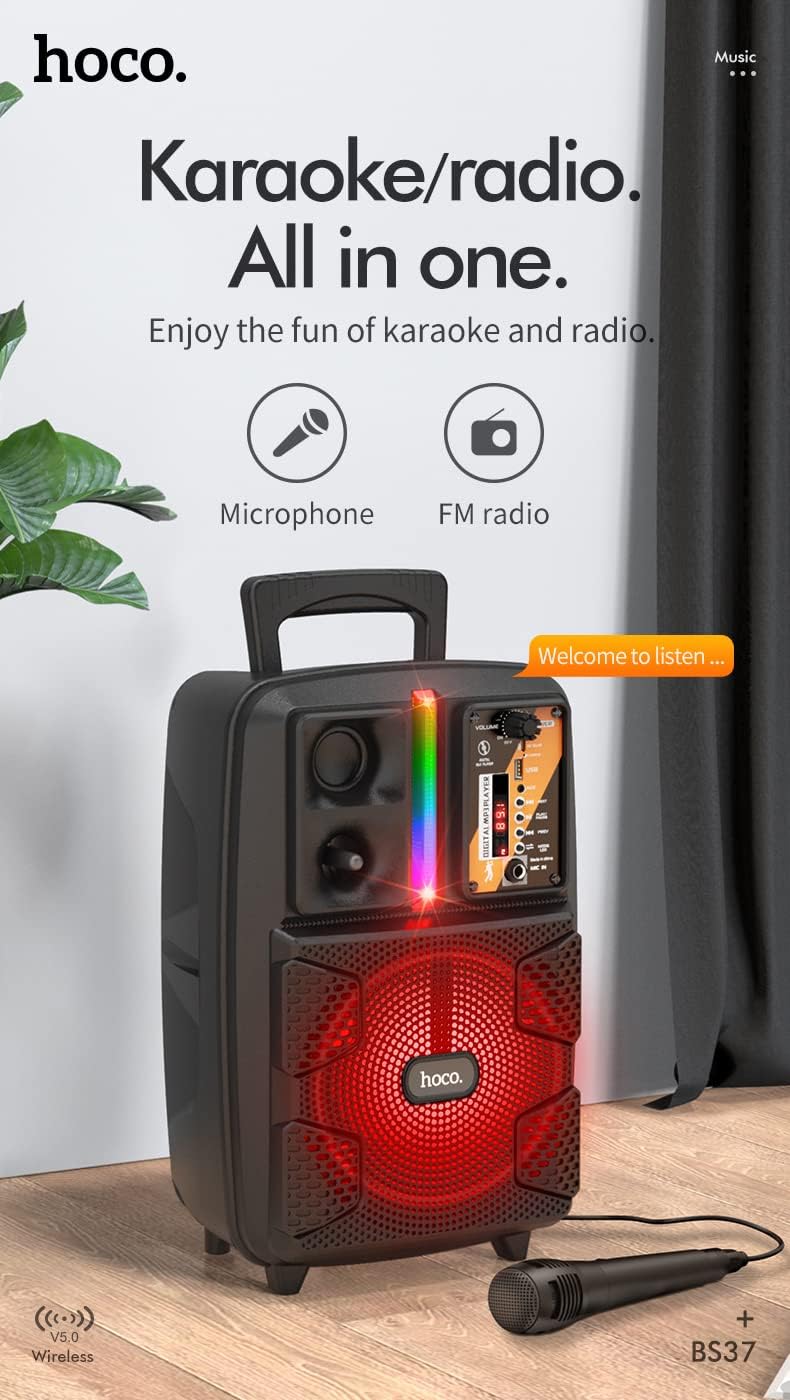
Image: The HOCO BS37 speaker with the wired microphone connected, illustrating its karaoke and radio capabilities.
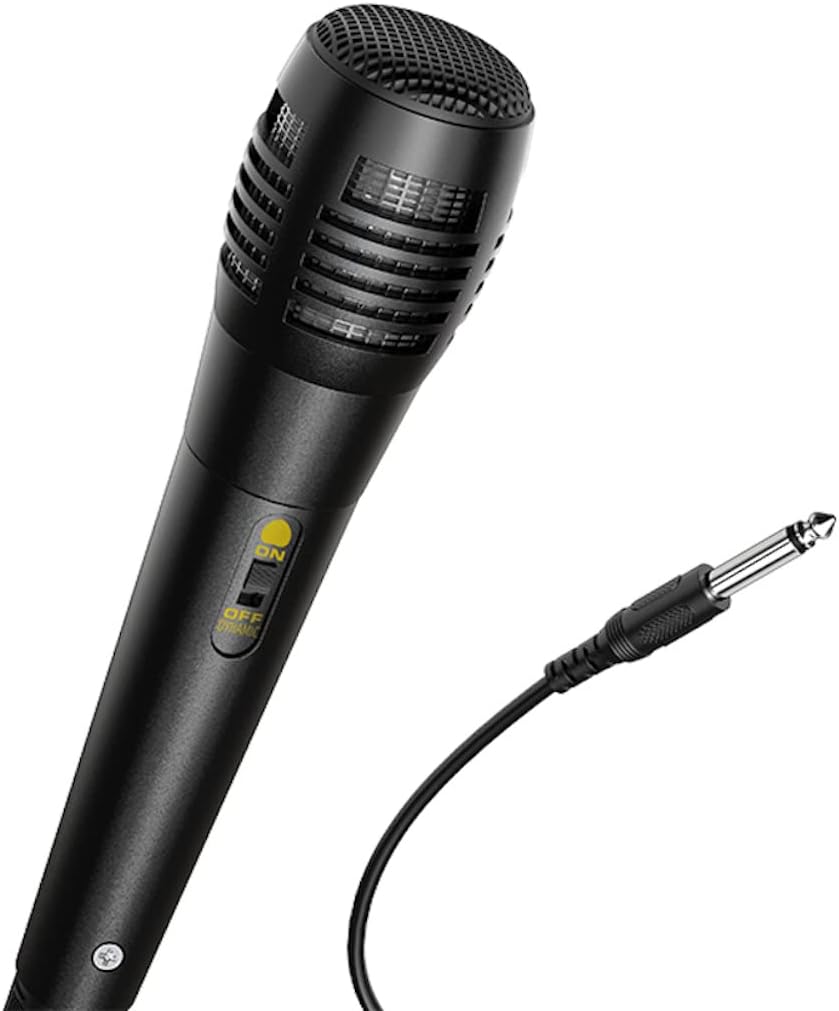
ຮູບພາບ: A close-up view of the wired microphone included with the HOCO BS37 speaker, showing its ON/OFF switch and connector.
5.7 ຜົນກະທົບແສງສະຫວ່າງ
The speaker features independent colored lights. Use the dedicated ສະວິດໄຟ on the control panel to turn the lights ON or OFF, or to cycle through different light modes (if applicable).

Image: The HOCO BS37 speaker displaying its colorful breathing light effects.
6. ການສາກໄຟ ລຳ ໂພງ
When the battery is low, the speaker may indicate this with an audible prompt or a flashing indicator light. To charge:
- ເຊື່ອມຕໍ່ສາຍສາກກັບ DC 5V ເຂົ້າ ພອດຢູ່ເທິງລຳໂພງ.
- Connect the other end of the charging cable to a standard USB power source (e.g., wall adapter, computer USB port).
- The charging indicator light will illuminate. Once fully charged (approximately 2.5 hours), the indicator light may change or turn off.
A full charge provides approximately 3 hours of music playback at 80% volume.
7. ບໍາລຸງຮັກສາ
- ເຮັດຄວາມສະອາດລໍາໂພງດ້ວຍຜ້າອ່ອນໆ, ແຫ້ງ. ຢ່າໃຊ້ເຄື່ອງເຮັດຄວາມສະອາດຂັດຫຼືສານລະລາຍ.
- ຮັກສາລຳໂພງໃຫ້ຫ່າງຈາກນໍ້າ, ຄວາມຊຸ່ມຊື່ນ, ແລະອຸນຫະພູມທີ່ຮຸນແຮງ.
- ເກັບຮັກສາລຳໂພງໄວ້ໃນບ່ອນເຢັນ ແລະແຫ້ງເມື່ອບໍ່ໄດ້ໃຊ້ເປັນເວລາດົນ.
- ຫຼີກລ່ຽງການລຸດລົງ ຫຼື ວາງລຳໂພງຕໍ່ກັບຜົນກະທົບທີ່ຮຸນແຮງ.
8. ການແກ້ໄຂບັນຫາ
| ບັນຫາ | ສາເຫດທີ່ເປັນໄປໄດ້ | ການແກ້ໄຂ |
|---|---|---|
| ລຳໂພງບໍ່ເປີດ. | ແບັດເຕີຣີໝົດ. | ສາກລຳໂພງຢ່າງໜ້ອຍ 30 ນາທີ. |
| ບໍ່ສາມາດຈັບຄູ່ຜ່ານ Bluetooth ໄດ້. | ລຳໂພງບໍ່ໄດ້ຢູ່ໃນໂໝດຈັບຄູ່; Bluetooth ປິດຢູ່ໃນອຸປະກອນ; ອຸປະກອນຢູ່ໄກເກີນໄປ. | Ensure speaker is in pairing mode. Turn Bluetooth off/on on your device. Move device closer to speaker (within 10 meters). |
| ບໍ່ມີສຽງຈາກລຳໂພງ. | Volume is too low; incorrect mode selected; cable not connected properly. | Increase speaker and device volume. Press ໂໝດ button to select correct input. Check all cable connections. |
| ໄມໂຄຣໂຟນບໍ່ເຮັດວຽກ. | Microphone switch is off; not plugged in correctly. | Ensure microphone switch is ON. Plug microphone firmly into MIC ໃນ ທ່າເຮືອ. |
9. ຂໍ້ມູນຈໍາເພາະ
| ຕົວແບບ | BS37 Dancer |
| ໜ່ວຍລຳໂພງ | 8 inch, 2Ω10W |
| ຂະໜາດ (L x W x H) | 367 x 243 x 196 ມມ (14.45 x 9.57 x 7.72 ນິ້ວ) |
| ນ້ຳໜັກ | 1.9 KG (4.19 lbs) |
| ລຸ້ນ Bluetooth | V5.0 (Blue trum 5322) |
| ຄວາມອາດສາມາດຫມໍ້ໄຟ | 1800mAh (A grade 18650) |
| ເວລາການຫຼີ້ນດົນຕີ | ປະມານ 3 ຊົ່ວໂມງ (ທີ່ລະດັບສຽງ 80%) |
| ເວລາສາກໄຟ | ປະມານ 2.5 ຊົ່ວໂມງ |
| ຕົວເລືອກການເຊື່ອມຕໍ່ | Bluetooth, TWS, FM Radio, USB, AUX |
| ລວມອຸປະກອນເສີມ | ໄມໂຄຣໂຟນທີ່ມີສາຍ |
| ອຸປະກອນທີ່ເຂົ້າກັນໄດ້ | ຄອມພິວເຕີຕັ້ງໂຕະ, ຄອມພິວເຕີໂນດບຸກ, ເຄື່ອງຫຼິ້ນ MP3, ໂທລະສັບສະຫຼາດ, ແທັບເລັດ |
10. ຂໍ້ມູນຄວາມປອດໄພ
- Do not expose the speaker to rain or moisture to prevent electric shock or fire.
- ຫ້າມຖອດປະກອບ, ສ້ອມແປງ, ຫຼືດັດແປງອຸປະກອນດ້ວຍຕົນເອງ. ອ້າງອີງການບໍລິການທັງໝົດໃຫ້ກັບບຸກຄະລາກອນທີ່ມີຄຸນວຸດທິ.
- Avoid placing the speaker near heat sources, such as radiators, heat registers, stoves, or other apparatus that produce heat.
- ໃຊ້ພຽງແຕ່ການສາກໄຟທີ່ລະບຸໄວ້tage ແລະປະຈຸບັນ.
- ຮັກສາໃຫ້ໄກຈາກເດັກນ້ອຍ.
- ການຟັງດົນໆໃນລະດັບສຽງສູງອາດເຮັດໃຫ້ເກີດຄວາມເສຍຫາຍຕໍ່ການໄດ້ຍິນ.
11. ການຮັບປະກັນແລະການສະຫນັບສະຫນູນ
This product is covered by a limited warranty. Please refer to the warranty card included with your purchase or contact your local HOCO distributor for details regarding warranty terms and conditions.
For technical support or service inquiries, please contact the retailer where you purchased the product or visit the official HOCO webເວັບໄຊສໍາລັບຂໍ້ມູນຕິດຕໍ່.
Ask a question about this manual
Ask about setup, troubleshooting, compatibility, parts, safety, or missing instructions. Manuals+ will review the question and use this page’s manual context to help answer it.