
Daytech AUB094VDX2J6
ຄູ່ມືການໃຊ້ລະຄັງເຊັນເຊີປະຕູໄຮ້ສາຍ Daytech
Model: AUB094VDX2J6
ສິນຄ້າເກີນview
The Daytech Wireless Door Sensor Chime system provides a reliable alert solution for various applications. It consists of a wireless magnetic sensor and one or more plug-in receivers. When the sensor detects an opening (e.g., a door or window), it sends a signal to the receiver, which then emits an audible chime and activates an LED indicator. This system is designed to enhance security and convenience in homes, businesses, and care settings.
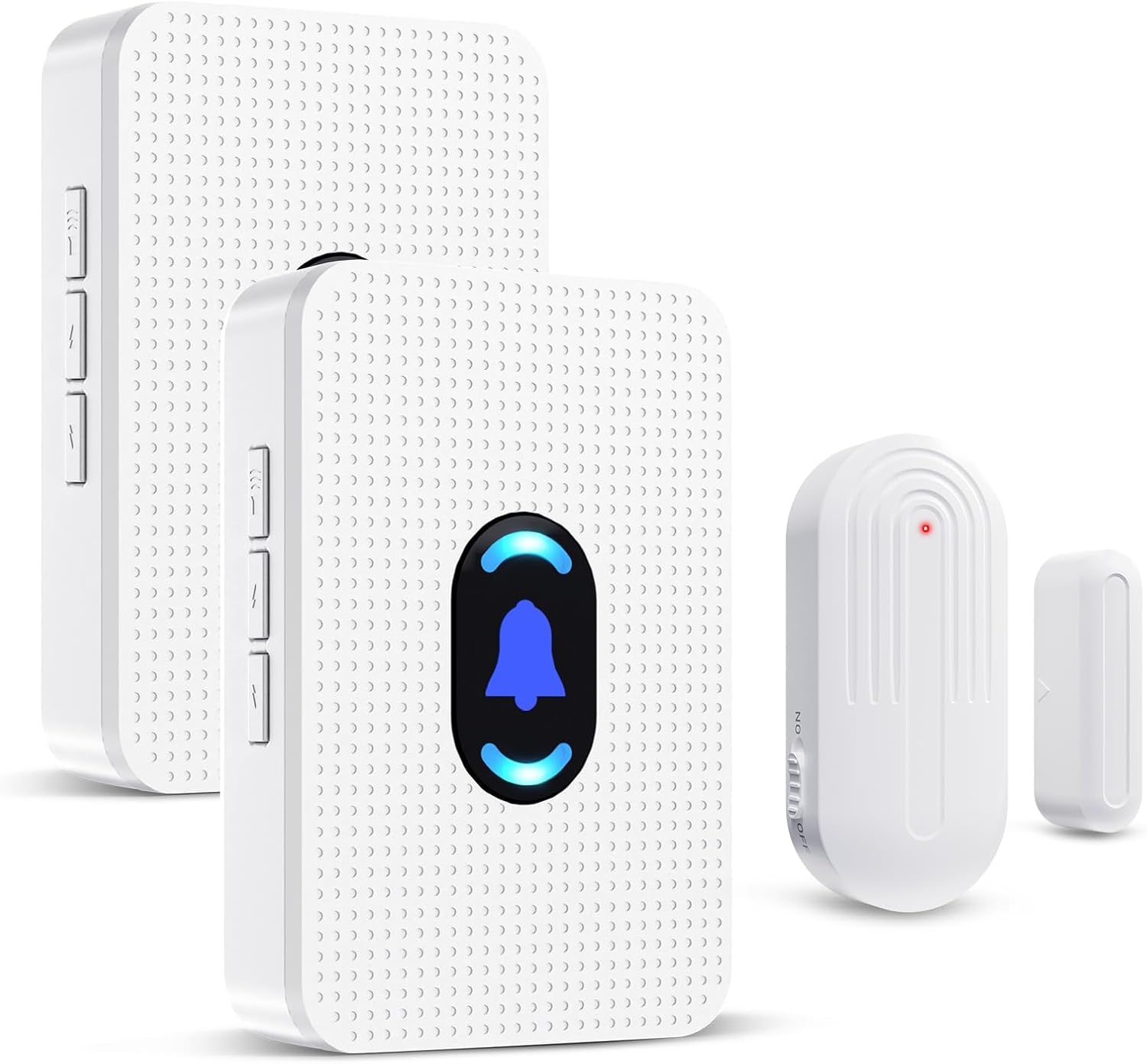
Image: Daytech Wireless Door Sensor Chime system, showing two plug-in receivers and a magnetic door/window sensor.
ຄຸນນະສົມບັດທີ່ສໍາຄັນ:
- ການດໍາເນີນງານໄຮ້ສາຍ: Provides flexible placement without the need for complex wiring.
- ໄລຍະຂະຫຍາຍ: Operates effectively up to 800 feet (240 meters) in open areas.
- ການແຈ້ງເຕືອນທີ່ສາມາດປັບແຕ່ງໄດ້: Offers 20 selectable chimes and 5 adjustable volume levels (0-110 dB), including a mute mode.
- ຕົວຊີ້ວັດພາບ: Features an LED indicator on the receiver for visual alerts.
- ຄໍາຮ້ອງສະຫມັກອະເນກປະສົງ: Suitable for home security, business entry alerts, child safety, and monitoring for elderly individuals.
- ການຕິດຕັ້ງງ່າຍດາຍ: Simple setup with adhesive tape for the sensor and plug-and-play for the receiver.
- Durable Sensor: IP44 waterproof rating for the sensor, designed for long-term use.
ເນື້ອໃນຊຸດ
- 1 x Wireless Magnetic Door Sensor
- 2 x Plug-in Receivers
- Mounting Hardware (e.g., double-sided adhesive tape)
- ຄູ່ມືຜູ້ໃຊ້
ການຕິດຕັ້ງແລະການຕິດຕັ້ງ
1. Powering the Receiver:
Plug the receiver into any standard electrical outlet. The receiver will power on and be ready for operation.
2. Installing the Sensor:
The wireless sensor consists of two parts: the main sensor unit and a smaller magnetic strip. These two parts must be installed in close proximity to each other, typically on a door/window frame and the door/window itself.
- Identify a suitable location on your door, window, drawer, or cabinet. Ensure the two sensor parts can be aligned when the door/window is closed.
- Clean the surface where the sensor will be mounted to ensure proper adhesion.
- Peel the backing from the double-sided adhesive tape provided.
- Attach one part of the sensor to the door/window frame and the other part to the moving door/window. Ensure the alignment marks on both parts are facing each other and the gap between them is less than 0.6 inches (1.5 cm) when closed.

ຮູບພາບ: Examples of sensor installation on doors, windows, drawers, and cabinets.

Image: Visual guide for mounting the door sensor using adhesive tape.
3. ການຈັບຄູ່ (ຖ້າຈຳເປັນ):
The sensor and receiver are typically pre-paired from the factory. If re-pairing is needed or if you are adding new sensors/receivers, follow these steps:
- ສຽບເຄື່ອງຮັບ.
- On the receiver, long press the volume button for 5-7 seconds until the LED indicator starts blinking rapidly. This indicates pairing mode.
- Quickly separate the two parts of the door sensor to activate the transmitter and send a signal to the receiver.
- Upon successful pairing, the receiver will sound a chime and the LED will stop blinking, confirming the connection.
ຄໍາແນະນໍາການດໍາເນີນງານ
1. Chime Activation:
When the two parts of the magnetic sensor are separated (e.g., a door or window opens), the sensor will trigger the paired receiver(s) to sound the selected chime and illuminate the LED indicator.

Image: Applications for home security, child safety, and elderly care.

Image: Applications for business, store, and office environments.
2. ປັບລະດັບສຽງ:
The receiver features a volume control button. Press this button repeatedly to cycle through 5 adjustable volume levels, ranging from 0 dB (mute) to 110 dB (maximum volume).

Image: Receiver with adjustable volume levels and LED indicator.
3. Changing Chime Melodies:
The receiver offers 20 different chime melodies. Use the "forward" and "backward" buttons on the side of the receiver to select your preferred melody.
4. ຊ່ວງການດໍາເນີນງານ:
The system has a wireless operating range of up to 800 feet (240 meters) in an open environment. Walls, metal structures, and other electronic devices may reduce the effective range.

Image: Illustration of the system's 800ft wireless range.
ບໍາລຸງຮັກສາ
1. Sensor Battery Replacement:
The wireless sensor is powered by a CR2450 3V lithium battery. When the sensor's performance degrades or it stops transmitting signals, the battery may need replacement.
- ເປີດເຊັນເຊີ c ດ້ວຍຄວາມລະມັດລະວັງasing using a small screwdriver.
- ເອົາແບັດ CR2450 ເກົ່າອອກ.
- Insert a new CR2450 3V lithium battery, ensuring correct polarity.
- ປິດເຊັນເຊີ casing ຢ່າງປອດໄພ.
Image: Visual guide for battery replacement in the sensor.
The sensor battery is designed for long life, supporting up to 100,000 uses or 3-5 years of typical operation.

Image: Details on sensor battery life and durability features.
2. ທໍາຄວາມສະອາດ:
Wipe the sensor and receiver with a soft, dry cloth. Do not use abrasive cleaners or immerse the units in water.
3. ສະພາບສິ່ງແວດລ້ອມ:
The sensor is IP44 waterproof, suitable for outdoor use in various weather conditions. The operating temperature range is -4°F (-20°C) to 140°F (60°C).
ການແກ້ໄຂບັນຫາ
| ບັນຫາ | ສາເຫດທີ່ເປັນໄປໄດ້ | ການແກ້ໄຂ |
|---|---|---|
| Receiver does not chime when sensor is triggered. |
|
|
| ລະດັບສຽງກະດິ່ງຕໍ່າເກີນໄປ ຫຼືສູງເກີນໄປ. | ການຕັ້ງຄ່າປະລິມານຕ້ອງການປັບ. | Press the volume control button on the receiver to cycle through the 5 volume levels. |
| Chime melody is not desired. | Incorrect melody selected. | Use the "forward" and "backward" buttons on the receiver to select a different melody. |
| ຫຼຸດຜ່ອນລະດັບສັນຍານໄຮ້ສາຍ. | ການລົບກວນສິ່ງແວດລ້ອມ ຫຼື ໄລຍະຫ່າງທີ່ເກີນຂອບເຂດ. |
|
ຂໍ້ມູນຈໍາເພາະ
| ຄຸນສົມບັດ | ລາຍລະອຽດ |
|---|---|
| ໝາຍເລກຕົວແບບ | AUB094VDX2J6 |
| ຍີ່ຫໍ້ | ເດເທັກ |
| ແຫຼ່ງພະລັງງານ (ຜູ້ຮັບ) | Plug-in (AC Powered) |
| ແຫຼ່ງພະລັງງານ (ເຊັນເຊີ) | 1 x CR2450 3V Lithium Battery (included) |
| ສະບັບtage | 260 Volts (for receiver, typical for plug-in devices) |
| Range ໄຮ້ສາຍ | ສູງເຖິງ 800 ຟຸດ (240 ແມັດ) ໃນພື້ນທີ່ເປີດ |
| Chime Melodies | 20 ສຽງເອີ້ນເຂົ້າທີ່ເລືອກໄດ້ |
| ລະດັບສຽງ | 5 adjustable levels (0 dB to 110 dB) |
| ເຕັກໂນໂລຢີເຊັນເຊີ | Contact Sensor (Magnetic) |
| ປະເພດການຕິດຕັ້ງ | Door Mount, Window Mount (Adhesive Tape) |
| Sensor Gap Requirement | Less than 0.6 inches (1.5 cm) when closed |
| ວັດສະດຸ | ABS |
| ຄະແນນກັນນ້ຳຂອງເຊັນເຊີ | IP44 |
| ອຸນຫະພູມປະຕິບັດການ | -4°F (-20°C) ຫາ 140°F (60°C) |
| ນ້ໍາຫນັກລາຍການ | 8.1 ອອນສ໌ (ລວມຊຸດ) |
| ຂະໜາດແພັກເກັດ | 4.33 x 3.82 x 3.58 ນິ້ວ |
ການຮັບປະກັນແລະການສະຫນັບສະຫນູນ
For any product inquiries, technical support, or warranty information, please contact Daytech Customer Service. Refer to the product packaging or the official Daytech webເວັບໄຊສໍາລັບລາຍລະອຽດການຕິດຕໍ່ໃນປະຈຸບັນຫຼາຍທີ່ສຸດ.
Daytech is committed to providing quality products and customer satisfaction.
Ask a question about this manual
Ask about setup, troubleshooting, compatibility, parts, safety, or missing instructions. Manuals+ will review the question and use this page’s manual context to help answer it.