
ແນະນຳ
Thank you for choosing the MEDION MD 10319 Tower Fan. This manual provides essential information for the safe and efficient operation of your new fan. Please read these instructions carefully before use and keep them for future reference.
ຄໍາແນະນໍາຄວາມປອດໄພທີ່ສໍາຄັນ
ປະຕິບັດຕາມຄວາມລະມັດລະວັງດ້ານຄວາມປອດໄພຂັ້ນພື້ນຖານສະເໝີ ເມື່ອນຳໃຊ້ເຄື່ອງໃຊ້ໄຟຟ້າເພື່ອຫຼຸດຜ່ອນຄວາມສ່ຽງຕໍ່ການເກີດອັກຄີໄພ, ໄຟຟ້າຊອດ ແລະ ການບາດເຈັບຕໍ່ຄົນ.
- ຮັບປະກັນການສະຫນອງພະລັງງານ voltage ກົງກັບປ້າຍການຈັດອັນດັບໃນພັດລົມ.
- ຢ່າໃຊ້ພັດລົມດ້ວຍສາຍໄຟ ຫຼືປລັກສຽບທີ່ເສຍຫາຍ. ຖ້າສາຍໄຟເສຍຫາຍ, ມັນຕ້ອງຖືກປ່ຽນແທນໂດຍຜູ້ຜະລິດ, ຕົວແທນບໍລິການ, ຫຼືຜູ້ທີ່ມີຄຸນສົມບັດທີ່ຄ້າຍຄືກັນເພື່ອຫຼີກເວັ້ນອັນຕະລາຍ.
- ຮັກສາພັດລົມໃຫ້ຫ່າງຈາກນ້ໍາຫຼືຂອງແຫຼວອື່ນໆ. ຢ່າເອົາພັດລົມໃສ່ນໍ້າ.
- ຫ້າມເອົານິ້ວມື ຫຼືສິ່ງຂອງຕ່າງປະເທດເຂົ້າໄປໃສ່ເຕົາໄຟ ໃນຂະນະທີ່ພັດລົມເຮັດວຽກ.
- ຖອດພັດລົມອອກຈາກປລັກສຽບໄຟເມື່ອບໍ່ໄດ້ໃຊ້, ເມື່ອຍ້າຍມັນຈາກບ່ອນໜຶ່ງໄປຫາບ່ອນອື່ນ, ແລະ ກ່ອນທຳຄວາມສະອາດ.
- ເຄື່ອງໃຊ້ນີ້ບໍ່ໄດ້ມີຈຸດປະສົງເພື່ອໃຊ້ໂດຍບຸກຄົນ (ລວມທັງເດັກນ້ອຍ) ທີ່ມີຄວາມສາມາດທາງຮ່າງກາຍ, ຄວາມຮູ້ສຶກ ຫຼືຈິດໃຈທີ່ຫຼຸດລົງ, ຫຼືຂາດປະສົບການ ແລະຄວາມຮູ້, ເວັ້ນເສຍແຕ່ວ່າພວກເຂົາໄດ້ຮັບການຊີ້ນໍາ ຫຼືຄໍາແນະນໍາກ່ຽວກັບການນໍາໃຊ້ເຄື່ອງໃຊ້ໂດຍບຸກຄົນທີ່ຮັບຜິດຊອບຄວາມປອດໄພຂອງເຂົາເຈົ້າ.
- ເດັກນ້ອຍຄວນໄດ້ຮັບການເບິ່ງແຍງເພື່ອຮັບປະກັນວ່າພວກເຂົາບໍ່ໄດ້ຫຼີ້ນກັບເຄື່ອງໃຊ້.
- ວາງພັດລົມໃສ່ພື້ນທີ່ຄົງທີ່, ຮາບພຽງເພື່ອປ້ອງກັນບໍ່ໃຫ້ມັນລົ່ນ.
ເນື້ອໃນຊຸດ
ກະລຸນາກວດສອບຊຸດສຳລັບອົງປະກອບຕໍ່ໄປນີ້:
- MEDION MD 10319 Tower Fan
- Base (two halves)
- ຮັບປະກັນ Nut
- 4 Mounting Screws for Base
- Remote Control (with 2 x AAA batteries)
- ຄູ່ມືການສອນ
ສະພາແຫ່ງແລະການຕັ້ງຄ່າ
Follow these steps to assemble your tower fan:
- ເອົາສ່ວນປະກອບທັງຫມົດອອກຈາກການຫຸ້ມຫໍ່ຢ່າງລະມັດລະວັງ.
- Assemble the two halves of the base by interlocking them.
- Align the assembled base with the bottom of the fan unit. Ensure the power cord passes through the designated slot in the base.
- Secure the base to the fan unit using the 4 mounting screws provided.
- Tighten the securing nut from underneath the base to firmly attach it to the fan body.
- ໃສ່ແບັດເຕີຣີ AAA 2 ກ້ອນເຂົ້າໃນຣີໂໝດຄວບຄຸມ, ໂດຍສັງເກດຂົ້ວ.
- ວາງພັດລົມໃສ່ພື້ນຜິວທີ່ແຫນ້ນຫນາ.
- ສຽບສາຍໄຟເຂົ້າໄປໃນເຕົ້າສຽບໄຟຟ້າທີ່ເຫມາະສົມ (220V).
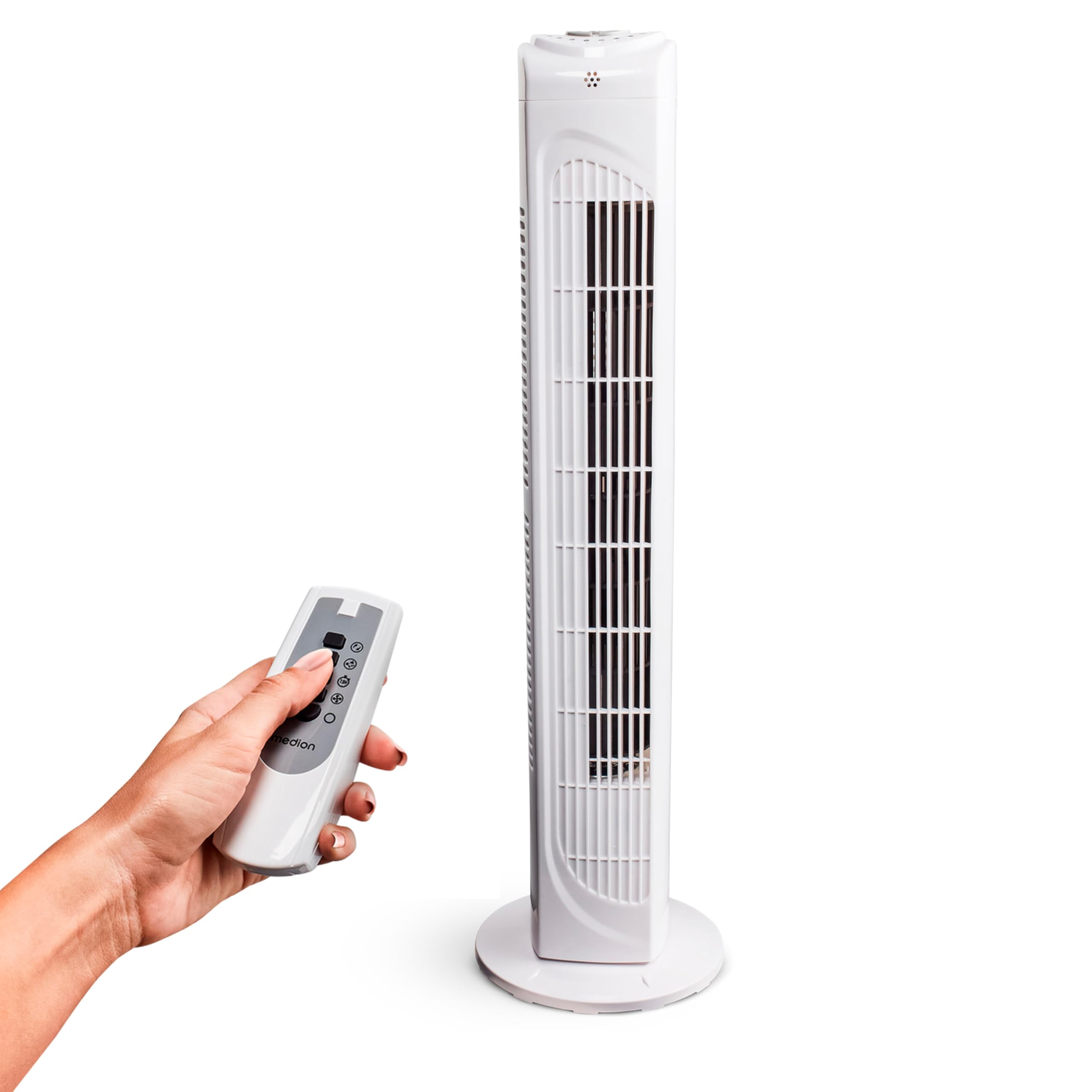
Image: The MEDION MD 10319 Tower Fan, fully assembled with its base, ready for use.

Image: A hand demonstrating the integrated carrying handle on top of the fan for easy portability.
ສິນຄ້າເກີນview
ກະດານຄວບຄຸມ
The control panel is located on the top of the fan unit. It features buttons for power, speed, oscillation, and timer functions.

ຮູບພາບ: ລາຍລະອຽດ view of the fan's top control panel, showing buttons for power, speed settings (3 levels), timer, and oscillation.
ການຄວບຄຸມໄລຍະໄກ
The included remote control allows you to operate all fan functions from a distance.
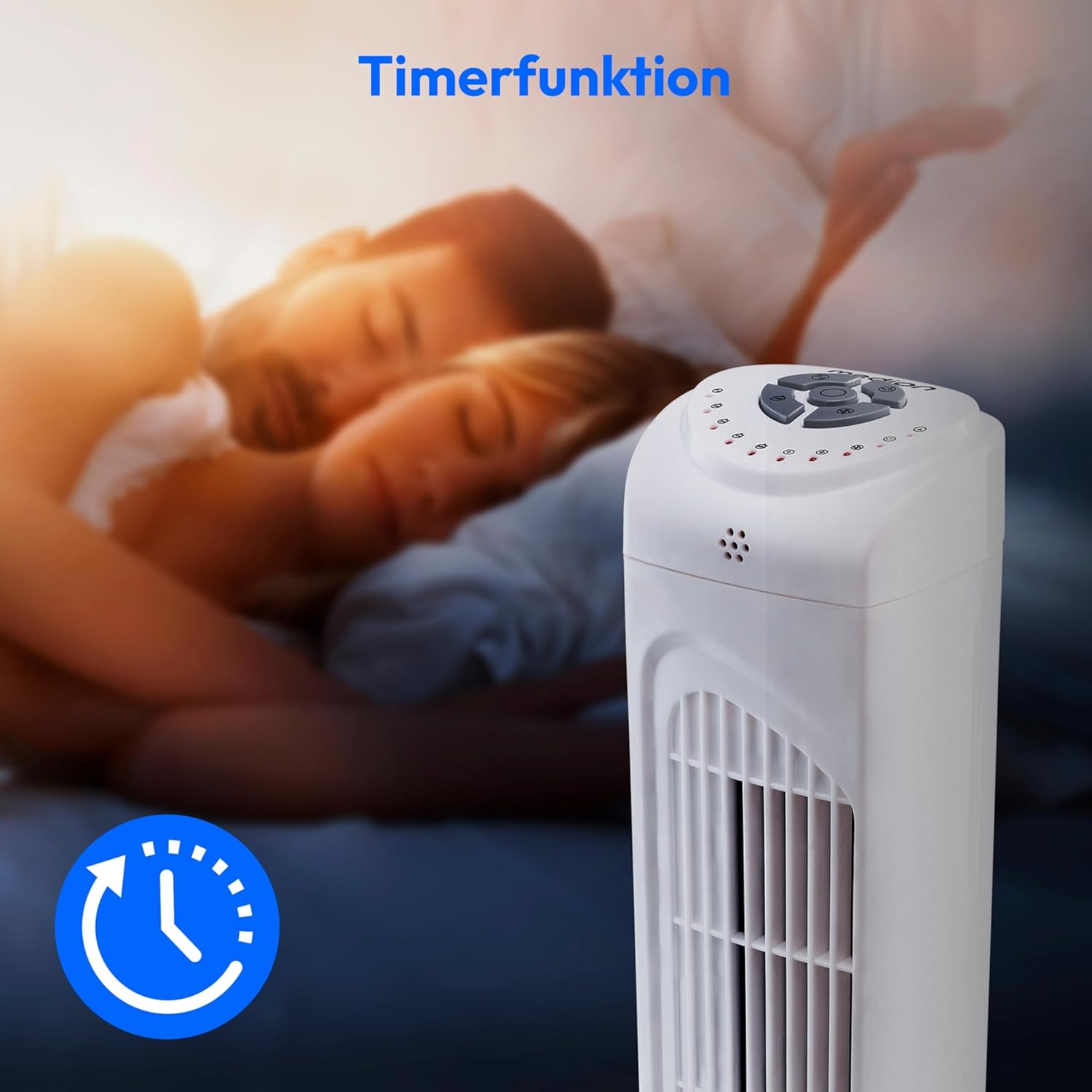
Image: A hand holding the remote control, which features buttons for power, speed, oscillation, and timer, mirroring the main control panel.
ຄໍາແນະນໍາການດໍາເນີນງານ
ເປີດ/ປິດ
- ກົດ ພະລັງງານ button on the control panel or remote control to turn the fan ON.
- ກົດ ພະລັງງານ ກົດປຸ່ມອີກເທື່ອຫນຶ່ງເພື່ອປິດພັດລົມ.
ປັບຄວາມໄວພັດລົມ
The fan has 3 speed settings: Low, Medium, and High.
- ກົດ ຄວາມໄວ button repeatedly to cycle through the speed settings.
- The current speed level will be indicated by LED lights on the control panel.
ຟັງຊັນ Oscillation
The oscillation function allows the fan to rotate horizontally, distributing air over a wider area.
- ກົດ OSC button on the control panel or remote control to activate oscillation. The fan will rotate approximately 60 degrees.
- ກົດ OSC button again to stop oscillation. The fan will stop in its current position.

Image: The tower fan oscillating, indicated by blue arrows showing a 60-degree rotation for wider air distribution.
ຟັງຊັນຈັບເວລາ
The timer function allows you to set the fan to automatically turn off after a specified period, up to 7.5 hours.
- ກົດ ເວລາ button repeatedly to set the desired operating time (e.g., 0.5h, 1h, 2h, 4h, up to 7.5h).
- The selected timer duration will be indicated by LED lights on the control panel.
- To cancel the timer, cycle through the settings until no timer LEDs are illuminated, or turn the fan off.

Image: The fan with a timer icon, illustrating its use for setting automatic shut-off, ideal for use during sleep.
ບໍາລຸງຮັກສາ
Regular cleaning will help maintain the performance and extend the lifespan of your fan.
- ຖອດພັດລົມອອກຈາກປລັກສຽບໄຟກ່ອນທຳຄວາມສະອາດທຸກຄັ້ງ.
- ໃຊ້ອ່ອນ, ງamp ຜ້າເຊັດຜິວດ້ານນອກຂອງພັດລົມ. ຢ່າໃຊ້ເຄື່ອງເຮັດຄວາມສະອາດຂັດຫຼືສານລະລາຍ.
- ໃຊ້ເຄື່ອງດູດຝຸ່ນທີ່ມີຢາງຕິດຂັດເພື່ອເອົາຝຸ່ນອອກຈາກຊ່ອງຮັບອາກາດ ແລະເຕົາປ່ຽງ.
- ຢ່າປ່ອຍໃຫ້ນໍ້າໄຫຼເຂົ້າໄປໃນພັດລົມພາຍໃນ.
- Store the fan in a cool, dry place when not in use for extended periods.
ການແກ້ໄຂບັນຫາ
If you encounter any issues with your MEDION MD 10319 Tower Fan, please refer to the following common problems and solutions:
| ບັນຫາ | ສາເຫດທີ່ເປັນໄປໄດ້ | ການແກ້ໄຂ |
|---|---|---|
| ພັດລົມບໍ່ເປີດ. | ບໍ່ມີການສະຫນອງພະລັງງານ. ບໍ່ໄດ້ກົດປຸ່ມເປີດປິດ. | ກວດເບິ່ງວ່າສາຍໄຟຖືກສຽບຢ່າງປອດໄພກັບປລັກສຽບທີ່ເຮັດວຽກຫຼືບໍ່. Press the POWER button on the fan or remote. |
| ການຄວບຄຸມໄລຍະໄກບໍ່ເຮັດວຽກ. | ຫມໍ້ໄຟແມ່ນຕາຍຫຼືໃສ່ບໍ່ຖືກຕ້ອງ. ການຂັດຂວາງລະຫວ່າງຫ່າງໄກສອກຫຼີກແລະພັດລົມ. | Replace batteries (2 x AAA) and ensure correct polarity. Remove any objects blocking the signal path. Ensure you are within range. |
| ພັດລົມສ້າງສຽງຜິດປົກກະຕິ. | ພັດລົມບໍ່ໄດ້ຢູ່ເທິງພື້ນຜິວທີ່ຮາບພຽງ. Obstruction in the fan grille. | ວາງພັດລົມໃສ່ພື້ນທີ່ຮາບພຽງທີ່ຫມັ້ນຄົງ. Unplug the fan and carefully check for any foreign objects in the grilles. |
| Oscillation function is not working. | Oscillation button not activated. | Press the OSC button on the control panel or remote control. |
ຂໍ້ມູນຈໍາເພາະ
| ຄຸນສົມບັດ | ລາຍລະອຽດ |
|---|---|
| ຍີ່ຫໍ້ | MEDION |
| ຊື່ຕົວແບບ | MD 10319 |
| ປະເພດ | Tower Fan / Floor Fan |
| ສີ | ສີຂາວ |
| ແຫຼ່ງພະລັງງານ | ໄຟຟ້າສາຍ |
| ວັດtage | 45 ວ |
| ສະບັບtage | 220 ໂວນ |
| ຈໍານວນຄວາມໄວ | 3 |
| ຄຸນນະສົມບັດພິເສດ | Oscillating, Timer Function |
| ມຸມ Oscillation | 60° |
| ຟັງຊັນຈັບເວລາ | ສູງສຸດ 7.5 ຊົ່ວໂມງ |
| ວິທີການຄວບຄຸມ | ຣີໂໝດ, ປຸ່ມໃນຕົວເຄື່ອງ |
| ລະດັບສຽງ | 50 Decibels |
| ຂະໜາດສິນຄ້າ (ກວ້າງ x ຍາວ x ສູງ) | 28ຊມ x 28ຊມ x 79ຊມ |
| ນ້ໍາຫນັກລາຍການ | 2.5 ກິໂລກຣາມ |
| ວັດສະດຸ | ພາດສະຕິກ |
| ປະເພດຕົວເຊື່ອມຕໍ່ພະລັງງານຫຼັກ | CEE 7/7 (Schuko) |

Image: The MEDION MD 10319 Tower Fan with its height (79 cm) and base width (28 cm) clearly indicated.
ການຮັບປະກັນແລະການສະຫນັບສະຫນູນ
Your MEDION MD 10319 Tower Fan comes with a manufacturer's warranty. Please refer to the warranty card included in your package for detailed terms and conditions, including the warranty period and coverage.
ສຳລັບການຊ່ວຍເຫຼືອດ້ານເຕັກນິກ, ການບໍລິການ ຫຼື ຊິ້ນສ່ວນອາໄຫຼ່, ກະລຸນາຕິດຕໍ່ບໍລິການລູກຄ້າຂອງ MEDION. ຂໍ້ມູນຕິດຕໍ່ສາມາດພົບໄດ້ທີ່ພະນັກງານຂອງ MEDION webສະຖານທີ່ຫຼືຢູ່ໃນເອກະສານການຮັບປະກັນ.