
1. ການຕິດຕັ້ງແລະການປະກອບ
The Teraves L-Shaped Desk is designed for straightforward assembly. It is recommended that ສອງຄົນ perform the assembly to ensure safety and ease of installation. All necessary tools are included, but a ratcheting bit screwdriver may simplify the process.
1.1 ການຫຸ້ມຫໍ່ແລະການກວດສອບອົງປະກອບ
Carefully unpack all components and verify against the parts list provided in your packaging. Lay out all pieces in numerical order to ensure everything is present before beginning assembly. Be aware that styrofoam packaging may leave residue; have a vacuum or duster ready.
1.2 ການປະກອບກອບ
Begin by assembling the metal frame. Connect the frame pieces using the provided screws and Allen wrenches. Do not fully tighten screws until all components are in place and the desk is adjusted to your desired configuration. This allows for minor adjustments and ensures proper alignment.
ວິດີໂອ: ການປະກອບສຳເລັດແລ້ວview for the L-shaped desk.
1.3 Bookshelf Installation
Attach the bookshelf components to the frame as indicated in the instructions. Ensure all screws are securely fastened once the bookshelf is correctly positioned.

Image: The Teraves L-Shaped Desk featuring integrated storage shelves and a CPU stand.
1.4 Desktop Panel Placement
Carefully place the desktop panels onto the assembled frame. The desk features a reversible design, allowing you to configure the L-shape to either the left or right side to best suit your space. Decide on the orientation before securing the panels.

Image: This diagram illustrates the reversible nature of the desk, allowing for left or right L-shaped configurations, along with key dimensions.
1.5 Adjustable Leg Pads
The desk is equipped with adjustable leg pads. Use these to stabilize the desk on uneven floors or carpets, ensuring a level and secure workspace.
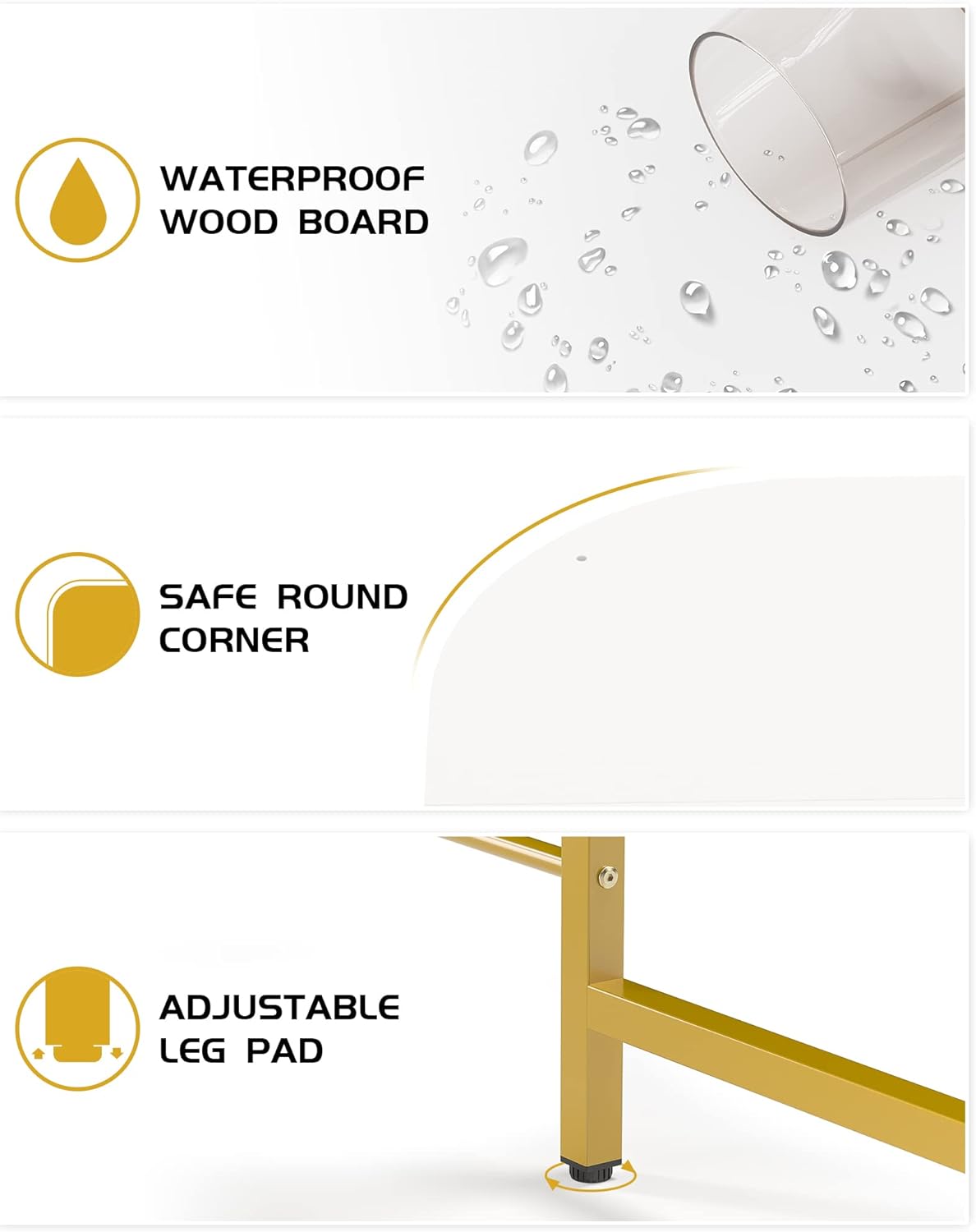
ຮູບພາບ: ລາຍລະອຽດ view highlighting the waterproof wood board, safe rounded corner, and adjustable leg pad for stability.
2. ຄໍາແນະນໍາການດໍາເນີນງານ
2.1 ການນຳໃຊ້ພື້ນທີ່ເຮັດວຽກ
The large surface area of the L-shaped desk provides ample space for multiple monitors, laptops, and other office supplies. The reversible design allows you to optimize your workspace layout according to your room's configuration and personal preference.
Video: Demonstrates the reversible L-shaped desk with shelves, showcasing its versatility in different office setups.
2.2 Storage Shelves
Utilize the open 2-tier storage shelves for organizing books, documents, or displaying decorative items. The integrated CPU stand helps keep your computer tower off the floor, protecting it from dust and improving airflow.

Image: This image provides detailed dimensions of the desk, including the shelf sizes and overall footprint, and indicates a maximum weight capacity of 450 lbs.
2.3 Monitor Stand Compatibility
The desk includes a compatible hole for installing a monitor stand. The hole diameter is 0.39 inches, allowing for easy integration of most standard monitor mounts.

ຮູບພາບ: A close-up view of the designated hole on the desk surface, designed for easy installation of a monitor stand.
3. ບໍາລຸງຮັກສາ
3.1 ການທໍາຄວາມສະອາດ
The desk features a waterproof wood board, making it easy to clean. Wipe the surface with a damp cloth and mild detergent as needed. Avoid abrasive cleaners or harsh chemicals that could damage the finish.
3.2 ການເບິ່ງແຍງທົ່ວໄປ
Regularly check all screws and connections to ensure they remain tight. Avoid placing extremely hot or cold items directly on the desktop without protective coasters. While the desk is sturdy, avoid excessive force or standing on the surface.
4. ການແກ້ໄຂບັນຫາ
4.1 Desk Instability
If the desk feels wobbly, ensure all assembly screws are fully tightened. Adjust the leg pads on each corner to compensate for uneven flooring. Rotate the leg pads until the desk is stable and level.
4.2 Missing Parts or Damaged Components
If you find any missing parts or damaged components upon unpacking, please contact Teraves customer support immediately for assistance. Do not attempt to assemble the desk with incomplete or damaged parts.
4.3 ຄວາມຫຍຸ້ງຍາກໃນສະພາແຫ່ງ
Refer to the detailed assembly instructions provided with your product. If you encounter persistent difficulties, review the steps carefully or seek assistance from a second person. Remember to only hand-tighten screws initially and fully tighten them once the desk is correctly aligned.
5. ຂໍ້ມູນຈໍາເພາະ
| ຄຸນສົມບັດ | ລາຍລະອຽດ |
|---|---|
| ຍີ່ຫໍ້ | Teraves |
| ໝາຍເລກຕົວແບບ | SLUGRIAS |
| ຮູບຮ່າງ | L-Shape |
| ຂະໜາດສິນຄ້າ | 68.9"D x 53.1"W x 29.3"H |
| Desk Panel Dimensions | 68.9" x 22" & 53.15" x 22" (with corner length) |
| ຄວາມສູງ | 30" |
| ສີ | White + Gold Frame |
| ແບບ | ທັນສະໄຫມ |
| ວັດສະດຸພື້ນຖານ | ໂລຫະ (ເຫຼັກກ້າ) |
| ປະເພດວັດສະດຸສູງສຸດ | ໄມ້ວິສະວະກໍາ |
| ປະເພດສໍາເລັດຮູບ | Powder Coated |
| ຄຸນນະສົມບັດພິເສດ | Reversible, Adjustable Leg Pads |
| ອົງປະກອບລວມ | Desk, Storage Shelves, CPU Stand |
| ຄໍາແນະນໍານ້ໍາຫນັກສູງສຸດ | 450 ປອນ |
| Monitor Stand Hole Diameter | 0.39 ນິ້ວ |
| ຈໍານວນຊັ້ນວາງ | 2 (open tiers) |
6. ການຮັບປະກັນແລະການສະຫນັບສະຫນູນ
6.1 ແຜນການປົກປ້ອງ
Optional protection plans are available for purchase to extend coverage beyond the standard manufacturer's warranty. These include:
- ແຜນການປົກປ້ອງ 2 ປີ: One-time payment of $32.99.
- ແຜນການປົກປ້ອງ 3 ປີ: One-time payment of $40.99.
- NEW Complete Protect: Monthly billing at $16.99, covering all eligible past and future purchases.
Please refer to the specific terms and conditions of your chosen protection plan for full details on coverage and claims.
6.2 ການສົ່ງຄືນ ແລະ ການສະໜັບສະໜູນລູກຄ້າ
This product is eligible for 30-day easy returns. For any questions, concerns, or support needs regarding your Teraves L-Shaped Desk, please contact Teraves customer support through the retailer's platform or visit the official Teraves store online. Ensure you have your model number (SLUGRIAS) and purchase details ready for faster service.