
1. ບົດແນະນຳ
This manual provides essential information for setting up, operating, maintaining, and troubleshooting your Samsung Galaxy Tab Active3. The Galaxy Tab Active3 is an 8-inch rugged tablet designed for durability and performance in demanding environments. It features MIL-STD-810H compliance and IP68 water and dust resistance, ensuring reliability. Key functionalities include an integrated S Pen, a replaceable battery with 'No Battery Mode' support, Wireless DeX for a PC-like experience, and enhanced touch sensitivity for glove use.
2. ຄູ່ມືການຕິດຕັ້ງ
2.1 ເນື້ອໃນຊຸດ
ກວດສອບວ່າຊຸດຂອງທ່ານມີລາຍການດັ່ງຕໍ່ໄປນີ້:
- Samsung Galaxy Tab Active3 Tablet
- ສາຍສາກ
- S Pen (integrated)
2.2 ການສາກໄຟເບື້ອງຕົ້ນ
Before first use, fully charge the tablet using the provided charging cable and a compatible power adapter. The tablet supports fast charging.
2.3 ການເປີດ/ປິດ
- ເພື່ອເປີດເຄື່ອງ: Press and hold the Power key until the Samsung logo appears.
- ປິດເຄື່ອງ: Press and hold the Power key, then select 'Power off' from the options.
2.4 ການຕິດຕັ້ງແຜ່ນ SIM ແລະບັດ MicroSD
The Galaxy Tab Active3 supports LTE connectivity and expandable storage via a microSD card (up to 1TB).
- ຊອກຫາຖາດໃສ່ຊິມກາດ/microSD ຢູ່ດ້ານຂ້າງຂອງແທັບເລັດ.
- Use the provided ejection tool to open the tray.
- Carefully place the Nano-SIM card and/or microSD card into their respective slots, ensuring correct orientation.
- ປິດຖາດຢ່າງປອດໄພ.
2.5 ການຕິດຕັ້ງອຸປະກອນເບື້ອງຕົ້ນ
ເມື່ອເປີດເຄື່ອງທຳອິດ, ໃຫ້ເຮັດຕາມການເຕືອນເທິງໜ້າຈໍເພື່ອ:
- ເລືອກພາສາຂອງທ່ານ.
- ເຊື່ອມຕໍ່ກັບເຄືອຂ່າຍ Wi-Fi.
- ເຂົ້າສູ່ລະບົບດ້ວຍບັນຊີ Google ຂອງທ່ານ ຫຼືສ້າງອັນໃໝ່.
- Set up biometric security (fingerprint or face recognition) for enhanced device protection.
3. ຄໍາແນະນໍາການດໍາເນີນງານ
3.1 ການອອກແບບທີ່ທົນທານ ແລະ ຄວາມທົນທານ
The Galaxy Tab Active3 is built to withstand harsh conditions. It is MIL-STD-810H compliant for shock resistance and IP68 rated for water and dust resistance. This means it can be submerged in up to 1.5 meters of fresh water for up to 30 minutes and is protected against dust ingress.

Image: Galaxy Tab Active3 demonstrating its water and dust resistance.
3.2 S Pen and Enhanced Touch Capability
The integrated S Pen allows for precise input, note-taking, and drawing. The tablet also features enhanced touch sensitivity, enabling operation even when wearing gloves. To activate glove mode, navigate to Settings > Display > Touch sensitivity.

Image: Using the S Pen and enhanced touch with gloves on the Galaxy Tab Active3.
3.3 Battery Management and No Battery Mode
The Galaxy Tab Active3 is equipped with a long-lasting, replaceable 5050mAh battery. For extended use in fixed installations or vehicles, the tablet supports 'No Battery Mode'. When connected to a dedicated power source, the tablet can operate without the battery installed, preventing battery degradation in constant power environments.

Image: Internal components highlighting the battery and POGO pin for charging.
3.4 Wireless DeX
Samsung Wireless DeX allows you to connect your tablet to a compatible display wirelessly, providing a PC-like desktop experience. This enables multitasking with multiple windows and a familiar interface, enhancing productivity.
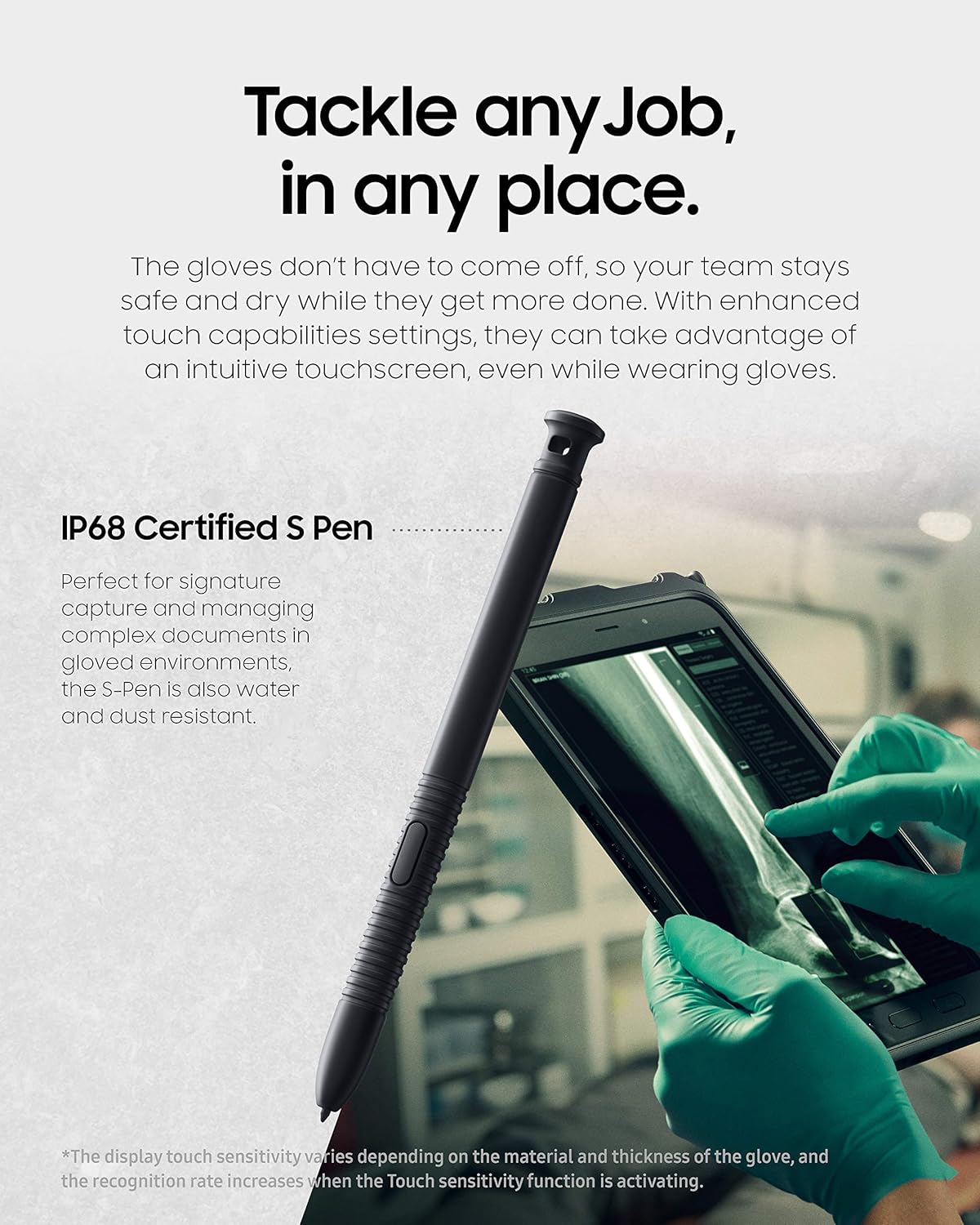
Image: Galaxy Tab Active3 utilizing Wireless DeX for a desktop experience.
3.5 Camera and NFC
The tablet features a 13MP rear camera for clear photo and document scanning, and a front camera for video calls. NFC (Near Field Communication) with EMV Level 1 support enables secure contactless payments and data exchange.

Image: Rear camera detail and NFC payment use case.
3.6 Programmable Key and Biometric Security
A programmable key provides quick access to frequently used apps or functions. For security, the tablet includes face recognition and fingerprint access, ensuring only authorized users can access the device.
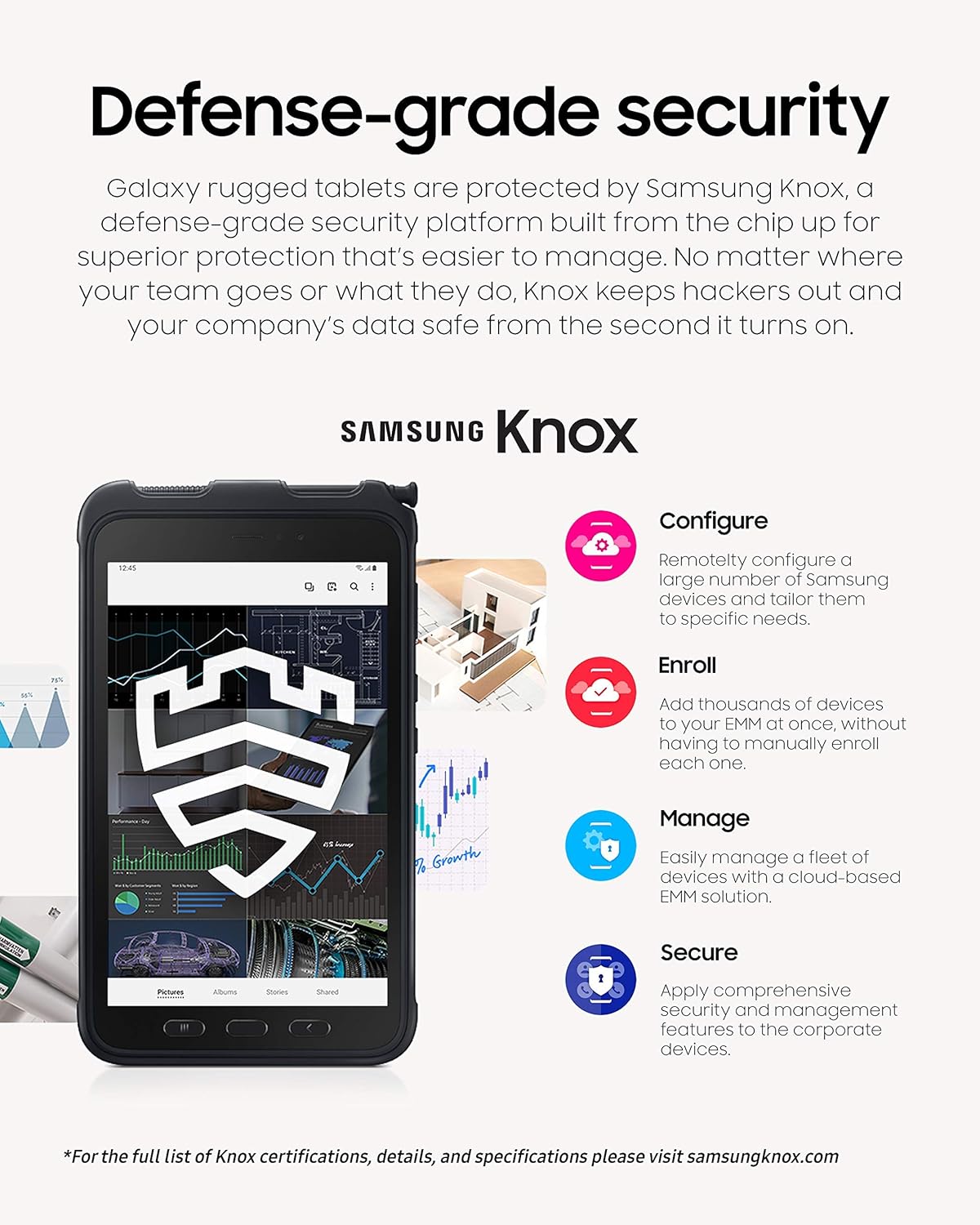
Image: Biometric security features and programmable key.
4. ບໍາລຸງຮັກສາ
4.1 ການທໍາຄວາມສະອາດອຸປະກອນ
Due to its IP68 rating, the tablet can be rinsed with fresh water if it gets dirty. After exposure to water, ensure all ports are dry before charging. Use a soft, lint-free cloth to wipe the screen and body. Avoid harsh chemicals or abrasive materials.
4.2 ການດູແລຫມໍ້ໄຟ
To prolong battery life, avoid extreme temperatures and do not leave the tablet fully charged or fully discharged for extended periods. The replaceable battery allows for easy replacement if its capacity diminishes over time.
4.3 ການປັບປຸງຊອບແວ
Regularly check for and install software updates to ensure optimal performance, security, and access to the latest features. Navigate to ການຕັ້ງຄ່າ > ອັບເດດຊອບແວ > ດາວໂຫຼດ ແລະຕິດຕັ້ງ.
4.4 ການຄຸ້ມຄອງການເກັບຮັກສາ
The tablet comes with 64GB of internal storage. Utilize a microSD card for additional storage of photos, videos, and documents to keep the internal storage free for apps and system files.
5. ການແກ້ໄຂບັນຫາ
5.1 ບັນຫາທົ່ວໄປ ແລະການແກ້ໄຂ
- ອຸປະກອນບໍ່ເປີດ: Ensure the battery is charged. If the battery is removable, try removing and reinserting it.
- ປະສິດທິພາບຊ້າ: Close unused apps, clear cache, or restart the device. Check for available software updates.
- Connectivity issues (Wi-Fi/LTE): Toggle Wi-Fi/LTE off and on. Restart your router or contact your service provider.
- ໜ້າຈໍສໍາຜັດບໍ່ຕອບສະໜອງ: Restart the device. If the issue persists, ensure the screen is clean and free of damage.
5.2 ຣີເຊັດເປັນຄ່າໂຮງງານ
ຖ້າບັນຫາຍັງຄົງເກີດຂຶ້ນຢູ່, ການຣີເຊັດເປັນຄ່າໂຮງງານອາດຈະແກ້ໄຂບັນຫາເຫຼົ່ານັ້ນໄດ້. ຄຳເຕືອນ: This will erase all data on your device. Back up important data before proceeding. Navigate to ການຕັ້ງຄ່າ > ການຈັດການທົ່ວໄປ > ຣີເຊັດ > ຣີເຊັດຂໍ້ມູນຈາກໂຮງງານ.
6. ຂໍ້ມູນຈໍາເພາະ

Image: Performance overview of the Galaxy Tab Active3.
| ຄຸນສົມບັດ | ລາຍລະອຽດ |
|---|---|
| ໝາຍເລກຕົວແບບ | SM-T577UZKDXAA |
| ຍີ່ຫໍ້ | Samsung |
| ຂະໜາດໜ້າຈໍ | 8 ນິ້ວ |
| ຄວາມລະອຽດການສະແດງ | 1920 x 1200 ພິກເຊລ |
| ໂຮງງານຜະລິດ | Exynos 9810 (Octa Core, 2.7 GHz) |
| RAM | 4 GB |
| ຄວາມອາດສາມາດເກັບຮັກສາ | 64 GB (ສາມາດຂະຫຍາຍໄດ້ສູງສຸດ 1TB ຜ່ານ microSD) |
| ລະບົບປະຕິບັດການ | Android 10 |
| ກ້ອງຫຼັງ | 13 MP |
| ກ້ອງໜ້າ | ແມ່ນແລ້ວ |
| ຄວາມອາດສາມາດຫມໍ້ໄຟ | 5050 mAh (Average life: 11 hours) |
| ການເຊື່ອມຕໍ່ | LTE (Unlocked), Wi-Fi, Bluetooth, NFC, GPS |
| ຄວາມທົນທານ | MIL-STD-810H, IP68 Water and Dust Resistant |
| ຄຸນນະສົມບັດຄວາມປອດໄພ | Biometric Security (Fingerprint, Face Recognition), Samsung Knox |
| ນ້ຳໜັກ | 15.04 ອອນ |
7. ຂໍ້ມູນການຮັບປະກັນ
This Samsung Galaxy Tab Active3 (SM-T577UZKDXAA) is covered by a 90-day limited warranty. For products purchased as 'Amazon Renewed', they are eligible for replacement or refund under the Amazon Renewed Guarantee if you are not satisfied with your purchase. Please refer to the specific terms and conditions of the Amazon Renewed Guarantee for full details.
8. ສະຫນັບສະຫນູນ
For further technical assistance, troubleshooting beyond this manual, or warranty claims, please contact Samsung Customer Support or refer to the official Samsung website for your region. You can find updated drivers, firmware, and additional support resources there.
For information regarding Samsung Knox security features and certifications, visit samsungknox.com.