
SLuB T16
SLuB Bluetooth Earphones T16 User Manual
Model: T16 | Brand: SLuB
1. ບົດແນະນຳ
ຂອບໃຈສໍາລັບການຊື້asing the SLuB Bluetooth Earphones Model T16. These true wireless stereo earphones are designed to provide a high-quality audio experience with convenient features such as Bluetooth 5.1 connectivity, Hi-Fi sound, automatic pairing, and touch controls. This manual will guide you through the setup, operation, and maintenance of your new earphones to ensure optimal performance and longevity.
2. ຂໍ້ມູນຄວາມປອດໄພ
- ຫ້າມຖອດປະກອບ, ສ້ອມແປງ ຫຼື ດັດແປງຜະລິດຕະພັນ. ນີ້ອາດຈະເຮັດໃຫ້ເກີດໄຟໄໝ້, ໄຟຟ້າຊັອດ ຫຼື ຜະລິດຕະພັນເສຍຫາຍຢ່າງສິ້ນເຊີງ.
- ຮັກສາຜະລິດຕະພັນໃຫ້ຫ່າງຈາກອຸນຫະພູມທີ່ຮ້າຍກາດ, ຄວາມຊຸ່ມຊື່ນ, ແລະສະພາບແວດລ້ອມທີ່ກັດກ່ອນ.
- ຫຼີກເວັ້ນການລຸດລົງຫຼືເຮັດໃຫ້ຜະລິດຕະພັນມີຜົນກະທົບທີ່ເຂັ້ມແຂງ.
- ຮັກສາໃຫ້ໄກຈາກເດັກນ້ອຍ ແລະສັດລ້ຽງ.
- ໃຊ້ສາຍສາກທີ່ໃຫ້ມາ ຫຼື ສາຍ Type-C ທີ່ໄດ້ຮັບການຮັບຮອງເທົ່ານັ້ນສຳລັບການສາກໄຟ.
- ການສໍາຜັດກັບສຽງດັງເປັນເວລາດົນອາດເຮັດໃຫ້ເກີດຄວາມເສຍຫາຍຕໍ່ການໄດ້ຍິນ. ປັບລະດັບສຽງໃຫ້ຢູ່ໃນລະດັບປານກາງ.
3. ເນື້ອໃນຊຸດ
ກະລຸນາກວດສອບເນື້ອໃນຂອງຊຸດເພື່ອໃຫ້ແນ່ໃຈວ່າລາຍການທັງຫມົດມີຢູ່:
- SLuB T16 Earbuds (Left and Right)
- ກ່ອງສາກ
- ສາຍສາກໄຟ USB Type-C
- ຄູ່ມືການສອນ
4. ຜະລິດຕະພັນເກີນview
The SLuB T16 earphones feature a compact and lightweight design, making them easy to carry and comfortable for extended wear. The charging case provides additional battery life on the go.
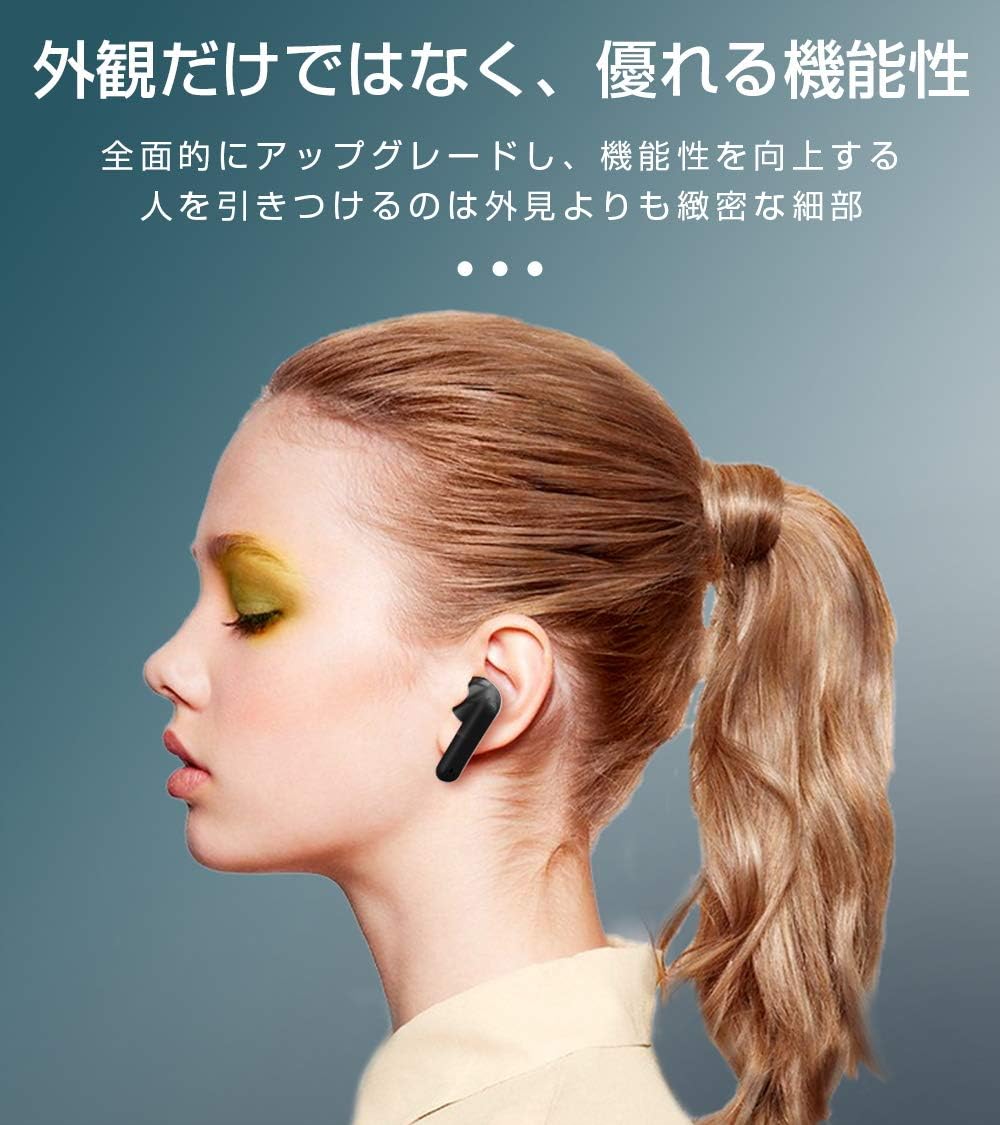
Image: SLuB T16 Earbuds securely placed in their charging case.
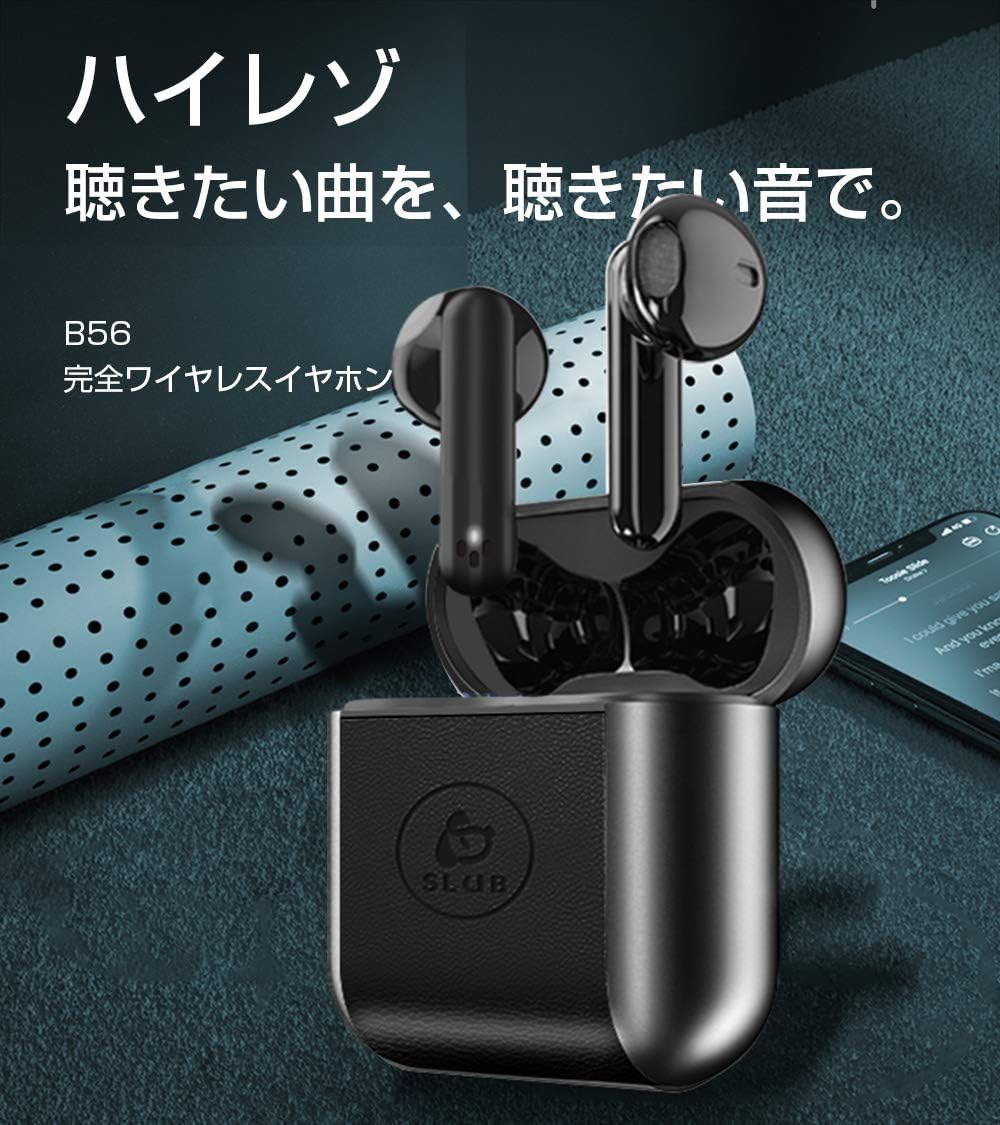
Image: A single SLuB T16 earbud comfortably fitted in a user's ear, highlighting its ergonomic design.
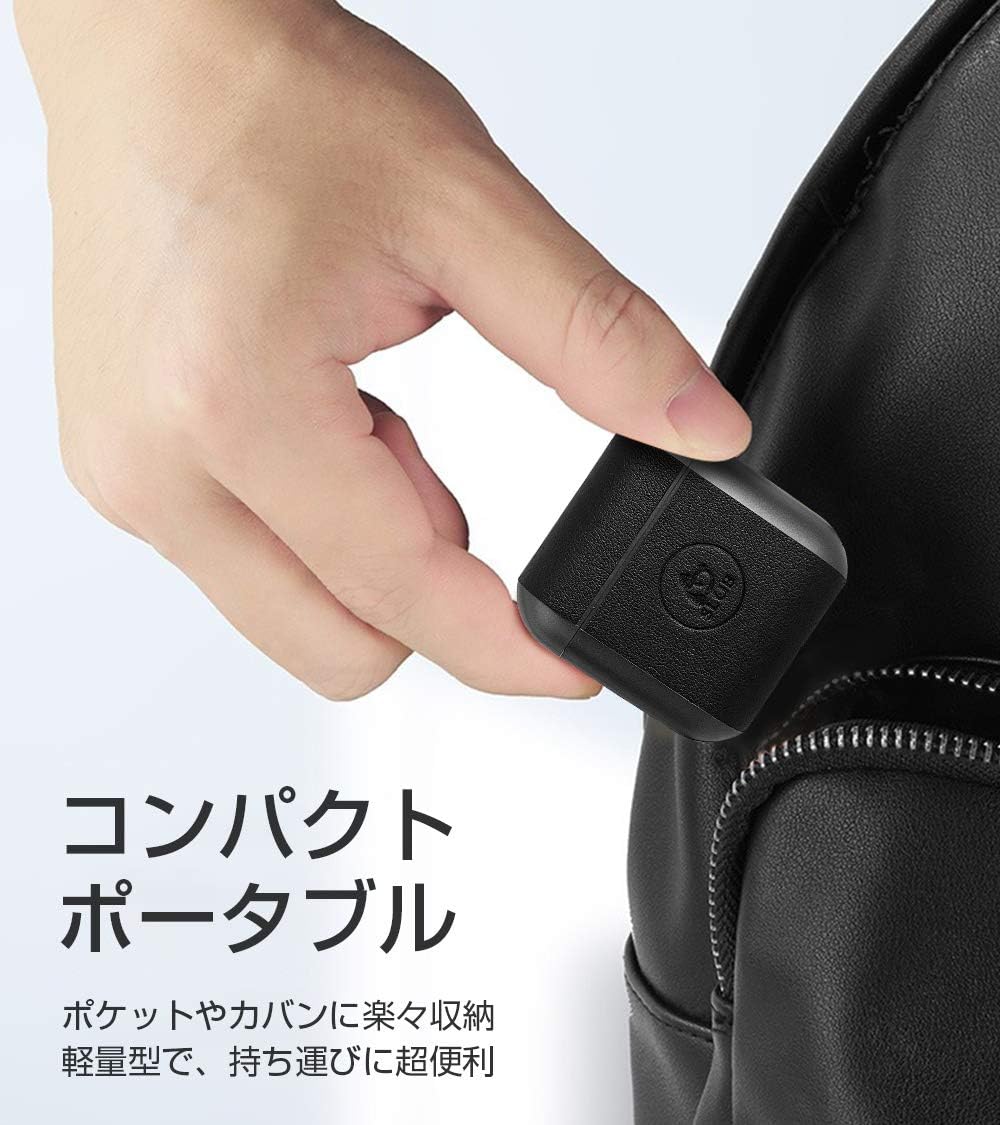
Image: A hand holding the compact SLuB T16 charging case, demonstrating its portability.
5. ຕັ້ງຄ່າ
5.1. ການສາກຫູຟັງ ແລະ ເຄສ
ກ່ອນທີ່ຈະໃຊ້ຄັ້ງທຳອິດ, ໃຫ້ສາກຫູຟັງ ແລະ ຊ່ອງສາກໃຫ້ເຕັມ.
- ວາງຫູຟັງໃສ່ກະເປົ໋າສາກໄຟ. ໃຫ້ແນ່ໃຈວ່າພວກເຂົານັ່ງຢ່າງຖືກຕ້ອງ.
- Connect the provided USB Type-C cable to the charging port on the case and plug the other end into a USB power adapter (not included) or a computer's USB port.
- ໄຟສະແດງຢູ່ໃນກໍລະນີຈະສະແດງສະຖານະການສາກໄຟ. ເມື່ອສາກໄຟເຕັມແລ້ວ, ໄຟຈະສະແດງວ່າສໍາເລັດຫຼືປິດ.
A full charge for the earbuds takes approximately 1.5 hours, providing 2-3 hours of playback. The charging case takes about 2 hours to fully charge and can provide 5-6 full charges for the earbuds.
5.2. ການຈັບຄູ່ເບື້ອງຕົ້ນ
The SLuB T16 earphones feature automatic pairing for ease of use.
- ເປີດກ່ອງສາກໄຟ. ຫູຟັງເອຍບັດຈະເປີດເຄື່ອງອັດຕະໂນມັດ ແລະເຂົ້າສູ່ໂໝດຈັບຄູ່.
- ໃນອຸປະກອນຂອງທ່ານ (ໂທລະສັບສະຫຼາດ, ແທັບເລັດ, ແລະອື່ນໆ), ເປີດໃຊ້ Bluetooth ແລະຊອກຫາອຸປະກອນທີ່ມີຢູ່.
- Select "T16" from the list of found devices to connect.
- Once successfully paired, you will hear a confirmation sound, and the earbud indicator lights will change.
After the initial pairing, the earbuds will automatically reconnect to your last paired device when taken out of the charging case, provided Bluetooth is enabled on your device.
6. ຄໍາແນະນໍາການດໍາເນີນງານ
6.1. ແຕະການຄວບຄຸມ
The SLuB T16 earphones utilize touch-sensitive areas for various functions. Refer to the diagram below for specific actions:

Image: Visual guide detailing the touch control functions for the SLuB T16 earbuds.
- ຫຼິ້ນ/ຢຸດດົນຕີ: Single touch on either earbud's touch area.
- ຮັບ/ສາຍໂທ: Single touch on either earbud's touch area.
- ປະຕິເສດການໂທ: Long press on either earbud's touch area.
- ເພງຕໍ່ໄປ: Double touch the right earbud's touch area.
- ຕິດຕາມກ່ອນ ໜ້າ ນີ້: Double touch the left earbud's touch area.
- ປະລິມານຂຶ້ນ: Triple touch the left earbud's touch area.
- ປະລິມານລົງ: Triple touch the right earbud's touch area.
- ກະຕຸ້ນຜູ້ຊ່ວຍສຽງ: Long press for 3 seconds on either earbud's touch area.
6.2. Single and Twin Earbud Mode
The SLuB T16 earphones support both single and twin earbud usage modes.
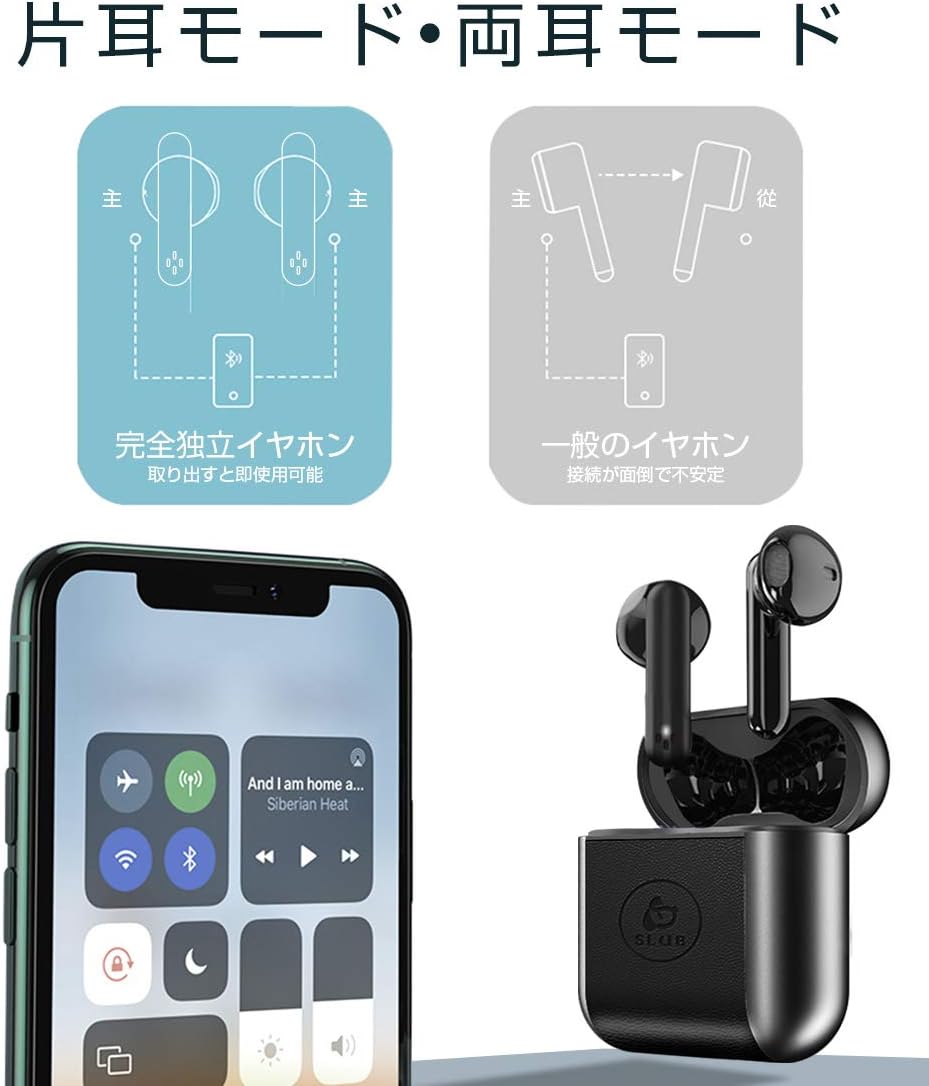
Image: Diagram showing how to use the earbuds in both single (mono) and twin (stereo) modes.
- ໂໝດຄູ່: Take both earbuds out of the charging case. They will automatically connect to each other and then to your device for stereo sound.
- ໂໝດດຽວ: Take only one earbud out of the charging case. It will automatically connect to your device and function independently. The other earbud can remain in the case or be used later.
7. ບໍາລຸງຮັກສາ
- ທໍາຄວາມສະອາດ: ໃຊ້ຜ້າແພທີ່ອ່ອນ, ແຫ້ງ, ບໍ່ມີເສັ້ນດ່າງເພື່ອທຳຄວາມສະອາດຫູຟັງຫູຟັງ ແລະ ກ່ອງສາກ. ຢ່າໃຊ້ສານເຄມີທີ່ຮຸນແຮງຫຼືວັດສະດຸຂັດ.
- ການເກັບຮັກສາ: ເມື່ອບໍ່ໄດ້ໃຊ້, ໃຫ້ເກັບຫູຟັງເອຍບັດໃສ່ໃນກະເປົ໋າສາກໄຟເພື່ອປົກປ້ອງພວກມັນ ແລະ ສືບຕໍ່ສາກໄຟ. ເກັບຮັກສາໄວ້ໃນບ່ອນທີ່ເຢັນ, ແຫ້ງ.
- ການດູແລຫມໍ້ໄຟ: ເພື່ອຍືດອາຍຸແບັດເຕີລີ, ຫຼີກເວັ້ນການຖອດແບດເຕີລີ່ເຕັມເລື້ອຍໆ. ສາກອຸປະກອນຢ່າງເປັນປົກກະຕິ, ເຖິງແມ່ນວ່າບໍ່ໄດ້ໃຊ້ເປັນໄລຍະເວລາທີ່ຍາວນານ.
8. ການແກ້ໄຂບັນຫາ
| ບັນຫາ | ສາເຫດທີ່ເປັນໄປໄດ້ | ການແກ້ໄຂ |
|---|---|---|
| ຫູຟັງບໍ່ເປີດ. | ແບັດເຕີຣີຕໍ່າ. | Charge the earbuds and charging case. |
| ບໍ່ສາມາດຈັບຄູ່ກັບອຸປະກອນໄດ້. | Bluetooth ປິດຢູ່ໃນອຸປະກອນ; ຫູຟັງບໍ່ຢູ່ໃນໂໝດຈັບຄູ່; ໄກຈາກອຸປະກອນ. | ໃຫ້ແນ່ໃຈວ່າ Bluetooth ເປີດຢູ່. ໃສ່ຫູຟັງເອຍບັດໄວ້ໃນກ່ອງ, ປິດໃຫ້ແໜ້ນ, ຈາກນັ້ນເປີດເພື່ອເຂົ້າສູ່ໂໝດຈັບຄູ່ຄືນໃໝ່. ຍ້າຍເຂົ້າໃກ້ອຸປະກອນຫຼາຍຂຶ້ນ. |
| ຫູຟັງຫູຟັງອັນດຽວໃຊ້ໄດ້. | Earbuds not properly connected to each other; one earbud has low battery. | ໃສ່ຫູຟັງທັງສອງຂ້າງກັບຄືນໃສ່ໃນກ່ອງສາກໄຟ, ປິດຝາ, ຈາກນັ້ນເປີດມັນອີກຄັ້ງ. ໃຫ້ແນ່ໃຈວ່າຫູຟັງທັງສອງຂ້າງສາກໄຟແລ້ວ. |
| ຄຸນນະພາບສຽງບໍ່ດີ ຫຼືເປັນໄລຍະໆ. | ການແຊກແຊງ; ອຸປະກອນໄກເກີນໄປ; ແບັດເຕີຣີຕໍ່າ. | Move closer to your device. Avoid environments with strong Wi-Fi or other Bluetooth signals. Charge earbuds. |
9. ຂໍ້ມູນຈໍາເພາະ
Detailed technical specifications for the SLuB T16 Bluetooth Earphones:

Image: A table displaying the detailed technical specifications of the SLuB T16 earphones and charging case.
| ຄຸນສົມບັດ | ລາຍລະອຽດ |
|---|---|
| ຊື່ຜະລິດຕະພັນ | True Wireless Stereo Earphones |
| ໝາຍເລກຕົວແບບ | T16 |
| ລຸ້ນ Bluetooth | 5.1 (Low Power Consumption) |
| Call/Playback Time | Approx. 2-3 hours (with one full charge) |
| ປ້ອນຂໍ້ມູນ | 5.0V / 200mA |
| ສະພາບແວດລ້ອມການດໍາເນີນງານ | ອຸນຫະພູມ: -10 ° C ຫາ 40 ° C, ຄວາມຊຸ່ມຊື່ນ: 10% ຫາ 85% |
| ພອດສາກໄຟ | ປະເພດ-C |
| ຄວາມອາດສາມາດຫມໍ້ໄຟ Earbud | 30mAh |
| ເວລາສາກຫູຟັງ | ປະມານ. 1.5 ຊົ່ວໂມງ |
| ເວລາສະແຕນບາຍ | ປະມານ. 120 ຊົ່ວໂມງ |
| ຄວາມອາດສາມາດຂອງຫມໍ້ໄຟ Case Charging | 300mAh |
| ສາກແບັດເວລາສາກ | ປະມານ. 2 ຊົ່ວໂມງ |
| ນ້ ຳ ໜັກ ພຽງໂຕດຽວ | ປະມານ. 3.1g |
| ຂະ ໜາດ ຫູຟັງ | 34 x 16.9 x 16.7 ມມ |
| ຂະ ໜາດ ກ່ອງສາກໄຟ | 51 x 49.1 x 24 ມມ |
| ນ້ຳໜັກກ່ອງສາກ | ປະມານ. 31.6g |
| ອຸປະກອນທີ່ເຂົ້າກັນໄດ້ | iOS and Android devices with Bluetooth functionality |
10. ການຮັບປະກັນແລະການສະຫນັບສະຫນູນ
For warranty information and customer support, please refer to the documentation included with your purchase or contact the retailer. Keep your proof of purchase for any warranty claims.
Ask a question about this manual
Ask about setup, troubleshooting, compatibility, parts, safety, or missing instructions. Manuals+ will review the question and use this page’s manual context to help answer it.