
ແນະນຳ
ຂອບໃຈສໍາລັບການຊື້asing the Hoco HC4 5.0 Wireless Bluetooth Sport Speaker. This manual provides detailed instructions for the proper setup, operation, and maintenance of your device. Please read this manual thoroughly before use to ensure optimal performance and to prevent damage.
ສິນຄ້າເກີນview
The Hoco HC4 is a portable wireless speaker designed for outdoor and sport use, featuring Bluetooth 5.0 connectivity, multiple playback options, and a robust design.
ເນື້ອໃນຊຸດ:
- Hoco HC4 Wireless Bluetooth Speaker
- ສາຍສາກ USB
- ຄູ່ມືຜູ້ໃຊ້
ການຄວບຄຸມ ແລະພອດ:
Familiarize yourself with the speaker's buttons and connection ports:

ຮູບພາບ: Close-up of the Hoco HC4 speaker showing the AUX port, DC-5V charging port, USB port, TF card slot, and control buttons.
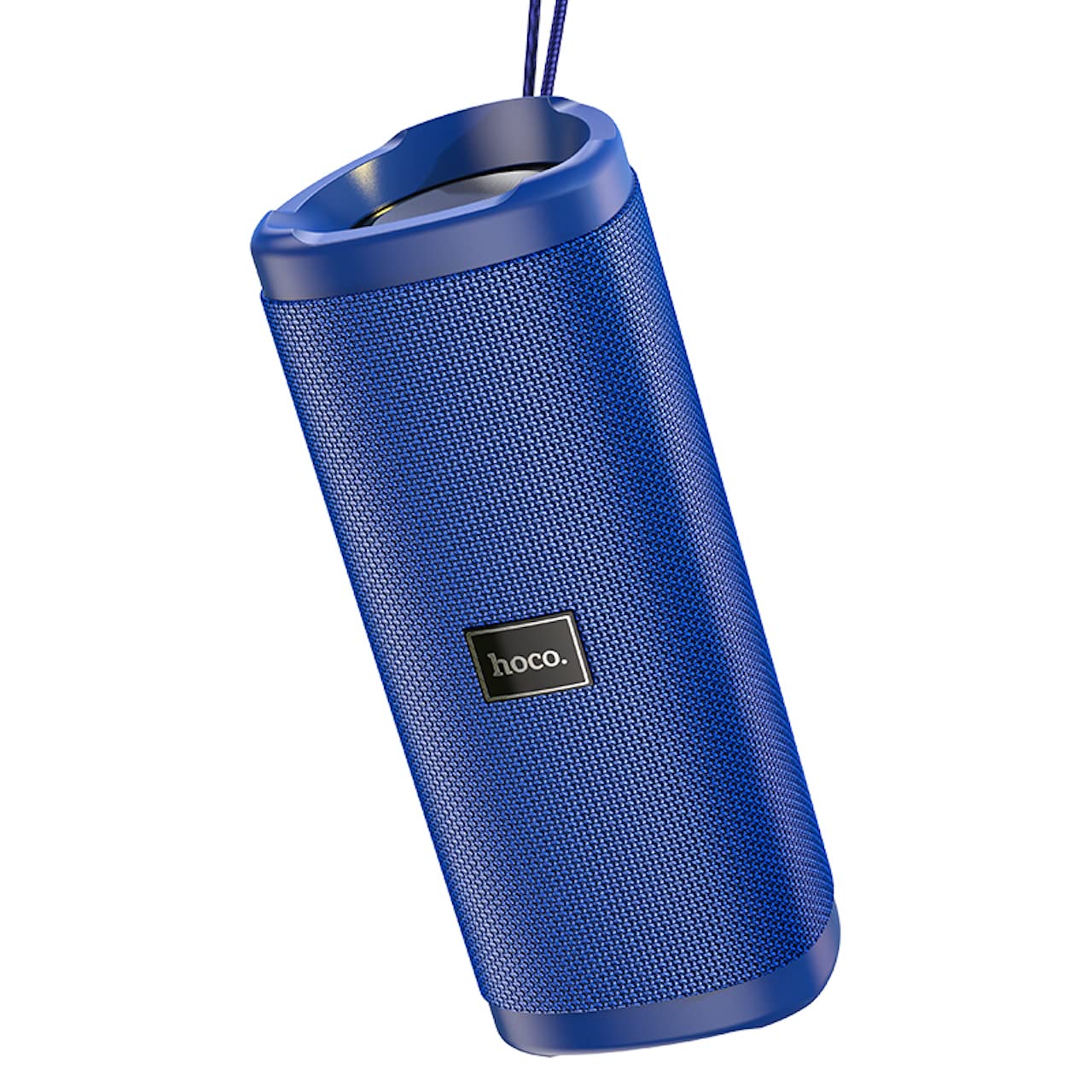
ຮູບພາບ: ເປັນມຸມ view of the Hoco HC4 blue wireless speaker, highlighting its cylindrical design and fabric mesh.
- ປຸ່ມເປີດປິດ: ກົດຄ້າງໄວ້ເພື່ອເປີດ/ປິດ. ກົດສັ້ນເພື່ອຫຼິ້ນ/ຢຸດຊົ່ວຄາວ.
- ປຸ່ມໂໝດ (M): ກົດສັ້ນໆເພື່ອສະຫຼັບລະຫວ່າງໂໝດ Bluetooth, ວິທະຍຸ FM, ບັດ TF, USB ແລະ AUX.
- ປະລິມານລົງ / ປຸ່ມຕິດຕາມກ່ອນໜ້າ (-): ກົດສັ້ນສຳລັບເພງກ່ອນໜ້ານີ້, ກົດຄ້າງໄວ້ເພື່ອຫຼຸດລະດັບສຽງ.
- ປະລິມານຂຶ້ນ / ປຸ່ມຕິດຕາມຕໍ່ໄປ (+): ກົດສັ້ນສຳລັບເພງຕໍ່ໄປ, ກົດຄ້າງໄວ້ເພື່ອເພີ່ມລະດັບສຽງ.
- ພອດ AUX: ສໍາລັບການເຊື່ອມຕໍ່ສຽງທີ່ມີສາຍໂດຍໃຊ້ສາຍສຽງ 3.5 ມມ.
- DC-5V Port: ສຳລັບການສາກໄຟລຳໂພງໂດຍໃຊ້ສາຍ USB ທີ່ໃຫ້ມາ.
- ພອດ USB: ສຳລັບການຫຼິ້ນສຽງຈາກ USB flash drive.
- ສະລັອດຕິງບັດ TF: ສຳລັບການຫຼິ້ນສຽງຈາກບັດ TF (MicroSD).
ຕັ້ງຄ່າ
ການສາກໄຟເບື້ອງຕົ້ນ:
- ກ່ອນທີ່ຈະໃຊ້ຄັ້ງທໍາອິດ, ສາກລໍາໂພງໃຫ້ເຕັມ.
- Connect the small end of the USB charging cable to the DC-5V port on the speaker.
- Connect the larger end of the USB cable to a USB power adapter (5V/1A recommended) or a computer's USB port.
- ໄຟສະແດງການສາກຈະສະຫວ່າງຂຶ້ນໃນລະຫວ່າງການສາກ ແລະ ຈະດັບລົງເມື່ອສາກເຕັມ.
ຄໍາແນະນໍາການດໍາເນີນງານ
ເປີດ/ປິດ:
- ເພື່ອເປີດເຄື່ອງ: ກົດປຸ່ມເປີດປິດຄ້າງໄວ້ປະມານ 3 ວິນາທີ. ທ່ານຈະໄດ້ຍິນສຽງແຈ້ງເຕືອນ.
- ປິດເຄື່ອງ: ກົດປຸ່ມເປີດປິດຄ້າງໄວ້ປະມານ 3 ວິນາທີ. ທ່ານຈະໄດ້ຍິນສຽງແຈ້ງເຕືອນ.
ການຈັບຄູ່ Bluetooth:
- Ensure the speaker is powered on and in Bluetooth mode (indicated by a flashing blue LED and an audible prompt). If not, short press the 'M' (Mode) button to switch to Bluetooth mode.
- ເປີດໃຊ້ Bluetooth ໃນອຸປະກອນມືຖືຂອງທ່ານ (ໂທລະສັບສະຫຼາດ, ແທັບເລັດ, ແລະອື່ນໆ).
- ຊອກຫາ available Bluetooth devices. Select "HC4" from the list.
- Once paired, the blue LED will stop flashing and remain solid, and you will hear a confirmation sound.
- ດຽວນີ້ທ່ານສາມາດຫຼິ້ນສຽງຈາກອຸປະກອນຂອງທ່ານຜ່ານລຳໂພງໄດ້.
ໂModeດວິທະຍຸ FM:
- Short press the 'M' (Mode) button until you hear the FM radio prompt.
- To auto-scan and save available stations, short press the Power button. The speaker will scan and store stations automatically.
- ໃຊ້ປຸ່ມ '-' ແລະ '+' ເພື່ອນຳທາງລະຫວ່າງສະຖານີທີ່ບັນທຶກໄວ້.
TF Card / USB Playback:
- Insert a TF (MicroSD) card or USB flash drive into the respective slot.
- ລຳໂພງຈະປ່ຽນເປັນໂໝດ TF card ຫຼື USB ໂດຍອັດຕະໂນມັດ ແລະ ເລີ່ມຫຼິ້ນສຽງ files. If not, short press the 'M' (Mode) button to select the correct mode.
- Use the Power button to play/pause, and the '-' and '+' buttons for track navigation and volume control.
ແບບ AUX:
- ເຊື່ອມຕໍ່ປາຍໜຶ່ງຂອງສາຍສຽງ 3.5 ມມ (ບໍ່ລວມ) ກັບພອດ AUX ຢູ່ລຳໂພງ.
- Connect the other end to the audio output of your device (e.g., laptop, MP3 player).
- Short press the 'M' (Mode) button to switch to AUX mode.
- Audio will now play through the speaker. Volume can be controlled via the speaker or your connected device.
ຟັງຊັນ True Wireless Stereo (TWS):
The TWS function allows you to pair two Hoco HC4 speakers together for a stereo sound experience.
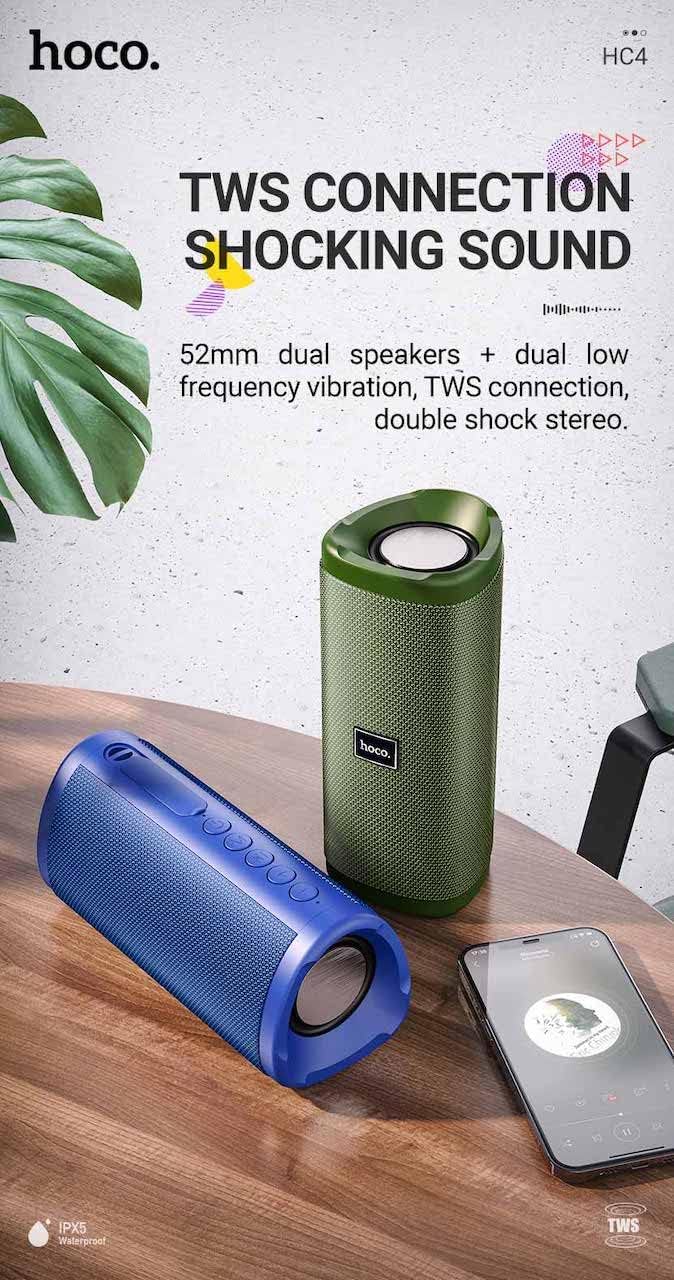
ຮູບພາບ: A promotional image showing two Hoco HC4 speakers (blue and green) connected via TWS, with a smartphone playing music. The image also highlights 'IPX5 Waterproof'.
- Ensure both HC4 speakers are powered on and in Bluetooth pairing mode (flashing blue LED).
- On one of the speakers (this will be the primary speaker), double-press the Power button. You will hear a tone indicating it is searching for another speaker.
- The two speakers will automatically connect to each other. Once connected, you will hear a confirmation sound, and the LED on the primary speaker will flash, while the secondary speaker's LED will be solid.
- Now, connect your mobile device to the primary speaker via Bluetooth as described in the "Bluetooth Pairing" section.
- ດຽວນີ້ສຽງຈະຫຼິ້ນໃນສະເຕຣິໂອຜ່ານລຳໂພງທັງສອງ.
ກຳລັງສາກໄຟ
When the battery is low, the speaker will emit an audible warning. Connect the speaker to a power source using the provided USB cable to recharge. A full charge takes approximately 2-3 hours. The speaker provides up to 3 hours of playtime on a full charge, depending on volume level and usage.
ບໍາລຸງຮັກສາ
ທໍາຄວາມສະອາດ:
ເຊັດລຳໂພງດ້ວຍຜ້າອ່ອນໆແລະແຫ້ງ. ຢ່າໃຊ້ນໍ້າຢາເຮັດຄວາມສະອາດທີ່ມີສີຂັດ, ເຫຼົ້າ ຫຼື ຕົວລະລາຍສານເຄມີອື່ນໆ, ເພາະວ່າສິ່ງເຫຼົ່ານີ້ອາດຈະທໍາລາຍພື້ນຜິວໄດ້.
ການເກັບຮັກສາ:
Store the speaker in a cool, dry place away from direct sunlight and extreme temperatures. If storing for an extended period, charge the battery at least once every three months to prolong its lifespan.
ກັນນ້ໍາ (IPX5):
The Hoco HC4 speaker features an IPX5 water resistance rating, meaning it is protected against low-pressure water jets from any direction. This makes it suitable for outdoor use and resistant to splashes and light rain. ຢ່າເອົາລໍາໂພງໃສ່ນ້ໍາ. Ensure the port cover is securely closed to maintain water resistance.
ການແກ້ໄຂບັນຫາ
| ບັນຫາ | ສາເຫດທີ່ເປັນໄປໄດ້ | ການແກ້ໄຂ |
|---|---|---|
| ລຳໂພງບໍ່ເປີດ | ຫມໍ້ໄຟຕ່ໍາ; ປຸ່ມເປີດປິດບໍ່ໄດ້ກົດປຸ່ມດົນພໍ | Charge the speaker; Press and hold the Power button for 3 seconds |
| ບໍ່ມີສຽງ | ລະດັບສຽງຕໍ່າເກີນໄປ; ໂໝດບໍ່ຖືກຕ້ອງ; ອຸປະກອນບໍ່ໄດ້ເຊື່ອມຕໍ່ | Increase volume; Switch to correct mode (Bluetooth, AUX, etc.); Ensure device is paired/connected |
| ການຈັບຄູ່ Bluetooth ລົ້ມເຫລວ | ລຳໂພງບໍ່ໄດ້ຢູ່ໃນໂໝດຈັບຄູ່; Bluetooth ຂອງອຸປະກອນປິດຢູ່; ຢູ່ໄກຈາກລຳໂພງເກີນໄປ | Ensure speaker is in Bluetooth mode (flashing LED); Turn on device Bluetooth; Move device closer (within 10m) |
| ການຈັບຄູ່ TWS ລົ້ມເຫລວ | Speakers not in TWS pairing mode; Too far apart | Ensure both speakers are in Bluetooth mode, then double-press Power button on one; Keep speakers close during TWS pairing |
ຂໍ້ມູນຈໍາເພາະ

ຮູບພາບ: The Hoco HC4 speaker with its dimensions clearly marked: 20 cm in length, 8.8 cm in height, and 8.1 cm in width.
- ຍີ່ຫໍ້: ໂຮໂຄ
- ຕົວແບບ: HC4
- ລຸ້ນ Bluetooth: 5.0
- ພະລັງງານອອກ: 10W
- ຂະໜາດລຳໂພງ: 52ມມ
- ຄວາມອາດສາມາດຫມໍ້ໄຟ: 1500mAh
- ເວລາຫຼິ້ນ: ປະມານ 3 ຊົ່ວໂມງ (ທີ່ລະດັບສຽງ 80%)
- ເວລາສາກໄຟ: ປະມານ 2-3 ຊົ່ວໂມງ
- ຂະໜາດ: 200 x 88 x 81 mm (Length x Height x Width)
- ນ້ຳໜັກ: 540 ກຣາມ
- ຕົວເລືອກການເຊື່ອມຕໍ່: Bluetooth, FM Radio, TF Card, USB, AUX
- ຄວາມຕ້ານທານນ້ໍາ: IPX5 (ກັນນໍ້າກະແຈກກະຈາຍ)
- ປະເພດການຄວບຄຸມ: ປຸ່ມ
ຂໍ້ມູນຄວາມປອດໄພ
- ຢ່າເຮັດໃຫ້ລຳໂພງຖືກອຸນຫະພູມທີ່ຮຸນແຮງ ຫຼືຖືກແສງແດດໂດຍກົງເປັນເວລາດົນ.
- ຫຼີກລ່ຽງການລຸດລົງ ຫຼື ວາງລຳໂພງຕໍ່ກັບຜົນກະທົບທີ່ຮຸນແຮງ.
- Keep the speaker away from water and liquids, especially when ports are open.
- Do not attempt to disassemble, repair, or modify the speaker yourself. This will void the warranty and may cause damage.
- ໃຊ້ພຽງແຕ່ການສາກໄຟທີ່ລະບຸໄວ້tage (DC 5V) and the provided charging cable.
- ຮັກສາໃຫ້ໄກຈາກເດັກນ້ອຍ.
ການຮັບປະກັນແລະການສະຫນັບສະຫນູນ
This product is covered by a standard manufacturer's warranty. For specific warranty terms and conditions, please refer to the warranty card included with your purchase or contact your local retailer. For technical support or service inquiries, please contact Hoco customer service or the authorized distributor in your region.