
1. ບົດແນະນຳ
The TELLUR Dash Patrol DC2 is a Full HD 1080P car camera designed to record your driving journeys and provide enhanced security for your vehicle. This manual provides essential information for the proper installation, operation, and maintenance of your device. Please read it carefully before use.
2. ເນື້ອໃນຊຸດ
ກວດສອບວ່າລາຍການທັງຫມົດແມ່ນມີຢູ່ໃນສະພາບທີ່ດີໃນເວລາທີ່ unpacking.
- TELLUR Dash Patrol DC2 Car Camera
- Car Mount (Magnetic)
- ສາຍ USB
- ເຄື່ອງສາກລົດ

ຮູບພາບ: ລະເບີດ view of the Dash Patrol DC2 showing the camera, magnetic mount, and key features like GPS, Magnetic Charging, Wi-Fi, and Full HD recording.
3. ຜະລິດຕະພັນເກີນview
Familiarize yourself with the components of your Dash Patrol DC2 camera.
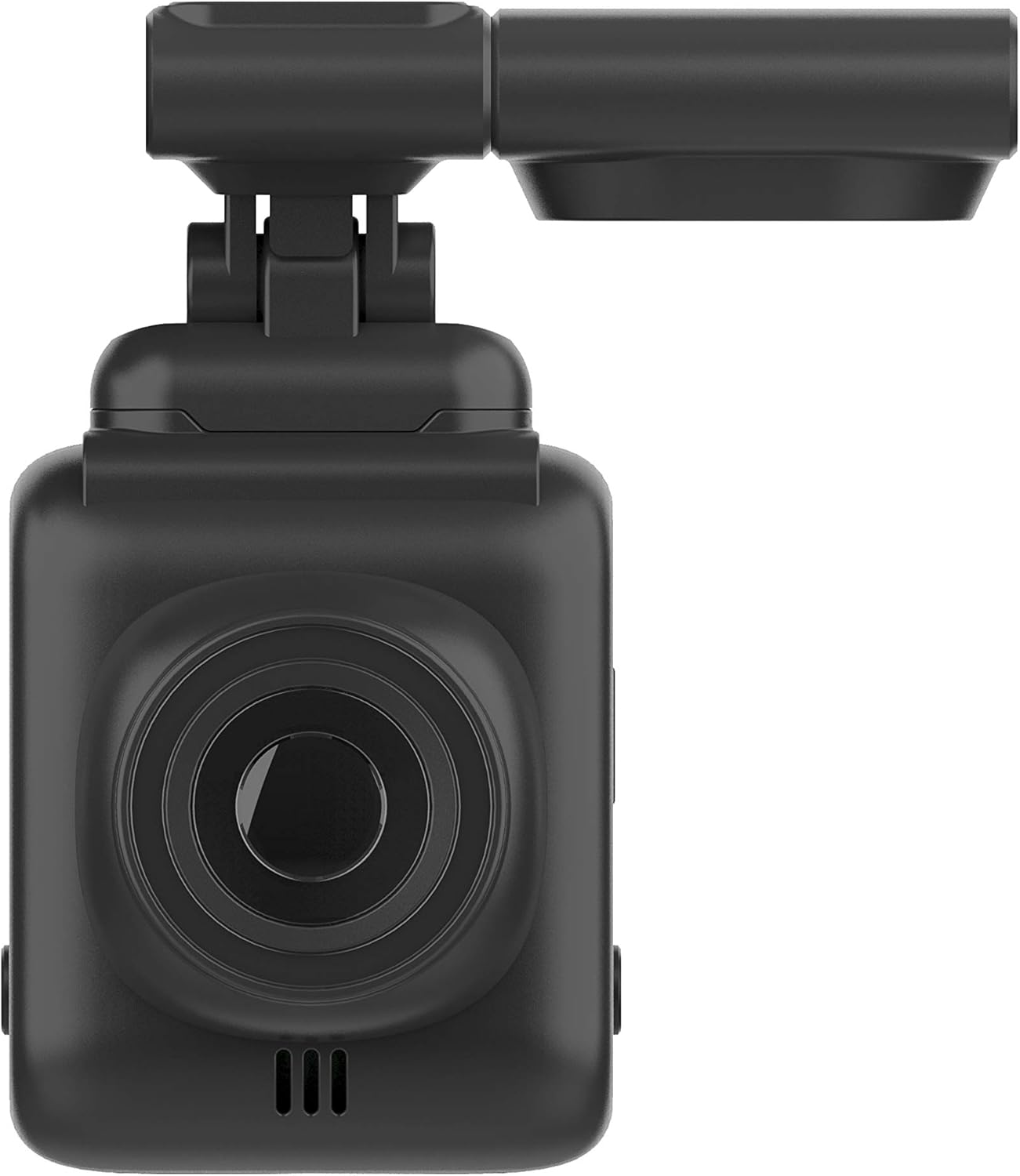
ຮູບພາບ: ທາງຫນ້າ view of the Dash Patrol DC2, highlighting the camera lens.
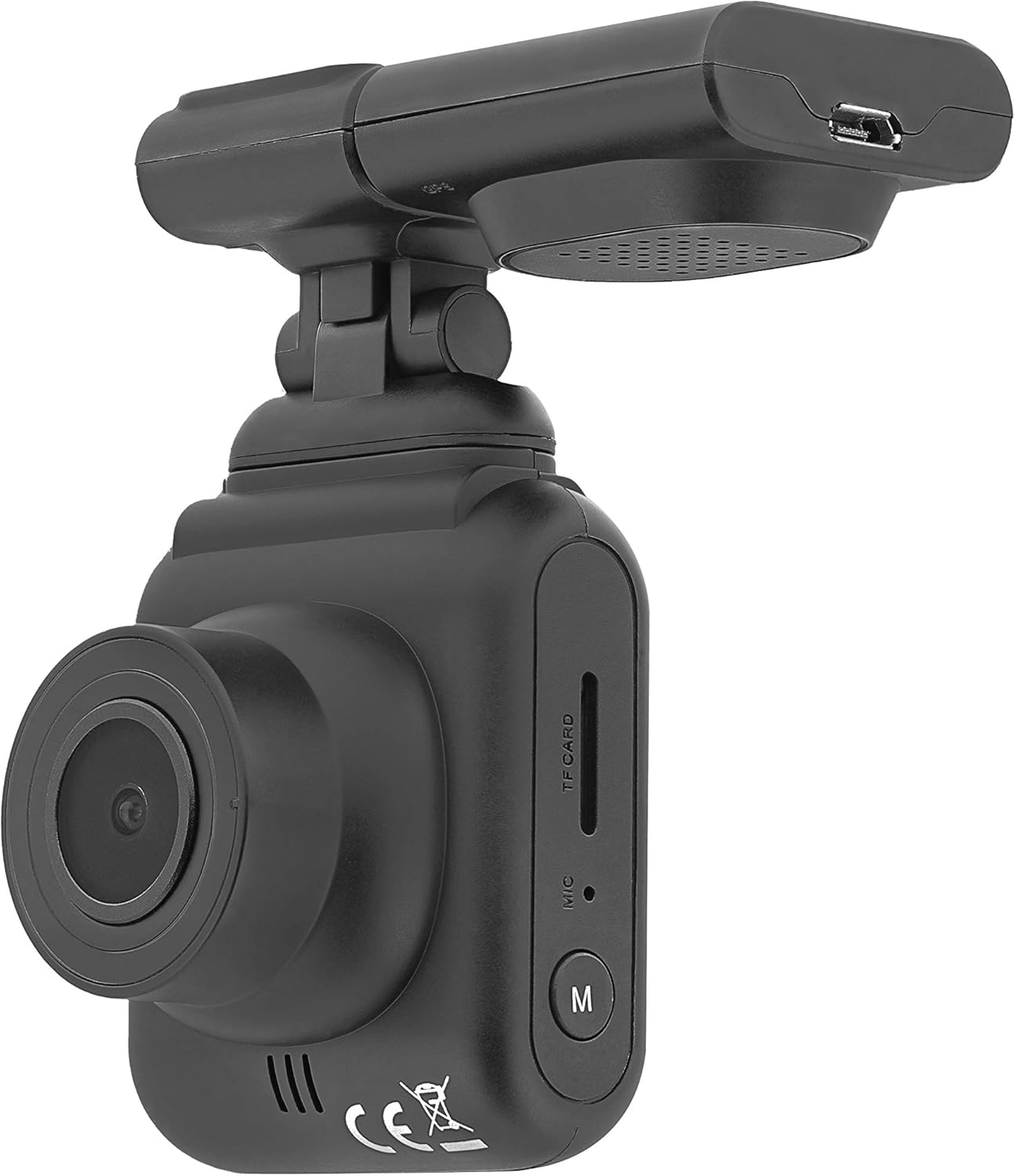
ຮູບພາບ: ຂ້າງ view of the Dash Patrol DC2, showing the TF card slot, microphone, and 'M' button.

ຮູບພາບ: ດ້ານຫລັງ view of the Dash Patrol DC2, displaying the screen, navigation buttons, USB port, Reset button, and Power button.
ອົງປະກອບທີ່ສໍາຄັນ:
- ເລນກ້ອງຖ່າຍຮູບ: ບັນທຶກວິດີໂອ footage.
- ຈໍສະແດງຜົນ 2.7 ນິ້ວ: ສໍາລັບ viewກໍາລັງດໍາລົງຊີວິດ footage, ການຫຼິ້ນຄືນ, ແລະ ການນຳທາງເມນູ.
- ສະລັອດຕິງບັດ TF: Insert MicroSD card for storage.
- ໄມໂຄຣໂຟນ: Records audio (can be disabled in settings).
- ປຸ່ມ 'M': Mode button to switch between video, photo, and playback modes.
- Navigation Buttons (Up/Down): For menu navigation and specific functions.
- ປຸ່ມຕົກລົງ: Confirms selections and starts/stops recording.
- ປຸ່ມເປີດປິດ: ເປີດ/ປິດອຸປະກອນ.
- ປຸ່ມຣີເຊັດ: For factory reset (use a thin object to press).
- ພອດ USB: ສຳລັບການສະໜອງພະລັງງານ ແລະ ການໂອນຂໍ້ມູນ.
- Magnetic Mount Connector: For attaching the camera to the car mount.
4. ຕັ້ງຄ່າ
4.1 ການຕິດຕັ້ງກາດ MicroSD
- ໃຫ້ແນ່ໃຈວ່າກ້ອງຖ່າຍຮູບປິດຢູ່.
- Insert a Class 10 or higher MicroSD card (up to 64GB, not included) into the TF card slot until it clicks into place.
- ເພື່ອເອົາອອກ, ຄ່ອຍໆຍູ້ບັດຈົນກວ່າມັນຈະງອກອອກມາ.
4.2 ຕິດຕັ້ງກ້ອງ
- ທຳຄວາມສະອາດພື້ນທີ່ເທິງກະຈົກໜ້າລົດຂອງທ່ານບ່ອນທີ່ທ່ານຕັ້ງໃຈຈະຕິດຕັ້ງກ້ອງຖ່າຍຮູບ.
- Attach the magnetic car mount to the windshield using its adhesive or suction cup. Ensure it does not obstruct your view.
- Align the camera with the magnetic connector on the mount until it securely attaches.
- ປັບມຸມກ້ອງເພື່ອຮັບປະກັນຄວາມຊັດເຈນ view ຂອງເສັ້ນທາງຂ້າງຫນ້າ.
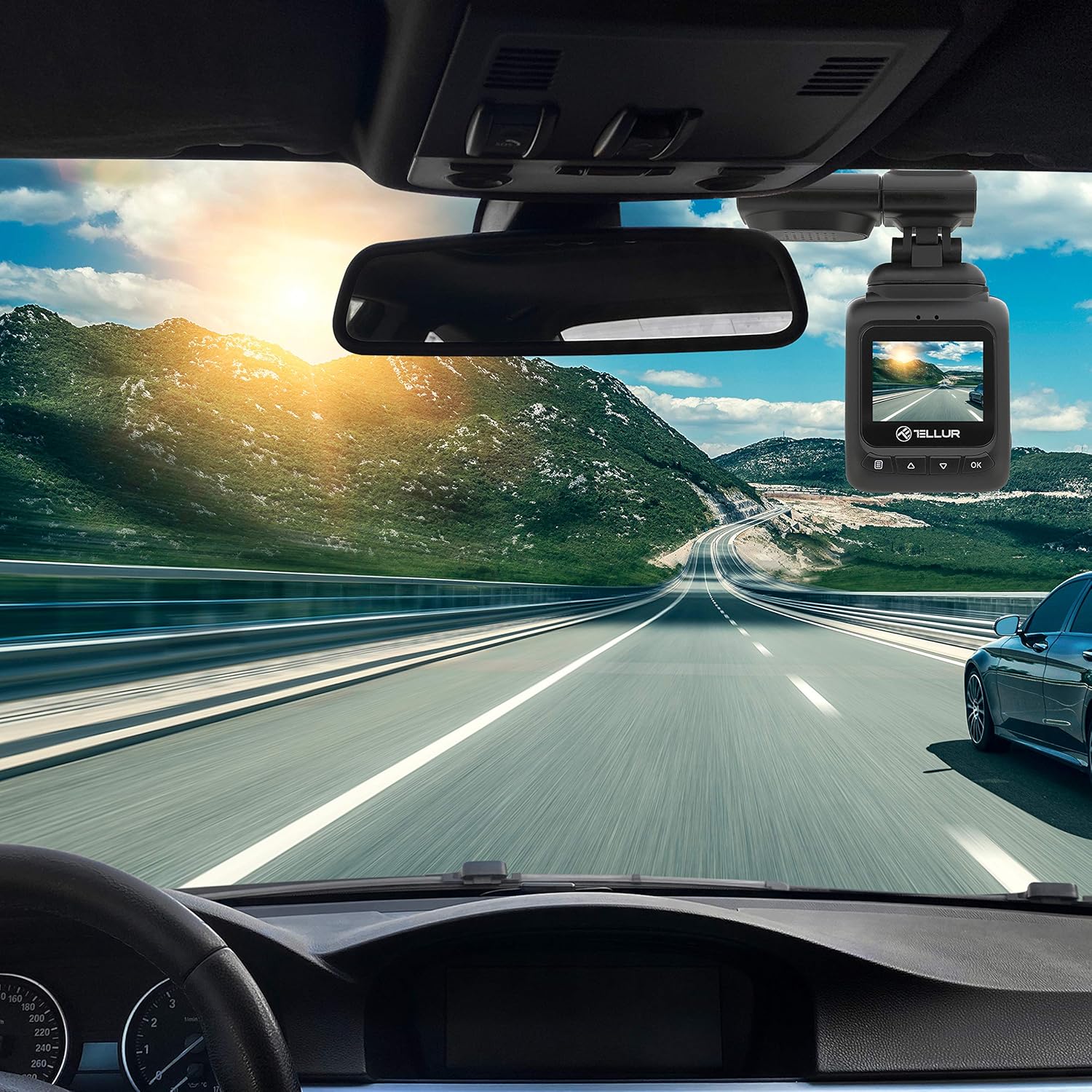
Image: The Dash Patrol DC2 camera mounted on a car windshield, showing its position relative to the rearview mirror for optimal road visibility.
4.3 ການເປີດກ້ອງຖ່າຍຮູບ
- Connect the car charger to your vehicle's 12V power outlet (cigarette lighter socket).
- Connect the other end of the USB cable to the camera's USB port.
- The camera will automatically power on and begin recording when your vehicle starts. It will power off shortly after the vehicle is turned off.
4.4 ການຕັ້ງຄ່າເບື້ອງຕົ້ນ
Upon first use, or after a reset, you may need to set the date and time. Navigate through the menu using the Up/Down buttons and confirm with the OK button.
5. ຄໍາແນະນໍາການດໍາເນີນງານ
5.1 ການບັນທຶກພື້ນຖານ
The camera automatically starts loop recording when powered on. Older files are overwritten when the memory card is full, except for locked files.
5.2 G-Sensor (Automatic Incident Detection)
The built-in G-sensor detects sudden impacts or collisions. When an event is detected, the current video segment is automatically locked to prevent it from being overwritten during loop recording.

Image: Illustration of the G-sensor function, showing the camera recording and a lock icon appearing when a collision is detected, indicating the video is protected.
5.3 Parking Monitor Function
When enabled, the parking monitor function allows the camera to automatically record when motion or impact is detected while the vehicle is parked and the engine is off. This provides surveillance even when you are away from your vehicle.

Image: Diagram illustrating the parking monitor function, where the dashcam automatically records when motion is detected around a parked car.
5.4 ການທໍາງານຂອງ GPS
The integrated GPS module records your vehicle's speed and location data alongside the video footage. ຂໍ້ມູນນີ້ສາມາດເປັນ viewed during playback using compatible software on a computer.
5.5 Wi-Fi Connectivity and App
The Dash Patrol DC2 features Wi-Fi connectivity, allowing you to connect to a smartphone app for live view, video playback, and settings adjustment. The compatible app is typically named GoPlus Cam.
- ດາວນ໌ໂຫລດ GoPlus Cam app ຈາກຮ້ານ app ຂອງໂທລະສັບສະຫຼາດຂອງທ່ານ.
- Turn on the Dashcam.
- Press and hold the 'Down' button on the camera until the Wi-Fi symbol appears on the screen.
- On your smartphone, go to Wi-Fi settings and connect to the camera's Wi-Fi network (SSID usually starts with 'TELLUR' or similar).
- Open the GoPlus Cam app to manage your camera.

Image: Icon for the GoPlus Cam mobile application, used for connecting to the dashcam via Wi-Fi.
6. ບໍາລຸງຮັກສາ
6.1 ການຈັດການບັດ MicroSD
- Regularly format the MicroSD card (at least once a month) to ensure optimal performance and prevent data corruption. This can usually be done through the camera's menu settings.
- Replace the MicroSD card if you notice frequent errors or degraded performance.
6.2 ການທໍາຄວາມສະອາດ
- ໃຊ້ຜ້າອ່ອນແລະແຫ້ງເພື່ອທຳຄວາມສະອາດເລນກ້ອງຖ່າຍຮູບ ແລະ ໜ້າຈໍ. ຫຼີກລ່ຽງວັດສະດຸທີ່ມີສີຂັດ ຫຼື ສານເຄມີທຳຄວາມສະອາດ.
- ຮັກສາກ້ອງຖ່າຍຮູບໃຫ້ບໍ່ມີຝຸ່ນ ແລະ ສິ່ງເສດເຫຼືອ.
7. ການແກ້ໄຂບັນຫາ
If you encounter issues with your Dash Patrol DC2, refer to the following common solutions:
| ບັນຫາ | ການແກ້ໄຂທີ່ເປັນໄປໄດ້ |
|---|---|
| ກ້ອງຖ່າຍຮູບບໍ່ເປີດ. |
|
| Camera turns on but screen is white/blank. |
|
| Camera stops recording or records intermittently. |
|
| ບັນຫາການເຊື່ອມຕໍ່ Wi-Fi. |
|
| GPS data not showing speed on screen. |
|
8. ຂໍ້ມູນຈໍາເພາະ
| ຄຸນສົມບັດ | ລາຍລະອຽດ |
|---|---|
| ຍີ່ຫໍ້ | TELLUR |
| ຕົວແບບ | ອຈ |
| ຄວາມລະອຽດການຖ່າຍວິດີໂອ | 1080p (FullHD) |
| ຂະຫນາດຈໍສະແດງຜົນຢືນ | 2.7 ນິ້ວ |
| ຕົວຈິງ Viewໃນມຸມ | 140 ອົງສາ |
| ປະເພດຫນ່ວຍຄວາມຈໍາ Flash | MicroSD (up to 64GB, Class 10 or higher recommended) |
| ຄຸນນະສົມບັດພິເສດ | Automatic Incident Detection (G-Sensor), Parking Monitor Function, Built-in GPS, Wi-Fi Connectivity |
| ປະເພດການຕິດຕັ້ງ | Dashboard Mount (Magnetic Car Mount) |
| ຂະໜາດສິນຄ້າ | 50 x 50 x 28 cm |
| ນ້ໍາຫນັກລາຍການ | 270 g |
9. ການຮັບປະກັນແລະການສະຫນັບສະຫນູນ
For warranty information or technical support, please refer to the documentation provided with your purchase or visit the official TELLUR webເວັບໄຊ. ຮັກສາຫຼັກຖານການຊື້ຂອງທ່ານສໍາລັບການຮຽກຮ້ອງການຮັບປະກັນໃດໆ.