
ແນະນຳ
This manual provides detailed instructions for setting up, operating, maintaining, and troubleshooting your HP 230 Wireless Keyboard and Mouse Combo. Please read this manual thoroughly before using the product to ensure optimal performance and longevity.
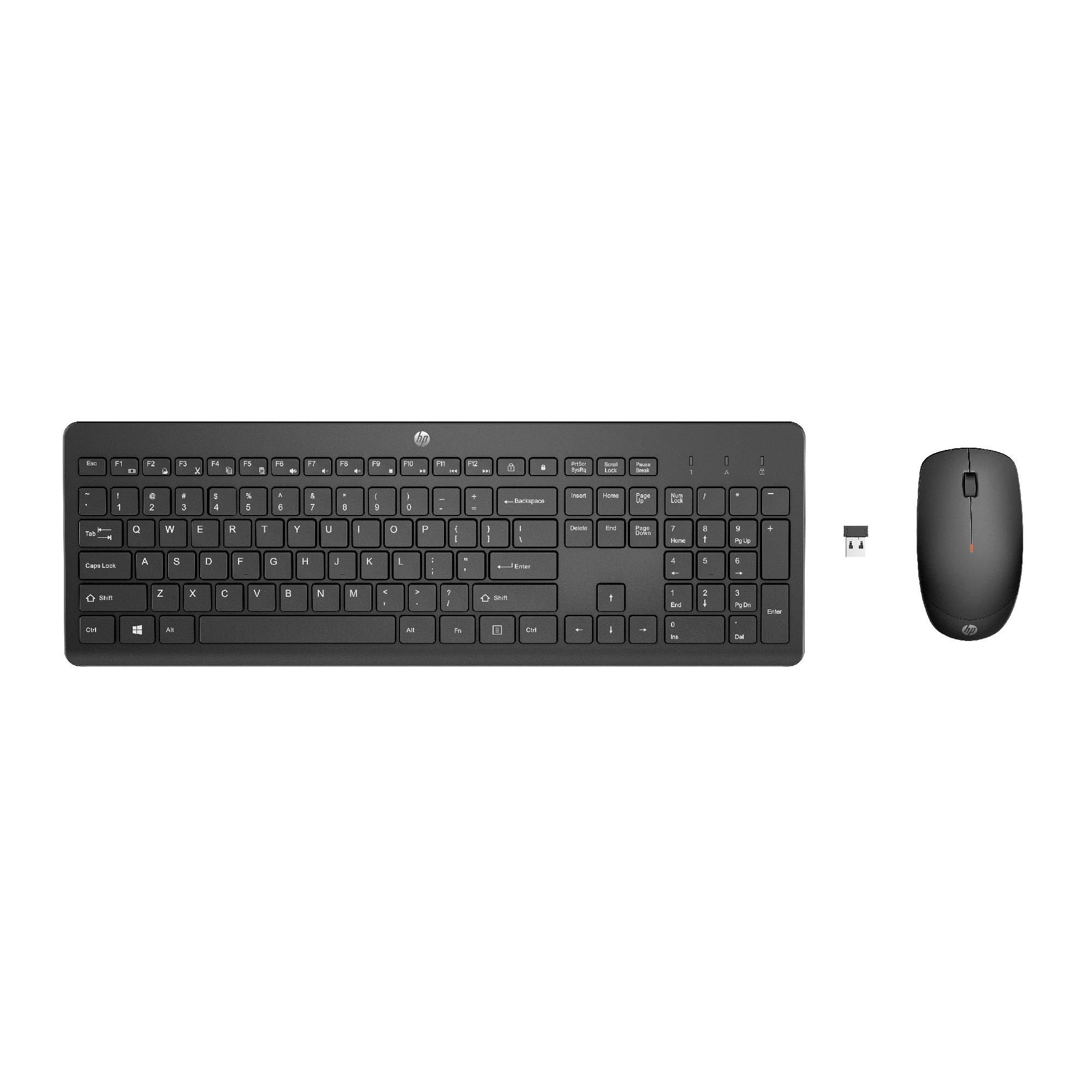
Image: The HP 230 Wireless Keyboard and Mouse Combo, showing both devices in black.
ເນື້ອໃນຊຸດ
ໃຫ້ແນ່ໃຈວ່າທຸກລາຍການຢູ່ໃນຊຸດ:
- ແປ້ນພິມໄຮ້ສາຍ HP 230
- HP 230 ເມົາສ໌ໄຮ້ສາຍ
- USB-A Wireless Dongle (2.4 GHz)
- 2 AAA Batteries (for keyboard)
- 1 AA Battery (for mouse)
- Product Information and Warranty Card
ຄໍາແນະນໍາການຕິດຕັ້ງ
1. ຕິດຕັ້ງແບັດເຕີລີ
- ສໍາລັບແປ້ນພິມ: Locate the battery compartment on the underside of the keyboard. Insert two AAA batteries, ensuring correct polarity (+/-).
- ສໍາລັບຫນູ: ຊອກຫາຊ່ອງໃສ່ແບັດເຕີຣີຢູ່ດ້ານລຸ່ມຂອງເມົ້າ. ໃສ່ແບັດເຕີຣີ AA ໜຶ່ງກ້ອນ, ຮັບປະກັນວ່າຂົ້ວທີ່ຖືກຕ້ອງ (+/-).
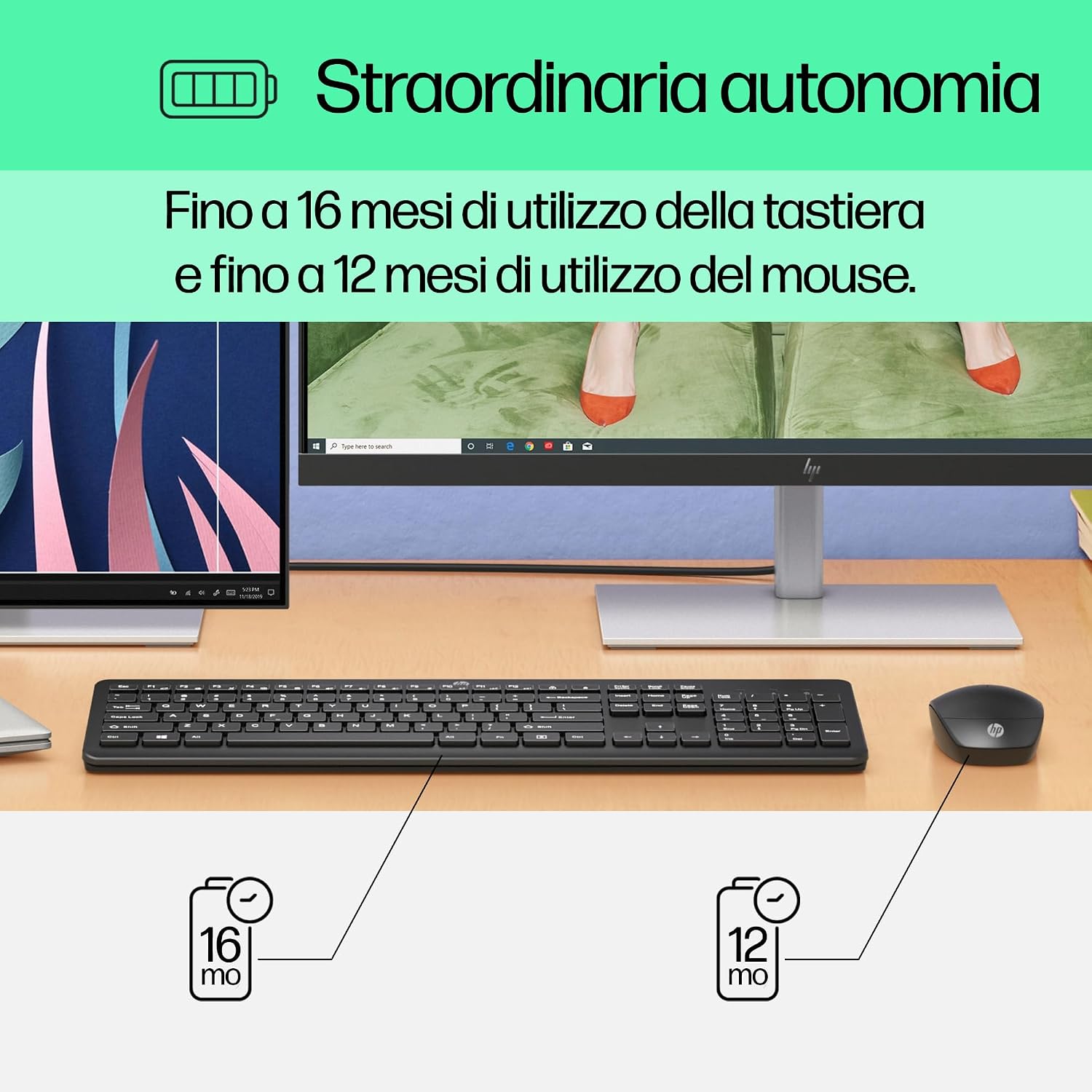
Image: Diagram illustrating battery life for the keyboard (16 months with 2 AAA) and mouse (12 months with 1 AA).
2. Connect the USB-A Wireless Dongle
- Locate the USB-A wireless dongle, typically stored in the mouse's battery compartment or included separately in the packaging.
- Insert the USB-A dongle into an available USB Type-A port on your computer (desktop, laptop, tablet, or All-in-One PC).
- Your computer should automatically detect and install the necessary drivers. This is a Plug and Play device, requiring no manual driver installation.

Image: The HP 230 wireless keyboard and mouse positioned next to a laptop, illustrating wireless connectivity.
The keyboard and mouse are pre-paired with the dongle and should be ready for use immediately after connection.
ການດໍາເນີນງານ
ຟັງຊັນແປ້ນພິມ
The HP 230 Wireless Keyboard features a full-size layout with a numeric keypad and silent chicklet keys for comfortable and quiet typing.
- ການພິມແບບງຽບໆ: The keyboard is designed for reduced noise during typing, making it suitable for quiet environments.
- Fn Key Shortcuts: ໃຊ້ Fn key in combination with the F1-F12 function keys for quick access to various functions such as volume control, home page, bookmarks, and email.
- ປຸ່ມກົດຕົວເລກ: ປຸ່ມກົດຕົວເລກສະເພາະແມ່ນລວມເຂົ້າສໍາລັບການປ້ອນຂໍ້ມູນທີ່ມີປະສິດທິພາບ.

ຮູບພາບ: ລາຍລະອຽດ view of the HP 230 keyboard layout, highlighting function keys and silent chicklet keys, with dimensions.

Image: A close-up of the HP 230 keyboard showing the Fn keys and their associated shortcut icons, emphasizing productivity.
ຟັງຊັນ ໜູ
The HP 230 Wireless Mouse is designed for precise navigation and comfortable use.
- ການຕິດຕາມຄວາມແມ່ນຍໍາ: The mouse features a 1600 DPI optical sensor for accurate and smooth cursor movement.
- ລໍ້ເລື່ອນ: Use the scroll wheel for easy vertical navigation through documents and web ໜ້າ.
- Left and Right Buttons: Standard left and right-click functionality for interaction with your computer.
- ການອອກແບບຜິດປົກກະຕິ: ເໝາະສຳລັບຜູ້ໃຊ້ທັງມືຊ້າຍ ແລະ ມືຂວາ.

ຮູບພາບ: ເທິງລົງລຸ່ມ view of the HP 230 mouse, showing its ergonomic design, scroll wheel, and 1600 DPI specification, with dimensions.

Image: Graphic illustrating the precise movement of the HP 230 mouse with up to 1600 DPI tracking.
ບໍາລຸງຮັກສາ
Proper maintenance ensures the longevity and performance of your HP 230 combo.
- ທໍາຄວາມສະອາດ:
- ໃຊ້ຜ້າແພທີ່ອ່ອນໆ ທີ່ບໍ່ມີເສັ້ນດ່າງ dampened with water or a mild cleaning solution to clean the surfaces of the keyboard and mouse.
- ຫຼີກເວັ້ນການນໍາໃຊ້ສານເຄມີທີ່ຮຸນແຮງ, ສານຂັດ, ຫຼືສານລະລາຍ.
- ສໍາລັບແປ້ນພິມ, ໃຊ້ອາກາດບີບອັດເພື່ອເອົາຝຸ່ນແລະສິ່ງເສດເຫຼືອອອກຈາກລະຫວ່າງກະແຈ.
- ການປ່ຽນແບັດເຕີຣີ:
- Replace batteries when performance degrades or the low battery indicator (if present) illuminates.
- Always use new, high-quality batteries of the specified type (AAA for keyboard, AA for mouse).
- ຖິ້ມແບັດເຕີລີ່ເກົ່າຕາມລະບຽບການທ້ອງຖິ່ນ.
- ການເກັບຮັກສາ: ເມື່ອບໍ່ໄດ້ໃຊ້ງານເປັນເວລາດົນ, ໃຫ້ຖອດແບັດເຕີຣີອອກເພື່ອປ້ອງກັນການຮົ່ວໄຫຼ. ເກັບຮັກສາອຸປະກອນໄວ້ໃນບ່ອນທີ່ເຢັນແລະແຫ້ງ.
ການແກ້ໄຂບັນຫາ
If you encounter issues with your HP 230 Wireless Keyboard and Mouse Combo, try the following solutions:
| ບັນຫາ | ການແກ້ໄຂ |
|---|---|
| ແປ້ນພິມ ຫຼືເມົາສ໌ບໍ່ຕອບສະໜອງ |
|
| ການເຊື່ອມຕໍ່ຊ້າ ຫຼື ບໍ່ຕໍ່ເນື່ອງ |
|
| ຕົວກະພິບເມົ້າຜິດພາດ ຫຼື ເຄື່ອນໄຫວບໍ່ສະດວກ |
|
ຂໍ້ມູນຈໍາເພາະ
| ຄຸນສົມບັດ | ລາຍລະອຽດ |
|---|---|
| ຍີ່ຫໍ້ | HP |
| ໝາຍເລກຕົວແບບ | HP 230 |
| ສີ | ດຳ |
| ເຕັກໂນໂລຊີການເຊື່ອມຕໍ່ | 2.4 GHz Radiofrequency (Wireless USB-A Dongle) |
| ຮູບແບບແປ້ນພິມ | QWERTY |
| ຈຳນວນປຸ່ມ (ແປ້ນພິມ) | 104 |
| Special Keyboard Feature | Silent Typing, Fn-key shortcuts |
| DPI ຫນູ | 1600 DPI |
| ການອອກແບບຫນູ | ຂີ້ຄ້ານ |
| ລະບົບປະຕິບັດການທີ່ເຂົ້າກັນໄດ້ | Windows 10, Windows 11 (also Windows 7, Windows 8) |
| Minimum OS Requirement | Windows 10 |
| ປະເພດແບັດເຕີຣີແປ້ນພິມ | 2 x ຫມໍ້ໄຟ AAA |
| ປະເພດແບັດເຕີຣີເມົ້າ | ແບັດເຕີຣີ 1 x AA |
| Estimated Keyboard Battery Life | ເຖິງ 16 ເດືອນ |
| Estimated Mouse Battery Life | ເຖິງ 12 ເດືອນ |
| ການນໍາໃຊ້ທີ່ແນະນໍາ | Computer typing and navigation |
ຂໍ້ມູນການຮັບປະກັນ
The HP 230 Wireless Keyboard and Mouse Combo comes with a ຮັບປະກັນສິນຄ້າ 2 ປີ from the date of purchase. Please retain your proof of purchase for warranty claims. For detailed terms and conditions, refer to the warranty card included in your package or visit the official HP support webເວັບໄຊ.
EU spare parts availability: 1 year.
ສະຫນັບສະຫນູນ
For further assistance, technical support, or to access updated drivers and documentation, please visit the official HP support webເວັບໄຊ:
You may also find helpful information and FAQs on the product's Amazon page or by contacting HP customer service directly.