
1. ບົດແນະນຳ
Thank you for choosing the Car and Driver Bluetooth 5.0 FM Transmitter Charger. This device allows you to stream audio from your Bluetooth-enabled devices to your car's FM radio, make hands-free calls, and charge multiple devices simultaneously with its fast-charging USB-A and USB-C ports. It is designed to enhance your driving experience by providing modern connectivity and charging capabilities in vehicles with a standard 12V/24V socket.
2. ເນື້ອໃນຊຸດ
ກະລຸນາກວດສອບວ່າສິນຄ້າທັງໝົດມີຢູ່ໃນຊຸດ:
- Car and Driver Bluetooth 5.0 FM Transmitter Charger
- ຄູ່ມືຜູ້ໃຊ້
3. ຜະລິດຕະພັນເກີນview
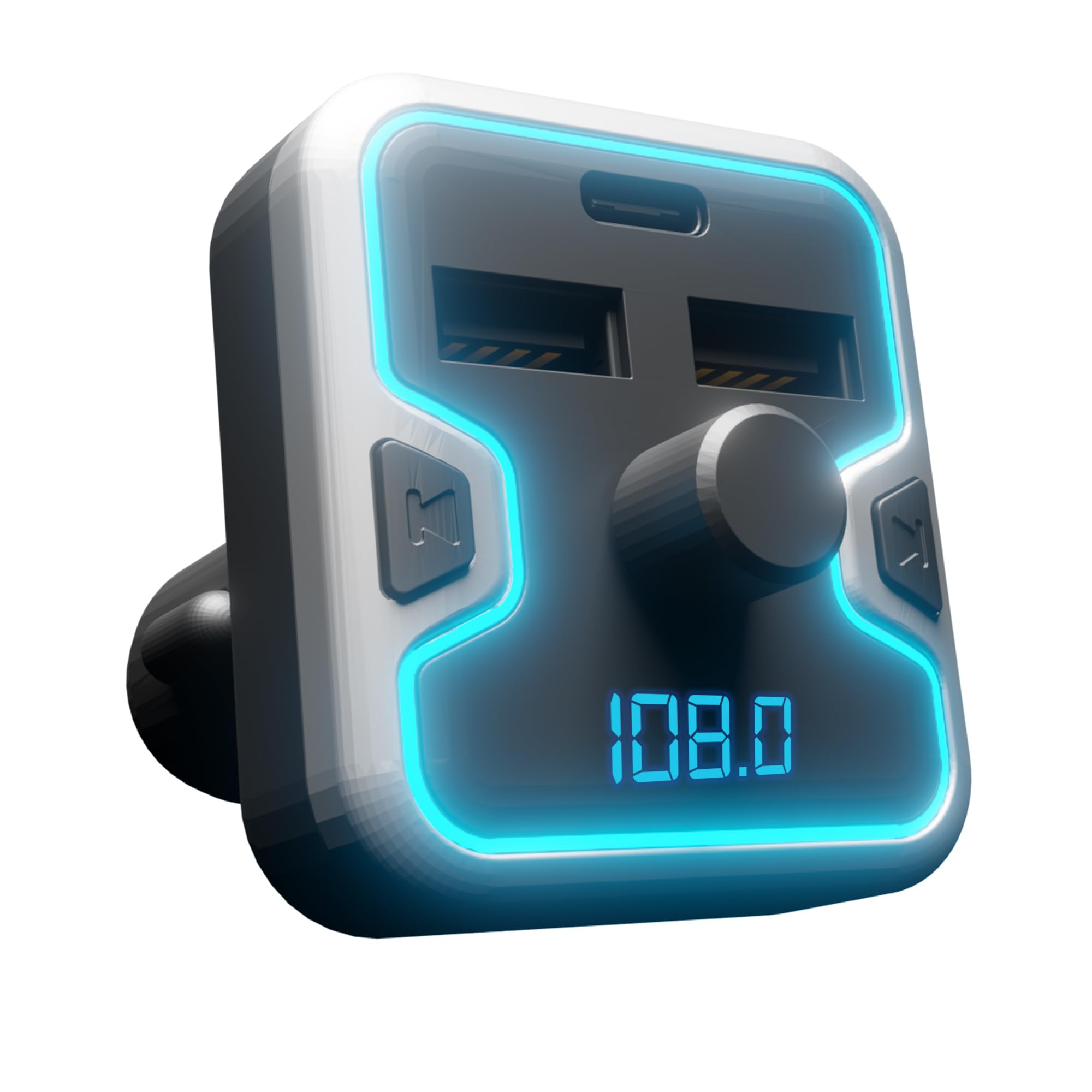
The Car and Driver FM Transmitter Charger features a compact design with multiple ports and intuitive controls. Familiarize yourself with the device's components:
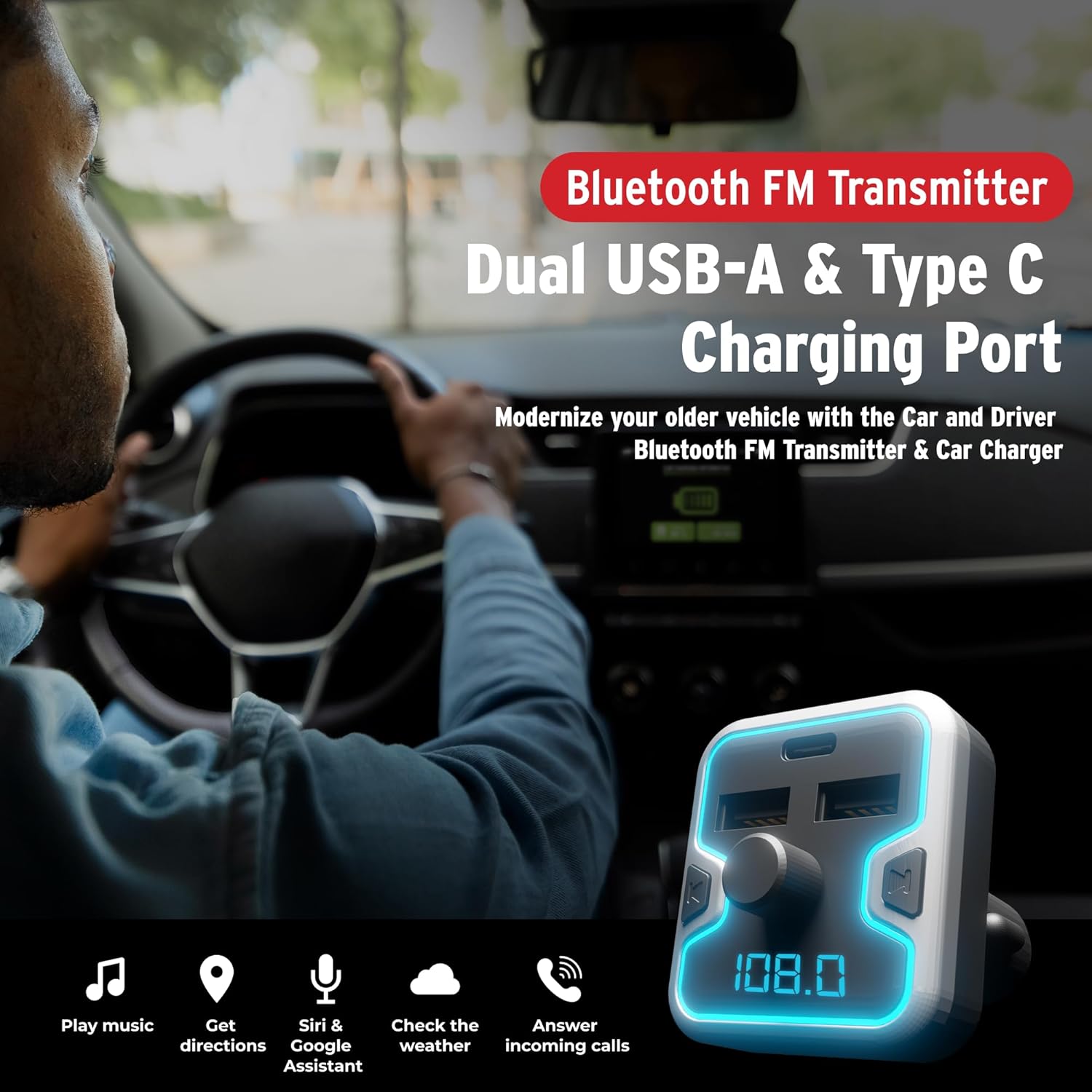
ຮູບພາບ 3.1: ດ້ານໜ້າ view of the Car and Driver Bluetooth FM Transmitter Charger. This image shows the device with its dual USB-A ports, one USB-C port, central control knob, and LED display.
ຄຸນນະສົມບັດທີ່ສໍາຄັນ:
- Bluetooth 5.0: For stable wireless connection and audio streaming.
- ການສາກໄຟສາມພອດ: Includes two USB-A ports (5V-2.4A and 5V-1A) and one USB-C PD 18W port for fast charging.
- ໂທຟຣີ: Built-in microphone with Noise Suppression (CVC) technology.
- Multiple Music Sources: Supports Bluetooth, USB flash drive, and microSD card.
- ຄວາມເຂົ້າກັນໄດ້ຂອງຜູ້ຊ່ວຍສຽງ: Access Mobile Alexa, Siri, or Google Assistant.
- Illuminated LED Accent & Display: 7 neon-color backlit options and an LED display for FM frequency and car battery voltage.
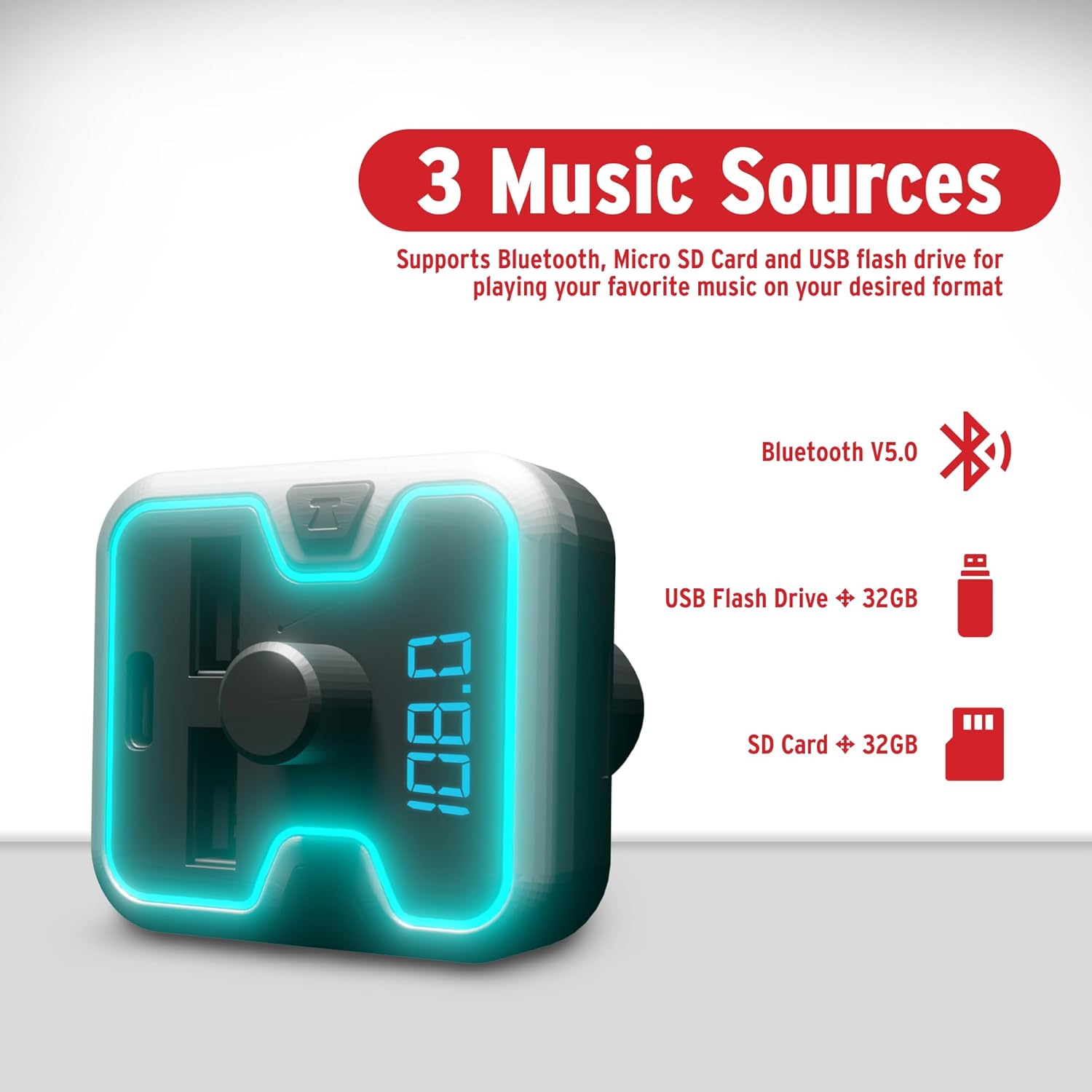
ຮູບພາບ 3.2: The FM Transmitter highlighting its three music sources: Bluetooth V5.0, USB Flash Drive (up to 32GB), and SD Card (up to 32GB).
ການຄວບຄຸມ ແລະຕົວຊີ້ວັດ:
- ປຸ່ມຫຼາຍຟັງຊັນ: Used for adjusting FM frequency, volume, and answering/ending calls.
- ຈໍສະແດງຜົນ LED: Shows current FM frequency and car battery voltage.
- ພອດ USB-A: For charging devices and playing music from USB flash drives.
- USB-C PD Port: ສຳລັບອຸປະກອນທີ່ຮອງຮັບການສາກໄວ.
- ຊ່ອງສຽບກາດ MicroSD: For playing music from microSD cards.
4. ຕັ້ງຄ່າ
Follow these steps to set up your FM Transmitter Charger:
- ໃສ່ເຂົ້າໄປໃນເຕົ້າສຽບລົດ: Plug the FM transmitter into your vehicle's 12V/24V cigarette lighter socket. The device will power on automatically, and the LED display will light up.

ຮູບພາບ 4.1: The FM Transmitter being plugged into a car's cigarette lighter outlet, illustrating its "Plug and Play" functionality.
- ປັບຄວາມຖີ່ FM:
- Press the "CH" button (or similar button near the knob) to enter FM tuning mode. The frequency on the LED display will flash.
- Rotate the multi-function knob left or right to select an empty FM frequency (one with no active radio station) on your car radio.
- Match this empty frequency on your car's FM radio. For best audio quality, choose a frequency that is not occupied by a strong local radio station.
- ຈັບຄູ່ Bluetooth:
- ໃນອຸປະກອນມືຖືຂອງທ່ານ, ເປີດໃຊ້ Bluetooth ແລະຊອກຫາອຸປະກອນທີ່ມີຢູ່.
- Select "Car and Driver" (or similar name displayed on the device) from the list to pair.
- Once paired, you will hear a confirmation sound, and the device will be ready for audio streaming and hands-free calls.
5. ຄໍາແນະນໍາການດໍາເນີນງານ
5.1. ການຫຼິ້ນເພງ
You can play music from your Bluetooth-enabled device, a USB flash drive, or a microSD card.
- ການຖ່າຍທອດ Bluetooth: After successful pairing, open your music player on your phone and start playback. Audio will be transmitted to your car's stereo via the selected FM frequency.
- USB Flash Drive/MicroSD Card: Insert a USB flash drive or microSD card (up to 32GB, supporting APE, WMA, MP3, WAV, and FLAC formats) into the corresponding slot. The device will automatically detect and play music files. Use the multi-function knob to navigate tracks (short press for next/previous, long press for folder selection).
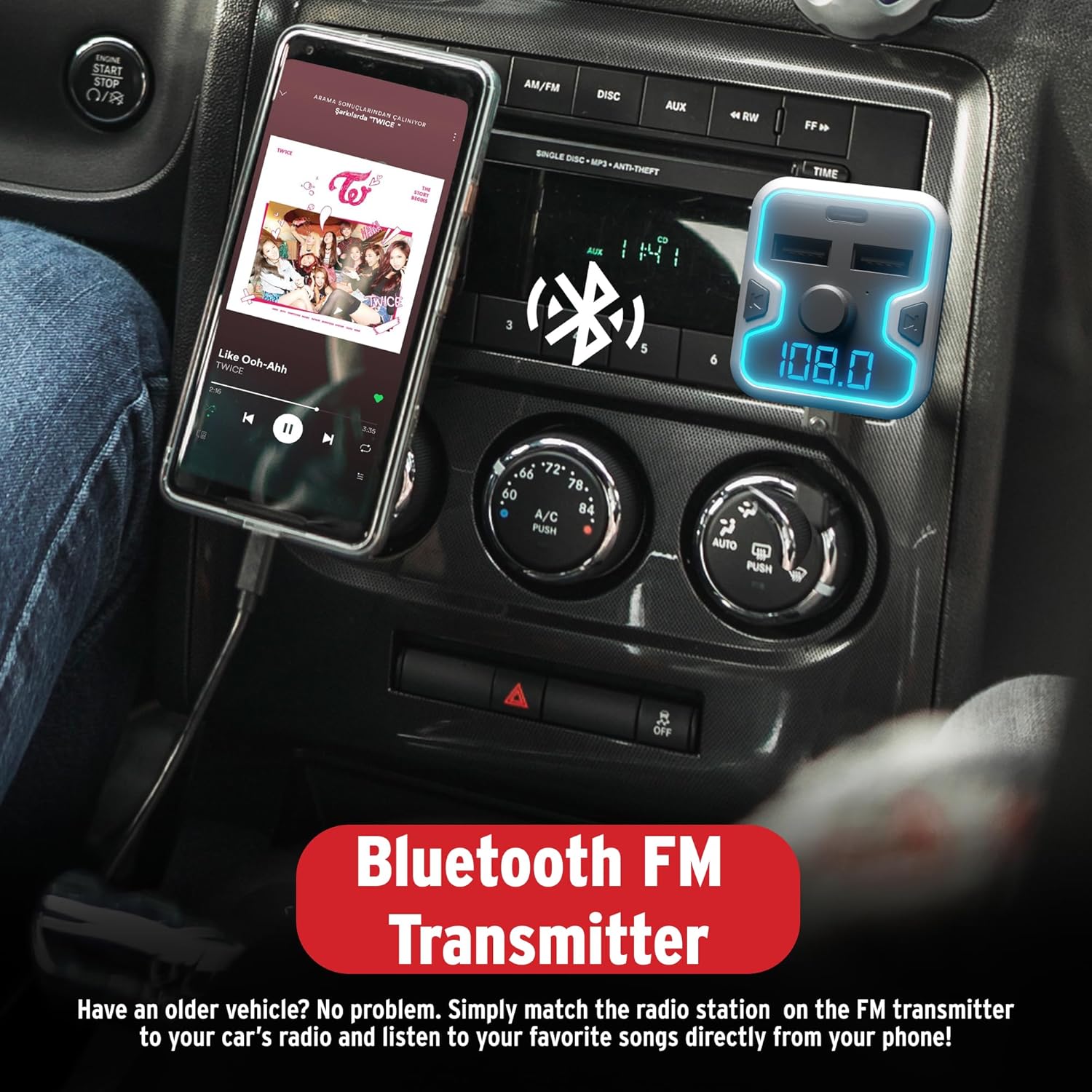
ຮູບພາບ 5.1: A smartphone mounted in a car, displaying a music player, connected to the Bluetooth FM Transmitter for audio playback through the car's stereo.
5.2. ໂທຟຣີ
The device supports hands-free calling for safer driving.
- ຮັບສາຍ: When an incoming call rings, short press the multi-function knob to answer.
- ສິ້ນສຸດການໂທ: During a call, short press the multi-function knob to end the call.
- ປະຕິເສດການໂທ: When an incoming call rings, long press the multi-function knob to reject the call.
- ການເປີດເຜີຍ: Double-press the multi-function knob to redial the last number.
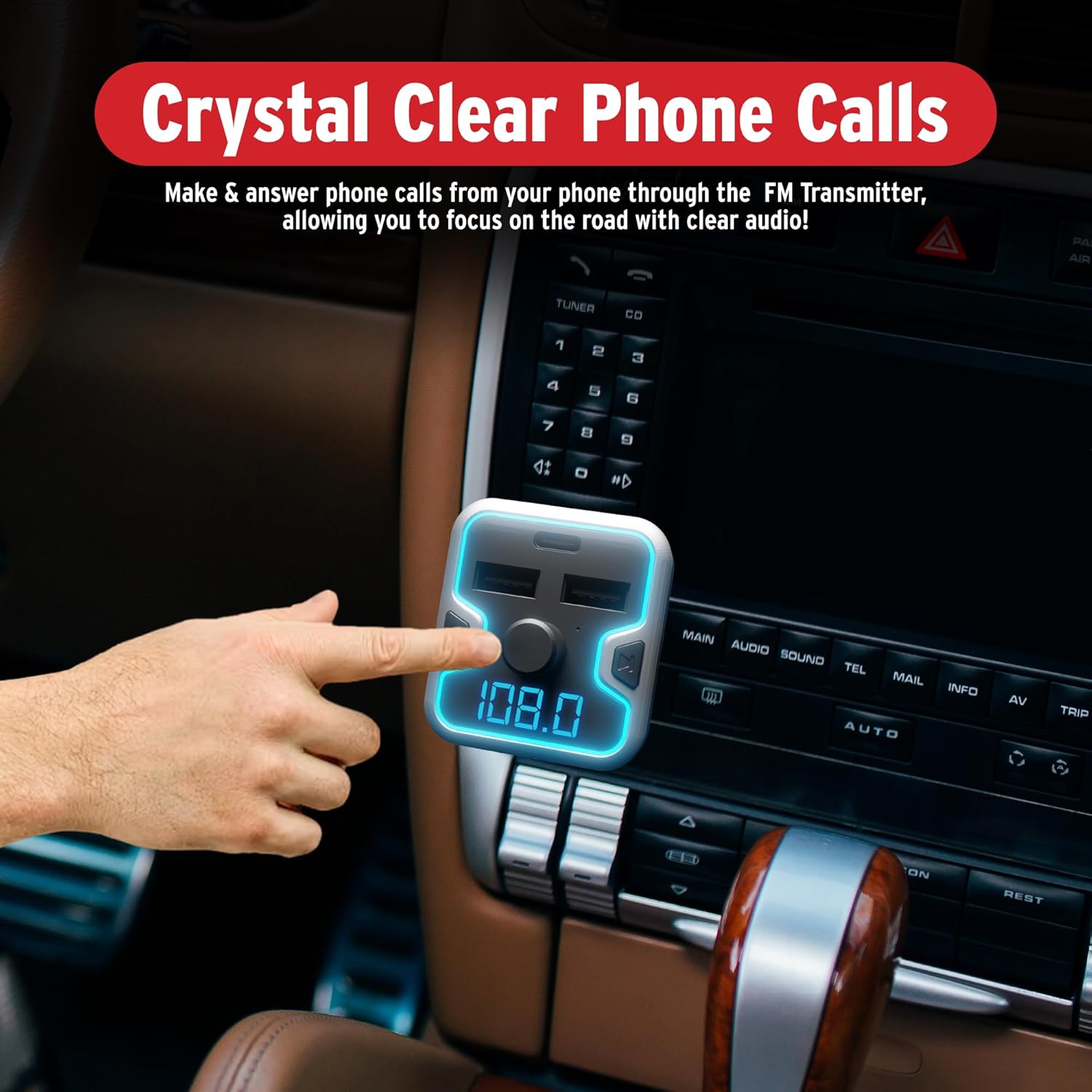
ຮູບພາບ 5.2: A hand interacting with the FM Transmitter's control knob, indicating its use for making and answering phone calls with clear audio.
5.3. ການເປີດໃຊ້ງານຜູ້ຊ່ວຍສຽງ
Access your mobile device's voice assistant (Siri, Google Assistant, Alexa) through the transmitter.
- ເປີດໃຊ້: Long press the multi-function knob to activate your phone's voice assistant. You can then issue commands through the transmitter's microphone.
ຮູບພາບ 5.3: The FM Transmitter shown with icons for Google Assistant, Siri, and Alexa, indicating compatibility with these voice assistants.
ວິດີໂອ 5.1: Demonstration of the Car and Driver Bluetooth 5.0 FM Transmitter's features, including setup, hands-free calling, and voice assistant integration. This video shows the device in use within a vehicle, highlighting its functionality for modernizing older car audio systems.
5.4. ອຸປະກອນສາກໄຟ
The transmitter provides three charging ports:
- USB-A (2.4A): Standard charging for most devices.
- USB-A (1A): Standard charging, also suitable for USB flash drives.
- USB-C PD (18W): Power Delivery port for rapid charging of compatible devices.
Simply connect your device's charging cable to the appropriate USB port on the transmitter.
5.5. LED Display and Ambient Light
- The LED display shows the current FM frequency and the car's battery voltage upon startup.
- The device features a multicolor light border with 7 neon-color backlit options (Red, Blue, Turquoise, Yellow, Green, Purple, White). These can be cycled or set to a preferred color (refer to device specific controls, usually a dedicated button or long press on the CH button).
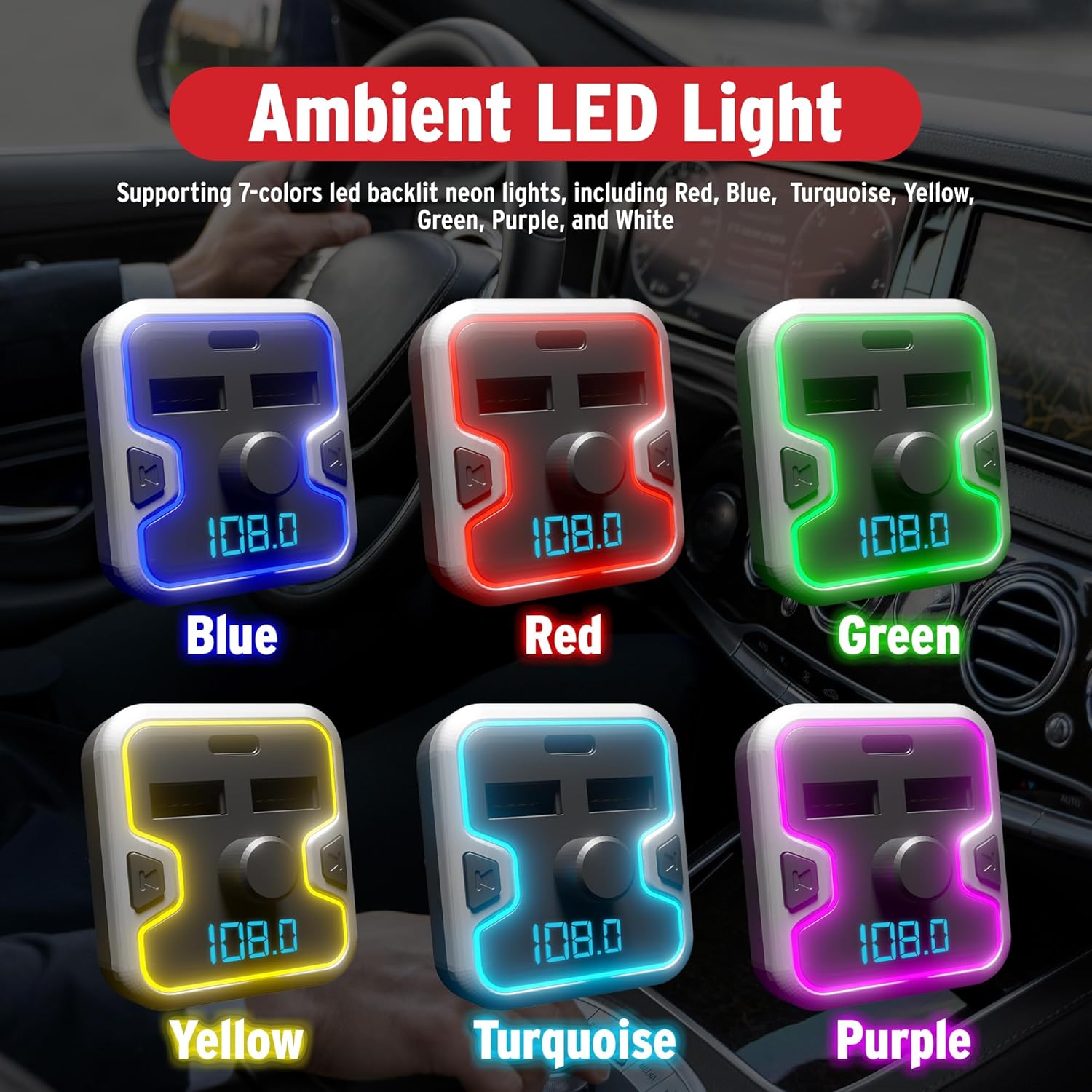
ຮູບພາບ 5.4: A collage showing the FM Transmitter with its ambient LED light border illuminated in various colors: Blue, Red, Green, Yellow, Turquoise, and Purple.
6. ຂໍ້ມູນຄວາມປອດໄພ
ກະລຸນາອ່ານ ແລະປະຕິບັດຕາມຂໍ້ແນະນຳດ້ານຄວາມປອດໄພຕໍ່ໄປນີ້:
- Use the device only when it is safe and legal to do so.
- Ensure the device is securely plugged in to prevent it from becoming a distraction while driving.
- Be aware of and comply with all local laws and regulations regarding the use of wireless devices and mobile phones while operating a vehicle.
- Regularly check your car battery voltage using the device's display to monitor your vehicle's electrical system.
- Do not disassemble, modify, or repair the device yourself. Contact qualified service personnel for assistance.
- ຫຼີກເວັ້ນການເປີດເຜີຍອຸປະກອນກັບອຸນຫະພູມທີ່ຮຸນແຮງ, ແສງແດດໂດຍກົງ, ຫຼືຄວາມຊຸ່ມຊື່ນ.
7. ບໍາລຸງຮັກສາ
To ensure optimal performance and longevity of your FM Transmitter Charger:
- ຮັກສາອຸປະກອນໃຫ້ສະອາດໂດຍການເຊັດດ້ວຍຜ້າອ່ອນ, ແຫ້ງ.
- ຫຼີກເວັ້ນການນໍາໃຊ້ສານເຄມີທີ່ຮຸນແຮງຫຼືເຄື່ອງເຮັດຄວາມສະອາດຂັດ.
- ເກັບຮັກສາອຸປະກອນໄວ້ໃນບ່ອນທີ່ເຢັນ, ແຫ້ງ, ເມື່ອບໍ່ໄດ້ໃຊ້ເປັນເວລາດົນນານ.
- Ensure the cigarette lighter socket is free of debris before inserting the transmitter.
8. ການແກ້ໄຂບັນຫາ
If you encounter issues with your FM Transmitter Charger, refer to the following common problems and solutions:
| ບັນຫາ | ສາເຫດທີ່ເປັນໄປໄດ້ | ການແກ້ໄຂ |
|---|---|---|
| ບໍ່ມີໄຟ/ອຸປະກອນບໍ່ເປີດ. | Loose connection; vehicle socket issue; blown fuse. | Ensure the device is firmly inserted into the cigarette lighter socket. Check if the vehicle's cigarette lighter socket is functional. Inspect vehicle's fuse box for a blown fuse related to the power outlet. |
| ຄຸນນະພາບສຽງຄົງທີ່ ຫຼື ຄຸນນະພາບສຽງບໍ່ດີ. | FM frequency interference; volume too low/high; weak Bluetooth connection. | Change to a different, unoccupied FM frequency on both the transmitter and your car radio. Adjust the volume on both the transmitter and your car stereo. Ensure your phone is close to the transmitter for a strong Bluetooth signal. |
| Bluetooth ບໍ່ໄດ້ຈັບຄູ່. | ບໍ່ໄດ້ເປີດໃຊ້ Bluetooth ໃນໂທລະສັບ; ອຸປະກອນບໍ່ໄດ້ຢູ່ໃນໂໝດຈັບຄູ່; ມີອຸປະກອນທີ່ຈັບຄູ່ຫຼາຍເກີນໄປ. | Ensure Bluetooth is enabled on your mobile device. Restart the transmitter and your phone. Forget previous Bluetooth connections on your phone and try pairing again. |
| ການສາກໄວບໍ່ເຮັດວຽກ. | Device not compatible with fast charging; cable issue; port issue. | Ensure your device supports USB Power Delivery (PD) for the USB-C port. Use a high-quality, compatible charging cable. Try a different charging port or cable. |
| ຜູ້ຊ່ວຍສຽງບໍ່ຕອບສະໜອງ. | ບໍ່ໄດ້ເປີດໃຊ້ຢ່າງຖືກຕ້ອງ; ການຕັ້ງຄ່າໂທລະສັບ. | Long press the multi-function knob to activate the voice assistant. Ensure your phone's voice assistant is enabled and configured correctly. |
9. ຂໍ້ມູນຈໍາເພາະ
| ຄຸນສົມບັດ | ລາຍລະອຽດ |
|---|---|
| ໝາຍເລກຕົວແບບ | CAD-6005 |
| ລຸ້ນ Bluetooth | 5.0 |
| ຊ່ວງຄວາມຖີ່ FM | 87.5 MHz – 108.0 MHz |
| ການປ້ອນຂໍ້ມູນ Voltage | 12V / 24V DC |
| ຜົນໄດ້ຮັບ USB-A 1 | 5V-2.4A |
| ຜົນໄດ້ຮັບ USB-A 2 | 5V-1A (also for USB flash drive) |
| USB-C PD Output | ການຈັດສົ່ງພະລັງງານ 18W |
| Music Formats Supported | APE, WMA, MP3, WAV, FLAC |
| MicroSD/USB Flash Drive Capacity | ສູງສຸດ 32GB |
| ນ້ໍາຫນັກລາຍການ | 5.6 ອອນສ໌ (0.16 ກິໂລກຣາມ) |
| ຂະໜາດແພັກເກັດ | 6.85 x 3.58 x 2.8 ນິ້ວ |
10. ການຮັບປະກັນແລະການສະຫນັບສະຫນູນ
For warranty information or technical support, please refer to the contact details provided with your purchase or visit the official Car and Driver webເວັບໄຊ. ຮັກສາຫຼັກຖານການຊື້ຂອງທ່ານສໍາລັບການຮຽກຮ້ອງການຮັບປະກັນໃດໆ.