
ແນະນຳ
This manual provides detailed instructions for the setup, operation, maintenance, and troubleshooting of your Zeblaze Vibe 3 Smartwatch. Please read this manual thoroughly before using your device to ensure proper functionality and longevity.
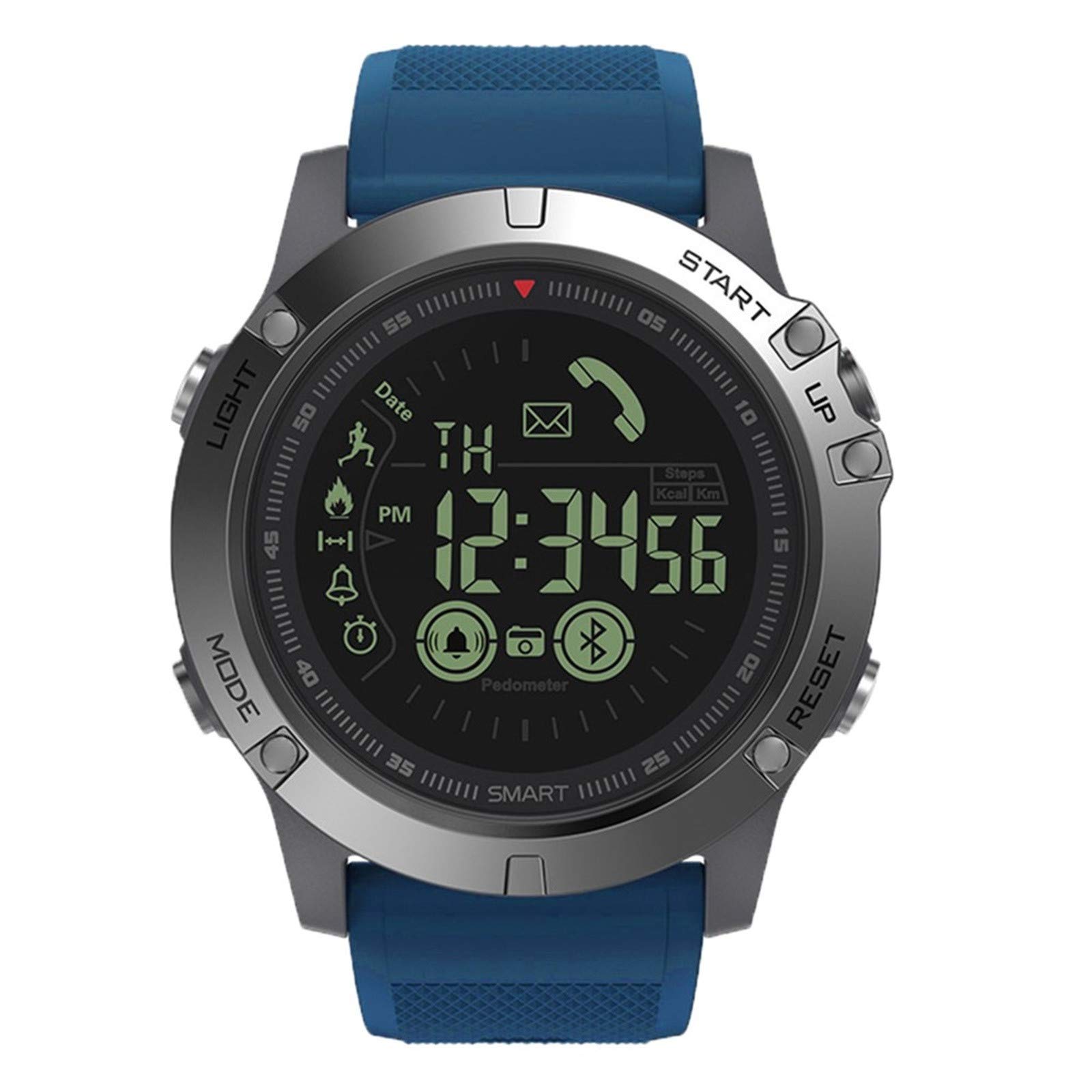
Image: Zeblaze Vibe 3 Smartwatch, front view. The watch features a round face with a digital display, surrounded by a metallic bezel and a blue silicone strap. The display shows the time, date, and icons for steps, calories, and Bluetooth connectivity.
ເນື້ອໃນຊຸດ
ກວດສອບວ່າລາຍການທັງຫມົດແມ່ນມີຢູ່ໃນການຫຸ້ມຫໍ່ຜະລິດຕະພັນຂອງທ່ານ:
- 1 x Zeblaze VIBE 3 Smartwatch
- 1 x ຄູ່ມືຜູ້ໃຊ້ (ພາສາອັງກິດ)
- 1 x screw mounting
ຕັ້ງຄ່າ
1. ການເປີດເຄື່ອງເບື້ອງຕົ້ນ
Press and hold the 'START' button (S3) for approximately 3 seconds to power on the device. The display will illuminate.
2. ການຕິດຕັ້ງແອັບ
To unlock the full functionality of your Zeblaze Vibe 3, download and install the companion application. ຊອກຫາ "Sports+ APP" or "VerfitPro" in your smartphone's app store (Google Play Store for Android, Apple App Store for iOS).
3. ການຈັບຄູ່ອຸປະກອນ
- ໃຫ້ແນ່ໃຈວ່າ Bluetooth ຖືກເປີດໃຊ້ຢູ່ໃນໂທລະສັບສະຫຼາດຂອງທ່ານ.
- Open the installed companion app.
- Follow the in-app instructions to search for and connect to your Zeblaze Vibe 3. The watch uses Bluetooth 4.0 for connectivity.
- ຢືນຢັນຄຳຮ້ອງຂໍການຈັບຄູ່ຢູ່ໃນທັງໂມງ ແລະສະມາດໂຟນຂອງທ່ານ.
The watch is compatible with Android 4.4 or later and iOS 7.0 or later. It is not designed for PC or tablet use.
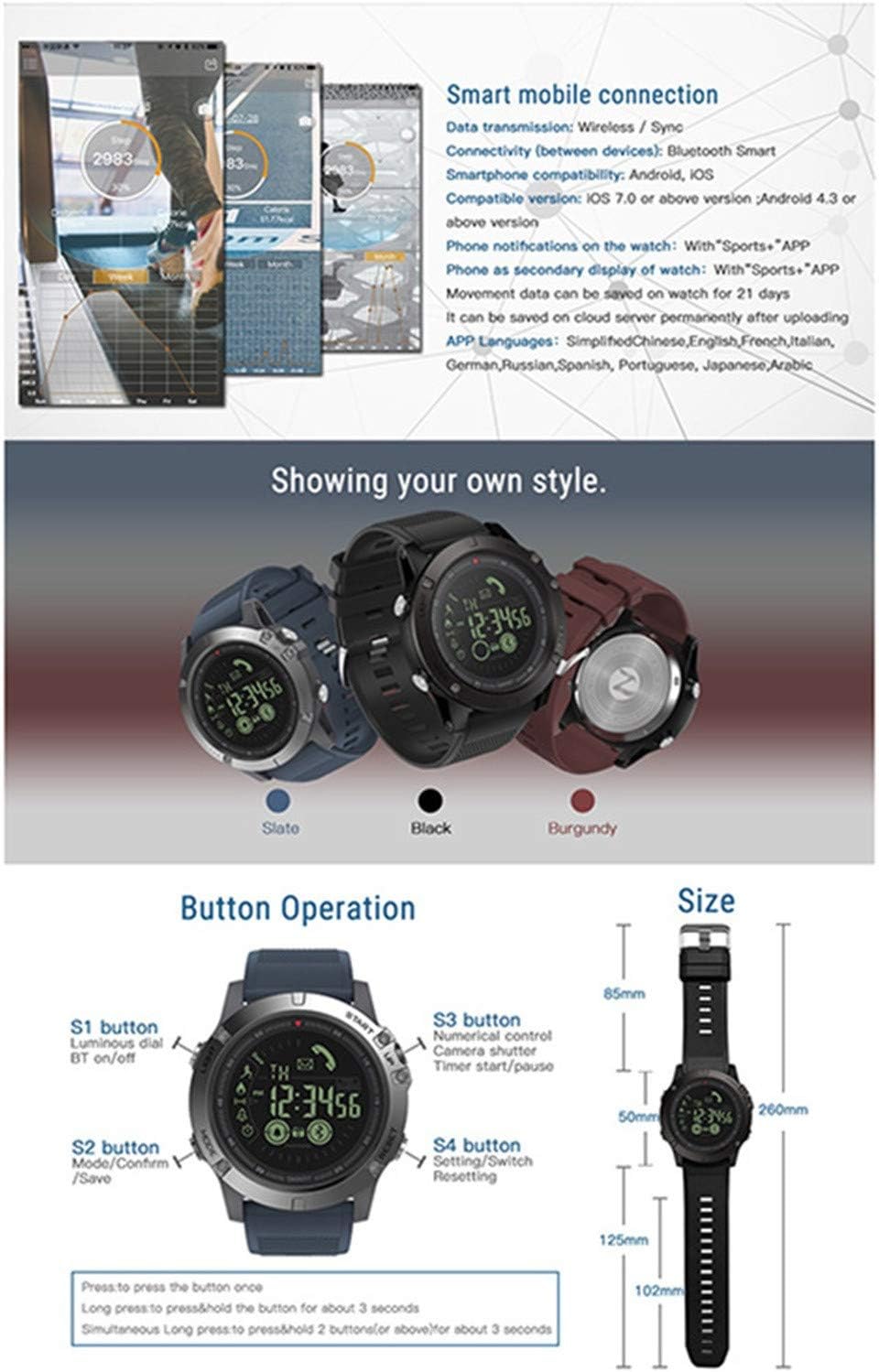
Image: This diagram illustrates the smart mobile connection process, detailing Bluetooth compatibility and data saving. It also provides a clear overview of the watch's button functions and overall dimensions.
ຄໍາແນະນໍາການດໍາເນີນງານ
ຟັງຊັນປຸ່ມ
- S1 Button (LIGHT): Press once for luminous dial. Press and hold for Bluetooth on/off.
- S2 Button (MODE): Press once to cycle through modes/screens. Press and hold to save data.
- S3 Button (START/UP): Press once for numerical control. Press and hold to start/pause timer.
- S4 Button (RESET/DOWN): Press once for settings/stopwatch. Press and hold for resetting.
ຄຸນສົມບັດຫຼັກ
- ການຕິດຕາມການເຄື່ອນໄຫວ: The watch accurately tracks daily steps, calorie consumption, and distance traveled. Data can be viewed on the watch and synchronized with the app.
- ການຕິດຕາມການນອນ: Automatically detects and monitors your sleep patterns and quality. Detailed sleep data is available in the companion app.
- ຟັງຊັນປຸກ: Set alarms through the app. The watch will provide an audible alert at the scheduled time.
- Message & Call Alerts: Once connected to your smartphone, the watch will notify you of incoming calls, SMS, and messages from various applications (Facebook, Twitter, Skype, WhatsApp, WeChat).
- ການຄວບຄຸມໄລຍະໄກກ້ອງຖ່າຍຮູບ: Use the watch to remotely trigger your smartphone's camera. Launch the camera app on your phone, then press the S3 button on the watch to take a photo.
- ໂມງຈັບເວລາ ແລະໂມງຈັບເວລາ: Utilize the built-in stopwatch and timer functions for various activities.
- Sports Data Tracking: Supports multiple sport modes to help track exercise patterns. Can connect to smartphone GPS for route mapping.
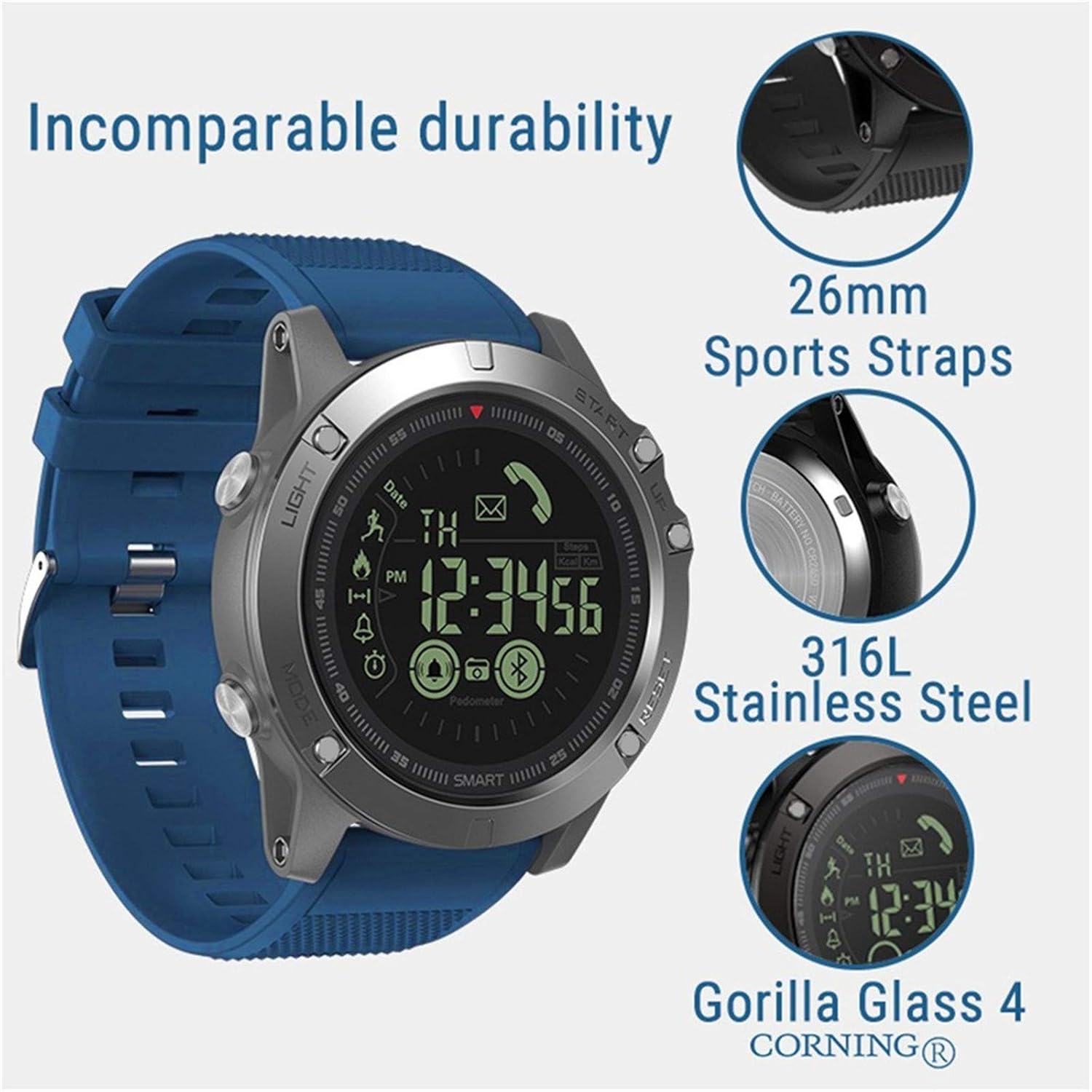
Image: This infographic highlights the comprehensive tracking capabilities of the Zeblaze Vibe 3, including all-day activity records, calorie burn tracking, walking distance measurement, information reminders, alarm alerts, and remote camera control.
ບໍາລຸງຮັກສາ
ການຕໍ່ຕ້ານນ້ໍາ
The Zeblaze Vibe 3 is rated IP67 waterproof and resistant up to 50 meters. This means it is protected against dust ingress and can withstand immersion in water up to 1 meter for 30 minutes. It is suitable for swimming and daily use, but avoid exposure to hot water, steam, or high-pressure water jets, as this can compromise the seals.
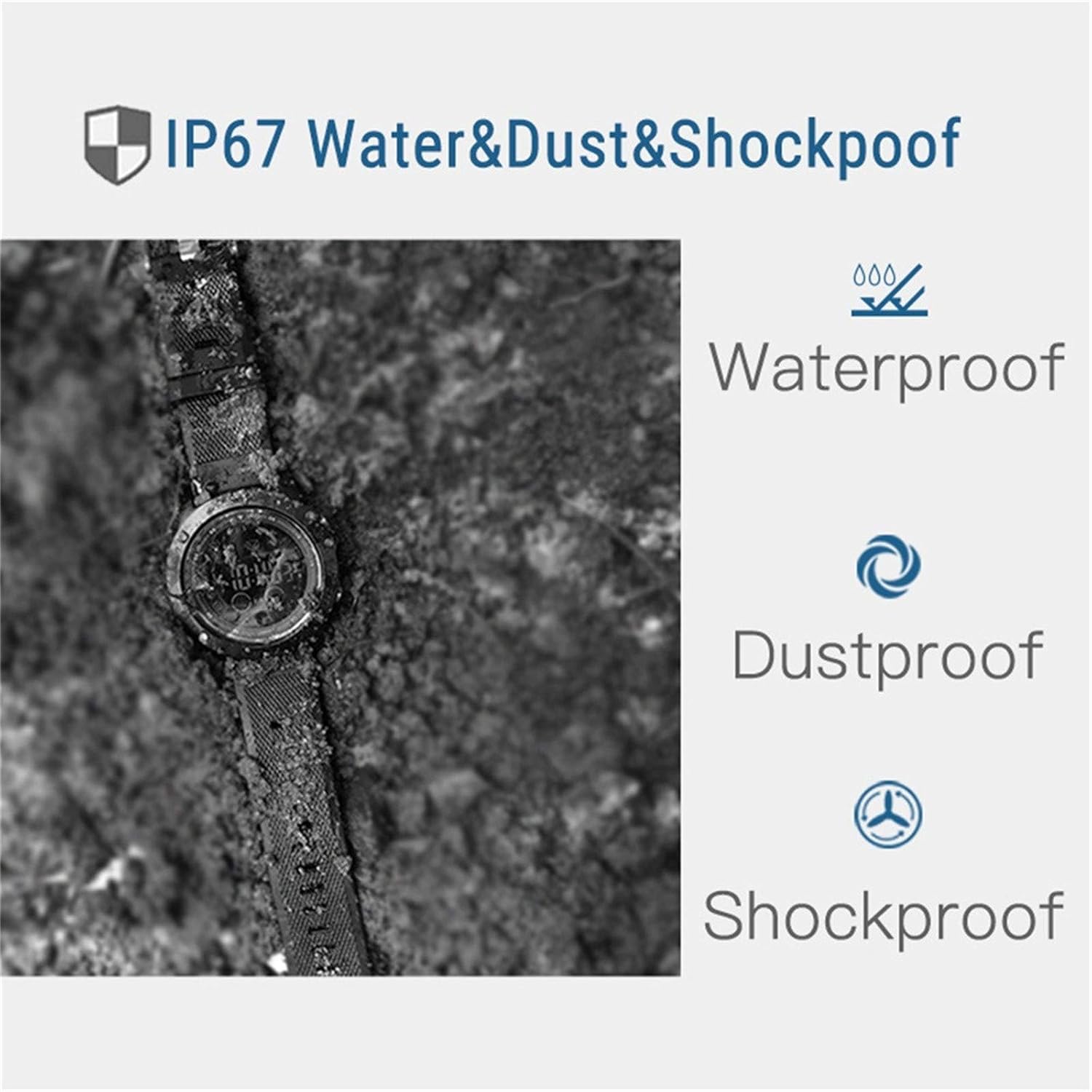
Image: This image demonstrates the IP67 rating, highlighting the watch's resistance to water, dust, and shock. The watch is shown in a rugged environment, emphasizing its durability.
ທໍາຄວາມສະອາດ
ເພື່ອທຳຄວາມສະອາດໂມງອັດສະລິຍະຂອງທ່ານ, ໃຫ້ເຊັດມັນດ້ວຍຜ້າອ່ອນໆ, ເຊັດອອກດ້ວຍນ້ຳຢາລ້າງຈານ ແລະ ເຊັດໃຫ້ແຫ້ງ.amp cloth. Do not use harsh chemicals or abrasive cleaners. Ensure the watch is dry before wearing it again, especially after exposure to water.
ການດູແລຫມໍ້ໄຟ
The watch uses a CR2450 battery with a capacity of 610mAh. Battery life varies depending on usage:
- Frequent Use: Approximately 18 months
- Normal Use: Approximately 24 months
- Power-Saving Mode: Approximately 33 months
When the battery is low, replace it with a new CR2450 battery. Refer to the product packaging or manufacturer's guidelines for battery replacement instructions.

Image: This image reiterates the IP67 dust and waterproof capabilities, suitable for depths up to 50 meters. It also highlights the 1.24-inch FSTN/Full View display, designed for optimal visibility even in direct sunlight.
ການແກ້ໄຂບັນຫາ
ອຸປະກອນບໍ່ເປີດ
- ຮັບປະກັນວ່າແບັດເຕີຣີຖືກຕິດຕັ້ງຢ່າງຖືກຕ້ອງ ແລະ ມີຄ່າສາກພຽງພໍ.
- Press and hold the 'START' button (S3) for at least 3 seconds.
ບັນຫາການເຊື່ອມຕໍ່ (Bluetooth)
- Verify Bluetooth is enabled on both your watch (S1 button) and smartphone.
- Ensure the watch is within the Bluetooth range of your smartphone.
- Restart both your watch and smartphone, then attempt to re-pair through the app.
- ກວດເບິ່ງວ່າແອັບຄູ່ໄດ້ຮັບການອັບເດດເປັນເວີຊັນຫຼ້າສຸດຫຼືບໍ່.
ການອ່ານຂໍ້ມູນທີ່ບໍ່ຖືກຕ້ອງ
- ໃຫ້ແນ່ໃຈວ່າໂມງຖືກໃສ່ຢ່າງແໜ້ນໜາຢູ່ຂໍ້ມືຂອງທ່ານ.
- Calibrate the watch through the companion app if available.
- For GPS-related data, ensure your smartphone's GPS is active and the watch is connected to the app.
ຣີເຊັດອຸປະກອນ
If you experience persistent issues, you may perform a reset. Press and hold the 'RESET' button (S4) for several seconds. Refer to the app or product support for specific reset procedures if a soft reset does not resolve the issue.
ຂໍ້ມູນຈໍາເພາະ
| ຊື່ຕົວແບບ | Zeblaze Vibe 3 |
| ລຸ້ນ Bluetooth | Bluetooth 4.0 |
| ການຕໍ່ຕ້ານນ້ໍາ | IP67, 50 meters |
| ປະເພດການສະແດງ | 1.24-inch FSTN/Full View (Sunlight Visible) |
| ແວ່ນຕາສະແດງ | ແກ້ວ Corning Gorilla 4 |
| ຄວາມເຂົ້າກັນໄດ້ຂອງ OS | Android 4.4+ / iOS 7.0+ |
| ປະເພດຫມໍ້ໄຟ | CR2450 (610mAh) |
| ຊີວິດຫມໍ້ໄຟ | 18-33 ເດືອນ (ຂຶ້ນກັບການນຳໃຊ້) |
| ວັດສະດຸກໍລະນີ | DLC (Diamond-Like Carbon) bezel, 316L Stainless Steel buttons/case back |
| ວັດສະດຸສາຍ | 26mm TPU Sport Strap |
| Dial Dimensions | 50 x 50 x 14.8 ມມ |
| ນ້ຳໜັກສິນຄ້າ | 78 g |
| ພາສາທີ່ຮອງຮັບ | Simplified Chinese, English, French, Italian, German, Russian, Spanish, Portuguese, Japanese, Arabic |

Image: This visual emphasizes the robust construction of the Zeblaze Vibe 3, showcasing its 26mm sports straps, 316L stainless steel components, and the protective Corning Gorilla Glass 4 display.
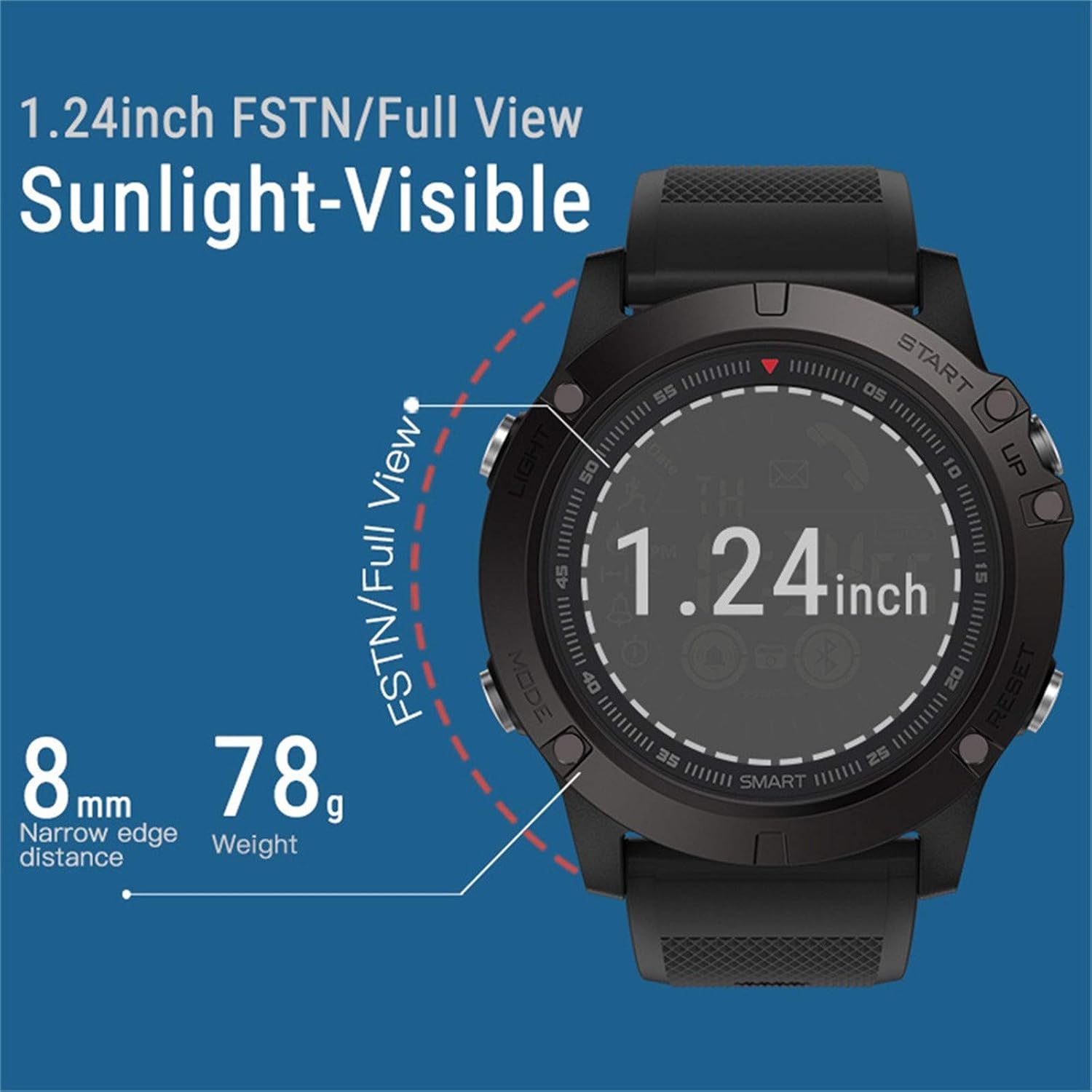
ຮູບພາບ: A close-up view of the watch's display, highlighting its 1.24-inch FSTN/Full View technology for excellent visibility in sunlight. It also indicates the slim 8mm narrow edge distance and the lightweight 78g design.
ການຮັບປະກັນແລະການສະຫນັບສະຫນູນ
ຂໍ້ມູນການຮັບປະກັນ
The Zeblaze Vibe 3 Smartwatch comes with a limited warranty. Please refer to the warranty card included in your product packaging or contact the seller for specific terms and conditions regarding warranty coverage and duration.
ການຊ່ວຍເຫຼືອລູກຄ້າ
For further assistance, technical support, or inquiries not covered in this manual, please refer to the contact information provided on your product packaging or the official Zeblaze website. Ensure you have your model number (Zeblaze Vibe 3) and purchase details ready when contacting support.