
1. ບົດແນະນຳ
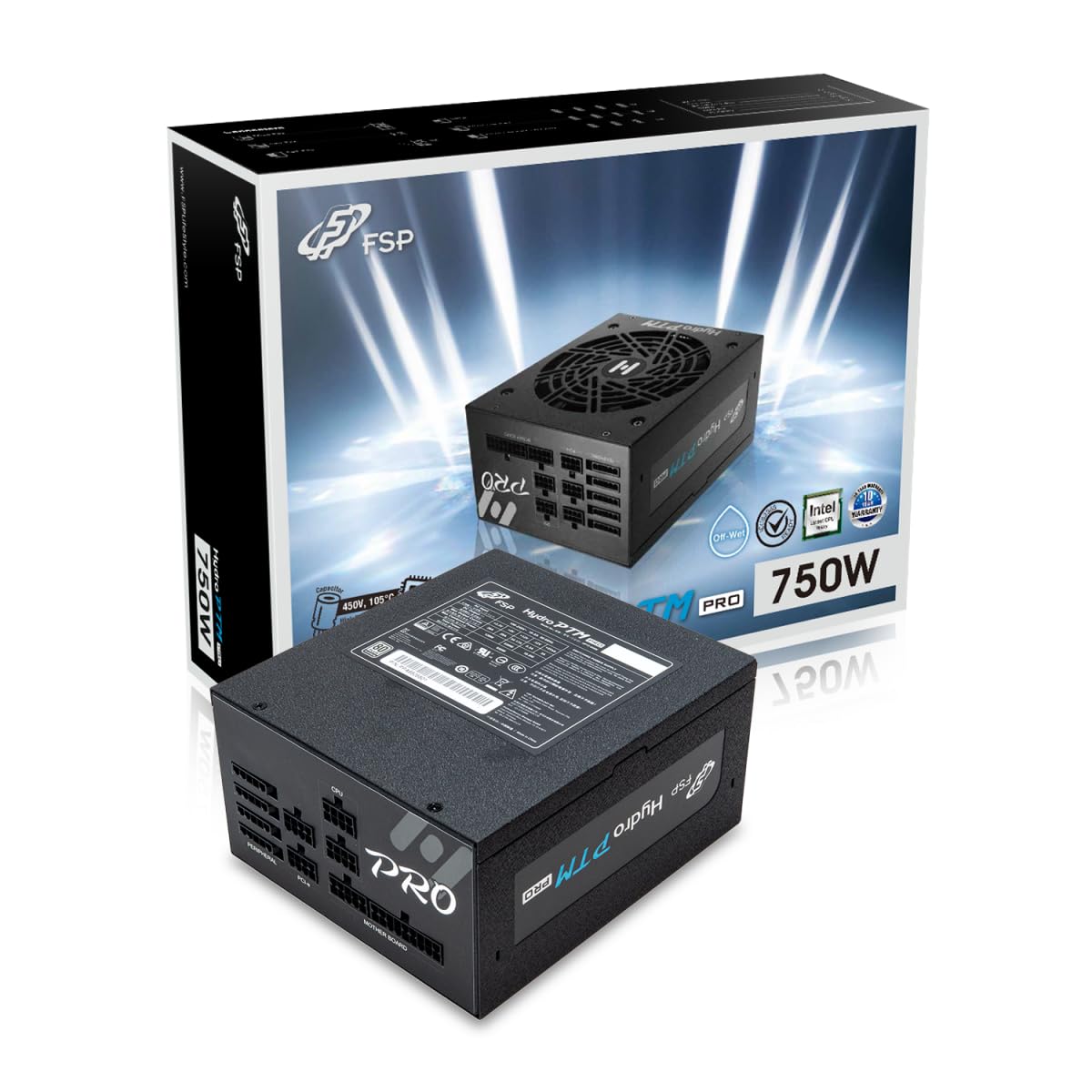
This manual provides detailed instructions for the installation, operation, and maintenance of your FSP Hydro PTM Pro 750W 80 Plus Platinum Full Modular ATX 12V Power Supply (Model: HPT2-750M). Please read this manual thoroughly before using the product to ensure proper function and safety.
The FSP Hydro PTM Pro series is designed for high efficiency and durability, featuring a conformal coating for protection against dust, humidity, and stains. It includes a semi-fanless Eco Mode for quiet operation under low loads and fully modular black ribbon cables for flexible system builds.
2. ຂໍ້ມູນຄວາມປອດໄພ
ຄຳເຕືອນ: Improper installation or use can result in serious injury or damage to the power supply and other components. Always follow these safety guidelines:
- ຢ່າເປີດຫົວຫນ່ວຍສະຫນອງພະລັງງານ. ສູງ voltagມີອຸປະກອນຢູ່ພາຍໃນ, ແລະບໍ່ມີຊິ້ນສ່ວນທີ່ຜູ້ໃຊ້ສາມາດສ້ອມແປງໄດ້. ການເປີດເຄື່ອງຈະເຮັດໃຫ້ການຮັບປະກັນເປັນໂມຄະ.
- ກວດໃຫ້ແນ່ໃຈວ່າໄດ້ຕັດການເຊື່ອມຕໍ່ຈາກປລັກສຽບໄຟ AC ກ່ອນການຕິດຕັ້ງ ຫຼື ບໍາລຸງຮັກສາ.
- ຕິດຕັ້ງແຫຼ່ງຈ່າຍໄຟໃນພື້ນທີ່ທີ່ມີລະບາຍອາກາດດີ.
- Use only the modular cables provided with this power supply. Using incompatible cables may cause damage to the power supply and connected components.
- This product is designed for use in personal computers. Do not use it for any other purpose.
- Keep the power supply away from water, moisture, and extreme temperatures.
- ໃຫ້ແນ່ໃຈວ່າການເຊື່ອມຕໍ່ທັງຫມົດແມ່ນປອດໄພກ່ອນທີ່ຈະເປີດຢູ່ໃນລະບົບ.

3. ເນື້ອໃນຊຸດ
ກວດສອບວ່າລາຍການທັງຫມົດແມ່ນມີຢູ່ໃນຊຸດຂອງທ່ານ:
- FSP Hydro PTM Pro 750W Power Supply Unit (HPT2-750M)
- ສາຍໄຟ AC
- Modular Cable Set (refer to the "Cable Length and Connectors" section for details)
- screws ການຕິດຕັ້ງ
- ຄູ່ມືຜູ້ໃຊ້ (ເອກະສານນີ້)
4. ການຕິດຕັ້ງແລະການຕິດຕັ້ງ
4.1 ການຕິດຕັ້ງທາງດ້ານຮ່າງກາຍ
- ກະກຽມລະບົບຂອງທ່ານ: ກວດໃຫ້ແນ່ໃຈວ່າຄອມພິວເຕີຂອງທ່ານຖືກປິດ ແລະຖອດປລັກສຽບອອກຈາກປລັກສຽບໄຟ.
- ຖອດແຫຼ່ງຈ່າຍໄຟເກົ່າອອກ (ຖ້າມີ): Disconnect all cables from your old power supply and remove it from the PC case.
- ຕິດຕັ້ງແຫຼ່ງຈ່າຍໄຟ: Insert the FSP Hydro PTM Pro 750W into the power supply bay of your PC case. Secure it with the provided mounting screws.
- Connect Motherboard Cables:
- Connect the 20+4 Pin ATX cable to your motherboard's main power connector.
- Connect the 4+4 Pin CPU (EPS) cable(s) to your motherboard's CPU power connector(s).
- ເຊື່ອມຕໍ່ສາຍອຸປະກອນພ່ວງ:
- Connect the 6+2 Pin PCI-E cables to your graphics card(s).
- ເຊື່ອມຕໍ່ສາຍໄຟ SATA ກັບ SSDs, HDDs ແລະ optical drives ຂອງທ່ານ.
- Connect Molex cables to any other peripherals requiring them.
- ການເຊື່ອມຕໍ່ທີ່ປອດໄພ: Ensure all modular cables are firmly seated into both the power supply and the respective components.
- ເຊື່ອມຕໍ່ພະລັງງານ AC: Plug the AC power cord into the power supply's AC inlet and then into a wall outlet or surge protector.
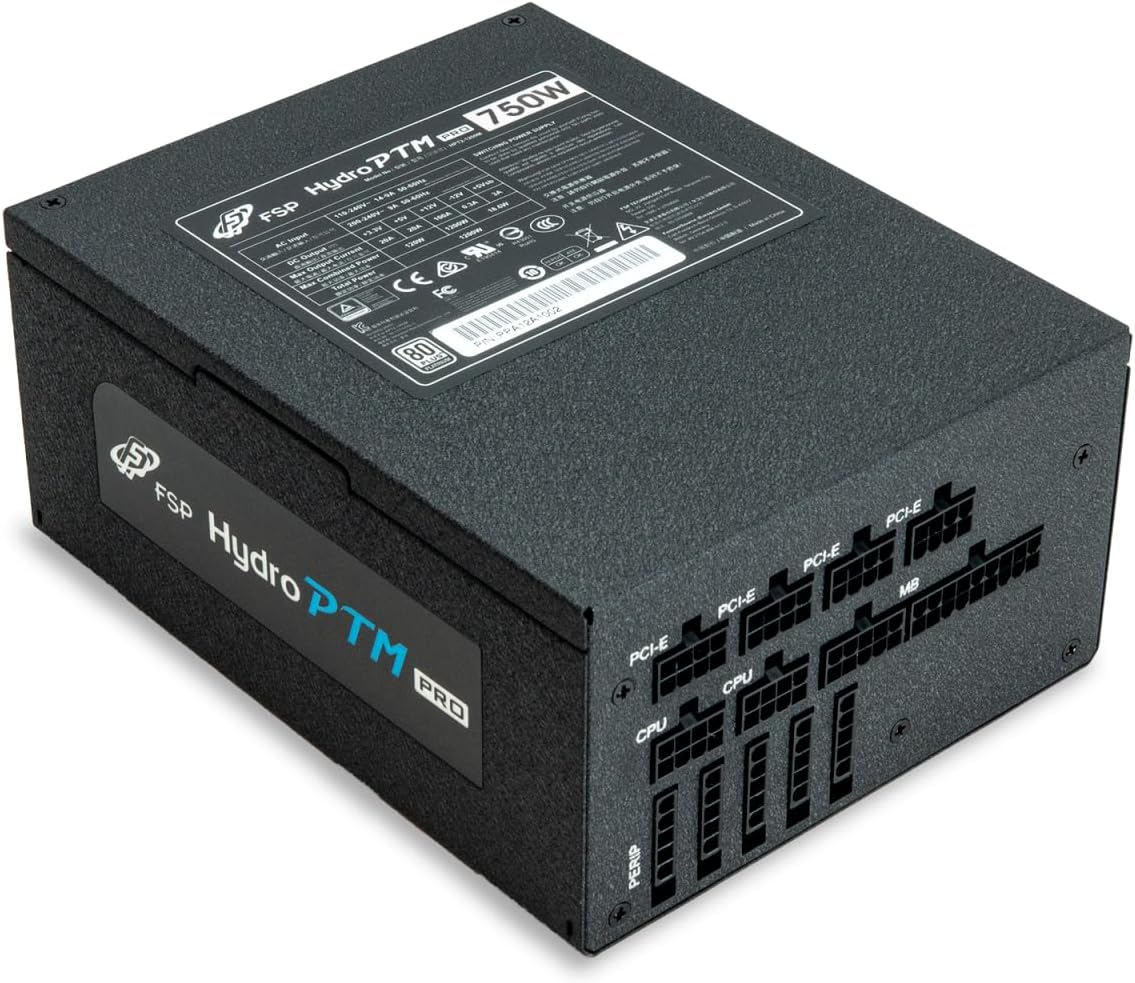
4.2 Cable Length and Connectors
The FSP Hydro PTM Pro 750W comes with a set of fully modular black ribbon cables. Refer to the diagram below for connector types and approximate lengths.

5. ການດໍາເນີນງານ
5.1 ການເປີດ/ປິດ
After completing the installation, ensure the main power switch on the back of the power supply is in the "ON" (I) position. You can then power on your computer using its case power button.
5.2 ໂໝດ Eco
The Hydro PTM Pro features a semi-fanless Eco Mode. When enabled, the power supply fan will remain off until the system load exceeds approximately 30%. This provides silent operation during low-power tasks.
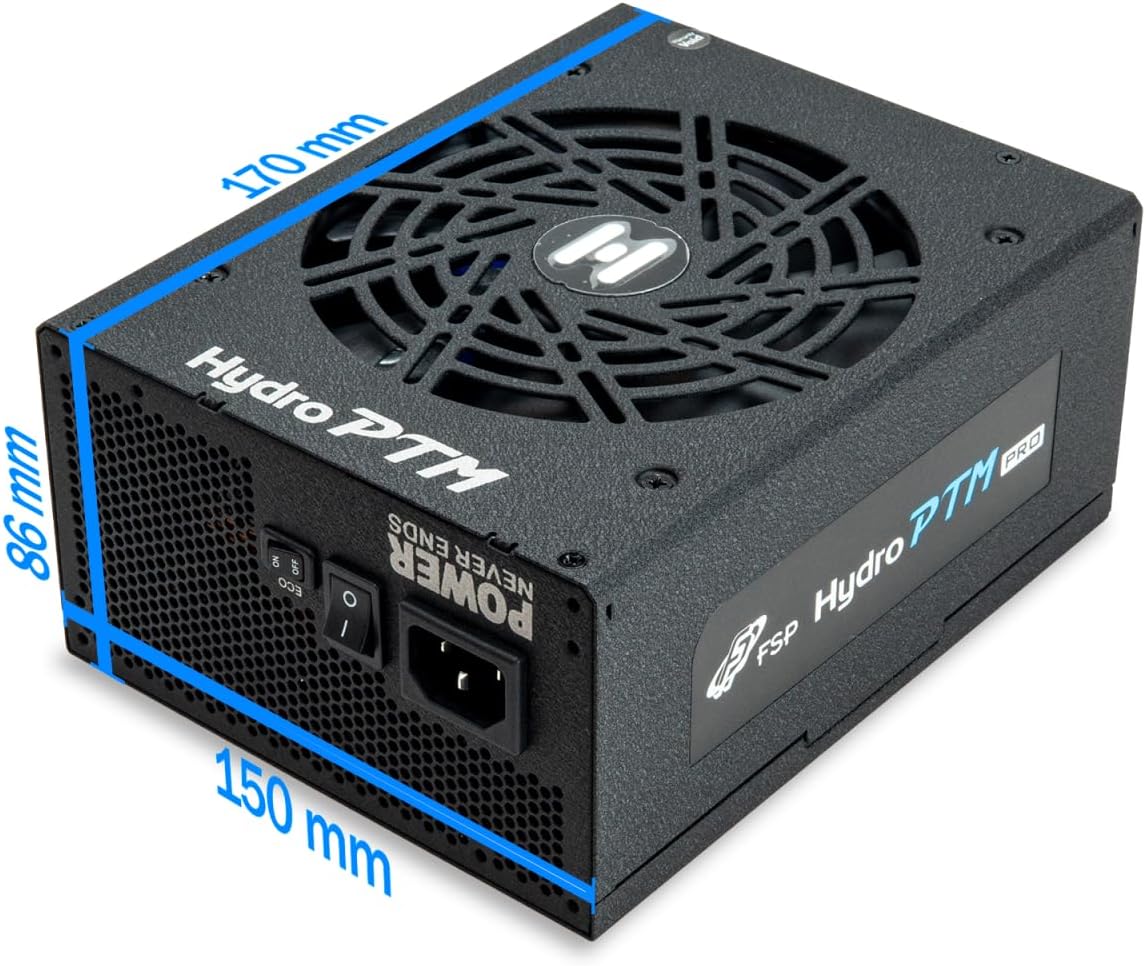
- To activate Eco Mode: Locate the "ECO" switch next to the main power switch on the rear of the power supply and set it to the "ON" position.
- To disable Eco Mode: Set the "ECO" switch to the "OFF" position. The fan will operate continuously based on temperature.
ວິດີໂອ: ຫຼາຍກວ່າview of the FSP Hydro PTM Pro series, highlighting features like conformal coating, Eco Mode, and modular design. This video is provided by FSP GROUP USA.
6. ບໍາລຸງຮັກສາ
6.1 ການທໍາຄວາມສະອາດ
To maintain optimal performance and longevity, periodically clean your power supply:
- Ensure the power supply is completely powered off and unplugged from the AC outlet before cleaning.
- Use compressed air to gently remove dust from the fan grille and ventilation openings.
- Wipe the exterior with a soft, dry cloth. Do not use liquid cleaners or solvents.
6.2 ການປົກປ້ອງສິ່ງແວດລ້ອມ
The FSP Hydro PTM Pro features a proprietary conformal coating that protects internal components from dust, humidity, and stains. This allows the power supply to reliably operate in environments with up to 95% relative humidity. While this coating offers enhanced protection, it is still recommended to operate the power supply in a clean, dry environment for best results.
7. ການແກ້ໄຂບັນຫາ
ຖ້າຫາກທ່ານພົບບັນຫາກັບການສະຫນອງພະລັງງານຂອງທ່ານ, ເບິ່ງບັນຫາທົ່ວໄປດັ່ງຕໍ່ໄປນີ້ແລະການແກ້ໄຂ:
| ບັນຫາ | ສາເຫດທີ່ເປັນໄປໄດ້ | ການແກ້ໄຂ |
|---|---|---|
| ລະບົບບໍ່ເປີດ. |
|
|
| ລະບົບເປີດແຕ່ປິດທັນທີ. |
|
|
| Fan is not spinning (Eco Mode off). |
|
|
If the problem persists after attempting these solutions, please contact FSP customer support.
8. ຂໍ້ມູນຈໍາເພາະ
| ຄຸນສົມບັດ | ລາຍລະອຽດ |
|---|---|
| ຊື່ຕົວແບບ | Hydro PTM Pro (HPT2-750M) |
| ຍີ່ຫໍ້ | FSP |
| ຜົນຜະລິດວັດtage | 750W |
| ການຮັບຮອງ 80 Plus | Platinum |
| ປັດໄຈແບບຟອມ | ATX |
| ການອອກແບບການສະຫນອງພະລັງງານ | Modular ເຕັມ |
| ວິທີການເຮັດຄວາມເຢັນ | ອາກາດ (ພັດລົມ 135 ມມ) |
| ການປ້ອນຂໍ້ມູນ Voltage | 115-240 ໂວນ |
| ຂະໜາດ (L x W x H) | 170 x 150 x 86 ມມ (6.7 x 5.9 x 3.4 ນິ້ວ) |
| ການປົກປ້ອງ | OCP, OVP, SCP, OPP, UVP, OTP |
| ຕົວເກັບປະຈຸ | Japanese-made Electrolytic Capacitors |
| PFC | Active PFC ≥ 99% |
| ການເຄືອບ Conformal | Yes (Dust, Humidity, Stain protection) |
9. ການຮັບປະກັນແລະການສະຫນັບສະຫນູນ
9.1 ຂໍ້ມູນການຮັບປະກັນ
The FSP Hydro PTM Pro 750W power supply is covered by a ຮັບປະກັນ 10 ປີ ຈາກວັນທີ່ຊື້. ການຮັບປະກັນນີ້ກວມເອົາຂໍ້ບົກພ່ອງຂອງວັດສະດຸແລະການເຮັດວຽກພາຍໃຕ້ການນໍາໃຊ້ປົກກະຕິ. ກະລຸນາຮັກສາຫຼັກຖານການຊື້ຂອງທ່ານສໍາລັບການຮຽກຮ້ອງການຮັບປະກັນ.
ການຮັບປະກັນບໍ່ໄດ້ກວມເອົາຄວາມເສຍຫາຍທີ່ເກີດຈາກ:
- ການຕິດຕັ້ງຫຼືການດໍາເນີນງານທີ່ບໍ່ຖືກຕ້ອງ.
- Accidental damage, abuse, or misuse.
- ການສ້ອມແປງຫຼືການດັດແກ້ທີ່ບໍ່ໄດ້ຮັບອະນຸຍາດ.
- Natural disasters or external causes.
9.2 ສະຫນັບສະຫນູນລູກຄ້າ
For technical assistance, troubleshooting, or warranty inquiries, please contact FSP customer support. Refer to the official FSP webເວັບໄຊສຳລັບຂໍ້ມູນຕິດຕໍ່ທີ່ທັນສະໄໝທີ່ສຸດ.
FSP GROUP USA
Visit the FSP Store on Amazon