
ແນະນຳ
Thank you for choosing the SLuB Bone Conduction Headphones F806. These open-ear wireless earphones utilize advanced bone conduction technology and Bluetooth 5.0 connectivity to provide a unique audio experience while keeping you aware of your surroundings. This manual provides detailed instructions for setup, operation, maintenance, and troubleshooting to ensure optimal performance and longevity of your device.
ສິນຄ້າເກີນview
ຄຸນນະສົມບັດທີ່ສໍາຄັນ
- ເຕັກໂນໂລຊີການນໍາເອົາກະດູກ: Delivers audio through your cheekbones, leaving your ears open to ambient sounds.
- ການອອກແບບເປີດຫູ: Enhances situational awareness, ideal for outdoor activities.
- Bluetooth 5.0: ສະຫນອງການເຊື່ອມຕໍ່ໄຮ້ສາຍທີ່ຫມັ້ນຄົງແລະປະສິດທິພາບ.
- ນ້ຳໜັກເບົາສຸດພິເສດ: Weighs approximately 35 grams for comfortable extended wear.
- ກັນນ້ ຳ IPX5: Resistant to sweat and light rain, suitable for sports.
- ຊີວິດຫມໍ້ໄຟຍາວ: ຫຼິ້ນຕໍ່ເນື່ອງໄດ້ສູງສຸດ 8 ຊົ່ວໂມງ.
ສ່ວນປະກອບຂອງຜະລິດຕະພັນ

ຮູບທີ 1: ເກີນview of SLuB Bone Conduction Headphones F806, highlighting features such as 180 mAh battery, 9h talk time, 8h play time, 180h standby time, and 25g weight, suitable for cycling, climbing, working, gym, and running.

ຮູບທີ 2: Illustration of the open-ear design, allowing users to hear surroundings and avoid potential dangers while enjoying music.

ຮູບທີ 3: Explanation of bone conduction technology, which delivers audio to the auditory nerve via the cheekbone, keeping both ears open.

ຮູບທີ 4: Demonstration of the headphones' resilient and durable titanium wire skeleton, capable of 360° bending without deformation.

ຮູບທີ 5: Visual representation of the IPX5 waterproof rating, indicating nano-coating protection against sweat and water.
ຄໍາແນະນໍາການຕິດຕັ້ງ
1. ການສາກຫູຟັງ
- Locate the USB charging interface on the headphones.
- Connect the provided USB charging cable to the headphones and a compatible USB power source (e.g., computer USB port, wall adapter).
- The indicator light will illuminate during charging. Once fully charged, the light will change color or turn off, depending on the model. A full charge typically takes approximately 2 hours.
ຮູບທີ 6: Location of the USB Charging Interface, Indicator Light, and Volume controls.
2. ການຈັບຄູ່ Bluetooth
- ເປີດ: Press and hold the multifunction button (Power Button) for 2 seconds until the indicator light flashes, indicating pairing mode.
- ເປີດໃຊ້ Bluetooth: ໃນອຸປະກອນຂອງທ່ານ (ໂທລະສັບສະຫຼາດ, ແທັບເລັດ, ແລະອື່ນໆ), ເປີດໃຊ້ Bluetooth.
- ເລືອກອຸປະກອນ: ຊອກຫາ "SLuB F806" or a similar name in the list of available Bluetooth devices and select it to connect.
- ການຢືນຢັນ: Once successfully paired, the indicator light will stop flashing or show a steady light, and you may hear an audio prompt.

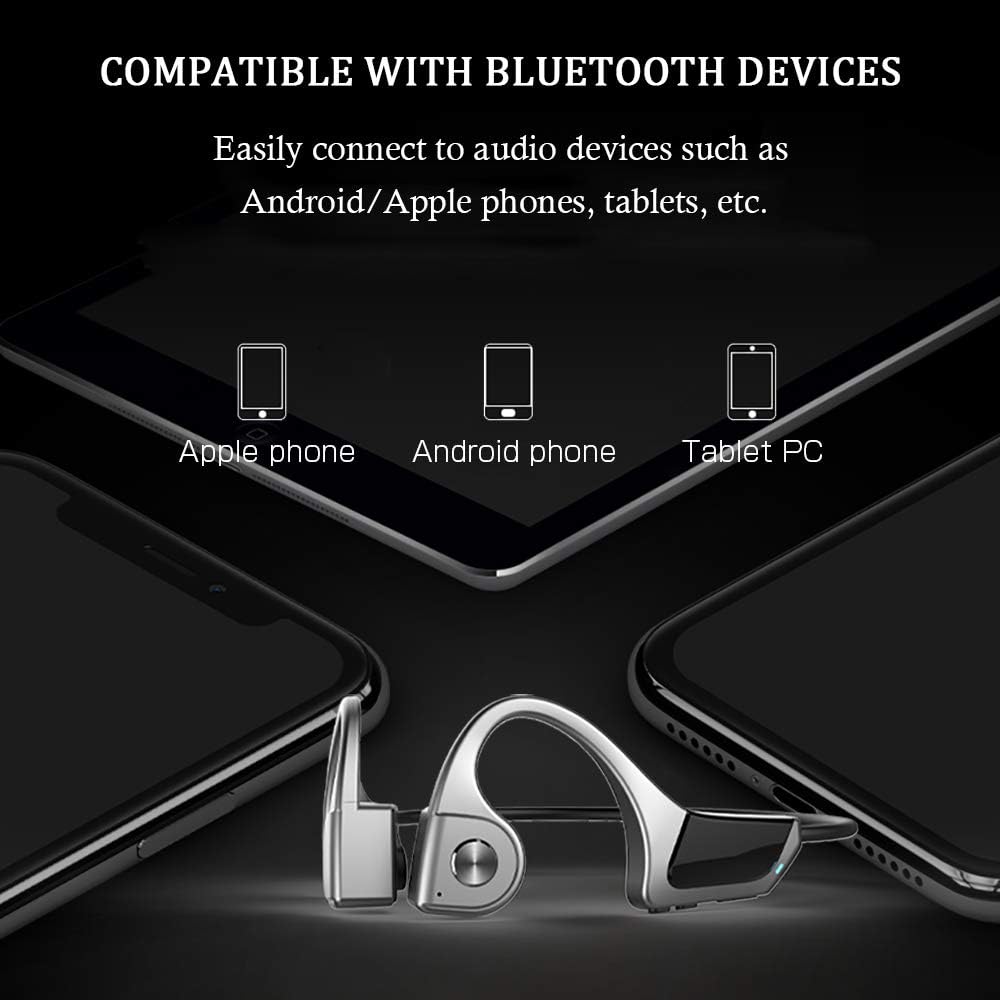
ຮູບທີ 7: Compatibility with various Bluetooth devices, including Apple phones, Android phones, and Tablet PCs.
ຄໍາແນະນໍາການດໍາເນີນງານ
ຟັງຊັນປຸ່ມ

ຮູບທີ 8: Detailed functions of the micro raised buttons for easy control.
| ຟັງຊັນ | ການປະຕິບັດ |
|---|---|
| ເປີດ/ປິດ | ກົດແລະຖືປຸ່ມ multifunction ເປັນເວລາ 2 ວິນາທີ. |
| ໂທອອກດ້ວຍສຽງ | Press and hold the multifunction button for 2 seconds (when powered on). |
| ເພີ່ມສຽງ (+) / ຫຼຸດສຽງ (-) | Click the +/- key. |
| ຮັບສາຍ / ວາງສາຍ | ກົດປຸ່ມຫຼາຍໜ້າທີ່. |
| ຫຼິ້ນ / ຢຸດດົນຕີ | ກົດປຸ່ມຫຼາຍໜ້າທີ່. |
| ຕິດຕາມຕໍ່ໄປ / ຕໍ່ໄປ | Long press the +/- key. |
ບໍາລຸງຮັກສາ
- ທໍາຄວາມສະອາດ: ເຊັດຫູຟັງແບບອ່ອນໆ, ງamp ຜ້າ. ຢ່າໃຊ້ສານເຄມີທີ່ຮຸນແຮງຫຼືວັດສະດຸຂັດ.
- ການເກັບຮັກສາ: ເກັບຮັກສາຫູຟັງໄວ້ໃນບ່ອນທີ່ເຢັນ, ແຫ້ງ, ຫ່າງຈາກແສງແດດໂດຍກົງ ແລະອຸນຫະພູມທີ່ຮ້າຍກາດ.
- ການສາກໄຟ: ໃຫ້ແນ່ໃຈວ່າຊ່ອງສາກໄຟແຫ້ງກ່ອນເຊື່ອມຕໍ່ສາຍສາກ.
- ການເປີດເຜີຍນ້ໍາ: While IPX5 rated, avoid submerging the headphones in water. Dry thoroughly if exposed to sweat or rain.
ການແກ້ໄຂບັນຫາ
| ບັນຫາ | ການແກ້ໄຂທີ່ເປັນໄປໄດ້ |
|---|---|
| ຫູຟັງບໍ່ເປີດ. | Ensure the headphones are fully charged. Press and hold the multifunction button for 2 seconds. |
| ບໍ່ສາມາດຈັບຄູ່ກັບອຸປະກອນໄດ້. |
|
| ບໍ່ມີສຽງ ຫຼືສຽງຕໍ່າ. |
|
| ຄຸນນະພາບການໂທບໍ່ດີ. |
|
ຂໍ້ມູນຈໍາເພາະ
| ຄຸນສົມບັດ | ລາຍລະອຽດ |
|---|---|
| ໝາຍເລກຕົວແບບ | F806 |
| ຍີ່ຫໍ້ | SLuB |
| ເຕັກໂນໂລຊີການເຊື່ອມຕໍ່ | Bluetooth 5.0, Wireless |
| ການຈັດວາງຫູ | ເປີດຫູ |
| ລະດັບຄວາມຕ້ານທານນ້ໍາ | ກັນນໍ້າ IPX5 |
| ນ້ໍາຫນັກລາຍການ | 35 ກຣາມ |
| ວັດສະດຸ | ພາດສະຕິກ |
| ປະເພດການຄວບຄຸມ | ການຄວບຄຸມສື່ |
| ວິທີການຄວບຄຸມ | Touch (referring to button presses) |
| ການນໍາໃຊ້ສະເພາະ | ກິລາແລະອອກກໍາລັງກາຍ |
ການຮັບປະກັນແລະການສະຫນັບສະຫນູນ
For warranty information and customer support, please refer to the documentation included with your purchase or contact the retailer. Keep your proof of purchase for any warranty claims.