
ແນະນຳ
Thank you for choosing the GTRACING GT890MF Gaming Chair. This manual provides detailed instructions for the assembly, operation, maintenance, and troubleshooting of your new gaming chair. Please read this manual carefully before use to ensure proper function and longevity of the product. Keep this manual for future reference.
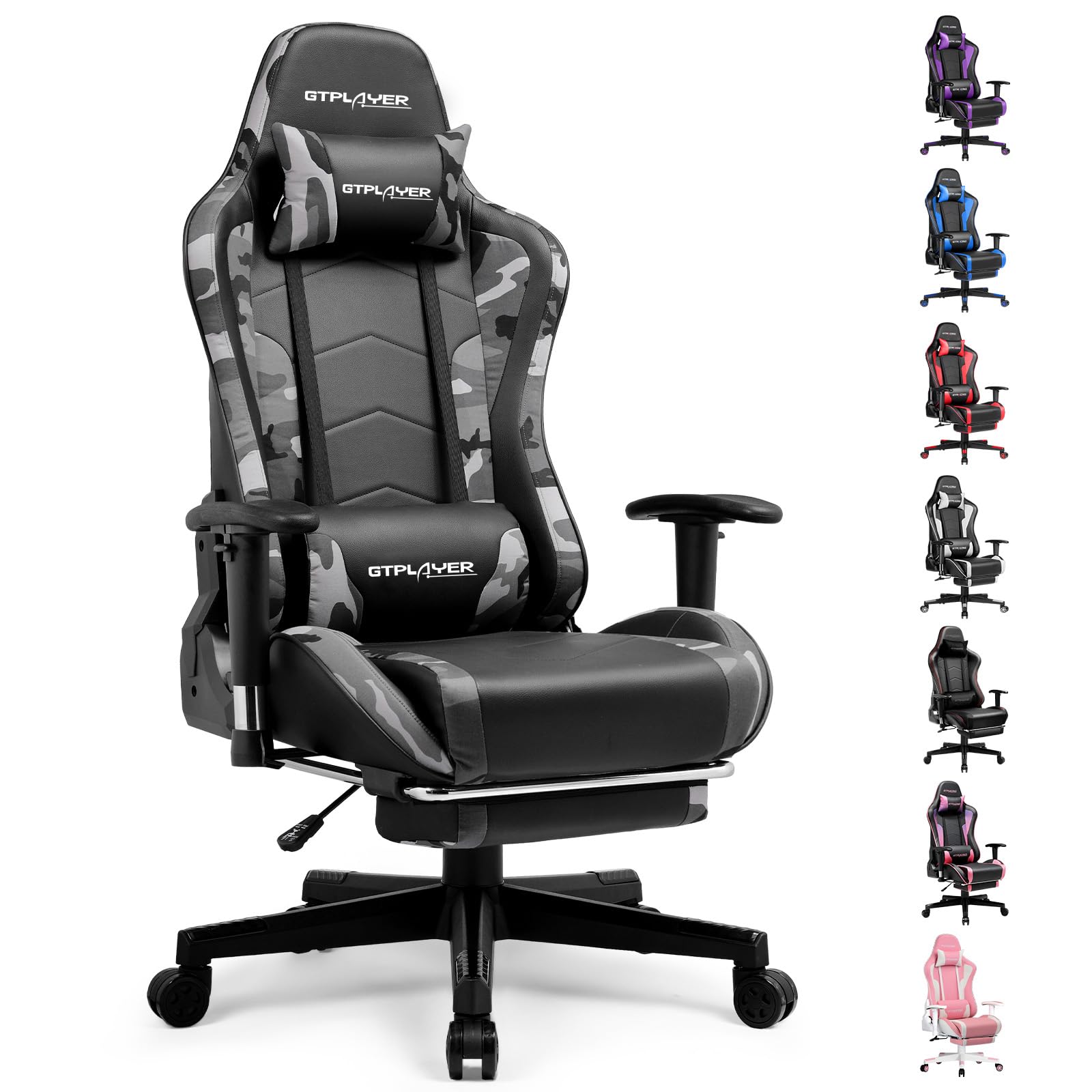
Image: The GTRACING GT890MF Gaming Chair, featuring a camouflage pattern, footrest, and integrated Bluetooth speakers, set up in a gaming environment.
ຂໍ້ມູນຄວາມປອດໄພ
- ສໍາລັບການນໍາໃຊ້ພາຍໃນເຮືອນເທົ່ານັ້ນ.
- ຄວາມອາດສາມາດນ້ໍາຫນັກສູງສຸດ: 300 lbs. ບໍ່ເກີນຂອບເຂດຈໍາກັດນີ້.
- Use caution when adjusting chair height and recline to prevent injury.
- ໃຫ້ແນ່ໃຈວ່າ screws ແລະ bolts ທັງຫມົດໄດ້ຖືກ tightened ຢ່າງປອດໄພກ່ອນທີ່ຈະນໍາໃຊ້ແລະແຕ່ລະໄລຍະການກວດສອບການວ່າງ.
- ຮັກສາມື ແລະນິ້ວມືໃຫ້ຊັດເຈນຂອງພາກສ່ວນທີ່ເຄື່ອນຍ້າຍໃນລະຫວ່າງການປັບ.
- ຢ່າຢືນຢູ່ເທິງເກົ້າອີ້.
ການຕິດຕັ້ງແລະການປະກອບ
Assembly is required for this chair. Please follow the steps below carefully. It is recommended to have two people for assembly.
ເນື້ອໃນຊຸດ

Image: An exploded diagram showing all components of the GTRACING GT890MF Gaming Chair, including the backrest, seat, armrests, base, wheels, gas lift, and footrest.
ຂັ້ນຕອນການປະກອບ
- ຕິດທີ່ວາງແຂນ: Securely fasten the armrests to the seat base using the provided screws. Ensure they are oriented correctly.
- ເຊື່ອມຕໍ່ກັບທີ່ນັ່ງ: Align the backrest with the seat mechanism and attach it using the designated bolts.
- ຕິດຕັ້ງ footrest ໄດ້: ເລື່ອນບ່ອນວາງຕີນເຂົ້າໄປໃນຊ່ອງທີ່ກຳນົດໄວ້ພາຍໃຕ້ບ່ອນນັ່ງ.
- ປະກອບພື້ນຖານ: Insert the casters (wheels) into the star base. Place the gas lift cylinder into the center hole of the star base.
- ຕິດບ່ອນນັ່ງກັບຖານ: ຄ່ອຍໆວາງບ່ອນນັ່ງ ແລະ ພະນັກພິງຫຼັງທີ່ປະກອບເຂົ້າກັນແລ້ວໃສ່ກະບອກຍົກອາຍແກັສ, ຮັບປະກັນວ່າມັນຕັ້ງຢູ່ຢ່າງແໜ້ນໜາ.
- ຕິດໝອນຮອງຫົວ ແລະ ໝອນຮອງແອວ: ຈັດວາງບ່ອນວາງຫົວ ແລະໝອນຮອງແອວຕາມທີ່ຕ້ອງການ.
ຄໍາແນະນໍາການດໍາເນີນງານ
ການປັບເກົ້າອີ້
- ການປັບຄວາມສູງບ່ອນນັ່ງ: Pull the lever located under the right side of the seat upwards to raise or lower the seat. Release the lever at the desired height.
- ເບາະນັ່ງ: Pull the lever on the right side of the chair upwards to recline the backrest. Lean back to the desired angle (90 to 160 degrees) and release the lever to lock it in place.
- ປັບແຂນ: The armrests are multi-directional. Use the buttons or levers on the armrests to adjust their height, pivot, and slide forward/backward.
- ສ່ວນຂະຫຍາຍຕີນ: Pull the footrest out from under the seat when desired. Push it back in when not in use.
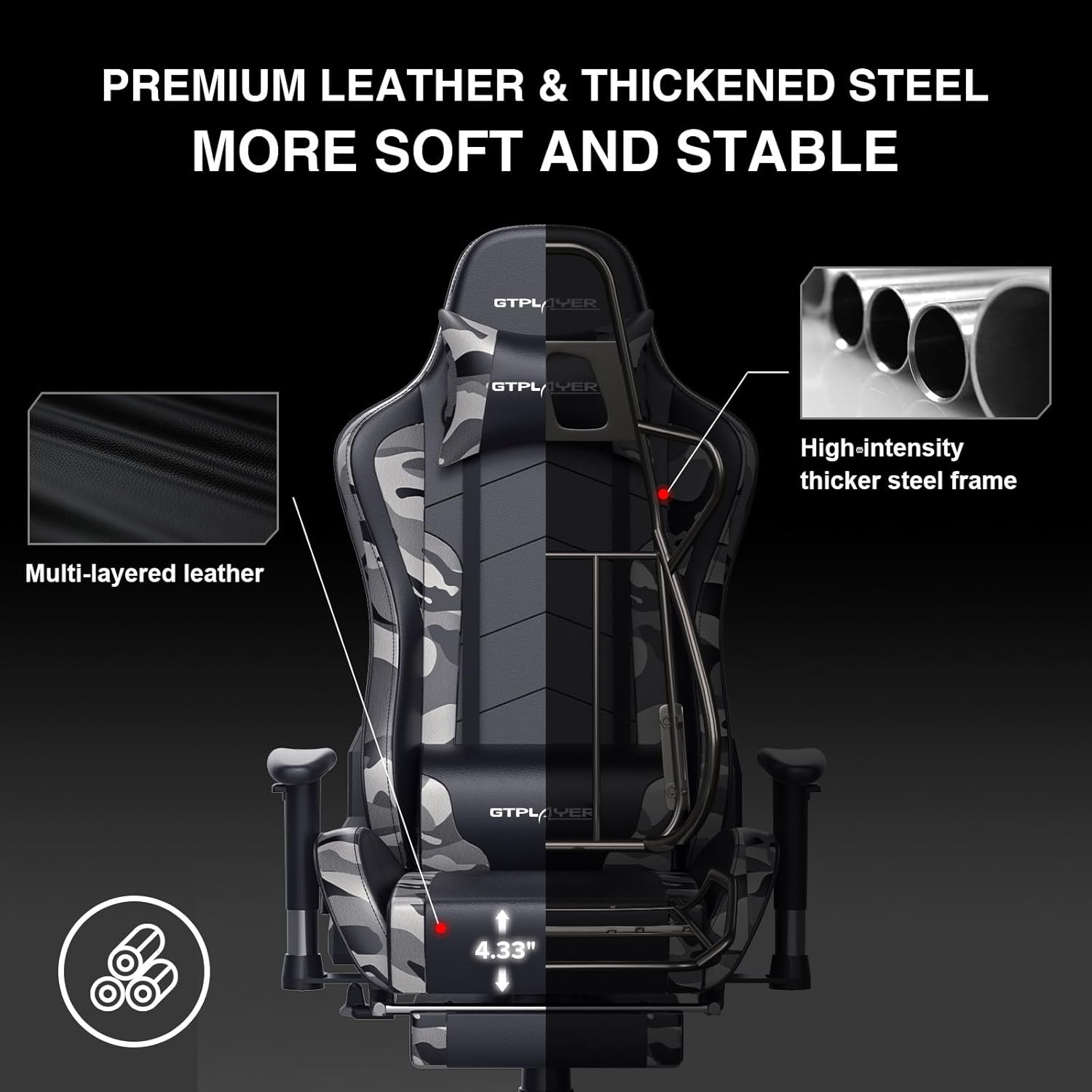
Image: The GTRACING GT890MF Gaming Chair demonstrating its backrest recline function, adjustable from 90 degrees for work to 155 degrees for resting.

ຮູບພາບ: A close-up view of the GTRACING GT890MF Gaming Chair's adjustable multi-directional armrests, highlighting their ability to move up, down, and pivot for optimal positioning.
ການເຮັດວຽກຂອງລໍາໂພງ Bluetooth
Your GTRACING GT890MF chair is equipped with dual Bluetooth 5.1 speakers for an immersive audio experience.
- ເປີດ: Locate the power button for the Bluetooth speakers, typically on the side or back of the chair. Press and hold to power on. A sound or indicator light will confirm activation.
- ຮູບແບບການຈັບຄູ່: The speakers will automatically enter pairing mode when powered on for the first time, or if no device is connected. An indicator light will usually flash.
- ເຊື່ອມຕໍ່ອຸປະກອນ: On your smartphone, tablet, or other Bluetooth-enabled device, go to Bluetooth settings and search for available devices. Select "GTPLAYER" or a similar name to connect.
- ການຫຼິ້ນສຽງ: Once connected, audio from your device will play through the chair's speakers. Adjust volume from your connected device.
- ປິດພະລັງງານ: Press and hold the power button again to turn off the speakers.

Image: The GTRACING GT890MF Gaming Chair with a visual representation of sound waves emanating from the integrated Bluetooth speakers in the headrest area.

Image: A detailed diagram illustrating the dual Bluetooth 5.1 speakers within the GTRACING GT890MF Gaming Chair, highlighting features like clear treble, stereo sound, HiFi audio, and dust prevention.

Image: A user seated in the GTRACING GT890MF Gaming Chair, with an illustration showing how the chair's Bluetooth speakers can connect to various devices like PC/TV, PS4/PS5/XBOX, and other Bluetooth 5.1 enabled devices. A separate USB Bluetooth transmitter is shown as an option for non-Bluetooth devices.
ບໍາລຸງຮັກສາ
- ທໍາຄວາມສະອາດ: ເຊັດໃຫ້ສະອາດດ້ວຍການໂຄສະນາamp ຜ້າ. ຫຼີກລ່ຽງສານເຄມີທີ່ຮຸນແຮງ ຫຼືເຄື່ອງເຮັດຄວາມສະອາດຂັດທີ່ອາດທຳລາຍຜ້າຫຸ້ມໜັງປອມ.
- ການກວດກາ: ກວດສອບສະກູ ແລະ ສະກູທັງໝົດເປັນໄລຍະໆ ເພື່ອຮັບປະກັນວ່າມັນແໜ້ນດີ. ຂັນຄືນຖ້າຈຳເປັນ.
- ການດູແລ Caster: ຮັກສາຕົວລໍ້ໃຫ້ບໍ່ມີຂົນ ແລະສິ່ງເສດເຫຼືອເພື່ອຮັບປະກັນການມ້ວນກ້ຽງ.
- ການເກັບຮັກສາ: Store the chair in a dry, cool place away from direct sunlight to prevent material degradation.
ການແກ້ໄຂບັນຫາ
| ບັນຫາ | ສາເຫດທີ່ເປັນໄປໄດ້ | ການແກ້ໄຂ |
|---|---|---|
| ເກົ້າອີ້ບໍ່ໄດ້ປັບຄວາມສູງ | Gas lift lever not engaged or gas lift faulty. | Ensure the lever is fully pulled. If issue persists, contact support for gas lift replacement. |
| Backrest does not recline/lock | Recline lever not engaged or mechanism obstructed. | Ensure the recline lever is fully pulled/released. Check for obstructions in the recline mechanism. |
| Bluetooth speakers not pairing | Speakers not powered on, out of range, or already paired to another device. | Ensure speakers are charged and powered on. Move device closer to chair. Disconnect from other devices. Try restarting both chair speakers and your device. |
| ຕັ່ງອີ້ສັ່ນ | ສະກູວ່າງ ຫຼື ການປະກອບບໍ່ສະເໝີກັນ. | ກວດເບິ່ງແລະແຫນ້ນ bolts ປະກອບທັງຫມົດ. ໃຫ້ແນ່ໃຈວ່າເກົ້າອີ້ຢູ່ເທິງຮາບພຽງ, ລຽບ. |
ຂໍ້ມູນຈໍາເພາະ
- ຊື່ຕົວແບບ: GT890MF
- ຍີ່ຫໍ້: GTRACING
- ສີ: ຮອຍແປ້ວ
- ວັດສະດຸ: Faux Leather, Foam Fill, Steel Frame
- ຂະໜາດສິນຄ້າ (D x W x H): 20.87" x 21.65" x 53.15"
- ຄວາມສູງບ່ອນນັ່ງ: Adjustable, up to 22.04 inches
- ຄວາມເລິກບ່ອນນັ່ງ: 20.87 ນິ້ວ
- ນ້ໍາຫນັກລາຍການ: 47 ປອນ
- ແນະນຳນ້ຳໜັກສູງສຸດ: 300 ປອນ
- ຮູບແບບຫຼັງ: Solid Back, Reclining (90 to 160 degrees)
- ຄຸນນະສົມບັດພິເສດ: Adjustable Height, Adjustable Lumbar, Ergonomic Design, Foot Rest, Rolling Casters, Dual Bluetooth 5.1 Speakers
- ສະພາແຫ່ງ: ຕ້ອງການ

Image: A diagram illustrating the key dimensions of the GTRACING GT890MF Gaming Chair, including overall height, width, and depth.

Image: A detailed diagram showing various dimensions of the GTRACING GT890MF Gaming Chair, including seat height, armrest height, and backrest height, along with maximum load capacity (330 lbs) and recommended user height (6.2 ft).
ການຮັບປະກັນແລະການສະຫນັບສະຫນູນ
GTRACING offers a worry-free purchase experience for your gaming chair.
- ນະໂຍບາຍ 30 ວັນ: Free replacement or refund within 30 days of purchase.
- ການຮັບປະກັນ 1 ປີ: Free replacement or repair within 1 year of purchase for manufacturing defects.
For any questions, suggestions, or support needs, please feel free to contact our customer service team. We are dedicated to ensuring customer satisfaction.

Image: A group of customer service representatives wearing headsets, symbolizing available support.


