
1. ຜະລິດຕະພັນເກີນview
The TRUSTECH Evaporative Air Cooler (Model B085RBZ1P) is a versatile 2-in-1 appliance designed to provide both cooling and humidification. This portable tower fan features a bladeless design, three fan speeds, three operating modes, 90-degree oscillation, and an 8-hour timer for enhanced comfort and convenience.
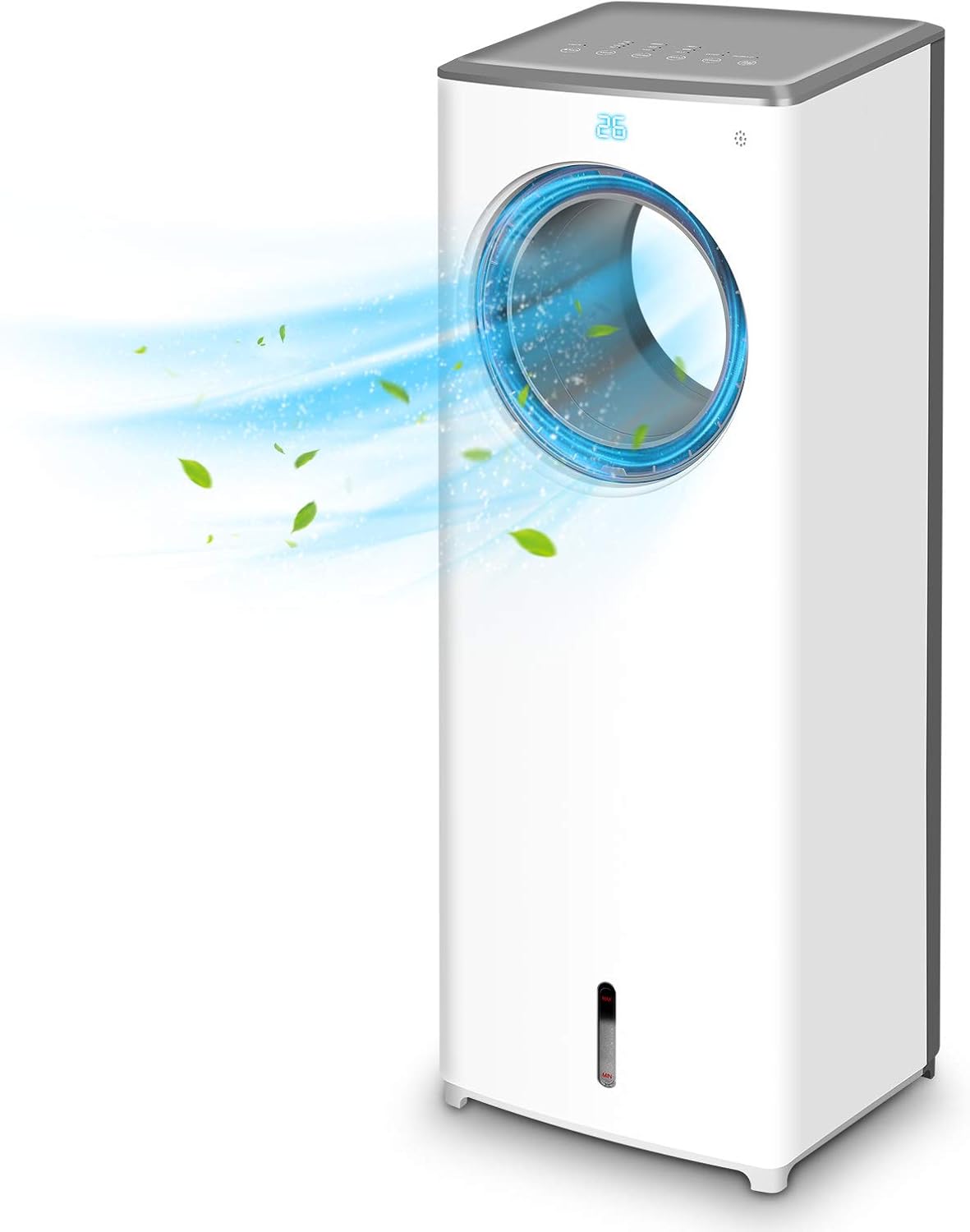
ຮູບພາບ 1.1: ດ້ານຫນ້າ view of the TRUSTECH Evaporative Air Cooler, showcasing its sleek design and air outlet.
2. ຄໍາແນະນໍາຄວາມປອດໄພ
- ອ່ານຄໍາແນະນໍາທັງຫມົດກ່ອນທີ່ຈະໃຊ້ເຄື່ອງໃຊ້.
- ຫ້າມໃຊ້ອຸປະກອນດ້ວຍສາຍໄຟ ຫຼືປລັກສຽບທີ່ເສຍຫາຍ.
- ໃຫ້ແນ່ໃຈວ່າເຄື່ອງໄດ້ຖືກວາງຢູ່ເທິງພື້ນຜິວທີ່ມີລະດັບຄວາມຫມັ້ນຄົງເພື່ອປ້ອງກັນການບິດ.
- ຫ້າມປິດທາງເຂົ້າຫຼືຊ່ອງອອກອາກາດ.
- Unplug the unit before cleaning, refilling water, or performing any maintenance.
- Keep out of reach of children and pets. The bladeless design enhances safety, but supervision is always recommended.
- Do not use in excessively humid environments or near water sources to avoid electrical hazards.

Image 2.1: The bladeless design of the air cooler, highlighting its safety features for households with children and pets.
3. ການຕິດຕັ້ງແລະການປະກອບ
- ການຫຸ້ມຫໍ່: ຄ່ອຍໆເອົາເຄື່ອງເຮັດຄວາມເຢັນອອກຈາກການຫຸ້ມຫໍ່. ເກັບການຫຸ້ມຫໍ່ໄວ້ເພື່ອເກັບຮັກສາ ຫຼື ຂົນສົ່ງໃນອະນາຄົດ.
- ການຈັດວາງ: Position the unit on a firm, level surface away from direct sunlight and heat sources. Ensure there is adequate space around the unit for proper airflow.
- ການຕື່ມໃສ່ຖັງນໍ້າ:
- ຊອກຫາຖັງນໍ້າຢູ່ທາງລຸ່ມຂອງຕົວເຄື່ອງ.
- Pull out the water tank gently.
- Fill the tank with clean, cool water. Do not exceed the 'MAX' fill line.
- For enhanced cooling, place the included ice crystal boxes (after freezing) or ice cubes into the water tank.
- ເລື່ອນຖັງນ້ໍາກັບຄືນເຂົ້າໄປໃນຫນ່ວຍງານຢ່າງລະມັດລະວັງຈົນກ່ວາມັນກົດເຂົ້າໄປໃນບ່ອນ.
- ການເຊື່ອມຕໍ່ພະລັງງານ: ສຽບສາຍໄຟເຂົ້າໄປໃນປ່ຽງໄຟຟ້າມາດຕະຖານ.

Image 3.1: Illustration of the water tank and the process of adding ice cubes or ice crystal boxes for cooling and humidification.
4. ຄໍາແນະນໍາການດໍາເນີນງານ
ເຄື່ອງເຮັດຄວາມເຢັນອາກາດສາມາດໃຊ້ງານໄດ້ໂດຍໃຊ້ແຜງຄວບຄຸມທີ່ຢູ່ເທິງສຸດຂອງຕົວເຄື່ອງ ຫຼື ຣີໂໝດຄວບຄຸມທີ່ມາພ້ອມ.
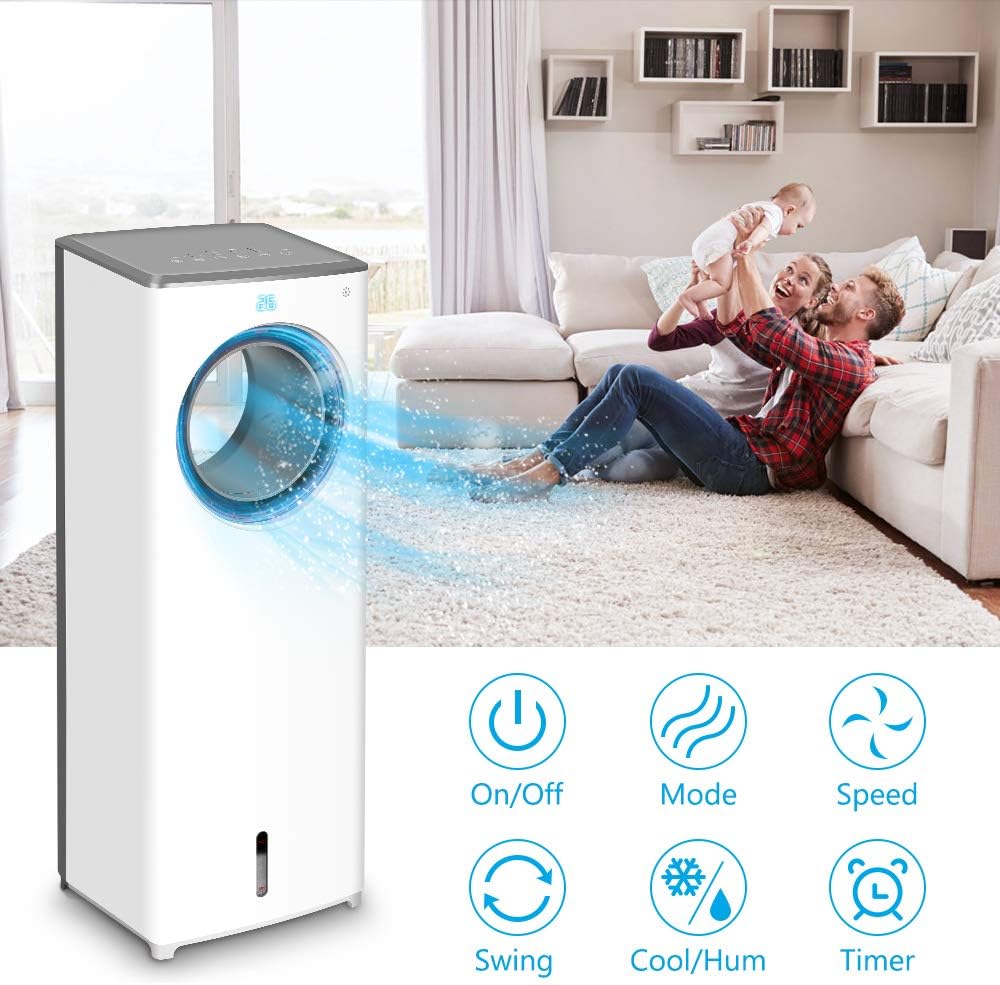
ຮູບພາບ 4.1: ຫຼາຍກວ່າview of the control panel buttons and remote control functions, including On/Off, Mode, Speed, Swing, Cool/Humidify, and Timer.
- ເປີດ/ປິດ: ກົດ ພະລັງງານ ປຸ່ມເພື່ອເປີດຫຼືປິດເຄື່ອງ.
- ຄວາມໄວພັດລົມ: ກົດ ຄວາມໄວ button repeatedly to cycle through Low, Mid, and High fan speeds.
- ຮູບແບບການເຮັດວຽກ: ກົດ ໂໝດ button to select from three distinct airflow patterns:
- ໂໝດປົກກະຕິ: ສະຫນອງການໄຫຼວຽນຂອງອາກາດທີ່ສອດຄ່ອງ.
- ໂໝດທຳມະຊາດ: ຈຳລອງສາຍລົມທໍາມະຊາດດ້ວຍຄວາມໄວພັດລົມທີ່ແຕກຕ່າງກັນ.
- ຮູບແບບການນອນ: Operates at a lower speed and noise level for quiet operation during rest.

Image 4.2: Visual representation of the three available wind modes: Normal, Nature, and Sleep, illustrating their different airflow characteristics.
- ການສັ່ນສະເທືອນ (ການແກວ່ງ): ກົດ ແກວ່ງ button to activate or deactivate the 90-degree oscillation feature, distributing air across a wider area.

Image 4.3: The air cooler demonstrating its 90-degree oscillation feature for comprehensive air distribution.
- Cool/Humidify Function: ກົດ Cool/Humidify button to activate the evaporative cooling and humidification function. Ensure the water tank is filled for this feature to operate effectively.
- ໂມງຈັບເວລາ: ກົດ ໂມງຈັບເວລາ button to set the automatic shut-off timer for up to 8 hours. Each press increases the timer setting.

Image 4.4: The 8-hour adjustable timer feature, promoting energy efficiency and convenience for extended use.
5. ບໍາລຸງຮັກສາ
ການເຮັດຄວາມສະອາດ ແລະ ການບຳລຸງຮັກສາເປັນປະຈຳຈະຮັບປະກັນປະສິດທິພາບທີ່ດີທີ່ສຸດ ແລະ ອາຍຸການໃຊ້ງານທີ່ຍາວນານຂອງເຄື່ອງເຮັດຄວາມເຢັນອາກາດຂອງທ່ານ.
- ກ່ອນທໍາຄວາມສະອາດ: ຖອດປລັກເຄື່ອງອອກຈາກປລັກສຽບໄຟທຸກຄັ້ງກ່ອນທີ່ຈະທໍາຄວາມສະອາດ ຫຼື ດໍາເນີນການບໍາລຸງຮັກສາໃດໆ.
- ທໍາຄວາມສະອາດຖັງນໍ້າ:
- ເອົາຖັງນ້ໍາອອກຈາກຫນ່ວຍ.
- ລ້າງນ້ຳທີ່ເຫຼືອ.
- Clean the tank with a mild detergent and warm water. Rinse thoroughly to remove all soap residue.
- It is recommended to clean the water tank every 3 days to prevent odor and bacterial growth.
- Cleaning the Cooling Pad/Filter:
- Refer to the product diagram to locate and carefully remove the cooling pad/filter from the rear of the unit.
- Rinse the cooling pad/filter under running water to remove dust and debris. Do not use harsh chemicals.
- Allow the cooling pad/filter to air dry completely before reinserting it into the unit.
- ທໍາຄວາມສະອາດພາຍນອກ: ເຊັດພື້ນຜິວພາຍນອກຂອງຫນ່ວຍບໍລິການດ້ວຍຜ້າອ່ອນ, damp ຜ້າ. ຢ່າໃຊ້ເຄື່ອງເຮັດຄວາມສະອາດຂັດຫຼືສານລະລາຍ.
- ການເກັບຮັກສາ: If storing the unit for an extended period, ensure the water tank and cooling pad are clean and dry. Store the unit in a cool, dry place.
6. ການແກ້ໄຂບັນຫາ
| ບັນຫາ | ສາເຫດທີ່ເປັນໄປໄດ້ | ການແກ້ໄຂ |
|---|---|---|
| ຫນ່ວຍບໍລິການບໍ່ເປີດ. | ບໍ່ມີແຫຼ່ງຈ່າຍໄຟ; ສາຍໄຟບໍ່ໄດ້ສຽບແໜ້ນດີ. | Check power outlet and ensure the power cord is firmly connected. |
| No cool air or humidification. | Water tank is empty; cooling pad is dry; Cool/Humidify function not activated. | Fill the water tank; ensure the cooling pad is moist; activate the Cool/Humidify function. |
| Unpleasant odor from the unit. | Stagnant water or dirty cooling pad/water tank. | Clean the water tank and cooling pad thoroughly. Replace water regularly. |
| ນໍ້າຮົ່ວ. | Water tank not properly seated; obstruction in water tank (e.g., packaging material). | Ensure the water tank is correctly inserted. Check for and remove any foreign objects from the tank. |
| ການຄວບຄຸມໄລຍະໄກບໍ່ເຮັດວຽກ. | Batteries are dead or incorrectly inserted; remote not pointed at receiver. | Replace batteries with new ones, ensuring correct polarity. Point the remote directly at the unit's receiver. |
7. ຂໍ້ມູນຈໍາເພາະ
| ຄຸນສົມບັດ | ລາຍລະອຽດ |
|---|---|
| ຕົວແບບ | B085RBZ1P |
| ຍີ່ຫໍ້ | ຄວາມເຊື່ອໝັ້ນ |
| ນ້ໍາຫນັກລາຍການ | 14.17 ປອນ |
| ຂະໜາດສິນຄ້າ | 10.2"D x 8.7"W x 28.7"H |
| ແຫຼ່ງພະລັງງານ | ໄຟຟ້າສາຍ |
| ປະເພດການຕິດຕັ້ງ | ແບບພົກພາ |
| ຄຸນນະສົມບັດພິເສດ | Bladeless, Portable, Humidifier |
| ຈໍານວນຄວາມໄວ | 3 |
| ການສັ່ນສະເທືອນ | 90 ອົງສາ |
| ໂມງຈັບເວລາ | 1-8 hours adjustable |
8. ການຮັບປະກັນແລະການສະຫນັບສະຫນູນ
For information regarding product warranty, technical support, or service inquiries, please refer to the warranty card included with your product packaging or visit the official TRUSTECH website. Contact details for customer support are typically provided in these resources.