
Lorex W463AQD-E
Lorex 2K Dual Lens Indoor Wi-Fi Security Camera W463AQD-E User Manual
Model: W463AQD-E
1. ບົດແນະນຳ
This manual provides detailed instructions for the installation, configuration, and operation of your Lorex 2K Dual Lens Indoor Wi-Fi Security Camera, model W463AQD-E. Please read this manual thoroughly before using the product to ensure proper functionality and safety. Keep this manual for future reference.

Image 1.1: Lorex 2K Dual Lens Indoor Wi-Fi Security Camera with its retail packaging.
2. ເນື້ອໃນຊຸດ
Verify that all items listed below are included in your package. If any items are missing or damaged, please contact Lorex customer support.
- 1 × 2K Dual-Lens Indoor Pan-Tilt Camera
- 1 × 32GB MicroSD Card (pre-installed)
- 1 × 6.5 ft (2 m) Power Cable
- 1 × ວົງເລັບຕິດ
- 3 × Anchors & Screws
- 1 × ອະແດບເຕີພະລັງງານ
3. ຜະລິດຕະພັນເກີນview
Familiarize yourself with the components and features of your Lorex security camera.
3.1 ອົງປະກອບຂອງກ້ອງຖ່າຍຮູບ

ຮູບພາບ 3.1: ດ້ານຫນ້າ view of the camera, showing the dual lenses and call button.

ຮູບພາບ 3.2: ຂ້າງ view of the camera, highlighting its dome shape.

ຮູບພາບ 3.3: ກັບຄືນໄປບ່ອນ view of the camera, showing the power input and reset button.

Image 3.4: Bottom label displaying model number W463AQD-E and other regulatory information.
3.2 ລັກສະນະທີ່ສໍາຄັນ
- 2K ວິດີໂອ Quad HD: ບັນທຶກວິດີໂອທີ່ຊັດເຈນ ແລະລະອຽດtage.
- ການອອກແບບເລນຄູ່: Provides enhanced surveillance capabilities.
- 360° Pan-Tilt: ປັບກ້ອງໄລຍະໄກ viewing angle to cover a full 360-degree area.
- ການຕິດຕາມອັດຕະໂນມັດ: ຕິດຕາມການເຄື່ອນໄຫວທີ່ກວດພົບພາຍໃນຂອບເຂດຂອງມັນໂດຍອັດຕະໂນມັດ view.
- Smart Person & Pet Detection: Differentiates between human and pet activity to reduce false alerts.
- ວິໄສທັດກາງຄືນ IR: Provides clear video in low-light conditions up to 33 feet.
- ສົນທະນາສອງທາງ: Allows for real-time communication through the camera's built-in microphone and speaker.
- Quick Call Button: Enables visitors to initiate a call to your connected device.
- ການເກັບຮັກສາແບບຍືດຫຍຸ່ນ: Supports local storage via an included 32GB MicroSD card and optional cloud storage or Lorex Fusion recorders.
- ໂໝດຄວາມເປັນສ່ວນຕົວ: Physically hides the camera lens for enhanced privacy when needed.
- ການເຊື່ອມຕໍ່ Wi-Fi: Connects to your home network wirelessly (2.4GHz).
4. ຕັ້ງຄ່າ
4.1 ການຕັ້ງຄ່າເບື້ອງຕົ້ນ ແລະ ການເຊື່ອມຕໍ່ແອັບ
- ເປີດ: Connect the power adapter to the camera and plug it into a power outlet. The camera will power on and begin its startup sequence.
- Download Lorex Home App: Download the Lorex Home app from the App Store (iOS) or Google Play Store (Android) on your smartphone or tablet.
- ສ້າງບັນຊີ: Open the Lorex Home app and follow the on-screen instructions to create a new account or log in to an existing one.
- ເພີ່ມອຸປະກອນ: Tap the '+' icon in the app to add a new device. Scan the QR code located on the bottom of your camera or on its packaging.
- ເຊື່ອມຕໍ່ກັບ Wi-Fi: Follow the app's prompts to connect the camera to your 2.4GHz Wi-Fi network. Ensure your mobile device is connected to the same Wi-Fi network during setup.
- ສຳເລັດການຕິດຕັ້ງ: Once connected, follow the remaining steps in the app to name your camera and finalize the setup process.

Image 4.1: The Lorex Home application interface for managing camera feeds.
4.2 ຕິດຕັ້ງກ້ອງ
The camera can be placed on a flat surface or mounted to a ceiling or wall using the included mounting bracket.
- ເລືອກສະຖານທີ່: Select a suitable indoor location with a clear view and within range of your Wi-Fi network.
- Mark Holes: Place the mounting bracket at the desired location and mark the screw holes with a pencil.
- ຮູເຈາະ: Drill pilot holes at the marked spots. If mounting on drywall, insert the included anchors.
- ວົງເລັບທີ່ປອດໄພ: Align the mounting bracket with the holes and secure it using the provided screws.
- ຕິດກ້ອງ: Twist the camera onto the mounting bracket until it clicks securely into place.
5. ການດໍາເນີນງານ
5.1 ດໍາລົງຊີວິດ View ແລະການຄວບຄຸມ
ເຂົ້າເຖິງສົດ view of your camera through the Lorex Home app. From the live view screen, you can control various camera functions.
- Pan ແລະ Tilt: Use the directional controls in the app to remotely adjust the camera's horizontal (pan) and vertical (tilt) angles.
- ຊູມດິຈິຕອນ: Pinch to zoom in or out on the live video feed.
- ເລນຄູ່ View: The app may offer options to switch between or combine views from the dual lenses.

Image 5.1: Camera shown with a smartphone displaying the dual lens live view ໃນແອັບ Lorex Home.
5.2 Two-Way Talk and Call Button
The camera features two-way audio for communication and a physical call button.
- ສົນທະນາສອງທາງ: ໃນສົດ view, ແຕະໄອຄອນໄມໂຄຣໂຟນເພື່ອເວົ້າຜ່ານລຳໂພງຂອງກ້ອງຖ່າຍຮູບ. ແຕະອີກຄັ້ງເພື່ອສິ້ນສຸດ.
- ປຸ່ມໂທຫາ: A person near the camera can press the physical call button on the camera to initiate a call to your connected mobile device.

Image 5.2: Demonstrating two-way talk functionality via the Lorex Home app.

Image 5.3: A user pressing the quick call button on the camera.
5.3 ກວດຈັບການເຄື່ອນໄຫວ ແລະການແຈ້ງເຕືອນ
The camera uses smart detection to identify important events.
- ການກວດຫາອັດສະລິຍະ: The camera can detect and differentiate between people and pets, sending specific alerts to your phone.
- ການຕິດຕາມອັດຕະໂນມັດ: When motion is detected, the camera can automatically pan and tilt to follow the subject.
- ການປັບແຕ່ງ: Adjust motion detection zones and sensitivity settings within the Lorex Home app to minimize unwanted alerts.

Image 5.4: Auto-tracking feature following a baby's movement.

ຮູບພາບທີ 5.5: ອີກອັນໜຶ່ງ view of the auto-tracking feature in action.

Image 5.6: Smart motion detection alerting to a person's presence.

Image 5.7: Pet detection and auto-tracking following a dog.
5.4 Night Vision and Smart Lighting
The camera provides clear surveillance even in low-light conditions.
- ວິໄສທັດກາງຄືນ IR: Infrared LEDs provide black and white video up to 33 feet in complete darkness.
- Smart Security Lighting: The camera features integrated lighting that can be configured to activate upon motion detection or on a schedule.

Image 5.8: Comparison of daytime and IR night vision footage of a sleeping baby.

Image 5.9: Clear night vision image of a baby sleeping.

Image 5.10: The camera's smart security lighting feature in action.
5.5 ການບັນທຶກແລະການເກັບຮັກສາ
Your camera offers multiple options for storing recorded video footage.
- ການເກັບຮັກສາທ້ອງຖິ່ນ: A 32GB MicroSD card is pre-installed for local recording. This ensures your footage is stored directly on the device.
- Cloud Storage: Optional cloud storage plans are available for off-site backup of your recordings. Refer to the Lorex Home app for details.
- Lorex Fusion Recorders: The camera is compatible with Lorex Fusion recorders for integrated system storage.

Image 5.11: The included 32GB MicroSD card for private and secure local storage.
5.6 ໂໝດຄວາມເປັນສ່ວນຕົວ
Activate Privacy Mode to physically conceal the camera lens when surveillance is not desired.
- ການເປີດໃຊ້ງານ: Privacy Mode can be activated through the Lorex Home app. When active, the camera lens will rotate downwards, blocking its view.
- ການປິດໃຊ້ງານ: Deactivate Privacy Mode via the app to resume normal operation.
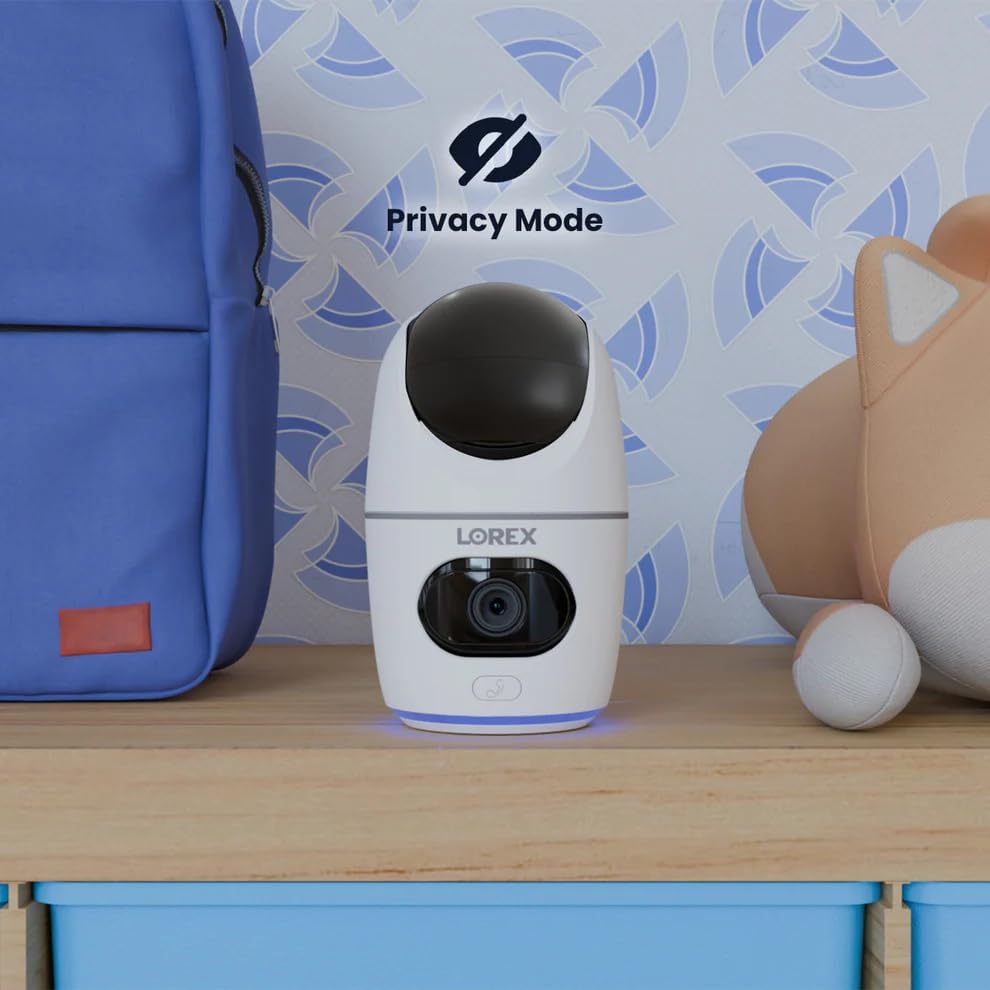
Image 5.12: The camera in Privacy Mode, with the lens retracted.
6. ບໍາລຸງຮັກສາ
- ທໍາຄວາມສະອາດ: ໃຊ້ຜ້າອ່ອນແລະແຫ້ງເພື່ອທຳຄວາມສະອາດເລນກ້ອງຖ່າຍຮູບ ແລະ ຕົວກ້ອງ. ຫຼີກລ່ຽງນ້ຳຢາທຳຄວາມສະອາດທີ່ມີສີຂັດ ຫຼື ຕົວລະລາຍ.
- ການອັບເດດເຟີມແວ: Regularly check the Lorex Home app for available firmware updates to ensure optimal performance and security.
- ກາດ MicroSD: Periodically check the status of the MicroSD card in the app. If the card is full and continuous recording is enabled, older footage will be overwritten. Back up important footage ຕາມຄວາມຕ້ອງການ.
- ການສະຫນອງພະລັງງານ: Ensure the camera is connected to a stable power source. Avoid using third-party power adapters that are not specified for this device.
7. ການແກ້ໄຂບັນຫາ
| ບັນຫາ | ການແກ້ໄຂ |
|---|---|
| Camera is offline or disconnected. |
|
| ບໍ່ສາມາດເຊື່ອມຕໍ່ກັບ Wi-Fi ໄດ້. |
|
| ບໍ່ມີວິດີໂອ ຫຼື ຄຸນນະພາບວິດີໂອບໍ່ດີ. |
|
| Motion alerts are too frequent or not received. |
|
8. ຂໍ້ມູນຈໍາເພາະ
| ຄຸນສົມບັດ | ລາຍລະອຽດ |
|---|---|
| ໝາຍເລກຕົວແບບ | W463AQD-E |
| ຄວາມລະອຽດວິດີໂອ | 2K (1440p) |
| ການແກ້ໄຂປະສິດທິພາບ | 4 MP |
| Viewໃນມຸມ | 360 Degrees (Pan-Tilt), 135 Degrees (Field of View) |
| ຂອບເຂດວິໄສທັດກາງຄືນ | 33 Feet (IR Night Vision) |
| ການເຊື່ອມຕໍ່ | Wi-Fi (2.4GHz) |
| ການເກັບຮັກສາ | 32GB MicroSD Card (included), supports up to 256GB, Cloud Storage (optional), Lorex Fusion compatible |
| ສຽງ | ສົນທະນາສອງທາງ (ໄມໃນຕົວ ແລະລຳໂພງ) |
| ການກວດຫາ | Smart Person & Pet Detection, Auto-Tracking |
| ແຫຼ່ງພະລັງງານ | Corded Electric (5V=2A) |
| ຂະໜາດ (L x W x H) | 5 x 6 x 5 ນິ້ວ |
| ນ້ໍາຫນັກລາຍການ | 15.2 ອອນ |
| ການນຳໃຊ້ພາຍໃນ/ນອກ | Indoor ເທົ່ານັ້ນ |
| ອົງປະກອບລວມ | Camera, 32GB MicroSD Card, Power Cable, Mounting Bracket, Power Adapter |
9. ການຮັບປະກັນແລະການສະຫນັບສະຫນູນ
For warranty information, technical support, or additional resources, please visit the official Lorex webເວັບໄຊ ຫຼືຕິດຕໍ່ພະແນກບໍລິການລູກຄ້າຂອງເຂົາເຈົ້າ.
- Lorex Webເວັບໄຊ: www.lorex.com
- ການຊ່ວຍເຫຼືອລູກຄ້າ: Refer to the Lorex webເວັບໄຊສໍາລັບລາຍລະອຽດການຕິດຕໍ່ແລະຊົ່ວໂມງສະຫນັບສະຫນູນ.
Product registration is recommended to receive updates and support.